
DevExpress Reports
DevExpress Reports: A broad .NET reporting component library for embedded, interactive reporting. Ranked #8 of 39 in Reporting Software by our editors (8.4/10); pricing: 30-day trial; best for established developers needing broad platform reach.
At a glance
- Editor score8.4 / 10
- Pricing30-day trial
- Best forEstablished developers needing broad platform reach
- Free planNo
- Interactive reportsYes
- Founded1998 · Glendale, California, USA
- Facts checked20 Sep 2026
Where it wins
- Report designers and viewers span Visual Studio, Rider, VS Code and web
- Interactive sorting, filtering, drill-down and drill-through support
- Connects to SQL, Excel, CSV, JSON, MongoDB and other sources
Where it doesn't
- Paid product with no free plan
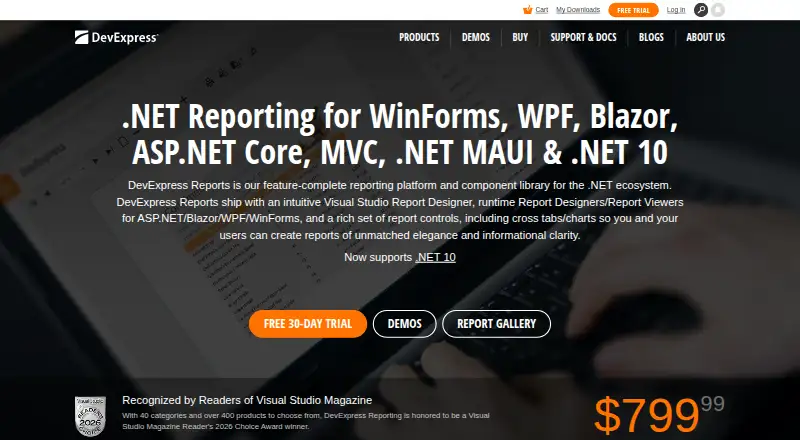
- Standalone Reporting subscription price is 799.99
- Component-library approach requires developer integration
Our verdict on DevExpress Reports
DevExpress Reports is a reporting platform and component library for .NET developers building embedded reporting into desktop, web and mobile applications. It supports WinForms and WPF, ASP.NET, Blazor, JavaScript frameworks and related mobile scenarios across Windows, macOS, Linux, iOS and Android. Its scope covers report creation, document viewing, interactive previews, printing and export, making it a fit for established development teams that need reporting inside their own applications rather than a hosted reporting service.
According to the vendor's pricing page, the standalone Reporting subscription is 799.99, and the published plan is named Reporting. The plan includes Visual Studio, JetBrains Rider and Visual Studio Code report designers, web and desktop document viewers, end-user report designers and AI-powered extensions. A 30-day free trial is available, while the product does not have a free plan. The paid model suits teams planning to embed reporting as part of a broader application, but may be less appropriate for buyers seeking a low-cost, self-contained reporting tool.
The platform's strongest fit is its ecosystem coverage. Developers can bind reports to SQL databases, Entity Framework, object data sources, Excel, CSV, JSON, MongoDB, XPO, Data Federation and XML. Report capabilities include charts, cross-tabs, pivot tables, subreports, localization and conditional formatting, alongside export and printing. Choose DevExpress Reports when IDE integration, embeddable designers and reach across web and desktop environments matter. Consider an alternative if the priority is hosted reporting without application development or a free entry tier.
Your product? Our editors can test DevExpress Reports in depth and publish a review, labelled as paid · from $149/mo →
DevExpress Reports pricing
All 1 DevExpress Reports plans and prices →
DevExpress Reports fact sheet
| Free plan | No |
|---|---|
| Paid from | Not verified |
| Interactive reports | Yes |
| Scheduled delivery | Not verified |
| Report access | Web_and_download |
| Distribution channels | Embed |
| Data source connectors | Not verified |
| Viewer limit | Not verified |
| Free trial | 30 days |
| Money-back guarantee | 60 days |
| Deployment | Desktop, Mobile, Self-hosted |
| Platforms | Web, Windows, macOS, Linux, iOS, Android |
| Support | Tickets, Docs |
| Built for | Small business, Mid-market, Enterprise (editorial estimate) |
| Integrations | 10 integrations: SQL databases, Entity Framework, Object data sources, Excel, CSV, JSON … |
| Pricing | 30-day trial (source) |
| Website | devexpress.com |
| Facts checked | 20 Sep 2026 |
DevExpress Reports integrations
DevExpress Reports lists 10 integrations on its own site.
- SQL databases
- Entity Framework
- Object data sources
- Excel
- CSV
- JSON
- MongoDB
- XPO
- Data Federation
- XML
Alternatives to DevExpress Reports
- SQL Server Reporting ServicesA focused Microsoft reporting platform for paginated delivery, governance, and exports.9.3
- Telerik ReportingA broad, developer-focused reporting toolkit with rich designers, viewers, APIs, and exports.9.2
- SAP Crystal ReportsA Windows desktop reporting tool for precise, database-connected business documents.9.0


See all DevExpress Reports alternatives →
DevExpress Reports vs the competition
- DevExpress Reports vs SQL Server Reporting Services
- DevExpress Reports vs Telerik Reporting
- DevExpress Reports vs SAP Crystal Reports
- DevExpress Reports vs Zendesk Explore
- DevExpress Reports vs Jaspersoft
- DevExpress Reports vs Bold Reports



Compare DevExpress Reports with any tool side by side →
Used DevExpress Reports? Be the first to review it
The editor score above is our own research. What this page doesn't have yet is a reader's view — what you used DevExpress Reports for, what worked and what didn't. No stars are seeded and no review is paid for; an editor reads every one before it appears.
Write a reviewTwo minutes · verified accounts only · read by an editor before it appears
Featured on iTechGuides

DevExpress Reports is listed in our Reporting Software directory. Add the badge to your site — it links back to this page.
<a href="https://www.itechguides.com/products/devexpress-reports/"><img src="https://www.itechguides.com/best/badge/devexpress-reports.svg" alt="Featured on iTechGuides" width="230" height="46"></a>
Reviewed by iTechGuides Editors · Editorial team · Updated Oct 2026
Advertiser disclosure: iTechGuides is reader-supported. Vendors can pay for top positions in our rankings and for a place on other products' pages, and we may earn a commission when you click some links. Bought places stand at the number bought; this page and our disclosure say so. Paying vendors may get a fuller, more detailed review from our editors, and that review can change their score. How we rank.
Last updated · How we research and update