
DeskRoll Remote Desktop
DeskRoll Remote Desktop: A low-cost choice for basic attended support and Windows remote access. Ranked #67 of 134 in Remote Desktop Software by our editors (5.4/10); pricing: Paid; best for low-cost users needing basic support tools.
At a glance
- Editor score5.4 / 10
- PricingPaid
- Best forLow-cost users needing basic support tools
- Free planNo
- Paid from$39/user/yr
- Access modeBoth
- Facts checked22 Sep 2026
Where it wins
- Attended and unattended access with file transfer and chat
- Supports web, Windows, macOS, Linux, iOS, and Android
- Two-factor authentication, logging, and Windows deployment tools
Where it doesn't
- No free plan
- Unattended access is limited to Windows computers
- Unlimited access and mass deployment require the Pro plan
Our verdict on DeskRoll Remote Desktop
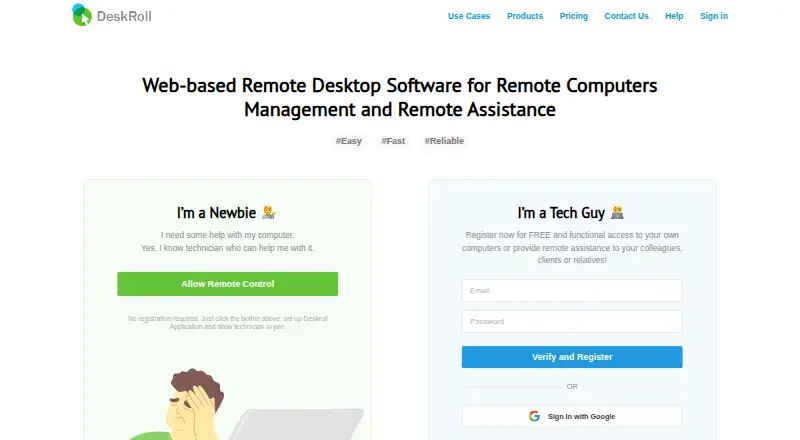
DeskRoll Remote Desktop is browser-based remote support and remote access software from Damiko, Inc. It is designed for personal users, families, technicians, small businesses, and small to midsize businesses. Technicians can connect from a local computer without installing software there, while remote machines use DeskRoll components. The product supports attended sessions, unattended access for Windows computers, two-way file transfer, clipboard synchronization, built-in text chat, session history, usage logging, multi-monitor support, and two-factor authentication. It also includes Android remote control and supports web, Windows, macOS, Linux, iOS, Android, and self-hosted environments.
Pricing is organized around Starter, Lite, and Pro plans. Starter costs $39 per year and includes personal use, 2 ad-hoc support clients, and 2 anytime access PCs. Lite costs $8.25 per month or $99 per year, adding application branding, 5 unattended computers, and 5 ad-hoc support clients for personal and small business use. Pro costs $24.95 per month or $299.4 per year, with unlimited ad-hoc support clients, unlimited unattended computers, mass deployment, and multi-accounts for small to midsize businesses. The published plans show annual billing starting at $3.25 per month. A fully functional free trial is available without a credit card.
DeskRoll’s strongest fit is straightforward support work that benefits from browser access, file transfer, chat, logging, and multi-monitor management. Mass and silent deployment on Windows gives the Pro plan a clearer operational role for larger device sets, while two-factor authentication adds an account-security control. The product is less suitable when unattended access must cover non-Windows computers or when a free plan is required. Users seeking a narrowly focused, low-cost tool for basic attended support should consider Starter or Lite; teams needing unlimited computers, unlimited ad-hoc clients, deployment, and multi-account management should choose Pro.
Your product? Our editors can test DeskRoll Remote Desktop in depth and publish a review, labelled as paid · from $149/mo →
DeskRoll Remote Desktop pricing
All 3 DeskRoll Remote Desktop plans and prices →
DeskRoll Remote Desktop fact sheet
| Free plan | No |
|---|---|
| Paid from | $39/user/yr |
| Access mode | Both |
| Supported platforms | Windows, macOS, Linux, iOS, Android, web browsers |
| File transfer | Yes |
| Session recording | Not verified |
| Managed devices | 2 devices |
| Mobile apps | Yes |
| Deployment | Cloud, Self-hosted, Desktop, Mobile |
| Platforms | Web, Windows, macOS, Linux, iOS, Android |
| Compliance & security | 2FA |
| Support | Email, Community, Docs |
| Built for | Solo, Small business, Mid-market (editorial estimate) |
| Pricing | Paid (source) |
| Website | deskroll.com |
| Facts checked | 22 Sep 2026 |
Alternatives to DeskRoll Remote Desktop
- StarDeskA remote desktop app: reach your own Windows PC or Mac from Windows, macOS, Android or iOS.9.7
- TeamViewer RemoteA mature remote support platform with broad coverage, integrations, and AI features.9.4
- SplashtopA paid remote-access suite with low entry pricing, broad platforms, and deep integrations.9.2

See all DeskRoll Remote Desktop alternatives →
Used DeskRoll Remote Desktop? Be the first to review it
The editor score above is our own research. What this page doesn't have yet is a reader's view — what you used DeskRoll Remote Desktop for, what worked and what didn't. No stars are seeded and no review is paid for; an editor reads every one before it appears.
Write a reviewTwo minutes · verified accounts only · read by an editor before it appears
Featured on iTechGuides

DeskRoll Remote Desktop is listed in our Remote Desktop Software directory. Add the badge to your site — it links back to this page.
<a href="https://www.itechguides.com/products/deskroll-remote-desktop/"><img src="https://www.itechguides.com/best/badge/deskroll-remote-desktop.svg" alt="Featured on iTechGuides" width="230" height="46"></a>
Reviewed by iTechGuides Editors · Editorial team · Updated Oct 2026
Advertiser disclosure: iTechGuides is reader-supported. Vendors can pay for top positions in our rankings and for a place on other products' pages, and we may earn a commission when you click some links. Bought places stand at the number bought; this page and our disclosure say so. Paying vendors may get a fuller, more detailed review from our editors, and that review can change their score. How we rank.
Last updated · How we research and update