Database Browser
Database Browser: A practical Google Workspace add-on for connecting Sheets to multiple databases. Ranked #35 of 53 in Database Client Software by our editors (5.6/10); pricing: Free plan; best for google Workspace-connected database workflows.
At a glance
- Editor score5.6 / 10
- PricingFree plan
- Best forGoogle Workspace-connected database workflows
- Free planYes
- Paid from$9/mo
- DeploymentWeb
- Facts checked21 Sep 2026
Where it wins
- Visual query building with filters, fields, and sorting
- Edit database records directly from Google Sheets
- Scheduled queries with email, spreadsheet, or PDF results
Where it doesn't
- Paid features start at $9 per month
- Database access requires internet reachability or IP allowlisting
- Custom SQL is available for selected databases on the paid tier
Our verdict on Database Browser
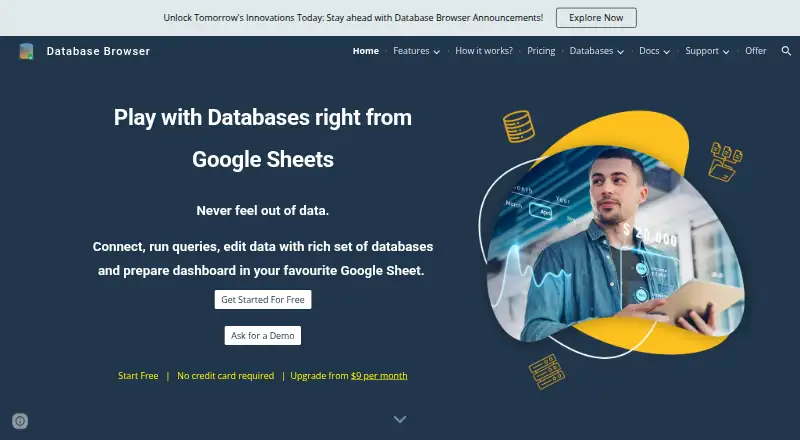
Database Browser is a Google Workspace add-on for connecting Google Sheets with relational, cloud, and NoSQL databases. It is aimed at developers, administrators, testers, business analysts, and business owners who need to browse tables, manage queries, run SQL, send results to spreadsheets, and update records without leaving a Google-centered workflow. The web-based service supports MySQL, Microsoft SQL Server, Oracle, PostgreSQL, MongoDB, Amazon DynamoDB, AWS Redshift, Snowflake, Google Cloud SQL, Google BigQuery, Google Cloud Firestore, and Google Cloud Datastore.
Its strongest fit is the combination of visual query building and spreadsheet-based data work. Users can save and test database connections, save or clone queries, choose fields, apply filters, sort results, and execute custom SQL. Database records can be edited from Google Sheets, while scheduled background execution supports recurring workflows. Success and error notifications, email templates, and spreadsheet or PDF attachments extend the tool beyond ad hoc browsing. Integrations with Google Sheets, Google Workspace, and Google Cloud services make it particularly suitable for teams already working in that ecosystem.
The Free plan provides basic features. The paid tier starts at $9 per month and adds advanced features, enhanced quotas, database record editing, and custom SQL for selected databases. Database Browser operates on the web, and connected databases must be internet-accessible or configured with the necessary IP allowlisting. That requirement may make it less suitable for environments that keep databases isolated from external access. Choose it when Google Sheets is the preferred working interface for database queries, updates, and scheduled reporting. Consider another database client when you need a desktop application or a workflow centered outside Google Workspace.
Your product? Our editors can test Database Browser in depth and publish a review, labelled as paid · from $149/mo →
Database Browser pricing
All 2 Database Browser plans and prices →
Database Browser fact sheet
| Free plan | Yes |
|---|---|
| Paid from | $9/mo |
| Deployment | Web |
| Database support | MySQL, Microsoft SQL Server, Oracle, Google Cloud SQL, Google BigQuery, Google Cloud Firestore, Google Cloud Datastore, MongoDB, PostgreSQL, Amazon DynamoDB, AWS Redshift, Snowflake |
| SSH tunneling | Not verified |
| Data editing | Yes |
| Visual query builder | Yes |
| Result export formats | Not verified |
| Query history | Not verified |
| Deployment | Cloud |
| Platforms | Web |
| Support | Tickets, Docs |
| Built for | Solo, Small business, Mid-market (editorial estimate) |
| Integrations | 6 integrations: Google Sheets, Google Workspace, Google Cloud SQL, Google BigQuery, Google Cloud Firestore, Google Cloud Datastore |
| Pricing | Free plan (source) |
| Website | databasebrowser.jivrus.com |
| Facts checked | 21 Sep 2026 |
Database Browser integrations
Database Browser lists 6 integrations on its own site.
- Google Sheets
- Google Workspace
- Google Cloud SQL
- Google BigQuery
- Google Cloud Firestore
- Google Cloud Datastore
Alternatives to Database Browser
- DBeaverA broad desktop database client with a capable free open-source Community edition.9.4
- DataGripA deep desktop database IDE for developers working across diverse data systems.9.2
- Navicat PremiumA broad desktop client for enterprise database modeling, automation, and administration.9.0



See all Database Browser alternatives →
Used Database Browser? Be the first to review it
The editor score above is our own research. What this page doesn't have yet is a reader's view — what you used Database Browser for, what worked and what didn't. No stars are seeded and no review is paid for; an editor reads every one before it appears.
Write a reviewTwo minutes · verified accounts only · read by an editor before it appears
Featured on iTechGuides

Database Browser is listed in our Database Client Software directory. Add the badge to your site — it links back to this page.
<a href="https://www.itechguides.com/products/database-browser/"><img src="https://www.itechguides.com/best/badge/database-browser.svg" alt="Featured on iTechGuides" width="230" height="46"></a>
Reviewed by iTechGuides Editors · Editorial team · Updated Oct 2026
Advertiser disclosure: iTechGuides is reader-supported. Vendors can pay for top positions in our rankings and for a place on other products' pages, and we may earn a commission when you click some links. Bought places stand at the number bought; this page and our disclosure say so. Paying vendors may get a fuller, more detailed review from our editors, and that review can change their score. How we rank.
Last updated · How we research and update