
DBeaver
DBeaver: A broad desktop database client with a capable free open-source Community edition. Ranked #1 of 53 in Database Client Software by our editors (9.4/10); pricing: Free plan · 14-day trial; best for broad, free desktop database work.
At a glance
- Editor score9.4 / 10
- PricingFree plan · 14-day trial
- Best forBroad, free desktop database work
- Free planYes
- DeploymentDesktop
- Founded2017
- Facts checked22 Sep 2026
Where it wins
- Free, open-source Community edition for Windows, macOS, and Linux
- Supports relational, NoSQL, cloud, and analytics data sources
- Includes SQL tools, data editing, diagrams, SSH, exports, and scheduling
Where it doesn't
- Community query history is cleared after restart
- Desktop deployment does not cover browser or mobile workflows
- Administration, support, and persistent history require commercial editions
Our verdict on DBeaver
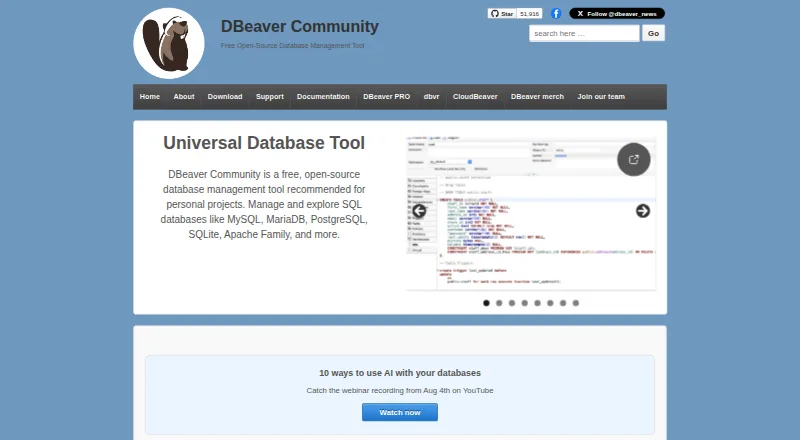
DBeaver is a desktop database management and SQL development tool for technical and business users. Its broad connection coverage spans MySQL, PostgreSQL, MariaDB, Oracle, Microsoft SQL Server, DB2, SQLite, Firebird, H2, MongoDB, Cassandra, Redis, Amazon DynamoDB, Snowflake, Google BigQuery, ClickHouse, and Amazon Redshift. The free, open-source Community edition supports Windows, macOS, and Linux, making DBeaver a practical choice for people who want one desktop workspace across varied databases and data sources.
The feature set extends well beyond basic query execution. DBeaver provides a SQL editor with syntax highlighting and script management, inline and dedicated-space data editing, metadata browsing, and a visual query builder for joins, filtering, ordering, and SQL generation. SSH tunneling and SOCKS proxy options support remote connections, while import and export tools cover CSV, HTML, XML, JSON, Markdown, SQL, source code, TXT, Parquet, XLSX, DBUnit, and Database formats. Entity-relationship diagrams, schema comparison, query filtering, and database structure tools add useful coverage for analysis and maintenance work.
The main edition distinction is between free desktop access and commercial capabilities. Community is free and open source, while commercial editions add features and support; Enterprise specifically includes database management and administration, SQL development tools, technical support, and product updates. A 14-day free trial is available, and commercial licenses are annual. Query history is stored and filterable through Query Manager, but Community history is cleared after restart; persistent history is available in commercial editions. Choose DBeaver for broad database coverage, visual SQL assistance, data movement, and cross-platform desktop work. Consider another option if you need a browser-first or mobile client, or if recurring administration and persistent history must be available without a commercial edition.
Your product? Our editors can test DBeaver in depth and publish a review, labelled as paid · from $149/mo →
DBeaver pricing
All 3 DBeaver plans and prices →
DBeaver fact sheet
| Free plan | Yes |
|---|---|
| Paid from | Not verified |
| Deployment | Desktop |
| Database support | MySQL, MariaDB, PostgreSQL, SQL Server, Oracle, DB2, SQLite, Firebird, MongoDB, Cassandra, Redis, DynamoDB, BigQuery, Snowflake, ClickHouse |
| SSH tunneling | Yes |
| Data editing | Yes |
| Visual query builder | Yes |
| Result export formats | CSV, HTML, XML, JSON, XLS, XLSX, Markdown, SQL, TXT, Parquet |
| Query history | Yes |
| Free trial | 14 days |
| Deployment | Desktop |
| Platforms | Windows, macOS, Linux |
| Compliance & security | SSO/SAML |
| Support | Tickets, Docs, Community |
| Built for | Solo, Small business, Mid-market, Enterprise (editorial estimate) |
| Integrations | 12 integrations: Git, Tableau, Microsoft Office, LibreOffice, Google Drive, Azure OpenAI … |
| Pricing | Free plan · 14-day trial (source) |
| Website | dbeaver.io |
| Facts checked | 22 Sep 2026 |
DBeaver integrations
DBeaver lists 12 integrations on its own site.
- Git
- Tableau
- Microsoft Office
- LibreOffice
- Google Drive
- Azure OpenAI
- OpenAI
- Amazon Bedrock
- Anthropic Claude
- Ollama
- GitHub Copilot
- Google Gemini
Alternatives to DBeaver
- DataGripA deep desktop database IDE for developers working across diverse data systems.9.2
- Navicat PremiumA broad desktop client for enterprise database modeling, automation, and administration.9.0
- Toad Data StudioA broad desktop database client for governed, multi-database work on Windows.8.8



See all DBeaver alternatives →
DBeaver vs the competition
- DBeaver vs DataGrip
- DBeaver vs Navicat Premium
- DBeaver vs Toad Data Studio
- DBeaver vs Oracle SQL Developer
- DBeaver vs pgAdmin
- DBeaver vs HeidiSQL



Compare DBeaver with any tool side by side →
Also Ranked In
DBeaver is ranked in 2 of our directories.
Used DBeaver? Be the first to review it
The editor score above is our own research. What this page doesn't have yet is a reader's view — what you used DBeaver for, what worked and what didn't. No stars are seeded and no review is paid for; an editor reads every one before it appears.
Write a reviewTwo minutes · verified accounts only · read by an editor before it appears
Featured on iTechGuides

DBeaver is listed in our Database Client Software directory. Add the badge to your site — it links back to this page.
<a href="https://www.itechguides.com/products/dbeaver/"><img src="https://www.itechguides.com/best/badge/dbeaver.svg" alt="Featured on iTechGuides" width="230" height="46"></a>
Reviewed by iTechGuides Editors · Editorial team · Updated Oct 2026
Advertiser disclosure: iTechGuides is reader-supported. Vendors can pay for top positions in our rankings and for a place on other products' pages, and we may earn a commission when you click some links. Bought places stand at the number bought; this page and our disclosure say so. Paying vendors may get a fuller, more detailed review from our editors, and that review can change their score. How we rank.
Last updated · How we research and update