
DataGrip
DataGrip: A deep desktop database IDE for developers working across diverse data systems. Ranked #2 of 53 in Database Client Software by our editors (9.2/10); pricing: Free plan · 30-day trial; best for developers needing advanced SQL tooling.
At a glance
- Editor score9.2 / 10
- PricingFree plan · 30-day trial
- Best forDevelopers needing advanced SQL tooling
- Free planYes
- DeploymentDesktop
- Facts checked22 Sep 2026
Where it wins
- Advanced SQL completion, analysis, quick-fixes, and multiple execution modes
- Supports relational and NoSQL databases across Windows, macOS, and Linux
- SSH connections, diagrams, history, data editing, and version-control integration
Where it doesn't
- Commercial use requires a commercial subscription
- Visual query builder is not available
- Desktop deployment may not suit browser-first database workflows
Our verdict on DataGrip
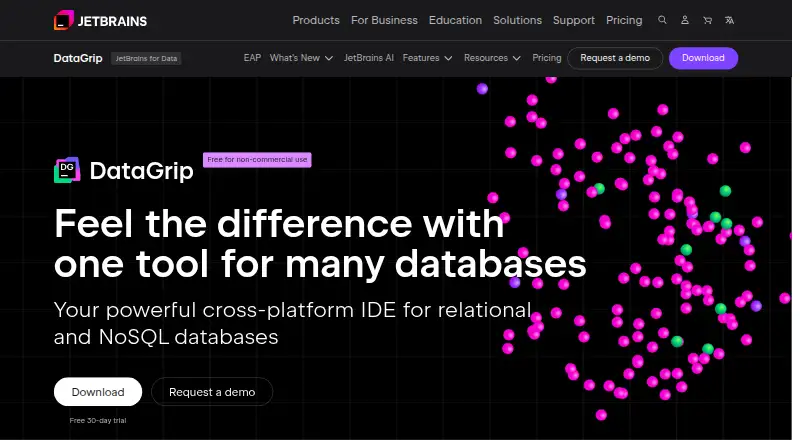
DataGrip is JetBrains’ desktop database IDE for developers and database professionals who need more than basic query execution. It combines SQL editing, context-sensitive completion, on-the-fly analysis, quick-fixes, schema navigation, data browsing and editing, diagrams, history, and export tools in one application. It supports connections to local, remote, and cloud-hosted databases and runs on Windows, macOS, and Linux. The broad database coverage makes it a fit for teams working across varied relational and NoSQL systems rather than a single database engine.
Its strongest advantage is the depth of its SQL and database workflow. Multiple query execution modes, schema and object navigation, query history, SQL logs, query-plan diagrams, configurable extractors, and table or result editing support day-to-day development work. SSH tunneling and jump-host connections add practical options for remote environments, while Git, SVN, and Mercurial integrations connect database work with established version-control workflows. These capabilities favor developers who want analysis and navigation built into their database client instead of assembling separate tools.
DataGrip uses a freemium model. The Non-Commercial plan is free for non-commercial development, while the Commercial plan is intended for organizations and individual commercial development and includes a 30-day free trial. Commercial users should account for the subscription requirement when comparing it with simpler clients. DataGrip is also a focused desktop tool: its visual query builder is not available, and it may be less suitable for users who prefer browser-based access or a lightweight interface. Choose it for advanced SQL tooling, broad database connectivity, and integrated development workflows; choose an alternative if visual query construction or a minimal client is the priority.
Your product? Our editors can test DataGrip in depth and publish a review, labelled as paid · from $149/mo →
DataGrip pricing
All 2 DataGrip plans and prices →
DataGrip fact sheet
| Free plan | Yes |
|---|---|
| Paid from | Not verified |
| Deployment | Desktop |
| Database support | Amazon DocumentDB, Amazon DynamoDB, Amazon Redshift, Apache Cassandra, Apache Derby, Apache Hive, Azure SQL Database, ClickHouse, CockroachDB, Couchbase Query Service, Exasol, Google BigQuery, Greenplum, H2, HSQLDB, IBM Db2 LUW, MariaDB, Microsoft SQL Server, Microsoft SQL Server LocalDB, MongoDB, MySQL, Oracle, PostgreSQL, Redis, Snowflake, SQLite, Sybase ASE, Vertica, Amazon Athena, Apache Ignite, Apache Phoenix, Apache Spark, Databricks, Denodo, DuckDB, Elasticsearch, Firebird, Google Cloud Spanner, IBM Informix, InterSystems IRIS, Mimer SQL, OpenEdge, Presto, SAP HANA, SingleStore, Tarantool, Teradata Vantage, TiDB, TmaxTibero, Trino, YugabyteDB |
| SSH tunneling | Yes |
| Data editing | Yes |
| Visual query builder | No |
| Result export formats | SQL, CSV, TSV, pipe-separated TXT, Excel XLSX/XLS, HTML, JSON, Markdown, XML |
| Query history | Yes |
| Free trial | 30 days |
| Deployment | Desktop |
| Platforms | Windows, macOS, Linux |
| Support | Email, Community, Docs |
| Built for | Small business, Mid-market, Enterprise (editorial estimate) |
| Pricing | Free plan · 30-day trial (source) |
| Website | jetbrains.com |
| Facts checked | 22 Sep 2026 |
Alternatives to DataGrip
- DBeaverA broad desktop database client with a capable free open-source Community edition.9.4
- Navicat PremiumA broad desktop client for enterprise database modeling, automation, and administration.9.0
- Toad Data StudioA broad desktop database client for governed, multi-database work on Windows.8.8



See all DataGrip alternatives →
DataGrip vs the competition
- DataGrip vs DBeaver
- DataGrip vs Navicat Premium
- DataGrip vs Toad Data Studio
- DataGrip vs Oracle SQL Developer
- DataGrip vs pgAdmin
- DataGrip vs HeidiSQL



Compare DataGrip with any tool side by side →
Also Ranked In
DataGrip is ranked in 3 of our directories.
Used DataGrip? Be the first to review it
The editor score above is our own research. What this page doesn't have yet is a reader's view — what you used DataGrip for, what worked and what didn't. No stars are seeded and no review is paid for; an editor reads every one before it appears.
Write a reviewTwo minutes · verified accounts only · read by an editor before it appears
Featured on iTechGuides

DataGrip is listed in our Database Client Software directory. Add the badge to your site — it links back to this page.
<a href="https://www.itechguides.com/products/datagrip/"><img src="https://www.itechguides.com/best/badge/datagrip.svg" alt="Featured on iTechGuides" width="230" height="46"></a>
Reviewed by iTechGuides Editors · Editorial team · Updated Oct 2026
Advertiser disclosure: iTechGuides is reader-supported. Vendors can pay for top positions in our rankings and for a place on other products' pages, and we may earn a commission when you click some links. Bought places stand at the number bought; this page and our disclosure say so. Paying vendors may get a fuller, more detailed review from our editors, and that review can change their score. How we rank.
Last updated · How we research and update