autopep8
autopep8: A focused, configurable Python formatter for PEP 8 cleanup. Ranked #29 of 34 in Code Formatting Tools by our editors (6.4/10); pricing: Free plan; best for basic Python PEP 8 formatting.
At a glance
- Editor score6.4 / 10
- PricingFree plan
- Best forBasic Python PEP 8 formatting
- Free planYes
- Paid fromFree
- Supported languagesPython
- Facts checked21 Sep 2026
Where it wins
- Fixes many pycodestyle indentation and whitespace issues
- Supports exclusions, error selection, line ranges, and parallel jobs
- Works with pre-commit and provides the fix_code() Python API
Where it doesn't
- Supports Python only
- Has no verified editor integrations
- Command-line workflows may not suit editor-first teams
Our verdict on autopep8
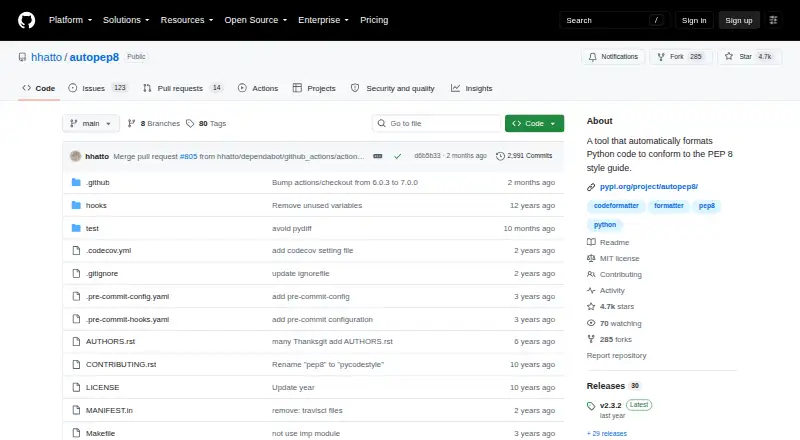
autopep8 is an open-source command-line formatter for Python code. It is designed for developers and teams that want to align code with PEP 8, whether they work with individual files, standard input, or directory trees. It can print a diff or format files in place, process directories recursively, and run across Windows, macOS, and Linux. A Python module function, fix_code(), also supports use within Python-based workflows.
The pricing model is straightforward: autopep8 is open source and has a free plan, with no paid tiers described. Its ecosystem fit centers on Python development and pre-commit. Configuration can be read from setup.cfg, tox.ini, .pep8, .flake8, and pyproject.toml, which gives projects several established locations for formatter settings. Teams can also exclude files and directories with globs, select or ignore specific error codes, format only an inclusive line range, and use parallel jobs for broader directory runs.
Its main strength is focused control rather than broad language coverage. autopep8 addresses pycodestyle-reported issues such as indentation, whitespace, line length, imports, blank lines, and selected comparison patterns, while supporting both command-line and Python API workflows. The tradeoff is equally clear: it supports Python only and does not provide verified editor integrations. Developers who want a free, self-hosted formatter with PEP 8-oriented controls should consider autopep8. Teams seeking multi-language formatting or an editor-integrated experience should choose a different tool.
Your product? Our editors can test autopep8 in depth and publish a review, labelled as paid · from $149/mo →
autopep8 pricing
autopep8 fact sheet
| Free plan | Yes |
|---|---|
| Paid from | Free |
| Supported languages | Python |
| Supported platforms | OS independent |
| Editor integration | No |
| Ignore files | Yes |
| Changed-lines formatting | Yes |
| Library API | Yes |
| License model | Open_source |
| Deployment | Self-hosted |
| Platforms | Windows, macOS, Linux |
| Support | Community, Docs |
| Built for | Solo, Small business, Mid-market, Enterprise (editorial estimate) |
| Integrations | 1 integrations: pre-commit |
| Pricing | Free plan |
| Website | github.com |
| Facts checked | 21 Sep 2026 |
autopep8 integrations
autopep8 lists 1 integrations on its own site.
- pre-commit
Alternatives to autopep8
- dprintA broad, editor-friendly formatter for multilingual repositories and changed-file workflows.9.4
- PrettierA broad, open-source formatter for web-language teams across editors and workflows.9.2
- SpotlessA build-focused formatter for JVM projects that need broad language coverage and automation.9.0
See all autopep8 alternatives →
Used autopep8? Be the first to review it
The editor score above is our own research. What this page doesn't have yet is a reader's view — what you used autopep8 for, what worked and what didn't. No stars are seeded and no review is paid for; an editor reads every one before it appears.
Write a reviewTwo minutes · verified accounts only · read by an editor before it appears
Featured on iTechGuides

autopep8 is listed in our Code Formatting Tools directory. Add the badge to your site — it links back to this page.
<a href="https://www.itechguides.com/products/autopep8/"><img src="https://www.itechguides.com/best/badge/autopep8.svg" alt="Featured on iTechGuides" width="230" height="46"></a>
Reviewed by iTechGuides Editors · Editorial team · Updated Oct 2026
Advertiser disclosure: iTechGuides is reader-supported. Vendors can pay for top positions in our rankings and for a place on other products' pages, and we may earn a commission when you click some links. Bought places stand at the number bought; this page and our disclosure say so. Paying vendors may get a fuller, more detailed review from our editors, and that review can change their score. How we rank.
Last updated · How we research and update