
AssetCenter
AssetCenter: A practical free-to-paid asset register with scanning, lifecycle records, and straight-line depreciation. Ranked #14 of 27 in Fixed Asset Management Software by our editors (7.7/10); pricing: Free plan · 14-day trial; best for small teams wanting a free register.
At a glance
- Editor score7.7 / 10
- PricingFree plan · 14-day trial
- Best forSmall teams wanting a free register
- Free planYes
- Paid from$39/mo
- Tax depreciationNo
- Facts checked20 Sep 2026
Where it wins
- Free plan supports 25 assets with no time limit or credit card
- Tracks assignments, maintenance, warranties, costs, and disposition events
- Barcode, QR, Excel, Entra ID, and Apple Business support
Where it doesn't
- Free plan excludes reports
- Depreciation is limited to the straight-line method
- Does not calculate tax depreciation or replace a general ledger
Our verdict on AssetCenter
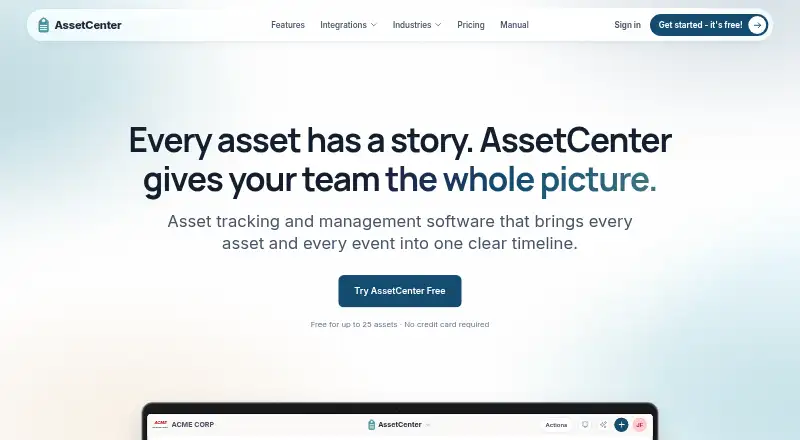
AssetCenter is a web-based asset accountability and lifecycle platform for small and midsize teams. It records equipment, devices, vehicles, tools, subscriptions, people, and locations, with assignments, costs, documents, maintenance, warranties, useful life, depreciation, and disposition events organized on a unified timeline. Barcode and QR scanning, configurable fields and events, role-based permissions, and optional GPS tracking support day-to-day asset administration.
The pricing structure suits teams that want to start small. The Free plan supports 25 available or deployed assets with no time limit and no credit card requirement, but excludes reports. Starter costs $39 per month and raises the allowance to 250 assets, with 5 seats, all reports, 500 GB of storage, unlimited subscriptions, people, and locations, and basic support. Growth costs $129 per month for 1,500 assets, 15 seats, 2 TB of storage, priority support, and an AI Asset Assistant with 500 chats per month. Professional costs $299 per month and includes 5,000 assets, unlimited seats, 5 TB of storage, priority support plus onboarding assistance, and 1,500 AI Asset Assistant chats per month. A 14-day free trial is also available.
AssetCenter fits teams that need a central operational register rather than a full accounting system. Excel imports and exports help with record migration, while Microsoft Entra ID synchronization and Apple Business device imports connect the asset register with directory and device workflows. The product provides straight-line depreciation, accumulated depreciation, and net book value reporting, but it does not calculate tax depreciation or replace a general ledger. Choose it for practical lifecycle, maintenance, assignment, and accountability tracking; choose an alternative when multiple depreciation methods or tax-focused accounting are central requirements.
Questions about AssetCenter
Does AssetCenter have a free plan? Yes, there is a free plan; paid plans start at $39/mo (Starter).
How much does AssetCenter cost? AssetCenter lists 3 paid plans; the lowest is Starter at $39/mo.
Is there a free trial of AssetCenter? Yes: a 14-day free trial; no card is needed.
What does AssetCenter run on? Web. It runs in the cloud.
What does AssetCenter integrate with? 2 integrations: Microsoft Entra ID and Apple Business.
Who is AssetCenter built for? Small businesses and mid-market companies (our editorial estimate).
Your product? Our editors can test AssetCenter in depth and publish a review, labelled as paid · from $149/mo →
AssetCenter pricing
All 4 AssetCenter plans and prices →
AssetCenter fact sheet
| Free plan | Yes |
|---|---|
| Paid from | $39/mo |
| Asset limit | 250 assets |
| Depreciation methods | 1 methods |
| Tax depreciation | No |
| Deployment | Cloud |
| Multi-entity support | Yes |
| Accounting integrations | Not verified |
| Free trial | 14 days · no card needed |
| Deployment | Cloud |
| Platforms | Web |
| Compliance & security | 2FA |
| Support | Docs |
| Built for | Small business, Mid-market (editorial estimate) |
| Integrations | 2 integrations: Microsoft Entra ID, Apple Business See all → |
| Pricing | Free plan · 14-day trial (source) |
| Website | assetcenter.app |
| Facts checked | 20 Sep 2026 |
AssetCenter integrations
AssetCenter lists 2 integrations on its own site.
- Microsoft Entra ID
- Apple Business
See all AssetCenter integrations →
Alternatives to AssetCenter
- AssetAccountantA cost-conscious choice for accounting teams managing assets across entities.9.3
- Sage Fixed AssetsA broad fixed-asset system for complex, multi-entity accounting and inventory workflows.9.2
- AssetsTrakA compliance-focused asset system with offline verification, statutory depreciation, and controlled disposal.9.1


See all AssetCenter alternatives →
Also Ranked In
AssetCenter is ranked in 2 of our directories.
Used AssetCenter? Be the first to review it
The editor score above is our own research. What this page doesn't have yet is a reader's view — what you used AssetCenter for, what worked and what didn't. No stars are seeded and no review is paid for; an editor reads every one before it appears.
Write a reviewTwo minutes · verified accounts only · read by an editor before it appears
Featured on iTechGuides

AssetCenter is listed in our Fixed Asset Management Software directory. Add the badge to your site — it links back to this page.
<a href="https://www.itechguides.com/products/assetcenter/"><img src="https://www.itechguides.com/best/badge/assetcenter.svg" alt="Featured on iTechGuides" width="230" height="46"></a>
Reviewed by iTechGuides Editors · Editorial team · Updated Nov 2026
Advertiser disclosure: iTechGuides is reader-supported. Vendors can pay for top positions in our rankings and for a place on other products' pages, and we may earn a commission when you click some links. Bought places stand at the number bought; this page and our disclosure say so. Paying vendors may get a fuller, more detailed review from our editors, and that review can change their score. How we rank.
Last updated · How we research and update