
Adobe Acrobat Sign
Adobe Acrobat Sign: A strong enterprise e-signature choice for Adobe-centered workflows and complex routing. Ranked #4 of 67 in E-Signature Software by our editors (9.0/10); pricing: Paid; best for large organizations using Adobe and enterprise apps.
At a glance
- Editor score9.0 / 10
- PricingPaid
- Best forLarge organizations using Adobe and enterprise apps
- Free planNo
- Audit trailYes
- Founded1982 · San Jose, California, USA
- Facts checked20 Sep 2026
Where it wins
- Supports bulk sending, reusable templates, tracking, and audit reports
- Offers sequential, parallel, and hybrid agreement routing
- Integrates with Microsoft 365, Salesforce, Workday, and more
Where it doesn't
- Uses contact-sales pricing rather than published plan prices
- Has no free plan
- Its extensive enterprise feature set may exceed smaller teams' needs
Our verdict on Adobe Acrobat Sign
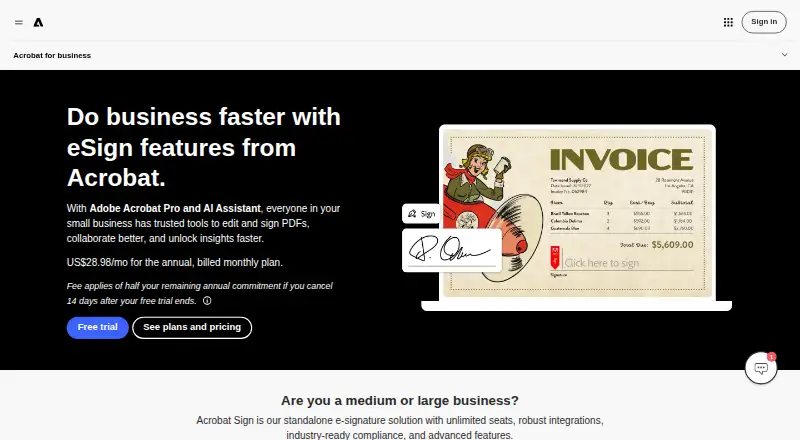
Adobe Acrobat Sign is a cloud-based electronic-signature service for businesses and enterprises. It supports sending agreements by email or SMS, collecting signatures, managing reusable templates, tracking agreement status, producing audit reports, and applying authentication controls. The product is aimed at organizations that need structured signing workflows, enterprise integrations, API automation, and access across web, Windows, macOS, iOS, Android, and API environments.
The published Acrobat Sign Solutions plan includes custom templates, bulk e-signature requests, real-time tracking, enterprise integrations, and advanced authentication and compliance capabilities. Adobe uses a contact-sales pricing model for this offering, and there is no free plan. Buyers should assess the commercial fit directly with Adobe, particularly because related Acrobat Standard and Acrobat Pro plans are separate products rather than confirmed pricing for standalone Acrobat Sign Solutions.
Its strongest fit is in complex business processes. Agreements can be routed sequentially, in parallel, or through hybrid workflows; phone authentication can use SMS or voice verification codes; and the API supports embedded signing workflows and agreement automation. Integrations include Microsoft 365, Microsoft Teams, Salesforce, Workday, ServiceNow, SAP SuccessFactors, Microsoft Dynamics 365, HubSpot, Zoho CRM, Box, Microsoft Power Automate, and Zapier. Large organizations with Adobe and enterprise application requirements should find the scope compelling, while smaller teams seeking simple signing and self-serve pricing may prefer a more focused option.
Your product? Our editors can test Adobe Acrobat Sign in depth and publish a review, labelled as paid · from $149/mo →
Adobe Acrobat Sign pricing
All 3 Adobe Acrobat Sign plans and prices →
Adobe Acrobat Sign fact sheet
| Free plan | No |
|---|---|
| Paid from | Not verified |
| Audit trail | Yes |
| Document templates | Yes |
| Bulk sending | Yes |
| API access | Yes |
| SMS authentication | Yes |
| Signature order | Both |
| Deployment | Cloud, Desktop, Mobile |
| Platforms | Web |
| Compliance & security | SOC 2, ISO 27001, PCI DSS |
| Support | Tickets, Live chat, Phone, Docs · 24/7 |
| Built for | Small business, Mid-market, Enterprise (editorial estimate) |
| Integrations | 75+ integrations: Microsoft 365, SharePoint, Microsoft Teams, Salesforce, Workday, Marketo … See all → |
| Pricing | Paid (source) |
| Website | adobe.com |
| Facts checked | 20 Sep 2026 |
Adobe Acrobat Sign integrations
Adobe Acrobat Sign lists 75+ integrations on its own site — the 9 named here are the ones its pages call out.
- Microsoft 365
- SharePoint
- Microsoft Teams
- Salesforce
- Workday
- Marketo
- Google Drive
- Box
- Dropbox
See all Adobe Acrobat Sign integrations →
Alternatives to Adobe Acrobat Sign
- DocuSign eSignatureA full-featured e-signature platform for teams that need integrations and workflow controls.9.4
- Zoho SignAffordable signing with broad workflows, authentication, integrations, and APIs.9.2
- Dropbox SignA flexible signing service with a free plan, team features, and Dropbox workflows.9.1



See all Adobe Acrobat Sign alternatives →
Adobe Acrobat Sign vs the competition
- Adobe Acrobat Sign vs DocuSign eSignature
- Adobe Acrobat Sign vs Zoho Sign
- Adobe Acrobat Sign vs Dropbox Sign
- Adobe Acrobat Sign vs Foxit eSign
- Adobe Acrobat Sign vs OneSpan Sign
- Adobe Acrobat Sign vs Xodo Sign (formerly eversign)



Compare Adobe Acrobat Sign with any tool side by side →
Also Ranked In
Adobe Acrobat Sign is ranked in 11 of our directories; the 6 strongest besides E-Signature Software.
Used Adobe Acrobat Sign? Be the first to review it
The editor score above is our own research. What this page doesn't have yet is a reader's view — what you used Adobe Acrobat Sign for, what worked and what didn't. No stars are seeded and no review is paid for; an editor reads every one before it appears.
Write a reviewTwo minutes · verified accounts only · read by an editor before it appears
Featured on iTechGuides
Adobe Acrobat Sign is listed in our E-Signature Software directory. Add the badge to your site — it links back to this page.
<a href="https://www.itechguides.com/products/adobe-acrobat-sign/"><img src="https://www.itechguides.com/best/badge/adobe-acrobat-sign.svg" alt="Featured on iTechGuides" width="230" height="46"></a>
Reviewed by iTechGuides Editors · Editorial team · Updated Oct 2026
Advertiser disclosure: iTechGuides is reader-supported. Vendors can pay for top positions in our rankings and for a place on other products' pages, and we may earn a commission when you click some links. Bought places stand at the number bought; this page and our disclosure say so. Paying vendors may get a fuller, more detailed review from our editors, and that review can change their score. How we rank.
Last updated · How we research and update