
Acuity Scheduling
Acuity Scheduling: Acuity fits service businesses that need scheduling, payments, clients, and operations in one system. Ranked #5 of 135 in Appointment Scheduling Software by our editors (8.9/10); pricing: 7-day trial; best for service businesses needing advanced operations.
At a glance
- Editor score8.9 / 10
- Pricing7-day trial
- Best forService businesses needing advanced operations
- Free planNo
- Paid from$16/mo
- Calendar syncTwo-way
- Founded2006
- Facts checked20 Sep 2026
Where it wins
- Supports staff, resources, availability, and multi-location calendars
- Combines booking, payments, packages, memberships, and invoicing
- Offers group booking, round-robin scheduling, and two-way calendar sync
Where it doesn't
- No ongoing free plan after the 7-day trial
- Starter includes only 1 calendar
- Advanced features require the higher-priced Premium plan
Our verdict on Acuity Scheduling
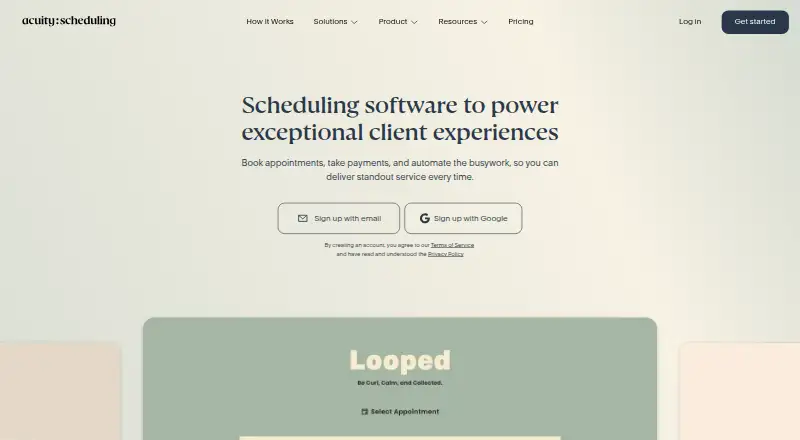
Acuity Scheduling is online appointment scheduling software for solo practitioners, service businesses, and multi-location teams. It provides branded booking pages, shareable links, website embedding, client self-scheduling, rescheduling and cancellation, calendar synchronization, reminders, payment collection, deposits, invoicing, and mobile administration. Businesses can also manage staff, resources, availability, client profiles, group classes, packages, memberships, subscriptions, gift certificates, and add-ons from the same system.
Pricing is tiered by calendars and operational depth. Starter costs $16 per month with annual billing or $20 monthly, and includes 1 calendar, payment support for Stripe, Square, PayPal, and Venmo, email reminders, custom client forms, and automatic time zone conversion. Standard costs $27 per month annually or $34 monthly, adds up to 6 calendars, text reminders, appointment waitlists, memberships, packages, and gift certificates. Premium costs $49 per month annually or $61 monthly, supports up to 36 calendars, and adds the AI Booking Assistant, a HIPAA compliance BAA, multiple time zones for staff and locations, and custom API and CSS. A 7-day trial is available, with no ongoing free plan.
Its strongest fit is a service operation that needs more than a basic booking page. Google, iCloud, and Microsoft Outlook synchronization support calendar coordination, while Google Meet, Zoom, GoToMeeting, QuickBooks, Zapier, Mailchimp, Squarespace, and payment integrations extend the surrounding workflow. Group classes with capacity limits, round-robin calendar pooling, client intake forms, payment links, card storage, and multi-location management give larger or more operationally complex teams room to organize appointments and revenue in one product. Smaller businesses with one calendar and simple scheduling may find the paid-only model and higher-tier features more than they need; teams needing those operational tools should consider Acuity.
Your product? Our editors can test Acuity Scheduling in depth and publish a review, labelled as paid · from $149/mo →
Acuity Scheduling pricing
All 3 Acuity Scheduling plans and prices →
Acuity Scheduling fact sheet
| Free plan | No |
|---|---|
| Paid from | $16/mo |
| Booking pages | Yes |
| Calendar sync | Two-way |
| Group booking | Yes |
| Round-robin scheduling | Yes |
| Automated reminders | Yes |
| Payment collection | Yes |
| Free trial | 7 days · no card needed |
| Deployment | Cloud, Mobile |
| Platforms | Web, iOS, Android |
| Compliance & security | HIPAA |
| Support | Email, Live chat, Docs |
| Built for | Solo, Small business, Mid-market (editorial estimate) |
| Integrations | 13 integrations: Google Calendar, iCloud, Microsoft Outlook, Zoom, Google Meet, GoToMeeting … See all → |
| Pricing | 7-day trial (source) |
| Website | acuityscheduling.com |
| Facts checked | 20 Sep 2026 |
Acuity Scheduling integrations
Acuity Scheduling lists 13 integrations on its own site.
- Google Calendar
- iCloud
- Microsoft Outlook
- Zoom
- Google Meet
- GoToMeeting
- Stripe
- Square
- PayPal
- QuickBooks
- FreshBooks
- Mailchimp
- Zapier
See all Acuity Scheduling integrations →
Alternatives to Acuity Scheduling
- CalendlyA broad scheduler with strong team routing, payments, reminders, and integrations.9.4
- Cal.comA flexible scheduler with free basics, team routing, payments, and developer tools.9.2
- Zoho BookingsA flexible scheduler with a capable free tier and strong Zoho ecosystem fit.9.1



See all Acuity Scheduling alternatives →
Acuity Scheduling vs the competition
- Acuity Scheduling vs Calendly
- Acuity Scheduling vs Cal.com
- Acuity Scheduling vs Zoho Bookings
- Acuity Scheduling vs Zoom Scheduler
- Acuity Scheduling vs Setmore
- Acuity Scheduling vs YouCanBookMe



Compare Acuity Scheduling with any tool side by side →
Also Ranked In
Acuity Scheduling is ranked in 7 of our directories.
Used Acuity Scheduling? Be the first to review it
The editor score above is our own research. What this page doesn't have yet is a reader's view — what you used Acuity Scheduling for, what worked and what didn't. No stars are seeded and no review is paid for; an editor reads every one before it appears.
Write a reviewTwo minutes · verified accounts only · read by an editor before it appears
Featured on iTechGuides

Acuity Scheduling is listed in our Appointment Scheduling Software directory. Add the badge to your site — it links back to this page.
<a href="https://www.itechguides.com/products/acuity-scheduling/"><img src="https://www.itechguides.com/best/badge/acuity-scheduling.svg" alt="Featured on iTechGuides" width="230" height="46"></a>
Reviewed by iTechGuides Editors · Editorial team · Updated Oct 2026
Advertiser disclosure: iTechGuides is reader-supported. Vendors can pay for top positions in our rankings and for a place on other products' pages, and we may earn a commission when you click some links. Bought places stand at the number bought; this page and our disclosure say so. Paying vendors may get a fuller, more detailed review from our editors, and that review can change their score. How we rank.
Last updated · How we research and update