Showing 849–856 of 1786 results
-

Lenovo IdeaPad 710s Plus
- Processor: Up to 2-core Intel Core i7-7500U, 2.70 GHz, 4 MB Cache
- Memory: Up to 8 GB DDR4 2133 MHz (Onboard)
- Storage: Up to 512 GB PCIe SSD
- Graphics: Intel HD Graphics 620, or NVIDIA GeForce 940MX, 2GB GDDR5
- Display: 13.3″, FHD (1920 x 1080), or QHD+ (3200 x 1800)
-

Lenovo IdeaPad 720S 13 Inch
- Processor: 4-core Intel Core i7-8550U, 1.80 GHz, 8 MB Cache
- Memory: 8 GB DDR4 2400 MHz
- Storage: 1 TB PCIe SSD
- Graphics: Integrated Intel UHD Graphics 620
- Display: 13.3” 4K UHD (3840 x 2160)
-

Lenovo IdeaPad 720S 14 Inch
- Processor: Up to 4-core Intel Core i7-8550U, 1.80 GHz, 8 MB Cache
- Memory: Up 16 GB DDR4
- Storage: Up to 1 TB PCIe SSD
- Graphics: Up to NVIDIA GeForce 940MX
- Display: 14.0″, FHD (1920 x 1080)
-

Lenovo IdeaPad 720S 15 Inch
- Processor: 4-core Intel Core i7-7700HQ, 2.80 GHz, 6 MB Cache
- Memory: Up to 16 GB DDR4 2400 MHz
- Storage: Up to 1 TB PCIe SSD
- Graphics: NVIDIA GeForce GTX 1050 Ti, 4GB
- Display: 15.6”, FHD (1920 x 1080), or 4K UHD (3840 x 2160)
-

Lenovo IdeaPad Chromebook 3 11AST5
- Processor: 2-core AMD A4-9120C, 1.60 GHz, 1 MB Cache, or 2-core AMD A6-9220C, 1.80 GHz, 1 MB Cache
- Memory: 4 GB DDR4 1866MHz
- Storage: 32 GB, or 64 GB eMMC
- Graphics: AMD Radeon R4, or AMD Radeon R5
- Display: 11.6”, HD (1366 x 768)
-

Lenovo IdeaPad Flex 5 14ALC05
- Processor: Up to 8-core AMD Ryzen 7 5700U, 1.80 GHz, 8 MB Cache
- Memory: Up to 16 GB DDR4 3200 MHz (Onboard)
- Storage: Up to 512 GB M.2 PCIe SSD
- Graphics: AMD Radeon Graphics
- Display: 14.0”, FHD (1920 x 1080)
-

Lenovo IdeaPad Flex 5 15-inch (Intel)
- Processor: Up to 4-core Intel Core i7-1065G7, 1.30 GHz, 8 MB Cache
- Memory: Up to 8 GB DDR4 3200 MHz (Onboard)
- Storage: Up to 512 GB PCIe SSD
- Graphics: Intel UHD Graphics, or Intel Iris Plus Graphics
- Display: 15.6”, FHD (1920 x 1080)
-
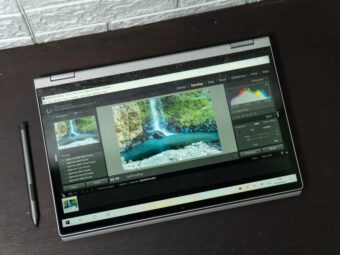
Lenovo IdeaPad Flex 5i 14-inch
- Processor: Up to 4-core Intel Core i7-1165G7, 2.80 GHz, 12 MB Cache
- Memory: Up to 16 GB DDR4 3200 MHz (Onboard)
- Storage: Up to 1 TB PCIe SSD
- Graphics: Intel Iris Xe Graphics, or NVIDIA GeForce MX450
- Display: 14.0”, FHD (1920 x 1080)
very nice explanation with images. I followed your methods and it’s very helpful. Many people wants that use two numbers on same phone. But they don’t know about that. I will share your blog with my groups. Thanks and keep posting.
Glad the guide was helpful. Thank you so much!
Thanks for the solutions. 1st one worked well for me. (Private Window)
Glad you were able to fix the problem!
Victor
Thank you so much for your explanation
I think in Step#5 the fourth screenshot, the ip address of the DHCP server should be entered which in subnet 10.0.0.0/8
Hi,
Thanks for your comment. You are right. I thought my statement “Confirm that the IP address of DHCP server is in the Server address list” should suffice. I have amended the screenshot to reflect the suggested changes. The screenshot now has the IP address of the DHCP server – 10.0.0.2
Thanks again for pointing this out.
Victor
I installed a SSD and cloned my old HHD to it. I want to make my SSD the boot drive and my old HHD a storage drive. My SSD is installed on the mother board of my Dell XPS 8930 computer. Can anyone help me resolve this problem.
Hi Ralph,
When you said you “cloned” the old HHD to the SSD drive” do you mean you cloned the Operating System (OS) files from the old HDD to the SSD and and you’re trying to now boot from the cloned OS files in the SSD?
Another thing I like to clarify: you said “My SSD is installed on the mother board..”. How is the old HDD connected to your computer?
Also, when you boot to your computer’s BIOS, can you see the SSD drive?
Once I receive answers to these 3 questions, I will be able to tell you how to boot from your SSD.
Victor
This is an incredibly assumptive and anecdotal article at best. Assuming Microsoft’s system files are malware because they bloat the machine is a big assumption. You haven’t been able to explain at all why it happens even though you mention all this research you did, and didn’t give guidance to anything substantial either. It took me 5 minutes of research to find people that solved their problems with this file and you didn’t even suggest that either.
Hi Brock,
Thank you for taking the time to leave a comment. I take time to research my articles and ensure that I only share information I believe to be accurate. I can assure my readers that I am not just a tech writer, I worked in the tech industry (Specifically, Microsoft technologies) for over 18 years. So, my articles are hands-on and not just theoretical.
Having said that, I encourage feedback to allow my readers to share their view as well. The tech community is full of smart guys like yourself (indulgence not intended).
Will you be kind enough to clarify some of your statements. Once you provide additional clarifications I will verify them and If credible, I am happy to amend portions of the article.
Thanks again,
Victor