
iTechGuides is reader-supported. When you buy through links on our site, we may earn an affiliate commission. As an Amazon Associate I earn from qualifying purchases. Learn more
Philips can be a good TV brand, but the model matters more than the badge. Recent reviews found excellent OLED picture quality and responsive gaming on the OLED+950, while the OLED910 and OLED760 make different compromises in apps, brightness and motion. Ambilight is the clearest Philips differentiator, yet it varies from two- or three-sided to four-sided implementations. Smart-TV software, HDMI features, sound systems, warranty coverage and even app availability depend on the exact model and country. Treat Philips as a brand worth comparing, not an automatic recommendation: match a specific model and local price to your room, devices and streaming services.
Which Philips TVs have the strongest independent test results?
The clearest evidence comes from three recent OLED models, and their results are not interchangeable. The 2025 OLED+950 is a high-end set with very strong image processing and gaming support; the OLED910 is a flagship model whose UK app selection has a notable gap; and the OLED760 is a cheaper OLED with lower measured brightness and some motion limitations.
| Model and review | Documented strengths | Documented limitations |
|---|---|---|
| Philips OLED+950, 65-inch model reviewed in 2025 | Strong SDR and HDR image quality, effective tone mapping, four-sided Ambilight, 4K/144 Hz PC support, 4K/120 Hz console support and VRR. AVForums measured 14.6 ms input lag at 4K/60 and 6.4 ms at 1080p/120. | Posterisation and overshoot appeared in difficult Dolby Vision and HDR10 scenes. Only two HDMI 2.1 ports provide full 48 Gbps bandwidth. The reviewed version is intended for external audio rather than including an integrated premium soundbar. Read the AVForums review. |
| Philips OLED910, 2025 model reviewed in 2026 | Flagship OLED picture performance, Google TV and support for major streaming services. | The UK review found no built-in BBC iPlayer app, so viewers relying on that service need a streaming stick or another compatible device. App availability should not be generalized to every country or Philips model. Read the TechRadar review. |
| Philips OLED760 | OLED contrast, three-sided Ambilight and access through TitanOS to services including Netflix, Disney+, BBC iPlayer and ITVX in the reviewed UK configuration. | Apple TV was not supported in the review. TechRadar measured 665 nits peak HDR brightness in Filmmaker Mode on a 10% window and 708 nits in Standard/Personal mode, describing brightness as middling and noting some motion issues. Read the TechRadar review. |
Phil Hinton of AVForums summarized the OLED+950 as “a strong choice for a high-end OLED television,” while also noting that the final decision depends on the features each buyer prioritizes. That is a model-level verdict, not proof that every Philips television performs at the same standard.
Free tools Windows power users keep installed
One-click scans. No signup required.
How good is Philips picture quality?
Philips OLED sets can deliver the deep blacks, pixel-level contrast and wide viewing angles associated with OLED, but processing behavior and brightness differ by model. Independent tests of the OLED+950 praised both SDR and HDR presentation, including its tone mapping, which determines how HDR highlights are fitted into the panel’s available brightness. The same review found posterisation and overshoot in challenging Dolby Vision and HDR10 material, so excellent overall results do not mean artifact-free playback in every scene.
#1 Best Overall

- Ambilight: Built-in rear LED lighting reads the 55-inch screen and projects matching color onto the wall. Follow Audio pulses the light with your music, and a static glow stays on after the TV is off
- 4K QLED picture: 3840 x 2160 resolution and quantum dot color give a wider range of color, contrast and brightness. Dolby Vision, HDR10 and HLG tune compatible content, and 120 PMR keeps sports smooth
- Dolby Atmos sound: Two built-in speakers place effects around the room, so dialogue and commentary stay clear without extra gear. HDMI 1 carries eARC for a soundbar or AV receiver
- Streaming built in: Roku puts Netflix, YouTube, Prime Video, Disney+ and more on one home screen with 500+ free live channels for news and movies. Roku Backdrops turns an idle screen into a gallery
- Connect it all: Four HDMI inputs take a cable box, a console, a soundbar and a streaming stick, plus USB, antenna, Ethernet, optical audio and a headphone jack. It is about 48.3 x 30.7 x 10.1 in with the stand and mounts on a 200 x 100 mm VESA bracket
What do the OLED760 brightness measurements mean?
The OLED760’s 665-nit result in Filmmaker Mode and 708-nit result in Standard/Personal mode are laboratory measurements from one television, one test window and specific picture modes. A 10% window represents a bright area occupying one-tenth of the screen; it does not describe full-screen brightness or guarantee the same result from another size or production batch. Use these numbers to understand the tested model’s relative brightness, not as a brand-wide Philips statistic.
Is Philips processing suitable for films and streaming?
The OLED+950 review supports a strong answer for high-quality film and HDR streaming, especially when tone mapping is important. However, viewers sensitive to posterisation, highlight transitions or motion artifacts should inspect the exact model with their usual content before buying. OLED760 testing identified motion issues, showing why a lower-priced Philips OLED should not be assumed to match the flagship’s processing.
What makes Ambilight different from other TVs?
Ambilight projects colored light from LEDs on the rear of the television so the wall behind the set follows on-screen colors. It is Philips’s most visible differentiator in these models, but its usefulness is subjective: some viewers find the effect immersive and easier on the eyes, while others prefer a conventional dark wall and unchanging bias light.
How many sides of Ambilight do Philips models use?
- The OLED+950 review describes four-sided Ambilight, extending the effect around the top, left, right and bottom edges.
- The OLED760 uses three-sided Ambilight.
- Philips’s 2023 55OLED848 specification sheet also lists three-sided Ambilight.
Four-sided lighting can be especially noticeable when the television is mounted with visible wall space below it. Three-sided systems can still create a convincing halo, but the bottom edge is not illuminated in the same way. Check the product page for the exact model rather than assuming every OLED or every screen size has the same implementation.
When is Ambilight worth paying for?
Ambilight is worth prioritizing if you watch in a room where the rear wall is visible, enjoy a reactive lighting effect and will keep the television in one location. It is less valuable if the set sits in a cabinet, the wall is covered by furniture or you dislike changing light during movies. Because Ambilight is a preference rather than a picture-quality measurement, compare it alongside panel performance and price instead of treating it as a universal upgrade.
Are Philips TVs good for gaming?
The OLED+950 is well equipped for current console and PC gaming. AVForums reports 4K gaming at up to 144 Hz from a PC, 4K/120 Hz support for consoles, variable refresh rate (VRR), and two HDMI 2.1 inputs with full 48 Gbps bandwidth. Its measured input lag was 14.6 milliseconds at 4K/60 and 6.4 milliseconds at 1080p/120, figures that indicate responsive control in the tested configuration.
Rank #2
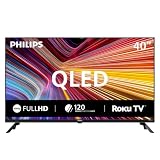
- Room fit: At 40 inches, this QLED screen suits a bedroom, a kitchen, a dorm room, an RV or a guest room. It is about 35.1 x 22.0 x 8.0 in with the stand and mounts on a 200 x 200 mm VESA bracket
- Full HD 1080p picture: 1920 x 1080 resolution pairs with quantum dot color for a wider range of color, contrast and brightness. Roku Smart Picture picks the right mode for movies, sports and shows
- Streaming built in: Roku puts Netflix, YouTube, Prime Video, Disney+ and 500+ free live channels on one home screen with local news, weather and sports, and there is nothing else to buy
- Voice and casting: The Philips smart tv works with Siri, Alexa and Google Assistant for hands-free search. Apple AirPlay shares video and photos from an iPhone, iPad or Mac, and the Roku app adds private listening
- Connect it all: Three HDMI inputs, one with ARC, take a cable box, a game console or a soundbar. Two USB ports play photos and music, the antenna adds free local channels, plus optical out, a headphone jack and mini AV in
What is the practical HDMI 2.1 limitation?
Only two of the OLED+950’s HDMI ports are full-bandwidth 48 Gbps HDMI 2.1 connections. A buyer with a current console, a second console and a high-refresh gaming PC may need to swap cables, use an HDMI switch that preserves the required features, or connect one device through another compatible arrangement. Verify which physical sockets carry the high-bandwidth signal before installation; the total number of HDMI sockets is not the same as the number that support 4K/120 or 4K/144.
The Tool Desk
Outbyte Driver Updater FREEScan for outdated or missing drivers - takes under a minuteDriver Scan →Outbyte PC Repair FREERepair Windows errors before they cause bigger problemsFix Now →What should console and PC buyers check?
- Confirm that the exact regional model lists 4K/120 Hz for the console you own and 4K/144 Hz PC support if you use a high-refresh monitor replacement.
- Check VRR support and the HDMI input labels in the manual or on-screen information panel.
- Count your high-bandwidth devices before buying; two full HDMI 2.1 ports may be sufficient for one console and one PC, but not for a larger setup.
- Test the picture mode you plan to use, because input lag and image processing can vary by mode.
The OLED760 review did not establish the same gaming measurements, so do not transfer the OLED+950’s input-lag figures or port assumptions to it without checking its own specifications.
Which smart-TV system and apps do Philips TVs use?
Philips does not use one universal software platform across its televisions. The reviewed OLED910 uses Google TV, while the OLED760 uses TitanOS. The 2023 55OLED848 specification sheet lists Google TV, demonstrating that even within OLED ranges the platform can change with model year and series.
Why does regional app support matter?
Streaming catalogs are negotiated by country and can change independently of the panel hardware. In the UK OLED910 review, BBC iPlayer was not available as a built-in app, so a streaming stick or another compatible source was needed for that service. The OLED760 review, by contrast, lists BBC iPlayer and ITVX among its available UK apps, while Apple TV was not supported in that configuration.
Before purchasing, open the local product page or app-store listing for your exact model and country and verify every service you use. Do not infer app availability from a review written for another region, from a different Philips series or from a television that uses a different operating system.
What’s actually slowing this PC down?
Pick the symptom - the matching free tool is one click away.
Google TV versus TitanOS: what should you prioritize?
Choose the platform that supports your required apps and preferred search, casting and account features. Google TV appears on the OLED910 and the 55OLED848 specification sheet, while TitanOS appears on the OLED760; the available data does not establish a universal speed, update or app-count winner between them. If a critical service is missing, budget for a separate streaming device and an available HDMI input rather than assuming a software update will add it.
Rank #3
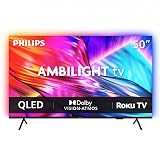
- Ambilight: Built-in rear LED lighting reads the 50-inch screen and projects matching color onto the wall. Follow Audio pulses the light with your music, and a static glow stays on after the TV is off
- 4K QLED picture: 3840 x 2160 resolution and quantum dot color give a wider range of color, contrast and brightness. Dolby Vision, HDR10 and HLG tune compatible content, and 120 PMR keeps sports smooth
- Dolby Atmos sound: Two built-in speakers place effects around the room, so dialogue and commentary stay clear without extra gear. HDMI 1 carries eARC for a soundbar or AV receiver
- Streaming built in: Roku puts Netflix, YouTube, Prime Video, Disney+ and more on one home screen with 500+ free live channels for news and movies. Roku Backdrops turns an idle screen into a gallery
- Connect it all: Four HDMI inputs take a cable box, a console, a soundbar and a streaming stick, plus USB, antenna, Ethernet, optical audio and a headphone jack. It is about 43.7 x 28.3 x 11.0 in with the stand and mounts on a 200 x 100 mm VESA bracket
How are Philips TVs equipped for sound?
Sound hardware varies as much as picture processing. The reviewed OLED+950 configuration is aimed at buyers using external audio and does not include an integrated Bowers & Wilkins soundbar. That design can make sense if you already own an AV receiver or soundbar, but it adds a cost and a setup step for buyers expecting premium audio from the television alone.
Philips’s official pages show that other models can advertise Dolby Atmos and related audio features. The current UK OLED850 product page lists Dolby Atmos, while the 2023 55OLED848 specification sheet lists DTS Play-Fi and four HDMI connections. These labels describe supported formats or ecosystems, not a guarantee of cinema-level sound from the built-in speakers. Check the exact model’s speaker arrangement, eARC/ARC support and audio outputs before choosing external equipment.
What do Philips’s official specifications reveal about model variation?
Official specifications illustrate why a Philips model number is more useful than the brand name when comparing televisions. The current UK OLED850 listing describes a 4K OLED with a 144 Hz refresh rate, P5 AI processing, Dolby Vision, Dolby Atmos and Ambilight. The 2023 55OLED848 sheet describes a 4K OLED with a 120 Hz refresh rate, three-sided Ambilight, Google TV, four HDMI connections and DTS Play-Fi.
Recommended Free Tools
| Specification source | Resolution and refresh rate | Processing and formats | Smart platform and lighting | Connectivity or audio details |
|---|---|---|---|---|
| Philips OLED850 UK product page | 4K, 144 Hz | P5 AI processing, Dolby Vision | Ambilight | Dolby Atmos |
| Philips 55OLED848/12 specification sheet, issued 2023-10-23 | 4K, 120 Hz | Dolby Vision is not listed in the cited summary | Google TV, three-sided Ambilight | Four HDMI connections, DTS Play-Fi |
The differences are not contradictions; they are different products from different years and configurations. Treat the model code, screen size, regional suffix and year as part of the specification. A retailer headline that says only “Philips OLED” leaves too much information out for a sound buying decision.
Does Philips have a proven reliability advantage?
No brand-wide reliability conclusion can be drawn from the available model reviews and specification sheets. They do not provide a representative long-term failure rate, independently comparable service statistic or country-by-country repair record for Philips televisions.
That limitation does not mean a Philips television is unreliable; it means durability and after-sales performance require separate verification. Before paying, locate the official warranty terms and support route for your country, confirm the coverage period for the exact model and understand whether repair is handled by the retailer, Philips or an authorized service partner. Keep the full model code and proof of purchase, because similarly named televisions can have different regional terms.
Rank #4

- Ambilight: Built-in rear LED lighting reads the 65-inch screen and projects matching color onto the wall. Follow Audio pulses the light with your music, and a static glow stays on after the TV is off
- 4K QLED picture: 3840 x 2160 resolution and quantum dot color give a wider range of color, contrast and brightness. Dolby Vision, HDR10 and HLG tune compatible content, and 120 PMR keeps sports smooth
- Dolby Atmos sound: Two built-in speakers place effects around the room, so dialogue and commentary stay clear without extra gear. HDMI 1 carries eARC for a soundbar or AV receiver
- Streaming built in: Roku puts Netflix, YouTube, Prime Video, Disney+ and more on one home screen with 500+ free live channels for news and movies. Roku Backdrops turns an idle screen into a gallery
- Connect it all: Four HDMI inputs take a cable box, a console, a soundbar and a streaming stick, plus USB, antenna, Ethernet, optical audio and a headphone jack. It is about 56.9 x 35.3 x 11.8 in with the stand and mounts on a 400 x 300 mm VESA bracket
Is a Philips TV good value for money?
Value depends on the local price at the moment you buy and on which features you would otherwise purchase separately. A Philips OLED can justify a premium if you value Ambilight, strong HDR processing or high-refresh gaming and the comparable alternatives cost more at the same size. It can be poor value if a cheaper model supplies the apps, brightness and HDMI inputs you actually need.
How should you compare a Philips model with alternatives?
- Match panel and size. Compare OLED with OLED, or the same LCD class, at the same screen size. A larger panel can make a nominally cheaper television more expensive in real use.
- Compare measured brightness in the same mode. The OLED760’s 665-nit Filmmaker result and 708-nit Standard/Personal result are useful only when the competing measurement uses a comparable window and mode.
- Check HDR behavior, not just format logos. Dolby Vision support does not by itself reveal how a television handles posterisation, overshoot or highlight tone mapping.
- Count full-bandwidth HDMI 2.1 inputs. The OLED+950 has two 48 Gbps ports; count your consoles, PC and receiver before deciding that the connection set is sufficient.
- Audit apps by country. Verify required services on the exact operating system and regional listing. The OLED910 and OLED760 reviews show that app availability can differ even within Philips’s OLED range.
- Include audio costs. If you would need a soundbar or receiver, add that cost when comparing a model such as the external-audio-oriented OLED+950 with a television that has stronger built-in speakers.
- Verify current price and warranty. Review launch prices and retailer offers age quickly. Use the live local price and the written warranty terms, not an old headline figure.
How do you choose the right Philips model?
Use this sequence to turn the broad brand question into a model decision.
- Write down your room conditions. Note viewing distance, screen size, daytime light and whether the rear wall is visible. This determines whether OLED contrast and Ambilight will matter more than maximum brightness.
- List every source. Include consoles, a gaming PC, a disc player, a receiver, a soundbar and streaming devices. Mark which sources need 4K/120, 4K/144, VRR or eARC.
- List non-negotiable apps. Record country-specific services such as BBC iPlayer, ITVX or Apple TV, then confirm them on the exact model’s platform. Do not rely on a different size or year’s review.
- Decide on audio. If you already own external audio, an OLED+950-style configuration may suit you. If you expect the television to supply all sound, compare speaker hardware and outputs before paying for image features.
- Choose the Ambilight layout. Four-sided, three-sided and other implementations create different effects. Select the version that fits your wall and taste rather than paying for a lighting feature you will disable.
- Check the ports physically. Confirm the number and location of full-bandwidth HDMI 2.1 inputs, USB sockets, optical output and eARC/ARC. Plan cable runs before mounting the set.
- Check support before checkout. Save the official warranty page for your country, confirm the exact SKU and ask the retailer how defective units are handled during the return period.
- Compare the live total cost. Add delivery, mounting, an external audio system or a streaming stick if the model requires them. Then compare against same-size alternatives with equivalent gaming and app support.
What are the main pitfalls when buying a Philips TV?
- Assuming all Philips OLEDs are alike: the OLED850 and 55OLED848 differ in refresh rate, platform and other features, while independent reviews show further differences among the OLED+950, OLED910 and OLED760.
- Counting HDMI sockets instead of HDMI 2.1 ports: the OLED+950’s two full-bandwidth ports may be limiting for several high-refresh devices.
- Buying from a different region without checking apps: the UK OLED910’s BBC iPlayer limitation demonstrates why software claims cannot be generalized globally.
- Using a brightness number as a brand score: OLED760 measurements are tied to one model, test window and picture mode.
- Ignoring difficult-scene artifacts: strong average HDR performance does not eliminate the possibility of posterisation or overshoot in particular content.
- Budgeting only for the screen: an external-audio-oriented television may require a soundbar or receiver, and a missing app may require a streaming device.
- Relying on old prices: launch and promotional prices change, so check the current local listing immediately before purchase.
What is the final verdict on Philips TVs?
Philips is a credible choice when a specific model delivers the picture quality, Ambilight layout, gaming connections and app support you need at a competitive local price. The OLED+950 has the strongest documented combination of image quality, HDR tone mapping and low-latency gaming, but its two HDMI 2.1 ports and external-audio design matter. The OLED910 and OLED760 may fit different budgets or app requirements, yet their platform and performance differences show why a brand-wide verdict is too broad.
Buy the model, not the logo: compare same-size televisions using measured brightness, HDR behavior, HDMI 2.1 count, required apps, audio hardware, current price and local warranty terms. That approach captures where Philips is genuinely distinctive while avoiding assumptions the available testing cannot support.
Frequently Asked Questions
Can I trust a review’s quoted Philips launch price when shopping now?
Treat it as historical context rather than a current deal. Launch and later prices can move substantially, so check the live price for your country and include any soundbar, streaming device or mounting costs before judging value.
Do the OLED760 brightness figures predict the brightness of another Philips OLED?
No. The 665-nit and 708-nit results were measured on the reviewed OLED760 in specified modes and a 10% window. Another Philips model, screen size or picture mode can produce a different result.
Can the OLED+950 run several current consoles and a gaming PC at full bandwidth?
It has two 48 Gbps HDMI 2.1 inputs, so a setup with more than two high-bandwidth sources needs a switching or connection plan. Confirm that any switch preserves 4K/120, 4K/144 and VRR before relying on it.
What should I verify about support before buying a Philips TV abroad?
Check the exact regional model code, warranty duration, return window and authorized repair route in the country where you will use the set. Do not assume a warranty or app catalog from another market transfers automatically.
Quick Recap
Product prices and availability are accurate as of the date/time indicated and are subject to change. Any price and availability information displayed on Amazon at the time of purchase will apply.

