
iTechGuides is reader-supported. When you buy through links on our site, we may earn an affiliate commission. As an Amazon Associate I earn from qualifying purchases. Learn more
An NGFW buyer’s guide to 7 leading next-generation firewall vendors should not name one universal winner: Palo Alto Networks, Fortinet, Check Point, Cisco, Sophos, SonicWall, and Juniper each fit different environments. Choose by inspection requirements, decryption, management skills, deployment architecture, ecosystem integration, and three- to five-year total cost of ownership.
The seven-vendor scope comes from a Network World buyer’s guide published February 21, 2022. The vendors remain recognizable choices, but the buying category has expanded beyond an appliance at the internet edge. Current evaluations may include virtual firewalls, cloud-native controls, firewall-as-a-service, SD-WAN, ZTNA, SASE, and hybrid-mesh security architectures.


The shortlist below is therefore a buyer-profile comparison, not an independently tested ranking. Vendor product pages describe capabilities and deployment options, while a proof of concept and a like-for-like bill of materials should determine the final purchase.
Key takeaways
- Palo Alto Networks is a strong fit for enterprises prioritizing advanced security controls, application policy, and a broad security platform, but licensing and operations can be complex.
- Fortinet is especially attractive for branch-heavy and distributed organizations that want networking, SD-WAN, and security convergence, provided the complete subscription and management costs remain acceptable.
- Check Point emphasizes centralized governance and policy administration, while Cisco is often strongest when the buyer already operates a substantial Cisco networking or security estate.
- Sophos and SonicWall are commonly easier to justify for SMB, branch, and midmarket deployments, but buyers should validate scale, automation, cloud requirements, and long-term management needs.
- Juniper SRX is a natural candidate for network-centric, data-center, service-provider, and Juniper-standardized environments, rather than every security-first or small-business deployment.
- Raw firewall throughput is not a safe comparison: request threat-protection, TLS-inspection, VPN, session, logging, and high-availability results for the exact configuration being purchased.
What is an NGFW?
An NGFW, or next-generation firewall, combines traditional stateful firewalling with controls that identify more than source and destination addresses and ports. Depending on the product, those controls can include application identification, user and identity awareness, intrusion prevention, URL and DNS filtering, malware prevention, TLS inspection, sandboxing, VPN, segmentation, centralized management, analytics, SD-WAN, and ZTNA.
Popular on Amazon
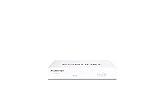
- Compact and Efficient Design: The FortiGate 40F is designed for small to mid-sized businesses and enterprise branch offices, featuring a compact, fanless desktop form factor that ensures quiet operation and minimizes space usage.
- Robust Connectivity Options: Equipped with 5 GE RJ45 ports, including 1 WAN port and 4 internal ports, this model provides essential connectivity and flexibility for various network configurations in a small-scale environment.
- High-Performance Security: Offers up to 1 Gbps IPS throughput and 600 Mbps threat protection throughput, using Fortinet’s purpose-built security processor technology to deliver industry-leading performance and protection for SSL encrypted traffic.
- Advanced Threat Protection: Integrated with Fortinet’s AI-powered FortiGuard Labs, the FortiGate 40F offers comprehensive cybersecurity, identifying and mitigating both known and unknown threats to maintain robust security across your network.
- Simplified Management and Deployment: Features a user-friendly management console that provides comprehensive network automation and visibility, coupled with Zero Touch Integration with Fortinet’s Security Fabric for easy deployment.
NGFW does not mean that every capability is included in the base appliance. Advanced threat prevention, malware analysis, URL filtering, DNS security, sandboxing, DLP, cloud management, logging, SD-WAN, and ZTNA may require subscriptions, separate management products, cloud services, or particular hardware and software tiers. Fortinet’s buyer-oriented explanation of network-firewall pricing similarly presents NGFW functions as a combination of stateful firewalling, VPN, application control, deeper visibility, and advanced inspection rather than as one universally identical package.
Is an NGFW still the right product category?
An NGFW remains appropriate when an organization needs a controlled inspection point for internet traffic, site-to-site connectivity, segmentation, branch connectivity, or data-center traffic. An NGFW may be the wrong primary investment when most applications are SaaS, users work remotely, and traffic bypasses the corporate perimeter.
| Architecture | When it may fit | What it does not automatically solve |
|---|---|---|
| On-premises or virtual NGFW | Internet edge, campus, branch, data center, VPN, and internal segmentation | Direct-to-internet remote users, SaaS security, and every cloud-native routing requirement |
| Secure web gateway | Web traffic filtering for users and devices regardless of location | Full east-west segmentation, site-to-site routing, or all non-web protocols |
| SASE or security service edge | Distributed users and sites needing cloud-delivered security, access, and networking | Every data-center, OT, or high-throughput local-inspection requirement |
| ZTNA | Identity- and device-aware access to particular private applications | General network perimeter defense or unrestricted network connectivity |
| Cloud-native firewall controls | Workloads hosted inside a public-cloud environment | One policy plane across every on-premises, branch, and cloud location |
| Firewall-as-a-service | Organizations preferring consumption-based deployment and less hardware ownership | Every latency, data-residency, offline, or specialized inspection requirement |
| Managed firewall service | Small teams that need operation, monitoring, and change support from an MSP or MSSP | Independent control if provider processes, expertise, or response times are poor |
The practical question is not simply “Which NGFW is best?” It is “Where does traffic flow, which users and workloads must be protected, and which team will operate the controls every day?”
Quick wins for a faster PC:
Repair Windows errors before they cause bigger problemsFix Now →Fix the driver behind crashes, sound loss and screen glitchesFind Drivers →How should you compare NGFWs?
Compare equivalent deployments, equivalent security services, and equivalent operating costs. A firewall selected for a 20-person branch should not be judged by the same criteria as a data-center firewall protecting east-west traffic and thousands of VPN or application sessions.
1. Define the protected environment
Document whether the design covers a single office, multi-branch enterprise, campus, internet edge, data center, hybrid cloud, public cloud, industrial or OT network, retail or hospitality sites, healthcare workloads, or a service-provider environment. Record peak and average bandwidth, concurrent users, remote-access users, site count, encrypted traffic, critical applications, IPv6 requirements, routing protocols, and internal segmentation zones.
2. Request meaningful performance figures
Require each vendor or reseller to provide firewall throughput and threat-protection throughput with IPS, antivirus or malware prevention, application control, and logging enabled. Also request TLS-inspection throughput, IPsec VPN throughput, maximum concurrent sessions, new sessions per second, maximum policies, VPN tunnels, interfaces, virtual domains or contexts, and high-availability behavior.
Do not compare one vendor’s raw firewall number with another vendor’s full-threat-protection number. Palo Alto Networks’ product-comparison material warns that performance depends on traffic mix and customer configuration. Fortinet’s NGFW ordering guide separates factors such as throughput, interfaces, redundancy, and IPsec tunnel capacity. Those documents are useful for narrowing models, but a realistic test remains more valuable than an isolated datasheet maximum.
The Tool Desk
Outbyte PC Repair FREEClear out junk files and repair common Windows errorsFree Scan →Outbyte Driver Updater FREEFix the driver behind crashes, sound loss and screen glitchesFind Drivers →3. Size for TLS inspection
TLS inspection can materially reduce usable capacity and can affect user experience. Ask what percentage of traffic must be decrypted, whether the intended product and deployment can inspect TLS 1.3 traffic, how certificates are distributed, how pinned applications are handled, and how exceptions are audited.
Inspection policies may need to vary by user, device, application, and destination. Financial, healthcare, legal, and personal sites may require privacy exceptions. A firewall that appears powerful without decryption can be undersized once the real inspection policy is enabled.
4. Build the complete licensing model
Ask for a separate line item for the base firewall entitlement, software or firmware support, IPS, malware prevention, URL filtering, DNS security, sandboxing, threat intelligence, DLP, IoT or OT discovery, SD-WAN, ZTNA, cloud management, centralized logging and analytics, premium support, hardware replacement, virtual or cloud licensing, high availability, migration, and professional services.
Enterprise firewall pricing is usually quote-based and discount-sensitive. Do not publish or rely on an appliance-only price as the cost of protection. Request appliance or cloud-service cost, three-year subscription cost, five-year renewal cost, and the cost of management, logging, HA, and implementation.
5. Measure administration rather than asking whether the interface is easy
Test initial deployment, policy creation, object reuse, rule-shadowing detection, change approval, rollback, role-based access, multi-tenant administration, API access, infrastructure-as-code support, log search, retention, reporting, upgrades, HA failover, centralized fleet management, and delegation to an MSP. “Easy to use” is meaningful only when tied to the actual tasks the security team performs.
6. Check ecosystem fit
Existing Cisco, Fortinet, Palo Alto Networks, Check Point, Sophos, Juniper, or SonicWall investments may reduce operational effort, but they can also increase lock-in. Check integration with Microsoft Entra ID, Okta, SIEM and XDR platforms, endpoint security, cloud marketplaces, VPN clients, network-access-control systems, switching, routing, SD-WAN, and identity systems.
How do the seven NGFW vendors compare?
| Vendor and product family | Strongest likely fit | Main differentiator | Main caution | Best validation question |
|---|---|---|---|---|
| Palo Alto Networks — Strata and PAN-OS NGFWs | Large enterprises and high-security environments | Broad security platform and application- and threat-control model | Premium licensing and operational complexity | Can the team fund and operate the complete platform and subscription model? |
| Fortinet — FortiGate | Branch-heavy, distributed, and midmarket organizations | Security and networking convergence with a broad hardware range | Services, management, and licensing require detailed TCO analysis | Does the total cost remain attractive after FortiGuard, management, logging, and support? |
| Check Point — Quantum Security Gateways | Governance-focused and regulated enterprises | Centralized policy and security-management ecosystem | Modular licensing and specialist administration | Is governance worth the training and licensing complexity? |
| Cisco — Secure Firewall | Organizations standardized on Cisco | Integration with Cisco networking, identity, telemetry, and support | Product and management choices can be confusing | Will Cisco integration lower effort enough to justify the architecture? |
| Sophos — Sophos Firewall | SMB, midmarket, and lean security teams | Accessible administration and endpoint/security integration | Validate scale, segmentation, automation, and platform direction | Is simplicity and endpoint integration more valuable than enterprise breadth? |
| SonicWall — Network Security appliances | SMB, branch, and distributed offices | Familiar appliance and subscription-service model | Validate enterprise management and cloud-native requirements | Do we need a practical branch firewall or a broader security platform? |
| Juniper — SRX Series | Network-centric enterprises, data centers, and service providers | Routing and networking heritage through Junos | May be less natural for security-first or simple SMB deployments | Is network engineering integration the primary requirement? |
Which Palo Alto Networks NGFW buyers are best served?
Palo Alto Networks is a strong candidate for enterprises that prioritize advanced threat prevention, detailed application and user policy, complex segmentation, and a broad security portfolio. The Strata and PAN-OS family spans hardware, software, cloud, and security-service options, with adjacent products and services for cloud security, SASE, SD-WAN, threat intelligence, DLP, IoT, and OT use cases.
Palo Alto Networks’ product comparison identifies hardware, software, cloud-delivered services, PAN-OS, Panorama, SD-WAN, SASE, and related security products. Palo Alto Networks’ NGFW overview positions the platform for internet edge, campus, branch, data-center, and cloud deployments. Analyst recognition referenced on that page is a vendor-reported claim and should not be treated as independent proof that the platform is the best fit.
The main cautions are cost, product-selection complexity, and the need to size for the exact security profile. A buyer should compare hardware, VM, cloud-delivered, SASE, management, logging, and advanced security-service options as one architecture rather than assuming that one appliance includes everything.
POC questions: Can the platform identify the organization’s critical applications accurately? What is the measured capacity with the required IPS, malware, URL, logging, and TLS-inspection profile? Can the team maintain policy, upgrades, rollback, and centralized operations without excessive specialist support?
When does Fortinet FortiGate make the most sense?
Fortinet FortiGate is a strong candidate for branch-heavy enterprises, distributed sites, and organizations that want firewalling, routing, SD-WAN, and related networking functions from an integrated platform. Fortinet offers a wide model range spanning branch, campus, data-center, virtual, and cloud deployments, and its FortiOS and FortiGuard ecosystem supports multiple security and networking services.
Fortinet’s NGFW overview describes physical, virtualized, cloud, branch, campus, and data-center deployment options. Fortinet also describes FortiGate-as-a-Service, which can combine an appliance, FortiManager, FortiAnalyzer, bandwidth, IP addresses, and FortiGuard services in a consumption-oriented model. FortiFlex provides points- or usage-based licensing for supported Fortinet products and services.
PC Slower Than It Used to Be?
A free scan shows the junk files, broken settings and background clutter dragging Windows down - then fixes them in one click.Free scan · Windows 10 & 11Outdated Drivers Are Slowing You Down
One free scan finds every outdated or missing driver and matches the right update for your exact hardware.Free scan · exact hardware matchThe attractive appliance economics can become harder to evaluate once FortiGuard bundles, FortiManager, FortiAnalyzer, FortiCare, HA, and professional services are included. Hardware acceleration should also be validated against the required feature profile, particularly TLS inspection and advanced inspection.
Also popular on Amazon
POC questions: What is threat-protection capacity with all required services enabled? Is SD-WAN included for the chosen model and license? What does a branch fleet cost over three and five years under hardware purchase, FortiGate-as-a-Service, and FortiFlex?
Why choose Check Point Quantum?
Check Point Quantum Security Gateways are a strong candidate for enterprises that prioritize mature policy governance, centralized management, compliance, administrative separation, and complex segmentation. The broader portfolio supports physical, virtual, cloud, and hybrid deployments with threat-prevention and security-management components.
Check Point’s NGFW buyer’s guide argues that modern network-firewall selection should consider scale, operations, hybrid deployment, centralized management, and IoT/OT security rather than a simple feature checklist. That is a useful decision principle even when the buyer ultimately chooses another vendor.
Do these 3 things before closing this tab:
1Scan for outdated or missing drivers - takes under a minute2Repair Windows errors before they cause bigger problems3Fix the driver behind crashes, sound loss and screen glitchesCheck Point’s main trade-off is operational and commercial complexity. Gateway, management, threat-prevention, and cloud components should be evaluated together. A long feature list does not prove that a small team can administer the system efficiently, and modular licensing makes an appliance-only comparison misleading.
POC questions: Can administrators safely reuse policy objects and detect shadowed rules? How quickly can the team audit, approve, deploy, and roll back a change? Which management, threat-prevention, logging, and HA components are required in the complete bill of materials?
Is Cisco Secure Firewall best for Cisco-standardized organizations?
Cisco Secure Firewall is often a strong fit for organizations already standardized on Cisco networking, identity, telemetry, security, support, and channel relationships. Cisco’s portfolio includes Secure Firewall products and management options that should be compared by exact platform and management plane, not treated as one interchangeable product.
Start with Cisco’s Secure Firewall product information, the broader Cisco firewall portfolio, and Firepower Management Center documentation. Older ASA and Firepower terminology, newer Secure Firewall branding, local management, centralized management, cloud management, and adjacent Cisco security services can create materially different buying decisions.
Recommended Free Tools
Cisco’s principal advantage is ecosystem integration. The principal caution is that buyers may pay for ecosystem breadth without using it. Organizations with no Cisco estate should compare operational simplicity, licensing, and required expertise against standalone alternatives rather than assuming Cisco familiarity will transfer.
POC questions: Which exact Secure Firewall and management model is being proposed? Does identity, network, endpoint, SIEM, and telemetry integration reduce real administrative work? What support, software, and security-service licenses are included?
When is Sophos Firewall the better fit?
Sophos Firewall is a reasonable candidate for SMB and midmarket organizations, lean security teams, and buyers already using Sophos endpoint, Sophos Central, or related security products. The platform is intended to provide accessible firewall administration while coordinating with endpoint and XDR workflows.
Sophos’s firewall buyer’s guide compares Sophos with Fortinet, SonicWall, Cisco, and WatchGuard and discusses firewall technology, management, and secure-by-design considerations. Product and service availability should be checked for the buyer’s country and current appliance or software generation using the Sophos Firewall product page.
What’s actually slowing this PC down?
Pick the symptom - the matching free tool is one click away.
Sophos can be a poor fit where the design requires specialized data-center scale, extensive custom automation, complex segmentation, carrier-grade networking, or a very broad security-services ecosystem. SMB-friendly administration does not guarantee suitability for a large enterprise architecture.
POC questions: Does the selected platform meet threat-protection and TLS-inspection requirements at peak load? Can the team automate policy and reporting through the required APIs? Does Sophos Central provide the fleet visibility and delegation that the organization needs?
Who should consider SonicWall?
SonicWall is commonly worth considering for SMBs, branches, distributed offices, appliance replacements, and midmarket organizations seeking familiar perimeter and VPN functionality with subscription-based security services. SonicWall offers firewall, network-security-appliance, and cloud-security product lines.
Review the current SonicWall firewall portfolio, network security appliances, and cloud security options before selecting a model. Current product families, lifecycle status, renewal requirements, and management capabilities should be confirmed with the buyer’s geography and deployment in mind.
The main caution is scope. A practical branch firewall is not automatically an enterprise security-operations platform. Compare centralized policy, cloud management, reporting, automation, large-scale segmentation, hybrid-cloud integration, and renewal pricing before extending a branch-oriented decision to a large organization.
POC questions: Can the platform manage every site from one appropriate control plane? What happens to security services and support when subscriptions expire? Does the proposed model provide sufficient TLS inspection, VPN, sessions, logging, and HA capacity?
Where does Juniper SRX fit?
Juniper SRX is a strong candidate for network-centric enterprises, data centers, service providers, and organizations already standardized on Junos, Juniper switching, routing, Mist, or related network operations. SRX can be particularly natural where routing, segmentation, and network-engineering consistency are central requirements.
Use the current Juniper SRX Series information, Juniper security portfolio, and Juniper documentation to verify model capabilities, management, software, lifecycle, and security-service direction.
Free tools Windows power users keep installed
One-click scans. No signup required.
Juniper may be less natural for a buyer seeking a security-first platform with a broad set of tightly integrated security services, or for an SMB seeking the simplest possible deployment. Product portfolio changes, lifecycle information, and current management options deserve particular attention in the quote and architecture review.
Also popular on Amazon
POC questions: Does SRX integrate cleanly with the organization’s routing, switching, campus, data-center, and cloud design? Can security administrators operate policy and reporting without unnecessary network-engineering dependency? Are the required advanced inspection and management features available for the selected model?
What scoring model should a firewall selection use?
A weighted scorecard should reflect the organization’s environment rather than reward the longest feature list. The following starting weights can be adjusted for branch, campus, data-center, cloud, regulated, or small-team requirements.
| Criterion | Starting weight | Evidence to collect |
|---|---|---|
| Security efficacy and inspection depth | 20% | IPS, malware, application control, DNS and URL security, sandboxing, and threat intelligence |
| Real-world performance | 15% | Threat protection, TLS inspection, VPN, concurrent sessions, and new connections |
| Management and operations | 15% | Policy workflow, centralized control, rollback, reporting, and automation |
| Deployment architecture fit | 15% | Branch, campus, data center, cloud, virtual deployment, and HA |
| Three- to five-year TCO | 15% | Appliance, subscriptions, management, support, logging, migration, and renewal |
| Ecosystem integration | 10% | Identity, endpoint, SIEM, SD-WAN, switching, cloud, and MSP integration |
| Resilience and support | 5% | HA, replacement, upgrades, support responsiveness, and lifecycle |
| Compliance and specialized controls | 5% | FIPS, regulated workloads, IoT/OT, segmentation, and auditability |
Increase management simplicity and support for a small organization. Increase throughput, routing, HA, and automation for a data-center deployment. Increase central management, zero-touch provisioning, SD-WAN, and branch economics for a distributed enterprise.
Recommended Free Tools
How should a firewall proof of concept be run?
A proof of concept should use representative traffic, realistic security services, and the intended management workflow. A vendor demonstration that enables only basic firewalling does not validate the production design.
- Application identification: Confirm that critical business applications are identified and controlled as intended.
- Threat prevention: Validate IPS, malware, URL, DNS, application-control, and sandbox workflows using safe, approved test material.
- TLS inspection: Measure capacity, certificate deployment, exceptions, pinned applications, privacy handling, and user impact.
- Connectivity: Test site-to-site VPN, remote access, routing, IPv6, NAT, and interoperability with existing equipment.
- Resilience: Test HA failover, VPN persistence, session behavior, logging continuity, upgrade workflow, and restore from backup.
- Operations: Create, approve, deploy, audit, search, report on, and roll back a policy change.
- Automation: Test APIs, Terraform or other infrastructure-as-code requirements, identity integration, and bulk branch provisioning.
- Failure recovery: Simulate central-management outage, link failure, certificate problem, software upgrade failure, and loss of a device.
- Performance: Measure the selected model with the actual inspection profile, traffic mix, logging, VPN load, and decryption percentage.
What are the most common NGFW buying mistakes?
- Comparing raw firewall throughput instead of threat-protection throughput.
- Omitting TLS inspection from sizing and user-experience testing.
- Treating security subscriptions as optional when subscriptions deliver the protection being purchased.
- Comparing different appliance tiers, software versions, traffic profiles, or management architectures.
- Ignoring centralized management, log storage, analytics, HA, VPN-client, and support costs.
- Buying for peak bandwidth without sizing concurrent sessions, new connections, VPN tunnels, and users.
- Assuming HA doubles usable throughput.
- Ignoring east-west traffic and internal segmentation.
- Assuming a cloud firewall, virtual appliance, native cloud control, firewall-as-a-service, and SASE service are equivalent.
- Failing to budget rule cleanup, certificate deployment, migration, testing, professional services, and rollback.
- Using old independent tests as current rankings when the tests used obsolete models or software.
- Accepting “best,” “fastest,” “most secure,” or “lowest TCO” claims without reviewing methodology and configuration.
For example, a historical NSS Labs comparative report includes older models such as FortiGate 3200D, PA-5250, and Sophos XG-750. Historical testing can provide context, but those models and software versions should not be treated as direct evidence for a current purchase.
What should a migration plan include?
A firewall migration plan should cover the existing rule inventory, unused and shadowed rules, NAT, routing, VPN interoperability, authentication, identity integration, certificates, TLS exceptions, custom applications, IPv6, DNS and URL exceptions, logging, SIEM integrations, HA failover, rollback, maintenance-window duration, and staged or parallel cutover.
Migration is also an opportunity to remove obsolete access rather than reproduce every historical rule. Require a written rollback procedure, backup restoration test, application-owner sign-off, and an agreed method for handling traffic that the new platform classifies differently.
Crashes, No Sound, or Screen Glitches?
Random freezes, missing sound and display glitches usually trace back to one bad driver. Find and replace yours safely.Free scan · under a minutePC Slower Than It Used to Be?
A free scan shows the junk files, broken settings and background clutter dragging Windows down - then fixes them in one click.Free scan · Windows 10 & 11What changes in specialized environments?
OT and industrial networks
OT environments require protocol awareness, passive discovery, segmentation, vendor support, and a safe change process. Inline IT-style inspection can be unsuitable for fragile or latency-sensitive systems, so test with the equipment and control-system owners.
Healthcare and regulated organizations
Review certificate handling, audit logs, retention, administrative separation, data residency, support geography, and compliance documentation. A feature labelled “available” is not the same as a control that satisfies a specific regulatory or audit requirement.
Cloud workloads
Compare native cloud controls, virtual appliances, cloud-marketplace licensing, routing integration, autoscaling, availability-zone design, throughput billing, and east-west inspection. A virtualized on-premises firewall may not have the same economics or resiliency model as a native cloud firewall.
Remote and hybrid workers
An NGFW at headquarters may not protect users who connect directly to SaaS and the public internet. Compare endpoint security, secure web gateway, SASE, ZTNA, and remote-access requirements instead of assuming that a traditional VPN solves every remote-work case.
Small businesses
A full enterprise NGFW can be excessive when the organization lacks staff to manage it. A managed firewall service or simpler platform may produce better security outcomes if the provider supplies appropriate monitoring, patching, response, reporting, and change control.
Which of the seven vendors should you choose?
Choose the vendor whose operating model matches the environment, not the vendor with the longest feature list or strongest marketing claim.
| Buyer profile | Shortlist starting point | Reason to choose | Reason to reject or investigate further |
|---|---|---|---|
| Premium enterprise security controls | Palo Alto Networks | Broad application, threat, cloud, and security-operations platform | Cost, licensing, and operational complexity |
| Branch-heavy or distributed enterprise | Fortinet | Broad hardware range and networking-security convergence | Complex service bundles and ecosystem commitment |
| Centralized governance and compliance | Check Point | Mature policy management and administrative controls | Specialist expertise and modular licensing |
| Cisco-standardized organization | Cisco Secure Firewall | Potential integration with existing Cisco infrastructure and support | Portfolio and management complexity; limited value without Cisco alignment |
| Lean SMB or midmarket security team | Sophos | Accessible management and endpoint integration | Validate scale, advanced segmentation, automation, and future requirements |
| Familiar SMB or branch appliance deployment | SonicWall | Practical appliance and security-service model | Validate enterprise management, cloud, and ecosystem depth |
| Juniper-centric network environment | Juniper SRX | Routing and network-engineering consistency through Junos | May not be the best security-first or simple-SMB platform |
Final NGFW buying checklist
- Record the exact model, software version, deployment type, and geography.
- Document the required security profile, including IPS, malware, URL, DNS, application control, sandboxing, DLP, and logging.
- Measure the percentage of traffic requiring TLS inspection and document certificate and privacy exceptions.
- Specify HA design, failure behavior, maintenance procedure, and usable capacity during failover.
- List every required subscription, management product, log-storage service, VPN client, SD-WAN feature, ZTNA feature, and support tier.
- Request threat-protection, TLS-inspection, IPsec, session, and new-session results for realistic traffic.
- Price hardware purchase, virtual deployment, cloud marketplace, firewall-as-a-service, and managed-firewall alternatives where relevant.
- Request three-year cost, five-year renewal cost, HA cost, logging cost, support cost, migration cost, and professional-services cost.
- Test identity, endpoint, SIEM, cloud, routing, switching, SD-WAN, and MSP integrations.
- Ask what happens when subscriptions expire and what security, management, VPN, logging, or support functions stop working.
- Require a migration, rollback, backup-restore, upgrade, and lifecycle plan before signing.
Frequently Asked Questions
Are Palo Alto Networks, Fortinet, Check Point, Cisco, Sophos, SonicWall, and Juniper ranked from best to worst?
No. The seven vendors are a practical commercial shortlist, not an independently tested ranking. Palo Alto Networks may fit a premium enterprise security program, Fortinet may fit a branch-heavy organization, and the other vendors may be better choices for particular ecosystems, team sizes, or networking requirements.
What is the most important NGFW performance number?
Threat-protection throughput with the required IPS, malware, application-control, logging, and TLS-inspection profile is usually more useful than raw firewall throughput. Also request concurrent sessions, new sessions per second, IPsec VPN capacity, and HA behavior for the exact model and software configuration.
Do NGFW security features require subscriptions?
Often, yes. IPS, malware prevention, URL and DNS filtering, sandboxing, threat intelligence, DLP, cloud management, logging, SD-WAN, and ZTNA may require subscriptions or separate products. A buyer should request a complete three-year and five-year bill of materials rather than comparing appliance prices alone.
Does a traditional NGFW protect remote workers who connect directly to SaaS?
Not necessarily. A headquarters NGFW may not inspect traffic that goes directly from remote users to SaaS or the public internet. Remote-worker designs may also require endpoint security, secure web gateway, SASE, or ZTNA.
Should a small business buy an enterprise NGFW?
A small business should buy an enterprise NGFW only if the organization can operate and fund the required controls. A managed firewall service or simpler platform may provide better results when the business lacks security staff, complex segmentation, high throughput, or specialized compliance requirements.
The Bottom Line
The best NGFW is conditional: Palo Alto Networks for premium enterprise security breadth, Fortinet for distributed networking-security convergence, Check Point for governance, Cisco for Cisco-centered estates, Sophos for lean SMB and midmarket teams, SonicWall for familiar branch and SMB deployments, and Juniper SRX for network-centric Junos environments. Validate the choice with realistic inspection and TLS tests, a migration plan, and a complete three- to five-year cost model.

