
iTechGuides is reader-supported. When you buy through links on our site, we may earn an affiliate commission. As an Amazon Associate I earn from qualifying purchases. Learn more
NBC Peacock’s 3 plans explained as “Free vs Premium vs Premium Plus” are currently Select, Premium, and Premium Plus: Select is not generally free. As of August 12, 2026, Select costs $7.99 per month, Premium costs $10.99, and Premium Plus costs $16.99, with annual plans priced as 12 months for the cost of 10.
The most important correction is the name: Peacock’s current entry tier is Select, even though older references may call it “Peacock Free.” Premium is the first plan with movies, Peacock Originals, and live sports, while Premium Plus adds downloads for select titles and fewer ads in most on-demand programming.
Key takeaways
- Peacock’s entry plan is currently called Select, not Free, and it costs $7.99 per month or $79.99 per year before taxes.
- Select includes advertising-supported TV from NBC, Bravo, and related programming but excludes movies, Peacock Originals, and live sports and events.
- Premium costs $10.99 per month or $109.99 per year and is the first tier that includes movies, Peacock Originals, and live sports, but it remains ad-supported.
- Premium Plus costs $16.99 per month or $169.99 per year and adds downloads for select titles plus fewer ads in most on-demand programming, not a completely ad-free experience.
- Annual plans are listed as 12 months for the price of 10, while prices, content rights, promotions, and plan features can change.
What are NBC Peacock’s 3 plans: Free vs Premium vs Premium Plus?
As of August 12, 2026, NBC Peacock’s 3 plans explained as “Free vs Premium vs Premium Plus” are actually Select, Premium, and Premium Plus: Peacock’s Select entry tier is not generally free. Select costs $7.99 per month, Premium costs $10.99, and Premium Plus costs $16.99, with annual options available for each tier.
Do these 3 things before closing this tab:
1Clear out junk files and repair common Windows errors2Fix the driver behind crashes, sound loss and screen glitches3Repair Windows errors before they cause bigger problemsThe “Free” wording is easy to find in older articles and searches, but Peacock’s current official plan page calls the entry plan Select. Peacock’s terms state that subscription access requires payment, although Peacock may separately offer trials or promotions with their own eligibility, expiration, payment-method, and auto-renewal rules. Check the current Peacock plans page immediately before subscribing because plan names, prices, content availability, and promotions can change.
Popular on Amazon

- HD streaming made simple: With America’s number 1 TV streaming platform,* exploring popular apps—plus tons of free movies, shows, and live TV—is as easy as it is fun. *Based on hours streamed—Hypothesis Group
- Compact without compromises: The sleek design of Roku Streaming Stick won’t block neighboring HDMI ports, and it even powers from your TV alone, plugging into the back and staying out of sight. No wall outlet, no extra cords, no clutter.
- No more juggling remotes: Power up your TV, adjust the volume, and control your Roku device with one remote. Use your voice to quickly search, play entertainment, and more.
- Shows on the go: Take your TV to-go when traveling—without needing to log into someone else’s device.
- TV, simplified: With setup that only takes minutes, a simple-to-navigate Home Screen, and an uncluttered remote control that does all you need—Roku makes it easier to watch the TV you love.
How much does each Peacock plan cost?
Peacock lists the following U.S. prices at the time of this review. Taxes or third-party billing charges may affect the final amount.
| Plan | Monthly price | Annual price | Annual-plan difference | Best for |
|---|---|---|---|---|
| Select | $7.99 | $79.99 | $15.89 less than 12 monthly payments | NBC, Bravo, and related TV programming |
| Premium | $10.99 | $109.99 | $21.89 less than 12 monthly payments | Movies, Originals, sports, and broader Peacock access |
| Premium Plus | $16.99 | $169.99 | $33.89 less than 12 monthly payments | Offline downloads and fewer on-demand ads |
Peacock presents each annual option as 12 months for the price of 10. The annual savings above are arithmetic comparisons with 12 months at the listed monthly price: Select would cost $95.88 when paid monthly for a year, Premium would cost $131.88, and Premium Plus would cost $203.88. The comparison uses Peacock’s listed prices and does not include taxes or future price changes.
What is the difference between Select, Premium, and Premium Plus?
The biggest differences are content access, advertising, and offline downloads. Select is a limited paid TV tier; Premium adds Peacock’s main entertainment and sports categories; Premium Plus adds downloads and reduces ordinary on-demand commercial interruptions.
Free tools Windows power users keep installed
One-click scans. No signup required.
| Feature | Select | Premium | Premium Plus |
|---|---|---|---|
| Price | $7.99/month or $79.99/year | $10.99/month or $109.99/year | $16.99/month or $169.99/year |
| Advertising | Ads | Ads | No ads for most on-demand programming, with exceptions |
| NBC, Bravo, and related TV programming | Included | Included | Included |
| Movies | Excluded from the plan comparison | Included | Included |
| Peacock Originals | Excluded from the plan comparison | Included | Included |
| Live sports and events | Excluded from the plan comparison | Included | Included |
| Offline downloads | Not listed | Not listed | Included for select titles |
The feature and price comparison comes from Peacock’s official plan information. Availability can vary by title, location, rights agreements, device, and the terms in effect when you subscribe.
What does Peacock Select include?
Peacock Select includes advertising-supported TV from NBC, Bravo, and related programming, but Select excludes movies, Peacock Originals, and live sports and events according to Peacock’s plan comparison.
Select is therefore suitable for a viewer who mainly wants the included TV catalog and does not need Peacock’s movie library, original series, or sports coverage. Select is not the appropriate tier for a reader subscribing primarily for Premier League coverage, other live events, Peacock Original series, or movies.
Also popular on Amazon

- 4K streaming made simple:With America’s number 1 TV streaming platform,* exploring popular apps—plus tons of free movies, shows, and live TV—is as easy as it is fun. *Based on hours streamed—Hypothesis Group
- 4K picture quality: With Roku Streaming Stick Plus, watch your favorites with brilliant 4K picture and vivid HDR color.
- Compact without compromises: Our sleek design won’t block neighboring HDMI ports, and it even powers from your TV alone, plugging into the back and staying out of sight. No wall outlet, no extra cords, no clutter.
- No more juggling remotes: Power up your TV, adjust the volume, and control your Roku device with one remote. Use your voice to quickly search, play entertainment, and more.
- Shows on the go: Take your TV to-go when traveling—without needing to log into someone else’s device.
Select is not a permanently free catalog. A free trial or promotion, if Peacock offers one and the reader qualifies, is separate from the standard Select subscription and may expire or convert to paid access under its applicable terms.
The Tool Desk
Outbyte Driver Updater FREEFix the driver behind crashes, sound loss and screen glitchesFind Drivers →Outbyte PC Repair FREERepair Windows errors before they cause bigger problemsFix Now →What does Peacock Premium include?
Peacock Premium is the broad-access, ad-supported tier that adds movies, Peacock Originals, live sports and events, and other programming to the TV content available on Select.
Peacock describes its broader service offering as including NBC and Bravo programming, movies, Peacock Originals, kids’ content, Spanish-language programming, Peacock Channels, live sports, and events. The official Peacock sports page is the better place to check current sports coverage because sports rights and event availability can change.
Premium is the practical baseline for most people who want Peacock for more than its included TV catalog. Premium does not remove advertising: the plan remains ad-supported, and live sports and events commonly contain commercial breaks.
What does Premium Plus actually add?
Premium Plus adds downloads for select titles and fewer commercial interruptions in most on-demand programming for $6 more per month or $60 more per year than Premium at the listed prices.
Recommended Free Tools
“No ads” on Premium Plus is a qualified description, not a promise that every Peacock screen is commercial-free. Peacock identifies exceptions that can include channels, live sports and events, sponsored content, and some shows or movies. Live-event breaks and promotional or sponsorship messages can remain even when ordinary on-demand ads are reduced.
Premium Plus is most defensible for frequent travelers who will use offline viewing, viewers who strongly dislike ordinary on-demand ad breaks, and households that watch enough Peacock content for convenience to justify the surcharge. Premium Plus is harder to justify when a household rarely watches Peacock, mainly watches live sports, or does not use downloads.
Also popular on Amazon

- Easy voice search & control: Quickly search across thousands of top channels, play entertainment, control your streaming, and more with your voice
- No more juggling remotes: Power up your TV, adjust the volume, control your Roku device, switch inputs on your Roku TV, and more—all in a tap
- Pre-set channel shortcuts: Pre-set channel shortcuts let you launch popular streaming channels with the push of a button, all without having to scroll
- Simple setup: Simply turn on your Roku device and pull the battery tab on the back of the remote and it should pair automatically
- Works with your Roku device: Roku Voice Remote works with all Roku TV models, Roku audio products, and most Roku players*
How do Peacock downloads work?
Premium Plus downloads are temporary offline access to select titles, not permanent copies or an ownership right.
Peacock’s terms say downloaded content can be limited by content type, quantity, device, geographic playback restrictions, and other rules. Not every show or movie is necessarily downloadable. Downloads also become unavailable if the subscriber ends the subscription or changes to a plan that does not permit downloads. Read the Peacock Terms of Service for the restrictions that apply to downloads and offline playback.
What’s actually slowing this PC down?
Pick the symptom - the matching free tool is one click away.
Choose Premium Plus for downloads only if the specific titles and devices you need support the feature. “Download select titles for temporary offline viewing” is accurate; “download anything” and “keep the downloads permanently” are not.
How many devices and profiles can Peacock support?
Peacock says an account can stream on up to three devices simultaneously and can have up to six profiles, including kid-safety settings.
Peacock supports smart TVs, streaming platforms, computers, mobile devices, tablets, game consoles, and other supported devices. Premium Plus does not have a documented higher simultaneous-stream limit in the reviewed official plan material, so the upgrade should not be purchased on the assumption that it allows more than three concurrent streams. See Peacock’s official device and service information for supported-platform details, which can change.
What do I need to watch Peacock on a TV?
You need a supported smart TV, streaming platform, game console, computer connected to a TV, or compatible streaming device, plus a Peacock subscription or valid promotional access. A streaming device does not include Peacock service and does not change the price of a Peacock plan.
Outdated Drivers Are Slowing You Down
One free scan finds every outdated or missing driver and matches the right update for your exact hardware.Free scan · exact hardware matchPC Slower Than It Used to Be?
A free scan shows the junk files, broken settings and background clutter dragging Windows down - then fixes them in one click.Free scan · Windows 10 & 11Also popular on Amazon
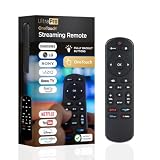
- NO PROGRAMMING REQUIRED FOR SIX TV BRANDS — Preprogrammed buttons instantly control Samsung, LG, Sony, Vizio, Fire TVs and Roku TVs (some Sharp and Insignia Roku TVs may require programming); requires two AAA batteries (not included)
- STREAMING APP HOTKEYS — Dedicated buttons provide direct access to Netflix, Prime Video, Disney+ and YouTube when installed by the TV manufacturer; support for user-installed apps may vary
- FULLY BACKLIT KEYPAD — Illuminated buttons improve visibility and navigation in dark rooms, bedrooms, media rooms and other low-light environments
- DESIGNED FOR SMART TVs — Convenient replacement remote for compatible Samsung, LG, Sony, Vizio, Fire TV and Roku TV models throughout your home
- EASY SETUP AND CONTROL — Simply insert two AAA batteries and select your TV brand; no programming required for supported TVs
Peacock lists Fire TV among its supported platforms, and Amazon documents Fire TV Stick as a streaming-media product family in its Fire TV device specifications. A Fire TV Stick can be a practical option for a television that lacks a compatible Peacock app, but check the specific model and TV requirements before buying. The device is optional hardware, not a requirement for Select, Premium, or Premium Plus.
Which Peacock plan should you choose?
| If your priority is… | Choose | Why | What you give up |
|---|---|---|---|
| NBC, Bravo, and related TV programming | Select | It is the lowest-priced standard tier and includes the relevant TV catalog. | Movies, Peacock Originals, and live sports and events are excluded. |
| Movies, Originals, and live sports | Premium | It is the first tier with Peacock’s broad entertainment and sports categories. | Advertising remains part of the experience. |
| Offline viewing while traveling | Premium Plus | It includes downloads for select titles. | Downloads are temporary and title-dependent. |
| Fewer ordinary on-demand ads | Premium Plus | Most on-demand programming has fewer commercial interruptions. | Channels, live events, sponsored content, and some shows or movies can still contain ads. |
| Lowest possible price | Select, if its limited catalog is enough | It costs $3 less per month than Premium. | Select is not currently a generally free plan. |
Choose Select when the included TV catalog is all you need. Choose Premium when movies, Peacock Originals, or sports matter. Choose Premium Plus when offline downloads or fewer on-demand ads are worth $6 more per month than Premium.
How do Peacock billing and cancellation work?
Peacock subscriptions automatically renew for another term at the then-current price unless canceled, and cancellation generally must be completed no later than the day before the next recurring billing date to avoid the next charge.
Cancellation normally takes effect at the end of the current billing term rather than immediately. Peacock generally does not provide prorated refunds or credits except where required by law or in limited circumstances. Review Peacock’s official cancellation instructions before canceling because the exact steps depend on how the subscription was purchased.
Subscriptions purchased through Amazon, Apple, Google, Roku, Xfinity, or another third party generally must be canceled and managed through that billing provider. Canceling the Peacock app, deleting the app, or removing a payment method does not necessarily cancel a third-party subscription.
Independent reader supportYour contribution helps us test, update, and keep practical guides available for everyone.Are Peacock prices and features permanent?
No. Peacock can change service tiers, prices, content, availability, device support, download rules, and other usage conditions.
Also popular on Amazon

- 【NO volume control. NO power button. NO headphone jack. NO pairing button. NO voice search. 】If your original remote has pairing button, please do NOT buy it. It does NOT have the headphone jack to plug in your earphone
- 【 NOT for any Ro-ku Stick or TV】This remote is Only compatible with Roku Box, for Roku Express, for Roku Player, for Roku Premiere, for Roku 1 2 3 4
- 【 4 Shortcuts】It is a IR replacement remote which features 4 shortcut buttons to popular streaming channels - Netflx, sling, hulu, Disny+
- 【 Work out of Box】Without any programming, just insert batteries(2* AAA) and it is all good to go
- 【 Package】Coming with 2x remotes and 1x user manual. Long distances transmitting(8m/26ft), respond in 0.2s to your tvs.
The prices in this article reflect the official Peacock information reviewed on August 12, 2026, rather than a guarantee of a future price or catalog. Promotional pricing, student offers, provider bundles, and trial eligibility may differ by geography, account, billing channel, and date. Peacock’s Terms of Service govern when changes and promotional conditions apply.
Frequently Asked Questions
Is Peacock Select really free?
Peacock’s current entry plan is Select, and it is not generally free. Select costs $7.99 per month or $79.99 per year before taxes; separate trials or promotions may be available to eligible users under different terms.
Is Peacock Premium Plus completely ad-free?
Premium Plus costs $6 more per month than Premium and reduces ads in most on-demand programming while adding downloads for select titles. Premium Plus can still show ads or sponsorships in channels, live sports and events, sponsored content, and some shows or movies.
Which Peacock plan includes movies and live sports?
Premium is the first Peacock tier that includes movies, Peacock Originals, and live sports and events. Premium remains ad-supported, while Select is limited primarily to included NBC, Bravo, and related TV programming.
How many devices can watch Peacock at once?
Peacock supports up to three simultaneous streams and up to six profiles, including kid-safety settings. The reviewed official plan information does not indicate that Premium Plus increases the three-stream limit.
The Bottom Line
For most viewers, Premium is the sensible starting point because it adds Peacock’s movies, Originals, and live sports while costing less than Premium Plus. Select is worthwhile only for its narrower TV catalog, and Premium Plus is worth the surcharge mainly for select-title downloads or substantially fewer on-demand ads. Peacock’s entry plan is currently Select—not a generally free tier—and Premium Plus is not completely ad-free.

