
What’s actually slowing this PC down?
Pick the symptom - the matching free tool is one click away.
iTechGuides is reader-supported. When you buy through links on our site, we may earn an affiliate commission. As an Amazon Associate I earn from qualifying purchases. Learn more
Mistral 7B v0.2 fine-tuning with Hugging Face is still a useful workflow for legacy projects, reproducible research, and learning, but v0.2 is no longer Mistral’s current model: Mistral retired it on March 30, 2025. The practical approach is QLoRA supervised fine-tuning, using the base checkpoint for domain adaptation or the instruct checkpoint for chat and instruction data.
Mistral 7B v0.2 is an approximately 7-billion-parameter, decoder-only causal language model released under the Apache 2.0 license. The v0.2 release expanded the context window from 8,000 to 32,000 tokens, set rope_theta to 1e6, and removed sliding-window attention compared with v0.1. Those changes make v0.2 an important open-weight model and a practical Hugging Face training target, but they do not make 32k-token training inexpensive.
This guide uses Hugging Face Transformers, Datasets, PEFT, TRL, Accelerate, and bitsandbytes to build a parameter-efficient supervised fine-tune. It covers checkpoint selection, dataset formatting, QLoRA loading, LoRA configuration, training, evaluation, adapter deployment, merging, publishing, serving, and the cases where retrieval-augmented generation is a better solution.
Key takeaways
- Mistral 7B v0.2 has approximately 7 billion parameters, a 32,000-token context window, and Apache 2.0 license metadata, but Mistral lists the model as retired as of March 30, 2025.
- Use
mistralai/Mistral-7B-v0.2for continued pretraining and completion tasks, and usemistralai/Mistral-7B-Instruct-v0.2for most prompt-response, chat, and assistant datasets. - QLoRA loads the frozen base model in low-bit precision and trains LoRA adapters, making it the most practical starting point for many single-GPU experiments; exact VRAM requirements depend on sequence length, batch size, checkpointing, and software.
- A falling training loss does not prove that a fine-tuned model is useful; hold out evaluation data and test task quality, general behavior, formatting, and regression before deployment.
- An adapter requires the original base model for loading, while a merged model is easier to deploy but larger and less flexible.
What is Mistral 7B v0.2?
Mistral 7B v0.2 is an approximately 7-billion-parameter decoder-only causal language model: it predicts the next token and can be adapted for completion, domain text modeling, classification through generated labels, or supervised instruction following. Mistral lists the official weights under the Apache 2.0 license; review the model card, license text, dataset rights, and any applicable legal requirements before commercial deployment.
Popular on Amazon

- NVIDIA Tesla T4 brings GPU Boost technology to boost performance of any application. Includes Error-Correcting-Codes (ECC) for protecting data reliability.
- PCI Express 5.0 host interface ensures dependable data transfer for maximum efficiency
- GDDR6 memory technology effectively enables data to be moved at various points in a CPU clock cycle to allow maximum productivity
- Plug-in Card form factor allows hassle-free and easy usage with increased efficiency
- Comes in 11.5" height for maximum productivity and easy carrying
According to Mistral’s official v0.2 model card, the v0.2 family has a 32,000-token context window. Compared with v0.1, v0.2 uses rope_theta=1e6 and removes sliding-window attention. These are architecture and configuration changes, not a promise that every long-context task will perform equally well or that a fine-tuning run can afford 32,000-token sequences.
The model was significant because it combined relatively strong capability for its size with open weights and broad support across the Hugging Face ecosystem. LoRA and QLoRA also make it a reasonable teaching and compatibility target when a team wants to understand adapter training without updating every model parameter.
Is Mistral 7B v0.2 still current?
No. As of August 18, 2026, Mistral’s documentation marks Mistral 7B v0.2 as retired, with a retirement date of March 30, 2025, and recommends Ministral 3 8B for new integrations. The Mistral v0.2 model documentation should be checked again before publication or deployment because model availability and recommendations can change.
Outdated Drivers Are Slowing You Down
One free scan finds every outdated or missing driver and matches the right update for your exact hardware.Free scan · exact hardware matchPC Slower Than It Used to Be?
A free scan shows the junk files, broken settings and background clutter dragging Windows down - then fixes them in one click.Free scan · Windows 10 & 11| Use v0.2 when | Consider a newer model when |
|---|---|
| You are reproducing an older tutorial or research result. | You are starting a new production integration. |
| You need compatibility with an existing v0.2 adapter or legacy application. | You need the current Mistral-supported model family, current tooling, or a newer quality and safety baseline. |
| You are learning Transformers, PEFT, QLoRA, and SFT workflows. | You have not yet selected a model and can evaluate current open-weight alternatives. |
Calling v0.2 “new” is historically accurate only in the original release context. This article treats v0.2 as a legacy and educational target rather than Mistral’s default recommendation for a new 2026 production system.
What is the difference between Mistral 7B v0.2 and Mistral 7B Instruct v0.2?
The base checkpoint is a pretrained continuation model, while the instruct checkpoint is an instruction-fine-tuned version of that base model. The choice affects both the training objective and the prompt format you should use.
| Goal | Recommended checkpoint | Reason |
|---|---|---|
| Continued pretraining on raw domain text | mistralai/Mistral-7B-v0.2 |
The base model is designed for continuation and domain adaptation. |
| Text completion | mistralai/Mistral-7B-v0.2 |
Completion is the base causal-language-model behavior. |
| Chatbot or assistant | mistralai/Mistral-7B-Instruct-v0.2 |
The checkpoint already has instruction-following behavior. |
| Prompt-response instruction data | mistralai/Mistral-7B-Instruct-v0.2, usually |
Starting from the instruct prior is the more direct route to task-oriented responses. |
| Generative classification | Either checkpoint | Use consistent label serialization and validate the result on held-out examples. |
| Maximum control over alignment behavior | Base, followed by instruction tuning | You control more of the adaptation sequence, but the work and evaluation burden are higher. |
The official Mistral-7B-Instruct-v0.2 model card describes the instruct checkpoint as instruction-fine-tuned from Mistral-7B-v0.2. Do not train arbitrary raw documents on the instruct model and assume the model will retain all of its instruction-following behavior. Conversely, an instruction dataset trained on the base model will not automatically produce a polished chat assistant.
Use the exact official repository name when possible:
model_id = 'mistralai/Mistral-7B-v0.2'For instruction tuning:
model_id = 'mistralai/Mistral-7B-Instruct-v0.2'Check the repository’s current model card, revision, tokenizer files, and license before downloading. Do not silently substitute mistral-community/Mistral-7B-v0.2: the community repository is marked unofficial and deprecated. Its files may still provide implementation clues, but the official Mistral repository is the preferred source when available.
Which fine-tuning method should you use?
For most readers, start with QLoRA supervised fine-tuning rather than full-parameter training. Full fine-tuning updates all model weights and therefore needs substantially more GPU memory, storage, and compute. LoRA freezes the base model and learns small low-rank adapter matrices. QLoRA additionally loads the base model in low-bit precision, commonly 4-bit, while training LoRA adapters.
| Method | What changes | Advantages | Costs and risks |
|---|---|---|---|
| Full fine-tuning | All model weights | Maximum parameter flexibility | Highest memory, storage, compute, and operational requirements |
| LoRA | Small adapter matrices; base remains frozen | Small artifacts, easy adapter distribution, strong baseline | Requires suitable target modules and rank selection |
| QLoRA | LoRA adapters over a low-bit base model | Much lower base-model memory use | More dependency, dtype, quantization, and backend compatibility issues |
Hugging Face’s PEFT documentation describes parameter-efficient adaptation as a way to adapt pretrained models without updating every parameter. QLoRA does not guarantee identical quality to full fine-tuning: quality, throughput, numerical behavior, and compatibility depend on the quantization configuration and task.
Mistral’s documentation gives approximate model-loading memory figures of about 20 GB at bf16 and about 5 GB at fp4. Those figures describe model memory estimates, not complete fine-tuning requirements. Training additionally needs activations, gradients for trainable parameters, optimizer state, temporary buffers, the dataset cache, and checkpoint storage.
A single 16–24 GB GPU is a sensible target for a carefully configured LoRA or QLoRA experiment, but no particular consumer GPU is guaranteed to work. Sequence length, batch size, gradient checkpointing, quantization, framework versions, and other processes determine the actual requirement. An 8 GB GPU may work in some aggressively constrained configurations, but it should not be presented as a reliable general requirement.
What software and hardware do you need?
You need a Python environment, a compatible PyTorch and CUDA installation, sufficient disk space for model files and caches, and an NVIDIA GPU if you plan to use the supplied bitsandbytes CUDA path. CPU-only experimentation is possible for small preprocessing tasks, but practical 7B training is GPU-oriented.
Install the main libraries in an isolated environment:
pip install -U
  'transformers'
  'datasets'
  'accelerate'
  'peft'
  'trl'
  'bitsandbytes'
  'huggingface_hub'
The command is intentionally unpinned because package compatibility changes. For a reproducible publication or experiment, record the versions used during testing rather than claiming that an unpinned installation will remain stable:
Quick wins for a faster PC:
Repair Windows errors before they cause bigger problemsFix Now →Fix the driver behind crashes, sound loss and screen glitchesFind Drivers →Clear out junk files and repair common Windows errorsFree Scan →python --version
pip freeze
nvidia-smiTRL and Transformers APIs evolve. The current TRL SFTTrainer documentation describes configuration through current trainer and configuration objects, processing or tokenization settings, dataset formatting, and PEFT integration. Code written for an older TRL release may require changes to argument names such as sequence-length or evaluation settings.
How should you prepare a fine-tuning dataset?
A useful fine-tuning dataset contains consistent, legally usable examples that represent the behavior you want at inference time. Split the data before training, remove duplicates, audit for personally identifiable or confidential information, verify licensing and permission, eliminate contradictory labels, and reserve a genuinely held-out test set.
Three common source formats are:
{'instruction':'Summarize this paragraph.','input':'...','output':'...'}{
'messages': [
{'role':'user','content':'Explain photosynthesis.'},
{'role':'assistant','content':'Photosynthesis is ...'}
]
}{'text':'A long domain-specific document ...'}Instruction-completion records are appropriate for supervised instruction tuning after serialization. Chat records should use the checkpoint’s intended chat template. Plain text is generally a better fit for continued pretraining or completion behavior on the base checkpoint.
Keep examples within the intended context length, but do not make every training example 32,000 tokens merely because v0.2 supports that architectural maximum. Start with 1,024–2,048 tokens for a first run, then increase only if long-context examples improve the measured task. Longer sequences increase activation memory, reduce examples processed per hour, and can make the effective batch size too small.
Also popular on Amazon
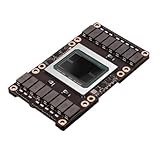
- Robust Design:Constructed to withstand high temperatures, the V100 16GB SXM2 card operates efficiently up to 105℃.
- Advanced Connectivity:Features a SXM2 connector for seamless integration with a wide range of systems, ensuring compatibility.
Before training, measure the desired behavior with a fixed evaluation set. Useful checks include task accuracy, exact match, structured-output validity, human or rubric scores, general instruction-following, and regression on refusal or safety behavior where relevant. A training loss curve alone cannot tell you whether the fine-tune improved the intended application.
How do you format instruction and chat examples?
For a simple instruction dataset, you can convert JSONL records into a single text field:
from datasets import load_dataset

dataset = load_dataset('json', data_files='train.jsonl', split='train')
dataset = dataset.train_test_split(test_size=0.1, seed=42)

def format_example(example):
    instruction = example['instruction'].strip()
    extra_input = example.get('input', '').strip()
    output = example['output'].strip()

    prompt = instruction
    if extra_input:
        prompt += f'nnContext:n{extra_input}'

    return {
        'text': f'### Instruction:n{prompt}nn### Response:n{output}'
    }

dataset = dataset.map(format_example)
train_dataset = dataset['train']
eval_dataset = dataset['test']
The serialization above is a custom completion format. If you are training the instruct checkpoint, a tokenizer-provided chat template is preferable when the exact tokenizer exposes a usable template:
def format_chat(example):
    messages = [
        {'role':'user','content':example['instruction']},
        {'role':'assistant','content':example['output']},
    ]
    return {
        'text': tokenizer.apply_chat_template(
            messages,
            tokenize=False,
            add_generation_prompt=False,
        )
    }
Verify the tokenizer’s actual template before publication or training. The instruct model card raises tokenizer and reference-implementation compatibility considerations and recommends alignment with the mistral_common reference implementation. Do not assume that every v0.2-derived checkpoint exposes identical chat behavior.
At inference time, use the same conversation structure and template used during training. Manually invented [INST] delimiters or arbitrary role tokens can create a training-inference mismatch. Decode one formatted training example and compare it with the exact prompt sent to the deployed model.
How do you authenticate with Hugging Face?
Authenticate only when the repository or Hub operation requires it, and grant the token the minimum permissions needed. Either command is supported by the supplied workflow:
huggingface-cli loginhf auth loginNever place a token in notebook source, shell history, application code, or a public model card. Store credentials through the supported local authentication mechanism or a protected secret in the training environment.
How do you load Mistral 7B v0.2 with QLoRA?
The following loading pattern uses 4-bit NF4 quantization, double quantization, and bf16 computation. The GPU must support bf16 for this exact setting; otherwise test fp16 carefully and expect different stability and performance.
Free tools Windows power users keep installed
One-click scans. No signup required.
import torch
from transformers import (
    AutoModelForCausalLM,
    AutoTokenizer,
    BitsAndBytesConfig,
)

model_id = 'mistralai/Mistral-7B-Instruct-v0.2'

bnb_config = BitsAndBytesConfig(
    load_in_4bit=True,
    bnb_4bit_quant_type='nf4',
    bnb_4bit_use_double_quant=True,
    bnb_4bit_compute_dtype=torch.bfloat16,
)

tokenizer = AutoTokenizer.from_pretrained(model_id)
if tokenizer.pad_token is None:
    tokenizer.pad_token = tokenizer.eos_token

model = AutoModelForCausalLM.from_pretrained(
    model_id,
    quantization_config=bnb_config,
    device_map='auto',
    torch_dtype=torch.bfloat16,
)
device_map='auto' is convenient for loading and inference, but it is not a substitute for a correctly configured distributed-training strategy. Quantized training normally uses adapter-based training rather than attempting to update the quantized base weights directly.
How do you configure LoRA adapters?
These LoRA settings are reasonable starting points, not universal optima:
from peft import LoraConfig

peft_config = LoraConfig(
    r=16,
    lora_alpha=32,
    lora_dropout=0.05,
    bias='none',
    task_type='CAUSAL_LM',
    target_modules=[
        'q_proj',
        'k_proj',
        'v_proj',
        'o_proj',
        'gate_proj',
        'up_proj',
        'down_proj',
    ],
)
The target-module names must match the loaded architecture. A larger r increases adapter capacity and memory. More dropout can help with small or noisy datasets but can slow learning. Tune rank, learning rate, dropout, target modules, and training duration against held-out results instead of assuming rank 16 or any other setting is optimal.
How do you train with SFTTrainer?
SFTTrainer performs supervised fine-tuning over the formatted examples and can receive the PEFT configuration directly. The following is a complete starting pattern based on the supplied current-style API, but the exact sequence-length and evaluation argument names depend on the installed TRL and Transformers versions.
Recommended Free Tools
from transformers import TrainingArguments
from trl import SFTTrainer

training_args = TrainingArguments(
    output_dir='./mistral-7b-v0.2-lora',
    per_device_train_batch_size=1,
    per_device_eval_batch_size=1,
    gradient_accumulation_steps=16,
    gradient_checkpointing=True,
    learning_rate=2e-4,
    num_train_epochs=2,
    logging_steps=10,
    eval_strategy='steps',
    eval_steps=100,
    save_steps=100,
    save_total_limit=2,
    bf16=True,
    optim='paged_adamw_8bit',
    report_to='none',
)

trainer = SFTTrainer(
    model=model,
    args=training_args,
    train_dataset=train_dataset,
    eval_dataset=eval_dataset,
    processing_class=tokenizer,
    peft_config=peft_config,
    formatting_func=None,
    max_seq_length=2048,
)

trainer.train()
trainer.save_model('./mistral-7b-v0.2-lora')
tokenizer.save_pretrained('./mistral-7b-v0.2-lora')
Consult the TRL SFTTrainer documentation for the version installed in your environment. In newer releases, sequence length may belong in an SFT-specific configuration object rather than as a direct trainer argument, and processing configuration may use a renamed field. Pin the tested versions in a lockfile or requirements file after confirming the script works.
The example uses one example per device and 16 accumulation steps, giving an effective accumulation factor of 16 before accounting for multiple devices. The learning rate of 2e-4, two epochs, 2,048-token maximum length, and rank 16 are starting points rather than guarantees. Log training and validation loss, save periodic checkpoints, and record the dataset revision, base-model revision, tokenizer, hardware, and all hyperparameters.
How do you monitor training and recover from errors?
Monitor GPU memory, training loss, validation loss, throughput, checkpoint creation, and sample generations. A lower training loss with worsening validation loss suggests overfitting. A lower validation loss with poor task results can indicate that the serialization, metric, or inference prompt does not represent the real application.
For CUDA out-of-memory errors, use this order:
- Reduce the maximum sequence length.
- Reduce the per-device batch size to 1.
- Increase gradient accumulation if the effective batch size needs to remain similar.
- Enable gradient checkpointing.
- Use QLoRA instead of bf16 or fp16 LoRA.
- Reduce the LoRA rank.
- Reduce the evaluation batch size.
- Set
model.config.use_cache = Falseduring training. - Check whether another process is using GPU memory.
- Restart the runtime after failed CUDA allocations have left memory fragmented.
model.config.use_cache = FalseCommon bitsandbytes failures come from unsupported operating-system or GPU combinations, incompatible CUDA and PyTorch binaries, unsupported bf16, or an attempt to perform an unsupported full-weight update on a quantized model. If the 4-bit path fails, use ordinary fp16 or bf16 LoRA on a larger compatible GPU, or choose a library and backend with an explicitly tested configuration.
The Tool Desk
Outbyte PC Repair FREERepair Windows errors before they cause bigger problemsFix Now →Outbyte Driver Updater FREEScan for outdated or missing drivers - takes under a minuteDriver Scan →To resume a stopped run, point the trainer at the saved checkpoint using the checkpoint-resume mechanism supported by the installed Transformers and TRL versions. Keep checkpoints until you have verified that the final adapter loads and generates correctly.
How should you evaluate a fine-tuned model?
Evaluate the model before and after training with the same fixed prompt suite and held-out examples. Include task-specific metrics such as accuracy or exact match where appropriate, qualitative rubric scores for open-ended answers, and regression tests for general prompts.
A useful evaluation set should test:
- The target domain or task on examples excluded from training.
- Formatting and schema compliance if the application expects JSON, labels, code, or another strict form.
- Prompt variants that differ from the training wording.
- General instruction-following for an instruct model.
- Refusal and safety behavior when the assistant will handle sensitive requests.
- Longer inputs if long-context behavior is a requirement.
Qualitative samples are illustrative, not statistically conclusive. A falling loss is not evidence that the fine-tuned model improved every behavior. Poor results despite a falling loss commonly come from repetitive data, leakage, a prompt-format mismatch, overfitting, a learning rate that is too high, or a task that needs retrieval rather than memorization.
Also popular on Amazon

- Graphics card interface: PCI E
If the model echoes labels, headings, or delimiters, compare the decoded training serialization with the exact inference prompt. The error usually indicates that the model was trained and queried with different formats. If the model has forgotten general behavior, lower the learning rate, train fewer epochs, add a representative general-domain mixture, use LoRA instead of full fine-tuning, and retain the original model for rollback.
Do these 3 things before closing this tab:
1Fix the driver behind crashes, sound loss and screen glitches2Repair Windows errors before they cause bigger problems3Scan for outdated or missing drivers - takes under a minuteHow do you save and reload the adapter?
The trainer saves the adapter and associated tokenizer under the output directory. An adapter is not a self-contained replacement for the base model; deployment must retain the original base checkpoint and compatible revision.
from peft import AutoPeftModelForCausalLM

model = AutoPeftModelForCausalLM.from_pretrained(
    './mistral-7b-v0.2-lora',
    device_map='auto',
    torch_dtype=torch.bfloat16,
)

tokenizer = AutoTokenizer.from_pretrained('./mistral-7b-v0.2-lora')
Hugging Face’s PEFT guidance explains the relationship between an adapter and its base model. Publish the adapter with a clear model card that records the exact base-model repository and revision, tokenizer, dataset provenance, preprocessing, license information, training configuration, evaluation results, and known limitations.
Independent reader supportYour contribution helps us test, update, and keep practical guides available for everyone.Should you merge the adapter into the model?
Merge the adapter when a serving system or deployment process is simpler with one ordinary model directory. Keep the adapter separate when you want a small artifact, multiple task-specific adapters over one base model, or the ability to change adapters without duplicating base weights.
merged_model = model.merge_and_unload()
merged_model.save_pretrained(
    './mistral-7b-v0.2-merged',
    safe_serialization=True,
)
tokenizer.save_pretrained('./mistral-7b-v0.2-merged')| Distribution choice | Best for | Trade-off |
|---|---|---|
| Adapter only | Small downloads, multiple adapters, shared base model | The base checkpoint must also be available and compatible. |
| Merged model | Simpler deployment with a single model directory | Duplicates the base weights and removes some adapter flexibility. |
Merging can be inappropriate or unsupported in some quantized workflows. Test the merged files by loading them in a clean environment and running the same evaluation prompts before publishing or serving them.
How do you run a basic inference test?
A plain text-generation pipeline can check whether the saved artifact loads, but an instruct model should receive the correct conversation structure and chat template rather than arbitrary prompt delimiters.
import torch
from transformers import pipeline

pipe = pipeline(
    'text-generation',
    model='./mistral-7b-v0.2-lora',
    tokenizer='./mistral-7b-v0.2-lora',
    torch_dtype=torch.bfloat16,
    device_map='auto',
)

result = pipe(
    'Explain gradient descent in three sentences.',
    max_new_tokens=160,
    do_sample=True,
    temperature=0.7,
    top_p=0.9,
)

print(result[0]['generated_text'])
For chat inference, construct a list of role/content messages and apply the tokenizer’s actual chat template. Generation settings such as temperature and top-p affect the sample, so use fixed settings when comparing the base model with the fine-tuned model.
How do you publish and serve the result?
Push the adapter or merged model to the Hugging Face Hub only after checking that no credentials, private data, or unauthorized training material are present. The model card should identify the base model, revision, adapter method, quantization, dataset provenance, license, hardware, sequence length, effective batch size, number of steps or epochs, evaluation methodology, and limitations.
For serving, Transformers is a straightforward compatibility test. vLLM, Text Generation Inference, Hugging Face Inference Endpoints, and other serving systems may provide better throughput or operational features, but each has its own support matrix for quantization, adapters, chat templates, and merged weights. The deprecated community repository’s vLLM example can be treated as an implementation reference, not as a reason to prefer that unofficial repository over the official checkpoint.
Quick wins for a faster PC:
Clear out junk files and repair common Windows errorsFree Scan →Fix the driver behind crashes, sound loss and screen glitchesFind Drivers →Repair Windows errors before they cause bigger problemsFix Now →How much can fine-tuning cost?
Total cost cannot be inferred from a GPU’s hourly price alone. Dataset size, sequence length, number of steps, checkpoint frequency, startup time, storage, interruptions, and the actual hardware determine the bill. Provider prices below are research-time signals and should be rechecked before purchase.
| Option | Research-time pricing signal | Best fit | Main drawback |
|---|---|---|---|
| Hugging Face AutoTrain | Local AutoTrain has no platform charge; Space-based AutoTrain is billed for consumed compute per minute. | Beginners wanting an integrated Hub workflow. | Less low-level control and usage-based compute charges. |
| Hugging Face Spaces | The pricing page listed T4 at $0.40/hour, L4 at $0.80/hour, A10G at $1.00/hour, and A100 at $2.50/hour during the research pass. | Experiments, demos, and lightweight training or inference. | Less suitable for long-running training requiring persistent infrastructure. |
| Hugging Face Inference Endpoints | The pricing page listed AWS T4 at $0.50/hour, L4 at $0.80/hour, A10G at $1.00/hour, L40S at $1.80/hour, and A100 at $2.50/hour; ready replicas are billed by the minute. | Managed dedicated deployment. | An always-ready replica can waste money for intermittent personal use. |
| RunPod | The pricing page listed 24 GB-class Serverless hardware from $0.69/hour and A100 Serverless at $2.72/hour; the page said pricing was updated July 27, 2026. | Cost-conscious temporary GPU experiments. | Availability, cloud tier, and infrastructure responsibility vary. |
| Local GPU | No single hourly price; account for hardware, electricity, cooling, disk, and maintenance. | Repeated experiments or privacy-sensitive data. | Up-front cost and maintenance are poor value for occasional use. |
See Hugging Face AutoTrain and its AutoTrain cost documentation for the managed workflow and billing qualification. Current Space hardware prices are listed on Hugging Face’s pricing page. For managed deployment, consult Inference Endpoints pricing; for rented Pods and Serverless options, consult RunPod pricing. These links establish hourly signals, not a guaranteed total for your training job.
When is retrieval better than fine-tuning?
Use retrieval-augmented generation when the main problem is access to frequently changing factual information rather than a stable behavior, style, format, or domain vocabulary. Fine-tuning can teach a model how to answer, classify, structure, or write in a particular way, but it is not a reliable substitute for a current knowledge store.
| Problem | Likely first choice | Why |
|---|---|---|
| Changing company policies or documentation | Retrieval-augmented generation | Documents can be updated without retraining model weights. |
| Consistent answer style or output schema | Supervised fine-tuning or prompting | The desired behavior is stable and can be represented by examples. |
| Raw domain language and terminology | Continued pretraining or targeted fine-tuning | The goal is adaptation to domain text rather than live lookup. |
| Need for higher-quality assistant preferences | SFT followed by preference tuning | Preference optimization is a later, separate stage and should not be confused with ordinary SFT. |
| Small model for a narrow task | Distillation or supervised fine-tuning | A larger teacher or labeled dataset can transfer a focused behavior. |
Prompt engineering, structured decoding, and retrieval should be tested before committing to a costly training project. Fine-tuning can also damage generality or safety behavior, so “improved” must always mean improved on a defined target evaluation.
What’s actually slowing this PC down?
Pick the symptom - the matching free tool is one click away.
What are the most common v0.2 fine-tuning mistakes?
- Calling v0.2 current: v0.2 is retired, so label it as a legacy or educational target and evaluate a current model for new production work.
- Leaving out the repository: “Mistral 7B” is ambiguous; name the exact base or instruct checkpoint.
- Using the wrong data objective: raw text, completion data, and instruction-response data require different starting checkpoints and serialization.
- Ignoring chat templates: training and inference must use compatible tokenizer and role formatting.
- Confusing loading memory with training memory: model-card memory estimates do not include all training allocations.
- Assuming 32k context means cheap 32k training: long sequences can sharply increase activation memory and reduce throughput.
- Trusting falling training loss: evaluate held-out task performance and general behavior.
- Publishing an adapter without its base: record the original model and revision so users can reload the adapter.
- Assuming default hyperparameters are optimal: learning rate, rank, dropout, epochs, and target modules require validation.
Frequently Asked Questions
Can Mistral 7B v0.2 be fine-tuned on a single GPU?
Mistral 7B v0.2 can often be adapted with LoRA or QLoRA on a single 16–24 GB GPU, but the result depends on sequence length, batch size, quantization, gradient checkpointing, software, and dataset configuration. No particular GPU size is guaranteed for every training run.
Should I fine-tune Mistral 7B v0.2 or Mistral 7B Instruct v0.2?
Use Mistral-7B-v0.2 for continued pretraining and completion-oriented domain adaptation. Use Mistral-7B-Instruct-v0.2 for most chatbots, assistants, and prompt-response datasets, while preserving the checkpoint’s intended chat template.
Does a 32k context window mean I should train with 32k-token examples?
No. The 32,000-token context window is an architectural maximum, not a recommendation for training sequence length. Start around 1,024–2,048 tokens and increase only when long examples improve measured task performance and available memory supports them.
Can I deploy a LoRA adapter without the original Mistral model?
No. A LoRA adapter normally requires the original base model and a compatible revision. You can merge the adapter into the base model for a single deployable model directory, but merging increases distribution size and reduces adapter flexibility.
Free tools Windows power users keep installed
One-click scans. No signup required.
Is Mistral 7B v0.2 a good choice for a new production system in 2026?
Mistral 7B v0.2 remains useful for legacy compatibility, tutorial reproduction, and learning, but it is not the default new-production recommendation because Mistral lists it as retired as of March 30, 2025. Evaluate a currently supported model such as the replacement named in Mistral’s documentation before committing.
The Bottom Line
Mistral 7B v0.2 remains a good hands-on target for learning Hugging Face fine-tuning and maintaining compatible legacy systems. Choose the base checkpoint for continued pretraining, choose the instruct checkpoint for most chat and instruction datasets, start with QLoRA, use the exact tokenizer template, evaluate against held-out and regression prompts, and publish the adapter with its base-model provenance. For a new 2026 production deployment, compare a currently supported model before choosing retired v0.2.

