
iTechGuides is reader-supported. When you buy through links on our site, we may earn an affiliate commission. As an Amazon Associate I earn from qualifying purchases. Learn more
Both Meta Quest 3 and Quest 2 can play PC VR games. Quest 3 brings a higher-resolution physical display, a wider stated field of view, and more granular IPD adjustment, but it does not make the PC render games faster. Your graphics card, game settings, and wired or wireless connection still determine the image and frame rate you get.
At a glance: Quest 3 vs Quest 2 for PC VR
| Feature | Meta Quest 3 | Meta Quest 2 |
|---|---|---|
| Physical display resolution | 2064 × 2208 pixels per eye (Meta device comparison, 2026) | 1832 × 1920 pixels per eye (Meta launch announcement, 2020) |
| Field of view | 110° horizontal and 96° vertical (Meta device comparison) | Comparable figure not stated in the cited official sources |
| IPD adjustment | Continuous slider (Meta device comparison) | Three lens-position settings (Meta launch announcement) |
| Refresh-rate targets | 72, 80, 90, and 120 Hz (Meta rendering documentation); Meta announced 120 Hz Link support in 2024 | 72, 80, 90, and 120 Hz (Meta rendering documentation) |
| PC VR options | Meta Quest Link by cable or Air Link; also listed for Steam Link | Meta Quest Link; also listed for Steam Link |
| Standalone processor | Snapdragon XR2 Gen 2 | Snapdragon XR2 |
Sources: Meta device comparison, Meta’s Quest 2 launch announcement, Meta rendering documentation, and Steam Link compatibility information.
What changes on Quest 3
Higher physical display resolution
Quest 3’s listed panel resolution is 2064 × 2208 pixels per eye, compared with Quest 2’s 1832 × 1920. These are physical display specifications, not a guarantee that a PC game will render at those resolutions. The application’s render resolution is a separate setting; increasing it can add image detail while demanding more from the graphics card. Meta explains the render-scale trade-off in its render-scale guidance.
Wider stated field of view
Meta lists Quest 3 at 110° horizontal and 96° vertical. The cited official sources do not give a comparable Quest 2 figure, so a numeric side-by-side field-of-view claim is not established here.
Popular on Amazon

- GOLF+ — Play your next round at TPC Sawgrass. Get GOLF+, 1,800 in-game credits and more with Meta Quest 3.
- HOW TO REDEEM — Activate and set up your Meta Quest, pair your Meta Quest with the Meta Horizon app and claim GOLF+ during the pairing process.
- NEARLY 30% LEAP IN RESOLUTION — Experience every thrill in breathtaking detail with sharp graphics and stunning 4K+ Infinite Display.
- NO WIRES, MORE FUN — Break free from cords. Game, play and explore in immersive worlds — untethered and without limits.
- 2X GRAPHICAL PROCESSING POWER — Enjoy lightning-fast load times and next-gen graphics for smooth gaming powered by the Snapdragon XR2 Gen 2 processor.
More granular IPD adjustment
Quest 3 uses a continuous slider to adjust interpupillary distance (IPD); Meta documented three lens-position settings for Quest 2. The newer mechanism offers finer adjustment on paper, but individual fit varies, so it is not a guarantee that Quest 3 will feel more comfortable for every person.
Color passthrough and depth sensing
Meta lists Quest 3 color stereoscopic passthrough at 4 MP (18 PPD) and a depth sensor. These are hardware differences relevant to mixed reality and seeing your surroundings. They do not change the PC VR image path.
Also popular on Amazon

- GOLF+ — Play your next round at TPC Sawgrass. Get GOLF+, 1,800 in-game credits and more with Meta Quest 3S.
- HOW TO REDEEM — Activate and set up your Meta Quest, pair your Meta Quest with the Meta Horizon app and claim GOLF+ during the pairing process.
- NO WIRES, MORE FUN — Break free from cords. Game, play and explore immersive worlds — untethered and without limits.
- 2X GRAPHICAL PROCESSING POWER — Enjoy lightning-fast load times and next-gen graphics for smooth gaming powered by the Snapdragon XR2 Gen 2 processor.
- EXPERIENCE VIRTUAL REALITY — Take gaming to a new level and blend virtual objects with your physical space to experience two worlds at once in your VR headset.
A newer standalone chipset, not a faster PC
Quest 3 uses Snapdragon XR2 Gen 2, while Quest 2’s launch material identifies Snapdragon XR2. That matters to standalone headset tasks; it is not evidence that Quest 3 renders PC VR games faster. In Link PC VR, the Windows computer supplies the game-rendering power.
What’s actually slowing this PC down?
Pick the symptom - the matching free tool is one click away.
What stays the same for PC VR
Both headsets can connect to a gaming PC
Meta lists Quest 3 for Link by cable or Air Link, and its Quest 2 launch announcement documented Oculus Link PC VR. Steam also lists both headsets as compatible with Steam Link. Compatibility does not establish identical image quality, latency, setup, or game performance across the two headsets.
Also popular on Amazon

- NEARLY 30% LEAP IN RESOLUTION — Experience every thrill in breathtaking detail with sharp graphics and stunning 4K Infinite Display.
- NO WIRES, MORE FUN — Break free from cords. Play, explore and exercise in immersive worlds — untethered and without limits.
- 2X GRAPHICAL PROCESSING POWER — Enjoy lightning-fast load times and next-gen graphics for smooth gaming powered by the Snapdragon XR2 Gen 2 processor.
- EXPERIENCE VIRTUAL REALITY — Blend virtual objects with your physical space and experience two worlds at once.
- 2+ HOURS OF BATTERY LIFE — Charge less, play longer and stay in the action with an improved battery that keeps up.
Both have 120 Hz among their listed refresh targets
Meta’s rendering documentation lists 72, 80, 90, and 120 Hz targets for both Quest 2 and Quest 3. Meta separately announced in March 2024: “Link now supports a 120Hz refresh rate for PCVR titles with Quest 3.” That announcement establishes a Quest 3 Link mode, not a promise that every PC and game can sustain 120 frames per second.
A headset’s refresh mode is the rate at which it can update its display; the game and PC must still deliver frames fast enough to match. Meta warns that missed frame rates can cause judder and related artifacts. A demanding game, high render scale, or limited graphics card may call for a lower refresh target or reduced render resolution.
Also popular on Amazon
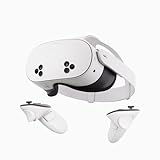
- NO WIRES, MORE FUN — Break free from cords. Game, play, exercise and explore immersive worlds — untethered and without limits.
- 2X GRAPHICAL PROCESSING POWER — Enjoy lightning-fast load times and next-gen graphics for smooth gaming powered by the SnapdragonTM XR2 Gen 2 processor.
- EXPERIENCE VIRTUAL REALITY — Take gaming to a new level and blend virtual objects with your physical space to experience two worlds at once.
- 2+ HOURS OF BATTERY LIFE — Charge less, play longer and stay in the action with an improved battery that keeps up.
- 33% MORE MEMORY — Elevate your play with 8GB of RAM. Upgraded memory delivers a next-level experience fueled by sharper graphics and more responsive performance.
Wired Link, Air Link, and Steam Link
Choose the connection method around your setup. A cable avoids relying on a wireless network for the PC-to-headset stream; Air Link and Steam Link are wireless options whose results depend on connection conditions. Steam provides its own setup and network guidance on its Steam Link support page.
When a cable makes sense
For a wired Meta Link setup, Meta’s developer hardware instructions recommend a USB-C data cable capable of at least 5 GB/s. That is a recommendation in Meta’s developer setup guidance, not a universal requirement for wireless play. Check a cable’s data capability, length, connector type, and compatibility before buying; a cable intended only for charging may not suit a wired PC connection.
Also popular on Amazon

- 【Weight Balance-Dual Adjustable Straps】Customize fit using by dual adjustment knobs (top/back), kawaye vr headset strap 4 points adjustable helps evenly distributes weight to eliminate facial pressure. Fits 22.1"-27.5" head sizes, suitable for both children and adults. 55° flip-up design for oculus head strap design enables glasses-friendly access.
- 【All-Day Comfort - Dual Cotton Pads】Maximum comfort and support with two thick and soft cotton pads. This VR head strap design for oculus/meta quest 3s/3/2 accessories to extend comfort, 35in² oversized cushion rear pad engineered for weight distribution to enhance stability & safety during intense VR workouts.
- 【Built-in Battery Slot】If you have additional power requirements, kawaye for oculus/meta quest 3/3s/2 headstrap features a dedicated compartment for hot-swappable battery packs (MQ001/MQ002, sold separately) - Hot swappable technology helps simplily add a battery in seconds without removing your headset or interrupting gameplay.
- 【90-Second Install & Build Quality】Kawaye design for meta quest 3/2 elite strap replacement includes two set connection fastener kits wthich can quick installs in 90 secs—no tools needed,pur plug-and-play. This kawaye headstrap accessories for meta /oculus Quest 2/Quest 3/33 after 10,000+ bend-tested won’t crack like cheap straps.
- 【Universal Fit for Meta Quest 3S/3/2 】Kawaye head strap compatible with Meta Quest 3/Quest 3S/Oculus Quest 2 vr headset, enjoy the same adjustable comfort across all. We Included:1× Comfort Head Strap | 1× for Quest 3S/3 Fasteners | 1× for Quest 2 Fasteners | 1× Cleaning Cloth | 24/7 Support. for Playstation 4 Headset
Meta reported that its March 2024 Link update reduced power consumption during Link sessions by approximately 30%. It also estimated Air Link runtime increasing from 90 minutes to about 140 minutes, while noting that USB Link runtime depends on power supplied by the PC. These are Meta’s reported update figures, not guaranteed battery life for an individual headset or current setup. See Meta’s Link update and hardware setup instructions.
Independent reader supportYour contribution helps us test, update, and keep practical guides available for everyone.Should you upgrade from Quest 2 for PC VR?
Quest 3 is the stronger hardware-side choice if…
- You want the higher physical display resolution, while understanding that the PC must render the game at a suitable resolution to benefit.
- You value Quest 3’s stated field of view or its continuous IPD adjustment.
- You also want Quest 3’s color passthrough and depth sensor for mixed-reality uses beyond PC VR.
Keeping Quest 2 may make sense if…
- Your current PC VR image and fit meet your needs.
- Your limiting factor is the PC, game settings, or network rather than the headset’s physical display.
- You would need a substantial PC or connection improvement before a headset change could address the experience you want.
Quest 2 is no longer available directly from Meta according to its Quest 2 product page as accessed on October 3, 2026; that does not establish whether third-party sellers still have stock. Availability varies by market.
How to tune PC VR for either headset
- Connect using your preferred route: use Meta Quest Link by cable or Air Link, or choose Steam Link if it fits your Steam setup.
- Start with a sustainable refresh target: select a mode your PC and the game can maintain rather than assuming the headset’s maximum listed mode will be achievable.
- Adjust render resolution to your GPU: Meta’s render-scale guidance explains that higher render scale increases detail demand and GPU workload. Reduce it if the PC struggles to keep up.
- Change one setting at a time: if you see judder or other frame-rate artifacts, lower render resolution or refresh target, then reassess the game’s performance.
- For wireless play, check the network path: follow Steam’s or Meta’s connection guidance and assess the network conditions where you play.
These adjustments apply to both headsets: Quest 3 changes the display hardware, but the PC, connection, and application remain central to PC VR performance.
Free tools Windows power users keep installed
One-click scans. No signup required.

