
PC Slower Than It Used to Be?
A free scan shows the junk files, broken settings and background clutter dragging Windows down - then fixes them in one click.Free scan · Windows 10 & 11Outdated Drivers Are Slowing You Down
One free scan finds every outdated or missing driver and matches the right update for your exact hardware.Free scan · exact hardware matchiTechGuides is reader-supported. When you buy through links on our site, we may earn an affiliate commission. As an Amazon Associate I earn from qualifying purchases. Learn more
Yes, the Logitech G305 LIGHTSPEED is still a good budget wireless gaming mouse if you want dependable 2.4 GHz performance, a precise sensor, programmable controls and exceptionally long battery life. Its compromise is substantial for a modern gaming mouse: the shell weighs 75 g without a battery and 99 g with its required AA cell, so it is not an ultralight. The compact, nearly symmetrical shape suits many small-to-medium hands and claw or fingertip grips, while very large hands may find it cramped. There is no Bluetooth, USB charging or RGB lighting.
| Name | Best for | Key spec | Free plan / price | Platforms | Checked |
|---|---|---|---|---|---|
| Logitech G305 LIGHTSPEED | Low-cost wireless FPS and general gaming for small-to-medium hands | 99 g with AA; HERO 200–12,000 DPI; 1 ms LIGHTSPEED report rate; up to 250 hours | US$59.99 on Logitech’s US store; often below $30 at retailers (volatile) | Windows and macOS configuration software | Nov 2026 |
Is the Logitech G305 good?
It remains an excellent value when connection reliability and battery endurance matter more than minimum weight. The HERO optical sensor tracks up to 12,000 DPI, 400 IPS and 40 G, while the LIGHTSPEED receiver reports at 1 ms. Independent testing found very low click latency, a low lift-off distance and no tracking problems during games and everyday work. The G305 is less compelling for players who specifically want a rechargeable, ultralight or Bluetooth mouse.
Logitech’s current technical specification lists the product as the G305 LIGHTSPEED Wireless Gaming Mouse. Logitech sells it at $59.99 in the United States with stock shown on November 16, 2026; GamesRadar lists a $49.99/£59.99 MSRP and says street prices often fall below $30. Prices and availability change, so check the live Logitech G305 product listing before buying.
Free tools Windows power users keep installed
One-click scans. No signup required.
What are the G305’s weight and dimensions?
The mouse measures 116.6 × 62.15 × 38.2 mm. Logitech quotes 75 g for the mouse without a battery and 99 g with one AA installed; that 24 g difference is why calling it “ultralight” is misleading. A 99 g wireless mouse is perfectly usable, but modern competitive models can be considerably lighter.
Popular on Amazon

- Ultra-fast LIGHTSPEED wireless technology in this wireless mouse gives you a lag-free gaming experience, delivering incredible responsiveness and reliability with 1 ms report rate for competition-level performance
- G305 wireless computer mouse boasts an incredible 250 hours of continuous gameplay on just 1 AA battery; switch to Endurance mode via Logitech G HUB software and extend battery life up to 9 months
- The durable, compact design with built-in nano receiver storage makes G305 not just a great portable desktop mouse, but also a great laptop travel companion and gaming wireless mouse. Use with a gaming laptop and play anywhere
- The next-generation optical HERO sensor in this gaming mouse delivers incredible performance and up to 10x the power efficiency over previous generations, with 400 IPS precision and up to 12,000 DPI sensitivity
- Wireless does not have to mean heavy. This gaming mouse provides high maneuverability, coming in at only 3.4 oz, thanks to an efficient, lightweight mechanical design and ultra-efficient battery usage
The solid plastic shell feels sturdy rather than hollow. Its nearly symmetrical egg shape has a fairly short, narrow body, giving the G305 a controlled feel without requiring a pronounced right-hand contour. The battery adds weight toward the rear, which some users notice during rapid lifts and direction changes.
How good are the sensor and wireless connection?
The HERO sensor offers 200–12,000 DPI (resolution), up to 400 IPS tracking speed and 40 G acceleration capability. Logitech describes accuracy across the full DPI range without smoothing, acceleration or filtering. In practical use, the important result is consistent cursor movement at ordinary and high sensitivity rather than the maximum DPI number.
LIGHTSPEED uses Logitech’s dedicated 2.4 GHz USB receiver and a 1 ms report rate. GamesRadar’s two-week evaluation in Counter-Strike 2, Doom: The Dark Ages, Planet Coaster and office work found no jitter, click-latency drops or tracking failures. RTINGS likewise reports excellent sensor performance and very low click latency. You need an available USB port for the receiver; the G305 does not provide Bluetooth as a fallback.
Quick wins for a faster PC:
Scan for outdated or missing drivers - takes under a minuteDriver Scan →Repair Windows errors before they cause bigger problemsFix Now →Fix the driver behind crashes, sound loss and screen glitchesFind Drivers →For a desktop, place the receiver where it has a clear path to the mouse and avoid burying it behind a metal PC case when possible. If your computer has few accessible USB ports, plan for a short extension or hub that leaves the receiver near the mouse; the mouse itself still communicates through the LIGHTSPEED dongle.
How long does the Logitech G305 last on battery power?
One replaceable AA battery is rated for up to 250 hours in performance mode or up to nine months in endurance mode. Those figures are manufacturer estimates, not a guaranteed runtime: high report activity, usage patterns and battery chemistry affect the result. Even with variation, the G305 can go far longer between changes than most rechargeable mice go between charges.
The battery is also the charging system: there is no built-in rechargeable pack and no USB charging socket. When the AA is depleted, open the shell, replace the cell and continue. Keep a spare AA in your desk or travel kit if an interruption would matter. The replaceable design avoids waiting for a charge and lets you choose your own battery brand, but it adds weight and ongoing battery cost.
Also popular on Amazon
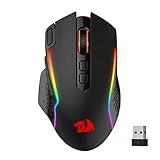
- Wireless for Boundless Winning - Cables truly will affect your detailed battle reaction, Redragon M810 pro wireless gaming mouse with 2.4Ghz nano receiver offers you the purest mouse moving experience and hype your KDA rise again.
- Adjustable DPI to 10000 - Geared with 5 on-board DPI levels (500/1000/2000/3000/10000) which allow your mouse movements to be registered to each pinpoint location. 5 DPI levels are free to DIY with software, for gamers to switch swiftly in game.
- Easy Keybinding with Macro - All 8 programmable buttons are all editable with customizable tactical keybinds in whatever game or work you are engaging. 1 rapid fire + 2 side macro buttons offer you a better gaming and working experience.
- Ultra Long-lasting Core - Equipped with the PAW3325 Optical Pixart sensor, the mouse consumption is further optimized with 1000Hz Polling Rate in dual mode. Rechargeable battery keeps the mouse working up to 45 hours at maximum (eco-mode).
- Adjustable True Color - With Redragon Pro driver, DIY endless style like dynamic streaming, breathing, waving. The game closely linked with various lighting modes makes your room full of competitive vibe.
Does the G305 have Bluetooth or USB charging?
No. It supports Logitech’s 2.4 GHz LIGHTSPEED receiver only; there is no Bluetooth radio and no wired USB data or charging mode. That makes it straightforward for a gaming PC but less flexible for tablets, phones and computers where a USB receiver is inconvenient.
Recommended Free Tools
Because the mouse is not rechargeable, a USB cable cannot rescue you when the battery is empty. Replace the AA instead. Buyers who regularly switch between several Bluetooth devices or want one cable for charging and play should choose a different model.
How many buttons and profiles does it have?
The G305 has six programmable buttons: the two main clicks, clickable scroll wheel and two side buttons, plus the DPI control behind the wheel. Logitech’s specification supports one hardware-memory profile, so your selected assignments and sensitivity can travel with the mouse on systems where the onboard profile is used. There are no extra side buttons for MMO-style layouts.
All six buttons can be programmed in Logitech’s software on Windows and macOS. You can assign a practical DPI cycle, push-to-talk shortcut or application command, then keep a simple profile for games and work. The single onboard profile is useful for portability but limiting if you need several game-specific configurations without software running.
What is the scroll wheel and click noise like?
The scroll wheel provides ordinary vertical scrolling and a middle click, but it has no left/right tilt and no free-scrolling mode. That is adequate for games and documents, yet it lacks the productivity shortcuts found on more feature-rich mice.
Do these 3 things before closing this tab:
1Scan for outdated or missing drivers - takes under a minute2Repair Windows errors before they cause bigger problems3Fix the driver behind crashes, sound loss and screen glitchesThe primary buttons use Omron mechanical switches. They have a conventional, audible mechanical click; available sources do not provide a standardized decibel measurement, so expect normal gaming-mouse click noise rather than silent operation. The wheel’s tactile steps are easy to feel, which helps weapon selection and controlled scrolling.
Also popular on Amazon

- Designed With Pros, Engineered to Win: Designed alongside the world’s best esports athletes, the Logitech G PRO X2 SUPERSTRIKE wireless gaming mouse delivers the fastest, fully customizable click
- Dominate with industry-leading speed: 30 ms faster clicks for peak performance in every esports match and deep customization with 10-level actuation points and 5-level rapid trigger reset
- Haptic Feedback: This breakthrough haptic gaming mouse with Haptic Inductive Trigger System (HITS) gives real-time feedback for an unmatched immersive experience for any game scenario or play style
- Precision from Within: The HERO 2 sensor in this PC gaming mouse delivers tracking at over 888 IPS, 88 g-force, and up to 44,000 DPI — ensuring the pinpoint accuracy that champions rely on for every play
- Play Longer : With 60-90 hours battery life and LIGHTSPEED Wireless, this rechargeable gaming mouse(with included USB-A to USB-C cable) delivers lag-free 8 kHz polling for uninterrupted focus
Which grip and hand size fit the G305?
Small-to-medium hands are the safest match. The low, compact shell works especially well for claw grip and fingertip grip, where your fingers control the rear and sides while the palm floats or lightly contacts the shell. A relaxed palm grip can also work for smaller hands, but larger hands may overhang the front or feel cramped around the short body.
Large-handed users should treat the G305 as a shape to try before buying rather than assuming its symmetrical profile will fit. RTINGS calls the shell somewhat heavy for its size and warns that the smaller body may not suit very large hands. Grip style changes the experience: claw users often appreciate the rear hump and control, while full-palm users generally need more length and width.
Does it have RGB or other lighting?
No. The G305 has no RGB lighting or decorative illumination. A small status light communicates selected functions such as DPI or battery state, but this is not an addressable lighting system. The lack of lighting saves power and keeps the design understated, while users who want a matching illuminated setup will need another mouse.
How do you set up the G305?
- Install the AA cell. Remove the top shell, insert one AA with the polarity shown, and close the shell securely. The battery is part of the mouse’s operating weight.
- Connect the receiver. Plug the LIGHTSPEED USB receiver into an accessible USB port on your computer. Keep it near the mouse if your desktop layout or case could obstruct the signal.
- Install Logitech’s configuration software. Use Logitech’s official software for your operating system, then confirm that the mouse appears and update settings only through the official app or Logitech site.
- Set sensitivity and controls. Choose a DPI value that matches your game and sensitivity preference, assign the two side buttons and wheel click, and remove unused DPI steps if you do not want accidental changes.
- Save the hardware profile. Store your everyday assignments in the single onboard-memory profile when you need them on another compatible computer. Keep more elaborate per-game profiles in software if you need several layouts.
- Choose battery behavior. Use performance mode when responsiveness and active play are the priority; use endurance mode when maximum time between AA changes matters more.
What do independent reviews say?
RTINGS’ testing describes a solid plastic, nearly symmetrical egg-shaped mouse with very low click latency, low lift-off distance and excellent sensor performance. It also identifies the main compromises: the mouse is heavy for its size, the shell may be too small for very large hands, and the wheel lacks tilt and free-scrolling modes. RTINGS notes black, lilac, blue and K/DA color variants, with availability depending on region.
GamesRadar’s review likewise praises the sturdy chassis, versatile grip options and reliable performance, while flagging the smaller body, absent Bluetooth and replaceable-battery design. Its reviewer reported no jitters, latency drops or tracking problems over two weeks of mixed gaming and work. Taken together, the reviews support the same verdict: the wireless and sensor experience is stronger than the weight and feature list suggest.
Independent reader supportYour contribution helps us test, update, and keep practical guides available for everyone.What is the difference between the G305 and G304?
They are regional names for the same basic mouse family. RTINGS notes that the product is called G304 in some markets, while G305 is the name used in others. Check the exact local listing, included documentation and warranty terms rather than assuming a different name means a different sensor or shell.
Also popular on Amazon

- Ultra-fast LIGHTSPEED wireless technology in this wireless mouse gives you a lag-free gaming experience, delivering incredible responsiveness and reliability with 1 ms report rate for competition-level performance
- G305 wireless computer mouse boasts an incredible 250 hours of continuous gameplay on just 1 AA battery; switch to Endurance mode via Logitech G HUB software and extend battery life up to 9 months
- The durable, compact design with built-in nano receiver storage makes G305 not just a great portable desktop mouse, but also a great laptop travel companion and gaming wireless mouse. Use with a gaming laptop and play anywhere
- The next-generation optical HERO sensor in this gaming mouse delivers incredible performance and up to 10x the power efficiency over previous generations, with 400 IPS precision and up to 12,000 DPI sensitivity
- Wireless does not have to mean heavy. This gaming mouse provides high maneuverability, coming in at only 3.4 oz, thanks to an efficient, lightweight mechanical design and ultra-efficient battery usage
What warranty should you check before buying?
Warranty coverage and duration can vary by country and seller. Keep the receipt, buy from an authorized channel, and read the warranty terms on the Logitech support page for your region before purchase. The current technical specification confirms the hardware details but does not establish one worldwide warranty period, so do not rely on a retailer’s generic listing.
The Tool Desk
Outbyte Driver Updater FREEFix the driver behind crashes, sound loss and screen glitchesFind Drivers →Outbyte PC Repair FREEClear out junk files and repair common Windows errorsFree Scan →Who should buy the G305, and who should skip it?
Buy it if you want low-cost, dependable 2.4 GHz wireless performance; a precise HERO sensor; six programmable controls; and very long life from a replaceable AA. It is a particularly sensible fit for small-to-medium hands using claw, fingertip or lighter palm contact, and for players who do not need Bluetooth, tilt scrolling or lighting.
Skip it if your priority is an ultralight mouse, a built-in rechargeable battery, Bluetooth, a larger palm-filling shell, silent switches, RGB or many onboard profiles. A 99 g total weight is the decisive trade-off: the G305 delivers the performance that matters in games, but it does not deliver the minimal mass of newer enthusiast designs.
How we picked this verdict: the recommendation weighs total weight with battery, replaceable versus rechargeable power, Bluetooth availability, shell dimensions and hand fit, grip behavior, sensor and report-rate performance, button count, wheel functions, lighting, onboard memory and the volatile street price.
Frequently Asked Questions
What colors does the Logitech G305 come in?
Independent coverage lists black, lilac, blue and K/DA variants. Exact colors and stock vary by country, so use the regional Logitech listing rather than assuming every finish is available everywhere.
Can I use the G305 on a Mac?
Yes. RTINGS reports that all six buttons can be programmed in Logitech’s software on macOS as well as Windows. The LIGHTSPEED receiver still needs a compatible USB connection; Bluetooth is not available.
Are the G305 clicks quiet enough for an office?
The Omron mechanical switches make a normal, clearly audible click. No standardized noise rating is provided, so choose a mouse marketed for silent switches if shared-room noise is a major concern.
Is the G305 suitable for travel?
Its AA power is convenient because you can carry a spare cell instead of a charging cable, but the 99 g operating weight and separate USB receiver add bulk. Protect the receiver and remove the battery for long-term storage to avoid leaks.

