

iTechGuides is reader-supported. When you buy through links on our site, we may earn an affiliate commission. As an Amazon Associate I earn from qualifying purchases. Learn more
Lenovo Yoga C740: At First Glance
At first sight, I couldn’t help but notice the slightly thick chassis of the Lenovo Yoga C740. This makes the laptop a bit heavy, which is quite a disadvantage for a convertible laptop.
Nonetheless, the laptop’s appearance and performance still make it a worthy buy.
Firstly, the attractive silver aluminum finish and the “YOGA” symbol sitting pretty at the top right corner of the laptop’s lid add a premium touch and feel to this laptop.
Moving on to the performance of this laptop, there’s much to expect as well. The combination of hardware here is impressive, considering its pocket-friendly price range.
Popular on Amazon

- 【Power Product Type】 : Max 65W 45W (compatible) AC Input: 100 - 240V 50 - 60Hz, Output: DC 5V/3A, 9V/3A, 12V/3A, 15V/3A, 20V/2.25A, 20V/3.25A. Connector size: USB Type-C
- 【Compatible Part Number】: Fepprry 65W USB C Charger Compatible with ADLX65YLC2A ADLX65YCC3A ADLX65YLC3A ADLX65YDC3D ADLX65YCC3D ADLX65YLC3D ADLX65YAC3A ADLX65YCC2A ADLX65YAC2A ADLX45YDC2A ADLX45UDCU2A ADLX45YCC2A ADLX45YCC3D ADLX45YLC3D ADLX45YDC3D
- 【Compatible Replacement for Thinkpad Charger 】Fepprry 65W USB C Charger Compatible with ThinkPad T480 T480s T490 T490s T495s T580 T580s T590 T495S L380 L390 L480 L490 E14 E15 E480 E485 E490 USB C Laptop Charger
- 【65W USB C Charger for Yoga/Chromebook】Fepprry 65W USB C Charger Compatible with Yoga 7i 9i 14" 15" 2 in 1 Laptop, for Yoga S730 C930 C940 C740 730 730S 910 920 Yoga 730 730s s730 720-13 730-13 730s-13 s730-13 720-13IKB 730-13IKB 730S-13IWL 730S-13IML S730-13IWL S730-13IML
- 【How to use this charger】1: AC Cord Connect Power Adapter 2: DC USB C Connet Laptop 3: AC Adapter Plug into Wall Socket
Still wondering if this is the best laptop for you? Read on to find out more about the overall design, specs, and performance of this laptop.
Lenovo Yoga C740: Design, Dimension & Weight
Let me first point out that this laptop comes in two color variants; the Mica (Gold) and silver-gray. However, this review is based on the silver-gray model.
When I first saw this laptop, I was impressed with its silver-gray aluminum chassis and the bold YOGA inscription on the bottom right corner of the lid.
More specifically, the YOGA inscription has a slightly darker shade of grey than the rest of the lid. This, in my opinion, effectively complements the lid and gives the laptop a subtle appearance.
Now, running your hands through the YOGA inscription, you’ll notice it feels glossy and smooth. This glossiness gives it a kind of reflective effect that makes the YOGA inscription brighten up and darken when you open or close the laptop’s lid.
Speaking of opening the laptop’s lid, it has a 14-inch touchscreen display surrounded by almost invincibly thin bezels on the sides. However, the top and bottom bezels are slightly thicker.
It is important to note that there’s also a 15-inch display screen size available for this laptop. However, I’ll be focusing on the 14-inch version for this review.
Do these 3 things before closing this tab:
1Fix the driver behind crashes, sound loss and screen glitches2Clear out junk files and repair common Windows errors3Scan for outdated or missing drivers - takes under a minuteBack to the display, the quality of the display is something to look forward to.
It offers stunning visuals. You can see a brilliant display of colors from the screen and capture even the tiniest color details.
As a result, streaming movies or editing videos on the laptop is enjoyable.
Overall, the Lenovo Yoga’s impressive display quality can be attributed to its 1920 x 1080 display resolution. Likewise, its In-Plane Switching panel and its brightness level of 300 nits are also huge contributing factors to this laptop’s rich color display.
What’s actually slowing this PC down?
Pick the symptom - the matching free tool is one click away.
To lay more emphasis, the in-plane-switching (IPS) panel is a particular type of panel used mainly for Liquid Crystal Display types to give better viewing angles and prevent low-quality color output. Nit, on the other hand, is the measure of a laptop’s screen brightness level.
In addition to that, the Lenovo Yoga C740 has a built-in 720p webcam with a privacy shutter at the top of the laptop’s lid. The webcam is integrated in such a way that it’s almost impossible to tell that there’s a webcam at the top.
This further accentuates the beauty of the Lenovo Yoga C740 14-inch laptop.
Now, moving away from the display and onto the keyboard compartment, there are still a few things to be excited about.
Firstly, this laptop has two upward-looking Dolby Atmos speakers at the top right and left corners. Hence, if you decide to listen to music for a little bit of fun while working, these speakers will provide an immersive listening experience.
Furthermore, in between these speakers is a well-fitted keyboard that blends well with the entire keyboard deck. Note, however, that this could be a bit of a downside.
When the letters on the keyboard have a color that blends in well with the keyboard panel, it can be a bit difficult to recognize the letters. This could make typing on the laptop slightly difficult, especially for beginners who are unfamiliar with letter placements.
Moreover, the keys are not so spacious. For a 14-inch laptop, you would expect something a bit more spacious – sadly, that’s not the case.
Quick wins for a faster PC:
Fix the driver behind crashes, sound loss and screen glitchesFind Drivers →Clear out junk files and repair common Windows errorsFree Scan →My guess is that the poorly spaced keyboard is the price Lenovo had to pay to fit in the upward-facing speakers directly next to the keyboard. I think they did this to give the laptop a more premium look.
On a more positive note, the Lenovo Yoga C740’s keyboard is backlit. This backlighting feature can come in handy when you need to type in the dark or low-lit areas.
Still on the keyboard compartment, there is a wide square-shaped 4.2 x 2.8-inch precision touchpad right beneath the keyboard.
The touchpad is responsive and allows for two fingers scrolling or navigation (Windows 10 gestures). For instance, zooming in and out on images using the touchpad is as smooth as rubbing butter on a cake pan.
Recommended Free Tools
Also popular on Amazon
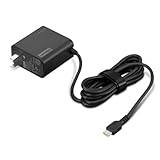
- 65W USB-C FAST CHARGING: Power compatible Lenovo laptops with up to 65W USB-C Power Delivery. PD 3.0 delivers reliable charging for supported laptops, tablets, phones, and other USB-C devices that require up to 65W.
- MADE FOR LENOVO USB-C LAPTOPS: Designed for compatible ThinkPad, Yoga, IdeaPad, and ThinkBook laptops that charge via USB-C. An ideal replacement or spare Lenovo USB-C charger for home, office, or travel.
- VERSATILE USB-C POWER DELIVERY: Charge more than your laptop with one adapter. Compatible USB-C tablets, smartphones, and other devices can draw the power level they support, helping reduce the number of chargers you need to carry.
- PD 3.0 MULTI-VOLTAGE OUTPUT: Supports 5V, 9V, 15V, and 20V USB-C PD output profiles to provide compatible devices with the appropriate power. Actual charging speed depends on the connected device and its supported charging profile.
- SLIM, TRAVEL-READY DESIGN: Compact and lightweight for easy packing, with a 1.7 m (5.9 ft) cable that gives you added flexibility when reaching outlets at your desk, hotel, or workspace.
Overall, I think Lenovo intentionally designed the keyboard deck to have a large space area to give its users a good palm rest feature. This enhances the typing experience on the laptop – good thinking if you ask me.
Now, moving on to the sides of the Lenovo Yoga C740, I can say that the sides are a little bit thick.
Lenovo designed this laptop’s upper part (the lid) to be slightly thinner than the lower part (the keyboard area). This gives the side a parallel structure, with the top side area having thick edges and the bottom having sharp pointy edges.
Still on the sides, there are 2 USB type- C 3.1 ports and a 3.5mm audio/mic combo port all on the left side. Also, there’s 1 USB Type-A 3.1 Gen 1 port and a power button on the right side.
Crashes, No Sound, or Screen Glitches?
Random freezes, missing sound and display glitches usually trace back to one bad driver. Find and replace yours safely.Free scan · under a minuteWindows Errors? Fix Them Before They Spread
Repair common Windows errors and clear accumulated junk for a smoother, more stable PC - no reinstall needed.Free scan · no reinstallSadly, the Lenovo Yoga doesn’t have a Thunderbolt 3 port like its flagship version, the Lenovo Yoga C940. Likewise, Lenovo Yoga C740 also lacks an HDMI port and SD card slot.
Nonetheless, it still offers quite a number of useful ports.
Now in case you’re wondering how to supply power to this laptop, there’s no traditional power input port. Instead, Lenovo opted for a more recent innovation: a dedicated USB type-C 3.1 Gen 1 port for charging.
Still on the design, this laptop has quite a sturdy structure. I can tell from the materials used for the chassis and the sturdiness of the hinges – seeing that it’s a convertible laptop.
Free tools Windows power users keep installed
One-click scans. No signup required.
For a convertible laptop, sturdy hinges are non-negotiable features. Good hinges will allow you to use the different modes effectively and enjoyably.
Given this, the hinges of the Lenovo Yoga C740 are a good fit for this laptop. The hinges are not flimsy, as switching between stand, tent, or tablet mode didn’t produce any creaky sound.
However, I expected this laptop to be as light as its competitors – the HP Spectre x360 and the Microsoft Surface Pro 7.
In comparison to the above-mentioned convertibles, the Lenovo Yoga C740 weighs a little bit more.
The Tool Desk
Outbyte Driver Updater FREEFix the driver behind crashes, sound loss and screen glitchesFind Drivers →Outbyte PC Repair FREEClear out junk files and repair common Windows errorsFree Scan →The HP Spectre x360 weighs 1224 g, and the Microsoft Surface Pro 7 weighs 771 g.
On the other hand, the Lenovo Yoga C740 weighs 1400g. Additionally, the size of this laptop is a little bit much for a convertible, judging from its 321.8 x 214.6 x 14.9 mm dimension.
The overall weight and size of the laptop are a little bit too much to handle. This is true especially when you decide to use this laptop in a tablet mode – considering the fact that its screen is not detachable.
Before I wrap up this design section, let me quickly say that this laptop does not come with a stylus pen. This could be a huge turn-off for some users because of the extra cost of purchasing one.
Personally, I would have loved it more if it came with the Stylus Pen included in the box. However, I can let that slide.
Above all, this is a nicely designed premium laptop for an affordable price range. Hence, despite its minimal downsides, I’ll be rating it an eight out of ten in this design section.
Lenovo Yoga C740: Processor (CPU) Performance
Firstly, the Lenovo Yoga C740 offers multiple processor configuration options. For this review, I will focus on the Intel Core i7-10710U, the highest configuration option.
The unit we are reviewing has a 4-core power-efficient processor that comes with 12 MB of cache memory. Also, the processor runs on a base frequency of 1.10 GHz and a maximum frequency of 4.70 GHz.
What’s actually slowing this PC down?
Pick the symptom - the matching free tool is one click away.
Surprisingly, this is a powerful laptop. I expected an average performance since the Lenovo Yoga doesn’t cost too much.
However, I’m delighted to say that the Lenovo Yoga exceeded my expectations. I only arrived at this conclusion after putting it through some work-related tasks.
For starters, I explored different simple computing tasks and I was impressed with its performance. I could check my emails, stream movies, create and edit documents without any hassle.
Also popular on Amazon

- Safe & Efficient Charging: Engineered with Power Delivery (PD) 3.0 technology, this 65W USB C charger provides rapid power for your laptops. Input: 100-240V, Output: 5V/3A, 9V/3A, 15V/3A, 20V/3.25A. Multi-certified to ensure safe use during working, studying, or traveling.
- Extensive Compatibility: A reliable replacement for Lenovo ThinkPad X1 X1 Fold X1 2-in-1 X12 X13 X13 Yoga X13 2-in-1 L13 L13 Yoga L13 2-in-1 L14 L16 E14 E16 T14 T14s T16 Z13 P14s P16s C14. Also compatible with Chromebook A275 A285 A475 A485 T480 T480s T580 T580s T490 T590 E480 E580 E585 E490 E590 L480 L580 P51s P52s P43s P53s X270 X280 X380 X390 X395 Series Notebook, and more Type C port devices.
- Compatible with Laptop P/N : 4X20M26252 4X20E75131 4X20M26268 4GX20N20876 4X20E75132 4X20E75135 4X20V07881 4X20E75137 GX20P92530 ADLX65YLC2D ADLX65YLCC2D ADLX65NCT2A ADLX65YCC2D ADLX65YDC2D ADLX65YLC2A ADLX65YCC3A ADLX65YDC3A ADLX65YDC2A ADLX65YLC3A ADLX65YDC3D ADLX65YCC3D ADLX65YLC3D ADLX65YAC3A ADLX65YCC2A ADLX65YAC2A ADLX65UCGU2A
- Compact & Portable Design: Our upgraded technology makes this power adapter more compact than standard chargers. The lightweight design and durable materials ensure it stands up to daily wear and tear, making it an essential companion for business trips.
- What You Get: The package includes 1 x 65W Type C Laptop Charger. We focus on providing high-quality power solutions and reliable performance for your electronic devices.
Speaking of editing, I also explored photo and video editing with this laptop, and the Lenovo Yoga C740 didn’t disappoint either. So, it’s safe to say that this will be a good video/photo editing laptop – judging from its performance, of course.
Furthermore, this laptop was also put through some benchmark performance tests – specifically, the Cinebench R15 benchmark test. The Cinebench R15 benchmark is a standardized test that reveals how excellent a laptop’s processor performs.
The laptop’s performance is rated by the number of points it scores in the Cinebench test. Therefore a laptop with the highest points will ultimately perform better than a laptop with lower points.
In this test, the Lenovo Yoga C740 scored 180 points, surpassing the 175 points average performance score for its processor type. It outperformed the Dell XPS 13 9730, which scored 165 points on this test.
However, the Lenovo Thinkpad T590 scored 193 points – making it a superior performer than the Lenovo Yoga C740 and Dell XPS 13 9730.
Regardless, the Lenovo Yoga C740 performs beyond the average performance score as revealed by the Cinebench R15 benchmark test. For this, I’ll give the Lenovo Yoga an eight in this performance review section.
Lenovo Yoga C740: Memory (RAM) Performance
Lenovo Yoga C740 features a standard 8GB RAM onboard memory. Since it has onboard memory – memory soldered to the motherboard – its RAM is not upgradable.
Given this, many users looking to maximize this laptop’s memory capacity for more efficiency might be unable to do this. On the bright side, this laptop offers another memory configuration that supports a maximum memory of 16GB.
Hence, if you’re looking for more efficiency, you can opt for the 16GB memory configuration option. However, the unit I’ll be working with for this review comes with the standard 8GB RAM.
Now down to business.
Working with the 8GB RAM was enjoyable for me. I could conveniently perform all my content creation tasks and run several productivity apps simultaneously without any hassle.
Speaking specifically, I intentionally had multiple applications and browser tabs running simultaneously when working with the Lenovo Yoga C740. I did this to test how this laptop performs in the real world of work.
For instance, I had word document, excel, and my chrome browser with fourteen tabs open all at once. I was also streaming music on Boomplay while also working with Adobe Premiere Clip.
With all these going on, I was impressed at how fast I could switch through all my Chrome tabs during my research.
Windows Errors? Fix Them Before They Spread
Repair common Windows errors and clear accumulated junk for a smoother, more stable PC - no reinstall needed.Free scan · no reinstallOutdated Drivers Are Slowing You Down
One free scan finds every outdated or missing driver and matches the right update for your exact hardware.Free scan · exact hardware matchAlso, I had no struggle whatsoever going back and forth between the Adobe Premiere Clip and Boomplay app.
Sadly, I couldn’t say the same for the HP Pavilion x360 and the LG Gram 14 2-in 1 laptop.
To further test the memory performance of this laptop, I put it through the PCMark 10 benchmark test. The PC Mark 10 is a benchmark test tool that measures the RAM’s overall capacity to handle daily office/productivity tasks.
The higher the number of points a laptop has on this test, the better its performance.
Back to the test. The Lenovo C740 had an overall score of 4,233 points.
This exceeds the average score for laptops in this category – the average score is 4000 points. More so, it surpassed the HP Pavilion x360, which had 3,711 points, and the LG Gram 14 2-in 1, which had 3,949 points.
On the other hand, the Lenovo C740 was no match for the Dell XPS 13 2-in-1. The latter had an overall score of 4,432 points – leaving Lenovo C740 behind with 231 points.
Regardless, the Lenovo C740 handled all my multitasking activities excellently well. It also surpassed the PC Mark 10 overall average score with over 200 points.
Quick wins for a faster PC:
Repair Windows errors before they cause bigger problemsFix Now →Fix the driver behind crashes, sound loss and screen glitchesFind Drivers →Clear out junk files and repair common Windows errorsFree Scan →For these, the Lenovo Yoga C740 scores an eight in this memory (RAM) performance review section.
Lenovo Yoga C740: Storage Options & Performance
Lenovo Yoga C740 offers multiple storage configurations. These include 256 GB, 516 GB, and 1 TB SSD maximum storage capacity.
Also popular on Amazon

- 【Compatible with Lenovo Yoga Charger】-- Fit for Yoga 6 7 9 7i 9i 730 S730 S940 C630 C740 C930 C940,Yoga 6 13ABR8 13ARE05 13ALC6 Yoga 6 Gen 7,Yoga 7 14AHP9 14ARB7 14ARP8 14IAL7 14IML9 14IRL8 14ITL5 16ARP8 16IAP7 16IML9 16IRL8 14ACN6 730-13IKB 15ITL5 730-13IWL,4X20M26272,ADLX65YCC3A, 01FR026, SA10M13950, 01FR030,01FR024,01FR028, ADLX65YDC3A,ADLX65YLC3A,ADLX65YAC3A, 01FR025 , SA10M13945,SA10M13946,01FR031,01FR027,GX20P92529,02DL106,02DL108,02DL126,02DL128,02DL124,02DL129,02DL125,4X20M26277,ADLX65YCC3D,SA10R16874,5A10W86261,5A10W86253,5A10W86255,ADLX65YAC3D,4X20M26278,5A10W86250,5A10W86302,5A11E21011,5A10W86252,5A10W86254,5A10W86263,5A10W86265,ADLX65YDC3D,ADLX65YLC3D,SA10R16919.
- 【Compatible with Lenovo Thinkpad Charger】-- Compatible with Lenovo ThinkPad laptopT480 T490 P51s P52s P53s P43s L13 L14 L15 E15 E14 E16 X13 T14 R14 T15 T14s P14s P15s Gen 1 2 3,ThinkPad X1 Carbon 5th 6th 7th Generation, T590 T495 E480 E580 E485 E585 E490 E590 L480 L580 X270 X280 X380 X390 X395 Chromebook 100e 300e 500e C330 C340 S330 S345 C630 S340-14 c740 s940 Yoga charger 720 730 730S,X1 Yoga 2nd 3rd 4th Gen. notice:not compatible with thinkpad P16s, yoga pro series
- 【Compatible with Lenovo Laptop Charger】--- This charger for thinkpad yoga laptop for Security Assurances.by using high quality materials make our cord multi-protection:over-charge protection;over-voltage protection;over-temperature protection; over-current protection; short-circuit protection; lightning protection laptop charger
- 【Input Volt Range】--- AC 100-240v 1.3A (50-60Hz) Output: 5V--3A 9V--3A 12V--3A 15V--3A 18V--2.5A 20V--2.25A 20V--3.25A 65W MAX (also Compatible with 15W/30W/45W thinkpad yoga Laptop ) Connector type: USB-C yoga charger
- 【Package Included】--- 1 x Replacement for yoga Charger, 1 x Power Cord.
Note that these storage configurations are not upgradeable.
So, depending on your storage needs, you could opt for the 1TB storage option. It is also important to note that, there’s no way to expand this – as there’s no SD card or extra storage slot.
The Tool Desk
Outbyte PC Repair FREERepair Windows errors before they cause bigger problemsFix Now →Outbyte Driver Updater FREEScan for outdated or missing drivers - takes under a minuteDriver Scan →To be clear, the unit I reviewed came with the 512 GB PCIe SSD storage configuration. This, in my opinion, is enough storage space to store work files.
Furthermore, seeing that this is an SSD storage, I predicted a speedy performance. I had to conduct a file transfer test to be certain.
In this file transfer test, the Lenovo Yoga C740 512GB PCIe SSD duplicated 4.97 GB of mixed-media files in 6 seconds at a copy rate of 848.2 MBps.
To further test the Lenovo Yoga C740 512 GB PCIe SSD file transfer speed, I tested other competitors in its category – The HP Spectre 360x 13 and the Surface Pro 7.
Recommended Free Tools
The HP Spectre 360x 13 with 512GB M.2 NVMe PCIe SSD took 15 seconds to transfer the same 4.97 GB file at a speed of 318.1 MBps.
On the other hand, the Surface Pro 7 with 256GB SSD took 18 seconds to transfer the same mixed files of 4.97 GB. It achieved this at a transfer rate of 267.9 MBps.
I also ran a CrystalDiskMark benchmark test to test this laptop’s storage further. In this test, the Lenovo Yoga C740 scored a read speed of 3562 MB/s and a write speed of 2346 MB/s.
Overall, it’s clear from the above tests that the Lenovo Yoga’s 512 GB SSD is an excellent performer. Therefore, I’ll be rating the laptop an eight in this storage performance review section.
Free tools Windows power users keep installed
One-click scans. No signup required.
Lenovo Yoga C740: Graphics Card Performance
This laptop offers integrated Intel UHD Graphics for the GPU. This GPU comes with a base frequency of 300 MHz and a boost frequency of 1150 MHz.
Sadly, this is the only GPU configuration this laptop offers. This can pose many limitations to the graphically demanding tasks you may want to execute on the Lenovo Yoga C740.
For clarity, an integrated graphics card is a GPU type that’s soldered to the CPU. In other words, it is attached to the CPU.
The Lenovo Yoga’s GPU has no dedicated video memory (VRAM). Hence, it relies on the CPU’s memory to execute graphics tasks.
Given this, you wouldn’t expect this GPU to perform excellently well as other GPU types like Nvidia, which comes with its dedicated VRAM.
Now back to our focal point – the Lenovo Yoga C740’s graphics card performance. There’s not much to expect.
I tested the Lenovo Yoga C740’s Intel UHD Graphics using the 3DMark benchmark. The Lenovo Yoga came out with 1040 points in this test – scoring below the average points of 1056 points required for the GPU type it comes with.
Furthermore, it performed poorly compared to its predecessor – the Lenovo Yoga C750 15-inch, which scored 1249 points. The Dell XPS 13 7390 also exceeded Yoga C740 with a total of 1237 points.
Do these 3 things before closing this tab:
1Fix the driver behind crashes, sound loss and screen glitches2Repair Windows errors before they cause bigger problems3Scan for outdated or missing drivers - takes under a minuteComing down to the actual gaming, I also tested this laptop to see how well it can perform.
Sadly, but not surprisingly, this graphic card was not powerful enough to handle high-end games. One of those games it couldn’t handle was Red Dead Redemption 2.
In fact, my entire gaming experience on this laptop was nothing to write home about.
The Red Dead Redemption 2 played at 8 fps on low settings and 5 fps on medium settings.
Quick wins for a faster PC:
Scan for outdated or missing drivers - takes under a minuteDriver Scan →Repair Windows errors before they cause bigger problemsFix Now →Fix the driver behind crashes, sound loss and screen glitchesFind Drivers →Also, on low settings, the Lenovo Yoga C740 played Resident Evil Village 2021 at 12.2 fps. This is quite disappointing, considering the fact that Resident Evil Village 2021 is a low-end game.
Also popular on Amazon

- Output:20V-3.25A / 15V-3A / 9V-2A / 5V-2A, 65W USB Type C
- Compatible SKU or DP/N: 01FR027,01FR025,01FR026
- Compatible Factory Model:ADLX65YCC3A/ADLX65YDC2A
- Compatible Computer Model: ThinkPad X13/T490/T590/T14s/T15/X1 Carbon Gen8 Gen7 Gen6/L14/E14/E15/ThinkBook 15 14/X1 Yoga Gen5 2-in-1/L13 Yoga/X13 Yoga/X380 Yoga/P53s/P43s Yoga C940 14/C930 14/C930 Class/C740 14/C740 15 IdeaPad S940/730S
From the above, it’s clear that Lenovo Yoga C740’s Intel UHD Graphics doesn’t fare well with high-end graphics tasks – gaming or professional work. However, it can handle simple graphics tasks manageably well.
Therefore, I’ll rate it a six out of ten in this graphics card performance review section.
Lenovo Yoga C740: Battery Life & Performance
The Lenovo Yoga C740 features a 4 Cell 51 Wh, Li-Polymer battery. According to Lenovo, this laptop’s battery can last for up to 13 hours.
In my opinion, that’s a good battery runtime. However, I needed to test it for myself to be sure.
So, I ran the Lenovo Yoga C740’s battery through a real-world performance test – the rundown test and web surfing test.
I made the laptop run without any workload for my first test – at a minimum brightness level. For this, the laptop gave me a run time of 18 hours 38 minutes.
For my second test, I conducted the web surfing test with a medium brightness level. The Lenovo Yoga C740’s battery lasted for 9 hours 11 minutes.
It needed about 1 hour 25 minutes more for it to outlast its higher-end version, the Lenovo Yoga C940 that lasted for 10 hours 36 minutes.
Finally, I had this laptop at maximum settings and on full workload to test how well its battery would fare under an intense workload. Here, the battery lasted for precisely 1 hour 40 minutes.
From the above tests, I can say that the Lenovo Yoga C740’s battery is an average performer. Specifically, you can manage to get complete working hours running time from this battery – that’s web surfing under 50% brightness.
Given this, I’ll be giving this laptop a seven in this battery performance review.
Frequently Asked Questions
The Lenovo Yoga C740 is a decent-performing laptop. You can conveniently execute your business/work-related tasks without hassle.
So, judging from its price range, premium look, and mid-tier performance, the Lenovo Yoga C740 is worth buying.
Lenovo Yoga C740 is compatible with a Stylus Pen.
However, this pen does not come with the package. Therefore, you’ll need to purchase the pen separately.
The Lenovo Yoga C740 14” can handle a few browser tabs and Photoshop opened simultaneously – specifically the i7, 8GB RAM, and 512 GB configuration option. So, yes, the Lenovo Yoga C740 is good for Photoshop.
The Yoga C740 lacks the high-end specs and powerful graphics card required for gaming. Hence, the Yoga C740 is not a gaming laptop – either low or high-end gaming.
Do these 3 things before closing this tab:
1Fix the driver behind crashes, sound loss and screen glitches2Clear out junk files and repair common Windows errors3Scan for outdated or missing drivers - takes under a minuteLenovo Yoga is compatible with the Lenovo Active Pen 2. This is a Bluetooth-enabled Active Pen for writing and drawing that’s compatible with Lenovo Yoga laptops.
It has up to 4,096 pressure sensitivity levels to stimulate a natural pen and paper experience when sketching, painting, and jotting down notes.
Conclusion
The Lenovo Yoga C740 offers a premium look and feel for less price than other laptops in its category, e.g. the ASUS ZenBook Flip 14. More so, it offers a larger screen size than the HP Spectre x360 13 with similar specifications.
Considering these, I would say that the Lenovo Yoga C740 is worth every penny for a business and productivity laptop. However, its heavyweight, average battery performance, among other downsides, is a bit disappointing for me.
Notwithstanding, it’s a good business convertible laptop with mid-tier performance that’s worth considering.
The Tool Desk
Outbyte Driver Updater FREEScan for outdated or missing drivers - takes under a minuteDriver Scan →Outbyte PC Repair FREERepair Windows errors before they cause bigger problemsFix Now →I hope you found this Lenovo Yoga C740 review helpful. If you found the review helpful, kindly click Yes to “Was this page Helpful?” below.
You could also share your thoughts with the “Leave a Comment” form found at the end of this page.
Finally, for more laptop reviews, visit our Laptop Reviews page. You may also find our Laptop Specs page very helpful.
Quick Recap
Product prices and availability are accurate as of the date/time indicated and are subject to change. Any price and availability information displayed on Amazon at the time of purchase will apply.
Free tools Windows power users keep installed
One-click scans. No signup required.


