

Do these 3 things before closing this tab:
1Clear out junk files and repair common Windows errors2Fix the driver behind crashes, sound loss and screen glitches3Repair Windows errors before they cause bigger problemsiTechGuides is reader-supported. When you buy through links on our site, we may earn an affiliate commission. As an Amazon Associate I earn from qualifying purchases. Learn more
Lenovo IdeaPad 720S 14: At First Glance
Obviously, there are lots of 14-inch laptops from different manufacturers making waves in the market today. However, something that makes them different from each other is the innovation and features they offer.
In that regard, we will be looking into the Lenovo IdeaPad 720S 14, which is a 14-inch laptop that offers exceptional performance and amazing features. Moreover, this laptop comes with a lightweight build with a premium design.
Furthermore, the Lenovo IdeaPad 720S 14 features a powerful processor and a dedicated graphics card for maximum performance. However, this laptop is quite expensive, costing around $1,999.11 in April 2022 (when I wrote this review article).
You must be curious to know whether this Lenovo laptop offers enough features and performance to justify its expensive price tag. Why not read the remaining sections of this article to satisfy your curiosity?
Popular on Amazon

- Web vision Including Word, Excel, OneNote, Outlook, PowerPoint, Publisher, Access
Lenovo IdeaPad 720S 14: Design, Dimension, and Weight
To start with, the Lenovo IdeaPad 720S 14 is available in two distinct colors with a soft-touch finish. These colors are platinum silver and champagne gold.
With either of these colors, the laptop looks really sleek and offers a premium feel. Besides, the entire body of the laptop is made of aluminum with an anodized coating that screams “elegance.”
Due to its aluminum build, the Lenovo IdeaPad 720S 14 is quite sturdy and can withstand rough handling. Speaking of how sturdy the laptop is, its lid is connected to the base by a robust aluminum bar hinge with a glossy-silver finish.
The Tool Desk
Outbyte PC Repair FREERepair Windows errors before they cause bigger problemsFix Now →Outbyte Driver Updater FREEFix the driver behind crashes, sound loss and screen glitchesFind Drivers →This hinge is so robust and sturdy that the lid would wobble only a bit when nudged with a significant amount of force. Focusing more on the lid, you will find a glossy silver-gray “Lenovo” logo on the center of the laptop’s lid.
Upon opening the lid, you will be greeted by a 14-inch display made with an IPS panel. Due to this IPS panel, the display offers wide viewing angles.
Hence, you can watch the display off-center or from an extreme angle without experiencing color distortion or a reduction in picture quality. That aside, the Lenovo IdeaPad 720S 14’s display features an FHD (1920 x 1080) resolution.
Thanks to this FHD resolution, this laptop’s display should offer colorful and sharp picture quality for an adequate video streaming experience or web browsing. Besides that, the display is surrounded by extremely-thin bezels.
Quick wins for a faster PC:
Repair Windows errors before they cause bigger problemsFix Now →Fix the driver behind crashes, sound loss and screen glitchesFind Drivers →The top bezel features an HD (720p) webcam that is good for video calls but not ideal for taking selfies. This is because the images produced by the webcam tend to be blurry and grainy.
At the bottom bezel, you will find a “Lenovo” logo with a silver finish situated on the left side.
Moving on to the base of the Lenovo IdeaPad 720S 14, you will find a standard chiclet-style keyboard. Impressively, this keyboard is backlit with two brightness levels.
Hence, typing with this laptop in a dark environment shouldn’t be a problem. Besides, the keys on the keyboard are well-spaced with a “U” shape and white lettering on top.
Moreover, the keys are very responsive and register input swiftly and accurately. Thus, the Lenovo IdeaPad 720S 14’s keyboard should offer a comfortable typing experience.
Beneath the keyboard, this Lenovo laptop features a spacious touchpad with integrated click buttons. This touchpad has a smooth and responsive surface that allows for seamless navigation and finger-gliding.
Likewise, the integrated click buttons are pleasingly clicky and responsive.
Moving on, to the right of the touchpad, the Lenovo IdeaPad 720S 14 features a fingerprint sensor. The purpose of this sensor is for biometric verification for easy login into Windows via Windows Hello.
Port-wise, the Lenovo IdeaPad 720S 14 offers a moderate number of ports. To be more specific, the left side of the laptop houses a USB 3.0 port, an audio port, and an AC power adapter port.
Meanwhile, the right side of the laptop has a 4-in-1 media card reader (SD, SDXC, SDHC, MMC) and an HDMI port. That’s not all; the laptop’s right side also offers a USB 3.0 port and a USB 3.1 Type-C port (support Thunderbolt 3).
In terms of wireless connectivity, the Lenovo IdeaPad 720S 14 comes with Bluetooth 4.1 and an in-built 802.11 ac (2×2) Wi-Fi.
For dimension and weight, the Lenovo IdeaPad 720S 14 measures 320.7 x 222.8 x 15.9 mm (W x D x H) and weighs 1550 g. In comparison with the Dell Inspiron 14 3468, this Lenovo laptop is slimmer and lighter.
Crashes, No Sound, or Screen Glitches?
Random freezes, missing sound and display glitches usually trace back to one bad driver. Find and replace yours safely.Free scan · under a minutePC Slower Than It Used to Be?
A free scan shows the junk files, broken settings and background clutter dragging Windows down - then fixes them in one click.Free scan · Windows 10 & 11Also popular on Amazon

- 【Replacement Battery Type】Li-ion; Voltage: 11.4V; Capacity: 56Wh/4649mAh/3-Celll.
- 【Compatible P/N】L16M4PB2 L16L4PB2 L16C4PB2 5B10M55950 5B10M55951 5B10M55952
- 【Compatible Models】 For Lenovo Air 14 Pro, IdeaPad 720s-14IKB(81BD004AGE), IdeaPad 720s-14IKB(80XC001GKR), IdeaPad 720S-14IKBR (81BD003FGE), IdeaPad 720s-14IKB(80XC001WTW), V720-14-IFI, IdeaPad 720s-14IKB(80XC004PGE), IdeaPad 720s-14IKB(80XC/81BD), XIAOXIN AIR PRO, IdeaPad 720s-14IKB(81BD003HGE), IdeaPad 720s-14IKB(80XC0004US), xiaoxin Air 14 Pro, IdeaPad 720S-14IKBR (81BD) Serie, IdeaPad 720s-14IKB(80XC001PTA), V720-14-ISE, IdeaPad 720S-14IKBR (81BD003GGE), IdeaPad 720s-14IKB(80XC004NGE), V720-14(80Y1), IdeaPad 720s-14IKB(80XC004QGE), IdeaPad 720s-14IKB(80XC0003US), IdeaPad 720S-14, IdeaPad 720s-14IKB, V720-14, IdeaPad 720s,
- 【DG Quality】Grade A cells mitigate the risk of battery leakage and maximize output stability. Built-in circuit protection, enhances safety of usage and extends battery life
- 【DG TIPS】For the initial installation, please reinstall and check the interface fully connected, discharge the battery to 5%(not to 0%) and then charge to 95%, and cycle 3-4 times
To be more precise, the Dell Inspiron 14 3468 measures and weighs 345 x 243 x 21.4 mm (W x D x H) and 1900 g, respectively.
Taking every detail into account, I will rate the Lenovo IdeaPad 720S 14 a nine out of ten in this design review section.
Lenovo IdeaPad 720S 14: Processor (CPU) Performance
The Lenovo IdeaPad 720S 14 comes with an 8th-generation processor called the Intel Core i7-8550U. This processor is a quad-core (four cores) processor that features a cache memory of 8 MB.
Furthermore, the processor operates on a base frequency of 1.80 GHz and a turbo boost frequency of 4.0 GHz. Performance-wise, this processor is capable of handling basically any computing task.
Thus, with this CPU, the Lenovo IdeaPad 720S 14 should be able to take on demanding applications like Adobe Photoshop. Also, the laptop will be able to multitask effectively.
To further verify this laptop processor’s performance, I will now be sharing its result on a Cinebench R15 test. In brief, the Cinebench R15 test is a benchmark test that measures a computer’s processor abilities by evaluating its cores.
Hence, the test involves two tests which are the single-core test and the multi-core test. While the single-core test evaluates the processor’s performance using one of its cores, the multi-core does the same by using all its available cores.
Moreover, high scores on the tests signify good processor performance. So, based on the results obtained from the Cinebench R15 test, the Lenovo IdeaPad 720S 14 recorded a score of 159 points on the single-core test.
Free tools Windows power users keep installed
One-click scans. No signup required.
Meanwhile, on the multi-core test, it recorded 576 points. Compared with the Samsung Notebook 7 Spin, which uses an Intel Core i7-6500U CPU, this Lenovo laptop has a better processor performance.
To be more specific, on the Cinebench R15 test, the Samsung Notebook 7 Spin scored 137 points on the single-core test. On the other hand, the laptop scored 504 points on the multi-core test.
Therefore, I will rate the Lenovo IdeaPad 720S 14 a nine out of ten in this processor performance review section.
Lenovo IdeaPad 720S 14: Memory (RAM) Performance
Memory is one the most essential components in every computer for determining its performance. Its main job is to temporarily store data that the computer is actively using in order to access them very fast.
Recommended Free Tools
Hence, it basically determines how fast a computer can execute tasks. Thus, the higher the memory, the faster the computer handles and executes computing operations.
On that note, the Lenovo IdeaPad 720S 14 is equipped with a standard 16 GB DDR4 RAM shared between its two memory slots. Moreover, the maximum memory supported by this laptop is also 16 GB.
Hence, you cannot upgrade the laptop’s overall memory to more than 16 GB. Nevertheless, upgrading the laptop’s memory might not be necessary because 16 GB RAM should be enough to handle most computing tasks.
In fact, with this amount of RAM, the Lenovo IdeaPad 720S 14 will be able to seamlessly multitask and run demanding apps. Speaking of multitasking, this Lenovo laptop should be able to smoothly run 25 Chrome tabs simultaneously without lagging a bit.
What’s actually slowing this PC down?
Pick the symptom - the matching free tool is one click away.
As a matter of fact, transitioning between the Chrome tabs should be very easy for the laptop.
To further validate this Lenovo IdeaPad 720S 14’s memory performance, I will now be discussing its result on a PCMark 8 test. Briefly, the PCMark 10 test is a benchmark test that assesses a computer’s memory performance by simulating office-related tasks like web browsing.
Moreover, a high score on this test means a good performance. Therefore, based on the result obtained from the test, the Lenovo IdeaPad 720S 14 recorded a score of 3612 points.
Also popular on Amazon
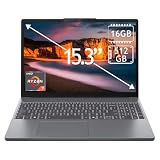
- 15.3" 2K Touchscreen Display delivers sharp visuals, vibrant colors, and smooth touch interaction for work and entertainment
- Powered by AMD Ryzen 7 170 processor for fast, responsive performance in multitasking, productivity, and daily computing tasks
- 16GB DDR5 RAM and 512GB PCIe SSD deliver smooth multitasking performance with fast responsiveness, quick boot-up times, rapid file access, and ample storage for documents, media, and applications
- Integrated Wi-Fi 6 and Bluetooth for faster, more stable wireless connectivity and seamless device pairing
- Pre-installed Windows 11 Home for a modern interface, enhanced productivity tools, and smooth user experience
In comparison with one of its closest competitors (ASUS ZenBook UX331UA), this laptop fared better with over 300 points. To be more specific, on the PCMark 8 test, the ASUS ZenBook UX331UA recorded 3308 points.
Hence, to end this memory review section, I will rate the Lenovo IdeaPad 720S 14 a nine out of ten.
Lenovo IdeaPad 720S 14: Storage Options and Performance
In terms of storage, the Lenovo IdeaPad 720S 14 is equipped with a PCIe SSD (Solid State Drive). Also, this laptop supports a maximum storage capacity of 1 TB.
Based on my personal opinion, 1 TB of storage space should be enough for most users to save their preferred multimedia files. Sadly, if anyone finds this storage space to be limited, the laptop lacks an SD card reader for storage expansion.
Nevertheless, you can always purchase an external hard drive if you ever need additional storage space. Besides, because the laptop uses an SSD, it should offer a rapid boot time and fast transfer speed.
To prove that, I will briefly discuss the Lenovo IdeaPad 720S 14’s performance on a file transfer (copy) test. Specifically, on the file transfer test, the laptop was able to copy 4.95 GB of multimedia files at a transfer rate of 254 MB/s.
To further verify the laptop’s storage performance, I will now highlight its result on a CrystalDiskMark test. To clarify, the CrystalDiskMark test is a benchmark test that assesses a computer’s storage drive by measuring its read and write speed.
In case you are curious, the read speed is how fast a storage drive can open a file. On the other hand, the write speed is how fast the storage drive can save a file.
It is worth noting that a high “MB/s” value on the CrystalDiskMark test means fast read and write speed. Therefore, based on the test results, the IdeaPad 720S 14 delivered a sequential read speed of 1674 MB/s.
Likewise, the laptop delivered a sequential write speed of 1191 MB/s. In comparison, the Lenovo IdeaPad 720S 14 has a faster read and write speed compared to the ASUS ZenBook Flip 14, which also uses SSD.
To be more precise, the ASUS ZenBook Flip 14 delivered a sequential read and write speed of 905 MB/s and 532.9 MB/s, respectively.
Based on the facts in this storage review section, I will rate the Lenovo IdeaPad 720S 14 an eight out of ten.
Lenovo IdeaPad 720S 14: Graphics Card Performance
The Lenovo IdeaPad 720S 14 features a dedicated NVIDIA GeForce 940MX graphics card. This graphics card runs on a base frequency of 1004 MHz and a boost frequency of 1242 MHz.
Quick wins for a faster PC:
Fix the driver behind crashes, sound loss and screen glitchesFind Drivers →Repair Windows errors before they cause bigger problemsFix Now →Also, as a dedicated graphics card, this GPU features a 2 GB DDR3 dedicated VRAM. Hence, unlike an integrated graphics card, it doesn’t need to share the system memory with the CPU to perform graphics-related tasks.
Thus, with this GPU, the Lenovo IdeaPad 720S 14 should be able to handle most graphics-demanding apps and some high-end games. Speaking of games, this laptop delivered an impressive frame rate of 70.8 fps while playing FIFA 19.
I will further prove this laptop’s graphics performance by sharing its result on a 3DMark 11 test. However, before I share its result, I would love to explain what the 3DMark 11 test is all about.
Briefly, the 3DMark 11 is a benchmark test for evaluating the 2D and 3D graphics rendering abilities of a computer. Furthermore, a high score on this test implies good graphics rendering performance.
The Tool Desk
Outbyte Driver Updater FREEFix the driver behind crashes, sound loss and screen glitchesFind Drivers →Outbyte PC Repair FREEClear out junk files and repair common Windows errorsFree Scan →Hence, according to the test results, the Lenovo IdeaPad 720S 14 delivered a score of 2582 points. In comparison with the Acer Aspire E5-575G-57D4, which also uses the NVIDIA GeForce 940MX graphics card, this laptop fared better.
To be more specific, the Acer Aspire E5-575G-57D4 delivered a score of 2037 points on the 3DMark 11 test.
Also popular on Amazon

- Battery type: Li-ion; Voltage: 15.36V; Capacity: 79Wh/5185mAh; Cells: 4-cell
- Compatible Models: Fit for Lenovo IdeaPad 720S-15IKB 720S Touch-15IKB Series; Fit for Lenovo IdeaPad V730-15 V730-15-IFI V730-15-ISE Series; Fit for Lenovo IdeaPad 720S-15IKB(81AC) Series
- Replace Part Numbers: L17M4PB1 L17C4PB1 5B10P35082 5B10P35083 5B10P35084 4ICP4/67/141
- 100% New from Manufacturer. Up to 500 recharge cycles over the life of the battery. The actual operation time will depend on how much electricity is required by the device and how you use it
- For first use, please discharge the battery to 5%(not to 0%) and then charge to 95%, and cycle 3-4 times.
In conclusion, although not a gaming laptop, the Lenovo IdeaPad 720S 14 features an adequate dedicated GPU. Hence, this laptop can handle most graphics-demanding games and apps.
Besides, the laptop beat one of its competitors on a GPU benchmark test. As a result, I will rate the Lenovo IdeaPad 720S 14 a nine out of ten in this graphics card review section.
What’s actually slowing this PC down?
Pick the symptom - the matching free tool is one click away.
Lenovo IdeaPad 720S 14: Battery Life and Performance
The Lenovo IdeaPad 720S 14 comes with an in-built 4-cell 55Wh Li-Polymer battery. As advertised by Lenovo, this laptop’s battery can last up to 14 hours.
However, trusting manufacturers’ claims nowadays is a hard thing to do. Hence, to verify Lenovo’s claim about this laptop’s battery, I will now be sharing the laptop’s result on a battery rundown test.
In brief, the battery rundown test involves continuous internet surfing over a Wi-Fi connection while the laptop’s brightness is at 150 nits. Thus, at the end of the test, the Lenovo IdeaPad 720S 14 delivered a battery life of 8 hours.
Even though this battery life isn’t up to Lenovo’s 14 hours claims, it is quite decent and should last almost a full day. However, compared to the HP Pavilion – 14-ce3064st, the laptop’s battery life is short.
Specifically, on the same battery rundown test, the HP Pavilion – 14-ce3064st delivered a battery life of 8 hours and 43 minutes.
All in all, I will rate the Lenovo IdeaPad 720S 14 an eight out of ten in this battery review section.
Frequently Asked Questions
As of the time I wrote this review in April 2022, the Lenovo IdeaPad 720S 14 had a starting price of $1,999.11.
No, the Lenovo IdeaPad 720S 14 does not come with a touchscreen display.
The Lenovo IdeaPad 720S 14 is available in two distinct colors which, are platinum silver and champagne gold.
The Lenovo IdeaPad 720S 14 was released in 2015.
Due to its slim build, the Lenovo IdeaPad 720S 14 lacks an optical drive.
Conclusion
The Lenovo IdeaPad 720S 14 is a sleek laptop that has a slim build and multiple color options. Apart from its sleekness, this laptop also comes with a load of powerful specs and features.
For example, the laptop features a dedicated NVIDIA graphics card and a powerful Intel Core i7 processor. That’s not all; the Lenovo IdeaPad 720S 14 also comes with a super-fast SSD.
Windows Errors? Fix Them Before They Spread
Repair common Windows errors and clear accumulated junk for a smoother, more stable PC - no reinstall needed.Free scan · no reinstallOutdated Drivers Are Slowing You Down
One free scan finds every outdated or missing driver and matches the right update for your exact hardware.Free scan · exact hardware matchHowever, this laptop is quite expensive. Nonetheless, with the number of amazing features that the laptop offers, I believe it is totally worth the expensive price tag.
Hence, if you need a slim laptop packed with awesome specs, the Lenovo IdeaPad 720S 14 is the one for you.
I hope you found this Lenovo IdeaPad 720S 14 review helpful. If you found the review helpful, we would love to hear from you.
Kindly spare two minutes to share your thoughts with our community using the comments form below.
Alternatively, simply respond to the “Was this page helpful” question below and provide us with your feedback.
Finally, for more laptop reviews, visit our Laptop Reviews page. You may also find our Laptop Specs page very helpful.


