
Free tools Windows power users keep installed
One-click scans. No signup required.
iTechGuides is reader-supported. When you buy through links on our site, we may earn an affiliate commission. As an Amazon Associate I earn from qualifying purchases. Learn more
Kai Cenat’s new gaming and streaming setup most clearly refers to his 2024 Spider-Man-themed dream-room makeover, not a fully documented 2026 hardware refresh. Reported equipment includes a PlayStation 5, Asus TUF RTX 4090, Stream Deck MK.2, Razer peripherals, Astro A50, Blue Yeti, Sony Alpha camera, and Emerge Vortex chair, but his complete current PC specifications remain unconfirmed.
The distinction matters because many pages using the phrase “Kai Cenat’s new gaming and streaming setup” describe a plausible high-end streamer room rather than equipment Kai has personally confirmed. The available evidence supports a reported 2024 room upgrade and a useful blueprint for similar creators—not a definitive August 2026 inventory.
Key takeaways
- The best-documented “new” setup is a 2024 Spider-Man-themed dream room reportedly built as a surprise by Matthew Beem.
- The 2024 equipment list names a PlayStation 5, Asus TUF RTX 4090, Elgato Stream Deck MK.2, Razer DeathAdder, Razer BlackWidow V3, Astro A50, Blue Yeti, Sony Alpha camera, and Emerge Vortex chair.
- Kai Cenat’s exact CPU, motherboard, RAM, storage, cooling, monitor, capture-card, networking, and current camera specifications are not publicly established by the available evidence.
- 2026 setup articles describe a realistic high-end production workflow, but words such as “likely,” “appears,” and “realistic build” make those articles unsuitable as proof of Kai’s personal hardware.
- Creators copying the workflow should prioritize clear audio, stable internet, lighting, a second display, organized scenes, and usable room space before buying celebrity-grade hardware.
What does “Kai Cenat’s new gaming and streaming setup” refer to?
The phrase most defensibly refers to a 2024 dream gaming room makeover, while later 2026 articles largely discuss what a streamer at Kai’s scale would need. A June 24, 2024 report on Kai Cenat’s gaming and streaming setup associates the makeover with Matthew Beem and describes a Spider-Man-themed room with red-and-black furnishings, LED lighting, gaming hardware, streaming controls, and creator peripherals.
A separate setup article updated February 7, 2026 says Kai’s complete configuration is difficult to verify because much of the equipment is out of frame and Kai has not published a complete itemized equipment tour. That limitation is more important than any speculative list of CPU models or monitor refresh rates.
Popular on Amazon

- 【INTEGRATED SPEAKERS】Whether you're at work or in the midst of an intense gaming session, our built-in speakers provide rich and seamless audio, all while keeping your desk clutter-free.
- 【EASY ON THE EYES】 Protect your eyes and enhance your comfort with Blue-Light Shift technology. This feature reduces harmful blue light emissions from your screen, helping to alleviate eye strain during long hours of use and promoting healthier viewing habits.
- 【WIDEN YOUR PERSPECTIVE】Our sleek minimal bezel design ensures undivided attention. The nearly bezel-free display seamlessly connects in a dual monitor arrangement, delivering an unobstructed view that lets you focus on more at once, completely distraction-free.
The exact-title articles published in May 2026 provide useful production analysis, but they do not establish that Kai received a fully documented 2026 rebuild. The current setup could have changed since 2024, and no first-party, dated, itemized 2026 gear list was identified in the reviewed evidence.
Which equipment is associated with Kai’s documented room?
The following table separates equipment reported in 2024 makeover coverage from claims that would require stronger direct evidence. “Reported” does not mean that Kai has confirmed continued use of the product in 2026.
| Component | Reported equipment | Evidence status |
|---|---|---|
| Console | PlayStation 5, reportedly the God of War Ragnarök bundle | Reported in 2024 secondary coverage; not proof that the console remains current |
| Graphics card | Asus TUF Gaming GeForce RTX 4090 | Reported as part of the room upgrade; the complete PC build is unknown |
| Keyboard | Razer BlackWidow V3 | Reported model; continued use is unverified |
| Mouse | Razer DeathAdder | Reported family name; the evidence does not justify upgrading the claim to DeathAdder Elite or another specific version |
| Headset | Astro A50 Wireless | Reported in 2024 coverage |
| Microphone | Blue Yeti USB microphone | Reported by setup coverage; no first-party confirmation was identified |
| Camera | Sony Alpha a7 II, or more generally a Sony Alpha camera | The 2024 source identifies an a7 II; newer Sony models claimed elsewhere should not be merged with that report |
| Stream control | Elgato Stream Deck MK.2 | Reported in 2024 coverage |
| Chair | Emerge Vortex red-and-black gaming chair | Reported as part of the makeover |
| Room design | Spider-Man décor, red-and-black furnishings, and LED lighting | Reported as part of the dream-room makeover |
The reported RTX 4090 identifies a graphics card, not a complete gaming PC. A graphics card alone does not reveal the processor, motherboard, memory, storage, power supply, cooler, case, or encoding arrangement. The 2024 source itself does not publicly confirm Kai’s exact PC specification.
Windows Errors? Fix Them Before They Spread
Repair common Windows errors and clear accumulated junk for a smoother, more stable PC - no reinstall needed.Free scan · no reinstallOutdated Drivers Are Slowing You Down
One free scan finds every outdated or missing driver and matches the right update for your exact hardware.Free scan · exact hardware matchWhat did Matthew Beem’s 2024 room makeover include?
The makeover was presented as Kai Cenat’s “dream gaming room,” with a Spider-Man theme and a red-and-black visual identity. The room was designed as more than a basic desk: the reported package combined a console, powerful PC graphics hardware, familiar gaming peripherals, a camera, a USB microphone, a stream-control pad, lighting, and a matching gaming chair.
The room’s visual design also has a practical content function. A distinctive background can remain recognizable in live broadcasts, reaction videos, guest segments, and vertical clips. LED lighting can separate the subject from the background, although lighting quality depends more on placement, diffusion, color consistency, and exposure than on simply adding more RGB lights.
The reported list is useful as a snapshot of the 2024 makeover. It should not be presented as a live equipment inventory, a complete build sheet, or proof that Kai endorses every product listed.
What parts of Kai Cenat’s setup are not publicly confirmed?
The available evidence does not establish Kai Cenat’s current full PC or broadcast chain. The following details remain unknown or insufficiently verified:
- CPU model, motherboard, RAM capacity and speed, storage configuration, power supply, and cooling system.
- Number, brand, resolution, refresh rate, and mounting arrangement of his monitors.
- Capture-card model for console or external video sources.
- Whether Kai uses one powerful PC or a separate gaming-and-streaming two-PC arrangement.
- Current camera body, lens, capture method, continuous-power setup, and autofocus configuration.
- Current microphone, audio interface, mixer, wireless-microphone system, and monitoring arrangement.
- Internet provider, upload speed, wired-network layout, and backup connection.
- Whether the reported 2024 equipment remained Kai’s primary setup in August 2026.
That uncertainty rules out precise claims such as “Kai uses 32GB of RAM,” “Kai streams with a 360Hz monitor,” “Kai has a dual-PC setup,” or “Kai’s current PC uses a specific processor.” Those specifications may describe a sensible high-end build, but they are not evidence of Kai’s actual equipment.
How does a room like this support Kai’s content?
A high-energy creator room must support more than gaming performance. Kai’s content can involve gameplay, reaction segments, guest appearances, physical reactions, challenges, skits, long broadcasts, and rapid changes between game footage, chat, Discord, browser content, music, alerts, and camera views.
The room therefore functions more like a compact production studio than a simple bedroom desk. The production requirements implied by that format include:
- Gaming input: a console or gaming PC capable of delivering the selected game at the desired resolution and frame rate.
- Video capture: a capture card when console or external video must enter a streaming computer.
- Camera coverage: a webcam or camera with reliable framing, exposure, focus, and continuous power.
- Audio control: separate control over the microphone, game audio, Discord, music, browser sources, alerts, and guest calls.
- Fast switching: physical or software controls for gameplay, Just Chatting, reactions, guest calls, breaks, and recording.
- Room clearance: enough open space for guests, movement, physical reactions, and camera framing.
- Post-production: local recordings, replay buffers, and adequate SSD capacity for clips and edited videos.
Coverage from Position Is Everything and TechBloat describes this kind of studio-style workflow, but those descriptions should be treated as production analysis rather than proof of Kai’s exact room layout.
Do these 3 things before closing this tab:
1Scan for outdated or missing drivers - takes under a minute2Repair Windows errors before they cause bigger problems3Fix the driver behind crashes, sound loss and screen glitchesAlso popular on Amazon
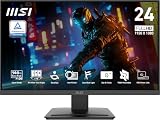
- MSI's 23.8-inch Full HD IPS gaming monitor (1920×1080) delivers a 1500:1 contrast ratio with wide 178°/178° viewing angles — producing deeper blacks, brighter highlights, and accurate colors from virtually any position for gaming and productivity.
- TÜV Rheinland certified Flicker Free and Low Blue Light — eliminating the ~200Hz screen flicker common on standard monitors and reducing harmful blue light exposure to minimize eye strain during extended gaming or work sessions.
- 144Hz high refresh rate delivers ultra-smooth motion and sharper tracking versus standard 60Hz or 75Hz monitors — keeping every frame fluid and responsive for fast-paced FPS, racing, and action games without screen tearing or stuttering.
- MSI's built-in Eye-Q Check provides a vision assessment tool to help optimize display settings for healthier long-term viewing — designed for professionals and students spending extended hours in front of a Full HD IPS screen.
- Tilt-adjustable stand (-5°~20°) for comfortable viewing at any desk setup, with VESA 100×100mm wall mount compatibility for monitor arms, brackets, and multi-monitor arrangements — reducing neck strain during long gaming or work sessions.
What would the broadcast signal path look like?
A representative creator workflow—not a confirmed diagram of Kai’s setup—would route game video and audio into broadcast software, combine those sources with camera, microphone, alerts, and guest feeds, and then send the finished program to Twitch or YouTube.
Game or console → capture card or gaming PC → OBS Studio → Twitch or YouTube
Typical additional sources include:
- Microphone: enters through USB or an audio interface and is processed with gain, compression, equalization, and a limiter.
- Game audio: is kept separate from the microphone so the streamer can reduce or mute it independently.
- Discord and guest calls: receive their own fader so guest volume does not overpower the host.
- Browser and alert sources: play notifications, videos, music, and on-screen events without taking over the entire mix.
- Camera: is composed as a scene source, with lighting and focus set for long broadcasts.
- Local recording and replay buffer: create source material for YouTube edits and short-form clips.
OBS Studio is a suitable example of broadcast software because it supports scenes, sources, recording, and broad hardware compatibility. The availability of OBS Studio in a comparable workflow does not prove that Kai personally uses OBS Studio.
Should a streamer use one PC or two PCs?
One powerful PC is simpler and cheaper, while a two-PC setup can separate gameplay from encoding and production. Neither arrangement can be attributed to Kai without direct evidence.
Quick wins for a faster PC:
Repair Windows errors before they cause bigger problemsFix Now →Scan for outdated or missing drivers - takes under a minuteDriver Scan →Clear out junk files and repair common Windows errorsFree Scan →| Approach | Advantages | Trade-offs and failure points | Best fit |
|---|---|---|---|
| One powerful PC | Lower cost, fewer cables, simpler audio and scene routing, easier synchronization | Gaming, encoding, recording, browser sources, and guest calls compete for system resources | Most individual creators who want a reliable, manageable setup |
| Two PCs | Gameplay and broadcast encoding can be separated; production tasks may remain responsive during demanding games | Higher cost, capture-card dependency, more audio routing, more updates, and more points of failure | High-volume creators with demanding games, complex scenes, or a strong reason to isolate workloads |
A single high-end graphics card does not automatically imply a two-PC workflow. A two-PC system also requires a deliberate plan for capture, monitoring, audio duplication, synchronization, and recovery when one machine or the capture card fails.
What should creators copy from Kai’s setup first?
Creators should copy the workflow priorities rather than attempt to duplicate an unverified celebrity shopping list. The most valuable upgrades usually improve reliability, intelligibility, and speed of operation before they improve raw graphics performance.
- Fix the microphone path. Put the microphone close to the speaker, use a stable boom arm or mount, set gain to prevent clipping, and monitor for echo and doubled audio.
- Stabilize the connection. Use wired Ethernet where possible, check upload stability rather than relying only on a headline download speed, and keep a recovery plan for dropped connections.
- Add reliable lighting. Use a soft key light aimed at the face and separate background lighting when needed. Avoid mixed color temperatures and flicker.
- Add a second display. Keep chat, OBS, Discord, alerts, and production controls visible without constantly alt-tabbing away from the game.
- Build organized scenes. Create separate scenes for gameplay, Just Chatting, reactions, guest calls, breaks, starting, and ending screens.
- Make controls fast. A Stream Deck or macro pad can handle scene changes, microphone mute, recording, replay buffer, sound effects, and lighting presets.
- Plan the room. Leave space for guests and movement, keep cables away from walkways, position the microphone arm safely, and frame a background that still works in vertical clips.
- Upgrade the camera and PC last when appropriate. A better camera cannot repair bad lighting, clipped audio, unstable upload, or an overloaded encoder.
Which comparable products fit a creator workflow?
The following products are similar-use recommendations, not confirmed components of Kai Cenat’s personal setup. Kai-related promotional material from CORSAIR’s Kai Cenat Streamer University page features Elgato and CORSAIR products, including Stream Deck, Wave:3, Facecam, K70 CORE TKL, and MM500 V2. The page establishes a promotional association, not proof that every listed product is installed in Kai’s room.
| Reader problem | Comparable option | Why it may help | When it may be a poor fit |
|---|---|---|---|
| Slow scene and mute controls | Elgato Stream Deck | Provides physical shortcuts for scenes, mute, recording, lighting, and sound effects | Overkill for casual streaming with one scene and few controls |
| Simple USB audio | Elgato Wave:3 | USB-C connection and Wave Link software can simplify source mixing | A loud, highly animated room may benefit more from a properly positioned dynamic microphone |
| Easy face camera | Elgato Facecam | 1080p/60fps capture and HDR-related features without a mirrorless-camera workflow | Not ideal for interchangeable lenses, cinematic depth of field, or multiple camera angles |
| More desk space | CORSAIR K70 CORE TKL | Tenkeyless layout leaves more room for a mouse, microphone, and stream controls | Users who need a dedicated number pad may prefer a full-size keyboard |
| Large mouse movement area | CORSAIR MM500 V2 | The official page lists a 450 × 400 mm cloth surface and 3 mm thickness | Large pads can overwhelm small desks or compact control surfaces |
Product availability and pricing can change, and the reviewed official CORSAIR/Elgato page did not provide a reliable price extract for these products. Any buying guide should check United States pricing and availability immediately before publication rather than treating secondary-page affiliate widgets as authoritative current prices.
What are the main audio failure modes?
Audio problems can make an expensive gaming PC and camera irrelevant because viewers will tolerate imperfect video more readily than unintelligible or painful sound.
- Clipping: loud reactions exceed the microphone’s headroom. Leave sufficient input level and use a limiter rather than setting the gain for quiet speech only.
- Game bleed: speakers or an open headset allow game audio into the microphone. Headphones or in-ear monitors reduce leakage.
- Mixed-source overload: Discord, alerts, music, and game audio can become louder than the host. Keep each source on an independent fader.
- Echo and doubled monitoring: monitoring the same microphone through two paths creates a delayed duplicate. Use one intentional monitoring route.
- USB disconnects: overloaded or unreliable hubs can interrupt microphones, cameras, and controllers. Test every device under a long-session load.
- Room noise: PC fans, air conditioning, and hard reflective surfaces can overwhelm an otherwise capable microphone.
- Poor placement: an expensive microphone positioned too far away can sound worse than a basic microphone placed close to the speaker.
The reported Blue Yeti should therefore be treated as an item associated with the 2024 coverage, not as proof that the Blue Yeti is the best microphone for loud, high-energy streaming.
Independent reader supportYour contribution helps us test, update, and keep practical guides available for everyone.What are the main video, network, and room-design failure modes?
Long live broadcasts expose weaknesses that may not appear during a short test. A reliable room needs signal, software, thermal, and physical planning.
Also popular on Amazon

- 27-inch Full HD (1920x1080) 1500R curved gaming monitor with ultrafast 165Hz refresh rate designed for professional gamers and immersive gameplay
- ASUS Extreme Low Motion Blur (ELMB ) technology enables a 1ms response time (MPRT) together with Adaptive-sync, eliminating ghosting and tearing for sharp gaming visuals with high frame rates.
- FreeSync Premium technology to eliminate screen tearing and choppy frame rates
- Shadow Boost enhances image details in dark areas, brightening scenes without over-exposing bright areas
- Flexible connectivity options with HDMI (V2.0) and D-Sub
- HDMI handshake failure: consoles and capture cards may disagree about resolution, refresh rate, HDCP, or signal mode.
- Dropped frames: unstable upload capacity can interrupt a broadcast even when download speed appears excellent.
- Encoder overload: demanding games, local recording, browser sources, and complex scenes can exceed available CPU or GPU headroom.
- Autofocus hunting: a mirrorless camera may repeatedly change focus during movement or reactions.
- Power and heat: mirrorless cameras need continuous power and heat management for long sessions; gaming PCs also need ventilation during marathon broadcasts.
- Lighting inconsistency: flicker and mixed color temperatures make skin tones and exposure change on camera.
- Scene corruption: software or driver updates can cause sources to disappear, change names, or reset device settings.
- Storage exhaustion: local recordings and replay buffers can consume SSD capacity faster than expected.
- Ergonomic strain: poor monitor height, insufficient desk depth, awkward keyboard clearance, and badly placed microphone arms create problems no gaming chair can solve.
- Guest-space conflicts: a desk that works for one person may block walkways or leave no safe room for guests, movement, and physical content.
What would three versions of a similar setup look like?
A comparable creator setup can be built at different levels without copying Kai’s reported equipment. The tiers below describe capability, not Kai’s confirmed hardware or current spending.
The Tool Desk
Outbyte Driver Updater FREEScan for outdated or missing drivers - takes under a minuteDriver Scan →Outbyte PC Repair FREEClear out junk files and repair common Windows errorsFree Scan →| Tier | Core equipment | Production capability | Main compromise |
|---|---|---|---|
| Starter | Console or midrange PC, USB microphone, webcam, one key light, and two displays | Gameplay, basic reactions, chat monitoring, and simple scene changes | Less headroom for demanding games, complex effects, multiple guests, and high-quality local recording |
| Serious creator | Stronger PC, dynamic microphone or well-managed USB microphone, premium webcam or mirrorless camera, capture card, Stream Deck, and monitor arms | More dependable gameplay, cleaner audio, console capture, organized scenes, and better framing | More setup time, cable management, troubleshooting, and maintenance |
| Production-heavy | High-end PC or carefully justified two-PC workflow, multiple cameras, advanced audio mixer, lighting zones, backup internet, and local recording | Guest shows, movement, complex routing, redundant workflows, and substantial clip production | Highest cost and the greatest number of devices that can fail or require updating |
Is Kai Cenat’s setup worth copying?
Kai Cenat’s room is worth copying as a production philosophy, not as a literal unverified parts list. The most transferable lessons are clear audio, consistent lighting, fast scene control, visible production information, a recognizable background, stable connectivity, and enough space for the creator’s format.
A creator who mostly plays games alone may gain more from a second monitor, microphone placement, Ethernet, and dependable OBS scenes than from an RTX 4090 or mirrorless camera. A creator who hosts guests, performs physical challenges, or records long broadcasts may need room layout, audio routing, lighting zones, and backup plans before a camera or GPU upgrade.
The 2024 reported hardware remains useful historical context. It does not answer the separate question of what Kai uses today, and it should not be converted into a current endorsement or a guaranteed shopping list.
Frequently Asked Questions
What PC does Kai Cenat use?
Kai Cenat’s complete current PC specification is not publicly confirmed in the available evidence. 2024 makeover coverage reports an Asus TUF Gaming GeForce RTX 4090, but it does not establish the CPU, motherboard, RAM, storage, cooling, power supply, or whether the card remains in his primary system.
Recommended Free Tools
What microphone does Kai Cenat use?
The 2024 reported room list includes a Blue Yeti USB microphone, but the available evidence does not provide first-party confirmation that the Blue Yeti is Kai Cenat’s current microphone. Other microphone claims should remain attributed rather than merged into one definitive model.
Did Kai Cenat get a new gaming room?
Yes, the strongest documented evidence describes a 2024 Spider-Man-themed dream gaming room makeover reportedly built as a surprise by Matthew Beem. A complete, officially itemized 2026 replacement or refresh has not been established by the reviewed sources.
Does Kai Cenat use a dual-PC streaming setup?
Kai Cenat’s use of a dual-PC streaming setup is not publicly confirmed by the available evidence. A two-PC workflow is plausible for demanding production, but it is a recommendation for some creators rather than proof of Kai’s actual arrangement.
What equipment from Kai Cenat’s room is reported?
The 2024 reported list includes a PlayStation 5, Asus TUF RTX 4090, Elgato Stream Deck MK.2, Razer DeathAdder, Razer BlackWidow V3, Astro A50 Wireless headset, Blue Yeti microphone, Sony Alpha camera, and Emerge Vortex chair, alongside Spider-Man-themed décor and LED lighting. The list is historical secondary coverage, not a confirmed current inventory.
The Bottom Line
Bottom line: Kai Cenat’s “new gaming and streaming setup” is best understood as the reported 2024 Spider-Man-themed dream-room makeover. The available evidence does not support a definitive 2026 hardware list. For ordinary creators, the practical blueprint is straightforward: prioritize clean audio, stable Ethernet, reliable lighting, a second display, organized broadcast scenes, fast controls, and enough room for the content format before chasing premium hardware.

