

iTechGuides is reader-supported. When you buy through links on our site, we may earn an affiliate commission. As an Amazon Associate I earn from qualifying purchases. Learn more
Are you looking for a thin and light Apple device? If you are, it is very likely that the question of the iPad Pro vs MacBook Air pops up in your mind.
iPad Pro vs MacBook Air: At First Glance
Since Apple released the original iPad Pro, it had been clear that they needed to make improvements. After a few iterations, the 2018 iPad Pro 11 happened to be the best version that Apple had made since the release of the first one.
Apple confirmed this theory by acknowledging that this 2018 iPad Pro model was the iPad they had wanted to make from the beginning. This version has a fairly large screen with thin borders, it offers lots of power and a more effective Apple Pencil.
Free tools Windows power users keep installed
One-click scans. No signup required.
On the other hand, the story of the MacBook Air is similar to that of the iPad Pro in some kind of way. When Apple released the first MacBook Air, it wasn’t a very powerful device and it seemed as though they were trying too hard in terms of the styling of the laptop.
Popular on Amazon
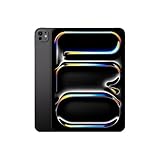
- WHY IPAD PRO — iPad Pro with the Apple M5 chip delivers extraordinary performance for effortless productivity on a stunning display. Take on pro workflows with Neural Accelerators for AI and a redesigned iPadOS with game-changing capabilities.*
- PERFORMANCE AND STORAGE — iPad Pro with M5 brings next-generation speed and the power of on-device AI to all your tasks.* Featuring up to 2TB of storage, 16GB of memory, and Neural Accelerators for next-level AI performance.*
- IPADOS — Run pro apps and get more done with iPadOS 26 with Liquid Glass design and game-changing capabilities.* With an intuitive and flexible windowing system, you can control, organize, and manage your workflows like never before.
- APPLE INTELLIGENCE — Apple Intelligence is the personal intelligence system that helps you communicate, express yourself, and get things done effortlessly with groundbreaking privacy protections at every step.*
- 11-INCH ULTRA RETINA XDR DISPLAY — The world’s most advanced display, featuring extreme brightness, precise contrast, ProMotion, P3 wide color, and True Tone.* Nano-texture display glass available in 1TB and 2TB configurations
Fast forward to the fifth generation – which is the model used for this comparison review – Apple finally seemed to nail it. The 2011 Macbook Air is a desirable laptop that combines excellent build quality, with unique styling and impressive performance capabilities.
Despite being a traditional laptop, the $399.97 Macbook Air is less expensive than the iPad Pro’s price tag of $488.89 (prices accurate as of Marh 2022). Does this price difference automatically qualify the Macbook Air as the better device – let’s find out together.
iPad Pro vs MacBook Air: Design, Dimension and Weight
The design of the MacBook Air is nothing different from what we have already seen on its predecessors. This means both the things you liked and disliked about the previous version’s design all make a reappearance.
Fortunately, there aren’t too many things to complain about the MacBook Air’s design. After all, the aluminum unibody construction Apple uses to build the MacBook Air laptops always makes them remarkably sturdy.
The extreme simplicity in the way they style the MacBook Air also gives it a unique appearance. Its grayish aluminum color is another feature that perfectly befits its simple styling, making the MacBook Air a perfect laptop for use in business settings.
Similarly, the iPad Pro comes in colors that are befitting of the business environment. Its silver or space gray colors make its simple design appear to be stylish.
However, unlike the MacBook Air, the iPad Pro has a new look that’s quite different from that of its predecessor. The first noticeable change in the iPad Pro’s design is the display.
Do these 3 things before closing this tab:
1Scan for outdated or missing drivers - takes under a minute2Clear out junk files and repair common Windows errors3Fix the driver behind crashes, sound loss and screen glitchesApple has stretched the iPad Pro’s screen closer to its edges and in the process, they’ve reduced the thickness of its bezels. Though this design helped make the iPad Pro’s bezels thin, Apple had to do away with the Home button to make it possible.
The result of this is that you will have to get used to making use of the Face ID lock and not the regular Touch ID.
Aside from the bezels, Apple also made a change to the edges of the iPad Pro. Rather than the smoothly curved edges that were on the previous iPad Pro models, this 2018 iPad Pro is surrounded by squared edges.
Though this change makes the iPad Pro feel a bit more grippy to hold, it lacks the premium feel you would get from devices with curved edges. The biggest takeaway, however, is that the quality of the iPad Pro remains solid.
Recommended Free Tools
All things being considered, the build quality of the iPad Pro is commendable considering that it is a tablet. However, its build quality doesn’t measure up well with the MacBook Air’s, which is fair enough considering that the MacBook Air is a laptop.
Where the iPad Pro betters the MacBook Air is in terms of dimension and weight. Since Apple invested a bit more into making the MacBook Air feel solid, it had a resultant effect on the laptop’s size and weight.
However, this doesn’t mean the MacBook Air is very big or heavy – it isn’t either of the two.
As I hinted earlier, the design of the MacBook Air is unchanged from that of its predecessor. Hence, this MacBook Air laptop still features the wedge shape build that helps it trim down its size.
Quick wins for a faster PC:
Clear out junk files and repair common Windows errorsFree Scan →Scan for outdated or missing drivers - takes under a minuteDriver Scan →To give you more details, the MacBook Air measures just 3 mm at its thinnest point and it measures 17 mm at its thickest point. Overall, the MacBook Air measures 300 x 192 x 3.0 -17 mm (W x D x H) and weighs 1080 g.
Going by modern standards, these measurements are enough to call a laptop “ultraportable”.
On the other hand, the iPad Pro is much more compact and lighter. Precisely, the iPad Pro measures 247.6 x 178.5 x 5.9 mm (H x W x D) and weighs 468 g.
However, these measurements are only valid if we are to consider the iPad Pro as just a tablet. For the iPad Pro to be fully functional as a laptop replacement, we need to consider the Apple Smart Keyboard.
PC Slower Than It Used to Be?
A free scan shows the junk files, broken settings and background clutter dragging Windows down - then fixes them in one click.Free scan · Windows 10 & 11Crashes, No Sound, or Screen Glitches?
Random freezes, missing sound and display glitches usually trace back to one bad driver. Find and replace yours safely.Free scan · under a minuteAdding the Apple Magic Keyboard to the mix increases the overall weight of the iPad Pro to 1060 g.
In terms of the user experience this keyboard offers, there are some things to complain about. Aside from the ease of pairing the Smart Keyboard with the iPad Pro via a proprietary Smart Connector port, there’s barely any other satisfying feature this keyboard offers.
Some of the displeasing features of the iPad Pro’s Smart Keyboard include its shallow key travel. The clicks of the keys on the Smart Keyboard are so shallow that at first, it will feel as though you are typing on a flat surface.
To make you understand better, let me explain the meaning of key travel. Key travel is simply the distance a keyboard’s key travels from its state of rest to the point of actuation where it registers inputs.
Back to the keyboard features of the iPad Pro’s Smart Keyboard, it will take some time before you can get used to the Keyboard’s 0.5 mm key travel. To make it worse, the keys on the Smart Keyboard are small and there’s also no space to rest your wrists on while typing.
Aside from its shallow key travel and small keys, it also lacks a touchpad. As a result, you will need to find other means for navigation.
Fortunately, the iPad Pro’s display is touchscreen so you can make use of on-screen navigation – I will talk more about the screen later.
On the other hand, the MacBook Air’s keyboard offers a very comfortable typing experience despite how thin it is. Its keys have a springy feel to them and they offer good key travels.
The Tool Desk
Outbyte PC Repair FREERepair Windows errors before they cause bigger problemsFix Now →Outbyte Driver Updater FREEFix the driver behind crashes, sound loss and screen glitchesFind Drivers →To be precise, the MacBook Air’s keyboard has a key travel of 1 mm. This makes it offer a better typing experience compared to the iPad Pro’s 0.5 mm key travel.
In addition, the MacBook Air’s keyboard comes with a backlighting feature that helps to aid easy and fast typing in dark environments.
Another aspect where the MacBook Air’s keyboard betters the iPad Pro’s is in terms of the touchpad. Unlike the iPad Pro which doesn’t come with a touchpad, the MacBook Air does.
Also popular on Amazon

- WHY IPAD PRO — iPad Pro with the Apple M5 chip delivers extraordinary performance for effortless productivity on a stunning display. Take on pro workflows with Neural Accelerators for AI and a redesigned iPadOS with game-changing capabilities.*
- PERFORMANCE AND STORAGE — iPad Pro with M5 brings next-generation speed and the power of on-device AI to all your tasks.* Featuring up to 2TB of storage, 16GB of memory, and Neural Accelerators for next-level AI performance.*
- IPADOS — Run pro apps and get more done with iPadOS 26 with Liquid Glass design and game-changing capabilities.* With an intuitive and flexible windowing system, you can control, organize, and manage your workflows like never before.
- APPLE INTELLIGENCE — Apple Intelligence is the personal intelligence system that helps you communicate, express yourself, and get things done effortlessly with groundbreaking privacy protections at every step.*
- 11-INCH ULTRA RETINA XDR DISPLAY — The world’s most advanced display, featuring extreme brightness, precise contrast, ProMotion, P3 wide color, and True Tone.* Nano-texture display glass available in 1TB and 2TB configurations
The MacBook Air comes with a 4.1 x 2.5-inch glass trackpad that feels incredible to touch. Apple also equipped this touchpad with the Lion OS which enables it to perform several multitouch gestures.
You can double-tap with two fingers to zoom in on an area and you can use a three-finger swipe up to launch Mission Control. Overall, the MacBook Air offers a better typing experience compared to the iPad Pro.
However, the iPad Pro is more impressive in terms of output features. First of all, consider their display features where the iPad Pro’s display is superior to the MacBook Air’s.
The MacBook Air comes with an 11.6-inch HD display that has a screen resolution of 1366 x 768. Offering a pixel-per-inch density of 227ppi, the display resolution is enough to make the MacBook Air display contents with sharp details.
It also produces vibrant colors that enhance the crispiness of the images it displays. Furthermore, the MacBook Air’s display can get bright enough for use in bright environments.
Talking about bright environments, the MacBook Air’s display can offer a maximum brightness level of 355 nits.
All the information I’ve highlighted so far shows that the MacBook Air offers a decent display, but as I hinted earlier, the iPad Pro’s display is superior in every way aside from size.
The iPad Pro comes with an 11-inch LED display that has a screen resolution of 2388 x 1668. Since it has a better display resolution compared to the MacBook Air, the iPad Pro produces images with richer quality.
With its 23888 x 1668 resolution, the iPad Pro offers a pixel density of 264ppi which is much better than the MacBook Air’s 227 ppi. The iPad Pro’s display can also get brighter than the MacBook Air’s.
What’s actually slowing this PC down?
Pick the symptom - the matching free tool is one click away.
To give more detail, the iPad Pro’s display can offer a maximum brightness of 559 nits. This means that you’ll find it easier to use the iPad Pro in bright environments compared to the MacBook Air.
In addition, the iPad Pro’s display has a touchscreen feature that the MacBook Air doesn’t. Due to its touchscreen feature, Apple equipped the iPad Pro with a good refresh rate.
While the MacBook Air’s display has a refresh rate of 60 Hz, the iPad Pro has a 120 Hz refresh rate. To be fair, the MacBook Air’s refresh rate isn’t bad for a laptop.
You should also consider the fact that there won’t be much direct action occurring on its screen compared to the iPad Pro’s. When you try scrolling around the iPad Pro’s screen using touch gestures, you will notice its faster refresh rate trigger in order to offer a smooth user experience.
Another instance where the iPad Pro’s faster refresh rate comes into full use is when you’re drawing on it with the Apple Pencil. It enables the screen to display the results of your pencil sketches more quickly.
The iPad Pro’s fast refresh rate will also help you to draw more accurately.
Overall, the iPad Pro’s display offers a more immersive and beautiful display experience. Aside from the actual display features we’ve considered so far, the iPad Pro’s thin display bezels also contribute to its better looks.
The MacBook Air, on the other hand, is surrounded by thick bezels. These bezels do not make the display look good as they tend to distract users from the screen itself.
The Tool Desk
Outbyte PC Repair FREERepair Windows errors before they cause bigger problemsFix Now →Outbyte Driver Updater FREEScan for outdated or missing drivers - takes under a minuteDriver Scan →Moreover, the bezels do not serve many purposes. Aside from the front camera and the MacBook Air inscription it houses, there are no other benefits the bezels offer.
Meanwhile, the iPad Pro – even with its thin bezels – features a quad-speaker setup in the edges of its display. To make it even better, each speaker in each corner has its own woofer and tweeter.
Though the sound the iPad Pro’s speaker set produces tends to sound a bit tiny sometimes, they are mostly rich in bass and quality. Compared to the MacBook Air’s speakers, the iPad Pro’s speaker offers better sound quality.
If you love quality and rich sounds, I will advise that you get a headphone or external speaker for your MacBook Air.
PC Slower Than It Used to Be?
A free scan shows the junk files, broken settings and background clutter dragging Windows down - then fixes them in one click.Free scan · Windows 10 & 11Crashes, No Sound, or Screen Glitches?
Random freezes, missing sound and display glitches usually trace back to one bad driver. Find and replace yours safely.Free scan · under a minuteWith that being said, it is necessary that I mention that, unlike the MacBook Air, the iPad Pro doesn’t come with a headphone jack. In fact, it offers a very limited overall port connection.
Speaking of ports, the iPad Pro only comes with a USB 3.1 Type-C port. Meanwhile, the MacBook Air offers a fairly better port selection.
To be precise, the MacBook Air comes with 2 USB 3.0 ports and 1 Thunderbolt port.
Nonetheless, the iPad Pro narrowly wins this round. One of the reasons for this is that the iPad Pro has a more modern design style and a versatile build.
The MacBook Air has a solid design too, but this round goes in favor of the iPad Pro.
Therefore, while the iPad Pro scores an eight in this iPad Pro vs MacBook Air design comparison, the MacBook Air scores 7.
iPad Pro vs MacBook Air: Processor (CPU) Performance
The iPad Pro and MacBook Air are two different devices when it comes to their processor specifications. While it is possible to choose between two processor options for the MacBook Air, you only get one option for the iPad Pro.
Let me break it down for you.
The iPad Pro features an octa-core Apple A12X Bionic processor. This processor has a 2.5 GHz Vortex + 1.6 GHz Tempest.
Meanwhile, the MacBook Air can come with either a dual-core Intel Core i5-2467M processor or a dual-core Intel Core i7-2677M processor. It is important to note that these processors have varying capabilities.
Also popular on Amazon
- WHY IPAD PRO — iPad Pro with the Apple M5 chip delivers extraordinary performance for effortless productivity on a stunning display. Take on pro workflows with Neural Accelerators for AI and a redesigned iPadOS with game-changing capabilities.*
- PERFORMANCE AND STORAGE — iPad Pro with M5 brings next-generation speed and the power of on-device AI to all your tasks.* Featuring up to 2TB of storage, 16GB of memory, and Neural Accelerators for next-level AI performance.*
- IPADOS — Run pro apps and get more done with iPadOS 26 with Liquid Glass design and game-changing capabilities.* With an intuitive and flexible windowing system, you can control, organize, and manage your workflows like never before.
- APPLE INTELLIGENCE — Apple Intelligence is the personal intelligence system that helps you communicate, express yourself, and get things done effortlessly with groundbreaking privacy protections at every step.*
- 11-INCH ULTRA RETINA XDR DISPLAY — The world’s most advanced display, featuring extreme brightness, precise contrast, ProMotion, P3 wide color, and True Tone.* Nano-texture display glass available in 1TB and 2TB configurations
Furthermore, these varying capabilities tend to influence the processing power of your MacBook Air. To give to details, I will now discuss the specs of the processor options that ship with the MacBook Air 2011 model.
Let’s consider the Intel Core i5-2467M processor first. This processor has a base frequency of 1.60 MHz and a maximum frequency of 2.30 GHz.
On the other hand, the Intel Core i7-2677M processor has a base frequency of 1.80 GHz and a maximum frequency of 2.90 GHz.
Do these 3 things before closing this tab:
1Clear out junk files and repair common Windows errors2Scan for outdated or missing drivers - takes under a minute3Repair Windows errors before they cause bigger problemsFor the record, our MacBook Air review unit features the Intel Core i5-2467M processor.
In terms of their processor performance capabilities, both the iPad Pro and MacBook Air are powerful devices. You can easily use either of them to carry out your regular computing operations.
Operations like web surfing, word processing, or spreadsheet package preparation will all run smoothly on either of these two devices. In fact, the proficiency of their processors indicate that they can also handle some more intensive tasks like picture or video editing.
If you are a professional or creative, you’ll enjoy using either of these two devices to execute your tasks. The amount of raw power the iPad Pro and MacBook Air possess is enough to help tackle most processor intensive tasks that creatives and professionals usually execute.
What’s actually slowing this PC down?
Pick the symptom - the matching free tool is one click away.
In normal use, its difficult to spot a clear difference in the processor performance the iPad Pro and MacBook Air offer. With this in mind, I proceeded to fetch their performance results on a processor benchmark test.
Since benchmark test results are usually represented in distinct figures, it is easier to differentiate the performance capabilities of various devices.
The benchmark test I considered for their processor performance test is known as the Geekbench 4 benchmark. For clarity, this benchmark is a tool that determines how well a device’s processor can handle regular processor-intensive tasks.
Furthermore, the Geekbench 4 benchmark tests for the processor efficiency when only one of its cores is made to run a computing workload and then assigns a value based on how well it performed. This aspect of the test result is known as the single-core test result.
Quick wins for a faster PC:
Clear out junk files and repair common Windows errorsFree Scan →Scan for outdated or missing drivers - takes under a minuteDriver Scan →Repair Windows errors before they cause bigger problemsFix Now →There is also another aspect where the benchmark tool tests for when more than one of the processor cores are subjected to a chunk of computing workload. At the end of this aspect of the test, it generates a value known as the multi-core test result.
Without any further digressions, let me proceed to give you the details of both devices’ Geekbench test results.
As for the iPad Pro, it had a score of 4984 points in the single-core aspect of the test. It continued to impress in the multi-core aspect as it achieved a score of 18041 points.
The MacBook Air also had good scores, but its scores weren’t good enough to outperform the iPad Pro. In the single-core aspect, the MacBook Air achieved a score of 4675 points.
Recommended Free Tools
Meanwhile, it got a score of 17732 points in the multi-core aspect.
Based on these test results, it is evident that the iPad Pro can offer a more efficient processor performance compared to the MacBook Air. As a result, the iPad Pro emerges victorious in this round.
Therefore, the iPad Pro 1st gen scores a nine in this iPad Pro vs MacBook Air processor performance comparison. Meanwhile, the MacBook Air 2011 scores an eight.
iPad Pro vs MacBook Air: Memory (RAM) Performance
The iPad Pro and MacBook Air have different memory configurations.
Apple equips the iPad Pro with 4 GB RAM. Meanwhile, the MacBook Air comes with 2 GB DDR3 RAM.
Even though the MacBook Air has only one RAM slot, it is possible to increase the laptop’s RAM to a maximum size of 4 GB.
When I took the first glance at the iPad Pro and MacBook Air’s RAM configuration sizes, I had doubts about their memory performance capabilities. However, a closer inspection and analysis changed my mind.
I started by considering a basic set of multitasking activities. To give more detail, I was surprised to discover that both the iPad Pro and MacBook Air can run smoothly with about 15 Safari tabs while playing two 1080p YouTube videos.
Free tools Windows power users keep installed
One-click scans. No signup required.
Even with extra running applications like Slack and Outlook, you won’t encounter hiccups or any lag on either device.
As usual, I proceeded to consider the PCMark benchmark test to further ascertain both devices’ RAM performance capabilities.
Just to be clear, the PCMark benchmark is a tool that tests a laptop’s RAM performance capabilities by simulating real-world productivity tasks.
Furthermore, the benchmark tool ascertains a laptop’s overall system performance by running several office-centric tests like web surfing, or word processing. At the end of the test, the benchmark tool generates a value that indicates the efficiency levels of the laptop’s RAM.
Generally, the higher the score, the better the laptop’s RAM performance.
On this test, the iPad Pro had a good score of 8159 points. The iPad Pro outperformed the MacBook Air that achieved a score of 3289 points.
As a result, I conclude this section by declaring the iPad Pro the better device in terms of RAM performance. Besides, the iPad Pro also comes with a better primary RAM configuration compared to the MacBook Air’s 2 GB RAM.
Also popular on Amazon

- WHY IPAD PRO — iPad Pro with the Apple M5 chip delivers extraordinary performance for effortless productivity on a stunning display. Take on pro workflows with Neural Accelerators for AI and a redesigned iPadOS with game-changing capabilities.*
- PERFORMANCE AND STORAGE — iPad Pro with M5 brings next-generation speed and the power of on-device AI to all your tasks.* Featuring up to 2TB of storage, 16GB of memory, and Neural Accelerators for next-level AI performance.*
- IPADOS — Run pro apps and get more done with iPadOS 26 with Liquid Glass design and game-changing capabilities.* With an intuitive and flexible windowing system, you can control, organize, and manage your workflows like never before.
- APPLE INTELLIGENCE — Apple Intelligence is the personal intelligence system that helps you communicate, express yourself, and get things done effortlessly with groundbreaking privacy protections at every step.*
- 11-INCH ULTRA RETINA XDR DISPLAY — The world’s most advanced display, featuring extreme brightness, precise contrast, ProMotion, P3 wide color, and True Tone.* Nano-texture display glass available in 1TB and 2TB configurations
In conclusion, the iPad Pro scores an eight in this iPad Pro vs MacBook Air memory performance comparison. Meanwhile, the MacBook Air scores a seven.
iPad Pro vs MacBook Air: Storage Options and Performance
Just like the memory and processor specs, the iPad Pro and MacBook Air are very different in terms of their storage. While the iPad Pro could come with several storage size options, the MacBook Air comes with only one storage size option.
To give more detail, Apple ships the MacBook Air with a 256 GB SSD storage. Meanwhile, the iPad Pro can come with either a 1 TB, 256 GB, 512 GB, or a 64 GB internal storage.
Just so you know, neither iPad Pro nor MacBook Air supports the use of microSD card for external storage options. Hence, if you are purchasing the iPad Pro, you might want to make sure you get a model that’s equipped with the 512 GB internal storage.
As for the MacBook Air, you will have to make do with the 256 GB SSD that’s been allocated for storage.
In use, the MacBook Air‘s storage drive contributes towards improving the overall performance of the laptop. The reason for this is because SSD drives are usually faster than regular storage drives.
Hence, most laptops equipped with SSDs usually make general computing operations faster.
If storage disk types were the only factors that contribute to the swiftness of operations, the MacBook Air could have outperformed the iPad Pro.
However, since there are other factors that contribute to this, you can barely spot a difference between both devices’s operation speeds. For this reason, I’ll now share benchmark test results that would clearly help differentiate their storage performance capabilities.
PC Slower Than It Used to Be?
A free scan shows the junk files, broken settings and background clutter dragging Windows down - then fixes them in one click.Free scan · Windows 10 & 11Outdated Drivers Are Slowing You Down
One free scan finds every outdated or missing driver and matches the right update for your exact hardware.Free scan · exact hardware matchAs usual, the test I normally consider is the CrystalDiskMark test.
Unfortunately, I couldn’t get a CrystalDiskMark benchmark test results for the iPad Pro. Due to this challenge, I made use of the PassMark PerformanceTest Mobile V1 benchmark since there were available records of both device’s results.
For clarity, this benchmark is a tool used for general benchmark tests and for accessing performance speed. It allows you to objectively benchmark a device using a variety of speed tests and then compare the results to those of other devices.
This benchmark tool tests different areas of a laptop. Specifically, the benchmark carries out CPU, disk, memory, 2D graphics, and 3D graphics tests.
What’s actually slowing this PC down?
Pick the symptom - the matching free tool is one click away.
Of course, we will be focusing on the disk test aspect for our comparison. Keep in mind that the higher a device scores, the better its performance.
On this test, the iPad Pro achieved a score of 140131 points, far surpassing the MacBook Air’s 44382 score. For this reason, the iPad Pro wins this aspect of the comparison.
The iPad Pro scores an eight in this iPad Pro vs MacBook Air storage performance comparison. Meanwhile, the MacBook Air scores a seven.
In case you are curious to know how the MacBook Air performed on the CrystalDiskMark test, I will share the details with you. The MacBook Air recorded sequential read and write speeds of 206 MBps and 158.9 MBps respectively.
Quick wins for a faster PC:
Repair Windows errors before they cause bigger problemsFix Now →Fix the driver behind crashes, sound loss and screen glitchesFind Drivers →Clear out junk files and repair common Windows errorsFree Scan →In case you don’t know what read and write speeds mean, I will explain.
A storage drive’s read speed is a representation of how long it takes to open a file on a device. Meanwhile, the write speed is the measurement of how long it takes to save a file to a device.
Independent reader supportYour contribution helps us test, update, and keep practical guides available for everyone.iPad Pro vs MacBook Air: Graphics Card Performance
Once again, the iPad Pro and MacBook Air are not similar in any way in this aspect. Both devices feature very different graphics configurations.
The iPad Pro comes with a 7-core Apple GPU. Meanwhile, the MacBook Air features an integrated Intel HD Graphics 3000 GPU.
Free tools Windows power users keep installed
One-click scans. No signup required.
This Intel HD Graphics 3000 GPU has a base frequency of 350 MHz and a boost frequency of 1200 MHz.
Neither the iPad Pro nor the MacBook Air comes with a dedicated VRAM. So, if you are looking to perform very intensive graphical tasks, neither the iPad Pro nor the MackBook air will meet your needs.
Why? You may be wondering.
Generally, a dedicated VRAM usually improves the performance of the graphics card. It performs the same functions as the regular RAM, but it is dedicated to the computer’s graphics card.
That being said, let’s proceed to find out what both devices can offer with their graphics configurations. We will be using the 3DMark 6 benchmark to assess their graphics performances.
Recommended Free Tools
For those that don’t know what the 3DMark benchmark is, I will brief you about the details of the benchmark.
The 3DMark benchmark helps to simulate graphically intensive tasks like gaming and video rendering for the purpose of accessing a laptop’s graphics card performance.
At the end of the test, it records a result a numerical score. Generally, the higher a device scores on this test, the better its graphics card performance.
The iPad Pro was able to hit a score of 4537 points on this test. It outperformed the MacBook Air that had a score of 3817 points.
The Tool Desk
Outbyte PC Repair FREEClear out junk files and repair common Windows errorsFree Scan →Outbyte Driver Updater FREEFix the driver behind crashes, sound loss and screen glitchesFind Drivers →In terms of real-world gaming performance, I considered both laptops’ performance in some games. Before I share the details of their performance with you, I will implore you to keep in mind that these two devices are not built for intensive gaming.
Also popular on Amazon

- 12. 9-Inch edge-to-edge Liquid Retina display with Promotion, true Tone, and wide Color
- A12X Bionic chip with Neural Engine
- Face ID for secure authentication and Apple Pay
- 12MP back camera, 7MP True Depth front camera
- Four speaker Audio with wider Stereo sound
With that being said, let’s proceed to the details of their performance.
On the Asphalt 9: Legends game, the iPad Pro is capable of offering frame rates of 29 frames per second (fps). Meanwhile, the MacBook Air can offer a slightly better frame rate of 31.4 fps.
When I considered another game, Resident Evil 5, I discovered that the iPad Pro can run the game at frame rates of 60 fps. The MacBook Air, on the other hand, can play the game at frame rates of 50.7 fps.
With these test results in mind, it is valid to conclude that the iPad Pro 1st gen can offer a better graphics card performance compared to the MacBook Air 2011. As a result, the iPad Pro 1st scores an eight in this iPad Pro vs MacBook Air graphics performance comparison.
Meanwhile, the MacBook Air 2011 model scores a seven.
iPad Pro vs MacBook Air: Battery Life and Performance
The iPad Pro and MacBook Air feature different battery configurations. Specifically, the iPad Pro comes with a 7812 mAh battery,
On the other hand, the MacBook Air features a 35 Whr lithium-polymer battery.
Apple advertises that the iPad Pro can last up to 10 hours. On the contrary, according to Apple, the MacBook Air will be able to last for 5 hours.
Already their advertised battery runtimes hints that the iPad Pro has a longer runtime than the MacBook Air.
However, the results of the battery life tests I’ll share shortly seem to be better than Apple’s projections for the iPad Pro.
On a continuous web surfing test with Wi-Fi, the iPad Pro was able to last for 15 hours and 20 minutes. In fact, this device can last you for a day provided that you don’t run multiple intensive tasks at the same time.
After all, the iPad Pro did last for 34 hours and 16 minutes when it was left to run without any computing operation.
In the case of the MacBook Air, its battery life story is the opposite of the iPad Pro’s. For the MacBook Air, the continuous web surfing test yielded a runtime result that came short of Apple’s promised runtime.
To give more detail, the MacBook Air lasted for 4 hours and 33 minutes, coming short of the 5 hours promised runtime. On the idle test, it lasted for 8 hours and 26 minutes.
Based on the results of the tests I’ve considered so far, it is clear that the iPad Pro offers a longer battery runtime than MacBook Air. Therefore, once again, the iPad Pro wins this aspect of the comparison.
Do these 3 things before closing this tab:
1Repair Windows errors before they cause bigger problems2Scan for outdated or missing drivers - takes under a minute3Clear out junk files and repair common Windows errorsThe iPad Pro scores a nine in this iPad Pro vs MacBook Air battery life performance comparison. Meanwhile, the MacBook Air scores a six.
Our Rating Summary
| Rating Areas | iPad Pro | MacBook Air | Notes/Comments |
|---|---|---|---|
| Design | 8 | 7 | The iPad Pro narrowly wins this round. One of the reasons for this is that the iPad Pro has a more modern design style and a versatile build. Though the MacBook Air has a solid design too, this round goes in favor of the iPad Pro. |
| Processor (CPU) | 9 | 8 | Based on the test results, it is evident that the iPad Pro can offer a more efficient processor performance compared to the MacBook Air. |
| Memory (RAM) | 8 | 7 | The iPad Pro outscored the MacBook Air in the benchmark test I considered for their RAM performance capabilities. |
| Storage | 8 | 7 | The iPad Pro surpassed the MacBook Air in the storage performance benchmark test and it also offers more storage options compared to the MacBook Air. |
| Graphics Card | 8 | 7 | Since the iPad Pro outperformed the MacBook Air in majority of tests I considered in this aspect, the iPad Pro wins this round. |
| Battery Life | 9 | 6 | Based on the results of the tests I considered, it is clear that the iPad Pro is capable of offering a longer battery runtime than MacBook Air. |
| Our Average Rating | 8.3 | 8 | On average, the iPad Pro wins overall. |
Frequently Asked Questions
Yes, it is. Buying an iPad Pro means you get to enjoy the flexibility of its build and its impressive performance power.
Besides, its less than $500 sales price is an attractive price point.
I wouldn’t encourage you to get the 2011 MacBook Air because there are lots of better and newer options out there. I will advise that you go for the newer MackBook Air 2020 model.
However, if you are short on budget and you are willing to accept the outdated features of the 2011 MacBook Air, it is not a bad option.
As of Marhc 2022, you can get the iPad Pro on Amazon.com for $488.89. Note, however, that this price is without the cost of the Apple Magic Keyboard.
Do these 3 things before closing this tab:
1Clear out junk files and repair common Windows errors2Fix the driver behind crashes, sound loss and screen glitches3Repair Windows errors before they cause bigger problemsThe MacBook Air’s battery can last for 4 hours and 33 minutes under a regular computing workload.
Yes, you can. The iPad Pro has a flexible build that allows you to use it as a laptop alternative. All you need to do is get the Apple Magic Keyboard to convert the iPad Pro to a laptop.
Aside from its design, the iPad Pro is also powerful enough to run most computing operations you would normally run on a laptop.
Conclusion
At the end of this comparison, the iPad Pro is the victorious device, however by a slight margin. It is superior to the MacBook Air in almost every aspect.
Due to its more modern design and better performance capabilities, the iPad Pro will appeal more to most users looking to get the Apple experience. Even though it has its flaws like its uncomfortable keyboard, it offers enough good features to make one overlook its flaws.
Free tools Windows power users keep installed
One-click scans. No signup required.
With the iPad Pro, you can enjoy the flexibility of transitioning from a regular tablet to a laptop. You can also enjoy the creative options of its touchscreen and Apple Pencil coupled with its excellent display.
Hence, based on our comprehensive comparison of the iPad Pro vs MacBook Air, we recommend:
However, the iPad Pro is more expensive compared to the MacBook Air. If you are in search of a more affordable option, you can go for the MacBook Air.
I hope you found this iPad Pro vs MacBook Air comparison helpful? If you found the review helpful, we would love to hear from you.
The Tool Desk
Outbyte Driver Updater FREEScan for outdated or missing drivers - takes under a minuteDriver Scan →Outbyte PC Repair FREEClear out junk files and repair common Windows errorsFree Scan →Kindly spare two minutes to share your thoughts with our community using the comments form at the bottom of this page.
Alternatively, simply respond to the “Was this page helpful” question below and provide us with your feedback.
Finally, for more laptop comparison reviews, visit our Laptop Comparison Reviews page. You may also find our Laptop Specs page very helpful.
Quick Recap
Product prices and availability are accurate as of the date/time indicated and are subject to change. Any price and availability information displayed on Amazon at the time of purchase will apply.


