

iTechGuides is reader-supported. When you buy through links on our site, we may earn an affiliate commission. As an Amazon Associate I earn from qualifying purchases. Learn more
In the market for a new processor? This i7 8700K vs i7 9700K comparison guide will help you decide which is better.
Intel Core i7 8700K vs Intel Core i7 9700K: Number of Cores and Threads
Processor Core is a technical term that describes the number of independent processor units in a single processor chip. This is a very important processor performance feature.

The reason this affects performance is that (in theory) more processor units (cores) means faster processing capabilities of the processor.
Outdated Drivers Are Slowing You Down
One free scan finds every outdated or missing driver and matches the right update for your exact hardware.Free scan · exact hardware matchPC Slower Than It Used to Be?
A free scan shows the junk files, broken settings and background clutter dragging Windows down - then fixes them in one click.Free scan · Windows 10 & 11i7 8700K has 6 cores while i7 9700K has 8 cores.
While Cores define the number of processor units in a chip, Processor Thread is a term that defines the number of sequences of instructions (activities) that a single processor core can handle (process).
Popular on Amazon
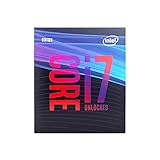
- 8 Cores / 8 Threads
- 3.60 GHz up to 4.90 GHz / 12 MB Cache
- Compatible only with Motherboards based on Intel 300 Series Chipsets
- Intel Optane Memory Supported
- Intel UHD Graphics 630
The more threads in a CPU core, the more simultaneous tasks the processor can handle at the same time. In essence, the more threads a processor has, the better the processor can perform many tasks at the same time without slowing down.
i7 8700K has 12 threads while i7 9700K has just 8 threads.
Based on more CPU cores in Intel Core i7 9700K, it wins in the Cores category.
Intel Core i7 8700K vs Intel Core i7 9700K: Maximum Clock Speed
Another important performance comparison for i7 8700K vs i7 9700K processors is the maximum clock frequency (speed) that each processor supports.
Also popular on Amazon

- 8 Cores / 8 Threads
- 3.60 GHz up to 4.90 GHz / 12 MB Cache
- Compatible only with Motherboards based on Intel 300 Series Chipsets
- Intel Optane Memory Supported
- Intel UHD Graphics 630
A processor specifies the basic clock speed and the maximum speed the processor can clock. The more a processor can clock, the faster it can perform.
i7 8700K has a maximum clock speed of 3.70 GHz, i7 9700K is 4.90 GHz.
Intel Core i7 9700K offers a higher maximum clock speed of 4.90 GHz and wins this category.
Do these 3 things before closing this tab:
1Clear out junk files and repair common Windows errors2Fix the driver behind crashes, sound loss and screen glitches3Repair Windows errors before they cause bigger problemsIntel Core i7 8700K vs Intel Core i7 9700K: L3 Cache
A processor needs a temporal fast RAM to store and fetch the next task to be executed. This fast memory is called Cache.
Also popular on Amazon
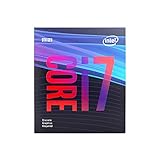
- 8 Cores /8 Threads
- Up to 4.7 GHz
- Discrete graphics required
- Compatible with Intel 300 Series chipset based motherboards
- Bios update may be required for motherboard compatibility
The more the cache available to a processor, the faster it can fetch the next thread and perform tasks faster.
i7 8700K and i7 9700K support a maximum L3 Cache of 12 MB. There is therefore, no winner in this category.
Independent reader supportYour contribution helps us test, update, and keep practical guides available for everyone.Intel Core i7 8700K vs Intel Core i7 9700K: Max Supported Memory
The memory available to a processor plays a major part in the performance of the processor.
Quick wins for a faster PC:
Scan for outdated or missing drivers - takes under a minuteDriver Scan →Repair Windows errors before they cause bigger problemsFix Now →Fix the driver behind crashes, sound loss and screen glitchesFind Drivers →The Cache in a processor is a memory built into the processor. However, the processor needs the system memory to feed the Cache the next thread in the queue.
Also popular on Amazon
The implication is that the more memory a processor can support, the faster it can potentially process tasks. This in turn translates to a faster computer.
Comparing the maximum memory supported by i7 8700K vs i7 9700K, both processors support a maximum of 128 GB DDR4 memory.
Therefore, just like the Cache, there is no winner in this category.
What’s actually slowing this PC down?
Pick the symptom - the matching free tool is one click away.
Conclusion
This processor buying guide compared 4 performance features of Intel Core i7 8700K and Intel Core i7 9700K.
Also popular on Amazon

- 8 Cores /8 Threads
- Up to 4.7 GHz. Scalability- 1S Only
- Compatible with Intel 300 Series chipset based motherboards
- Bios update may be required for motherboard compatibility
- Supports Intel Optane Memory
The side-by-side features comparison reveals that Intel Core i7 9700K has more CPU Cores. Moreover, it also has a better clock speed.
However, for L3 Cache and maximum supported memory, Intel Core i7 8700K and Intel Core i7 9700K offer the same features.
Based on CPU Cores and maximum clock speed, I recommend the Intel Core i7 9700K processor.
I hope you found this comparison/buying guide helpful. If you did, click on “Yes” beside the “Was this page helpful” question below.
You may also express your thoughts and opinions by using the “Leave a Comment” form at the bottom of this page.
Finally, to read more laptop buying guides, visit our Processor Buying Guides page. You may also see more Processor Specs and deals or compare more processors.
Quick Recap
Product prices and availability are accurate as of the date/time indicated and are subject to change. Any price and availability information displayed on Amazon at the time of purchase will apply.


