
Do these 3 things before closing this tab:
1Fix the driver behind crashes, sound loss and screen glitches2Clear out junk files and repair common Windows errors3Scan for outdated or missing drivers - takes under a minuteiTechGuides is reader-supported. When you buy through links on our site, we may earn an affiliate commission. As an Amazon Associate I earn from qualifying purchases. Learn more
“I added a ratgdo to my garage door, and I don’t know why I waited so long” is a fair verdict when the opener is compatible: ratgdo can provide local control, real door position, obstruction status, light control, and Home Assistant, MQTT, or HomeKit integration instead of reducing the garage to a cloud-based open/close button.
The catch is compatibility. ratgdo is not a universal garage-door accessory, and installation is not quite plug-and-play. Security+ 2.0 openers with a yellow learn button are generally supported, while Security+ 3.0 is currently listed as unsupported by the manufacturer’s FAQ. Certain jackshaft and older Security+ 1.0 models also need special attention.
Key takeaways
- ratgdo communicates directly with compatible opener protocols, so it can expose door position, obstruction information, the opener light, and other features that a simple relay may not provide.
- Security+ 2.0 openers commonly have a yellow learn button, but the exact model still matters and some wall-mounted jackshaft openers are exceptions.
- ratgdo32 was listed at $62 and ratgdo32 disco at $94 during the August 18, 2026 research pass; prices, stock, shipping, tax, and regional availability can change.
- Security+ 3.0 is currently unsupported by ratgdo32 according to the ratcloud FAQ, so buyers should verify the model before ordering.
- ESPHome is usually the most direct Home Assistant route, MQTT suits existing brokers and Node-RED installations, and native HomeKit firmware avoids requiring Home Assistant, Homebridge, or MQTT.
- Local control reduces dependence on a vendor cloud service, but it does not eliminate Wi-Fi, firmware, smart-home-server, physical-safety, or automation-maintenance responsibilities.
Why does ratgdo feel like more than another garage-door remote?
ratgdo turns a compatible garage-door opener into a locally controlled smart-home device. The useful difference is not merely opening the door from a phone. The useful difference is knowing what the opener is actually doing and making that information available to the rest of the home.
Crashes, No Sound, or Screen Glitches?
Random freezes, missing sound and display glitches usually trace back to one bad driver. Find and replace yours safely.Free scan · under a minutePC Slower Than It Used to Be?
A free scan shows the junk files, broken settings and background clutter dragging Windows down - then fixes them in one click.Free scan · Windows 10 & 11A basic controller may imitate a wall-button press. That can produce a toggle command, but a toggle does not necessarily tell an automation platform whether the door is closed, open, opening, closing, or obstructed. On supported Chamberlain and LiftMaster Security+ systems, ratgdo is designed to communicate with the opener’s proprietary serial protocol rather than simply shorting dry-contact terminals. The official ratgdo project documentation describes local Wi-Fi control and status feedback.
Popular on Amazon
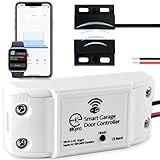
- 🧠 SMARTEN YOUR GARAGE: Universal adapter connects to existing openers & connects to WiFi to allow monitoring and control from your mobile device or voice assistant.
- 🔈 WORKS WITH ALEXA, GOOGLE HOME, IPHONE, SIRI, ANDROID: Use any device including voice assistants, like Alexa, Ok Google, Siri, or even on smart watches.
- 🏡❓👍 WORKS ON MOST OPENERS** (adapter maybe required): Not sure if your openers compatible? It likely is! If it isn't we now have an adapter that expands compatibility - contact us for an adapter 📩 **Sorry RYOBI, the eKyro opener doesn't work with you 😞
- 🏠🏠 WORKS TOGETHER: Multiple eKyro Openers can be paired together if you have more than 1 Garage Door Opener!** **Each Door will need its own eKyro Smart Garage Door Controller
- 💰 NO FEES**: All features come without monthly fees attached including Alexa, Google Assistant (OK Google), Siri, Scheduling, Automatic Door Closing and the ability to open/close the door or monitor anywhere your phone has service! **Additional alerts like SMS messages or phone calls may cost extra, but are not needed for device functions
Depending on the opener, board, firmware, and integration, ratgdo can expose:
- Door position and movement state.
- Obstruction-sensor information.
- Opener-light control.
- Lockout or vacation-lock information.
- Wall-control and remote activity.
- Local MQTT, ESPHome, Home Assistant, or HomeKit controls.
That makes the garage useful in the same way as other first-class smart-home devices. A dashboard can show the real door state, a notification can identify a door that has remained open, and an automation can respond to an obstruction rather than treating every failed command as a generic error.
What is ratgdo, exactly?
ratgdo is a small Wi-Fi control board installed alongside an existing garage-door opener. It does not replace the motor, rail, wall button, remote controls, or photoelectric safety sensors. ratgdo is an interface between the opener and a local network or smart-home platform.
The board is powered by USB and is configured with firmware appropriate for the opener protocol and ratgdo hardware generation. The current product range is not one interchangeable device: board generation, firmware family, protocol selection, and optional sensing hardware all matter.
| Product or component | Observed price | Who needs it | When it may be the wrong choice |
|---|---|---|---|
| ratgdo32 | $62 | Most ordinary supported Chamberlain/LiftMaster Security+ 1.0 or 2.0 installations, subject to model compatibility | Security+ 3.0, unsupported jackshaft models, or buyers who do not want firmware and wiring work |
| ratgdo32 disco | $94 | Users who specifically need vehicle-presence or parking-assist features | A single-door installation where open/closed status is all that is required |
| ratgdo encoder | $28 | Some dry-contact systems, Security+ 1.0 workarounds, or installations needing physical-position sensing | A supported Security+ 2.0 opener that already reports position and does not need manual-movement detection |
| Older v2.53i kit | $54, listed unavailable | Existing owners of older hardware who specifically need replacement or legacy support | New buyers; the listing says the kit has been replaced by ratgdo32 |
Those prices were observed on the ratcloud ratgdo product page and the older v2.53i kit listing during the August 18, 2026 research pass. Prices and availability can change because of region, inventory, tax, shipping, and sales.
How do you check whether your opener is compatible?
Check the exact opener model and protocol before buying ratgdo. The learn-button color is a useful first clue, not a complete compatibility test.
| What you find | What it usually suggests | What to verify |
|---|---|---|
| Yellow learn button | Usually Security+ 2.0 | Exact model, especially if the opener is wall-mounted or a jackshaft design |
| Purple, orange, or some red learn buttons | Often Security+ 1.0 or a dry-contact-compatible configuration | Wall-control-panel behavior, status support, and whether an encoder is needed |
| Security+ 3.0 identification | Currently unsupported by ratgdo32 according to the ratcloud FAQ | Do not order until the official compatibility position changes or a supported solution is confirmed |
| Non-Chamberlain opener | May work through dry-contact control | Encoder or accessible limit switches, sensor voltage, and the exact wiring diagram |
The ratgdo compatibility wiki lists tested manufacturers, model conventions, jackshaft exceptions, and dry-contact cases. The official FAQ lists some older 8500/RJ020 wall-mounted variants as excluded while listing 8500W and RJ070 as compatible. A yellow button alone cannot resolve those exceptions.
The Tool Desk
Outbyte Driver Updater FREEScan for outdated or missing drivers - takes under a minuteDriver Scan →Outbyte PC Repair FREEClear out junk files and repair common Windows errorsFree Scan →What should you record before ordering?
- Manufacturer and exact opener model.
- Learn-button color.
- Ceiling-mounted or wall-mounted design.
- Existing wall-control-panel model.
- Whether you want Home Assistant, MQTT, Node-RED, Apple Home, or standalone local control.
- Whether a reliable 2.4-GHz Wi-Fi signal reaches the garage.
For a Security+ 1.0 opener, do not assume that a successful Security+ 2.0 installation will translate directly. Some Security+ 1.0 configurations need the wall panel to query the opener for status. A non-myQ digital wall panel may not provide that query, while an analog wall panel may permit direct status querying but lose light and lock-button functionality. An encoder and dry-contact arrangement or a compatible digital wall panel may be the better path.
How difficult is ratgdo installation?
ratgdo installation is straightforward for a technically comfortable DIYer, but it is not universally plug-and-play. The physical wiring is low voltage, yet the installation still requires correct protocol identification, firmware selection, USB flashing, Wi-Fi configuration, and safety testing.
For a North American Security+ 2.0 opener, the documented wiring path connects the ratgdo red, white, and black terminals to the opener’s corresponding terminals. Follow the official ratgdo wiring documentation for the exact terminal arrangement rather than treating this article as a model-specific wiring diagram.
Also popular on Amazon

- SPACE SAVING: The Genie wall mount garage door opener clears up ceiling space by eliminating rail & powerhead from the ceiling, the wall mount, mounts to the side of the garage doors torsion spring. You can use the freed-up space for extra storage or just enjoy the clean, uncluttered look.
- SAFE-T-PULSE SYSTEM: The Genie wall mount garage door opener has a Patent-pending system that provides internal tension monitoring of door cables with an electronic pulse during initial door travel.
- COMPACT DESIGN: The Genie Wall Mount garage door opener, has a compact design measuring 6.8 in. wide x 14.5 in. tall x 9 in. deep making this wall mounted garage door opener the smallest available, Proper installation requires a standard outlet within 6 ft. of the wall mount garage door opener
- INCLUDED ACCESSORIES: Features a Genie wireless wall console, Wireless LED light, Intellicode remote, and remote door lock
- INSTALLATION REQUIREMENTS: Only requires 2.5 in. above and 7 in. to the side of the garage doors spring tube for installation.
A safe high-level installation sequence
- Disconnect opener power. Do not wire the controller while the opener is energized.
- Identify the protocol and model. Confirm the exact opener against the compatibility documentation.
- Choose the board and firmware family. The firmware installer requires the garage-door protocol and ratgdo board version.
- Flash the firmware over USB. Use a data-capable USB cable and connect directly where possible.
- Connect the low-voltage wires. For compatible North American Security+ 2.0 installations, use the documented red, white, and black connections.
- Restore power and join Wi-Fi. ratgdo uses 2.4-GHz Wi-Fi, so verify coverage at the opener.
- Confirm the reported protocol. A powered board that cannot control the opener may have the wrong firmware or wiring.
- Calibrate if the selected firmware requires it. ESPHome ratgdo documentation specifies one uninterrupted open-and-close cycle after adding the device to Home Assistant.
- Test every important function. Test the wall control, remote controls, opening, closing, light, obstruction reporting, and reversal behavior.
The ESPHome ratgdo installer asks you to select the garage-door control protocol, ratgdo board version, and optional ratgdo encoder. ratgdo32 and ratgdo32 disco use a CH9102 USB-to-serial chipset, while v2.5i boards use CH340. Board generation therefore matters when flashing.
Quick wins for a faster PC:
Repair Windows errors before they cause bigger problemsFix Now →Scan for outdated or missing drivers - takes under a minuteDriver Scan →What safety checks should happen after installation?
- Keep the opener’s photoelectric safety sensors installed and operational.
- Confirm that the door reverses as expected when the safety system detects an obstruction.
- Test the physical wall button and existing remotes.
- Check that ratgdo reports the correct closed and open states.
- Verify that the opener light and lockout controls behave as expected for the selected protocol.
- Do not rely on a new automation until several manual tests have succeeded.
Which ratgdo integration is best?
The best integration depends on the software already running in the home: ESPHome is usually the easiest Home Assistant route, MQTT is a strong choice for an existing broker or Node-RED setup, and native HomeKit suits Apple Home users who want a local accessory without Home Assistant.
Home Assistant and ESPHome
ESPHome is the natural choice for many Home Assistant users because the device can appear as a native ESPHome integration. It is well suited to dashboards, presence conditions, notifications, and multi-step automations. The main setup detail that is easy to miss is calibration: after adding the device, the documented process requires opening and closing the door once without stopping.
Use ESPHome when Home Assistant is already the center of the smart home and you want entities for the door, light, obstruction state, and related opener information where the hardware supports them. Feature availability still depends on the opener, firmware, board, wall panel, and optional encoder.
MQTT and Node-RED
MQTT is useful when an MQTT broker already runs in the home or when Node-RED is the preferred automation tool. When an MQTT broker is configured, Home Assistant can automatically discover ratgdo’s door, light, and obstruction entities after the device boots, according to the ratgdo feature documentation.
MQTT is flexible, but it adds infrastructure to maintain. A reader without an existing broker may find ESPHome simpler in Home Assistant or native HomeKit simpler in Apple Home.
Apple Home and HomeKit
Native HomeKit firmware can operate locally and does not require Home Assistant, Homebridge, or MQTT. After configuration, the device presents a HomeKit pairing QR code. The HomeKit-ratgdo project documents the firmware scope, setup, and known issues.
HomeKit firmware is not interchangeable with ESPHome firmware as a setup experience. The original ESP8266-based v2.5 HomeKit firmware is deprecated, while ratgdo32 and ratgdo32 disco have separate HomeKit firmware paths. The project also documents an Apple Home automation issue in which some garage-door triggers may not appear correctly; the Eve app is listed as a workaround.
Google Assistant and Alexa are not native ratgdo integrations according to the official FAQ. They generally require a bridge such as Home Assistant or Node-RED.
What automations are actually worth creating?
ratgdo becomes most useful when automation responds to confirmed state instead of blindly sending a toggle command. Start with notifications and visibility, then add actions only after the door state and presence detection are reliable.
Also popular on Amazon

- Compatibility Note: This smart garage door remote (MSG150HK) is designed specifically for the vast majority of Chamberlain, Lift-Master, and Craftsman brand openers (𝗡𝗼𝘁 𝘄𝗼𝗿𝗸𝘀 𝘄𝗶𝘁𝗵 𝗼𝘁𝗵𝗲𝗿 𝗯𝗿𝗮𝗻𝗱𝘀). Work with openers using Security+ 1.0 and Security+ 2.0 protocols (Not Security+ 3.0/Green/White learn button ). For other opener brands, please check out our universal smart garage door remote (MSG100HK) for a smooth smart upgrade.
- Remote Control: Use the Meross app to open or close your garage while cooking, at work, or on vacation. Let in family, guests, or couriers even when you're not home.Ideal for busy parents, frequent travelers, or anyone tired of hiding a spare key. No monthly fee or any other subscription fee!
- Voice Control: Open or close your garage while carrying groceries or handling kids. Just say "Hey Siri, close the garage" or "Alexa, open the garage door" — no phone needed. Compatible with Apple HomeKit, CarPlay, Alexa, Google Assistant, and SmartThings.
- Enhanced Security: Check open/close history in the app. Get alerts when the door is left open too long, left open overnight, or every time it opens or closes. You can also set the door to close automatically after a certain amount of time, or schedule a specific closing time. You’ll never have to wonder again if you forgot to close the garage door.
- Easy to Install: Installation is much easier than you may think. 𝐍𝐎 𝐧𝐞𝐞𝐝 𝐭𝐨 𝐢𝐧𝐬𝐭𝐚𝐥𝐥 𝐚𝐝𝐝𝐢𝐭𝐢𝐨𝐧𝐚𝐥 𝐚𝐝𝐚𝐩𝐭𝐞𝐫 𝐨𝐫 𝐰𝐢𝐫𝐞𝐝 𝐝𝐨𝐨𝐫 𝐬𝐞𝐧𝐬𝐨𝐫𝐬(𝐕𝐬. 𝐚𝐥𝐥 𝐩𝐞𝐞𝐫𝐬). Ideal for renters who can't modify equipment or homeowners who want a quick DIY upgrade. Note: 2.4GHz WiFi network support only
| Automation | Useful condition | Safety approach |
|---|---|---|
| Open-door reminder | Notify when the door has remained open for 10 or 15 minutes | Use a notification first; do not automatically close until the behavior is well tested |
| Night closing | Door is open at night and nobody is detected in the garage or home | Exclude likely activity windows and preserve physical safety sensors |
| Away alert | Door opens while household presence is away | Send an alert rather than assuming the opening is unauthorized |
| Garage-light routine | Door opens after sunset | Turn the light off only after a suitable delay and occupancy check |
| Dashboard status | Show closed, open, opening, closing, and obstruction states | Use the state display to verify the device before building more automation |
| Arrival opening | Approach detected, door closed, authorized person present, and other conditions met | Treat automatic opening as higher risk than automatic closing; test false positives carefully |
A garage door is a physical access point, so automatic closing must account for people, pets, vehicles, guests, and obstructions. Presence, geofencing, time, and confirmation conditions can reduce mistakes, but no automation makes an unsafe garage environment safe by itself.
What can go wrong, and how do you recover?
The board powers up but the opener does not respond
The likely causes are an incorrect protocol, incorrect wiring, or incompatible hardware. Recheck the exact model, learn-button color, ceiling-mounted versus wall-mounted design, and firmware selection. For Security+ 2.0, the official FAQ recommends reinstalling firmware with the “Erase” option when the device is wired correctly but still will not control the door; that process generates a new client ID.
The door works but status is missing
Missing status can result from an uncalibrated door, incorrect firmware, a Security+ 1.0 wall-panel limitation, an unsupported wall-control panel, or a dry-contact opener without an encoder or limit switches. The remedy depends on the protocol, so adding a magnetic sensor is not a universal fix.
USB flashing fails
Use a USB cable that carries data rather than power only. Avoid a problematic USB hub, install the correct serial driver where required, and use a browser with Web Serial support. The HomeKit project identifies Chrome as a known-working browser for its browser-based flashing process.
Wi-Fi setup fails
Check 2.4-GHz coverage, credentials, radio interference, board placement, and firmware-board matching. A weak signal in the garage can look like a defective controller. The official FAQ recommends checking network conditions and physical placement before concluding that the board has failed.
Remote range seems worse after installation
ratgdo uses 2.4-GHz Wi-Fi, while many garage remotes operate around 310 MHz, so direct frequency interference is not expected. The board or its wiring can still physically affect the opener antenna if installed too close. Keep the ratgdo board and wiring away from the opener antenna.
Independent reader supportYour contribution helps us test, update, and keep practical guides available for everyone.ratgdo versus myQ: which approach makes more sense?
ratgdo is the better fit for local, flexible smart-home control; myQ Smart Garage Control is the better fit for a simpler vendor-supported app experience. Neither choice is universally right.
| Decision factor | ratgdo | myQ Smart Garage Control |
|---|---|---|
| Primary control model | Local hardware with local integrations | Chamberlain app and cloud-connected ecosystem |
| Home Assistant | Strong fit through ESPHome or MQTT | Depends on a supported integration or bridge |
| Compatible Security+ 2.0 status | Designed to read the opener protocol directly on compatible models | Uses the Chamberlain ecosystem and an accessory sensor |
| Local operation | Strong local-control option with suitable firmware and integration | More dependent on vendor services |
| Installation | Requires wiring and firmware selection | Designed for consumer-oriented app setup |
| Extra sensors | Often unnecessary on supported Security+ 2.0 configurations | Uses a door sensor as part of the accessory system |
| Typical best user | DIY users who want Home Assistant, MQTT, HomeKit, accurate state, and local control | Users who want a supported app, guest access, schedules, and minimal technical configuration |
Chamberlain listed Smart Garage Control at $64.99 and an additional door sensor at $19.99 during the research pass. The official Smart Garage Control page describes compatibility with major opener brands manufactured after 1993 that use standard photoelectric safety sensors. Check the official product page before publication or purchase because pricing, compatibility, and availability can change.
myQ and ratgdo can coexist according to the ratcloud FAQ. ratgdo should therefore be viewed as an alternative local control path, not automatically as a replacement for every myQ capability. Readers who specifically need the vendor’s guest-access features, Amazon Key compatibility, or a conventional app may prefer myQ.
Who should skip ratgdo?
Skip ratgdo, or choose a different solution, when the opener is Security+ 3.0, the exact model cannot be verified, the garage has unreliable Wi-Fi, or the buyer cannot safely access the opener terminals.
Also popular on Amazon

- AUTOMATE YOUR GARAGE DOOR with LOCAL MULTI-PLATFORM CONTROL: The GDO blaQ links your Chamberlain/LiftMaster garage opener with popular smart home platforms WITHOUT the need for a cloud service, giving you full LOCAL automation and FULL control.
- FOR CHAMBERLAIN/LIFTMASTER: Works with Chamberlain/Liftmaster/Craftsman openers with Security+ and Security+ 2.0., including those with myQ built-in; Compatible Learn Button colors: Yellow (round), Purple/Brown, Red/Orange. NOT compatible with Security+ 3.0 openers with a white learn button (2025 and newer).
- MULTIPLE SMART HOME INTEGRATIONS: Choose between LOCAL smart home integrations, including Home Assistant, Hubitat, HomeBridge, Control4, HomeSeer and more, or CLOUD-based smart home apps like SmartThings and Alexa via Konnected's free cloud service. Use one of them or use multiple at once!
- NO FEES AND NO BATTERIES: There's no subscription required or batteries to replace; Enjoy remote connectivity to your garage door opener that’s free forever using your home Wi-Fi
- EASY INSTALLATION: It takes only two wires and a power adapter (all included) to hook up Konnected GDO blaQ to your garage opener or wall button; Each device also comes with an installation guide and mounting accessories
A different solution is also more sensible when a landlord, installer, or building policy prohibits modifications; when professional support is required; or when the garage is part of a commercial-access system that needs a supported access-control product rather than a DIY controller.
Free tools Windows power users keep installed
One-click scans. No signup required.
ratgdo is also a poor fit for someone who wants only a simple phone app and does not want to maintain firmware, Wi-Fi, Home Assistant, MQTT, or HomeKit infrastructure. A technically flexible device is not automatically the easiest device.
Is ratgdo worth it?
ratgdo is worth it when the opener is compatible and local smart-home control matters. The strongest case is a homeowner with a supported Security+ 2.0 opener who already uses Home Assistant, ESPHome, MQTT, Node-RED, or Apple Home and wants accurate state, local commands, opener-light control, and obstruction information.
The case is weaker when the reader has an unsupported Security+ 3.0 or jackshaft model, wants no wiring or firmware work, needs official cloud features more than local integration, or cannot provide reliable 2.4-GHz Wi-Fi. In those situations, myQ or a professionally supported alternative may be the more practical choice.
The upgrade feels transformative because the garage stops being an isolated remote-controlled appliance and becomes part of the home’s automation model. That transformation depends on compatibility and careful setup, not on the ratgdo name alone.
Recommended Free Tools
Frequently Asked Questions
Does ratgdo replace myQ?
ratgdo does not automatically replace every myQ feature. ratgdo provides an alternative local control path for compatible openers, while myQ remains the better fit for users who prioritize the Chamberlain app, guest access, schedules, or other vendor ecosystem features; ratgdo and myQ can also coexist.
Will ratgdo work with a yellow-button Chamberlain opener?
A yellow learn button generally indicates Security+ 2.0, which ratgdo commonly supports, but the exact model still must be checked. Wall-mounted jackshaft exceptions and other model-specific limitations mean that button color alone is not a guarantee.
Does ratgdo need extra door sensors?
A supported Security+ 2.0 installation can often report door position and obstruction information through the opener without separate magnetic door sensors. Dry-contact openers and some Security+ 1.0 installations may need an encoder, accessible limit switches, or different wall-panel arrangements.
Can ratgdo work without the cloud?
ratgdo supports local ESPHome, MQTT, and native HomeKit control paths, so suitable installations can operate without depending on a vendor cloud service. Local operation still requires working Wi-Fi and, for ESPHome or MQTT setups, the relevant local smart-home infrastructure.
What’s actually slowing this PC down?
Pick the symptom - the matching free tool is one click away.
The Bottom Line
Bottom line: ratgdo is one of the more compelling smart-home upgrades for a compatible garage-door opener because it combines local control with real opener state. Buy it only after checking the exact model and protocol, then choose the smallest compatible board and optional encoder that match your needs. For Security+ 3.0, unsupported jackshaft models, or anyone seeking a no-setup app accessory, choose another path.

