
iTechGuides is reader-supported. When you buy through links on our site, we may earn an affiliate commission. As an Amazon Associate I earn from qualifying purchases. Learn more
How to use Veo 3 for FREE in 2026: open Google Flow, sign in with an eligible Google Account, and use the free 50-credit daily allowance for Veo 3.1 generations. The free route is genuine but limited: Lite costs 10 credits, Fast costs 20, Quality costs 100, and unused credits do not roll over.
There is an important naming update. Google’s current consumer Flow experience is branded Veo 3.1, although many people still search for “Veo 3.” The model, credit prices, available controls, and eligibility rules can change, so the instructions below reflect Google’s published Flow information checked on August 18, 2026.
Key takeaways
- Google Flow currently offers a free consumer route with 50 Flow credits per day for eligible Google Accounts.
- Non-subscribers can use free credits for Veo 3.1 Lite, Fast, and Quality generations, listed at 10, 20, and 100 credits respectively.
- Theoretical daily capacity is up to five Lite generations or two Fast generations, but one request may produce multiple generations and consume credits accordingly.
- Free credits refresh daily after the first generation, do not roll over, and are forfeited if you upgrade to a paid plan before using them.
- Google Flow availability depends on supported regions, age verification, account status, browser compatibility, and rollout conditions; a VPN does not unlock unsupported regions.
How to use Veo 3 for FREE in 2026
To use Veo 3 for free in 2026, use Google Flow rather than an unofficial “Veo” website or a cracked application. Open the official Google Flow page, sign in with a Google Account, confirm that free credits are available, choose a Veo 3.1 generation mode, enter a prompt, and generate a clip.
Windows Errors? Fix Them Before They Spread
Repair common Windows errors and clear accumulated junk for a smoother, more stable PC - no reinstall needed.Free scan · no reinstallOutdated Drivers Are Slowing You Down
One free scan finds every outdated or missing driver and matches the right update for your exact hardware.Free scan · exact hardware match- Use a desktop computer. Google recommends Chrome or Edge for the best Flow experience. A Chromium-based desktop browser is the safest starting point.
- Open Google Flow. Go to labs.google/fx/tools/flow and avoid third-party sites that claim to provide unrestricted Veo access.
- Sign in with a Google Account. Flow generally requires age verification and is intended for users aged 18 or older.
- Check access and credits. The current credit documentation says non-Plus, non-Pro, and non-Ultra users receive 50 free Flow credits per day.
- Create a project or start a generation. The exact button labels can change as Google updates Flow.
- Choose Veo 3.1 Lite for testing. Lite is the lowest-cost listed Veo 3.1 option. Use Fast when a test is working and you want a stronger final attempt. Treat Quality as outside the normal 50-credit free allowance unless Flow explicitly shows otherwise.
- Choose a short duration. Use four seconds when testing an idea. Use six or eight seconds only when the shot needs additional time.
- Write a structured prompt. Include the subject, action, setting, camera, lighting, visual style, duration, and audio instructions.
- Generate one test clip first. A single test helps prevent the daily allowance from being consumed by repeated guesses.
- Review, download, and organize the result. Check the remaining balance from the profile area and save usable clips before the daily allowance refreshes.
Google’s current Flow credit rules explain the daily allowance, model costs, refresh behavior, and the difference between a generation and a request.
Popular on Amazon

- 【4GB VRAM for Smooth Multitasking】: Equipped with 4GB DDR3 memory and a 128-bit bus width, this GT 740 provides a significant performance boost over standard 2GB models. It ensures smooth 1080P video playback and lag-free performance for office multitasking and basic graphic design.
- 【Triple Display Versatility (HDMI+DVI+VGA)】: Features a comprehensive output interface including HDMI, DVI, and VGA ports. Connect to modern monitors or legacy projectors without needing expensive adapters. Ideal for setting up a dual-monitor workstation to increase productivity.
- 【The Perfect Legacy PC Upgrade】: An excellent, cost-effective solution for reviving older desktop PCs. This card supports DirectX 12 (11_0) and is fully compatible with Windows 11/10/7, making it the go-to choice for upgrading from integrated graphics to a dedicated GPU.
- 【Low Power & Plug-and-Play】: Designed for high efficiency, this graphics card draws all its power directly from the PCIe slot with no external power connector required. It is compatible with standard power supplies, making installation quick and hassle-free.
- 【Quiet & Reliable Cooling System】: Built with an optimized heatsink and a low-noise cooling fan that maintains stable temperatures even during extended use. Perfect for building a Quiet Office PC or a dedicated HTPC for the living room.
Is Veo 3 free, or is only Google Flow free?
Google Flow currently provides a free Veo 3.1 experience; that does not mean every Veo product is permanently free. Flow’s free consumer allowance is different from Gemini promotions, paid Google AI subscriptions, developer API billing, and third-party services that advertise access to Veo.
| Access route | What it means | Who it suits | Important qualification |
|---|---|---|---|
| Google Flow free tier | 50 Flow credits per day for eligible users | Beginners, students, casual creators, and low-volume experiments | Credits are limited, do not roll over, and model costs differ |
| Gemini trial or promotion | A separate promotional offer, if Google makes one available | Users who qualify for a current promotion | Do not assume an old Gemini trial remains active |
| Google AI Plus, Pro, or Ultra | Paid plans with larger monthly Flow-credit allowances | People who generate regularly or need bundled Google AI features | Prices and availability vary by market |
| Veo API, Google AI Studio, or Google Cloud | Programmatic access tied to developer billing and project settings | Developers building automated workflows or applications | API pricing is not the same as consumer Flow pricing |
| Third-party Veo website | A separate service claiming to provide a Veo-related workflow | Only after independent verification | Do not assume the service is operated, licensed, or endorsed by Google |
The safest no-cost route for an ordinary personal Google Account is the official Flow interface. Do not provide payment details or account credentials to a site merely because the site uses “Veo” in its name.
Is the free model Veo 3 or Veo 3.1?
Google’s current official free Flow route is branded Veo 3.1, not necessarily the original Veo 3 model. Many searches and older articles use “Veo 3” as a general name, but the currently listed Flow model is Veo 3.1. Google describes Veo 3.1 as supporting native audio, realism, physics, and prompt adherence on its current Flow product page.
Do these 3 things before closing this tab:
1Clear out junk files and repair common Windows errors2Scan for outdated or missing drivers - takes under a minute3Repair Windows errors before they cause bigger problemsThat distinction matters because model names, video durations, credit costs, and controls can change independently. A tutorial that promises an old Veo 3 trial pack, Gemini-only access, or Pro- and Ultra-only Flow access may describe an earlier product state rather than the current free Flow offer.
Who can access free Veo 3.1 in Flow?
Free Flow access generally requires a Google Account, age verification, an eligible location, and a supported browser. Flow is generally intended for users aged 18 or older and may be unavailable in some countries or territories.
- Google Account: Sign in with the account you intend to use for the project and credit balance.
- Age: Complete Google’s age verification if requested; do not try to bypass age controls.
- Region: Access depends on Google’s supported-country and territory list.
- Browser: Try Chrome or Edge on a desktop before diagnosing the account.
- Network: Disable VPNs and proxies when troubleshooting. Google says a VPN does not enable Flow in an unsupported region.
Google’s documentation currently contains a material inconsistency. The Flow pricing page and the dedicated credit page explicitly describe free access for non-subscribers, while an access help page still lists Google AI Plus, Pro, or Ultra among Flow requirements. The newer pricing and credit pages support the current free-tier interpretation, but the live Flow interface and supported-region list should be treated as the final eligibility check.
How many free Veo videos can you make each day?
The answer depends on the selected model and on how Flow counts the request. Google lists a daily free allowance of 50 credits, but credits are charged per generation rather than necessarily per request. One request can create two videos, and edits, extensions, or other operations can consume additional credits.
Free tools Windows power users keep installed
One-click scans. No signup required.
| Model or option | Listed cost per generation | Theoretical use from 50 daily credits | Listed video lengths |
|---|---|---|---|
| Veo 3.1 Lite | 10 credits | Up to 5 generations | 4, 6, or 8 seconds |
| Veo 3.1 Fast | 20 credits | Up to 2 generations | 4, 6, or 8 seconds |
| Veo 3.1 Quality | 100 credits | Not covered by the standard 50-credit allowance | 8 seconds |
| Gemini Omni Flash | 15 credits for 4 seconds; 20 for 6 seconds; 25 for 8 seconds; 30 for 10 seconds | 3, 2, 2, or 1 generation respectively | 4, 6, 8, or 10 seconds |
These figures come from Google’s current Flow credit documentation, not from a guarantee of finished videos. The credit page warns that costs can change and that a single request may create multiple generations. “Up to five free videos per day” is therefore too strong: the accurate statement is “up to five Lite generations under the listed schedule,” subject to request behavior and other Flow operations.
Free credits refresh once per day after the first generation. Free credits do not roll over. If you upgrade to a paid plan before using the remaining free credits, Google says those remaining credits are forfeited.
What is the most credit-efficient free workflow?
The most economical approach is to use Veo 3.1 Lite and short clips for composition tests, then spend Fast generations only after the prompt and visual direction work.
- Draft the prompt outside Flow. Decide the subject, action, camera movement, lighting, duration, and sound before opening the generator.
- Start with Lite. Use the lowest-cost model to test whether the scene is understandable and visually coherent.
- Use four seconds first. A short clip is enough to expose problems with composition, camera movement, or character placement.
- Change one major variable at a time. Alter the camera, movement, lighting, or audio separately so you know what improved or damaged the result.
- Use references when consistency matters. Image references can help with the placement of a character or object, but they do not guarantee stable identity across complex motion.
- Leave dialogue until the visual shot works. Audio-heavy and dialogue-heavy prompts can introduce another failure point.
- Reserve Fast for the intended final attempt. Quality costs more than the standard free daily allowance unless your account displays a different entitlement.
- Record prompt versions. Keep the prompt associated with each result so successful wording is not lost.
Do not upgrade halfway through the day without checking the balance first. Google says upgrading can immediately forfeit unused free credits.
What’s actually slowing this PC down?
Pick the symptom - the matching free tool is one click away.
How should you write a Veo 3.1 prompt?
A useful Veo prompt separates what the subject does from what the camera does and describes audio explicitly. The following structure is a practical starting point:
Subject:
Action:
Setting:
Time and lighting:
Camera shot and movement:
Visual style:
Audio:
Dialogue:
Duration:
Aspect ratio:
For a visual test, specify shot size, camera motion, focus, lighting, and subject movement. Useful camera terms include wide shot, medium shot, close-up, overhead shot, dolly forward, tracking shot, slow pan, locked-off camera, shallow depth of field, and focus pull.
For audio, identify dialogue, speaker characteristics, ambience, music, and sound effects. For example:
Create an 8-second cinematic close-up of a red fox walking through a misty pine forest at dawn.
The camera tracks slowly from left to right at eye level.
Soft golden sunlight breaks through the trees, with realistic fur movement and damp leaves underfoot.
Include natural forest ambience, light wind, and quiet footsteps.
No dialogue, no music, no on-screen text, and no logos.
Photorealistic style.
For dialogue, identify the speaker and keep the scene simple:
Recommended Free Tools
One character speaks clearly in a calm but urgent voice:
“We have to leave before sunset.”
Synchronize the dialogue with the speaker’s mouth.
Include light room tone and no music.
Use a stable medium close-up with one character, consistent clothing, and natural eye direction.
Affirmative constraints such as “one character,” “stable facial features,” “consistent clothing,” and “no on-screen text” can reduce unwanted results, but negative instructions do not guarantee perfect compliance. Google’s Veo model card acknowledges that complex scenes and complex motion can still produce consistency problems.
Does free Veo 3.1 include sound?
Google’s current Flow page describes Veo 3.1 as supporting native audio, including dialogue, ambience, and sound effects. Audio quality is not guaranteed, however, and Google says a generation can fail when the audio quality is too low.
For better results, specify whether the scene should contain dialogue, ambient sound, music, effects, or silence. Avoid asking one short clip to contain several speakers, complicated dialogue, music, multiple simultaneous effects, and rapid action. Test the visual composition first, then add the minimum audio needed for the scene.
If an audio-related generation fails, Google says the credits should be refunded. Simplify the prompt, use one speaker, shorten complicated dialogue, request ambience instead of several simultaneous sounds, and retry.
What should you do if Google Flow is unavailable?
Flow being unavailable does not necessarily mean that your Google Account is ineligible permanently. The most likely causes are an unsupported region, unverified age, browser incompatibility, staged rollout, account status, or a temporary product problem.
- Use Chrome or Edge on a desktop computer.
- Verify the Google Account’s age and account status.
- Check Google’s current supported-region information.
- Disable VPNs and proxies.
- Sign out and back in only after confirming you are using the intended account.
- Try again later if the product appears to be undergoing a staged rollout or temporary issue.
Do not buy a paid plan solely to bypass a regional restriction. Google’s Flow access guidance says that a VPN does not enable access in unsupported regions.
Also popular on Amazon
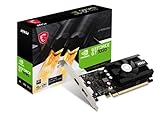
- Chipset: NVIDIA GeForce GT 1030
- Video Memory: 4GB DDR4
- Boost Clock: 1430 MHz
- Memory Interface: 64-bit
- Output: DisplayPort x 1 (v1.4a) / HDMI 2.0b x 1
How do you fix common Flow generation problems?
| Problem | Likely explanation | Recovery step |
|---|---|---|
| “Unusual activity” message | Google has detected a network or account risk signal | Wait a few minutes, disable VPNs or proxies, and retry from a normal supported connection |
| Generation remains pending | The job may be processing, blocked by policy, or affected by credit limits | Check system notifications; manually retry or delete the job if Flow instructs you to do so |
| Generation fails because of audio | The requested dialogue or sound may be too complex or low quality | Use one speaker, simpler dialogue, fewer simultaneous sounds, or ambience only |
| Credits disappear faster than expected | The request created multiple generations, used a higher-cost model, or included an edit or extension | Inspect the selected model and request behavior in Flow; check the product’s displayed credit cost |
| Credits vanish after upgrading | Remaining free credits are forfeited when upgrading | Use the free balance before upgrading whenever practical |
| Content is blocked | Flow’s generative-AI safety policies may refuse or modify the prompt | Rewrite the request for a legitimate, safe use; do not attempt to evade safety controls |
Google’s documentation says displayed credit costs can change. When the balance does not match your expectation, first check whether the request produced multiple outputs or used extensions, edits, or a different model.
Independent reader supportYour contribution helps us test, update, and keep practical guides available for everyone.Are free Flow videos watermarked, and can you use them commercially?
Do not promise watermark-free exports or automatic commercial clearance. Google has described SynthID provenance for videos generated by its generative-AI models and visible watermarks for many Veo videos, with exceptions described for certain Ultra-generated Flow outputs. Because Flow now uses a Veo 3.1 experience and product rules can change, inspect the current output and terms instead of relying on an old watermark claim.
Quick wins for a faster PC:
Scan for outdated or missing drivers - takes under a minuteDriver Scan →Repair Windows errors before they cause bigger problemsFix Now →Google’s Veo announcement discusses provenance and visible-watermark behavior, but that announcement predates the current free Veo 3.1 Flow arrangement. The exact result can depend on the account, plan, tool, and current product implementation.
Ownership, commercial permission, and third-party rights are separate questions. Before using a clip for a client, advertisement, monetized channel, or brand campaign, review the current Flow terms and help guidance. In particular, check:
- Whether Google’s terms permit the intended commercial use.
- Whether uploaded images, faces, voices, logos, and music are yours to use.
- Whether a person has consented to the use of their likeness or voice.
- Whether music, sound effects, trademarks, or other material creates third-party rights issues.
- Whether a client, advertising platform, employer, or distribution service requires AI disclosure or labeling.
- Whether the final output contains visible branding or provenance signals that must remain intact.
A generated video may be available to you under Google’s terms without giving you the right to reproduce someone else’s face, voice, logo, music, or copyrighted reference material.
Are Google AI Plus, Pro, or Ultra worth paying for?
A paid plan is worth considering when the free 50-credit allowance regularly limits your work, when you need bundled Google services, or when a paid-only feature matters. A subscription is not automatically worthwhile for one or two occasional clips.
| Plan | Price shown on Flow page | Monthly Flow credits | Best fit |
|---|---|---|---|
| Free Flow | $0 | 50 per day | Occasional testing, short social clips, storyboards, and previz |
| Google AI Plus | $4.99 per month | 200 per month | Users who sometimes exceed the free allowance and want features such as 1080p upscaling |
| Google AI Pro | $19.99 per month | 1,000 per month | Regular creators who also value Gemini, storage, and other bundled Google services |
| Google AI Ultra | $99.99 per month | 10,000 per month | High-volume users who specifically need Flow capacity or top-tier features |
| Google AI Ultra higher-credit option | $199.99 per month | 25,000 per month | Very high-volume users for whom the additional capacity has a clear production value |
Google lists the prices and credit allowances on the Flow pricing page; prices may vary by market. Use the calculation monthly plan cost ÷ expected usable generations rather than comparing credit totals alone. Also account for the fact that a generation may be one output among multiple outputs and that different Veo modes have different costs.
Google AI Plus may suit a light user who needs occasional extra capacity. Pro is easier to justify for regular creators who already use Google’s bundled services. Ultra is aimed at high-volume or feature-specific use and is difficult to justify for casual experimentation.
How is the Veo API different from free Flow?
The Veo API is a developer product, not a free consumer substitute for Flow. API access is designed for applications and automated workflows and normally involves a billing-enabled project, usage measurement, and developer configuration.
In a September 8, 2025 developer announcement, Google listed API pricing of $0.40 per second for Veo 3 and $0.15 per second for Veo 3 Fast. Those figures describe API billing and must not be applied to Flow’s consumer credit system. Developers should verify current pricing and availability in Google’s AI developer documentation before building a workflow.
The Tool Desk
Outbyte Driver Updater FREEFix the driver behind crashes, sound loss and screen glitchesFind Drivers →Outbyte PC Repair FREEClear out junk files and repair common Windows errorsFree Scan →Choose Flow if you want to manually make occasional clips without setting up an application. Choose the API only when programmatic generation, automation, or integration justifies developer setup and billing.
What alternatives can you try?
If Flow is unavailable or does not match your workflow, alternatives include Kling for motion-focused experiments, Pika for quick stylized effects, Runway for a broader editing and production workflow, Luma for cinematic image-to-video comparisons, Adobe Firefly for Adobe-centered workflows, and open-source video models for technically experienced users who want local control.
These alternatives are not automatically equivalent to Veo 3.1. Their current prices, free allowances, model access, licensing, hardware requirements, and commercial terms were not verified for this article, so check each provider’s official documentation before uploading material or relying on a free offer.
What does “free Veo 3” mean in 2026?
“Free Veo 3” currently means limited access to Google’s Veo 3.1 experience through Google Flow, with 50 daily credits for eligible users—not unlimited video generation, permanent access to every Veo product, or guaranteed Quality-mode output.
For most beginners, the practical plan is simple: use the official Flow page, confirm the account’s credit balance, start with Veo 3.1 Lite and a four-second test, write audio and camera instructions explicitly, and reserve more expensive generations for a prompt that already works. Do not use VPNs, unofficial resellers, cracked software, or disposable accounts to bypass Google’s eligibility and safety controls.
Frequently Asked Questions
Can I use Veo 3 for free without a Google AI subscription?
Yes. Google’s current Flow pricing and credit pages describe free access for eligible non-subscribers through a Google Account, with 50 Flow credits per day. Google’s separate access-help page still contains older or conflicting paid-plan wording, so the live Flow interface and supported-region list are the final checks for your account.
How many free Veo videos do I get per day?
The standard free allowance is 50 Flow credits per day, not a fixed number of finished videos. At Google’s listed costs, that equals up to five Veo 3.1 Lite generations or two Fast generations, while Quality costs 100 credits; multiple outputs, edits, and extensions can change the total.
Does free Veo 3.1 generate audio?
Yes. Google describes Veo 3.1 in Flow as supporting native audio, including dialogue, ambience, and sound effects. Audio can still fail or sound inconsistent, especially in complicated scenes, so specify sound clearly and begin with a simple one-speaker or ambience-only prompt.
Can I use free Flow videos commercially?
Commercial use depends on Google’s current product terms and on rights to the material used in the video. Review the current Flow terms before commercial publication, and separately verify rights for uploaded faces, voices, logos, music, and other third-party content; do not assume that generated output is automatically cleared for every business use.
Can a VPN unlock free Veo access in an unsupported country?
No. Google says a VPN does not enable Flow in an unsupported region. If Flow is unavailable, check the supported-region list, age verification, account status, browser compatibility, and rollout status instead of trying to bypass the restriction.
The Bottom Line
Bottom line: Google Flow is currently the legitimate free way to try Veo in 2026, but the experience is Veo 3.1 and the allowance is limited to 50 daily credits. Start with Lite, test short clips, treat the five-generation figure as a theoretical maximum, and verify current eligibility, watermark behavior, and commercial terms before relying on Flow for production.

