
Windows Errors? Fix Them Before They Spread
Repair common Windows errors and clear accumulated junk for a smoother, more stable PC - no reinstall needed.Free scan · no reinstallOutdated Drivers Are Slowing You Down
One free scan finds every outdated or missing driver and matches the right update for your exact hardware.Free scan · exact hardware matchiTechGuides is reader-supported. When you buy through links on our site, we may earn an affiliate commission. As an Amazon Associate I earn from qualifying purchases. Learn more
The Piso WiFi pause feature lets you temporarily stop an active paid session so the remaining time is not normally consumed while the session is paused. The control is usually available through the local portal at http://10.0.0.1.
However, 10.0.0.1 is not a single Piso WiFi product or firmware. LPB Piso WiFi, AdoPiSoft, PisoFi, JuanFi, and other installations can use different menus and button names. This guide shows the common user procedure first, then the administrator paths reported for several platforms.
What the 10.0.0.1 pause function does
When an administrator has enabled the feature, a user with an active session can open the Piso WiFi portal and choose Pause Time. The session countdown should stop, meaning paid time is not deducted during the pause according to the reported behavior of supported systems.
Quick wins for a faster PC:
Fix the driver behind crashes, sound loss and screen glitchesFind Drivers →Clear out junk files and repair common Windows errorsFree Scan →When you want to use the connection again, reopen the portal and choose the control that may be labeled Resume Time, Resume Session, Resume, or Continue. There is no universal label shared by every Piso WiFi deployment.
Popular on Amazon

- DUAL-BAND WIFI 6 ROUTER: Wi-Fi 6(802.11ax) technology achieves faster speeds, greater capacity and reduced network congestion compared to the previous gen. All WiFi routers require a separate modem. Dual-Band WiFi routers do not support the 6 GHz band.
- AX1800: Enjoy smoother and more stable streaming, gaming, downloading with 1.8 Gbps total bandwidth (up to 1200 Mbps on 5 GHz and up to 574 Mbps on 2.4 GHz). Performance varies by conditions, distance to devices, and obstacles such as walls.
- CONNECT MORE DEVICES: Wi-Fi 6 technology communicates more data to more devices simultaneously using revolutionary OFDMA technology
- EXTENSIVE COVERAGE: Achieve the strong, reliable WiFi coverage with Archer AX1800 as it focuses signal strength to your devices far away using Beamforming technology, 4 high-gain antennas and an advanced front-end module (FEM) chipset
- OUR CYBERSECURITY COMMITMENT: TP-Link is a signatory of the U.S. Cybersecurity and Infrastructure Security Agency’s (CISA) Secure-by-Design pledge. This device is designed, built, and maintained, with advanced security as a core requirement.
Pausing is generally a manual action. Do not assume that every system automatically resumes after 30 minutes, one hour, or two hours. The owner’s configuration and the platform determine the available limits and controls.
How to pause an active Piso WiFi session
- Connect your phone, tablet, or computer to the correct Piso WiFi wireless network.
- Open a browser and enter
http://10.0.0.1in the address bar. Includehttp://; some local portals do not work when the browser changes the address to HTTPS. - Open the page showing your active session. Depending on the installation, the portal may display your remaining time, connection status, or a session-management panel.
- Tap or click Pause Time. On some systems the equivalent may be called Pause Session or Pause/Resume.
- Confirm the status has changed to paused. The button commonly changes to Resume Time or a similar resume label.
Once the session is paused, leave the device associated with the Piso WiFi network if possible. The exact session behavior is platform-dependent, but the reported systems associate a session with information such as the device identity, IP address, or MAC address.
How to resume the session
- Use the same phone, tablet, or computer that paused the session.
- Reconnect to the same Piso WiFi network if the device disconnected.
- Open
http://10.0.0.1again. - Go to the active-session page.
- Select Resume Time, Resume Session, Resume, or Continue, depending on the wording used by that installation.
Using another device may not work because the system can bind the session to the original device or its network identity. A changed IP or MAC address can also interfere with resuming.
Free tools Windows power users keep installed
One-click scans. No signup required.
If the pause button is missing
A missing control does not necessarily mean that you opened the wrong page or that the feature was removed. Common explanations include:
- The Piso WiFi owner disabled pause and resume.
- The particular firmware or platform does not support the feature.
- Your session is not currently active.
- You are close to session expiry and the owner configured a minimum remaining-time requirement.
- The portal is displaying stale or incomplete browser data.
- You are connected to a different WiFi network than the Piso WiFi installation.
Try refreshing the portal, opening it in a private/incognito window, and confirming the WiFi network name. If the option remains absent, only the operator can verify whether the feature is enabled for that installation.
Administrator setup: LPB Piso WiFi
For LPB installations, current guides report an administrator portal at http://10.0.0.1/admin. A commonly reported path is:
Also popular on Amazon

- Dual-band Wi-Fi with 5 GHz speeds up to 867 Mbps and 2.4 GHz speeds up to 300 Mbps, delivering 1200 Mbps of total bandwidth¹. Dual-band routers do not support 6 GHz. Performance varies by conditions, distance to devices, and obstacles such as walls.
- Covers up to 1,000 sq. ft. with four external antennas for stable wireless connections and optimal coverage.
- Supports IGMP Proxy/Snooping, Bridge and Tag VLAN to optimize IPTV streaming
- Access Point Mode - Supports AP Mode to transform your wired connection into wireless network, an ideal wireless router for home
- Advanced Security with WPA3 - The latest Wi-Fi security protocol, WPA3, brings new capabilities to improve cybersecurity in personal networks
http://10.0.0.1/admin → Portal Settings → Insert Coin Mode → Pause/Resume Time
Enable the setting and save the configuration. Another guide calls the final setting Pause Time rather than Pause/Resume Time, so the wording may depend on the LPB build or edition. One current description also reports the setting under both Insert Coin Mode and Voucher Code Mode. That should be treated as an installation-specific possibility, not a universal LPB requirement.
Reported LPB controls include a default maximum pause duration of 60 minutes, with configurable values from 10 minutes to 1,440 minutes (24 hours). A setting named Minimum Time to Allow Pause may also be available. These values are reported by current guides but are not tied to a published LPB firmware version, so an administrator should rely on the labels and limits shown by the local interface.
Administrator setup: AdoPiSoft
For AdoPiSoft, the reported path is:
http://10.0.0.1/admin → Settings → User Portal Settings → Session Controls → Allow Pause Time
Some installations may use Enable Pause/Resume instead. Enable the applicable option and save the change.
Unlike the LPB duration model described above, AdoPiSoft is reported as using a maximum number of pause attempts per session. The administrator interface may show Maximum Pause Count and Minimum Time for Pause. The exact behavior and labels can vary by build; no specific version or universal default has been established.
Also popular on Amazon

- Dual band router upgrades to 1200 Mbps high speed internet (300mbps for 2.4GHz plus 900Mbps for 5GHz), reducing buffering and ideal for 4K stream
- Full Gigabit Ports - Gigabit Router with 4 Gigabit LAN ports, ideal for any internet plan and allow you to directly connect your wired devices
- Boosted Coverage - Four external antennas equipped with Beamforming technology extend and concentrate the Wi-Fi signals
- MU-MIMO technology - (5GHz band) allows high speeds for multiple devices simultaneously
- Access Point Mode - Supports AP Mode to transform your wired connection into wireless network, an ideal wireless router for home
Administrator setup: JuanFi, PisoFi, and other systems
No single verified menu path applies to every JuanFi installation. For JuanFi, look under the portal or session settings for labels such as Pause Time or Session Pause. The location can vary by build.
PisoFi and other custom deployments can also expose the feature differently. If you administer one of these systems, search the user-portal, session, voucher, or time-control settings rather than assuming that the LPB or AdoPiSoft path will exist.
The safest approach is to test with a short session after enabling the option:
- Create or start a test session.
- Pause it from the user portal.
- Wait several minutes and check whether the remaining time stays unchanged.
- Resume the session and confirm that the countdown continues.
Fixes when http://10.0.0.1 will not load
Use the exact local address
Enter http://10.0.0.1 directly in the browser address bar. Do not search for the address, and do not add /admin unless you are an authorized administrator. The normal user portal and administrator portal are different entry points.
Turn off mobile data on Android
Android can prefer mobile data over the Piso WiFi connection. Temporarily disable mobile data, keep WiFi enabled, and open the portal again.
Reconnect on iPhone or iPad
If the captive-portal window closes, Safari displays a blank page, or a security warning persists, go to Settings → WiFi, tap the information icon beside the Piso WiFi network, choose Forget This Network, and reconnect.
Also popular on Amazon
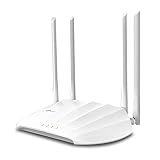
- Superior Speeds with MU-MIMO: Outfitted with the latest 802.11ac Wave 2 MU-MIMO technology, the TL-WA1201 easily delivers dual-band Wi-Fi speeds of up to 1200 Mbps to multiple devices at the same time
- Multi-Mode 4 in 1: Supports Client, Multi-SSID, Range Extender, and AP operation modes to enable various wireless applications to give users a more dynamic and comprehensive experience when using your AP
- PoE for Easy Installation: TL-WA1201 supports Passive PoE power supplies, can be powered by the provided PoE adapter, making deployment effortless and flexible
- Boosted Wi-Fi Coverage: Four external antennas equipped with Beamforming technology concentrate Wi-Fi signals towards your devices to extend reliable Wi-Fi to every corner of your home or office, even over long distances
- Gigabit Ethernet Port: Features a Gigabit Ethernet port that provides high-speed wired connectivity for devices requiring stable and fast network connections
Disconnect a VPN
A VPN can route traffic away from the local network and prevent access to the private address. Disconnect it temporarily, then try the portal again.
Clear stale browser state
Open the address in an incognito or private window. If that works, clear the browser cache or site data and retry in a normal window.
Check the network
The address is reachable only through the local network that uses it. If you are on home WiFi, cellular data, or another public hotspot, 10.0.0.1 may lead nowhere or open a different device’s interface.
What administrators should tell users
A short instruction such as “open 10.0.0.1” is incomplete. Users should be told to use the full address http://10.0.0.1, find the active session, and look for the pause control. They should also know that resuming from the original device is more reliable.
Administrators should avoid promising a universal pause duration. LPB guides report duration-based limits, while AdoPiSoft guides describe pause-count limits. A minimum remaining-time rule can prevent pausing near the end of a session, and disabled support will remove the control entirely.
Quick reference
| Task | What to use | Important note |
|---|---|---|
| Open the user portal | http://10.0.0.1 |
Use the HTTP scheme and the Piso WiFi network. |
| Open administration | http://10.0.0.1/admin |
For authorized operators, not ordinary session control. |
| Pause | Pause Time or a similar label | Only appears when supported and enabled. |
| Resume | Resume Time, Resume Session, Resume, or Continue | Use the same device whenever possible. |
| LPB configuration | Portal Settings → Insert Coin Mode | Labels and availability vary by build. |
| AdoPiSoft configuration | Settings → User Portal Settings → Session Controls | May use Allow Pause Time or Enable Pause/Resume. |
Sources and scope
This guide reflects the reported behavior and menu paths in the available TP-Link Philippines guide and supporting Piso WiFi pause-time material. Those sources do not establish a single universal product, firmware version, default configuration, deprecation notice, or end-of-support date for every installation. Treat the local portal as the final authority for the labels and limits you see.
Also popular on Amazon

- 𝐅𝐮𝐭𝐮𝐫𝐞-𝐏𝐫𝐨𝐨𝐟 𝐘𝐨𝐮𝐫 𝐇𝐨𝐦𝐞 𝐖𝐢𝐭𝐡 𝐖𝐢-𝐅𝐢 𝟕: Powered by Wi-Fi 7 technology, enjoy faster speeds with Multi-Link Operation, increased reliability with Multi-RUs, and more data capacity with 4K-QAM, delivering enhanced performance for all your devices.
- 𝐁𝐄𝟑𝟔𝟎𝟎 𝐃𝐮𝐚𝐥-𝐁𝐚𝐧𝐝 𝐖𝐢-𝐅𝐢 𝟕 𝐑𝐨𝐮𝐭𝐞𝐫: Delivers up to 2882 Mbps (5 GHz), and 688 Mbps (2.4 GHz) speeds for 4K/8K streaming, AR/VR gaming & more. Dual-band routers do not support 6 GHz. Performance varies by conditions, distance, and obstacles like walls.
- 𝐔𝐧𝐥𝐞𝐚𝐬𝐡 𝐌𝐮𝐥𝐭𝐢-𝐆𝐢𝐠 𝐒𝐩𝐞𝐞𝐝𝐬 𝐰𝐢𝐭𝐡 𝐃𝐮𝐚𝐥 𝟐.𝟓 𝐆𝐛𝐩𝐬 𝐏𝐨𝐫𝐭𝐬 𝐚𝐧𝐝 𝟑×𝟏𝐆𝐛𝐩𝐬 𝐋𝐀𝐍 𝐏𝐨𝐫𝐭𝐬: Maximize Gigabitplus internet with one 2.5G WAN/LAN port, one 2.5 Gbps LAN port, plus three additional 1 Gbps LAN ports. Break the 1G barrier for seamless, high-speed connectivity from the internet to multiple LAN devices for enhanced performance.
- 𝐍𝐞𝐱𝐭-𝐆𝐞𝐧 𝟐.𝟎 𝐆𝐇𝐳 𝐐𝐮𝐚𝐝-𝐂𝐨𝐫𝐞 𝐏𝐫𝐨𝐜𝐞𝐬𝐬𝐨𝐫: Experience power and precision with a state-of-the-art processor that effortlessly manages high throughput. Eliminate lag and enjoy fast connections with minimal latency, even during heavy data transmissions.
- 𝐂𝐨𝐯𝐞𝐫𝐚𝐠𝐞 𝐟𝐨𝐫 𝐄𝐯𝐞𝐫𝐲 𝐂𝐨𝐫𝐧𝐞𝐫 - Covers up to 2,000 sq. ft. for up to 60 devices at a time. 4 internal antennas and beamforming technology focus Wi-Fi signals toward hard-to-reach areas. Seamlessly connect phones, TVs, and gaming consoles.
FAQ
What address do I use to pause Piso WiFi time?
Connect to the Piso WiFi network and open http://10.0.0.1. Find the active session and select Pause Time or the equivalent label shown by that installation.
Is 10.0.0.1 the same Piso WiFi system everywhere?
No. It is a commonly used local portal address, not one standardized Piso WiFi product or firmware. LPB, AdoPiSoft, PisoFi, JuanFi, and custom deployments can use different menus and controls.
Why can’t I see Pause Time?
The owner may have disabled the feature, the platform may not support it, your session may not be active, or a minimum remaining-time rule may block pausing. Stale portal data and the wrong WiFi network are also possible causes.
Do these 3 things before closing this tab:
1Scan for outdated or missing drivers - takes under a minute2Clear out junk files and repair common Windows errors3Fix the driver behind crashes, sound loss and screen glitchesWill Piso WiFi automatically resume after a set time?
No universal automatic-resume interval was verified. Available information describes administrator-controlled limits and manual Resume Time, Resume, or similar controls.
Can I resume the session from another phone?
It may fail. Sessions can be associated with the original device, IP address, or MAC address, so use the same device and network identity whenever possible.
What is the administrator URL?
The commonly reported administrator address is http://10.0.0.1/admin. Use it only if you operate or are authorized to manage the Piso WiFi system.
The Bottom Line
To pause a supported Piso WiFi session, connect to its network, open http://10.0.0.1, select Pause Time, and later return to the same portal to choose the available resume control. If the button or menu is missing, the most likely reasons are platform differences, administrator settings, session restrictions, or a portal/network problem—not a universal change to every Piso WiFi system.
The Tool Desk
Outbyte Driver Updater FREEScan for outdated or missing drivers - takes under a minuteDriver Scan →Outbyte PC Repair FREEClear out junk files and repair common Windows errorsFree Scan →
