
There is no universally safe or ideal auto-clicker interval. The right setting depends on the task, the target application, and whether it can reliably register each click. Start slowly, use a short run or finite click count, and test the stop control before you begin.
What the click interval means
The interval is the time between automated clicks. Depending on the program, it may be shown in milliseconds, seconds, or another unit. A shorter interval sends clicks more frequently, but that does not mean the target application can process them correctly—or that the speed is allowed by its rules.
AutoClicker’s documentation advises, “Avoid very low intervals (0ms) to prevent lag.” That is guidance from the product’s vendor, not a universal technical threshold or proof that any particular higher interval is safe: AutoClicker documentation.
Set an interval with a short, controlled test
- Identify the task and target. Decide what should be clicked and where. Check whether the tool clicks at the current cursor position or at a location you set.
- Choose a conservative interval. Begin slower than you think you need; no single millisecond value or clicks-per-second rate is established as optimal across tools, devices, and applications.
- Limit the first run. Use a small finite click count or a brief run rather than unlimited clicking. Confirm the target and the tool’s repeat behavior before starting.
- Watch the result. Check that intended clicks register and no unintended action occurs. If the application needs time to respond, or an extra or missed click could matter, use a longer interval.
- Adjust gradually. Change the interval or run length only after the short test behaves as intended. Stop if the pointer moves unexpectedly, clicks land elsewhere, or the application responds in an unintended way.
Check controls and permissions before running
- Get the program carefully. Prefer the official publisher or a trusted distribution channel, and review the permissions requested. A publisher’s own claims do not independently establish that a particular download is safe.
- Choose click type and target deliberately. Check whether the tool supports the input you need and whether it targets the cursor or a fixed position.
- Know how to pause or stop it. Locate the controls before starting, and test them where doing so will not cause harm. For example, AutoClicker documents F6 to start and stop; the Fluffer/AutoClicker project describes an Escape panic stop and optional corner fail-safe. These are tool-specific features, not universal shortcuts: AutoClicker documentation and Fluffer/AutoClicker project.
- Prefer a finite repeat count while learning. It gives the run a defined endpoint instead of leaving clicks running indefinitely.
Features vary by tool. Compare the supported operating system and input method, interval controls, cursor or fixed-position targeting, click types, repeat limits, pause and emergency-stop controls, and the source of the download. For instance, TheChrisCross/AutoClicker documents a configurable interval range of 10 milliseconds to 10 minutes, optional repeat counts, and F6 and Escape controls; its documentation scopes Escape behavior to when the application is focused. That range describes one project’s features, not a recommended setting or a general range for auto-clickers: TheChrisCross/AutoClicker project.
#1 Best Overall
![[Upgraded] iKKEGOL USB Foot Pedal Switch Video Game PC Hands Free Footswitch One Key Control Program Computer Mouse Keyboard HID with 2M Cable](https://m.media-amazon.com/images/I/41YLIfFMV-L._SL160_.jpg)
- iKKEGOL 2020 Upgraded USB programmable foot pedal switch is a standard HID device and programmable keyboard and mouse that is triggered by your foot. Free software and easy to setup.
- It's designed for a free hands environment for playing a game, video games, Push to Talk for discord, Streaming,Photobooth, Medical,Zoom, transcription key setting,factory test,instrument control,media play/pause, scanning of images in hospital etc…
- This foot pedal is build with durable, sensitive switches providing you with an easy touch response and minimal resistance. The ergonomic design with a wide pedal and the large size enables you long lasting comfort for your feet, and it can bear weight of more than 100kg
- There are 4 TPU rubber can be used on hard floors, ensure it stays right where you want it. Box contents: 1x USB foot pedal.
Check the target service’s rules
Before automating a game, website, workplace tool, or online service, check its current terms and rules. Policies differ: do not assume that all services allow automation, or that they all prohibit it. The Multi Auto Clicker EULA on Steam is specific to that product. It tells users to follow third-party rules and prohibits uses such as cheating, reward farming, bypassing anti-cheat or access controls, and evading rate limits. It is not a universal platform policy. Do not use an auto-clicker to evade restrictions or disguise automation.
Android: try built-in dwell clicking with a mouse
If you use a mouse with an Android device for accessibility, Google’s built-in Autoclick (Dwell timing) may meet your needs without a separate repeated-click tool. It clicks after the cursor rests for the chosen delay, rather than repeatedly clicking at a fixed interval. Google says, “This feature can be helpful for users with motor impairments.”
Rank #2

- iKKEGOL Upgraded with wide pedal, Optical Switch and USB Foot Switch is a standard HID device and programmable keyboard and mouse that is triggered by your foot. Optical Switch is quiet.
- It's designed for a free hands environment for playing a game, Push to Talk, Photobooth, Medical,Zoom, transcription key setting,factory test,instrument control,media play/pause, scanning of images in hospital etc…
- This foot pedal is build with durable, sensitive switches providing you with an easy touch response and minimal resistance. The ergonomic design with a wide pedal and the large size enables you long lasting comfort for your feet, and it can bear weight of more than 100kg.
- There are 4 TPU rubber can be used on hard floors, ensure it stays right where you want it. Box contents: 1x USB foot pedal.
- Connect a mouse to the device over Bluetooth or USB.
- Open Settings > Accessibility > Cursor & touchpad accessibility, then turn on Autoclick.
- Adjust Delay before click to set how long the cursor must remain still before a click occurs.
- Review available options such as click area, ignoring minor cursor movement, and the floating action selector. Google documents options including left-click, touch and hold, right-click, double-click, drag, and scroll, as well as a countdown indicator and Pause control.
Google notes that some steps work only on Android 11.0 and up; availability and menu labels can vary by device and version. See Google’s Android Autoclick (Dwell timing) instructions.
Quick Recap
Best Value
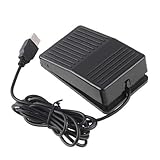
- "With this foot control keyboard, you can control your computer with your foot. And it comes with software allowing it to reproduce any keyboard shortcut or single key."
- "Ideal for playing games, also suitable for factory, hospital,test, instrument control and disabled, etc"
- "Help you win your game by fast control, just step up on the switch, and you can give an attack to your adversary in 0.1 second."
- "Compatible with Dos/Windows 2000/XP/Vista/Win 7, MAC Linux (Note: Can not works with Win 10 and MAC Snow Leopard is not available for this item)"
- "Length x Width x Height (Switch): 3.9"" x 2.4"" x 1.5"" (10 x 6 x 3.7 cm) Plenty of length to extend under any desk"
Rank #4

- Mechanical USB foot switch,Application to sewing machines, electric sewing machines, Dispensing machine, machine tools, medical equipment, insturments, computers office and so on.
- Foot control switch,simulate keyboard shortcuts. It is one key or a few key custom function keyboards, which can customize and key, combination of keys, hotkeys or shortcut keys.
- It is a new multi-function Foot switch combines a keyboard function, mouse function, string function, multimedia function, game controller functions.
- Easy and Convenient: just install the software to customize key based on instructions and the multi - function control button could reduce plenty of repeated workload.Software can be free download from website(the link in the user manual)
Rank #3

- APPLICATION - It's designed for a free hands environment for play gaming, singer/guitarist, game with a controller, changing scenes,mute discord, take clips, push to talk ,streaming,muting mic,Photobooth,YouTube,Medical,Zoom, transcription key setting,factory test,instrument control etc. it's let you set pedal to have for what you need,take the strain off a repetitive use injury in your arm.
- EASY TO USE - Plug and Play, software free download from our website, software is easy to setup, and did most of what you would want to of a product, emulation various forms of input. You can assgin many different actions to the pedal, Keyboard/Mouse/String/Multimedia/Game.
- PHOTOELECTRIC PEDAL - Optical pedal, Well made,sturdy and solid with 1.9M /6.2ft USB Cable , responsive, quiet ,there are rubber feet.it avoid sliding around on hardwood floors.
- SUPPORT - Can connect more than one switch to your computer, just programmed individually, then you can plug all foot pedals.
- SYSTEM COMPTIABLE - Programming software offered for Windows and Mac, support Windows 2000/XP/Vista/Win 7/Win 8, Win 10 Win 11,after the program definition of key support Windows/ Linux/ Mac/ DOS and other systems. Once the pedals are configured, it's completely plug and play in other system.
Product prices and availability are accurate as of the date/time indicated and are subject to change. Any price and availability information displayed on Amazon at the time of purchase will apply.
Quick wins for a faster PC:
Repair Windows errors before they cause bigger problemsFix Now →Scan for outdated or missing drivers - takes under a minuteDriver Scan →
