
Crashes, No Sound, or Screen Glitches?
Random freezes, missing sound and display glitches usually trace back to one bad driver. Find and replace yours safely.Free scan · under a minuteWindows Errors? Fix Them Before They Spread
Repair common Windows errors and clear accumulated junk for a smoother, more stable PC - no reinstall needed.Free scan · no reinstalliTechGuides is reader-supported. When you buy through links on our site, we may earn an affiliate commission. As an Amazon Associate I earn from qualifying purchases. Learn more
To turn on 5G Standalone on your Samsung device, open Settings → Connections → Mobile networks and enable “Use 5G standalone networks” if Samsung and your carrier expose the option. The setting is not universal: your exact Galaxy model, software, SIM or eSIM, plan, carrier provisioning, and local SA coverage must all qualify.
Key takeaways
- A Samsung Galaxy 5G icon does not prove that the phone is connected to 5G Standalone; the phone may be using 5G Non-Standalone instead.
- The dedicated path on supported devices is Settings → Connections → Mobile networks → Use 5G standalone networks.
- Samsung’s general 5G path is Settings → search for Network mode → choose a mode containing 5G or Global → restart the phone, but that path does not guarantee 5G SA.
- T-Mobile says 5G SA access requires a compatible 5G device and software, a compatible SA SIM, and SA coverage.
- If SA causes failed calls, poor reception, or worse battery life, turn the SA setting off and return to normal 5G/LTE operation.
What is the difference between 5G and 5G Standalone?
5G Standalone, usually abbreviated 5G SA, is a complete 5G network architecture that connects 5G radio access to a 5G core without using LTE as the network anchor. Ordinary 5G often means 5G Non-Standalone, or 5G NSA, which uses a 4G LTE anchor alongside the 5G radio connection.
| Feature | 5G Non-Standalone | 5G Standalone |
|---|---|---|
| LTE anchor | Usually required | Not required |
| Core network | Uses an LTE/EPC-based architecture with 5G radio added | Uses a 5G core |
| Availability | More broadly deployed | More dependent on carrier, device, software, and location |
| Phone setting | Usually enabled through the normal 5G network mode | May require a separate SA control, or may be controlled automatically by the carrier |
| Voice service | Often relies on LTE-based fallback | May use Voice over 5G, or VoNR, where the carrier and phone support it |
5G SA can provide lower latency, more efficient use of a modern 5G core, network slicing support, and potentially better uplink performance or consistency in suitable deployments. 5G SA is not automatically faster for every person. Signal strength, congestion, spectrum, backhaul, firmware, carrier policy, and coverage can matter more than the network architecture.
Can every Samsung Galaxy 5G phone use 5G SA?
No. A Galaxy phone with 5G hardware is not automatically approved or configured for 5G Standalone. Compatibility can differ between U.S. carrier models, unlocked U.S. models, international variants, Exynos and Snapdragon versions, physical-SIM and eSIM configurations, carrier firmware, and software builds.
Popular on Amazon

- YOUR CONTENT, SUPER SMOOTH: The ultra-clear 6.7" FHD+ Super AMOLED display of Galaxy A17 5G helps bring your content to life, whether you're scrolling through recipes or video chatting with loved ones.¹
- LIVE FAST. CHARGE FASTER: Focus more on the moment and less on your battery percentage with Galaxy A17 5G. Super Fast Charging powers up your battery so you can get back to life sooner.²
- MEMORIES MADE PICTURE PERFECT: Capture every angle in stunning clarity, from wide family photos to close-ups of friends, with the triple-lens camera on Galaxy A17 5G.
- NEED MORE STORAGE? WE HAVE YOU COVERED: With an improved 2TB of expandable storage, Galaxy A17 5G makes it easy to keep cherished photos, videos and important files readily accessible whenever you need them.³
- BUILT TO LAST: With an improved IP54 rating, Galaxy A17 5G is even more durable than before.⁴ It’s built to resist splashes and dust and comes with a stronger yet slimmer Gorilla Glass Victus front and Glass Fiber Reinforced Polymer back.
Find the exact identifier before troubleshooting. On your phone, open Settings → About phone and record the Model name and Model number. “Galaxy S24” or “Galaxy A-series” is not precise enough for a carrier compatibility check.
Carrier documentation demonstrates why the model number matters. For example, T-Mobile’s December 11, 2025 compatible-device list identifies supported Samsung devices by specific model numbers rather than treating every phone in a Galaxy family as identical.
| Requirement | What to verify | Why it matters |
|---|---|---|
| Phone hardware | Exact model number and regional variant | Modem capabilities and supported bands can differ. |
| Software | Current Android, One UI, and carrier updates | SA support may depend on a modem or carrier approval update. |
| SIM or eSIM | Carrier-approved 5G SIM or eligible eSIM profile | The SIM profile can determine whether the line is eligible for SA. |
| Plan and line | 5G eligibility and SA provisioning | A compatible phone cannot override account restrictions. |
| Location | Known 5G SA coverage | The phone cannot connect to SA where the carrier has not deployed it. |
Does your carrier support 5G Standalone?
Your carrier must support 5G SA in your country and location, approve your specific Samsung model, provision your line and plan, and support the SIM or eSIM profile in the phone. A compatible Galaxy device alone is not enough.
For U.S. T-Mobile customers, T-Mobile’s SIM guidance identifies three practical requirements for SA: a compatible 5G phone with the necessary software update, a compatible T-Mobile SA SIM, and a location with SA coverage. T-Mobile also says SA has been enabled in select areas and that coverage continues to expand.
AT&T and Verizon customers should use the carrier’s own model and account resources rather than assume that T-Mobile’s menu, SIM policy, or coverage applies. Relevant starting points include AT&T’s device compatibility guidance, AT&T’s activation guidance, and Verizon’s Samsung network-mode support page. MVNO customers should ask both the MVNO and, where appropriate, the host network whether SA access is available for the specific line and device.
Also popular on Amazon

- YOUR CONTENT, SUPER SMOOTH: The ultra-clear 6.7" FHD+ Super AMOLED display of Galaxy A17 5G helps bring your content to life, whether you're scrolling through recipes or video chatting with loved ones.¹
- LIVE FAST. CHARGE FASTER: Focus more on the moment and less on your battery percentage with Galaxy A17 5G. Super Fast Charging powers up your battery so you can get back to life sooner.²
- MEMORIES MADE PICTURE PERFECT: Capture every angle in stunning clarity, from wide family photos to close-ups of friends, with the triple-lens camera on Galaxy A17 5G.
- NEED MORE STORAGE? WE HAVE YOU COVERED: With an improved 2TB of expandable storage, Galaxy A17 5G makes it easy to keep cherished photos, videos and important files readily accessible whenever you need them.³
- BUILT TO LAST: With an improved IP54 rating, Galaxy A17 5G is even more durable than before.⁴ It’s built to resist splashes and dust and comes with a stronger yet slimmer Gorilla Glass Victus front and Glass Fiber Reinforced Polymer back.
How do you turn on 5G Standalone on a Samsung device?
Use the dedicated SA path first. Samsung menu names vary by model, country, carrier firmware, and software version, so the option may be absent even when the phone uses SA automatically.
Method 1: Use the dedicated 5G SA setting
- Open Settings.
- Tap Connections.
- Tap Mobile networks.
- Look for Use 5G standalone networks, 5G Standalone, or a similar label.
- Turn the control On.
- Restart the phone. Alternatively, turn on Airplane mode for about 10 seconds, then turn Airplane mode off.
- Disable Wi-Fi and test mobile data and voice calls in a known SA coverage area.
The dedicated control is not a universal Samsung feature. Some Samsung community reports describe the control disappearing or changing after a One UI update; those reports are anecdotal and do not establish a universal Samsung policy. See the Samsung Members discussion about a missing 5G SA option for an example.
What’s actually slowing this PC down?
Pick the symptom - the matching free tool is one click away.
Method 2: Enable ordinary 5G network access
If no SA-specific control appears, enable Samsung’s normal 5G network mode. This permits 5G, but it does not specifically force a Standalone connection.
- Open Settings.
- Use Settings search and search for Network mode.
- Open Network mode.
- Choose an option that includes 5G. If Samsung presents Global, that may also be the recommended option for the device.
- Restart the phone.
Samsung’s U.S. 5G support instructions document this general network-mode path and note that a carrier-supplied or compatible 5G SIM may be required. Samsung’s instructions do not promise that choosing a 5G mode activates SA specifically.
How can you tell whether a Samsung phone is actually using 5G SA?
The ordinary status-bar 5G icon is not conclusive evidence of 5G Standalone. The phone may be connected through NSA, and carrier labels such as 5G+, 5G UC, or similar branding do not necessarily identify the underlying SA architecture.
Also popular on Amazon

- YOUR CONTENT, SUPER SMOOTH: The ultra-clear 6.7" FHD+ Super AMOLED display of Galaxy A17 5G helps bring your content to life, whether you're scrolling through recipes or video chatting with loved ones.¹
- LIVE FAST. CHARGE FASTER: Focus more on the moment and less on your battery percentage with Galaxy A17 5G. Super Fast Charging powers up your battery so you can get back to life sooner.²
- MEMORIES MADE PICTURE PERFECT: Capture every angle in stunning clarity, from wide family photos to close-ups of friends, with the triple-lens camera on Galaxy A17 5G.
- NEED MORE STORAGE? WE HAVE YOU COVERED: With an improved 2TB of expandable storage, Galaxy A17 5G makes it easy to keep cherished photos, videos and important files readily accessible whenever you need them.³
- BUILT TO LAST: With an improved IP54 rating, Galaxy A17 5G is even more durable than before.⁴ It’s built to resist splashes and dust and comes with a stronger yet slimmer Gorilla Glass Victus front and Glass Fiber Reinforced Polymer back.
- Turn off Wi-Fi so the phone is using mobile data.
- Go to a location where the carrier confirms that 5G SA is available.
- Check whether the phone shows 5G or the carrier’s equivalent indicator, but treat the icon only as supporting evidence.
- Restart the phone or toggle the SA setting, then repeat the test in the same location.
- Use the carrier’s network diagnostics or coverage app if one is available.
- Ask the carrier to confirm SA provisioning for the exact model, IMEI, SIM or eSIM, plan, and line.
Before contacting support, record the phone’s model number, software and carrier versions, SIM type, carrier, test location, and whether Wi-Fi was disabled. This information helps support distinguish a coverage issue from a device or provisioning issue.
What should you do if the 5G SA option is missing or greyed out?
A missing or greyed-out SA control is usually a compatibility, software, carrier, or provisioning question—not a problem solved by repeatedly tapping the setting.
| What you see | Most useful next steps |
|---|---|
| SA option is visible and selectable | Enable it, restart or toggle Airplane mode, then test data and calls. |
| SA option is missing | Check the exact model, install current updates, confirm normal 5G mode, and ask the carrier whether SA is automatic, supported, or hidden on the firmware. |
| SA option is greyed out | Ask the carrier to check SA eligibility, plan support, IMEI registration, SIM/eSIM profile, software approval, and local coverage. |
| SA is enabled but never appears | Test in confirmed SA coverage and request carrier confirmation; the status icon alone cannot verify SA. |
| Data works but calls fail | Turn SA off temporarily and ask whether VoNR is supported for the exact device, software, plan, and location. |
| Battery life or reception worsens | Disable SA and return to normal 5G/LTE mode rather than forcing an NR-only connection. |
A missing option does not prove that the hardware lacks SA. The option may be carrier-controlled, enabled automatically, unavailable for the current SIM or line, removed or relocated by a software update, or unsupported on the particular regional model.
Safe recovery checklist
- Install available Samsung system and carrier updates.
- Restart the phone.
- Confirm that Network mode includes 5G or is set to Global where Samsung provides that choice.
- Ask the carrier to check the line, plan, IMEI, and SIM or eSIM provisioning.
- Request a carrier-issued SIM replacement or eSIM reprovisioning only if the carrier says the current profile is not eligible.
- Turn off the SA-specific control if calls, data reliability, reception, or battery life deteriorate.
- Do not factory-reset the phone before the carrier checks the account and device.
Why might 5G SA cause call problems?
5G SA data availability and voice-over-5G availability are separate capabilities. Voice over New Radio, or VoNR, may not be supported by every Samsung model, carrier, plan, software combination, or coverage area. A phone can have usable SA data and still need LTE fallback for voice calls.
If incoming or outgoing calls fail after SA is enabled, turn off Use 5G standalone networks and retest. A Samsung Community report describes failed calls with SA enabled on one Galaxy A53 configuration, but that report is anecdotal and does not show that every Galaxy A53 or every carrier has the same problem. The example is documented in this Samsung Community discussion of an A53 voice-call issue.
Recommended Free Tools
Also popular on Amazon

- Charger NOT Included, 6.7" Super AMOLED FHD+, 90Hz Refresh Rate, 385 ppi, 800 nits (HBM), 1080x2340px, 5000mAh Battery
- 128GB, 4GB RAM, microSDXC, Exynos 1330 (5nm), Octa-Core, Mali-G68 MP2 or Mali-G57 MC2 GPU
- Rear Camera: 50MP, f/1.8 (wide) + 5MP, f/2.2 (ultrawide) + 2MP, f/2.4 (macro), LED flash, panorama, HDR; Front Camera: 13MP, f/2.0, Android 14, up to 6 major Android upgrades, One UI 6.1
- 3G: HSDPA 850/900/1700(AWS)/1900/2100; 4G LTE: 1/2/3/4/5/7/12/13/14/20/25/26/28/29/30/38/39/40/41/48/66/71, 5G: 2/5/25/41/66/71/77/78 SA/NSA/Sub6/mmWave - Nano-SIM + eSIM
- US Model – Global Connectivity – Compatible with Most GSM Carriers like T-Mobile, AT&T, MetroPCS, etc. Will Also work with CDMA Carriers Such as Verizon, Straight Talk.
Should you leave 5G Standalone enabled?
Leave SA enabled when the phone remains reliable, calls work normally, and the phone is used in an area with useful SA coverage. Disable it when SA produces weak reception, repeated network searching, dropped or failed calls, unreliable data, or noticeably worse battery life.
Do not assume that forcing the phone into “5G only” or “NR only” is an improvement. Unsupported radio modes can remove LTE fallback, disrupt voice service, increase battery drain, or leave the phone without a usable connection. There is no universal dialer code or Android setting that can override unsupported hardware, carrier provisioning, SIM restrictions, or absent SA coverage.
Independent reader supportYour contribution helps us test, update, and keep practical guides available for everyone.When is upgrading the Samsung phone worth considering?
Upgrade only when the current Galaxy lacks compatible hardware, current software support, or carrier approval after the carrier has verified the line and coverage. A newer Samsung phone does not guarantee 5G SA if the plan, SIM or eSIM, provisioning, or local network does not support it.
Readers who confirm that their current model is the limitation can compare current models through Samsung’s Galaxy smartphone lineup. Readers who are considering a carrier change should compare the exact Samsung model, SA coverage at home and work, SIM requirements, VoNR support, plan eligibility, MVNO restrictions, taxes, fees, and financing—not simply the carrier’s 5G branding.
For carrier research, official starting points include T-Mobile’s 5G phone listings, T-Mobile’s 5G coverage information, T-Mobile plans, AT&T wireless plans, and Verizon wireless plans. Plan prices and promotions change, so confirm current totals directly with the carrier.
Also popular on Amazon
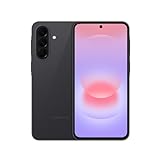
- AWESOME SCREEN. ENDLESS POSSIBILITIES: Elevate your content no matter where you are with the 6.7" Super AMOLED display¹ of the Galaxy A37 5G. Enjoy massive detail and stunning clarity on the go
- LONG-LASTING BATTERY: Whether it’s family moments or important calls, stay powered without the wait with Galaxy A37 5G. Super Fast Charging 2.0² ensures you’re back up and running quickly
- NEVER MISS THE SHOT, EVEN IN LOW LIGHT: With effortless Nightography, you can capture clear high-quality photos and videos on your phone automatically without adjusting manual settings
- PRO SHOTS, NO PROBLEM: Capture every moment effortlessly on Galaxy A37 5G with the advanced triple-lens camera system featuring a 50MP HDR main camera and a studio-grade front camera
- MORE POWER. MORE AWESOME: Enjoy smooth performance on Galaxy A37 5G. From detailed graphics while gaming to quick app launches and effortless multitasking, the Exynos 1480 keeps everything running
Frequently Asked Questions
Does the 5G icon prove that my Samsung phone is using 5G Standalone?
No. A 5G, 5G+, or carrier-branded 5G icon does not by itself identify the network architecture; the phone may be using 5G Non-Standalone. Confirm the model, location, provisioning, and carrier diagnostics instead.
Does every Samsung Galaxy 5G phone support 5G SA?
No. 5G SA support depends on the exact regional or carrier model, modem and software approval, SIM or eSIM, plan, line provisioning, and local coverage. Check the model number under Settings → About phone rather than relying on the Galaxy family name.
Why is “Use 5G standalone networks” missing on my Samsung phone?
The control may be hidden by carrier firmware, enabled automatically, unavailable for the model or region, disabled by the SIM or line, or changed by a software update. A missing control does not by itself prove that the phone lacks SA support.
The Tool Desk
Outbyte Driver Updater FREEScan for outdated or missing drivers - takes under a minuteDriver Scan →Outbyte PC Repair FREERepair Windows errors before they cause bigger problemsFix Now →Can I force 5G Standalone with a dialer code or hidden Android menu?
No supported universal code can override carrier provisioning, SIM restrictions, unsupported hardware, or absent coverage. Avoid undocumented NR-only modes and third-party tools because they can remove LTE fallback, disrupt calls, drain the battery, or leave the phone without service.
Do I need a new SIM for 5G Standalone?
Sometimes, depending on the carrier and account. T-Mobile identifies a compatible SA SIM as one of its practical requirements, but SIM policy is not universal. Ask the carrier to verify the current SIM or eSIM before replacing it.
The Bottom Line
There is no universal Samsung switch that creates 5G Standalone. Enable Use 5G standalone networks when the option is available, but treat SA as a joint requirement of the exact Galaxy model, software, SIM or eSIM, plan, carrier provisioning, and local coverage. If calls or reliability suffer, turn SA off and use normal 5G/LTE fallback.
Quick Recap
Product prices and availability are accurate as of the date/time indicated and are subject to change. Any price and availability information displayed on Amazon at the time of purchase will apply.
Do these 3 things before closing this tab:
1Clear out junk files and repair common Windows errors2Fix the driver behind crashes, sound loss and screen glitches3Repair Windows errors before they cause bigger problems
