
iTechGuides is reader-supported. When you buy through links on our site, we may earn an affiliate commission. As an Amazon Associate I earn from qualifying purchases. Learn more
For most Xbox Series X setups, connect the Xbox directly to the TV, then connect the TV’s HDMI ARC or eARC port to the soundbar:
Xbox Series X HDMI OUT → TV HDMI input
TV HDMI ARC/eARC → Soundbar HDMI ARC/eARC
This keeps advanced gaming video features such as 4K HDR, 120 Hz, and VRR on the direct Xbox-to-TV connection while the TV sends game audio to the soundbar. Use the alternative soundbar-first connection only when your TV does not pass the desired audio format correctly and the soundbar can pass through every video feature you need.
What you need before connecting the Xbox and soundbar
- An Xbox Series X, TV, and soundbar with compatible HDMI ports.
- An HDMI cable for the Xbox-to-TV connection. The cable supplied with the Xbox is normally the best first choice.
- A second HDMI cable for the TV-to-soundbar ARC/eARC connection.
- A soundbar with HDMI ARC/eARC, or optical input if you are using older equipment.
- Recent TV and soundbar firmware, particularly when using eARC, Dolby Atmos, 4K/120 Hz, or HDMI 2.1 features.
Identify the ports before plugging anything in. The TV port must be labeled HDMI ARC or HDMI eARC; an ordinary HDMI input usually cannot send audio back to the soundbar. The soundbar port may be labeled HDMI OUT (TV-ARC), HDMI OUT (eARC/ARC), or HDMI TO TV. Samsung illustrates this same TV-ARC-to-soundbar-ARC arrangement in its soundbar connection guidance.
Outdated Drivers Are Slowing You Down
One free scan finds every outdated or missing driver and matches the right update for your exact hardware.Free scan · exact hardware matchPC Slower Than It Used to Be?
A free scan shows the junk files, broken settings and background clutter dragging Windows down - then fixes them in one click.Free scan · Windows 10 & 11Recommended connection: Xbox directly to the TV
Use this wiring when your TV has a suitable HDMI input for the Xbox and your priority is reliable gaming video:
Popular on Amazon

- Optical digital audio cable: Perfect for equipment with a TOSLINK interface (OPT In / OPT Out or S/PDIF In / S/PDIF Out). TOSLINK connector to TOSLINK connector (F05 connector)
- Versatile: Ideal for transmitting crystal-clear digital audio from your TV, video game console (PS3/PS4/Xbox One), DVD/Blu-ray player, or TV streaming box to a soundbar, amplifier/amp, stereo/Hi-Fi system, D/A converter, and more
- High-End: This metal-free fiber optic audio cable, featuring a fully flexible PVC jacket, is entirely immune to electrical interference. Each cable undergoes multi-stage testing during manufacturing to ensure maximum product quality and durability
- 24K gold-plated connectors: Corrosion resistant gold plating keeps connectors clean. And because these cables are fiber optic, they provide 100 % signal transmission with 0 % loss
- No risk: 36 months manufacturer warranty
1. Xbox Series X HDMI OUT → TV HDMI input
2. TV HDMI ARC/eARC → Soundbar HDMI OUT (TV-ARC/eARC)- Connect the Xbox’s HDMI OUT port to a compatible HDMI input on the TV. If the TV has a port specifically marked for HDMI 2.1, use it for 4K at 120 Hz and other high-bandwidth features.
- Connect the TV’s port marked ARC or eARC to the soundbar’s HDMI port marked ARC, eARC, or HDMI TO TV.
- Turn on the TV’s external-audio, ARC/eARC, and—where required—HDMI-CEC settings.
- Select the soundbar’s TV ARC/eARC input. Depending on the brand, it may appear as TV ARC, TV eARC, D.IN., or HDMI.
- Configure the Xbox only after the TV and soundbar are communicating.
ARC means Audio Return Channel: it allows the TV to send audio back through the designated HDMI connection instead of requiring a separate audio cable. eARC has substantially more bandwidth and supports higher-bitrate and uncompressed formats, including Dolby TrueHD, Dolby Atmos, DTS:X, and uncompressed multichannel audio. See the HDMI specification explanation of eARC for the format and bandwidth distinction.
Alternative connection: Xbox to the soundbar first
Use this arrangement when the TV’s ARC/eARC implementation does not pass the audio format you want, or when the soundbar provides better HDMI switching:
Xbox Series X HDMI OUT → Soundbar HDMI IN
Soundbar HDMI OUT/eARC → TV HDMI ARC/eARC input- Connect the Xbox to an available HDMI input on the soundbar.
- Connect the soundbar’s HDMI output to the TV’s HDMI ARC/eARC port.
- Select the soundbar’s HDMI input for the Xbox.
- Set the TV to the soundbar’s external HDMI audio output if necessary.
- Confirm the Xbox still offers the required video modes.
This route sends Xbox audio directly to the soundbar, but it is not automatically better. The soundbar must pass through the Xbox’s video signal at the required resolution, refresh rate, HDR standard, VRR mode, and HDCP level. Some soundbars support 4K HDR but not 4K at 120 Hz or VRR. If Xbox video options disappear after using this wiring, return to the direct-to-TV setup.
Samsung documents the same general external-device topology—external device to the soundbar’s HDMI input, then soundbar HDMI output to the TV—in its external-device setup instructions. Check the exact specifications for your soundbar rather than assuming that every HDMI input supports the Xbox’s full video output.
Configure Xbox Series X audio
On the Xbox, open:
Xbox button → Profile & system → Settings → General → Volume & audio output
Under Speaker audio or HDMI audio, choose an output supported by the complete HDMI chain:
Also popular on Amazon
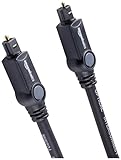
- Please REMOVE the end protective caps before using the cable.
- IN THE BOX: 6-foot digital optical audio Toslink cable.
- CLEAR AUDIO: Multi-channel, fiber-optic digital audio output; corrosion resistant gold-plated connectors and buffer tubing for optimal signal transfer.
- DURABLE: Lightweight, flexible cable with a rugged PVC exterior and removable rubber tips that protect the cable when not plugged in; remove before using.
- CONNECTS DEVICES: Quickly connects a sound bar, CD player, Blu-Ray player, game console, or other device to an audio system or TV.
| Xbox setting | Use it when | Important limitation |
|---|---|---|
| Bitstream out | The soundbar or receiver should decode Dolby or DTS audio. | You must select a compatible bitstream format. |
| Dolby Atmos for home theater | The Xbox, content, connection path, and soundbar all support Atmos. | An “Atmos” badge on the soundbar alone is not enough. |
| DTS:X for home theater | The complete system supports DTS:X. | Availability depends on the connected equipment and content. |
| 5.1 uncompressed or 7.1 uncompressed | The equipment supports uncompressed multichannel audio. | Use only a connection path with sufficient bandwidth. |
| Stereo uncompressed | You have a basic stereo soundbar or are testing basic connectivity. | It does not create genuine multichannel or Atmos output. |
| Dolby Digital | The TV, soundbar, or ARC connection supports compressed surround but not the higher-bandwidth options. | It is a fallback, not an eARC-equivalent format. |
Xbox’s official setup guidance identifies Dolby Atmos for home theater and DTS:X for home theater as options for compatible HDMI audio devices. Microsoft also identifies Dolby Atmos, DTS:X, and Windows Sonic among the Xbox spatial-sound formats in its Xbox 3D spatial sound information.
Recommended Free Tools
Start with Stereo uncompressed if there is no sound at all. Once basic audio works, change to bitstream or a compatible surround format. If the Xbox marks an option as unsupported, do not force it; the available choices reflect capability information reported by the connected TV, soundbar, and HDMI path.
How to get Dolby Atmos working
A successful Atmos setup requires all of these conditions:
- The Xbox output is configured for a compatible Atmos home-theater format.
- The game, movie, or app contains an Atmos soundtrack or supports Atmos rendering.
- The TV and connection topology can carry the signal.
- The soundbar or AV receiver can decode Atmos.
- The correct ARC/eARC or direct-HDMI ports are being used.
- The TV and soundbar are set to pass through or automatically handle the format.
Do not assume that every game outputs Dolby Atmos, or that every ARC connection carries every Atmos format. Regular ARC can carry some compressed Atmos implementations depending on the TV, soundbar, and content, while eARC is preferable for higher-bitrate and uncompressed formats. Dolby describes HDMI as the connection used to deliver Atmos bitstreams to compatible home-theater equipment; its official requirements still need to be matched by the specific devices in your setup.
If Atmos is missing from the Xbox menu, turn on the soundbar and TV first, verify the ARC/eARC ports, enable eARC where available, and then check the Xbox settings again. A TV that does not advertise the necessary capability can prevent the Xbox from showing the Atmos option even when the soundbar itself supports Atmos.
Free tools Windows power users keep installed
One-click scans. No signup required.
TV settings to check
TV menu names vary, but look for settings similar to these:
Also popular on Amazon

- Optical audio cable with clear digital sound: this digital optical audio cable carries PCM, Dolby Digital 5.1 and DTS 5.1 surround sound to your sound bar, television or AV receiver with no lip-sync lag and no Bluetooth delay, so movies and games in your home theater stay in step with the picture
- Toslink cable that seats and stays: the 24K gold-plated plugs of this fiber optic cable fit standard Toslink (S/PDIF) optical ports with a snug, wobble-free grip, so the connector stays put instead of slipping out; remove the protective caps, push in and set your TV to optical output - no tools, no drivers, no setup
- Braided optical audio cable built for wall mounts: the nylon jacket of this fiber optic cable is rated for 20,000+ bends, durable and tangle-free through years of rerouting, CL3 rated for in-wall installation, and the slim, lightweight aluminum shell slips through tight TV mounts, entertainment consoles and conduit in tight spaces; covered by a 10-year warranty
- Optical cable for soundbar, TV and console setups: compatible with any device that has a standard Toslink (S/PDIF) port, including sound bars from Samsung, Sony, LG and Vizio, AV receivers, amplifiers, Blu-ray and DVD players, CD players, DACs, projectors, gaming consoles like PS4 and Xbox One, and Apple TV; PS5 and Xbox Series X/S have no optical port
- 6ft optical audio cable sized for TV to soundbar runs: right length for living rooms and bedrooms, with longer 3.3ft, 10ft, 15ft, 20ft and 25ft options when you need more reach; square Toslink ports only, round 3.5mm jacks need an adapter that is not included; each fiber optic cable ships with 2 protective caps and 1 Velcro strap
- Audio output: HDMI ARC/eARC, Receiver, External speaker, or Soundbar.
- Digital audio output: Pass-through, Bitstream, Auto, or Passthrough.
- eARC mode: Auto or On.
- HDMI-CEC: On. This may be required for ARC discovery and volume control.
Pass-through generally tells the TV to forward incoming audio without unnecessary conversion, but the precise behavior is model-specific. Consult the TV manual for the exact menu and supported formats.
On Samsung TVs, HDMI-CEC is called Anynet+. Samsung’s documented eARC process requires Anynet+ to be enabled before setting HDMI eARC Mode to Auto. Its troubleshooting guidance also recommends a suitable HDMI cable, compatible eARC and Dolby Atmos settings, and current TV and soundbar firmware. See Samsung’s ARC/eARC troubleshooting steps.
Choosing the right HDMI cable
Use the HDMI cable supplied with the Xbox if it is long enough and undamaged. For a replacement or a longer installation, a certified Ultra High Speed HDMI cable is the safest general-purpose choice when the Xbox uses HDMI 2.1 features such as 4K at 120 Hz.
Quick wins for a faster PC:
Fix the driver behind crashes, sound loss and screen glitchesFind Drivers →Clear out junk files and repair common Windows errorsFree Scan →An eARC-only connection may work with a High Speed HDMI cable with Ethernet, but cable categories and certification matter more when the same installation also carries high-bandwidth video. Look for the official HDMI certification label rather than relying only on marketing language. HDMI Licensing’s guidance distinguishes certified Premium High Speed and Ultra High Speed categories for demanding HDMI applications.
If you need to replace a damaged cable or run a longer connection, an Ultra High Speed HDMI cable is a sensible category to search for. It is not mandatory when the included Xbox cable already works; replacing the cable will not solve an incompatible TV or soundbar.
Optical and Bluetooth alternatives
Optical audio
Optical is a workable fallback for an older soundbar or TV with no ARC/eARC support:
Also popular on Amazon
- IN THE BOX: Amazon Basics 3.3-foot digital optical audio Toslink cable in black with a round, flexible design for connecting audio devices
- CONNECTS DEVICES: Quickly connects a sound bar, CD player, Blu-Ray player, game console, or other device to an audio system or television
- CLEAR AUDIO: Multi-channel fiber-optic digital audio output with gold-plated connectors & buffer tubing for optimal signal transfer
- DURABLE CONSTRUCTION: Durable & flexible lightweight electronic cable with a rugged PVC exterior designed to withstand everyday use while maintaining reliability
- CABLE TIPS: Includes removable rubber tips that cover the cable ends when not plugged in; take off the end caps before connecting to your devices
Xbox → TV HDMI
TV optical output → Soundbar optical input
Set the TV’s digital audio output to a format supported by both devices, commonly Dolby Digital or stereo. Optical does not provide the bandwidth or feature support of eARC and is not the route for modern high-bitrate formats such as Dolby TrueHD-based Atmos. Samsung’s published connection table shows formats supported through HDMI eARC that are not supported through optical, including Dolby TrueHD and Atmos variants.
Do these 3 things before closing this tab:
1Scan for outdated or missing drivers - takes under a minute2Repair Windows errors before they cause bigger problems3Fix the driver behind crashes, sound loss and screen glitchesIf you need a replacement cable for legacy equipment, an optical audio cable for a soundbar can be appropriate. Treat it as a compatibility fallback, not an equivalent replacement for HDMI eARC.
Bluetooth
Bluetooth is generally unsuitable as the primary Xbox gaming-audio connection. It can introduce noticeable latency and normally lacks the same multichannel capability as HDMI. Use it only when latency and surround limitations are acceptable for your particular equipment and use case.
Independent reader supportYour contribution helps us test, update, and keep practical guides available for everyone.Troubleshooting
No sound from the soundbar
- Confirm that the TV and soundbar use their ARC/eARC-labeled HDMI ports.
- Select the soundbar’s correct input: TV ARC, TV eARC, D.IN., HDMI, or the equivalent label.
- Set the TV’s audio output to the external HDMI device rather than its internal speakers.
- Turn off the TV, Xbox, and soundbar. Disconnect and reconnect the HDMI cables, then power on the TV and soundbar before the Xbox.
- Set the Xbox temporarily to Stereo uncompressed. If sound returns, the basic connection works and the problem is probably format compatibility.
- After basic audio works, re-enable bitstream and then test Atmos or another surround format.
- Update the TV and soundbar firmware.
- Try a known-good HDMI cable and temporarily disconnect other HDMI devices.
For a clean test, leave only the TV and soundbar connected, verify the ARC/eARC settings, and then reconnect the Xbox. This follows the isolation approach recommended in Samsung’s ARC/eARC troubleshooting documentation.
The Dolby Atmos option is missing
- Confirm that the soundbar actually supports Dolby Atmos decoding.
- Turn on the TV and soundbar before reopening the Xbox audio menu.
- Verify that the HDMI cable is connected to the TV’s ARC/eARC port and the soundbar’s ARC/eARC output.
- Enable HDMI-CEC and eARC where the TV requires them.
- Set the TV’s digital audio output to Pass-through, Bitstream, or Auto, depending on the model.
- Update both devices.
- Test the direct Xbox-to-soundbar route only if the soundbar supports the Xbox’s required video modes.
The Xbox may hide Atmos when the connected HDMI chain does not advertise compatible capabilities. Atmos support on one component cannot overcome a limitation in another.
The Tool Desk
Outbyte PC Repair FREERepair Windows errors before they cause bigger problemsFix Now →Outbyte Driver Updater FREEScan for outdated or missing drivers - takes under a minuteDriver Scan →There is audio delay or lip-sync trouble
Reduce processing stages first. Use HDMI instead of Bluetooth, disable unnecessary TV audio effects, and test direct Xbox-to-soundbar HDMI if the soundbar supports video pass-through. Then use the TV or soundbar’s audio-sync control sparingly. There is no universal delay value: latency depends on the TV, soundbar, game, content, and selected processing mode. Firmware updates may also resolve interoperability problems.
Also popular on Amazon

- Optical digital audio cable: Perfect for equipment with a TOSLINK interface (OPT In / OPT Out or S/PDIF In / S/PDIF Out). TOSLINK connector to TOSLINK connector (F05 connector)
- Versatile: Ideal for transmitting crystal-clear digital audio from your TV, video game console (PS3/PS4/Xbox One), DVD/Blu-ray player, or TV streaming box to a soundbar, amplifier/amp, stereo/Hi-Fi system, D/A converter, and more
- High-End: This metal-free fiber optic audio cable, featuring a fully flexible PVC jacket, is entirely immune to electrical interference. Each cable undergoes multi-stage testing during manufacturing to ensure maximum product quality and durability
- 24K gold-plated connectors: Corrosion resistant gold plating keeps connectors clean. And because these cables are fiber optic, they provide 100 % signal transmission with 0 % loss
- No risk: 36 months manufacturer warranty
4K HDR, 120 Hz, or VRR stopped working
Reconnect the Xbox directly to a compatible TV HDMI input and use ARC/eARC for audio. The soundbar’s HDMI pass-through may support only part of the Xbox’s video specification. On the Xbox, check Settings → General → TV & display options → 4K TV details to see which features the current connection reports as supported. The direct-to-TV route is usually safer for advanced gaming video; connecting through the soundbar is a targeted compatibility workaround, not a universal improvement.
Which setup should you use?
| Your equipment | Recommended wiring | Likely Xbox audio choice |
|---|---|---|
| Modern TV with eARC and an Atmos soundbar | Xbox → TV; TV eARC → soundbar | Bitstream out; Dolby Atmos for home theater if supported end to end |
| TV with ARC but no eARC | Xbox → TV; TV ARC → soundbar | Highest format supported by the specific models; compressed Dolby Digital or compatible Atmos may be possible |
| Soundbar with HDMI input and verified video pass-through | Xbox → soundbar; soundbar → TV ARC/eARC | Bitstream or Atmos if the complete chain supports it |
| Older optical-only soundbar | Xbox → TV; TV optical → soundbar | Dolby Digital or stereo, as supported |
| Basic stereo soundbar | Xbox → TV; TV ARC, optical, or the supported input → soundbar | Stereo uncompressed |
Advanced option: an HDMI audio extractor
An HDMI audio extractor with eARC support can solve particular routing problems when a TV, soundbar, or receiver cannot exchange the desired audio format directly. It is not a universal fix: the exact device must be checked for 4K HDR, 120 Hz, VRR, HDCP, ARC/eARC behavior, and the audio formats it supports on each input and output.
Consider an eARC audio extractor only after the direct-to-TV and direct-to-soundbar arrangements have been tested. A poorly matched extractor can introduce new video limitations or handshake problems, so verify its complete specification before buying.
Frequently Asked Questions
Can I connect the Xbox Series X directly to the soundbar?
Yes, if the soundbar has an HDMI input and can pass through the Xbox’s required video modes, including any 4K HDR, 120 Hz, or VRR features you use. Connect Xbox HDMI OUT to the soundbar HDMI IN, then connect the soundbar HDMI OUT to the TV’s ARC/eARC port. Otherwise, connect the Xbox directly to the TV.
Does Xbox Series X support Dolby Atmos?
Yes, Xbox Series X supports Dolby Atmos, but Atmos requires compatible content, Xbox settings, HDMI routing, TV behavior, and an Atmos-capable soundbar or receiver. The soundbar’s Atmos label by itself does not guarantee that the Xbox will offer or deliver Atmos.
Is HDMI ARC enough for Xbox Atmos?
It depends on the specific TV, soundbar, and Atmos format. Some compressed Atmos implementations can work over ARC, but eARC offers substantially greater bandwidth and is preferable for higher-bitrate or uncompressed formats.
Why does the Xbox show only stereo?
The connected TV, soundbar, cable, or HDMI topology may be reporting limited audio capabilities. Verify the ARC/eARC ports and TV pass-through settings, power on the soundbar before checking Xbox settings, update firmware, and test the direct Xbox-to-soundbar route if it preserves your required video features.
Will optical audio provide Dolby Atmos from an Xbox Series X?
Optical is a legacy fallback and does not provide the same bandwidth as HDMI eARC. Use it for stereo or a supported Dolby Digital configuration, but do not expect eARC-level high-bitrate Atmos capability.
The Bottom Line
Start with Xbox → TV → soundbar ARC/eARC. It is the safest arrangement for preserving Xbox Series X video features. Configure the TV for external HDMI audio and pass-through, then choose Xbox Bitstream out and Dolby Atmos for home theater only when every component and the content support it. If audio formats fail, test Stereo uncompressed first; if video features fail through the soundbar, move the Xbox back to the TV.

