
Recommended Free Tools
iTechGuides is reader-supported. When you buy through links on our site, we may earn an affiliate commission. As an Amazon Associate I earn from qualifying purchases. Learn more
To set up a Logitech G27, secure the wheel base and shifter, connect the pedal unit and shifter to the wheel base, plug in the external AC adapter, and connect USB last for the first test. Keep your hands clear while the wheel initializes and rotates. Then select the G27 (or DirectInput) in a supported game and map steering, pedals, shifter, buttons, and force feedback. Compatibility is title-specific: Logitech documents PC, PS2, and PS3, but not every game exposes every G27 feature.
| Option | What you need | Best for |
|---|---|---|
| PC | G27 wheel, pedal unit, shifter, external AC adapter, USB cable, and a game with G27 or DirectInput support | Games that allow detailed manual mapping and force-feedback controls |
| PlayStation 3 | G27 set, AC adapter, USB cable, and a PS3 game that supports Logitech USB wheels | Supported driving titles such as Gran Turismo 5 or DiRT 2 |
| PlayStation 2 | G27 set, AC adapter, USB cable, and a title with Logitech wheel support | Legacy console setups where the individual game lists wheel support |
What should be in the G27 box before you start?
Confirm that you have the wheel base, three-pedal unit, six-speed H-gate shifter, USB cable, and the supplied AC adapter. Logitech lists those as the intended package contents in the G27 user manual. If any of these parts is missing, do not diagnose the wheel from a partial setup: the wheel needs both USB and its external power connection, while the pedals and shifter plug into the wheel base.
- Wheel base: the steering wheel, power input, USB lead, and sockets for the pedals and shifter.
- Pedal unit: accelerator, brake, and clutch pedals in one cable-connected assembly.
- Shifter: the six-speed H-gate lever with its own cable and buttons.
- External AC adapter: the dedicated power supply that runs the motor and calibration. USB alone is not a substitute.
Inspect the USB cable, power lead, and connectors for damage. If the original power brick is absent or has failed, Logitech’s specification gives an adapter rating of 24 V, 1.5 A, but the researched documentation does not give connector dimensions or polarity. Do not buy a generic replacement from the voltage figure alone; match the complete label and the physical connector through a verified replacement source.
How should I position and secure the wheel, pedals, and shifter?
Choose a rigid desk or table edge that does not flex when you turn the wheel. A G27-compatible stand or cockpit is useful when a desk cannot hold the clamps, but it must be designed for the G27 mounting pattern and load. Put the wheel base where your forearms are comfortable, leave room for the wheel’s full rotation, and position the shifter close enough that you do not pull its cable while changing gear.
Popular on Amazon

- High Compatibility: As a universally designed wheel stand, this bracket fits all racing wheels, pedals, and shifters. It is compatible with Logitech G25, G27, G29, G920, G923 Thrustmaster T300RS. Note: wheel, shifter, and pedals NOT included.
- Fully Adjustable: Steering wheel rack has 20 degree up and down adjustment, The height can be adjusted with a distance of 20CM by rotating the button, which brings the best driving experience to players of different sizes. Find your optimal driving posture for comfort and performance.
- Durable Metal Wheel Stand: This wheel racing stand is constructed with high-strength carbon steel, providing maximum stability and sturdiness for long time use. Even if you are playing a more intense game, there will be no obvious shaking.
- Folded for storage: After enjoying the game, you can easily fold this racing wheel stand and store it under your couch/bed or in the corner, making it a perfect choice for players with limited storage space. The compact design allows you to carry it anywhere to keep your gaming enthusiasm with you.
- Multiple considerations:Our box contains 5 fixed wheels and 2 sliding wheels. 5 fixed wheels can be placed under the gaming chair to fix the position, and the sliding wheels can be placed on the racing simulator for your convenience.
- Set the pedal unit on the floor, centered with your driving position. On carpet, extend its carpet-lock mechanism; on hard flooring, retract it and use a mat if the surface could be scratched.
- Clamp the wheel base to the desk edge and tighten both clamps firmly. For a thin desk, use the clamp adapter described in the manual rather than forcing the clamps onto an unsuitable edge.
- Clamp the shifter to a stable section of the desk or stand. Check that neither the wheel nor shifter can twist, lift, or fall when you apply steering or gear-changing force.
- Press the pedal unit against a wall or install a stop if the floor allows it to slide. A wheel and pedals that move during use can feel like an input fault even when the electronics are working.
Before connecting power, gently test the installation by turning the wheel and pressing each pedal. If the desk rocks, reposition the equipment or use a stronger surface before proceeding.
What is the correct G27 connection order?
Connect the low-voltage accessories first, the external AC adapter next, and USB last for the initial test. This order makes it easier to identify a loose accessory connection and prevents you from reaching into the wheel’s movement area during startup.
- With the wheel unpowered, plug the pedal cable into the pedal socket on the wheel base. Push the connector fully home.
- Plug the shifter cable into the shifter socket on the wheel base. Keep the cable routed so it cannot catch on the wheel or your legs.
- Connect the supplied AC adapter to the wheel base and then to a known-good wall outlet. The adapter is required for motorized calibration and force feedback.
- Leave the USB cable disconnected for the first moment while you confirm that the accessories are seated and the mounting is stable.
- Connect the USB cable directly to the target PC or console. Avoid an unpowered hub for the initial test.
- Turn on the console or PC as required by the game’s instructions. On PS3, Logitech’s manual sequence is to connect while the console is off, power on the console, and then start a supported game.
Keep hands, loose clothing, and objects away from the rim and spokes. The wheel can rotate automatically when AC power or USB is connected as it performs its initialization. Wait until the movement stops before touching the controls.
How do I set up the G27 on a PC?
On PC, let Windows finish detecting the USB device, then configure the wheel inside a game that explicitly supports Logitech USB wheels. Logitech’s documented operating-system lists are legacy: one page names Windows XP, XP x64, Vista, Vista x64, Windows 7, and Windows 7 x64; another names Windows XP, Vista, Windows 7, and Windows 8. Those lists do not establish current Windows 10 or Windows 11 support.
Also popular on Amazon

- Compatible model: Logitech G25, G27, G29, G920;T300,T300RS, T150,TX F458 & T500RS;PS3,PS4; Other wheels can be clamped on.
- Wheel stand is adjustable in angle and height (from 25.6" up to 31.9") , and the wheel plate is adjustable in angle,which can provide the user most comfortable experience.
- This wheel holder can be folded quickly to a very small size, which can give you less space to occupy. Unfolding size: 25.6"H*23"L*19.3"W→Folding Size:34.3"H*19.3"L*8.4"W.
- Anti-slip mat and steel tubes make for a smooth driving experience not shaking. Extra wide panels make sure that the steering wheel bracket is securely mounted.
- Wheels, steering wheel, pedals and gear shifters are not included. If you have any quality problems, you can contact us, we will give you a satisfactory solution in time, actively help you solve.
- Connect the powered wheel by USB and wait for the startup movement to finish.
- Open the game’s controller, input, or steering-wheel settings. If the title offers a G27 preset, select it first, then verify every axis and button.
- If there is no preset, choose DirectInput or the game’s legacy-wheel mode when available. Map steering, accelerator, brake, clutch, sequential paddles, H-gate gears, handbrake, and the remaining buttons manually.
- Set the steering rotation, dead zone, sensitivity, and force-feedback strength only after the basic axes move correctly. The G27 is specified for a 40–900-degree rotation range, but a game may expose only part of that range.
- Save the profile, drive slowly in a practice session, and confirm that the brake and clutch reach their full range without resting at 100 percent.
Logitech Gaming Software (LGS) is legacy software; Logitech says G HUB replaced it for new devices. Logitech also stated that LGS installers, download links, and support documentation would be removed from its website on October 31, 2026, and the support pages checked on November 14, 2026 showed no G27 downloads. Do not assume G HUB supports the G27, and do not promise that an official LGS installer is still available. If a game can configure DirectInput itself, use that in-game path instead.
How do I set up the G27 on PS3 or PS2?
Connect the wheel while the console is off, switch on the console, and launch a title that lists Logitech USB-wheel support. Logitech’s console guidance says, “The G27 will only work on games that support Logitech USB wheels.” Its console page documents PS2 and PS3, while the exact feature set remains a property of each game.
- Mount the wheel and shifter, secure the pedal unit, and connect both accessories to the wheel base.
- Connect the AC adapter and then the USB cable with the console off.
- Power on the console and start the supported driving game.
- Open the game’s controller menu and select the wheel if the title requires a device choice. Assign pedals, shifter, and buttons if the game does not provide an automatic profile.
- Test steering and braking in a practice or setup screen before entering a race.
Support for an older Logitech wheel does not guarantee full G27 support. Logitech says games supporting the Driving Force Pro or G25 are generally backward-compatible, but a title may omit the clutch, H-gate, 900-degree rotation, or shift LEDs. Some games recognize the steering wheel and paddles but not the H-gate.
Which G27 features does a game actually support?
Check the individual game’s current manual, developer support page, or in-game controller list rather than relying on the word “wheel” alone. Verify these items separately:
Also popular on Amazon

- Compatible with Major Brands: This racing wheel stand has pre-drilled holes to fit Logitech, Thrustmaster, Fanatec, Hori, Nintendo wheels, pedals, and shifters. such as Logitech G920, G25, G27, G29, Trustmaster T300RS, TX F458, T500RS, T3PA PRO (F1/GT) Fanatec, Hori, and Mad Catz. Upgrade accessories anytime without worrying about compatibility.
- Stable and No Shifting: Crafted from carbon structural steel, this sim racing stand stays firmly in place. Thick carbon steel plates and strong welds create a solid racing simulator cockpit for excellent stability and a realistic driving experience
- Fully Adjustable for Comfort: The steering wheel stand has adjustable height and angle. The shifter mount can be set left or right and adjusted in height. The pedal platform offers 3 tilt levels from 3° to 17° for ideal driving position every time
- Anti-Slip Chair Bar: A front crossbar at the base effectively blocks your chair wheels from sliding forward. Even during aggressive maneuvers, you’ll maintain a stable seating position throughout your racing session
- Quick Folding Design: This racing simulator cockpit folds easily without disassembly to save space. Just fold and store it effortlessly. Whether your gaming area is large or small, this racing wheel stand adapts and keeps your setup neat
- Platform: PC, PS2, or PS3.
- Recognition of Logitech USB wheels or the G27 specifically.
- Force feedback.
- Steering rotation range, including whether 200 degrees, 900 degrees, or another limit is available.
- Clutch pedal and H-gate shifter.
- Sequential paddle inputs.
- Shift LEDs.
Logitech’s PS3 compatibility table is a historical sample of popular US driving games, not a guarantee for every region, firmware version, or patch. It lists Gran Turismo 5 with 900-degree rotation, force feedback, H-gate, clutch, and shift LEDs; DiRT 2 with 200- and 900-degree rotation, force feedback, and H-gate; and Motorstorm as not supporting wheels. The table itself warns that console firmware and game patches can change results, so confirm with the game developer before buying a title for the wheel.
Why is the G27 not responding?
Work from the hardware outward: power, USB detection, game support, then individual controls. The following branches separate a physical connection problem from a compatibility or mapping problem.
| Symptom | Likely cause | First fix |
|---|---|---|
| No lights and no initialization movement | No AC power, loose adapter connection, failed adapter, or a damaged wheel | Check the wall outlet, reseat the supplied external adapter, inspect its label and cable, and test without a USB hub |
| Wheel powers on but Windows does not see it | USB cable, port, driver enumeration, or hardware fault | Reconnect USB directly, try another port, reboot, and check whether Windows adds an input device before blaming the game |
| Windows detects the G27 but a game does not | Unsupported title, wrong input mode, or missing profile | Choose the G27 preset or DirectInput, map controls manually, and test a known-supported game |
| Steering works but pedals do not | Loose pedal cable, unsupported pedal axes, or incorrect axis mapping | Reseat the pedal cable at the wheel base and assign accelerator, brake, and clutch in the game |
| Shifter does not respond | Unsupported H-gate, loose cable, or paddle-only profile | Reseat the shifter cable and check whether the title supports H-gate gears rather than only paddles |
| No force feedback | Game setting, unsupported feature, USB issue, or missing AC power | Confirm the external adapter and USB are connected, then enable force feedback in a supported title |
| Shift LEDs do not light | The game does not drive the LEDs or the wheel lacks power | Verify power and USB, then check the title’s feature list |
There are no lights and no initialization movement
USB cannot power the G27’s motor by itself. Confirm that the external AC adapter is plugged into the wheel base and a working outlet, and that its connector is fully seated. If there is still no light or movement, inspect the adapter and cable for damage; do not substitute an unverified power brick. A failed adapter or wheel requires a repair or replacement decision, not a software setting.
Do these 3 things before closing this tab:
1Repair Windows errors before they cause bigger problems2Scan for outdated or missing drivers - takes under a minute3Clear out junk files and repair common Windows errorsThe wheel powers on, but Windows does not see it
Disconnect the USB cable, wait for calibration to stop, and reconnect it directly to another USB port. Try a different known-good USB cable only if it has the correct connector and wiring. Reboot Windows and check its game-controller or USB-device list. If the wheel powers on but never enumerates, test it on another supported PC before concluding that the wheel base has failed.
Also popular on Amazon
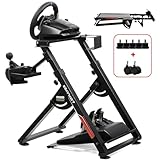
- 1. 【High Compatibility】: As a universally designed wheel stand, this bracket fits most mainstream brands racing wheels, pedals, and shifters. It is compatible with Logitech G25, G27, G29, G920, G923 Thrustmaster T300RS. Note: wheel, shifter, and pedals NOT included.
- 2.【Fully Adjustable】: Steering wheel rack has 20 degree up and down adjustment, The height can be adjusted with a distance of 20CM by rotating the button, which brings the best driving experience to players of different sizes. Find your optimal driving posture for comfort and performance.
- 3.【Durable Metal Wheel Stand】: This wheel racing stand is constructed with high-strength carbon steel, providing maximum stability and sturdiness for long time use. Even if you are playing a more intense game, there will be no obvious shaking.
- 4.【Folded for storage】: After enjoying the game, you can easily fold this racing wheel stand and store it under your couch/bed or in the corner, making it a perfect choice for players with limited storage space. The compact design allows you to carry it anywhere to keep your gaming enthusiasm with you.
- 5.【Multiple considerations】:Our box contains 5 fixed wheels and 2 sliding wheels. 5 fixed wheels can be placed under the gaming chair to fix the position, and the sliding wheels can be placed on the racing simulator for your convenience.
Windows detects the G27, but the game does not
This is usually a title or profile issue rather than a dead wheel. Confirm that the game supports Logitech USB wheels, select its G27 preset if present, or choose DirectInput and map each control manually. If the game has no documented support, use a known-supported title to distinguish compatibility from hardware failure.
Steering works, but the pedals do not
Press each pedal while watching the game’s input page. If none moves, unplug and firmly reconnect the pedal cable at the wheel base; if one axis is reversed or stuck, clear the game’s old binding and map it again. A title may support the wheel and paddles while omitting the pedal or clutch axes, so compare its feature list before replacing hardware.
The wheel and pedals slide during use
Sliding is a mounting problem, not a calibration setting. Tighten the wheel clamps, use the thin-desk adapter where appropriate, extend the carpet lock on carpet, retract it on hard floors, and add a protective mat when needed. Move the pedal unit against a fixed stop or use a G27-compatible stand that keeps the base and pedals aligned.
What’s actually slowing this PC down?
Pick the symptom - the matching free tool is one click away.
The shifter, force feedback, or LEDs fail individually
Reseat the shifter cable and check whether the game supports H-gate operation; some titles accept only the paddles. For force feedback, verify AC power, USB, and the game’s force-feedback toggle. For LEDs, check the title’s feature list because illumination is optional even when steering and pedals work.
Also popular on Amazon
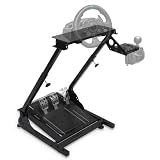
- Universal Compatibility: The gaming wheel stand is perfectly compatible with Logitech G25, G27, G29, G920, Thrustmaster T300RS, TX F458, T500RS, T3PA-PRO (F1/GT), Fanatec Clubsport, and CSR pedals. Our sim racing stand fits most steering wheel setups.
- Flexible Adjustability: With an angle- and height-adjustable racing wheel stand (620-780mm), three pedal angles (6°, 9°, 11.5°), and a shift plate that can be installed left or right, you can customize a comfortable simulator cockpit to match your height and gaming preferences.
- Stable & Durable: This steering wheel stand is crafted from high strength steel and supports up to 485 lbs. The thick anti-slip mat securely holds racing simulator cockpits and protects floors. Its sturdy structure ensures stability for any driving simulator setup.
- Compact & Foldable Design: Designed with space-saving in mind, this driving simulator cockpit folds easily for storage in any room - living room, bedroom, or study. Ideal solution for apartments and esports rigs.
- Note: Steering wheel, pedals, and gear shifters are not included. For any inquiries, our customer service team is ready to provide prompt solutions to ensure your satisfaction.
What is the safest way to finish the setup?
Run one controlled test before changing advanced settings: steering left and right, accelerator, brake, clutch, each H-gate position, paddles, and one button. Confirm that the wheel remains clamped, the pedals stay planted, and the calibration movement has finished. Save the game profile only after those inputs register correctly.
If the same symptom appears in a second title that explicitly supports the G27, repeat the power, USB, and accessory checks and then consider hardware service. If it appears in only one title, treat it as a compatibility or mapping limitation. Logitech’s documented platform and operating-system lists are historical, so current PC support should be verified from the game and platform documentation rather than inferred from the wheel’s age.
Frequently Asked Questions
Can I use a Logitech G27 on Windows 10 or Windows 11?
Logitech’s published G27 operating-system lists stop at Windows 8 on one support page and Windows 7 on another; they do not certify Windows 10 or 11. The wheel may enumerate through a compatible input layer, but treat that as unconfirmed and validate it with the specific game and hardware combination.
Free tools Windows power users keep installed
One-click scans. No signup required.
Why does my G27 turn by itself when I plug it in?
That rotation is the startup calibration routine. Keep your hands and objects clear until the wheel stops, then begin testing controls; interrupting calibration can leave the center or force-feedback behavior incorrect.
Can I replace the G27 power adapter with any 24-volt adapter?
No. Logitech lists 24 V and 1.5 A, but the available specification does not identify connector size or polarity. Match the complete original label and connector through a verified replacement rather than relying on voltage alone.
Why do the paddles work while the H-gate shifter does not?
Some games support the G27’s wheel and sequential paddles but do not implement its H-gate input. Check the title’s feature list and in-game bindings before treating the shifter as defective.
What should I do if no game recognizes my G27?
First verify that Windows or the console detects the wheel, then test a title with explicit Logitech USB-wheel support. If detection works at the system level but fails only in one game, use its G27 preset or DirectInput/manual mapping; if every supported title fails, recheck power, USB, and accessory cables.

