
Do these 3 things before closing this tab:
1Fix the driver behind crashes, sound loss and screen glitches2Repair Windows errors before they cause bigger problems3Scan for outdated or missing drivers - takes under a minuteiTechGuides is reader-supported. When you buy through links on our site, we may earn an affiliate commission. As an Amazon Associate I earn from qualifying purchases. Learn more
Android has no universal button that shows every older app release. Your practical route depends on how the app was installed. For some apps that came with the phone, Settings may offer Uninstall updates. A user-installed app usually requires a compatible older package, while a technically comfortable user can try Android Debug Bridge (ADB) with downgrade flags. Back up or sync important data first: removing an app can erase local data, and an older build may not understand data created by a newer one. Readers often phrase the problem as “how do I roll back my app updates on Android?” (example wording).
| Option | What you need | Best for |
|---|---|---|
| Uninstall updates in Settings | A preinstalled app and a device that exposes the control | Returning a system app to its factory version |
| Install a compatible older package | The exact package, matching device requirements, and a trustworthy source | User-installed apps when an older release is available |
ADB install with -r -d |
A computer, data-capable connection, USB debugging, and a compatible APK | Experienced users who need to request data retention and a version-code downgrade |
| Managed Google Play rollback | An administrator or publisher controlling a private app | Work or school deployments, not ordinary consumer Play Store installs |
Which rollback route fits your app?
First establish whether the app is preinstalled, user-installed, or managed. Android’s rollback service is a system component for eligible updates, not a consumer history of every release. A normal Play Store installation therefore may have no older-version picker.
- Preinstalled app: The app shipped with the phone. Its App info screen may include Uninstall updates; the wording and availability vary by manufacturer and Android release.
- User-installed app: You generally need a compatible older package from a source whose provenance and integrity you can evaluate, or an app-specific support route.
- Managed app: A work, school, administrator, or manufacturer service may enforce its version. The person or organization managing it must approve a rollback.
Do not confuse rolling back an app with rolling back Android itself. This guide concerns one app package.
What should I back up before changing the version?
Back up or sync anything the app stores locally before uninstalling, removing updates, or installing another build. Photos or documents in a separate cloud account may be safe, but drafts, downloaded media, game saves, tokens, and settings can be device-local. Confirm that the backup completed and that you know how to restore it.
Popular on Amazon
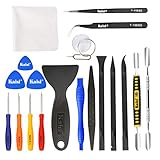
- Kaisi 20 pcs opening pry tools kit for smart phone,laptop,computer tablet,electronics, apple watch, iPad, iPod, Macbook, computer, LCD screen, battery and more disassembly and repair
- Professional grade stainless steel construction spudger tool kit ensures repeated use
- Includes 7 plastic nylon pry tools and 2 steel pry tools, two ESD tweezers
- Includes 1 protective film tools and three screwdriver, 1 magic cloth,cleaning cloths are great for cleaning the screen of mobile phone and laptop after replacement.
- Easy to replacement the screen cover, fit for any plastic cover case such as smartphone / tablets etc
Record the current app name, package name, version name, and version code. The version code is the numeric release value Android uses for update ordering; the version name is the human-readable label. Write down the exact older release you intend to use rather than downloading “an old version” at random.
Uninstalling first is not always required, and it can delete local data. An in-place install that requests data retention is preferable when the installer accepts it, but retention is not a promise that older code can read data written by the newer release.
How do I choose the exact older package?
Match the package to the phone before attempting installation. Check all of these items:
What’s actually slowing this PC down?
Pick the symptom - the matching free tool is one click away.
- Package name: It must be the same application identity as the installed app. A similarly named package can be a different app.
- Exact release and version code: Confirm the release date, version name, and numeric version code. A build with a lower version code is the one that triggers a downgrade request.
- Minimum Android version: The older release must support the Android version on the phone. A package built for a newer minimum version will not install on an older system.
- CPU architecture: Select the device’s compatible ABI, such as an arm64 or 32-bit ARM build when the publisher offers variants. An incompatible architecture can produce an installation failure or crashes.
- Screen density and device variants: Some publishers distribute density- or device-specific packages. Use the variant intended for the handset rather than assuming one file fits every model.
- Package format: A standalone APK is suitable for the simple
adb installexample below. A bundle or split package may require all matching splits and an installer that supports that format; one incomplete file is not a complete app. - Online compatibility: The app’s servers may require a newer client. An older package can install and still fail when it connects.
Use the developer’s own download page or another source whose publisher, file identity, and integrity you can verify. Check the signing certificate when your tools expose it; Android normally will not replace an installed app with a differently signed package. Never trade security for an installation that merely happens to work.
How do I roll back an app that came with the phone?
For a preinstalled app, the least invasive route is the device’s update-removal control.
- Open Settings, then Apps (the label may be Apps & notifications or similar).
- Select See all apps if necessary and open the target app’s App info page.
- Use the menu button or the app page’s action labeled Uninstall updates. Read the confirmation, including any data warning, before accepting.
- Restart the phone if the app or the system asks you to, then check the displayed version.
Not every system app exposes this option. A manufacturer can protect a service, bundle it into the system image, or replace the menu with a disabled control. Android package management can also reject an attempt to go below the preloaded system version; the platform’s install logic documents that downgrade path (AOSP InstallPackageHelper). If the control is absent, do not remove a critical system component manually; use the manufacturer’s support route.
Also popular on Amazon
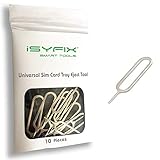
- What you get: 10 identical steel SIM ejector needles, one standard size that fits the eject hole of any phone or tablet with a physical SIM slot, so a spare is always within reach
- Right for your device: Android and Samsung Galaxy phones, cellular iPads and tablets, and any iPhone that still uses a physical SIM, one needle works for all of them
- How to use: push the needle straight into the small hole next to the SIM drawer until it pops open, then lift out the drawer, no force, twisting or technical skill needed
- The difference vs paperclips: a rigid one piece steel needle holds its shape where bent wire flexes, so it presses the release cleanly without scratching or jamming the port
- Ten spares, zero hunting: keep one at home, at the office, in the car, in your wallet and in every travel bag, and hand extras to family or coworkers who always lose theirs
How do I install an older package without a computer?
This route is for a compatible standalone APK and a user who can verify where the file came from. Android may ask you to allow the file manager or browser to install apps; the exact Install unknown apps screen differs by version and manufacturer. Grant that permission only to the app you are actively using, install the file, and turn the permission off again afterward.
- Confirm the backup, package name, version code, Android minimum version, architecture, density, and package format.
- Download the exact older release from a source you can evaluate. Keep the file until you have checked its name, size or checksum when supplied, and signing identity.
- Try an in-place installation first if Android offers it. If the installer says the app must be removed, decide whether losing local data is acceptable and make another backup.
- Open the package and review the requested permissions. Cancel if the package identity or signer does not match the app you intended to replace.
- Launch the app, sign in, and test the features you actually need before deleting the backup.
Common messages have specific meanings:
- “App not installed” or “signature mismatch”: The package may be incompatible, signed by a different certificate, a conflicting variant, or a different package name. Do not bypass the signature check; obtain the correctly signed build.
- “There was a problem parsing the package”: The download may be incomplete, the format may be unsupported, or the package may require a newer Android version. Recheck the file and device requirements rather than repeatedly installing it.
- “Installation blocked”: A security policy, administrator, device protection feature, or manufacturer restriction may be preventing the install. On a managed phone, only the administrator can change that policy.
- “Version downgrade detected”: Android sees the file’s version code as lower than the installed one. A normal installer may refuse it; ADB’s downgrade request is the next technical option, subject to the same compatibility and policy checks.
How do I use ADB to request a downgrade?
ADB is optional, not a requirement for every rollback. It needs a computer, Android platform tools, a data-capable cable that fits the phone, USB debugging enabled in Developer options, and a compatible APK. The official Android Developers documentation describes -r as “Reinstall an existing app, keeping its data” and -d as “Allow version code downgrade” (Android Debug Bridge documentation). Those are requests to the installer, not a guarantee of success.
If you need a cable for this computer-connected method, a USB-C data cable for Android phone is a suitable type for phones that use USB-C; choose one that explicitly supports data transfer and fits your computer. A cable is not needed for an on-device installation.
- Install the current Android platform tools on the computer from the official Android developer channel.
- On the phone, enable Developer options and then USB debugging. Connect the phone, unlock it, and approve the computer’s authorization prompt.
- In a terminal, run
adb devices. The phone should appear as authorized; if it shows unauthorized, unlock the phone and accept the prompt. - Place the verified older APK in an easy-to-reference folder and run:
adb install -r -d path/to/older.apk - Wait for the result. A successful install reports success; an error indicates that Android rejected the package, policy, signature, version, or device compatibility.
The -r option asks to keep app data, but the older code may still fail to read data produced by the newer release. The -d option allows a lower version code only where the package manager permits it. A system app cannot necessarily be taken below its preloaded version, and an administrator can block the operation.
If ADB reports a signature conflict, use a package signed by the same publisher as the installed app. If it reports a downgrade or compatibility failure, verify the version code, minimum Android release, architecture, density/device variant, and whether you accidentally selected a split component instead of a complete package. Do not force an installation by weakening security checks.
Outdated Drivers Are Slowing You Down
One free scan finds every outdated or missing driver and matches the right update for your exact hardware.Free scan · exact hardware matchWindows Errors? Fix Them Before They Spread
Repair common Windows errors and clear accumulated junk for a smoother, more stable PC - no reinstall needed.Free scan · no reinstallWhy does Google Play not show the older version I want?
For ordinary consumer Play Store apps, Google Play does not provide a universal version-history picker. Play normally serves the release allowed for your device and account. If you need a particular older version, the developer’s support channel may provide an approved package or explain whether the release is still supported; otherwise, the compatible-package and ADB routes above are the available technical choices.
Managed Google Play is different. Its private-app guidance says a direct rollback to an older version code is not permitted in that channel; a publisher can instead issue the older APK as a new release with a higher version code. The same guide warns that remotely uninstalling and reinstalling can delete app data (Google’s private-app guide). Treat this as an administrator or publisher workflow, not a consumer Play Store trick.
Also popular on Amazon

- MORE POWERFUL THAN EVER: The EZ-AD TV digital signage player delivers 4K content and boasts an extensive video gallery with over 250,000 options for a superior viewing experience.
- ENJOY OUR FREE PLAN: Enjoy EZ-AD TV, a powerful digital signage player, with our FREE plan, or unlock full features with our premium plans. The free plan supports all image and video formats, includes tech support, and lets you add up to 50 slides per EZ-AD TV box. Upgrade or downgrade whenever you need, according to your preferences.
- EFFORTLESS CONTENT CREATION & MANAGEMENT: With our Template Builder, Video Studio, and YouTube Loader, create content effortlessly. Our Mobile App, allows you to manage and generate content on the move, ensuring a seamless content creation experience.
- MULTIPLE CONNECTIVITY OPTIONS: Equipped with 1 HDMI port, an Ethernet port, 2 USB type A ports, and a memory card reader, it caters to a variety of usage needs.
- FLEXIBLE SCREEN LAYOUTS: Customize your screen layout with vertical display settings on the EZ-AD screen. Divide your screen into various slideshows with videos on top and images in the middle.
What if Android rolls the app forward again?
Automatic re-updating can undo a successful rollback. In the Play Store, open the app’s listing, use its menu, and turn off the app-specific automatic-update control when your Play Store version provides it. Device makers or work-management tools may have their own update policy that you cannot override. Keep the phone’s broader security updates enabled unless your administrator directs otherwise, and check the app version after a reboot or maintenance window.
What should I test after the older version installs?
An app that installs is not necessarily usable. Test sign-in, authentication, playback, payments, syncing, notifications, saved data, and any hardware integration you rely on. Authentication tokens can expire, servers can reject an obsolete client, and digital-rights or payment systems can require current components. If the app opens but sign-in, playback, payments, or syncing fails, restore the supported release or contact the developer; changing the package again will not fix a server-side compatibility rule.
Quick wins for a faster PC:
Scan for outdated or missing drivers - takes under a minuteDriver Scan →Repair Windows errors before they cause bigger problemsFix Now →Fix the driver behind crashes, sound loss and screen glitchesFind Drivers →Watch for crashes immediately after launch, crashes on a particular screen, battery drain, missing notifications, or instability in another system service. An older app may have known security defects or depend on libraries removed from a newer Android release. Keep the rollback only if the phone remains stable and the app’s required functions work; otherwise reinstall the current supported version and restore data from your backup.
What does Android’s own rollback service do?
AOSP’s RollbackManager service can restore an eligible APK or APEX update and revert app data to the state captured when the update was installed. It is enabled only under defined system conditions and is not a user-facing archive of every app version. The companion AOSP README describes a default rollback-availability period of 14 days, subject to configuration, eligibility, and backup readiness (AOSP rollback README).
Even a managed rollback does not necessarily undo every side effect of an update. Persistent system-state changes or server-side changes can remain. That is why a separate backup, an exact target release, and post-install testing matter.
Independent reader supportYour contribution helps us test, update, and keep practical guides available for everyone.Rollback troubleshooting checklist
| Symptom | Likely cause | First fix |
|---|---|---|
| Uninstall updates is missing | The app is not eligible or the manufacturer hides the control | Confirm whether it is preinstalled; contact the manufacturer or administrator |
| App not installed | Wrong variant, package format, Android minimum, architecture, or policy block | Match the exact release and device requirements; do not bypass security checks |
| Signature mismatch | The file is signed differently from the installed package | Use the publisher’s correctly signed build |
| Problem parsing the package | Incomplete download or unsupported package format | Redownload and verify whether all required package parts are present |
| Version downgrade detected | Lower version code than the installed release | Use ADB -d only with a compatible package and permission to do so |
| App installs but crashes | Architecture, density, Android-library, or data incompatibility | Try the correct device variant or restore the supported release |
| App opens but sign-in, playback, payments, or syncing fails | Server, authentication, DRM, or service policy requires a newer client | Update again or ask the developer whether the older release is supported |
| App updates itself again | Play Store, manufacturer, or administrator policy | Turn off the app-specific update control where permitted; ask the policy owner otherwise |
How we chose the routes
The order reflects the least invasive option first: a device-provided update-removal control, then a verified compatible package, then ADB for users who understand computer-based installation. The comparison weighs app ownership (preinstalled, consumer, or managed), package compatibility, signing and security checks, data-loss risk, and whether Android or an administrator can reject the downgrade.
Also popular on Amazon

- 【What You Will Get】: Come with absolutely everything you need.- 25pcs phone repair tool kit .Including 8* precision screwdriver, 14* Opening Pry Tool, 1* tweezers, 2* LCD Screen Suction Cup in different size meet all your operating demand .
- 【Range of Application】: 25 pcs professional repair tools suitable for assemble or disassemble all your ec devices. Like cellphones,computers, laptops, Android,Samsung,iPad, iPhone, HTC, LG ,battary ,camera lens ,Hard Drives etc
- 【Super Strong Material】: This screwdriver set in durable stainless steel tip and plastic handle with rubberized grip; anti-static tweezers and scrapers; hardened plastic pry bars and triangle paddles
- 【Anti-static and Magnetism】: The phone repair tweezers has anti-static coating helps protect electronic components from static damage.Screwdriver tips with strong magnetic can easily absorb screws and won’t slide off even you shake it slightly
- 【 SAFETY personal equipments】 Fix by yourself with this professional iphone repair kits,smart watch repair kit to protect privacy from strangers;Needn't to ask help from friends or wait for repairing technician or look for a repair center;This professional electronics repair tools kits can not only save your money and time but protects your personal privacy
Frequently Asked Questions
Can I roll back Android itself with these steps?
No. These procedures change one app package. Rolling back the operating system is a separate manufacturer- and device-specific operation with different recovery and data risks.
Will rolling back delete my app data and settings?
It can. Uninstalling or remotely removing an app may erase local data, while an in-place install may retain files that the older code cannot read. Verify a backup before you start and test the restored app before relying on it.
Why does an older app work offline but fail when I connect?
The service may require a newer API, authentication flow, payment component, or digital-rights policy. That server-side decision cannot be repaired by renaming the file or repeating the installation.
How long can Android’s built-in rollback be available?
AOSP describes 14 days as the default availability period, but the device must have enabled rollback and met its eligibility and backup conditions. It is not a promise that every phone exposes a rollback button.
Recommended Free Tools
Do I need ADB for every older-version install?
No. A compatible package may install on the phone when Android permits it, and a preinstalled app may offer Uninstall updates. ADB is mainly useful when you need to request data retention and a version-code downgrade from a computer.

