
iTechGuides is reader-supported. When you buy through links on our site, we may earn an affiliate commission. As an Amazon Associate I earn from qualifying purchases. Learn more
The most reliable way to advertise a garage sale on Facebook Marketplace is to create an Item for sale listing for the physical goods, then describe the sale date, time, area, and inventory in the listing. Marketplace is primarily designed for items—not generic event announcements or services—so a post that only says “garage sale this weekend” may be unclear or may not fit Marketplace’s listing rules.
This guide explains how to create the listing, choose a truthful price and location, share it locally, protect your privacy, and close or update it when the sale ends.
Before you start: check that Marketplace is available
Marketplace access is generally available to adults with active Facebook accounts in supported countries. In the United States, the cited minimum age example is 18. Facebook may restrict access for a new or inactive account, an additional profile, or an account with policy violations. Features and labels can also vary by country, device, account, and listing type.
If Marketplace is missing or you cannot create a listing, check that you are using your main, active Facebook profile and that your account is in good standing. A restriction may require review through Facebook’s own account or Marketplace prompts; creating repeated replacement accounts is not a dependable workaround.
Popular on Amazon

- 1. 4 Colours Price Tag Stickers: You will get 1400 Pcs pre-printed pricing labels, 3/4 inch diameter, 140 per sheet, 10 sheets total
- 2. Strong Adhesive Price Stickers: the garage sale stickers to hold them firmly in place, they are sticky and won't come off easily
- 3.Brightly Coloured Price Dot Stickers: 4 colours pricing stickers total, brightly coloured round stickers can attract shoppers' attention, blank labels can be handwritten
- 4.Wide Application: The sale stickers can be widely used in garage sales, yard sales, bake sales, craft fairs, farmer's markets, mall item sales and more
- 5.Customer Service: If you have any questions about the product, please feel free to contact us
What you are actually creating
Facebook’s Marketplace creation flow is based on an Item for sale listing. A garage sale itself is not a physical product, so the listing should advertise the real inventory and use the description to explain the in-person sale.
Do not present the post as a service, a lost-and-found notice, or an “in search of” post. Meta’s Marketplace rules prohibit services and items that are not physical products for sale, along with categories such as animals and animal products, healthcare products, and recalled products. Review the applicable Commerce Policies and Community Standards in Facebook before publishing, especially if your inventory includes regulated or safety-sensitive goods.
How to post a garage sale on Facebook Marketplace
1. Open Marketplace and choose the correct listing type
From Facebook’s Feed, open Marketplace, select Create new listing, and choose Item for sale. On desktop, these are the documented functions in the Marketplace flow. The exact placement or wording can differ in the Facebook app and across interface versions, so look for the option to create a new item listing rather than assuming every device will show identical buttons.
If you are posting from a buy-and-sell group, the group may offer a Marketplace cross-posting option. That option depends on the group’s settings and administrator permissions. If you are using a Facebook Page, the option to create a Marketplace listing may not appear.
2. Photograph the actual inventory
Add bright, current photographs of the goods people can actually buy. A useful set usually includes:
- A wide photo showing the general scale or setup of the sale.
- Individual photos of valuable, recognizable, branded, or highly searched items.
- Furniture photographed from multiple angles, with dimensions included in the description.
- Close-ups of tools, electronics, collectibles, appliances, and children’s items.
- Clear photos of scratches, stains, missing parts, wear, or other defects.
Do not use stock photos or feature items that will not be available at the sale. If a pictured item sells before the sale begins, remove it from the images or explain that it is no longer available. Representative photos help buyers understand what they may find, but they should not imply that every pictured item is guaranteed to remain available.
3. Write a searchable, honest title
Combine the event purpose, the main categories, and the timing. For example:
Quick wins for a faster PC:
Repair Windows errors before they cause bigger problemsFix Now →Scan for outdated or missing drivers - takes under a minuteDriver Scan →Clear out junk files and repair common Windows errorsFree Scan →Garage Sale—Furniture, Tools, Kids’ Items & Home Goods—Saturday
Also popular on Amazon

- Quickly and easily mark your items with pre-printed price tag stickers ranging from 25 cents to $20, plus 'Make Offer' labels.
- No more wasting stickers! This pack includes fewer cent stickers and more dollar stickers, so you can price items more accurately and reduce waste.
- Catch shoppers' attention with bright, neon-colored round stickers in blue, green, orange, pink, and yellow.
- The removable adhesive is designed to stick firmly to most smooth surfaces but peels off cleanly and effortlessly, making it easy to reposition or remove labels.
- Each pack contains 1,400 color-coded, 3/4-inch stickers, perfect for garage sales, yard sales, bake sales, craft fairs, farmers' markets, and more!
Other useful variations include “Moving Sale—Kitchenware, Books & Small Furniture—June 15” or “Estate Garage Sale—Household Items and Tools—Saturday Morning.” Use only categories that are genuinely represented in the inventory.
Avoid titles such as “Everything Must Go!!!” when they provide no useful information, and avoid implying that one particular item is available if the listing represents a collection. Marketplace may display quantity information such as “Only 1 for sale” for a single-item listing. That can be misleading for a multi-item garage sale, so make the collection nature of the post clear in the title and description. Prices and availability can change quickly; do not promise that a featured item will still be there when someone arrives.
4. Describe the sale like a practical announcement
State the information a local buyer needs before deciding whether to come. Include:
The Tool Desk
Outbyte PC Repair FREERepair Windows errors before they cause bigger problemsFix Now →Outbyte Driver Updater FREEScan for outdated or missing drivers - takes under a minuteDriver Scan →- Date and opening hours: Include the calendar date, not only “Saturday,” and give an approximate closing time.
- Area: Name the neighborhood or nearby cross streets rather than publishing your full home address if privacy is a concern.
- Inventory: List three to six major categories and specific notable items when possible.
- Prices: Explain whether prices are marked on individual items, negotiable, firm, or available for bundle offers.
- Pickup and payment: Say whether purchases are local pickup at the sale, and list only payment methods you will actually accept.
- Availability: Explain whether items are first-come, first-served and whether you will hold anything.
- After the sale: If relevant, say that unsold goods may be donated—but do not promise a specific donation arrangement until it is confirmed.
Because the listing is for physical goods, do not make the description only an event invitation. It should identify what is for sale. A low headline price can also mislead buyers if it appears to be the price for the entire collection. If prices vary, say so plainly and give examples.
5. Set a safe listing location
Facebook allows a listing location based on a town or city, neighborhood, postal code, or map location. For a home garage sale, a neighborhood-level location or nearby public-facing area can provide useful local targeting without putting your exact address in a public post.
Share the precise address only when appropriate—for example, with serious buyers who need directions shortly before the sale. Remember that the listing, photos, comments, and messages can expose more information than intended. Check photographs for visible house numbers, license plates, school information, documents, or other personal details.
6. Choose a price structure that cannot be misunderstood
A garage sale usually contains many individually priced items, but Marketplace may ask for a listing price. If the amount is only a representative starting price, say that directly in the title or first lines of the description:
Recommended Free Tools
“Prices vary by item; the listed price is a representative starting price, not the price for everything shown.”
Also popular on Amazon

- Removable Adhesive: Simply peel off the garage sale price stickers when using, it can be easily removed from the liner, comes with removable adhesive, can be easily attached to various items on the surface, and will not leave marks on the surface.
- Garage Yard Sale Supplies:The special starburst signs design, along with the bright and eye-catching colors, is perfect for your garage and yard sales, and he can liven up your merchandise, attract more attention for you, and help you sell!
- Package Includes:You will receive 25 pages of price tag stickers totaling 4125 sheets measuring 1/2" X 3/4" in the price ranges of 10, 25, 50, 75, $1, $1.50, $2, $3, $4, $5, $7.50, $10, $15, $20, $30, as well as blank labels on which you can write your own Price.
- Widely Used: Our price stickers can be applied to the surface of a variety of items, with fun designs that keep items from being monotonous, and can be widely used at garage sales, yard sales, flea markets, retail stores, bakeries, and more!.
- Bright and vibrant colors: each digital price sticker has its own color, respectively, blue, red, purple, etc. Bright colors are more likely to attract customers' attention to your merchandise as a way to increase your garage sale.
Do not list a collection for a very low price if a buyer could reasonably believe the entire collection is included. Mention prices for prominent items when possible, and update the description as high-interest goods sell. Meta’s responsible-selling guidance also emphasizes verifying the item and confirming fair pricing before payment or a deposit.
7. Review the listing and publish it
Check the photos, title, description, price, and location. Confirm that:
- The date and hours are correct.
- The photos show current inventory.
- The description identifies physical items for sale.
- The price is explained if it is not a single-item price.
- The location does not reveal more personal information than you intend.
- You have not included prohibited, recalled, counterfeit, or unsafe products.
When the required information is complete, select Next and then Publish. If Facebook rejects the listing, read the policy or category explanation instead of repeatedly changing harmless wording. Remove prohibited items and check whether the listing is being treated as an event, service, or single-item listing when it actually represents a collection.
Do these 3 things before closing this tab:
1Clear out junk files and repair common Windows errors2Fix the driver behind crashes, sound loss and screen glitches3Repair Windows errors before they cause bigger problemsCopy-and-adapt garage-sale listing template
Title: Garage Sale—Furniture, Tools, Kids’ Items & Home Goods—Saturday
Description:
Garage sale on Saturday, [date], from [start time] to [end time] near [neighborhood or cross streets]. Items include [three to six major categories]. Featured items: [specific examples]. Prices are marked on individual items; bundle offers considered. Local pickup at the sale only. Cash accepted; [other accepted method, if applicable]. Please message through Facebook with questions. Items are first-come, first-served unless otherwise stated.
Adapt every bracketed section to your actual sale. Do not promise holds, payment methods, featured items, or availability that you cannot honor.
Helpful supplies for the physical sale
Marketplace does not require special equipment, but garage sale price stickers can make it easier to label individual goods consistently before buyers arrive. This is an optional preparation supply for the in-person sale—not a requirement for creating the Facebook listing.
Share the listing with local buyers
After publishing, use the listing’s share controls to share it to a friend’s profile, a Facebook group, a Page, Messenger, or by copying its link. Sharing a Marketplace listing is different from creating a separate post in a neighborhood or buy-and-sell group.
Local buy-and-sell groups can improve visibility, but each group controls its own rules and may or may not have the buy-and-sell feature enabled. Read the group’s rules before posting. Some groups limit promotional posts, require an approved format, or prohibit external links. If Facebook offers to cross-post the listing to other groups and Marketplace, select only destinations where the post is allowed.
Also popular on Amazon

- 1. Sale stickers package: you will get 2250 price stickers, 225 tags per sheet, 10 total, enough to meet your garage sale and yard sale price sticker needs
- 2. Bright colorful price labels: 14 kinds of digital prices and a handwritten blank label, different numbers correspond to different colors, 15 bright colors can attract shoppers' eyes
- 3. Removable price tags: can be applied on most smooth surfaces (ceramics, glass, metal, fabric, etc.), can be well adhered to the surface of the object, and can also be easily removed the sale stickers
- 4. Wide range of applications for price sticker: perfect for garage sales, yard sales, bake sales, craft fairs, farmers markets, clothing sales, flea markets, etc.
- 5. Easy to use: from 10 cents to $30 price stickers, you can quickly and easily mark the items you need to sell, WUINDID price stickers are the right choice for you
Do not spam many groups with repeated copies. A clear original listing, accurate updates, and useful answers to questions are more effective—and less likely to be treated as unwanted activity—than posting the same message indiscriminately.
Safety and scam precautions
Marketplace contact does not guarantee that a person or payment is legitimate. Keep communication on Facebook where possible, review the other person’s profile, and be cautious about pressure to move immediately to another app, accept an unusual payment arrangement, or send a deposit.
- Do not share unnecessary personal information or your exact address publicly.
- Verify the item and payment before handing over goods.
- Be wary of gift-card requests, overpayments, fake payment screenshots, counterfeit money, and requests to ship a local-sale item.
- Do not accept a deposit merely because someone says they will collect an item later unless you have a clear, safe arrangement.
- Check potentially recalled products against an applicable manufacturer or government recall database before offering them.
- Stop communicating and report the person or listing if the activity seems suspicious.
For the physical sale, hold it in daylight when possible, have another adult present, and keep valuable or personal items inside until a buyer arrives. Do not allow unknown visitors unrestricted access to your home. Keep the sale in the garage, driveway, or another area that limits access to private rooms.
Local rules still apply
Facebook Marketplace does not replace local requirements. Garage-sale permits, sign restrictions, neighborhood covenants, sales-tax rules, and limits on how frequently a sale may be held vary by city, county, state, and country. Before putting signs on public property or running recurring or commercial-scale sales, check your city or county government’s website or contact the relevant local office. Readers outside the United States should check their own municipality’s rules.
Physical garage sales normally use local pickup. Shipping and checkout features are not available to every Marketplace user or listing, and they are not necessary for a driveway or garage sale. State clearly that buyers should collect items at the sale if that is your plan.
Independent reader supportYour contribution helps us test, update, and keep practical guides available for everyone.Update, pause, or close the listing
Inventory can change quickly, so edit the listing when important items sell or when the hours, location, or payment details change. On the documented desktop path, go to:
Free tools Windows power users keep installed
One-click scans. No signup required.
Marketplace → Selling → Your listings → Options → Edit listing → Update
Depending on your interface, you may also be able to mark the listing as pending or sold, delete it, or manage it from the selling area. Mark the listing sold after the sale ends so people do not continue traveling to an inactive sale. If only certain featured items sell, update the photos and description rather than leaving an inaccurate listing online.
Also popular on Amazon
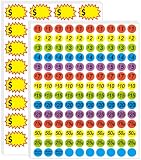
- 【2-in-1 Label Set: Pre-Printed + Blank for Versatile Pricing】Get 1400 total 3/4-inch price stickers, including pre-printed ones (ranging from 25 to $20 plus "Make Offer" labels) and 160pcs 2.2 x 1.4 inch blank labels for handwritten prices—cover all your pricing needs in one pack.
- 【Bright Colors to Grab Shoppers’ Eyes】Stand out at sales with vibrant blue, green, orange, purple, and yellow stickers—their bold, color-coded design draws attention to your items and makes prices easy to spot.
- 【Removable & Strong Adhesive: No Residue, No Hassle】The stickers stick firmly to most smooth surfaces (for reliable display) but peel off cleanly and easily—reposition labels or remove them without leaving sticky residue, protecting your items.
- 【Light-Resistant Design for All-Day Visibility】Labels won’t fade or dull even in direct sunlight during long garage/yard sales, keeping prices and colors sharp from morning set-up to evening close.
- 【Wide Use for All Sale Scenarios】Perfect for garage sales, yard sales, bake sales, craft fairs, farmers’ markets, and retail displays—one pack fits all your in-person selling needs, whether you’re clearing clutter or running a small booth.
Quick troubleshooting
“Create new listing” is missing
Try opening Marketplace from your main Facebook profile, updating the Facebook app, or using the desktop site. Access may be limited by account age, activity, location, profile type, or policy history. If Facebook displays an eligibility or restriction notice, follow its review instructions.
The listing keeps being rejected
Confirm that the post advertises physical goods rather than an event, service, request, or lost item. Remove recalled, counterfeit, prohibited, or regulated products. Make the price and inventory relationship explicit, and use current photos of the actual goods.
What’s actually slowing this PC down?
Pick the symptom - the matching free tool is one click away.
The Marketplace option is missing inside a group
The group administrator may not have enabled buy-and-sell features. Page accounts may also lack the option to create a Marketplace listing. Create the listing from an eligible personal profile and share it to groups only when their rules permit.
People misunderstand the price
Rewrite the first lines to say that prices vary by item and identify the listed amount as representative. Add examples for expensive or popular goods, and avoid using a single bargain price that looks like the price for everything in the photographs.
Frequently Asked Questions
Can I create a Facebook Marketplace listing titled only “Garage Sale”?
You can describe a garage sale, but the listing should identify the physical goods for sale rather than functioning only as an event announcement. Add representative inventory, current photos, the sale date and hours, location area, payment details, and pickup information.
What price should I put for a garage-sale Marketplace listing?
Use a representative price only if you clearly say that prices vary by item and that the amount is not the price for everything shown. Individual items should still have their own clear prices at the sale.
Windows Errors? Fix Them Before They Spread
Repair common Windows errors and clear accumulated junk for a smoother, more stable PC - no reinstall needed.Free scan · no reinstallCrashes, No Sound, or Screen Glitches?
Random freezes, missing sound and display glitches usually trace back to one bad driver. Find and replace yours safely.Free scan · under a minuteShould I put my full home address in the listing?
Not necessarily. A neighborhood, postal code, or nearby cross streets can provide useful location information while limiting public exposure of your address. Share the exact address only with appropriate buyers when necessary.
Can I share a Marketplace garage-sale listing to Facebook groups?
Usually you can share a live listing to groups, Messenger, a Page, or a friend’s profile, but each group controls its own rules and settings. Some groups do not enable buy-and-sell features or allow promotional posts.
How do I remove a garage-sale listing after the sale?
Open Marketplace’s selling area and manage your listings. Depending on the interface, you can edit the listing, mark it pending or sold, or delete it. On desktop, the documented path is Marketplace → Selling → Your listings → Options → Edit listing → Update for edits.
The Bottom Line
Use Marketplace to advertise the actual items, not the garage sale as a standalone service: choose Item for sale, add honest photos and a clearly explained representative price, include the date, hours, area, inventory, and pickup terms, then share the published listing only where local-group rules allow. Protect your address and payment information, check questionable goods for recalls, and mark the listing sold when the sale is over.

