
iTechGuides is reader-supported. When you buy through links on our site, we may earn an affiliate commission. As an Amazon Associate I earn from qualifying purchases. Learn more
You can change your domain registrar, DNS host, website host, email host, or all four without losing existing mail—but each is a separate operation. DNS and MX changes direct new messages; they do not copy the messages already stored in a mailbox.
The safe sequence is to map your current services, export every DNS record, prepare the destination zone, lower TTL before the change, migrate mailbox data separately when the email provider changes, and keep the old DNS and mail service available until inbound, outbound, and historical-mail checks pass.
First decide what “move” means
People often describe several different changes as a hosting move. A domain registrar holds the registration. Authoritative DNS nameservers publish the records that tell the internet where your website and email are. A website host serves web pages. An email host stores mailboxes and accepts messages. These services can be with one company or four different companies.
What’s actually slowing this PC down?
Pick the symptom - the matching free tool is one click away.
| Change | What changes | What does not happen automatically |
|---|---|---|
| Registrar transfer | Who manages the domain registration, renewal and transfer controls. | It does not copy mailboxes or change mail routing unless you also change DNS. |
| Authoritative DNS move | Which nameservers answer for the domain and which DNS zone is published. | It does not transfer website files or historical email. The new zone must reproduce the old records. |
| Website-host move | Where web content is served, usually by changing A, AAAA or CNAME records. | It does not move mailboxes. MX records can continue pointing to the existing email service. |
| Email-host move | Where new messages are accepted and where mailbox data is stored. | Changing MX records does not import old messages, calendars, contacts, aliases or groups. |
| Combined move | Several of the above at once. | Every dependency must be migrated and tested; a failure in one layer can look like a failure in another. |
MX records are the handoff between DNS and mail delivery. As Google Workspace Admin Help explains, “Mail Exchange (MX) records direct your domain’s email to the servers hosting the domain’s user accounts.” A sending system looks up the recipient domain’s MX records and connects to the listed mail servers. The mailbox database itself remains with the email service.
Popular on Amazon
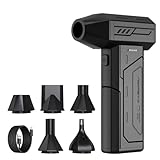
- Powerful Turbo Fan:CAGIWIRU Electric Air Duster have reached speed up to 130000RPM,Can efficient remove dust and debris.With LED light and Three Adjustable Speed to meet with different cleaning tasks.
- With Attached USB C Fasting Charging cable.Charing 3 hours,Enjoy up to 240 minutes of use on the lowest setting, For third speed can use for 25mins.with four charging options to meet with your needs.
- Wide Application: attached 5 different nozzles,making it suitable for a variety of scenes, such as car,pet, pc, keyboards, and other electronic devices. It also serves for office and home clean duster.
- Handy Design & Portable:Cordless air duster electric nozzle is Light weight and small size, design and comfortable to hold and space saving, convenient to carry around. You can put it in your room or inside the car without taking up space.
- Economical &Reusable: Built durable materials with a long-lasting battery,our CAGIWIRU air duster it's a sustainable alternative to disposable air cans.
A Google Workspace community response says accounts hosted by Google are not affected by changing the registrar or website host. Treat that as practical community guidance, not a guarantee for every provider. You still need the correct MX and TXT records in the authoritative DNS zone, and a temporary delivery problem is possible if records are missing during the change.
Map the current setup before changing anything
Create a written inventory while the old system is working. Record the provider and login for each item, not merely the company that sent you the original invoice.
- Domain name, registrar, renewal date and transfer lock status.
- Current authoritative nameservers and the DNS provider that lets you edit the zone.
- Website host, deployment platform and every hostname used by the site.
- Email host, number of mailboxes, mailbox sizes and service edition.
- Aliases, catch-all addresses, distribution groups, forwarding rules, shared mailboxes and automated senders.
- Calendars, contacts, archives, retention holds, legal-discovery requirements and mobile or desktop clients that may need reconfiguration.
- Third-party services that send mail as your domain, such as forms, billing systems, help desks and marketing tools.
Ask one decisive question: will the email host stay the same? If yes, you normally need only a DNS or website migration; mailbox contents remain where they are. If no, schedule a separate mailbox migration and keep both services available until it is verified.
Crashes, No Sound, or Screen Glitches?
Random freezes, missing sound and display glitches usually trace back to one bad driver. Find and replace yours safely.Free scan · under a minutePC Slower Than It Used to Be?
A free scan shows the junk files, broken settings and background clutter dragging Windows down - then fixes them in one click.Free scan · Windows 10 & 11Capture and understand every DNS record
Export or screenshot the complete DNS zone before editing it. A registrar’s default zone is not a copy of your current zone. Missing one record can break a website, verification process, API, certificate renewal or outbound mail.
Also popular on Amazon

- Screen Cleaner is Your Screen’s New Bestfriend! - EVEO is proud to present a screen cleaner that’s perfectly suited for your TV. Meet your new screen cleaner, computer screen cleaner, laptop cleaner, iPad cleaner, Macbook,tv cleaner or any other electronic device. Our screen cleaner spray and wipe along with the included plush microfiber cloth, easily removes dust, fingerprints & other smudges on the screen’s surface. Clean effectively for a streak-free screen
- Gentle on your Screens - Our screen cleaner spray and wipes is compatible to be used even for the most sensitive LCD, LED, CRT, and OLED screens in proper use. Be at ease knowing that this product is compatible with all the major brands: LG, SONY, Samsung, Sharp, iPad, iPhone, Android screens, Kindle, PC monitors - we’ve got you covered! Can be used as LCD screen cleaner, tv cleaner, smart tv screen cleaner, and more
- Premium Super Soft Plush Microfiber Cloth - Included in this efficient screen cleaning kit. This screen cleaner spray and wipe has our signature plush microfiber cloth specially designed to comply with screens and monitors and leave them streak-free. Has been shown to effectively absorbs stubborn stains, zero streaks, and no fiber shedding. Always use this together with our screen cleaner for the best results
- Easy-to-Use Screen Cleaner Kit + microfiber cleaning cloth - The EVEO Screen Cleaning Kit will easily be your new favorite tool when it comes to taking care of the things you love most, quick and easy solution for a streak-free screen. Simply screw on the sprayer gun on the screen cleaner bottle. Spray the cleaning liquid onto the microfiber cloth, then wipe the screen until desired cleanliness & shine is achieved.
- Quality Screen Care Kit Worth Purchasing - Enjoy a convenient Screen Cleaner anytime, anywhere you need it. Your satisfaction is our top priority. We stand behind the quality of our products and that’s why, you shouldn’t be worrying at all. We manufacture the Best Screen Cleaner. and can be used for laptop cleaning kit, laptop screen cleaner, tv screen cleaner for smart tv. MacBook screen cleaner, monitor cleaner or screen cleaner spray for electronic devices with microfiber cleaning cloth
MX records
MX records specify the servers that receive mail for the domain and include a priority value when more than one server is listed. Use the exact values supplied by the active email provider. Google’s current Workspace setup guidance lists smtp.google.com as the Workspace MX value and notes that accounts started before 2023 may still use legacy aspmx records. Do not paste an old forum list into a new zone; open the provider’s current setup instructions for your edition and region.
TXT records for verification and mail security
TXT records commonly hold domain-ownership verification and email-security policies. Preserve the SPF policy, DKIM-related records and DMARC policy, along with any verification strings used by other services. Google’s DNS guidance describes TXT records for ownership verification and for measures such as SPF, DKIM and DMARC.
SPF identifies systems permitted to send for the domain. DKIM publishes a public key that receiving systems use to validate signed messages. DMARC tells receivers how to handle messages that fail alignment and where to send reports. Recreating only the MX record can restore incoming mail while silently damaging outgoing deliverability.
Quick wins for a faster PC:
Scan for outdated or missing drivers - takes under a minuteDriver Scan →Clear out junk files and repair common Windows errorsFree Scan →Fix the driver behind crashes, sound loss and screen glitchesFind Drivers →Website and service records
Copy A and AAAA records for the website and any direct hostnames, CNAME records for aliases and validation, and records for subdomains such as www, autodiscover, VPN endpoints or application interfaces. Preserve SRV records when a service uses them. Note the exact record name, type, value, priority, port and TTL.
Also popular on Amazon

- 【Large size】:Measuring 800 x 300 mm/ 31. 5×12 inches, which is wider and taller than others. Large mouse pad can perfectly fit your keyboard and mouse of any size, and there is also ample space for peripherals such as phones, tablets, etc.
- 【LED backlight mouse pad】:Blade Hawks RGB mouse pad provides 7 static modes and 7 dynamic modes will give you the options you are looking for. Power-off memory function remembers the last lighting mode you selected. The super glow fiber Chroma will give you a colorful gaming setup that you want.
- 【Anti-slip rubber base】:Made from Natural rubber, this gaming mousepad will firmly grip your desktop, allowing you to enjoy the ultimate precision in the games you are most passionate about. It also comes with a texture that enhances this ability even further.
- 【Smooth and waterproof surface】: Micro-textured cloth surface, for extremely precise mouse control and a smooth movement. When liquid splashes on the gaming mouse pad, it forms water droplets and slides down. Will not delay your work or gameplay.
- 【Plug and play】: This mouse and keyboard pad is powered by USB, plug and play, no driver required. One button control light modes. Press one time to change the lighting mode, press twice to change the brightness, press and hold about 3 seconds turn ON/OFF.
Choose the migration path
| Scenario | Primary work | Old service needed for |
|---|---|---|
| Website and DNS move; email stays with the same provider | Recreate the full DNS zone, point web records to the new host and retain the provider’s current MX, SPF, DKIM and DMARC records. | Rollback and validation until the new nameservers are answering correctly. |
| Email host changes; registrar and DNS stay where they are | Create destination accounts, migrate historical data, then replace MX and related authentication records. | Receiving late-delivered mail and accessing any data not yet copied. |
| Registrar changes; authoritative DNS stays at the existing provider | Transfer the registration without changing nameservers, unless you intentionally plan a DNS move. | Normal operation during the registrar transfer. |
| Registrar and DNS change together | Prepare the destination zone first, then delegate the domain to the new nameservers. | Rollback while caches still contain the old delegation or records. |
| All services change | Coordinate DNS, website deployment, mailbox migration, authentication and client updates as one change plan. | Data export, message reconciliation and a working fallback route. |
Prepare the destination DNS before delegation
- Create the destination zone. Add the domain at the new DNS provider, but do not switch nameservers yet.
- Reproduce the inventory. Enter MX, TXT, A, AAAA, CNAME, SRV and verification records. Use the destination email provider’s current values rather than examples copied from an older configuration.
- Check the zone for conflicts. Remove obsolete duplicate MX records, ensure the SPF policy is not accidentally published twice, and verify that DKIM selectors match the keys generated by the email provider.
- Activate destination mailboxes if the host changes. Create every user, alias, group and forwarding address before directing public traffic to the new host.
- Test what can be tested privately. Use the provider’s domain-verification and diagnostic tools. A destination zone can be reviewed even while the old nameservers remain authoritative.
Do not assume that changing the registrar automatically publishes the destination zone. Delegation changes only when the domain’s nameserver values are changed at the registrar, and the new nameservers must already contain the complete zone.
Plan TTL and propagation realistically
TTL, or time to live, is the number of seconds a DNS resolver may cache a record. Google defines it as the value that determines how many seconds pass before subsequent changes to that record take effect for a resolver. An 86,400-second TTL is 24 hours; a resolver that cached a record with that TTL can continue using it for up to that period. Google cites 3,600 seconds as a common TTL value.
Lower the relevant TTL before the cutover, then wait through the old TTL period before relying on the shorter value. A community example reduces a 24-hour TTL to five minutes and waits 24 hours before changing the record. That is an example, not a universal requirement: the correct waiting period depends on the previous TTL, resolver behavior and the records being changed.
Changing a record to a short TTL does not erase caches created under the previous longer TTL. Google’s Workspace setup instructions also warn that new MX records can take up to 72 hours to be recognized. Actual timing varies with cached delegations, TTLs, configuration errors and the receiving systems involved, so schedule overlap rather than assuming an exact propagation deadline.
Also popular on Amazon

- 【Softer and More Comfortable】Vaydeer wrist rest has unique diamond pattern, which is the combination of softness and aesthetics. The materials of wrist rest are improved into higher quality memory foam and covered with silky smooth lycra. The computer wrist rest makes you as comfortable and cushiony as like rest your wrists on clouds.
- 【Ergonomic Wrist Saver】The wrist rests for keyboard and mouse comes with a 17.32×3.15×0.83 inch keyboard wrist pad and a 5.94×3.15×0.83 inch mouse wrist support. Based on ergonomic design, the unique concave shape is the perfect fit for your wrist joints. The wrist rest pad fits most computer keyboards and laptops, improve hand and wrist posture, release your wrist and arm stress.
- 【Non-Slip Rubber Bottom】Featuring an anti-skid silicone base on the bottom, this wrist keyboard support stays firmly in place on your desk, preventing the padding from sliding around, ensuring stable and consistent wrist support during extended computer sessions.
- 【Better Experience & Pain Relief】Our keyboard arm rest is beneficial to alleviate the soreness caused by direct contact and friction between your arm and a hard desk surface, reducing the risk of wrist fatigue or carpal tunnel. The soft texture of memory foam can evenly distribute the pressure around your wrists and provide good support with just enough give.
- 【Helpful in Multiple Scenarios】Whether you're working, studying, writing, typing, gaming, this keyboard and mouse rest combo is an essential accessory to add comfort and support to your hands and wrists. It’s also a great gift for men, women, family, friend, coworker, gamer, teacher, etc.
Migrate mailbox contents separately from DNS
When the email host changes, DNS can direct new mail to the destination, but it cannot copy historical messages. Confirm the destination provider’s migration method and limits before cancelling the old service.
Define what must be preserved
- Every mailbox, including inactive or role accounts that still receive automated messages.
- Aliases and alternate addresses; an alias is not always a separate mailbox in the destination system.
- Groups, shared mailboxes, forwarding rules and catch-all behavior.
- Folders, labels, sent items, deleted items, archives and message dates.
- Calendars, contacts, signatures, filters, delegates and mobile-device access if the provider supports them.
- Retention holds, e-discovery exports and regulatory records that must not be altered by a normal migration.
Choose a migration approach
Providers may offer a server-to-server migration, an IMAP import, an administrative export/import utility or a desktop-assisted copy. The exact tool, authentication method, folder mapping and rate limits are provider-specific. Obtain written confirmation of what each method copies and what it excludes. A mailbox export that omits calendars or contacts is not a complete account migration.
Run a pilot and reconcile counts
Migrate one low-risk mailbox first. Compare folder names, message counts, date ranges, attachments and search results in the destination. Send test messages to the pilot account and from it. Record any folders or messages that require a second pass before scheduling the wider migration.
Do these 3 things before closing this tab:
1Clear out junk files and repair common Windows errors2Fix the driver behind crashes, sound loss and screen glitches3Repair Windows errors before they cause bigger problemsKeep the source available
Do not terminate the old email subscription immediately after an import finishes. Continue it through the propagation window and the period needed to catch late-delivered mail, verify archives and resolve users’ missing-message reports. If both providers can receive mail temporarily, follow the destination provider’s documented dual-delivery or forwarding sequence; do not improvise a loop between systems.
Also popular on Amazon

- 【No Drill Mounted】Cable management tray can be assembled in as little as 3 minutes or less-simply. Side clips easily clampe the edge of desk, pass through the holes on the sides, and secure excess cables with baskets. Desk cable management supports inward or outward installation to meet your needs in different scenarios, and provides you with great convenience when collecting and organizing wires.
- 【Rubber Pad Protects Desk】Wire organizer under desk built-in soft rubber pads on the clamp protect your desk from scratches, so you will not damage your furniture or office.
- 【Sturdy and Beautiful】Cord management under desk is made of high-quality carbon steel and holds about 15 lbs. The wire basket has 2 holes on each side of the tray to enable your cables to pass freely. Cable baskets are suitable for desk thickness use from 0.4" to 2.4".
- 【Space Saving & Keep Organized】Desk cable management tray holds all your power cords, outlet strips, USB hubs and computer transformers hidden from your feet, and the data cables will not enter the vacuum cleaner to keep your desk clean and tidy. Desk wire organizer is also suitable for use in the kitchen and outdoors.
- 【Reduce Safety Risks】Cable tray under desk keeps all plugs away from your kids, no more worry about tripping. Using 2 holes wire tray saves extra space, helps you easily cabling and wire protection. The mesh design is not easy to accumulate dust, but avoids safety accidents caused by messy wires.
Cut over in a controlled sequence
- Freeze the plan. Announce a change window, identify the person who can edit DNS and the person who can restore the old values, and save the current zone and mailbox inventory offline.
- Confirm destination readiness. Verify that the website is deployed, destination mailboxes exist, aliases and groups are present, and provider verification checks have passed.
- Lower TTL in advance. Make the reduction while the old zone is authoritative and wait for the previous TTL period where practical.
- Change only the intended layer. For a website-only move, edit web records and leave MX untouched. For an email move, replace MX and the provider-specific authentication records. For a DNS move, change nameservers only after the destination zone is complete.
- Record the exact change time. This lets you interpret cached results and correlate delivery logs.
- Check authoritative answers. Query each authoritative nameserver directly, then compare results through more than one public resolver. For example,
dig MX example.comornslookup -type=mx example.comshows the publicly visible MX response; substitute your domain. - Test inbound mail. Send from an unrelated external account to a real mailbox. Test a new message and a reply to an existing thread.
- Test outbound mail. Send to at least one external provider and inspect the received headers for the expected sending path, SPF result, DKIM result and DMARC alignment.
- Check the website and dependent services. Test the bare domain,
www, important subdomains, forms, certificate status and any application that sends mail. - Monitor and preserve rollback. Keep the old DNS zone and email service active. Do not remove them until delivery, mailbox data and authentication checks pass through the relevant cache window.
Verify delivery instead of relying on one test
Inbound checks
- Send from two unrelated external domains, not only from another account in the same organization.
- Test each important address, including aliases and group addresses.
- Reply to a pre-existing conversation to detect threading or address-rewrite problems.
- Check the destination spam or quarantine area as well as the inbox.
- Review the provider’s delivery log for accepted, deferred and rejected messages.
Outbound checks
- Send to recipients at different providers and confirm arrival.
- Inspect message headers for SPF, DKIM and DMARC results and for the intended From domain.
- Test automated senders such as website forms, invoices and support systems.
- Confirm that forwarding addresses still work and do not create loops.
Historical-mail checks
- Search for a known old message by sender, subject and date.
- Open messages with attachments and verify that folders, labels and sent items are present.
- Ask pilot users to check delegates, shared mailboxes, calendars and contacts if those were in scope.
- Compare source and destination counts where the migration tool reports them, and document exclusions for a second pass.
Rollback and recovery
Rollback is possible only while you retain control of the old DNS zone and mail service. If authoritative DNS was moved, restore the previous nameserver delegation at the registrar. If only MX changed, restore the former MX values and any associated authentication records. Do not delete the destination accounts or imported data while investigating; doing so can turn a routing problem into permanent data loss.
After a rollback, allow for the same cache behavior that affected the forward change. Some senders may still use the new records while others use the old ones. Keep both environments monitored, record rejected or deferred messages, and reconcile any messages delivered to different systems before attempting another cutover.
Troubleshooting common failures
| Symptom | Likely cause | Action |
|---|---|---|
| Some senders reach the old mailbox and others reach the new one. | Resolvers are using cached MX or nameserver data with different expiry times. | Keep both services available, inspect authoritative and cached answers, and wait through the relevant TTL window. |
| No new mail arrives anywhere. | MX is missing, malformed, published at the wrong DNS provider or points to an inactive destination. | Query the authoritative zone, compare the value with the current provider instructions and confirm the destination account is active. |
| Website works but mail fails. | The web move changed DNS without preserving MX or TXT records. | Restore the provider’s current MX and authentication records; web A or CNAME records do not route mail. |
| Mail arrives but goes to spam or fails authentication. | SPF, DKIM or DMARC records were omitted, duplicated or left pointed at the old sender. | Rebuild the records from the active email and sending-service instructions, then verify results in received headers. |
| Old messages are absent after the cutover. | Only DNS was changed; no mailbox import occurred, or the migration excluded folders. | Keep the old service, run the provider’s migration or export process, and reconcile folders and message counts. |
| Aliases or automated senders fail. | Only user mailboxes were created; aliases, groups, forwarding rules or third-party sender authorization were not reproduced. | Compare the inventory with destination objects and update each sending service’s credentials or SPF/DKIM configuration. |
| Users see intermittent login or mobile-sync errors. | Client settings, autodiscovery records or passwords still target the old host. | Apply the destination provider’s current client settings after server-side delivery is confirmed. |
Security and compliance checks
- Use separate administrator accounts and multifactor authentication for the registrar, DNS provider and email service.
- Restrict DNS editing rights during the change window and save an audit record of every modification.
- Protect exported mailbox data and DNS backups because they may contain personal or confidential information.
- Confirm that retention holds, legal archives and regulated records are preserved before deleting the source service.
- Review forwarding rules after migration; an overlooked forward can disclose mail or create a delivery loop.
- Revoke old provider credentials, API tokens and application passwords only after all dependent services have been moved and tested.
Final go-live checklist
- Registrar, authoritative nameservers, website host and email host are documented separately.
- The complete old DNS zone is saved, including MX, TXT, A, AAAA, CNAME and SRV records.
- The destination zone contains the current provider-specific MX, SPF, DKIM, DMARC and verification values.
- TTL was lowered ahead of the change where possible, and the previous TTL window was respected.
- Every mailbox, alias, group, forwarder, archive and retention requirement is accounted for.
- Historical messages were migrated and sampled for searchability, folders and attachments when the mail host changed.
- Inbound, outbound, website and automated-sender tests passed.
- The old DNS zone and mail service remain available for rollback until caches, delivery logs and user checks are clean.
The dependable rule is simple: change routing only after the destination is ready, and never confuse routing with data migration. MX records determine where new mail is delivered; a separate, verified mailbox migration preserves the messages already stored.

