
iTechGuides is reader-supported. When you buy through links on our site, we may earn an affiliate commission. As an Amazon Associate I earn from qualifying purchases. Learn more
Measure an AI cluster’s network in three layers: establish a TCP baseline with iperf2, test the actual RDMA transport with perftest, and then run NCCL collectives on the same GPUs and topology used by training. The first layer tells you what the network can move, the second exposes RDMA throughput and point-to-point latency, and the third shows whether distributed training can synchronize efficiently. A link rated at 100 or 1,000 Gbps can still deliver lower application goodput, and a healthy bandwidth result can coexist with damaging tail latency.
Use repeated trials, record the environment, and report both throughput and latency distributions. This guide gives the commands, setup checks, interpretation rules, and troubleshooting branches needed to turn those measurements into a defensible answer about your AI workload.
![Nvidia Corporation MCX75310AAC-NEAT Nvidia Connectx-7 Hhhl Adapter Card 400gbe / Ndr Ib [Default Mode] Sin Gle-por](https://m.media-amazon.com/images/I/31YOrTrkeoL._SL160_.jpg)
What do bandwidth and latency mean for an AI workload?
Bandwidth is the volume of data a link moves per unit of time; latency is the time required for a message or operation to travel and complete. Distributed training needs both. Large gradient exchanges benefit from sustained throughput, while synchronization, parameter updates, and many small control messages are sensitive to per-message delay and to the slowest (tail) events.
Crashes, No Sound, or Screen Glitches?
Random freezes, missing sound and display glitches usually trace back to one bad driver. Find and replace yours safely.Free scan · under a minutePC Slower Than It Used to Be?
A free scan shows the junk files, broken settings and background clutter dragging Windows down - then fixes them in one click.Free scan · Windows 10 & 11Keep three terms separate when reading results:
- Link rate: the interface’s nominal capacity, such as 100 or 1,000 Gbps.
- Measured goodput: useful payload delivered by a test after protocol headers, virtualization, transport behavior, and congestion consume capacity.
- Application performance: the rate at which NCCL or a training job completes communication. Collective algorithms, GPU placement, synchronization, and software overhead can make it lower than a raw transport result.
A bandwidth test can therefore look excellent while training remains slow. Conversely, a high median throughput can hide occasional stalls. Measure the median and the p95 or p99 latency, not just one average.
#1 Best Overall

- Host Interface: PCI Express 5.0 x16 provides high-speed connectivity for maximum bandwidth and performance
- Total Number of Ports: 1 port configuration for streamlined network connectivity
- Expansion Slot Type: OSFP connector type for advanced optical networking capabilities
- Media Type Supported: Optical Fiber technology enables high-speed data transmission over long distances
- Maximum Data Transfer Rate: 200 Gbit/s throughput delivers exceptional network performance for demanding workloads
Which tests should I run, and in what order?
Run the tests from the simplest transport to the real collective path. This order lets you identify whether a problem begins in TCP, RDMA, or the GPU communication stack.
- TCP baseline with iperf2: measures host-to-host throughput over the evaluated path and reveals whether multiple streams are needed to fill the link.
- RDMA with perftest: measures InfiniBand or RoCE bandwidth and point-to-point latency, including NIC and transport behavior that TCP does not exercise.
- NCCL across the training nodes: measures collective communication, GPU-to-NIC paths, topology, and synchronization using the same GPU count and node set as the job.
Do not substitute one layer for another. Raw iperf isolates TCP; perftest isolates RDMA operations; NCCL captures the collective behavior that usually determines distributed-training scaling.
How do I run a TCP bandwidth baseline with iperf2?
Use two comparable GPU virtual machines on the exact path you want to evaluate. Google’s high-bandwidth procedure uses iperf2 and multiple TCP streams; it specifically recommends iperf2 rather than iperf3 for this multi-stream procedure because iperf3 does not support multithreading.
Prepare the two endpoints
- Choose a server and a client with comparable CPU, VM, and network characteristics.
- Place them in the same regions, zones, or network segments that your GPU job uses. Use the instances’ internal addresses.
- Install the iperf2 package on both machines and allow the test port through the host and cloud firewalls.
- Record the VM type, region and zone, NIC model, MTU, operating-system and driver versions, and whether other traffic is active.
Run the server and client
- On the server, start the listener:
iperf -s - On the client, run a 30-second test against the server’s internal address. Google’s example uses 16 parallel streams:
iperf -t 30 -c internal_ip_of_instance_1 -P 16 - Repeat the test with a range of stream counts, such as 4, 8, and 16. Google recommends 4–16 streams for maximum throughput between VM instances.
- Repeat the complete set of trials after a warm-up period and retain the per-run throughput rather than only the best result.
Replace internal_ip_of_instance_1 with the server’s real internal address. The 30-second duration in the example is a test setting, not a universal requirement; keep it consistent across comparisons and extend it when you need to expose transient congestion.
Interpret the iperf2 output
Compare the aggregate throughput from all streams with the nominal interface rate. A result below the advertised rate is expected when protocol headers, virtualization, CPU processing, or congestion consume capacity. Look for stream imbalance as well: one stream that falls far behind the others can indicate a path or host problem even when the aggregate looks acceptable.
Use iperf2 for a transport baseline, not as a prediction of training speed. It does not exercise RDMA verbs, GPU memory transfers, NCCL collectives, or the synchronization pattern of a model.
How do I measure RDMA bandwidth and latency with perftest?
Use the perftest utilities when the cluster uses InfiniBand or RoCE. They test the RDMA data path directly and can reveal transport retries and tail behavior hidden by a TCP result.
The Tool Desk
Outbyte Driver Updater FREEScan for outdated or missing drivers - takes under a minuteDriver Scan →Outbyte PC Repair FREEClear out junk files and repair common Windows errorsFree Scan →Rank #2

- Host Interface: PCI Express 5.0 x16
- Total Number of Ports: 1
- Expansion Slot Type: OSFP
- Media Type Supported: Optical Fiber
- Maximum Data Transfer Rate: 400 Gbit/s
Verify the NIC state and link rate
- On each node, run
ibstatusandibstat. - Confirm that the expected port is up, the link rate matches the deployment, and the active device is the one connected to the intended fabric.
- Record whether the fabric is InfiniBand or RoCE, the NIC model, firmware and driver versions, MTU, and the GPU-to-NIC topology.
Run the checks on both ends. A port that is up on one host but down, at a lower rate, or attached to the wrong rail on another host invalidates a comparison.
Measure RDMA write bandwidth
- On the server node, start the bandwidth test:
ib_write_bw - On the client node, invoke the same utility with the server’s address or hostname:
ib_write_bw server_hostname_or_ip - Use the same message-size range, iteration count, and queue settings for every trial. Warm up the connection before recording results.
- Repeat with the host-memory mode and, when validating GPUDirect RDMA, the GPU-memory mode supported by your perftest build. Compare the two rather than assuming host-memory throughput represents GPU transfers.
The bandwidth result is the RDMA transport’s payload rate for the selected message sizes and settings. Report the size at which the result was obtained; small messages and large messages exercise different limits.
Measure point-to-point latency
- On the server, start:
ib_write_lat - On the client, connect to that server:
ib_write_lat server_hostname_or_ip - Run enough iterations to capture a stable distribution, discard only the documented warm-up period, and retain the median and high-percentile values.
- Repeat under the same traffic conditions used for bandwidth testing, then run a second trial with competing traffic if you need to quantify congestion sensitivity.
NVIDIA advises using ib_write_lat when stalls or long latency tails appear. Also inspect RDMA counters such as rnr_nak_retry_err, packet_seq_err, and local_ack_timeout_err; increases point toward retries, packet sequencing faults, or transport timeouts rather than a simple lack of link capacity.
How do I benchmark the application path with NCCL?
NCCL is the decisive layer for distributed GPU training because it measures collective synchronization across the GPUs, NICs, rails, and topology that the application uses. Google describes NCCL benchmarking as essential when optimizing GPU performance for distributed workloads.
Quick wins for a faster PC:
Clear out junk files and repair common Windows errorsFree Scan →Scan for outdated or missing drivers - takes under a minuteDriver Scan →Repair Windows errors before they cause bigger problemsFix Now →Build and match the test environment
- Build
nccl-testsagainst the NCCL and CUDA versions used by the training job. - Use the same nodes, GPU count per node, process placement, network interface selection, and rail alignment as the real workload.
- Keep the hostfile and MPI configuration explicit so that a test cannot silently run on fewer nodes or GPUs.
- Record NCCL, CUDA, MPI, GPU driver, and kernel versions, along with topology and any environment variables that select a NIC or transport.
Run all-reduce across the training nodes
Google’s example sweeps message sizes from 1 GB to 8 GB, doubling each step, with eight GPUs per process group:
mpirun -x LD_LIBRARY_PATH --hostfile HOSTFILE -n 16 ./build/all_reduce_perf -b 1G -e 8G -f 2 -g 8Replace HOSTFILE with the hostfile for your nodes. Keep the -n process count and -g GPUs-per-process setting consistent with the intended cluster. The -b 1G -e 8G -f 2 range tests 1, 2, 4, and 8 GB messages, allowing you to see where throughput reaches a plateau.
Read bus bandwidth, not just elapsed time
NCCL reports bus bandwidth (busbw), the metric Google uses for collective performance. Compare the curve across message sizes and runs. A healthy result should rise as messages become large enough to amortize per-operation overhead, then stabilize; sudden drops, wide run-to-run variation, or a low plateau deserve investigation.
Rank #3
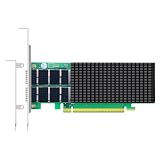
- AI-GENERATION FABRIC: NVIDIA ConnectX-7 (MCX713106AC-VEAT) drives two QSFP112 ports at 200Gb/s each on a PCIe 5.0 x16 host interface — 400Gb/s full-duplex aggregate for AI training, HPC and distributed storage.
- GPUDIRECT RDMA & STORAGE: GPU memory transfers bypass the CPU entirely (GPUDirect RDMA + GDS), feeding GPU clusters and NVMe-oF storage pools without host memory copies.
- INLINE SECURITY OFFLOAD: TLS 1.3, IPsec and MACsec encryption happen in silicon — data in transit stays secure across AI fabrics with zero CPU encryption overhead.
- CLOUD-SCALE OFFLOADS: ASAP² packet processing, OVS offload, SR-IOV up to 127 VFs per port (254 per card) and VXLAN/GENEVE tunnel termination for DPDK-based infrastructure.
- PRECISION & COMPATIBILITY: IEEE 1588v2 PTP hardware timestamping, standard server form factor, Linux/Windows/VMware support; brackets for 1U/2U and tower chassis.
For configuration-specific Google Cloud examples in 2026, two-node A3 High systems are expected to exceed 80 GBps of NCCL all-reduce bus bandwidth for 1–8 GB messages, while two-node A3 Mega systems are expected to exceed 160 GBps under the stated test conditions. Google also reports Fast Socket improvements of 30%–60% in all-reduce throughput, depending on message size. These are reference results for those configurations, not guarantees for other clouds, node counts, software versions, or topologies.
Recommended Free Tools
What should I record so the measurements are credible?
A benchmark is only comparable when its context travels with the number. Record the following for every test series:
- Cloud provider or datacenter, region, zone, and machine type.
- GPU model and count per node; NIC model, firmware, and port rate.
- Network protocol: TCP, InfiniBand, or RoCE.
- Node topology, GPU-to-NIC mapping, rail placement, and process-to-GPU affinity.
- MTU and any fabric or congestion-control settings.
- Operating-system, kernel, GPU-driver, CUDA, NCCL, MPI, iperf2, and perftest versions.
- Message-size range, number of TCP streams or RDMA queue settings, warm-up iterations, and test duration.
- Whether management, storage, checkpoint, or unrelated application traffic was present.
- Number of repetitions, median throughput, p95 and p99 latency, and run-to-run throughput variation.
Separate management and storage traffic from GPU-to-GPU traffic when the platform supports it. Google’s AI Hypercomputer architecture describes distinct general-purpose and GPU-network paths; keeping those paths isolated makes a result easier to attribute and reduces accidental contention.
Why can a link show high speed while training is slow?
The usual reason is that a raw link result does not represent the complete communication path. Check these causes in order:
Protocol and virtualization overhead
Headers, virtual network layers, host processing, and congestion reduce useful payload. A 100 or 1,000 Gbps interface can therefore measure below its nominal rate even when it is operating normally.
Do these 3 things before closing this tab:
1Clear out junk files and repair common Windows errors2Fix the driver behind crashes, sound loss and screen glitches3Repair Windows errors before they cause bigger problemsWrong transport for the workload
A strong iperf2 result proves TCP capacity only. If training uses RDMA, run perftest; if it uses NCCL collectives, run all_reduce_perf. A gap that appears only in the latter layers points away from basic TCP capacity.
Topology or rail mismatch
GPUs may reach different NICs through paths with unequal bandwidth or extra hops. Verify GPU-to-NIC affinity, rail placement, and process mapping rather than assuming every GPU has the same route.
Rank #4

- Advanced Design, High Portability Brand New!
- Safe standard: FCC,CE, RoSH
- Replacement only, not original, but 100% compatible
- Tested Units. In Great Working Condition.
Small-message or tail-latency sensitivity
Large-message bandwidth can be healthy while small operations suffer high latency. Inspect ib_write_lat distributions and p95/p99 values when the job shows stalls, bubbles, or synchronization delays.
Retries and transport faults
Check rnr_nak_retry_err, packet_seq_err, and local_ack_timeout_err. Rising counters indicate retries or transport problems that can create long pauses without lowering every bandwidth sample.
Contention from other traffic
Storage reads, checkpoints, management traffic, or another tenant can consume queues and increase latency. Repeat the test on an isolated GPU network or with competing traffic deliberately controlled so that the effect is measurable.
How should I compare network options or cluster configurations?
Use the same five axes for every option rather than comparing one peak number:
- Peak and sustained goodput: record the best stable plateau and the median over repeated trials.
- Median and tail latency: report median, p95, and p99; a low median with a long tail can still hurt synchronization.
- Message-size scaling: plot results from small messages through the large sizes used by the model.
- Concurrency scaling: vary TCP streams, concurrent RDMA operations, and GPU or process counts.
- Stability under load: repeat with realistic background traffic and note throughput variation, retries, and timeouts.
Keep units straight when comparing tables: Google’s machine specifications below are in Gbps, while NCCL bus-bandwidth examples are in GBps. Eight bits make one byte, so the units are not interchangeable without conversion.
Independent reader supportYour contribution helps us test, update, and keep practical guides available for everyone.What bandwidth do current Google Cloud AI machine families list?
The following maximum total bandwidth figures are configuration-specific values listed by Google Cloud for 2026. They describe machine-family capabilities, not a guaranteed NCCL result for every workload.
Free tools Windows power users keep installed
One-click scans. No signup required.
| Machine family | Maximum total bandwidth |
|---|---|
| A4X Max | 3,600 Gbps |
| A4X | 2,000 Gbps |
| A3 Ultra | 3,600 Gbps |
| A3 Mega | 1,800 Gbps |
| A3 High | 1,000 Gbps |
Google documents technologies such as GPUDirect RDMA, RoCE, ConnectX NICs, NCCL, and rail-aligned topology for high-performance GPU-to-GPU communication. A compatible adapter, PCIe slot and lane layout, optics or cabling, and matching drivers are prerequisites; verify those details for the exact server or VM before attributing a shortfall to software.
What is a practical troubleshooting sequence?
Use the first layer that fails as the branch point instead of changing several variables at once.
- Validate inventory and links: confirm NIC state with
ibstatus/ibstat, verify MTU and rate, and document topology. - Run iperf2: if 4–16 streams cannot approach the expected host-to-host goodput, fix VM placement, firewall, CPU, or TCP-path issues before testing NCCL.
- Run perftest: if RDMA bandwidth or latency is poor, inspect link state, RoCE or InfiniBand configuration, MTU, driver and firmware, and the RDMA error counters.
- Run NCCL: if transport tests are healthy but
busbwis low or unstable, check GPU-to-NIC mapping, rail alignment, process placement, NCCL and CUDA versions, and whether the test uses the same nodes and GPU count as training. - Correlate with the job: compare the NCCL curve with the model’s message sizes and synchronization pattern. If NCCL is healthy but training is not, investigate compute utilization, input processing, and storage separately rather than labeling the network the bottleneck.
How do I report the final result?
Publish a compact test record alongside the conclusion. State the exact endpoints and topology, software versions, protocol, message sizes, stream or process counts, warm-up and duration, background traffic, repetitions, median and tail latency, and throughput variation. Then distinguish what each layer proves: iperf2 establishes TCP capacity, perftest establishes RDMA behavior, and NCCL establishes collective performance for the tested GPU configuration.
A useful conclusion is conditional: for example, “The TCP path sustained the measured rate with 16 streams, RDMA latency remained stable through p99, and NCCL bus bandwidth reached its plateau at the model’s message size.” That wording tells readers what was actually demonstrated without turning a machine specification or one favorable run into a universal guarantee.
Frequently Asked Questions
Can I use iperf3 instead of iperf2 for a single-stream check?
Yes, a single-stream diagnostic can be useful, but it is not equivalent to the high-bandwidth procedure described here. For a multistream VM-to-VM capacity test, use iperf2 because the cited procedure depends on multithreading that iperf3 does not provide.
How can I tell whether a slow training step is a network problem or a model problem?
Run NCCL with the same nodes, GPU count, and message-size range as the job, then compare its bus-bandwidth curve with the training trace. If NCCL is stable and near its expected plateau while the job remains slow, examine compute utilization, input processing, and storage independently.
Does increasing message size always improve communication speed?
No. Larger messages usually amortize per-operation overhead, but they can expose congestion or queue pressure and may stop improving after the transport reaches its plateau. That is why a size sweep is more informative than one large-message result.
What does rail alignment mean in a GPU cluster?
It describes keeping GPU, NIC, and fabric paths consistently paired so traffic does not take an avoidable cross-rail or extra-hop route. Record the mapping and process placement; two nodes with the same advertised link rate can perform differently when their mappings differ.
Quick Recap
Product prices and availability are accurate as of the date/time indicated and are subject to change. Any price and availability information displayed on Amazon at the time of purchase will apply.

