
iTechGuides is reader-supported. When you buy through links on our site, we may earn an affiliate commission. As an Amazon Associate I earn from qualifying purchases. Learn more
To install Burp Suite on Ubuntu 20.04 or 22.04 LTS, download the official Linux installer from PortSwigger, choose the Intel/AMD 64-bit or ARM64 build that matches uname -m, make the .sh file executable, and run it. The native installer includes Java, so a separate Java installation is normally unnecessary.
Burp Suite is a web-application security testing toolkit with tools including Proxy, Repeater, Intruder, Decoder, Comparer, Sequencer, extensions, and—depending on the edition—Scanner. Use Burp only against applications, accounts, and systems that you own or have explicit permission to test. Intercepting or modifying someone else’s traffic can be unlawful and can damage systems.
This guide targets Ubuntu 20.04 and 22.04 Desktop installations. PortSwigger’s current system-requirements page lists Linux support for Intel/AMD 64-bit and ARM64, but does not separately promise formal support for each Ubuntu release. Ubuntu 22.04 is the better choice for a new installation; Ubuntu 20.04 passed the end of its standard support period, although Ubuntu describes continued security coverage through Ubuntu Pro.
Crashes, No Sound, or Screen Glitches?
Random freezes, missing sound and display glitches usually trace back to one bad driver. Find and replace yours safely.Free scan · under a minuteWindows Errors? Fix Them Before They Spread
Repair common Windows errors and clear accumulated junk for a smoother, more stable PC - no reinstall needed.Free scan · no reinstallKey takeaways
- The official native Linux installer is the recommended way to install Burp Suite on Ubuntu because it includes a private Java runtime and avoids unofficial PPAs and packages.
- Run
uname -mbefore downloading:x86_64requires the standard Linux installer, whileaarch64orarm64requires the ARM64 installer. - Burp Suite Community Edition is free and suitable for learning and manual testing; Professional requires a license and adds professional features such as automation and scanning.
- Burp’s built-in browser is already configured for the Burp Proxy, while Firefox or Chrome/Chromium requires a proxy listener and normally Burp’s CA certificate for HTTPS interception.
- PortSwigger recommends at least 4 GB of RAM for basic proxying, 16 GB for general use, and approximately 1 GB of free disk space for the basic installation.
What do you need before installing Burp Suite?
For basic proxying and simple Intruder attacks, PortSwigger’s current system requirements specify a minimum of 2 CPU cores and 4 GB of RAM. PortSwigger recommends 2 CPU cores and 16 GB of RAM for general use, or 4 CPU cores and 32 GB of RAM for intensive Intruder use and large automated scans.
Popular on Amazon

- Dual USB-A & USB-C Bootable Drive – works on almost any desktop or laptop (Legacy BIOS & UEFI). Run Kali directly from USB or install it permanently for full performance. Includes amd64 + arm64 Builds: Run or install Kali on Intel/AMD or supported ARM-based PCs.
- Fully Customizable USB – easily Add, Replace, or Upgrade any compatible bootable ISO app, installer, or utility (clear step-by-step instructions included).
- Ethical Hacking & Cybersecurity Toolkit – includes over 600 pre-installed penetration-testing and security-analysis tools for network, web, and wireless auditing.
- Professional-Grade Platform – trusted by IT experts, ethical hackers, and security researchers for vulnerability assessment, forensics, and digital investigation.
- Premium Hardware & Reliable Support – built with high-quality flash chips for speed and longevity. TECH STORE ON provides responsive customer support within 24 hours.
| Requirement | PortSwigger guidance | Practical meaning |
|---|---|---|
| CPU | 2 cores minimum; 4 cores for advanced workloads | More cores help with intensive attacks and automated scans. |
| Memory | 4 GB minimum; 16 GB recommended; 32 GB for advanced workloads | Large projects and scanning can use substantially more memory. |
| Installation storage | Approximately 1 GB | Leave additional space for updates and operating-system files. |
| Project storage | Approximately 2 GB recommended minimum per project | Projects can grow to many tens of gigabytes. |
| CPU architecture | Intel/AMD 64-bit or ARM64 | Download the installer that matches the machine architecture. |
Check the architecture from a terminal before downloading:
uname -m| Command output | Installer to choose |
|---|---|
x86_64 |
Linux Intel/AMD 64-bit |
aarch64 or arm64 |
Linux ARM64 |
Do not use the ARM64 installer on a normal Intel/AMD Ubuntu computer, or the Intel/AMD installer on an ARM64 computer. Using the native ARM64 installer is especially important when you want to use Burp’s embedded browser on an ARM system.
Which Burp Suite edition should you install?
Choose Community Edition for free manual testing and Professional when you need licensed professional features. Both editions use a similar installation process, but they are not feature-identical.
| Edition or alternative | Best for | Important qualification |
|---|---|---|
| Community Edition | Learning, manual proxying, Repeater, basic request and response analysis, and PortSwigger Web Security Academy labs | Free and remains available according to PortSwigger’s unified-installer FAQ. |
| Professional | Commercial penetration testing, automated scanning, and faster or less restricted professional workflows | Requires activation with a license key. A free trial may be available through the official download or installation flow. |
| OWASP ZAP | Users seeking a free and open-source web proxy and scanner alternative | ZAP is a separate project and is not a Burp Suite edition. See the official OWASP ZAP site. |
Professional asks for a license during activation. PortSwigger says the license key is available through the user’s account page; follow the official Burp license-activation instructions. Do not use cracked or unofficial Professional builds.
How do you install Burp Suite on Ubuntu 20.04 and 22.04 LTS with the official Linux installer?
The native Linux installer is the recommended method for Ubuntu Desktop. Download it directly from PortSwigger rather than using a random mirror, unofficial PPA, third-party .deb package, or unverified repository. Ubuntu notes that third-party repositories are not checked for security or reliability by Ubuntu.
1. Update Ubuntu packages
Updating Ubuntu is optional for Burp Suite, but it is sensible general maintenance before installing desktop software:
sudo apt update
sudo apt upgrade
Burp Suite does not require a particular Ubuntu package update according to the installation instructions. Do not treat the commands above as a Burp-specific dependency.
2. Download the correct Burp installer
Open PortSwigger’s official Burp Suite download and installation page. Select Community Edition or Professional, then select Linux or Linux ARM64 according to the result of uname -m.
PortSwigger’s release page also lists the current downloads and release checksums. As of August 18, 2026, that page showed Burp Suite Professional and Community 2026.7.1, released July 23, 2026. Release filenames change, so do not copy an old filename into a permanent installation script; use the filename shown on the current download page.
3. Find the downloaded file
Most Ubuntu browsers save downloads in ~/Downloads. Open a terminal and list the files:
cd ~/Downloads
ls -lh
Identify the Linux shell installer, which normally has a name similar to burpsuite_linux_v2026_7_1.sh. An ARM64 filename may include linux_arm64. The version and exact spelling will vary.
What’s actually slowing this PC down?
Pick the symptom - the matching free tool is one click away.
4. Make the installer executable
Use the actual filename displayed by ls. A wildcard is convenient when only one Burp installer is in the directory:
Also popular on Amazon
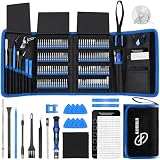
- 【Wide Application】This precision screwdriver set has 120 bits, complete with every driver bit you’ll need to tackle any repair or DIY project. In addition, this repair kit has 22 practical accessories, such as magnetizer, magnetic mat, ESD tweezers, suction cup, spudger, cleaning brush, etc. Whether you're a professional or a amateur, this toolkit has what you need to repair all cell phone, computer, laptops, SSD, iPad, game consoles, tablets, glasses, HVAC, sewing machine, etc
- 【Humanized Design】This electronic screwdriver set has been professionally designed to maximize your repair capabilities. The screwdriver features a particle grip and rubberized, ergonomic handle with swivel top, provides a comfort grip and smoothly spinning. Magnetic bit holder transmits magnetism through the screwdriver bit, helping you handle tiny screws. And flexible extension shaft is useful for removing screw in tight spots
- 【Magnetic Design】This professional tool set has 2 magnetic tools, help to save your energy and time. The 5.7*3.3" magnetic project mat can keep all tiny screws and parts organized, prevent from losing and messing up, make your repair work more efficient. Magnetizer demagnetizer tool helps strengthen the magnetism of the screwdriver tips to grab screws, or weaken it to avoid damage to your sensitive electronics
- 【Organize & Portable】All screwdriver bits are stored in rubber bit holder which marked with type and size for fast recognizing. And the repair tools are held in a tear-resistant and shock-proof oxford bag, offering a whole protection and organized storage, no more worry about losing anything. The tool bag with nylon strap is light and handy, easy to carry out, or placed in the home, office, car, drawer and other places
- 【Quality First】The precision bits are made of 60HRC Chromium-vanadium steel which is resist abrasion, oxidation and corrosion, sturdy and durable, ensure long time use. This computer tool kit is covered by our lifetime warranty. If you have any issues with the quality or usage, please don't hesitate to contact us
chmod +x ./burpsuite_linux_v*.shIf more than one file matches, use the complete filename instead of the wildcard:
chmod +x ./burpsuite_linux_v2026_7_1.shYou normally do not need sudo for chmod when the installer belongs to your user and is in your Downloads directory.
5. Run the graphical installer
Run the same file from the terminal:
./burpsuite_linux_v2026_7_1.shReplace the example filename with the filename currently shown by ls. The graphical installer should open. Follow its prompts for the installation directory and, if offered, a Start-menu entry or desktop shortcut. The exact installation path and shortcut labels can vary between installer versions.
6. Launch Burp Suite
After installation, launch Burp from Ubuntu’s application menu or from the shortcut created by the installer. If the application menu entry is not visible, run the installed executable from the installation directory selected during setup.
Do not assume a fixed path such as /opt or a fixed executable name. The installer’s selected directory and current release determine those details.
7. Complete the first-run project wizard
Burp presents project and configuration choices on first launch. For a quick start, select a temporary project or the default project option, accept the default configuration, and continue. PortSwigger’s getting-started instructions allow users to click through these prompts and begin using Burp immediately.
- Community Edition users can proceed without a Professional license.
- Professional users can enter a license key or follow the activation flow.
- Use a saved project or configuration only when you already have one that you need to preserve.
Does the native Burp installer require Java on Ubuntu?
The native Linux installer normally does not require a separate Java installation because the platform installer includes a private Java runtime. Native-installer users generally do not need to run sudo apt install, configure JAVA_HOME, or change the system Java version. PortSwigger documents this behavior in its command-line launch troubleshooting guidance.
Do these 3 things before closing this tab:
1Clear out junk files and repair common Windows errors2Scan for outdated or missing drivers - takes under a minute3Repair Windows errors before they cause bigger problemsJava is required when you deliberately choose the standalone JAR instead of the native installer. The current PortSwigger documentation states that the JAR requires at least Java 21. Do not install an arbitrary Java version without checking the current Burp compatibility guidance, because Java extensions compiled for versions higher than 21 may not run correctly on every Burp installation.
How do you verify that Burp Suite is working?
The fastest verification is Burp’s built-in browser, because the built-in browser is already configured to use Burp Proxy.
- Start Burp Suite.
- Open Proxy.
- Open the Intercept tab.
- Click Open Browser.
- Visit a harmless page or an authorized PortSwigger Web Security Academy lab.
- Return to Burp and check the intercepted request or the HTTP history.
If the request appears in Burp, the installation and core proxy are working. A request may appear to wait when interception is enabled; use Forward to release an intercepted request or turn interception off when appropriate.
PortSwigger’s Web Security Academy provides deliberately vulnerable training labs for people learning web-application security. Testing those labs is safer than experimenting against systems without explicit authorization.
The Tool Desk
Outbyte PC Repair FREEClear out junk files and repair common Windows errorsFree Scan →Outbyte Driver Updater FREEScan for outdated or missing drivers - takes under a minuteDriver Scan →How do you configure Firefox or Chrome to use Burp Proxy?
An external browser must send its traffic to Burp’s proxy listener. 127.0.0.1:8080 is a common example, not an immutable requirement, so confirm the actual listener address and port in Burp before changing the browser.
Also popular on Amazon
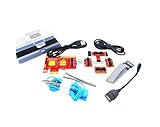
- ATTN : Please DO study the listing page the "Product Guides and Documents" section, the "Instructions for Use (IFU) (PDF)" guide for all manual links at the end of the PDF, to use this kit correctly and easily. 【The item PACKING】 includes the paper printout with the same Complete Instruction Folder with PDFs and APP. 【Only use the tested APP in the folder】 【BOTH 64bit for Newer Androids and 32bit Manufacturer APP】 are available, passed the Android security scan checks and Google Play pending. MUST use the Android APP to display results on the screen, NO Traditional DIGITAL Display to show the POST codes, Great Ease to save hassles of diagnostic codes lookup one by one manually.
- Easy To Use Unique USB Diagnosis with Videos and PDF Guides. 【MUST study the Guides Before Use】 New latest smartphone technology in using the USB ports ( Standard USB / micro USB / Type C ) to diagnose the computers. 【NOT just getting the electric power but RUNNING the Diagnosis Data through USB ports】. A very powerful Essential Nice Handy computer repair tool kit for quick help on diagnosing Desktop PC, Server, Laptop, All-in-one PC, Android Smartphone / Tablet, customized built miniPC and Mac machines ... etc. A great motherboard tester diagnostic kit that provides the most accuracy and effectiveness in making the computer troubleshooting and repairs much easier.
- USB Diagnosis Unique Feature - Save hassles of taking the dusty PCs or laptops apart. Follow the English PDF user guides to power on and let the Android APP to work with this new test kit to auto scan the motherboard for faulty components quickly. When testing different PCs together, make sure follow the listing User Guide(PDF) to see 【Latest Updates with PRECAUTIONs and Extra Tech Tip】 to UNPLUG the USB cable between each test and restart to clear the last cached working motherboard diagnosis data. The ONBOARD USB cable is needed to plug to the Android charger, the other dedicate USB cable connects to motherboard USB port. Connect this 2 USB cable wrongly causes the unstable connectivity.
- All-in-one Multiports support - Different complete bus connector adapter parts included. Made of quality PCB, transistors and capacitor components. Direct pinpointing the faulty motherboard components to greatly reduce the costs yet increase the effectiveness in the computer diagnostic repairs. Videos and the PDFs instructions please see the listing "Videos" section and the "Product guides and documents" section for more details.
- Tested and brought to you by 29 years IT Professionals This kit works with all machines with USB ports including New Old Desktop PC and Laptop Computers, IBM compatible, Mac machines (using USB), Android devices Smartphones and Tablet PCs. Comes with Step by Step Easy Guides, videos instructions, PDF pictorial manuals with Easy Flowcharts and Latest Updates with Precautions. Great for PC Technicians, Computer Owners, Computer Class Student Learners and PC DIY Lovers, Hardware Traders, professionals and novices . Nice Essential must have to add to our computer tool boxes.
Configure the proxy listener in Burp
Open Burp’s proxy settings and confirm that a listener is running on the loopback address, commonly:
127.0.0.1:8080If Burp uses another host or port, enter that value in the browser instead. A browser configured for port 8080 will not reach Burp if the listener is running elsewhere.
Configure Firefox
Firefox commonly has its own proxy settings. Open Firefox’s settings, search for proxy, open the network or connection settings, choose manual proxy configuration, and enter the Burp listener host and port. Use 127.0.0.1 as the host and 8080 as the port only when those values match Burp.
Quick wins for a faster PC:
Fix the driver behind crashes, sound loss and screen glitchesFind Drivers →Clear out junk files and repair common Windows errorsFree Scan →Scan for outdated or missing drivers - takes under a minuteDriver Scan →Firefox’s exact labels can change between releases. Do not assume that changing Ubuntu’s system proxy automatically changes Firefox’s proxy configuration.
Configure Chrome or Chromium
Chrome and Chromium may use Ubuntu system proxy settings or command-line options, depending on how the browser was installed. Configure the browser or system proxy so HTTP and HTTPS traffic uses the same Burp listener address and port.
Snap-packaged browsers can behave differently from traditionally packaged browsers. If a browser ignores the expected setting, check the browser’s own proxy behavior and any active extension, system proxy, VPN, or enterprise policy that could override the configuration.
How do you install Burp’s CA certificate for HTTPS interception?
An external browser normally needs Burp’s CA certificate to trust the certificates Burp generates while intercepting HTTPS. Burp’s built-in browser does not require this extra certificate step because PortSwigger preconfigures that browser for Burp Proxy.
Recommended Free Tools
- Start Burp Suite.
- Confirm that the proxy listener is running.
- In the configured external browser, visit
http://burpsuiteorhttp://127.0.0.1:8080. - Download Burp’s CA certificate from the page.
- Import the certificate into the trusted certificate-authority store for that browser or browser profile.
- Restart browser windows if the browser requires a restart.
- Visit an HTTPS page that you are authorized to test.
PortSwigger explains the external-browser certificate process in its Burp CA certificate documentation. Burp generates a unique certificate for each installation.
Installing the certificate gives Burp permission to decrypt and re-sign HTTPS traffic for that browser profile. Keep the private key and certificate under control, do not export or install them on systems used by untrusted people, and remove the certificate when the authorized testing need ends. Do not permanently disable TLS certificate verification as a workaround; disabling verification hides real certificate problems and makes ordinary browsing less safe.
What is the difference between the native installer and the JAR?
The native installer is the better default for most Ubuntu Desktop users. The JAR is a fallback for advanced users who need a portable file, a custom launch command, or a scripted workflow.
| Method | Advantages | Disadvantages | Best fit |
|---|---|---|---|
| Native Linux installer | Bundled Java, simpler setup, desktop integration, and a native architecture choice | Less convenient for some scripted deployments; installation path can vary | Most Ubuntu Desktop users |
| Standalone JAR | Portable and suitable for custom commands or automation | Requires Java 21 or newer, manual Java maintenance, and more compatibility variables | Advanced users and scripted workflows |
| Third-party PPA or package | May appear to integrate with a package manager | May be outdated or untrusted and is not PortSwigger’s recommended distribution path | Generally not recommended |
How do you install and run the Burp Suite JAR?
Use the JAR method only when you have a reason not to use the native installer. PortSwigger provides JAR downloads alongside native installers on its official download and release pages.
1. Download the JAR from PortSwigger
Use the official download page or the official release page. Save the file in a known directory such as ~/Downloads.
Also popular on Amazon

- 7-Inch Touchscreen Display: Capacitive interface enables easy navigation and control of testing functions and camera configuration.
- Supports 5MP & 8K H.265 IP Cameras: Compatible with high-resolution IP surveillance systems for next-generation testing and installation.
- 5-in-1 Test Functionality: Combines IP, CVI, TVI, AHD, and analog camera testing in a single compact unit.
- Built-In Wi-Fi & PoE: Provides wireless IP connectivity and PoE power delivery to cameras, eliminating the need for separate power sources.
- COC (Control Over Coax): Enables configuration of analog cameras over coaxial cable without additional control wiring.
2. Check Java
java -versionThe JAR requires Java 21 or newer according to PortSwigger’s current launch guidance. If the command is missing or reports an older version, install or select a compatible Java runtime before launching the JAR. That Java requirement applies to the JAR, not normally to the native installer.
3. Launch the JAR
java -jar -Xmx4g ~/Downloads/burp.jarReplace ~/Downloads/burp.jar with the actual filename. The -Xmx4g option permits the Java process to use up to 4 GB of memory; do not use that setting blindly on a machine with limited RAM. You can omit the option or choose a suitable limit for the computer.
How do you fix common Burp Suite installation problems?
“Permission denied” when running the installer
The shell installer is probably not executable. From its directory, run:
Free tools Windows power users keep installed
One-click scans. No signup required.
chmod +x ./installer-name.sh
./installer-name.sh
Use the real filename. Avoid sudo chmod unless the file is owned by another user or is stored in a protected directory.
The installer does nothing after a double-click
Run the installer from a terminal so the error remains visible:
cd ~/Downloads
chmod +x ./installer-name.sh
./installer-name.sh
Possible causes include missing executable permission, a wrong CPU architecture, an incomplete or corrupted download, a non-Linux environment, or a display-session problem. Copy the complete terminal error before choosing a fix instead of guessing.
The installer reports the wrong architecture
Run:
uname -mDownload the standard Linux build for x86_64 and the ARM64 build for aarch64 or arm64. PortSwigger publishes separate Linux architectures on its system-requirements page.
What’s actually slowing this PC down?
Pick the symptom - the matching free tool is one click away.
The JAR reports an unsupported Java version
Run:
java -versionInstall or select Java 21 or newer only when you are launching the JAR. Native-installer users should not change system Java unless the error specifically shows that they are launching a JAR or another external Java process.
Burp opens but browser traffic does not appear
Browser traffic usually fails to appear because the external browser is not using the running Burp listener, rather than because Burp was installed incorrectly. Check the following:
- Burp is running.
- The proxy listener is enabled and its host and port are known.
- The browser uses the same host and port, commonly
127.0.0.1:8080. - Proxy interception is not simply holding the request while you wait for it.
- The request is being made in the browser whose proxy settings you changed.
- For HTTPS, Burp’s CA certificate is trusted by the correct browser profile.
- No browser extension, VPN, system proxy, or enterprise policy is overriding the setting.
Use Burp’s built-in browser as a control test. If the built-in browser works but Firefox or Chrome does not, the Burp installation is probably fine and the remaining problem is external-browser configuration.
HTTPS pages show certificate warnings
Certificate warnings are expected when an external browser has not trusted Burp’s CA certificate. Import the certificate into the correct browser trust store, or use Burp’s preconfigured built-in browser. Do not permanently disable TLS verification.
Burp’s embedded browser is unavailable on ARM
Use the native ARM64 installer rather than relying on the JAR. PortSwigger identifies additional embedded-browser considerations for ARM systems and recommends native platform installers when embedded-browser support matters.
Also popular on Amazon
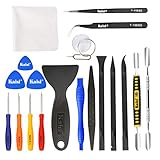
- Kaisi 20 pcs opening pry tools kit for smart phone,laptop,computer tablet,electronics, apple watch, iPad, iPod, Macbook, computer, LCD screen, battery and more disassembly and repair
- Professional grade stainless steel construction spudger tool kit ensures repeated use
- Includes 7 plastic nylon pry tools and 2 steel pry tools, two ESD tweezers
- Includes 1 protective film tools and three screwdriver, 1 magic cloth,cleaning cloths are great for cleaning the screen of mobile phone and laptop after replacement.
- Easy to replacement the screen cover, fit for any plastic cover case such as smartphone / tablets etc
Can Burp Suite run on Ubuntu Server?
A graphical native installer is primarily a desktop workflow, so Ubuntu Server without a display session is not equivalent to Ubuntu Desktop. A remote setup may require a desktop environment, X11 or Wayland forwarding, or a remote-desktop session. Restrict any remote proxy carefully because intercepted traffic can contain credentials, tokens, and private application data.
What should you know about Ubuntu 20.04 and updates?
Ubuntu’s current download documentation states that standard support for Ubuntu 20.04 has ended and that continued security coverage is available through Ubuntu Pro. That is an Ubuntu lifecycle issue, not a special Burp Suite installation requirement.
If you are choosing a new operating system, prefer Ubuntu 22.04 or a currently supported Ubuntu release where your other tools allow it. If an existing authorized testing workstation must remain on Ubuntu 20.04, follow the architecture and installer guidance above and keep the operating system’s security posture in mind.
How should you update or uninstall Burp Suite?
Do not rely on a fixed uninstall command or installation path because those details can vary by installer release and by the directory selected during setup. Keep Burp projects and configurations backed up, identify the installation directory and application entry created by the current installer, and follow the uninstall or update option provided by that installation.
Before removing Burp, preserve any projects you need. Project files can become large, and PortSwigger recommends approximately 2 GB of free space per project as a starting point, while projects can grow to many tens of gigabytes.
Is Burp Suite Community Edition, Professional, or OWASP ZAP right for you?
Community Edition is the sensible starting point for learners who need manual proxying, Repeater, and request analysis. Professional is appropriate when a licensed commercial workflow, automated scanning, or other Professional-only capabilities justifies the cost. OWASP ZAP is the clearest alternative for users who specifically require a free and open-source web-security tool.
Check the official Burp Suite Professional page for current purchase and trial information rather than relying on an old price. The available research does not provide a reliable current numeric price, so no fixed price is stated here.
Do these 3 things before closing this tab:
1Fix the driver behind crashes, sound loss and screen glitches2Clear out junk files and repair common Windows errors3Scan for outdated or missing drivers - takes under a minuteFor structured learning, the PortSwigger Web Security Academy is a useful companion to Community Edition. The Academy is a training resource, not a requirement for installing Burp Suite.
Frequently Asked Questions
Does Burp Suite require Java on Ubuntu?
The native Burp Suite Linux installer normally does not require Java because the installer includes a private Java runtime. The standalone JAR does require Java 21 or newer, so check it with java -version before launching the JAR.
Is Burp Suite Community Edition free?
Yes. PortSwigger’s unified-installer FAQ says Burp Suite Community Edition remains available, and Community Edition is suitable for learning and manual web-application testing. Burp Suite Professional is a separately licensed edition.
Does Burp Suite work on Ubuntu 20.04?
This guide targets Ubuntu 20.04 and 22.04, but PortSwigger’s general requirements list Linux on Intel/AMD 64-bit and ARM64 rather than separately guaranteeing every Ubuntu release. Ubuntu 20.04 has also passed standard support, so Ubuntu 22.04 is preferable for a new workstation.
Why is browser traffic not appearing in Burp Suite?
The external browser is usually not using Burp’s active proxy listener. Confirm the listener address and port in Burp, configure the browser to use the same values—commonly 127.0.0.1:8080—and install Burp’s CA certificate for HTTPS. Burp’s built-in browser is a useful control test because it is preconfigured.
Is installing Burp’s CA certificate safe?
Installing Burp’s CA certificate allows Burp to decrypt and re-sign HTTPS traffic for the browser profile where the certificate is trusted. Use it only on a controlled testing profile or authorized workstation, protect the private key, and never use permanent TLS-verification bypass as a substitute.
The Bottom Line
For Ubuntu 20.04 or 22.04, download the official native Linux installer from PortSwigger, select the build matching uname -m, run chmod +x, and launch the installer. Start with Community Edition for learning or manual testing, use Professional only when its licensed features are needed, and verify the installation first with Burp’s built-in browser before configuring an external browser and CA certificate.

