

The Tool Desk
Outbyte Driver Updater FREEFix the driver behind crashes, sound loss and screen glitchesFind Drivers →Outbyte PC Repair FREERepair Windows errors before they cause bigger problemsFix Now →This Itechguide teaches you how to follow someone on Instagram. The guide covers steps to follow someone on Instagram from a PC, Android or iPhone.
Option 1: Follow Someone via the Instagram App
There are two methods to find and follow people with the App. Both are covered below…


Method 1: Follow Someone from Search
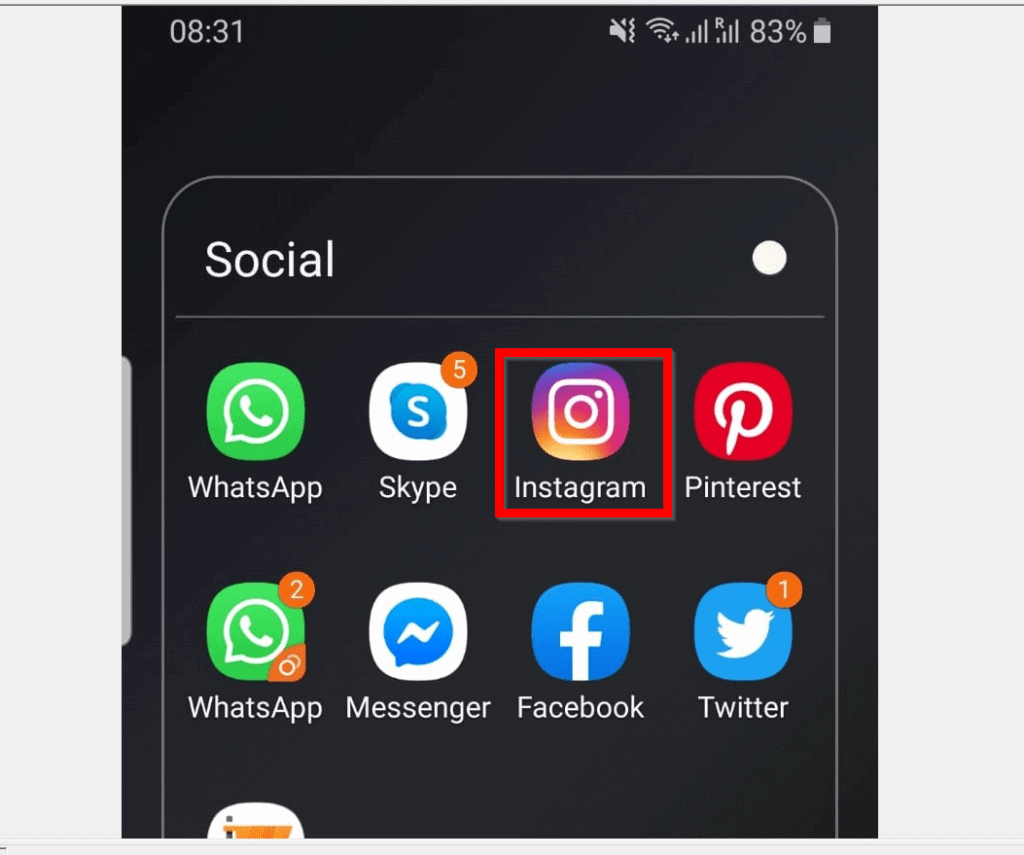
- Open Instagram App on your phone. Then, sign in with your Instagram account.
- At the bottom of the App, tap the search tab.

- Then, on top of the App, tap the search field.

- Instagram will suggest people to follow. You can follow the people suggested or proceed to search for people you want to follow.
- To follow someone from the Suggested list, tap on the person’s name. Then, on the person’s Instagram profile, tap Follow.


- You could also search for people. To use search, tap the ACCOUNTS tab.

- Then type the name of the person you want to follow in the search bar. From the displayed result, tap the person’s name.

- Finally, when the person’s profile opens, tap Follow.

Method 2: Follow Someone from “Discover People”
To use this method to follow Someone on Instagram use the steps below…
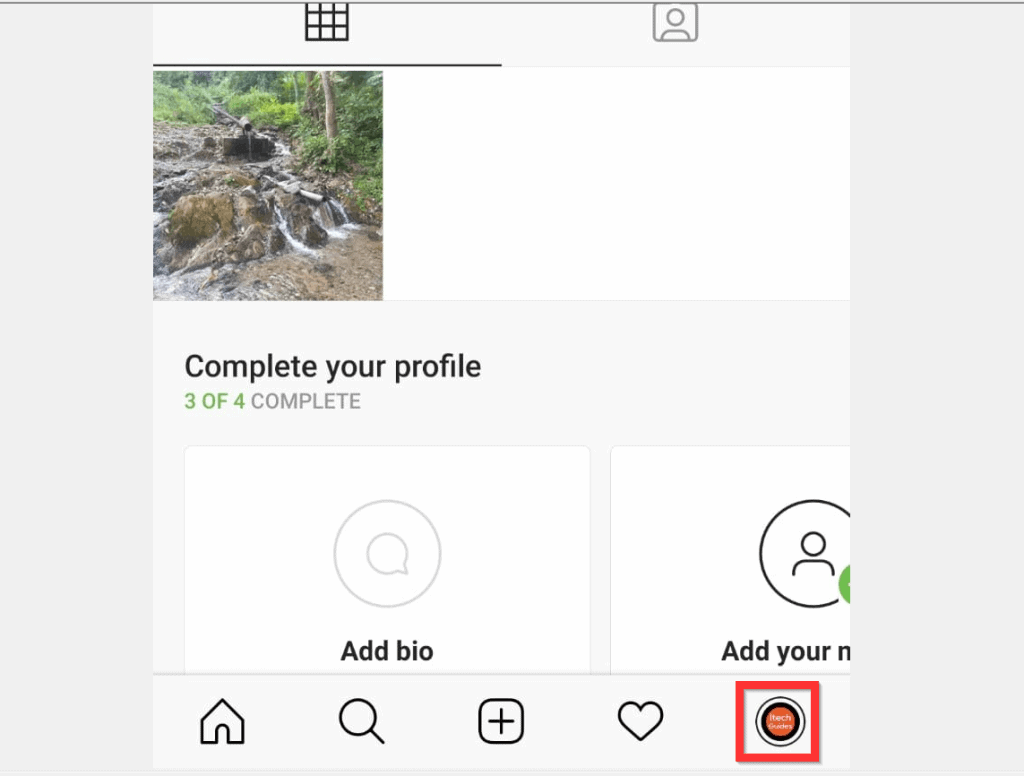
- At the bottom right of the App, tap your Instagram account profile icon tab.
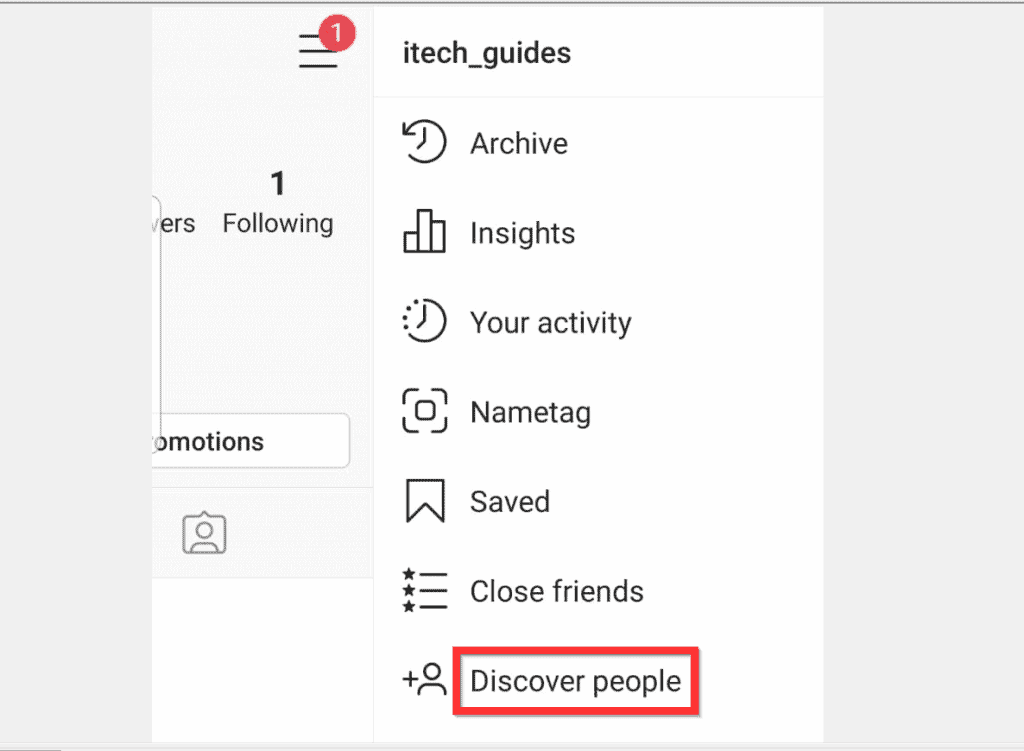
- Then, tap the 3 lines on the top right of the page. A set of options will be displayed.

- From the displayed options, tap Discover people.
- Finally, on the Find people page, to follow someone on Instagram, beside the person’s name, tap Follow.

Option 2: Follow Someone Using a PC (Instagram.com)
- Open Instagram.com from a browser on your computer. Then, login with your Instagram username and password.

- At the bottom of the right pane of the page, Instagram will display Suggestions For You – a list of people to follow. To follow somebody from the list, simply click the Follow link beside the person’s name.
- You could also use the search bar on top of the page.

- To use Instagram search, type the name of the person you want to follow into the search bar. Then, from the displayed results click on the person you want to follow.

- Finally, beside the person’s Instagram username, click Follow.

I hope you found this article helpful. If you did, click on “Yes” beside the “Was this page helpful” question below.
#1 Best Overall
- SIMULATION TECHNOLOGY: Replicates natural finger tapping patterns for continuous clicking actions while maintaining device safety. Lightweight and portable device with ergonomic shape for comfortable handling and easy storage
- TRULY FREE YOUR HANDS: Built-in high-capacity battery delivers 12 hours of extended battery life—no plug needed.
- VERSATILE FUNCTIONALITY: Auto-clicker device designed for smartphones and tablets, compatible with devices for various clicking applications
- MULTIPLE APPLICATIONS: Perfect for live stream engagement,Concert tickets, reward tasks, and other repetitive clicking activities
- DIGITAL DISPLAY: Features an LED screen that shows clicking status and settings for precise control and monitoring of clicking operations
You may also express your thoughts and opinions by using the “Leave a Comment” form at the bottom of this page.
Finally, for more Social media Itechguides, visit our Social Media how to page.
Quick Recap
Rank #4
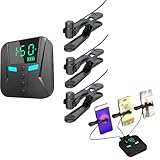
- 👍📲【Unmatched Efficiency】: Boasting an impressive click rate of 50 times per second, this device guarantees swift execution for high-volume tasks, enhancing productivity and success rates instantly.
- 👍📲【Customizable Precision】: Offering a range of preset modes for quick selection, while also empowering users to tailor click speeds, intervals, and more, ensuring tailored performance for every task at hand.
- 👍📲【Three-port mobile screen auto clicker】: The three-port mobile screen automatic clicker can connect three mobile phones at the same time for use, to meet your clicking needs anytime and anywhere.
- 👍📲【Versatile Functionality】: Engineered to integrate seamlessly with a myriad of apps and games, from live streaming platforms to social media and e-commerce apps, catering to diverse user preferences.
- 👍📲【Effortless Using】: Simplifying technology at its best, this tapper requires merely a straight forward connection to your smartphone followed by intuitive parameter settings, eliminating the need for intricate programming skills.
Rank #2

- 📱 All-in-One Smartphone for Kids & Teens: Kids phone for 7–16, the Teracube Thrive is the perfect first phone with built-in safety features. Includes 64GB storage, Android OS, and kid-focused design to limit distractions and promote digital wellness.
- 👨👩👧 Tamper-proof Built-In Parental Controls: Monitor and manage your kids cell phone remotely from the Thrive Parent App (iOS & Android). Block or limit social media, Set screen time limits, track online activity. No technical skills required - easy setup.
- 📶 Affordable Monthly Plan Required: Requires Teracube Wireless activation Kids phone service starting from $1/day. For your talk, text, and data needs. Not compatible with other networks.
- 📞 Safe Calling, Texting & Browsing: Built-in spam call blocker and restricted contacts list. Thrive blocks unknown callers and enables safe online search and browsing, keeping kids protected from cyberbullying and inappropriate content.
- 📦 Includes Phone Case, Screen Protector & Teracube Care+ Comes with a durable case, screen protector, and Teracube Care+, which offers express replacement for accidental damage or defects. Kid-proof from the start!
Product prices and availability are accurate as of the date/time indicated and are subject to change. Any price and availability information displayed on Amazon at the time of purchase will apply.


