
What’s actually slowing this PC down?
Pick the symptom - the matching free tool is one click away.
iTechGuides is reader-supported. When you buy through links on our site, we may earn an affiliate commission. As an Amazon Associate I earn from qualifying purchases. Learn more
First, play the recording. If it is silent, clipped, or dominated by noise, the problem is the audio capture: check your microphone and record again. If the audio is clear but the words are missing or wrong, check whether the note has finished syncing, confirm you are using the right Google Account, and then test recognition in a quiet room. A recording with no transcript is not necessarily a recording with no audio.
Why does a Google Keep voice note have no transcription?
A missing transcript can have two different causes: Keep may not have captured usable audio, or the audio may exist while the text is missing, delayed, or unavailable. Playback is the quickest way to tell which problem you have.
Audio was not captured clearly
If playback is silent, cuts off, or contains mostly background noise, there may be little usable speech for a transcription system to recognize. Google identifies background noise as a reason a transcript may be unavailable. In that situation, changing sync settings will not improve the recording; make a new one after checking the microphone and surroundings.
Audio exists, but text is missing
If you can hear the note clearly, the capture worked. The remaining possibilities include a sync or reload that has not finished, Keep using a different account from the one that owns the note, or a transcription that was not generated. Check the same note on the web before deciding that its text is lost.
#1 Best Overall

- USB-C & USB-A COMPATIBILITY - This lavalier microphone for type c devices is compatible with iPhone 15/16/17 Series, MacBook Pro, Mac mini, Samsung Galaxy S24/23, and other smartphones or tablets with a USB C jack. Comes with a USB-C to USB-A adapter, it also works well with most laptop and desktop PCs, Mac, and other computers.
- CLEAR SOUND QUALITY - Built with a premium sound card (24-bit / 96kHz), this omnidirectional condenser microphone captures your voice with clarity and accuracy, while reducing unwanted background noise — ideal for interviewing, online conferencing, podcasting, vlogging, live streaming.
- PLUG & PLAY LAPEL MIC - This USB C lavalier microphone with USB-A connection is play-and-play, no extra cables or set-up. Just plug it into your device with USB-C or USB-A, it'll start working instantly. Without drivers and battery needed, it is friendly-design and easy to use.
- FLEXIBLE CLIP & 6.6FT CABLE - Featuring a sturdy metal clip, this USB-C lapel microphone can be securely attached to your clothing for optimal placement or discreet use. The 6.6FT / 2M soft silicone cable provides ample length and flexibility for comfortable movement during recording.
- ALL-IN-ONE PACKAGE & SUPPORT- Includes a USB-C microphone with clip and windscreen, cable tie, USB-C to USB-A adapter, and a premium storage pouch. Comes with 1-year protection and 24-hour customer support.
The transcript exists but has word errors
Names, acronyms, product names, and specialist terms can be harder to recognize than ordinary speech. Compare the words with the playback, then edit the note. A short controlled test can help determine whether the problem is the environment or particular vocabulary.
How do I check whether the recording itself is usable?
On Android, open the Keep note and play its recording before changing account or sync settings. Google’s Keep instructions include a Play control for listening and a Delete control for removing a failed take.
- Open the note in Google Keep on your Android phone.
- Tap Play and listen to the entire recording, including its beginning and end.
- Check whether speech is audible, complete, and clear enough to understand.
- If the take is silent, clipped, or overwhelmed by noise, delete that take and make another recording. Keep’s Android workflow prompts you to speak when the microphone appears.
Do not judge the transcript alone: an empty or incomplete text result does not establish that the recording failed. Conversely, if playback is poor, repeatedly reloading the note cannot restore words that were never captured clearly.
Do these 3 things before closing this tab:
1Clear out junk files and repair common Windows errors2Scan for outdated or missing drivers - takes under a minute3Repair Windows errors before they cause bigger problemsHow should I re-record a note to diagnose recognition errors?
Record a 10–20 second test in a quiet room. Treat it as a diagnostic sample, not a promise that Keep will transcribe every word correctly.
Rank #2

- Clear Natural Sound: Equipped with high-density spray-proof sponge and high-sensitivity omnidirectional pickup microphone, our lavalier microphone records every detail of the sound regardless of surrounding environment
- High-fidelity Recording: A higher sampling rate (192kHz) and bit depth (24bit) can capture more audio details, making the recording clearer and more lifelike. The lavalier mic is suitable for interviewing, online conferencing, podcasting, vlogging, live streaming
- Stable and Fast Connection: USB C Lapel microphone can provide a better user experience, improve work efficiency, and help ensure higher quality audio output. Is the perfect external microphone for Interviews and for making
- Wide Compatibility: Plug and play, no adapter. the USB C lapel microphone is compatible with IOS, Android smartphones, iPads, Computer, PCs, Laptops, Desktop, Macs, Notebooks, etc Note: The microphone is not compatible with Android phones with a Micro USB port, laptops with only a USB-A port, iPhone models without a USB-C port, including iPhone 14, iPhone 13, etc
- What You Will Get: 1 x 78in USB Type C mic, 1 x Aluminum lapel clip, 1 x Foam windscreen, 1 x User manual
- Choose a quiet place and keep the phone’s microphone uncovered.
- Speak at a normal distance and volume rather than holding the phone against your mouth or speaking from across the room.
- Pause briefly between sentences so the sample is easy to compare with playback.
- Include one name, acronym, or technical term that was previously transcribed incorrectly.
- Play the new recording and compare the words Keep produced with what you actually said.
If the test is still noisy or incomplete, address how the sound is being captured before troubleshooting word recognition. If the audio is clean but a particular term fails, say that term separately and distinctly; if necessary, spell it aloud. Then edit the note to correct the text. Google’s documentation describes language hints and custom vocabulary for Gemini transcription, but those controls may not be present in classic Keep recording.
What should I check if clear audio has no text on any device?
Confirm the account and let Keep finish syncing before treating the missing text as a permanent failure. The same note appearing without its text on multiple devices makes a single-device display issue less likely, but it does not by itself identify the cause.
Confirm the account that owns the note
Check that Keep is open under the Google Account that created or owns the note. If you have more than one account on the phone, a note may seem absent or different because you are viewing another account.
Check Keep sync on Android
- Open Android Settings.
- Go to Accounts → Google.
- Select the account that owns the note.
- Check that Keep sync is turned on.
- Update Google Keep through Google Play, then reopen the note.
Menu wording can differ across Android versions, but the account-level setting to check is Keep sync for the relevant Google Account.
Rank #3
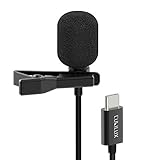
- [Driverless Plug & Play USB C Microphone] – No need for an extra power supply or driver, just snap the microphone and you can effortlessly record on the go and capture crystal sound with USB C smartphones, tablets or laptops.
- [Built-In ADC] – The built-in 48KHz/24-bit ADC ensures high-fidelity recording, resulting in a professional-grade sound with accurate detail and dynamic range.
- [Clear & Natural Sound] – Made with a high-sensitivity condenser, the Type C Microphone delivers a crystal-clean natural sound with ultra-low noise.
- [Multipurpose MIC] - Ideal for recording YouTube, TikTok, or Instagram videos, vlogging, livestreaming, singing, dictation etc.
- [Wide Compatibility] – Compatible with USB C and Thunderbolt 4/3 computers, and a wide range of USB C mobile devices, such as iPhone 17/16/15 series, iPad Pro 13/12.9/11, iPad Air 13/11, Galaxy S25/S24/S23 and Z Fold/Flip series, Galaxy Tab S11/S10/S9/S8, Pixel 10/9/8/7, and more.
Wait for a Keep reload to finish
If Keep asks you to reload, stay connected to a strong network while your notes are saved and downloaded again. Google says this process can take time; check keep.google.com while the download completes rather than assuming that the note is ready as soon as the reload begins.
If the note appears on the web with its audio or text, that can help separate a phone-specific display or sync issue from a problem affecting the note itself. Avoid making repeated edits on several devices while Keep is still reloading, because conflicting versions can complicate recovery.
How do I handle a “Conflicting edits found” alert?
Resolve the conflict before deciding which version contains the transcript you want. Keep may show this alert when the same note was edited offline on another device or while the connection was weak.
- Open the “Conflicting edits found” alert for the note.
- Review the available versions.
- Choose the version you want to keep, or choose the option to keep both if you need to preserve each version.
Keeping both is the safer choice when you cannot tell which version has the audio or text you need. Choosing only one version can overwrite the other, so compare them before resolving the alert.
Rank #4

- The Original Mini Microphone: Mini Mic Pro is the wireless microphone for iPhone & Android used by creators. Trusted by thousands, it delivers studio-quality sound in a design small enough to clip onto your shirt or slip into your pocket.
- Seamless Connection: Designed to work right out of the box with your iPhone, Android, tablet, or laptop. With both USB-C and Lightning adapters included, Mini Mic Pro connects instantly—no apps, no bluetooth, no friction. Just pure, plug-and-play performance.
- Pro sound, anywhere: From voiceovers to viral interviews, Mini Mic Pro captures crystal-clear audio and cuts through background noise and even outdoors, thanks to included wind protection like high-density foam and a dead cat cover.
- Lightweight & Durable: Crafted from premium materials and weighing under an ounce, it’s ultra-portable, rugged enough for daily use, and always ready to record—no matter where the day takes you.
- Rechargeable Battery: A wireless lavalier microphone designed for real creators. Record for up to 6 hours per charge. While using the lav mic, you can charge your device simultaneously!
What can I do when Keep gets names or technical words wrong?
Use clear speech, compare the text with the recording, and correct the note manually. Do not assume that a setting documented for another Google transcription feature is available in classic Keep.
- Say the difficult name or term distinctly, with a brief pause around it.
- If a term remains unclear, spell it aloud in the recording.
- Listen back to the audio and edit the resulting note text.
- For Gemini transcription, Google documents language hints and custom vocabulary for proper nouns and domain-specific terms. Those options may not appear in Keep’s basic Android recording workflow.
Clean audio can make speech easier to recognize, but Google does not publish a Keep-specific accuracy guarantee. A test recording can reveal a pattern; it cannot guarantee that every name or specialist term will be handled correctly.
Independent reader supportYour contribution helps us test, update, and keep practical guides available for everyone.Is this the same as Gemini-generated notes with your voice?
No. Classic Keep voice recording and the newer “Generate notes with your voice” feature are different workflows. The latter is a gated Android feature, not a setting that every Keep user can turn on.
Free tools Windows power users keep installed
One-click scans. No signup required.
Google says “Generate notes with your voice” is available on Android for Google AI Pro and Ultra users and for Workspace Experiments users. If a generated suggestion is inaccurate, Google provides “Good suggestion” and “Bad suggestion” feedback controls. That feedback applies to generated results; it is not a guarantee that a classic recording’s transcript will be corrected.
Best Value

- Superior Sound with Active Denoise: Experience exceptional sound clarity with the GoorDik USB C wireless lavalier mic featuring advanced active denoise technology. With dual noise reduction modes – noise reduction mode and original sound mode. The wireless clip-on C port mic is equipped with 2 furry outdoor microphone windscreen muffs and 4 extra foam mic covers, ensuring crystal-clear audio even in noisy and windy environments
- Plug & Play with Intuitive Interface: GoorDik wireless mini mic is an effortless operation. Each function is accompanied by corresponding indicator lights. You can set the different functions of noise reduction, original sound, and mute function easily with the intuitive user interface. Plus, it is equipped with 1 magnetic microphone clip on each mic transmitter, allowing you to adjust the direction for optimal omni-pickup, enhancing your recording audio
- Long Battery Life Keep Recording: Enjoy extended recording sessions with the GoorDik microphone's long-lasting battery. Each transmitter has 1 60mAh battery and offers 6-12 hours of usage on a single charge. The included one-to-two charging cable enables simultaneous charging of two transmitters. There is a USB-C charging port on the receiver for charging your phone and ensuring uninterrupted recording. Worryfree during your content creation
- Wide Compatibility on USB-C&USB Devices: Connect effortlessly to most devices with the USB C plug, compatible with iPhone 15 USB C, Android phones like Samsung, tablets, pocket 3, and more. The included USB C to USB adapter allows seamless connectivity to computers for recording. Note: Some Android phones may require OTG activation, and computer devices need to set the default input device in the sound settings interface
- Your Go-To Mic For Content Creation: Perfect for podcasts, vlogs, YouTube, and live streams, this microphone is designed to work flawlessly with your favorite device. It offers true universal compatibility: connect directly to USB-C phones (iPhone 15, Android) or use the included Lightning adapter for any other iPhone. (Note: some Android phones require OTG activation). Enjoy the freedom of a 30-meter wireless range and capture crystal-clear audio anywhere
Would an external microphone help?
A compatible external microphone may help if the phone’s built-in microphone or its placement is the weak link, but it cannot guarantee better transcription. USB-C wireless clip-on microphones marketed for Android recording are one option; confirm that the connector matches your phone, that Android selects the microphone, and that a short test sounds clear before relying on it.
Try the quiet-room test with the built-in microphone first. An accessory adds another connection and input-selection point to check, so it is most useful when the test indicates a capture problem rather than a sync or vocabulary problem.
Which fix should I try first?
Match the remedy to what you observe instead of changing several settings at once.
| What you find | Likely problem area | Next action |
|---|---|---|
| Playback is silent, clipped, or noisy | Audio capture | Check microphone access, placement, and background noise; record again. |
| Audio is clear, but text is absent | Account, sync, reload, or transcription | Confirm the owning account, Keep sync, and app update; wait for reload and check Keep on the web. |
| Only a name, acronym, or technical term is wrong | Recognition of particular vocabulary | Speak the term distinctly, compare with playback, and edit the note. |
| The same note has competing versions | Conflicting edits | Review the alert and keep the correct version or both versions. |
| The result came from “Generate notes with your voice” | Gemini-generated suggestion | Use the available suggestion feedback controls if the result is inaccurate. |
Frequently Asked Questions
Does a missing transcript mean Google Keep deleted my recording?
Not necessarily. If the note still plays, the audio is present even if the words are absent; check the note on the web and allow any reload to finish before concluding the content is gone.
Can I make Google Keep guarantee accurate transcription?
No Keep-specific accuracy guarantee is published. Clearer audio and careful pronunciation can help with a diagnostic test, but they cannot ensure that every word will be recognized correctly.
Can I add a custom word list to classic Google Keep voice notes?
Google documents custom vocabulary and language hints for Gemini transcription, but that documentation does not establish that those controls are available in classic Keep recording. Correcting the note text after checking playback is the documented practical fallback.
Quick Recap
Product prices and availability are accurate as of the date/time indicated and are subject to change. Any price and availability information displayed on Amazon at the time of purchase will apply.
Recommended Free Tools

