
Quick wins for a faster PC:
Clear out junk files and repair common Windows errorsFree Scan →Fix the driver behind crashes, sound loss and screen glitchesFind Drivers →iTechGuides is reader-supported. When you buy through links on our site, we may earn an affiliate commission. As an Amazon Associate I earn from qualifying purchases. Learn more
Netflix downloads work through the Netflix app—not from netflix.com as ordinary video files. You can currently download supported movies and shows on Android phones and tablets, iPhone and iPad, Amazon Fire tablets, and compatible Chromebooks with Google Play Store access. The current Netflix app for Windows no longer supports downloads, and Netflix documents Mac use as browser streaming rather than offline playback.
To download, open the Netflix app, find a title with the downward-arrow download icon, select Download, then watch it later from Downloads. Before a flight or other offline period, finish the download and test it in airplane mode while you still have internet access.
Before you start
Check these requirements before looking for the download button:
- You have an active Netflix membership and can sign in to the Netflix app.
- Your device is one of Netflix’s supported download platforms.
- The Netflix app and device operating system are up to date.
- The device has enough free storage for the movies or episodes you want.
- You have a reliable Wi-Fi connection. Netflix recommends Wi-Fi for downloads, and its automatic download features also use Wi-Fi rather than cellular data.
- Your plan has not reached a download or download-device limit.
Interface labels can vary slightly by device, app version, country, and language. The paths below use Netflix’s current English labels.
Which devices support Netflix downloads?
| Device or platform | Offline downloads | Requirement or limitation |
|---|---|---|
| Android phone or tablet | Supported | The latest Netflix Android app requires Android 9 or later. Some Android devices may still be incompatible with downloads. |
| iPhone or iPad | Supported | Netflix’s current app-installation page lists iOS/iPadOS 18 or later. An older Netflix feature page mentions iOS 12 or later, but that should not be treated as the current requirement for installing the latest app. |
| Amazon Fire tablet | Supported | Requires Fire OS 7 or later. |
| Chromebook | Supported on compatible models | The Chromebook must support Android apps and have the Google Play Store enabled. Use the Netflix Android app, not just Netflix in the browser. |
| Windows PC | Not supported in the current Netflix app | Netflix removed downloads from the new Windows app and says there is no supported rollback to the old version. |
| Mac | No documented official download path | Netflix documents streaming through a supported browser on Mac. |
| Web browser | Streaming only | Chrome, Safari, Edge, Firefox, and other supported browsers do not provide Netflix’s app download workflow. |
| Smart TV, Roku, Apple TV, Fire TV, or game console | Not listed as download devices | Download on a supported phone, tablet, or Chromebook instead. |
Netflix’s device requirements can change. Check its Android requirements, Fire tablet requirements, iPhone and iPad requirements, and Chromebook guidance if your device is near the minimum version.
How to download a Netflix movie
- Install or update the Netflix app from your device’s official app store.
- Open Netflix and sign in.
- Find the movie you want to save.
- Open the movie’s details page and select the downward-arrow Download icon.
- Wait for the download to finish. Do not assume it is ready merely because it has started.
- Open Downloads and confirm that the movie appears there before leaving Wi-Fi.
If the download icon is missing, the movie may not be licensed for offline viewing. That is not necessarily an app fault; see Why a title may not be downloadable below.
Popular on Amazon

- Like-New Amazon Fire HD 10 tablet is refurbished, tested, and certified to look and work like new and comes with the same limited warranty as a new device. Like-New Amazon devices may be packaged in generic Amazon-branded boxes.
- Do what you love, uninterrupted — 25% faster performance than the previous generation and 3 GB RAM are ideal for seamless streaming, reading, and gaming.
- High-def entertainment — A 10.1" 1080p Full HD display brings brilliant color to all your shows and games. Binge watch longer with 13-hour battery of video playback, 32 or 64 GB of storage, and up to 1 TB expandable storage with micro-SD card (sold separately).
- Thin, light, durable — Tap into entertainment from anywhere with a lightweight, durable design and strengthened glass made from aluminosilicate glass. As measured in a tumble test, Fire HD 10 is 2.7 times as durable as the Samsung Galaxy Tab A8 (2022).
- Stay up to speed — Use the 5 MP front-facing camera to Zoom with family and friends, or create content for social apps like Instagram and TikTok.
How to download Netflix episodes or an entire season
Download individual episodes
- Open the show’s details page in the Netflix app.
- Find the episode you want.
- Select the downward-arrow download icon beside that episode.
- Repeat for each episode you want to watch offline.
Download a season
For some series and app versions, Netflix displays Download Season. Select it to download the available episodes in that season with one action. The button is not guaranteed for every title or device. Netflix introduced the one-tap season download button for iPhone and iPad on January 29, 2025; Android had already offered the feature. Availability can still depend on the title and app version. See Netflix’s Season Download announcement.
Do not assume that using Download Season counts as one download for plan-limit purposes. Netflix’s public help information does not clearly define how a season action is counted.
How to find downloadable movies and shows
Instead of browsing the entire catalog, use Netflix’s download recommendations:
- Android, iPhone, iPad, and Fire tablet: open Downloads > See What You Can Download.
- Chromebook: open Downloads > Find More to Download.
You can also search or browse normally. A downloadable movie or episode displays the download icon on its title or episode page. Netflix does not make every title available for offline viewing.
How to watch Netflix downloads without internet
- Open the Netflix app on the same device used for the download.
- Select Downloads.
- Select the downloaded movie or episode.
- Select Play.
Netflix downloads are temporary, protected content managed by the app. They are not normal MP4 files. You cannot officially copy them to a USB drive, send them to another device, rename them for use elsewhere, or open them in another video player. Downloads are tied to the device where they were downloaded, although Netflix says any Netflix profile on that device can view them subject to profile and maturity restrictions.
You must remain signed in to Netflix to watch downloads offline. If you are preparing for travel, enable airplane mode before departure, open Netflix, go to Downloads, and play at least one title. This test can reveal an incomplete download, sign-in problem, expiration, or device issue while you can still fix it.
Change download quality and save storage
Choose Standard or High/Higher quality
Netflix currently provides two download-quality choices:
- Standard: SD video that downloads faster and uses less storage. It is usually the better choice for a phone or a large travel library.
- High or Higher: Uses more storage and downloads video up to 1080p/HD where the title and device support it.
High does not guarantee 1080p. Netflix qualifies the setting as “up to” 1080p because device and title support vary. Netflix also does not publish a dependable universal gigabyte estimate for every movie or episode; file size varies with the title, duration, device, quality setting, and app version.
To change the setting, open:
My Netflix > profile name > App Settings > Download Video Quality or Video Quality, then select Standard or High/Higher.
The Tool Desk
Outbyte PC Repair FREERepair Windows errors before they cause bigger problemsFix Now →Outbyte Driver Updater FREEScan for outdated or missing drivers - takes under a minuteDriver Scan →Use an SD card on Android or Fire tablet
Supported Android phones, tablets, and Amazon Fire devices can use an SD card as the Netflix download location:
- Open Netflix.
- Go to My Netflix.
- Tap the profile name.
- Select App Settings.
- Under Downloads, select Download Location.
- Choose the SD card.
This changes where future downloads are saved. Existing downloads remain in their original location. Netflix does not document manually moving download folders between storage devices, renaming them, or playing them independently of the app. See Netflix’s SD-card instructions.
Delete downloads you have finished
Downloaded titles consume local storage. Remove finished movies and episodes from Downloads, or use Netflix’s delete controls in the app. Keep enough free space for the next download; a device can show a download failure when storage is nearly full.
Netflix Smart Downloads and automatic downloads
Netflix has two different Smart Downloads features. They are optional and separate from manually choosing a movie or episode.
Download Next Episode
Download Next Episode deletes a watched downloaded episode and automatically downloads the next episode in the series. It works over Wi-Fi on Android phones and tablets, iPhone, and iPad with the latest Netflix app. It does not automatically delete the final episode after it is watched.
Enable it at:
My Netflix > profile name > App Settings > Smart Downloads > Download Next Episode
Downloads for You
Downloads for You automatically selects movies and shows based on a profile’s viewing preferences. You can set the storage allocation in gigabytes with the plus and minus controls. It requires Wi-Fi and available storage and is available on Android phones and tablets, iPhone, and iPad.
Enable or adjust it at:
My Netflix > profile name > App Settings > Smart Downloads > Downloads for You
Neither Smart Downloads feature is available on Netflix’s ad-supported plans. Netflix’s Smart Downloads help page lists the current feature requirements.
Download limits: plan, device, and title limits are different
Three separate controls can prevent a download. Do not confuse them with the number of screens that can stream at once.
| Limit | What it controls |
|---|---|
| Active downloaded titles per device | How many titles can remain stored on one device at the same time. |
| Download-device limit | How many devices on the account may contain Netflix downloads. |
| Monthly download limit | How many downloads an ad-supported plan permits during the calendar month. |
Ad-supported plans
Netflix currently states that ad-supported plans have a limit of 15 total downloads per device per calendar month. The counter resets on the first day of each calendar month. Netflix has also published plan-specific wording describing 15 monthly downloads across two total devices, so the exact account rule can vary by plan and country. Check the message shown in your account if the limit behaves differently from the general description.
Also popular on Amazon

- Fire HD 8 offers an 8" HD display for seamless streaming and gaming, coupled with a 5MP rear facing camera for photos—with a thin, light, durable design.
- Fast and responsive with long battery life - With up to 4 GB RAM (2X more than 2022 release), 64GB of storage, and up to 1 TB of expandable storage (sold separately). Hexa-core processor for fast, responsive performance. Up to 13 hours of reading, browsing the web, watching videos, gaming, and listening to music at home and on-the-go.
- Save time, get creative - Enjoy three smart tools to help you send polished emails, quickly summarize webpages, and create unique wallpapers.
- Stream or download your favorite shows, movies, and games (like Minecraft, Roblox, and more). Enjoy your favorite content from Facebook, Hulu, Instagram, TikTok, and more through Amazon’s Appstore (Google Play not supported. Subscription for some apps required).
- Stay connected with family and friends - ask Alexa to make video calls to friends and family or download apps like Zoom.
The wording refers to downloads, not hours, minutes, or seasons. Netflix does not clearly explain in its public help page how a Download Season action is counted, so do not rely on the assumption that one season always consumes one download.
Do these 3 things before closing this tab:
1Clear out junk files and repair common Windows errors2Fix the driver behind crashes, sound loss and screen glitches3Repair Windows errors before they cause bigger problemsWhen an ad-supported account reaches the limit and shows Download Max Reached, wait for the next monthly reset or change to an ad-free plan. Smart Downloads features are not available on ad-supported plans.
Ad-free plans
Netflix’s current download information says ad-free plans can have up to 100 active downloads at a time per device, subject to the number of download devices included with the plan. Title licensing and plan-specific restrictions can still apply.
Too many download devices
If Netflix displays You have downloads on too many devices, remove downloads from another device or remove that device from the account’s mobile download-device list.
In the app, the path is:
My Netflix > profile name > Account > Mobile download devices
What’s actually slowing this PC down?
Pick the symptom - the matching free tool is one click away.
You can also use Netflix’s Manage Download Devices page in a browser. Removing a device deletes the downloads associated with that device. Alternatively, change to a plan that supports more download devices. Download-device limits are separate from simultaneous-streaming limits.
Why a title may not be downloadable
The absence of a download icon does not necessarily mean your app is broken. Netflix says download availability can depend on:
- Exclusive rights held by another company.
- Whether the content provider allows the title to be downloaded.
- Popularity, cost, seasonal factors, or regional availability.
- A studio partnership in which Netflix has streaming rights but not download rights.
- Your country, device, plan, or app version.
- Profile maturity restrictions.
Even a Netflix Original is not automatically downloadable. Netflix says some Originals lack download rights because of studio or franchise agreements. On an ad-supported plan, a small number of titles may also be unavailable because of licensing restrictions; Netflix marks those titles with a lock icon. See Netflix’s explanation of unavailable downloads and its ad-supported plan information.
A useful rule is: if there is no download icon, the title is not available for offline download on that device, account, plan, or region. Try a different title or a different supported device, but do not expect every title to become downloadable after an app reinstall.
Outdated Drivers Are Slowing You Down
One free scan finds every outdated or missing driver and matches the right update for your exact hardware.Free scan · exact hardware matchPC Slower Than It Used to Be?
A free scan shows the junk files, broken settings and background clutter dragging Windows down - then fixes them in one click.Free scan · Windows 10 & 11Do Netflix downloads expire?
Yes, downloads are temporary, but Netflix does not publish one universal expiration period for every title. The period varies by title. Some titles also have limits on how many times they can be downloaded or renewed because of studio and licensing agreements.
Do not treat “30 days” or “48 hours after playback begins” as universal Netflix rules. Those timeframes may apply to particular titles or older app behavior, but Netflix’s current public documentation does not establish either as a rule for every download.
What to do when a download says Expired
- Open Downloads.
- Delete the expired movie or episode.
- Return to its title page.
- Download it again if it is still available and has not reached a renewal limit.
If the title has left Netflix, you cannot renew or download it again. If it has reached a title-specific renewal or download limit, you may have to stream it while connected to the internet. On iPhone and iPad, also check that the device’s date and time are correct when an expiration problem occurs. Netflix’s expired-download guidance explains these restrictions.
Windows and Mac: the current reality
Windows laptops and desktops
The current Netflix Windows app no longer supports offline downloads. Netflix says the new app adds features such as live events, improved streaming quality, and ad-supported-plan support, but the download option was removed. Netflix also says there is no supported way to roll back to the old app.
Recommended Free Tools
If you are following an older guide that says to install the Windows 10 Netflix app and click a download arrow, that information is historical. A Microsoft article from April 4, 2017 describes the former workflow, but it is not current guidance. See Netflix’s current Windows download notice.
The official alternative is to download the titles on an iPhone, iPad, Android phone or tablet, Amazon Fire tablet, or compatible Chromebook. A Windows PC can still stream Netflix while connected to the internet.
MacBooks and Macs
Netflix documents watching on a Mac through a supported browser, but does not provide a documented official offline-download path for macOS. You cannot download from Netflix in Safari or Chrome as you can in the mobile app.
Mac users who need offline viewing should use a supported iPhone, iPad, Android device, Fire tablet, or Chromebook. See Netflix’s Mac streaming guidance and supported browser information.
Free tools Windows power users keep installed
One-click scans. No signup required.
Travel checklist: prepare before losing internet access
- Use Wi-Fi. Download the movies and episodes before leaving home, the hotel, or the airport network.
- Wait for completion. Open Downloads and verify that every intended title is listed without a progress indicator or error.
- Test offline playback. Turn on airplane mode, open Netflix, select Downloads, and play a title.
- Bring the same device. Netflix downloads are tied to the device where they were saved.
- Keep the app installed and signed in. Uninstalling or resetting Netflix can remove every download.
- Bring a charger. Offline video can consume substantial battery, especially at higher quality.
- Consider your destination. Netflix says the titles available for streaming and downloading vary by country. Existing downloads may not be available after you enter another country.
- Do not assume indefinite access. A title can expire, leave Netflix, or reach a renewal limit while you are away.
Netflix also recommends periodically connecting from the main place where the account is used when watching away from home. That advice primarily concerns account and household access, but it is relevant to extended travel.
Independent reader supportYour contribution helps us test, update, and keep practical guides available for everyone.Troubleshooting Netflix downloads
There is no Download button
- Confirm that you are using the Netflix app on Android, iPhone, iPad, Fire tablet, or a Chromebook with Google Play Store access.
- Update Netflix from the official app store.
- Update the device’s operating system.
- Check the title in Downloads > See What You Can Download or Find More to Download.
- Check whether the profile’s maturity restrictions prevent access to the title.
- Check your plan and download-device limits.
- If you are on Windows, stop looking for the old download control; the current Windows app does not support it.
- Try another supported device or title.
Some Android devices are incompatible with downloads even when they run a supported version of Android. If updating does not help, Netflix recommends trying another device. Its download troubleshooting guidance includes additional compatibility checks.
The download fails
If Netflix shows Download Failed:
- Open Downloads.
- Tap the affected title’s alert or error icon.
- Record the exact error code.
- Search the Netflix Help Center for that code rather than applying a generic fix.
- Check free storage and, on Android, confirm Netflix has the required storage permissions.
- Update Netflix and the operating system.
- Delete the failed download and retry it over a stable Wi-Fi connection.
- If only one title fails, check whether the title has a licensing or availability restriction. If every title fails, investigate storage, compatibility, permissions, account limits, and connectivity.
Use Netflix’s download-failure troubleshooting page for the exact code.
Also popular on Amazon
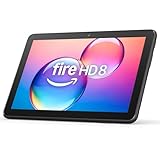
- Like-New Amazon Fire HD 8 tablet is refurbished, tested, and certified to look and work like new and comes with the same limited warranty as a new device. Like-New Amazon devices may be packaged in generic Amazon-branded boxes.
- Fire HD 8 offers an 8" HD display for seamless streaming and gaming, coupled with a 5MP rear facing camera for photos—with a thin, light, durable design.
- Responsive with all day battery life - Includes 3GB RAM (50% more than 2022 release), 32GB of storage, and up to 1 TB of expandable storage (sold separately). Up to 13 hours of reading, browsing the web, watching videos, gaming, and listening to music at home and on-the-go.
- Save time, get creative - Enjoy three smart tools to help you send polished emails, quickly summarize webpages, and create unique wallpapers.
- Stream or download your favorite shows, movies, and games (like Minecraft, Roblox, and more). Enjoy your favorite content from Facebook, Hulu, Instagram, TikTok, and more through Amazon’s Appstore (Google Play not supported. Subscription for some apps required).
Downloads disappeared
Common causes include:
- Uninstalling Netflix.
- Resetting the Netflix app.
- Clearing app data on Android, which also signs you out.
- A device-cleaner or storage-management app clearing Netflix’s app data.
- SD-card failure, removal, corruption, or a change in storage availability.
- A profile’s maturity restrictions hiding titles.
- Using the new Windows app, which no longer supports downloads.
- Expiration, a country change, or the title leaving Netflix.
Do not uninstall or clear app data as a first troubleshooting step if you are traveling; those actions can delete all downloads. Netflix documents missing-download remedies on its missing-downloads page.
Do these 3 things before closing this tab:
1Repair Windows errors before they cause bigger problems2Fix the driver behind crashes, sound loss and screen glitches3Clear out junk files and repair common Windows errorsOffline playback fails
- Confirm you are using the same device where the title was downloaded.
- Open Netflix and make sure you remain signed in.
- Check whether the title is expired.
- Reconnect briefly and check whether the title is still available in your current country.
- On iPhone or iPad, verify the device date and time.
- Check whether a Kids profile or other maturity restriction is hiding the title.
- If the problem affects one iPhone or iPad title, delete the download and download it again. Netflix provides this recommendation for the “This title can no longer be watched offline” message.
Download Max Reached appears
This normally indicates the ad-supported plan’s monthly download limit. Netflix currently describes 15 downloads per device per calendar month, resetting on the first day of the month, although plan and country-specific wording can differ. Wait for the reset or move to an ad-free plan. Check Netflix’s current download-limit help page for the account-specific explanation.
You have downloads on too many devices appears
Delete downloads on another device or remove that device at My Netflix > profile name > Account > Mobile download devices. Removing the device deletes its associated downloads. This is a download-device limit, not a simultaneous-streaming limit.
The SD card is not working
Confirm that the card is inserted, recognized by the operating system, and has free space. Recheck My Netflix > profile name > App Settings > Download Location. Remember that changing the location affects future downloads; it does not move existing downloads. Avoid manually moving or renaming Netflix files.
Account, profile, and membership details
- Canceling Netflix: Downloads are removed when the account is canceled. If you restart the membership, download the titles again.
- Remaining signed in: Netflix requires the user to stay signed in to watch downloads offline.
- Multiple profiles: Downloads are stored on the device, and Netflix says any profile on that device can view them, subject to profile restrictions.
- Kids profiles: A Kids profile may not access a downloaded title above its permitted maturity rating.
- Extra members: Extra-member accounts can have different download-device and monthly-download limits from the account owner’s plan. Check that account separately instead of assuming the owner’s limits apply.
Netflix’s main download help page and its extra-member information cover these account-specific conditions.
What to do if your normal download option is unavailable
Use a supported mobile device or Chromebook
The most reliable official workaround for Windows and Mac users is to download on an iPhone, iPad, Android phone or tablet, Amazon Fire tablet, or compatible Chromebook with the Netflix Android app.
Stream from a computer while connected
Windows and Mac users can continue watching Netflix through the Windows app or a supported browser while online. Streaming from a computer does not provide offline playback.
Connect a supported mobile device to a larger display
Netflix documents video-out options for certain iPhones, iPads, and Android devices. Compatibility depends on the phone or tablet, adapter, cable, display, and digital-rights requirements. Netflix does not promise that every downloaded title can be mirrored or cast. Check its video and audio connection guidance and device-specific connection information.
Avoid unofficial downloaders and rippers
Third-party “Netflix downloader” tools, screen recorders, ripping software, and DRM-removal utilities are not part of Netflix’s documented offline workflow. They may violate Netflix’s terms or copyright rules, expose account credentials, install unwanted software, or produce files that do not play correctly. The supported method is to use the Netflix app on a compatible device.
Quick wins for a faster PC:
Repair Windows errors before they cause bigger problemsFix Now →Fix the driver behind crashes, sound loss and screen glitchesFind Drivers →Clear out junk files and repair common Windows errorsFree Scan →Frequently Asked Questions
Can I download Netflix movies to a Windows laptop?
Not with the current Netflix Windows app. Netflix removed downloads from the new Windows app and says there is no supported rollback to the old version. Download on an iPhone, iPad, Android device, Amazon Fire tablet, or compatible Chromebook instead.
Can I download Netflix movies to a MacBook?
Netflix documents streaming on a Mac through a supported browser, but does not document an official offline-download workflow for macOS. Use a supported mobile device or Chromebook for downloads.
Can I download Netflix movies from netflix.com in Chrome or Safari?
No. Netflix’s browser experience is for streaming. Offline downloads are managed inside the Netflix app on supported Android, iPhone/iPad, Fire tablet, and compatible Chromebook devices.
Can I download every Netflix movie or show?
No. Download availability varies by title, country, licensing agreement, plan, profile restrictions, device, and app version. Even some Netflix Originals cannot be downloaded.
Recommended Free Tools
How long do Netflix downloads last?
There is no single expiration period for every title. Netflix says the period varies, and some titles also have limits on how many times they can be renewed or downloaded. Delete an expired title and download it again if it remains available.
Can I transfer Netflix downloads to a USB drive or another device?
No. Netflix downloads are temporary, protected app-managed content tied to the device used for downloading. They are not ordinary video files for USB transfer or playback in another app.
Can I watch Netflix downloads after canceling my subscription?
No. Netflix says downloads are removed when the account is canceled. If you restart the membership, download the titles again.
Can I use Netflix downloads in another country?
Do not assume so. Netflix says streaming and download availability varies by country, and current downloads on a phone or tablet may not be available after you enter another country. Download before travel and test playback in airplane mode.
Why is there no Download Season button?
The button is not available for every series, season, device, or app version. Download individual episodes instead. Also, Netflix does not clearly state how a season action is counted against download limits.
How do I free up space used by Netflix downloads?
Delete watched movies and episodes from the app’s Downloads section. You can also select Standard quality for future downloads. On supported Android and Fire devices, set a future download location to an SD card through App Settings.
Does the ad-supported Netflix plan allow downloads?
Yes, but Netflix currently limits ad-supported plans to 15 total downloads per device per calendar month, resetting on the first day of the month. The plan also does not support Smart Downloads, and a small number of licensed titles may be locked.
The Bottom Line
For reliable Netflix offline viewing, use the Netflix app on a supported Android device, iPhone, iPad, Fire tablet, or Chromebook with Google Play Store access. Download over Wi-Fi, confirm the title appears in Downloads, and test it in airplane mode before you leave. Remember that downloads are temporary and device-specific: titles can expire, licensing can vary by country, plans impose different limits, and uninstalling or resetting the app can erase the entire offline library.

