
Free tools Windows power users keep installed
One-click scans. No signup required.
iTechGuides is reader-supported. When you buy through links on our site, we may earn an affiliate commission. As an Amazon Associate I earn from qualifying purchases. Learn more
Instagram’s current control for this is called Allow profile picture expansion. Turning it off stops people from using Instagram’s built-in option to open an enlarged version of your profile photo.
In the Instagram mobile app, go to Profile → ☰ → Settings and activity → Account privacy, then switch off Allow profile picture expansion. The option is not available on every account, so troubleshooting steps are included below if you cannot find it.
Disable Instagram profile picture zoom in the app
- Open the Instagram app on your iPhone or Android phone.
- Tap Profile in the bottom-right corner.
- Tap the ☰ Menu button in the top-right corner.
- Open Settings and activity. On some older app versions, this may be labelled Settings and privacy.
- Tap Account privacy.
- Turn off Allow profile picture expansion.
After the switch is disabled, other people should no longer be able to use Instagram’s profile-picture expansion feature on your account. You do not need to delete or replace your current profile photo.
What the setting is called
The current English label is Allow profile picture expansion. Instagram help articles and older guides may use different wording, including:
Popular on Amazon

- Works For iPhone 16 Pro/16 Pro Max 2024/14 Pro/14 Pro Max 2022 camera lens protector.Effectively protecting the lens,featuring maximum protection from scratches, scrapes, and bumps.Camera lens protector only(display screen protector not included)[Not for iPhone 16 6.1 inch, iPhone 16 Plus 6.7 inch]
- Night shooting function: specially designed iPhone 16 Pro/16 Pro Max/iPhone 14 Pro/14 Pro Max camera lens protective film.The camera lens protector adopts the new technology of "seamless" integration of augmented reality, with light transmittance and night shooting function, without the need to design the flash hole position, when the flash is turned on at night, the original quality of photos and videos can be restored
- Easiest Installation - Please watch our installation video tutorial before installation.Removing dust and aligning it properly before actual installation
- 99.99% High-definition clear hydrophobic and oleophobic screen coating protects against sweat and oil residue from fingerprints
- It is 100% brand new,Precise laser cut tempered glass, exquisitely polished,0.1mm ultra-thin tempered glass Camera Lens screen protector
- Allow profile picture zoom
- Profile picture zoom
- Allow picture expansion
These names generally refer to the same control. If your version of Instagram has a settings search box, search for profile picture expansion rather than “zoom.”
If “Allow profile picture expansion” is missing
This setting is not consistently available to every Instagram account. It may be absent even when the app and phone are fully updated. Instagram also acknowledges that some features are rolled out gradually, unavailable to particular users, or affected by bugs.
Try the following sequence:
- Update Instagram. Open the App Store on an iPhone or Google Play on Android, search for Instagram, and install any available update.
- Update your phone. Install available iOS or Android system updates.
- Restart the phone. Reopen Instagram after the restart.
- Check the menu again. Go to Profile → ☰ → Settings and activity → Account privacy.
- Test another device or browser. Sign in to the same account on another phone or at Instagram.com. If the option appears elsewhere, the problem may be specific to the app installation or device.
- Reinstall Instagram. If the feature appears to be malfunctioning, uninstall and reinstall the app, then sign in again.
- Report the missing feature. Use Instagram’s in-app reporting option and explain that Allow profile picture expansion is missing from Account privacy.
There is no verified Meta instruction that using a VPN, changing your account country, clearing the app cache, or repeatedly switching accounts will make this setting appear. Those actions are anecdotal workarounds, not reliable fixes.
Quick wins for a faster PC:
Scan for outdated or missing drivers - takes under a minuteDriver Scan →Clear out junk files and repair common Windows errorsFree Scan →Fix the driver behind crashes, sound loss and screen glitchesFind Drivers →Does the setting work on iPhone and Android?
When Instagram enables the feature for an account, the documented path is essentially the same on iPhone and Android:
Also popular on Amazon
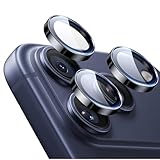
- Compatibility: only for iPhone 17 Pro Max/17 Pro/16 Pro Max/16 Pro/15 Pro Max/15 Pro/14 Pro Max/14 Pro
- Ultimate Lens Protection: high-quality, ultra-tempered glass with up to 110 lbs of impact resistance protects your lenses from even the toughest bumps and scrapes
- Crystal-Clear Photos: ultra-high transparency level preserves the original image quality of your photos, while the individual-lens design ensures your flash remains uncovered and fully functional
- Easy Application: included alignment guide and cleaning kit make bubble-free application a breeze while removal tool lets you take them off with ease
- In the Box: 1 set of individual lens protectors, cleaning kit, alignment guide, removal tool, and manual
Profile → ☰ → Settings and activity → Account privacy → Allow profile picture expansion
Availability can still vary by account, device, and rollout status. Therefore, the setting should not be treated as guaranteed on every iOS or Android installation.
Can you disable profile-picture zoom from Instagram’s website?
Instagram does not provide a single, stable web path that works for every account for this particular setting. Some users report finding the control on Instagram’s website, while others see it only in the app or cannot find it at all.
Use the mobile-app path as the primary method. If the setting is missing there, checking Instagram.com in a desktop or mobile browser is reasonable, but web access is account-dependent and is not a guaranteed alternative.
Also popular on Amazon

- Works For iPhone 17 6.3 inch 2025 camera lens protector.Effectively protecting the lens,featuring maximum protection from scratches, scrapes, and bumps.Camera lens protector only(display screen protector not included) [Not for iPhone 17 Pro 6.3 inch, iPhone Air 6.5 inch, iPhone 17 Pro Max 6.9 inch]
- Night shooting function: specially designed iPhone 17 6.3 inch 2025 camera lens protective film.The camera lens protector adopts the new technology of "seamless" integration of augmented reality, with light transmittance and night shooting function, without the need to design the flash hole position, when the flash is turned on at night, the original quality of photos and videos can be restored
- Easiest Installation - Please watch our installation video tutorial before installation.Removing dust and aligning it properly before actual installation. The size of this camera lens protector we design will not exceed the outermost size of the lens itself, the specific dimension is: 36.47*19.10mm(1.44*0.75 inch). If the case leaves enough room for the phone camera, there's no problem. Please carefully compare the space left by the case according to the lens protector size given
- 99.99% High-definition clear hydrophobic and oleophobic screen coating protects against sweat and oil residue from fingerprints
- It is 100% brand new,Precise laser cut tempered glass, exquisitely polished,0.1mm ultra-thin tempered glass Camera Lens protector
What disabling profile picture expansion does
Turning off Allow profile picture expansion limits Instagram’s own enlarged profile-photo feature. It does not provide complete control over the image.
| Action | Does disabling expansion do it? |
|---|---|
| Stop Instagram’s built-in profile-photo enlargement | Yes |
| Hide the profile photo completely | No |
| Delete or replace the profile photo | No |
| Make the account private | No |
| Prevent screenshots | No |
| Prevent someone photographing the screen | No |
| Guarantee that no copy of the image can be obtained | No |
Your profile photo can still be visible as part of your basic profile information. Someone may also be able to capture it using a screenshot, another device, or other methods outside Instagram’s expansion control.
Does making your Instagram account private disable profile-picture zoom?
No. A private account restricts access to posts and videos to approved followers, but it does not remove basic profile information. Instagram’s privacy documentation lists the profile photo, name, username, and bio among information that may remain visible to people on or off Instagram.
Windows Errors? Fix Them Before They Spread
Repair common Windows errors and clear accumulated junk for a smoother, more stable PC - no reinstall needed.Free scan · no reinstallOutdated Drivers Are Slowing You Down
One free scan finds every outdated or missing driver and matches the right update for your exact hardware.Free scan · exact hardware matchUse a private account if you want to limit who can see your posts and videos. Use Allow profile picture expansion if your specific goal is to stop Instagram’s enlarged profile-photo view. They are separate controls.
Also popular on Amazon

- Works For iPhone 15/15 Plus/14/14 Plus camera lens protector.Effectively protecting the lens,featuring maximum protection from scratches, scrapes, and bumps.Camera lens protector only(display screen protector not included)[Not fit for iPhone 14 Pro/15 Pro 6.1inch, iPhone 14 Pro Max/15 Pro Max 6.7inch]
- Night shooting function: specially designed iPhone 15/15 Plus/14/14 Plus camera lens protective film.The camera lens protector adopts the new technology of "seamless" integration of augmented reality, with light transmittance and night shooting function, without the need to design the flash hole position, when the flash is turned on at night, the original quality of photos and videos can be restored
- Easiest Installation - Please watch our installation video tutorial before installation.Removing dust and aligning it properly before actual installation
- 99.99% High-definition clear hydrophobic and oleophobic screen coating protects against sweat and oil residue from fingerprints
- It is 100% brand new,Precise laser cut tempered glass, exquisitely polished,0.1mm ultra-thin tempered glass Camera Lens protector
Important note for Business and Creator accounts
Instagram professional accounts—Business and Creator accounts—cannot be set to private. You must switch to a personal account before enabling Instagram’s private-account setting.
This restriction is unrelated to profile-picture expansion. A professional account can still use Allow profile picture expansion if Instagram has made the setting available for that account.
Independent reader supportYour contribution helps us test, update, and keep practical guides available for everyone.Why older guides may be confusing
Instagram introduced the profile-picture expansion control in December 2023, after the ability to enlarge profile pictures had already been rolled out. As a result, older articles may incorrectly say there is no way to disable the feature, or may place the setting under Edit profile.
The Tool Desk
Outbyte Driver Updater FREEScan for outdated or missing drivers - takes under a minuteDriver Scan →Outbyte PC Repair FREEClear out junk files and repair common Windows errorsFree Scan →The commonly reported current path is under Account privacy, not Edit profile. Instagram also changes menu names, so you may see Settings and privacy instead of Settings and activity.
Also popular on Amazon

- Compatibility: Included 6 Pack Tempered-Glass Camera Lens Protector, Design for iPhone 14 Pro Max & iPhone15 Pro Max & iPhone 14 Pro & iPhone 15 Pro, Not for iPhone 16 Pro Max. fully protect your phone.
- Full Coverage Protection: Precise laser cutting size provides maximum protection for the entire camera lens of your phone, 9H Glass camera protector effectively protect entire camera lens FROM drops, scratches and other accidents. Offer full protection And double SERCURE.
- Perfect Fit Night Shooting Mode: This camera lens protector with an upgrade "Night Flash Circle" and Increased Electrostatic Adsorption, not affect the flash in the night shot environment. And this Camera Protector has 99.99% light transmittance, whether it is day or night, keeping for iPhone 14 Pro Max & iPhone15 Pro Max & iPhone 14 Pro & iPhone 15 Pro's picture original quality, gives You an ultra-clear viewing and photo taking experience.
- Powerful adsorption&Case Friendly: Nano-electrostatic automatic adsorption technology, not easy to fall off, No bubbles and No residue when removed. Due to the open edge design, Ferilinso’s camera lens WILL allow you to USE Almost various CASES.
- Easy Installation: Precise cutout for iPhone 14 Pro Max & iPhone15 Pro Max & iPhone 14 Pro & iPhone 15 Pro. Including a cleaning kit for a bubble-free installation, made the whold installation very easy. we are committed to provide every customer satisfactory service within 24 HOURS No matter whatever you problems WILL meet.
FAQ
Can I stop people from zooming in on my Instagram profile picture?
Yes, if the feature is available on your account. Open Profile → ☰ → Settings and activity → Account privacy, then turn off Allow profile picture expansion.
Why can’t I see Allow profile picture expansion on Instagram?
Instagram does not make this control available to every account at all times. Update Instagram and your phone, restart the device, check the Account privacy menu again, and test the same account on another device or in a browser. If it remains missing, report it to Instagram.
Does a private Instagram account stop people from enlarging my profile picture?
No. Private accounts restrict posts and videos, but the profile photo and other basic profile information can remain visible. Use the profile-picture-expansion switch separately.
Recommended Free Tools
Does disabling profile picture expansion prevent screenshots?
No. It only disables Instagram’s built-in enlarged profile-photo view. It cannot prevent screenshots, screen photography, or copies obtained through other methods.
Is the setting available on both iPhone and Android?
The menu path is the same on both platforms when Instagram has enabled the feature for the account. Availability can vary by account, device, and rollout status.
Can a Business or Creator account be made private?
No. Instagram professional accounts must switch to a personal account before using the private-account setting. This is separate from profile picture expansion.
The Bottom Line
Go to Profile → ☰ → Settings and activity → Account privacy and turn off Allow profile picture expansion. If the option is missing, update Instagram and your phone, restart the device, check another device or browser, and report the issue if necessary. The control stops Instagram’s built-in enlargement, but it does not hide the photo or prevent screenshots.
What’s actually slowing this PC down?
Pick the symptom - the matching free tool is one click away.

