
The Tool Desk
Outbyte PC Repair FREERepair Windows errors before they cause bigger problemsFix Now →Outbyte Driver Updater FREEFix the driver behind crashes, sound loss and screen glitchesFind Drivers →The simplest way to add metric-to-imperial conversion in WordPress is to embed an external converter in a Custom HTML block. If you need control over unit categories, appearance, or placement, install a converter plugin and insert its shortcode, such as [best_metric_converter] or [AWL_converter]. Whichever route you choose, test conversions on the published page, not only in the editor.
Choose between an embed and a plugin
Your choice depends on how much control the site needs:
| Method | Best for | What you manage | Main limitation |
|---|---|---|---|
| External HTML embed | A basic metric-to-imperial calculator | Copying the provider’s embed code and placing it in a widget-ready area | Features and appearance depend largely on the external provider |
| WordPress plugin | Configurable categories, styling, and shortcode placement | Plugin installation, settings, updates, and compatibility testing | Behavior can vary by theme, editor, and other plugins |
Method 1: Embed a simple converter with Custom HTML
The WPBeginner workflow is suitable when you only need a straightforward calculator and do not require custom features.
- Find an external metric-to-imperial converter that provides embeddable HTML or JavaScript.
- Copy the provider’s complete embed code.
- In WordPress, open the widget-ready area where the converter should appear. Depending on your theme, this may be a sidebar, footer, or another widget area.
- Add a Custom HTML block or widget.
- Paste the code into the HTML field and save or update the area.
- Open the public page and confirm that the calculator loads and converts values correctly.
Check that your theme actually exposes the widget area you selected. Block-theme users may not have the same classic widget screens, so a plugin or a site-editor-compatible block may be more practical. Also verify that the embed provider still serves the code; an unavailable script can leave an empty area or an error on your page.
Crashes, No Sound, or Screen Glitches?
Random freezes, missing sound and display glitches usually trace back to one bad driver. Find and replace yours safely.Free scan · under a minuteWindows Errors? Fix Them Before They Spread
Repair common Windows errors and clear accumulated junk for a smoother, more stable PC - no reinstall needed.Free scan · no reinstall#1 Best Overall

- Converts RCA Analog Stereo Audio Signal to Digital Coaxial Audio And Toslink Spdif Optical Digital Audio Simultaneously
- Supports Uncompressed 2-Channel LPCM Digital Audio Signal Output.
- Supports Output Sampling Rate At 48 KHz. Reminder: The Signal Source Of The Analog Port Does Not Support Dolby!
- Provides Electromagnetic-Noise-Free Transmission.Note! Only Outputs 2 Channels of Sound
- Easy to Install and Simple to Operate With 1 Year Warranty From Musou
Method 2: Add a converter plugin with a shortcode
A plugin is the better fit when visitors need several categories or when you want site-controlled styling and placement.
Best Metric Converter
The WordPress.org listing describes a configurable converter added with the shortcode [best_metric_converter]. Install and activate the plugin, select the categories and appearance in its settings, then place that shortcode in the page or post where the converter should appear.
Universal Unit Converter
The Universal Unit Converter listing documents the shortcode [AWL_converter]. Its listing describes eight categories and seven templates, with results updating as the visitor types. After activation, configure the available options and insert the shortcode in the desired content area.
Rank #2
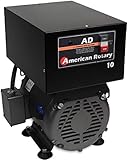
- Best for: 5 HP Any load, especially resistive, rectified and computer loads such as CNC, VFD, EDM, battery chargers. For a 10HP load, see our AD20 Single motor start: 5HP | CNC: 5HP/3.7kW | Resistive: 14 amps
- Some assembly required
- Manufacturer:American Rotary
- Our variable impedance generator (VIT)TM and MicroSmartTM controller combine to make the most powerful and precise rotary phase converter on the market.
- For a 10HP load, see our AD20 Single motor start: 5HP | CNC: 5HP/3.7kW | Resistive: 14 amps.
Insert a shortcode in the block editor
- Edit the page or post that should contain the converter.
- Add a Shortcode block.
- Enter the plugin shortcode exactly, including its brackets and capitalization.
- Save or publish the page, then test the public URL.
WordPress developer documentation includes a shortcode-to-block transform type in the block editor API. That documents editor support for shortcode transforms; it does not guarantee that every plugin provides a native block or that a shortcode will behave identically in every theme and editing surface.
Compare plugins before installing
Check the following items on the current WordPress.org listing rather than relying on an old comparison:
- Categories: Confirm that the plugin includes the measurements your audience uses, such as length, weight, temperature, or volume.
- Placement: Decide whether a shortcode in post content, a block, or a widget-area placement matches your layout.
- Styling: Look for controls for colors, fields, labels, templates, and responsive behavior.
- Requirements: Confirm the minimum WordPress and PHP versions against your server.
- Maintenance: Review the latest update, tested WordPress version, support activity, and user feedback.
- Editor behavior: Test the shortcode in the exact editor and theme used by your site.
The listing values surfaced for these two plugins are time-sensitive. Best Metric Converter was shown as version 1.0.0, fewer than 10 active installations, tested up to WordPress 7.0.5, requiring WordPress 5.8 or newer and PHP 7.4 or newer; its listing showed no reviews at that time. Universal Unit Converter was shown as version 1.2.0, 20+ active installations, tested up to WordPress 7.0.2, requiring WordPress 5.0 or newer and PHP 7.0 or newer. Recheck each listing immediately before installation because versions, compatibility claims, installation counts, and reviews change.
Rank #3

- [DIGITAL CONVERTER BOX] The digital TV converter box, converts digital air channels to your analog TVs. Allow you to watch TV channels on your analog TV or computer monitor.
- [CLEARQAM COMPATIBLE] This converter box supports ClearQAM and can be used with a cable provider to watch unscrambled cable channels
- [SAVE TV PROGRAM] iView-3300STB digital converter box with clock function supports TV program saving function. You may save TV programs for future watch
- [UNIVERSAL MEDIA PLAYER] This digital converter box is also a media player. You may save your media files in the USB drive and play videos, music, and watch photos via the converter box’s USB port. Supports up to 4TB portable hard drive.
- [New Firmware] A new firmware update is now available to resolve existing issues and enhance overall performance. Please contact iView technial support for detail
Verify the converter on the live site
A successful save in the editor does not prove that visitors will get a usable converter. Check the published page in an incognito window or while logged out.
- Convert representative values in both directions, including decimals and zero.
- Change every unit selector and confirm that the displayed result changes.
- Type into each field and check whether results update as advertised.
- Use a phone-sized viewport and a keyboard to check field order, labels, focus states, and horizontal overflow.
- Check the page with caching, optimization, security, and accessibility plugins enabled.
- Confirm that the converter does not conflict with your theme’s fonts, colors, or form styles.
The feature descriptions above come from the respective plugin listings; they are not independent performance tests. Your own published-page check is necessary before relying on the converter for visitors.
Quick wins for a faster PC:
Fix the driver behind crashes, sound loss and screen glitchesFind Drivers →Clear out junk files and repair common Windows errorsFree Scan →Scan for outdated or missing drivers - takes under a minuteDriver Scan →Troubleshoot common problems
The embed area is blank
Confirm that the code was pasted into a Custom HTML block rather than a Paragraph block, and check whether a security or optimization plugin removed scripts. Test the provider’s embed code in a staging copy and verify that the provider still serves it.
Rank #4

- Our ATSC digital TV converter box receives over-the-air ATSC digital TV broadcast via external antenna and converts it to your Analog and Digital TV, Projector, and Computer Monitor. TV recording, Favorite Channel List, Parental Control Function.
- Full HD: The 1080p output resolution allows you to watch and record free to air television depending on signal quality. Closed Caption, Auto Tuning, Timing Start Up & Shut Down.
- You can select view Photos, play MP3 music files and view movie files, and recorded TV program from your USB storage device.
- TV Recording Function: The function allows you to record TV programs in USB hard drive and playback on your TV or Computer.Note: This device does not have built-in storage and requires an external storage device. It is best suited for external hard drives with a FAT32 file system capacity of up to 4TB or flash drives with a capacity of up to 32GB.
- What You Get: 1 x Digital TV Box,1 x Remote Control,1 HDMI Cable, 1 Composite cable,1 year Warranty.
The shortcode appears as text
Make sure the shortcode is in a Shortcode block or directly in a content area that executes shortcodes. Check spelling, brackets, and capitalization, then confirm that the plugin is active.
The converter is missing in a widget area
Verify that the theme still exposes that widget area. A block theme may require adding the content through the Site Editor instead; otherwise place the shortcode in a page or template location supported by the plugin.
The layout breaks on mobile
Inspect the converter at narrow widths, remove conflicting custom CSS, and check whether the plugin’s template or external embed has fixed-width elements. Do not publish until fields and results remain usable without sideways scrolling.
Best Value

- 2026 Latest Batch from Mediasonic Store. The new improvements included LARGE Remote Control, 5 ft HDMI Cable, Front Display Panel, Support hard drive up to 2TB, reception sensitivity, and 12 hr. AM / PM feature.
- Clear QAM function can be used with cable provider to watch unscrambled cable channels. The channel must be UN-Encrypted signal
- Front Display to show Channel number and sub-channel, and show Clock in standby mode.
- Receive Over-The-Air ATSC Digital Broadcast to your Analog and Digital TV, Projector, and Computer Monitor.
- Record and Pause Live TV: You won’t miss your favorite show. (Requires USB 2.0 or USB 3.0 external hard drive up to 2TB connect to this unit; USB flash drive is not recommended)
Format measurements consistently
Use a consistent style for values and unit symbols throughout your surrounding copy. WordPress style guidance recommends spacing between a numeric value and its unit symbol; apply the same convention to labels, instructions, and explanatory text so the converter does not look inconsistent with the rest of the page.
The Bottom Line
Use a Custom HTML embed for a quick, simple calculator. Choose a shortcode plugin when you need configurable categories or styling, and always verify the converter’s calculations, responsiveness, and compatibility on the live WordPress page.
Quick Recap
Product prices and availability are accurate as of the date/time indicated and are subject to change. Any price and availability information displayed on Amazon at the time of purchase will apply.

