
iTechGuides is reader-supported. When you buy through links on our site, we may earn an affiliate commission. As an Amazon Associate I earn from qualifying purchases. Learn more
Choose LTO-9 if your system must read existing LTO-8 or LTO-9 cartridges; choose LTO-10 only when you can use LTO-10 media exclusively and have confirmed current drive, media, firmware, and software support. LTO-9 stores 18 TB natively per cartridge. LTO-10 accepts either 30 TB or 40 TB native cartridges, but its redesigned drive head cannot read earlier generations. That compatibility decision comes before capacity, speed, or price. The complete choice also depends on your measured compression, host interface, backup application, retention controls, migration plan, and the cost of drives, libraries, and media together.
Which LTO generation should I buy for a new backup system?
Start with restore compatibility, then size capacity and throughput around your measured workload. A new installation with no legacy cartridges can evaluate LTO-10; an environment that must restore LTO-8 or LTO-9 tapes needs LTO-9 drives or a separate compatible drive kept available for restores.
| # | Preview | Product | Price | |
|---|---|---|---|---|
| 1 |
|
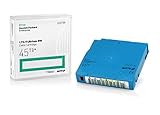
Q2079A HPE LTO 9 - 10 Pack of Data cartridges | $959.99 | Buy on Amazon |
| 2 |

|
10 Pack Q2078A- HP LTO Ultrium 8, 12TB/ 30TB, Part # Q2078A- 10 HP LTO-8 Tapes | $814.99 | Buy on Amazon |
| 3 |
|
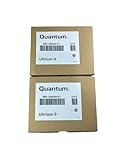
10-Pack Quantum LTO 9 MR-L9MQN-01 Ultrium Data Cartridge | $968.99 | Buy on Amazon |
| 4 |

|
IBM LTO-10 Ultrium Data Cartridge LTO10 03PL170 | $289.40 | Buy on Amazon |
| 5 |

|
Quantum LTO 7 10 Pack | $619.99 | Buy on Amazon |
- Inventory every cartridge you may need to restore. Record generation, physical location, retention date, encryption status, and whether a catalog or backup application can still interpret it.
- Select the compatibility path. Use LTO-9 for LTO-8/LTO-9 read and write access, or plan a migration/retained-drive strategy before buying LTO-10.
- Size native capacity. Compare 18 TB LTO-9 with 30 TB or 40 TB LTO-10 media. Treat compressed figures as estimates based on a 2.5:1 assumption, not guaranteed space.
- Validate the data path. Match drive interface, host bus, backup software, firmware, storage source, and the number of drives to the required backup window.
- Price the complete system. Include drives, autoloader or library, media, spare media, compatible cleaning supplies, software licensing, support, migration hardware, and staff time.
The LTO Program describes LTO-10 as a new generation without backward compatibility: “The 10th generation of LTO Ultrium tape drives does not support backwards compatibility due to a redesign of the drive head to eliminate the need for initialization.” See the LTO Program roadmap and generation compatibility guidance for the format promoter’s current specifications.
Can an LTO-10 drive read LTO-9 or LTO-8 tapes?
No. LTO-10 drives read and write LTO-10 media only. If an archive contains LTO-8 or LTO-9 cartridges, an LTO-10-only installation cannot provide direct restore access.
#1 Best Overall
- Capacity of 18 TB and up to 45 TB compressed capacity on HP StoreEver and non-HP LTO-9 drives and devices
- Supports transfer speeds of 400 MB/s (native) and up to 1,000 MB/s (2.5:1) with Generation 9 tape drives
- Barium Ferrite (BaFe) technology
- Support for tape drive hardware encryption
- Compatible with Linear Tape File System (LTFS)
| Drive generation | Media it reads and writes | Planning implication |
|---|---|---|
| LTO-8 | LTO-7 and LTO-8, including LTO-7 Type M | Useful for older archives, but not a current choice when LTO-9 or LTO-10 capacity is required. |
| LTO-9 | LTO-8 and LTO-9 | The practical compatibility choice for organizations retaining either of those generations. |
| LTO-10 | LTO-10 only | Requires an archive migration or a retained LTO-8/LTO-9 drive for older cartridges. |
Compatibility is generation-specific, not merely a matter of cartridge size. Before decommissioning an older drive, perform a test restore from representative cartridges, verify encryption keys, and export the backup catalog in a format your replacement software can use.
When is a retained older drive safer than migration?
Keeping a supported LTO-8 or LTO-9 drive can be sensible when the archive is large, legally retained, encrypted, or rarely accessed. The drive must be stored, powered, maintained, and supported long enough to cover the retention period; document its interface, firmware, drivers, and a known-good host rather than storing the mechanism alone.
When should you migrate before deploying LTO-10?
Migrate when the older media has a long remaining retention period, the old drive or software is approaching end of support, or restores are likely during the new system’s operating life. Budget temporary capacity for both source and destination sets, validate checksums or application-level verification, and preserve the original cartridges until the new copies have passed a documented restore test.
The Tool Desk
Outbyte PC Repair FREERepair Windows errors before they cause bigger problemsFix Now →Outbyte Driver Updater FREEFix the driver behind crashes, sound loss and screen glitchesFind Drivers →What are the native capacities of LTO-8, LTO-9, and LTO-10?
Use native capacity as the first sizing number. Native capacity is the amount written without compression; the larger compressed figures below assume a 2.5:1 compression ratio published by the LTO Program. Real compression depends on the data, so database files, encrypted backups, already-compressed media, and deduplicated streams may deliver substantially less.
| Generation and cartridge | Native capacity | Published compressed capacity | Compatibility |
|---|---|---|---|
| LTO-8 | 12 TB | 30 TB, using the 2.5:1 assumption | LTO-8 drives read/write LTO-7 and LTO-8, including LTO-7 Type M |
| LTO-9 | 18 TB | 45 TB, using the 2.5:1 assumption | LTO-9 drives read/write LTO-8 and LTO-9 only |
| LTO-10, 30 TB cartridge | 30 TB | Up to 75 TB, using the 2.5:1 assumption | LTO-10 media only |
| LTO-10, 40 TB cartridge | 40 TB | Up to 100 TB, using the 2.5:1 assumption | LTO-10 media only; the same LTO-10 drive class supports both LTO-10 capacities |
The LTO Program announced 30 TB LTO-10 media on August 13, 2025, with “30TB native capacity (up to 75TB compressed) with a native data rate of 400 MBps” in its generation 10 announcement. A November 12, 2025 announcement added the 40 TB option and states: “This new 40TB cartridge is compatible with the same LTO-10 drive organizations are using for the 30 TB cartridge.”
Do not treat the 30 TB and 40 TB choices as separate drive generations. They are cartridge-capacity options within LTO-10. Confirm that your backup application reports the correct native media size and that library slots, barcode policies, and media rotation procedures can handle both capacities if you mix them.
Rank #2
- High Capacity Storage: Provides 30TB recording capacity for extensive data archiving
- Long-Term Archival: 30-year archival life ensures data preservation for decades
- Secure Data Protection: Barium Ferrite technology provides reliable data security
- Professional Grade: Meets demanding requirements for business-critical information storage
- Cost Efficient: Reduces per-gigabyte storage costs compared to disk-based solutions
How should you measure compression before buying media?
Run a representative backup through the intended software and source systems, then calculate stored native bytes divided by source bytes. Test full and incremental jobs separately; a single database or virtual-machine image can produce a misleading result. If the workload is encrypted before tape, compression may be close to 1:1, so use native capacity for conservative media and slot planning.
Do these 3 things before closing this tab:
1Fix the driver behind crashes, sound loss and screen glitches2Clear out junk files and repair common Windows errors3Scan for outdated or missing drivers - takes under a minuteIs LTO-10 faster than LTO-9, and what interface do I need?
LTO-10 is specified at up to 400 MB/s native transfer speed. The LTO roadmap’s up-to-1,200 MB/s figure assumes 2.5:1 compression and a 32 GB interface; it is not a guaranteed application throughput. The roadmap and the August 2025 announcement identify these as format-level figures, so verify the exact drive’s interface and host requirements before ordering.
Actual completion time is limited by the slowest part of the path: source storage, deduplication or compression processing, backup-server bus, interface, network, encryption, drive count, and the library’s robotics. A single drive rated at 400 MB/s cannot sustain that rate if the backup server can supply only 150 MB/s.
How do you size drives for the backup window?
- Measure the amount of data that must be written during the required window, in native bytes after any software-side deduplication or compression.
- Measure sustained source throughput during a realistic run, not a short cache burst.
- Compare that result with the specific drive’s native rate and interface limit; use the lower figure.
- Allow time for shoe-shining, file-system overhead, tape loads, encryption processing, verification, and parallel jobs.
- Add drives only after confirming that the host bus, storage source, and backup software can feed them concurrently.
Ask the supplier for the exact interface generation, connector or transceiver requirements, supported operating systems, firmware revisions, and host-bus compatibility. “Up to” transfer rates describe favorable conditions; they do not replace a workload test.
What do LTFS, WORM, and hardware encryption add to an LTO system?
These are different controls, and each solves a different operational problem.
Crashes, No Sound, or Screen Glitches?
Random freezes, missing sound and display glitches usually trace back to one bad driver. Find and replace yours safely.Free scan · under a minutePC Slower Than It Used to Be?
A free scan shows the junk files, broken settings and background clutter dragging Windows down - then fixes them in one click.Free scan · Windows 10 & 11LTFS partitioning
Linear Tape File System (LTFS) partitions a cartridge so one partition holds file-system metadata and the other holds user data. It can make a tape appear more like a removable file volume for exchange and archive workflows, but it does not replace backup cataloging, deduplication, retention policy, or an application-aware restore index. Confirm that your operating system and software support the LTFS version and drive firmware you will deploy.
Rank #3
- LTO 9 Tape (MR-L9MQN-01) with storage capacity of 18TB native and up to 45TB compressed capacity
- Supports transfer speeds of 400 MB/s (native), 1,000 MB/s (2.5:1) with Generation 9 tape drives
- Barium Ferrite (BaFe) technology
- Support for tape drive hardware encryption
- Compatible with Linear Tape File System (LTFS)
WORM media
Write Once, Read Many media is designed to prevent data from being overwritten after it is committed. WORM supports retention and tamper-resistance objectives, but it does not by itself prove that a record is complete, encrypted, discoverable, or legally compliant. Define who can create, hold, release, and destroy records, and keep an audit trail in the archive system.
Hardware encryption
Drive-level encryption protects tape contents when cartridges are lost or transported. It still requires key management: select a key server or management process, define rotation and recovery procedures, and test restores when the original backup server is unavailable. Losing the key can make an otherwise readable cartridge unrecoverable, so escrow and access controls belong in the design.
The LTO Program lists LTFS, WORM, and hardware encryption as format capabilities. Their value depends on your retention, access, security, and recovery workflow rather than on the feature checkbox alone.
What’s actually slowing this PC down?
Pick the symptom - the matching free tool is one click away.
What is the difference between choosing LTO-9 and choosing LTO-10?
LTO-9 is the safer fit for mixed-generation restores; LTO-10 is the higher-density path for a clean installation that can accept a new media generation. Compare the following dimensions instead of choosing on capacity alone.
| Decision axis | LTO-9 | LTO-10 |
|---|---|---|
| Restore existing LTO-8/9 media | Reads and writes both LTO-8 and LTO-9. | Cannot read either; use migration or a retained compatible drive. |
| Native capacity per cartridge | 18 TB. | 30 TB or 40 TB options. |
| Published compressed capacity | 45 TB with the 2.5:1 assumption. | Up to 75 TB for 30 TB media or up to 100 TB for 40 TB media, with the same assumption. |
| Throughput | Use the exact drive specification; a universal value was not established here. | Up to 400 MB/s native; up to 1,200 MB/s is a roadmap figure assuming 2.5:1 compression and a 32 GB interface. |
| Media workflow | Can continue an LTO-8/LTO-9 estate, subject to software and firmware support. | Requires LTO-10 media; the 30 TB and 40 TB cartridges use the same LTO-10 drive class. |
| Software and host support | Validate the selected drive, interface, operating system, backup application, and firmware. | Perform the same validation, with additional checks because it is a new generation and has no backward read path. |
| Migration horizon | Can defer migration of LTO-8 media while compatible drives remain supported. | Requires an explicit migration plan for every older cartridge that must remain restorable. |
| Total cost | Depends on current drive, library, media, support, and legacy-integration prices. | Depends on the same items plus migration or retained-drive costs; no universal cost-per-terabyte winner is established. |
The roadmap is a planning aid, not a supply guarantee. The LTO Program’s November 2025 release projected 40 TB cartridge shipment availability in the first quarter of 2026; that announcement does not prove current inventory or local supplier stock. Verify availability in your region before making a purchase commitment.
How should I plan migration and long-term retention?
Write a media lifecycle plan before the first production job. It should state which cartridges remain in the old format, when they will be copied, how restores are tested, and what happens if a drive or key-management server fails.
Rank #4
- Maximize storage: Up to 75TB per cartridge
- Guarantee top-tier data protection
- Compatibility: IBM Spectrum Archive data indexes
- Conform to LTO Ultrium Generation 10 standards
- Label flexibility: Custom, blank, RFID-embedded options
Build an archive register
- List each cartridge barcode, generation, native capacity, creation date, retention expiry, encryption key identifier, and physical location.
- Record the drive model, interface, firmware, backup software version, and catalog format used to create the set.
- Mark cartridges that are WORM, subject to legal hold, or required for regulatory evidence.
Choose one of three migration patterns
- Immediate migration: copy older sets to LTO-10 while the old drive and catalog are fully operational.
- Phased migration: migrate the highest-risk or longest-retention sets first, leaving lower-risk data on the old generation until a scheduled date.
- Retained-drive access: keep a supported LTO-8 or LTO-9 drive and host for occasional restores, with tested spare parts and documented procedures.
Verify the result
After copying, perform a catalog consistency check and restore files from multiple cartridges, dates, and data types. Include an encrypted set and a WORM set where applicable. Keep the original media until the new copy has passed the acceptance test and the retention owner has approved disposal.
Quick wins for a faster PC:
Clear out junk files and repair common Windows errorsFree Scan →Fix the driver behind crashes, sound loss and screen glitchesFind Drivers →Repair Windows errors before they cause bigger problemsFix Now →What does a complete LTO system cost?
There is no defensible universal price or cost-per-terabyte winner from the available specifications. Build a total-cost worksheet using current quotations for your region and workload.
| Cost category | Questions to include |
|---|---|
| Drive hardware | How many drives meet the backup window? What interface, host adapter, firmware, and support term are included? |
| Library or autoloader | How many slots and drives are needed? Are robotics, barcode readers, expansion modules, and redundant power included? |
| Media | Price 30 TB and 40 TB LTO-10 cartridges separately; include scratch media, off-site copies, WORM media where required, and replacement allowances. |
| Software | Include backup application, library control, LTFS tools if needed, catalog storage, encryption-key management, and support subscriptions. |
| Migration | Include an older compatible drive, temporary hardware, extra destination media, verification time, and operator labor. |
| Operations | Budget vaulting or transport, environmental storage, monitoring, firmware maintenance, spares, and periodic restore tests. |
Ask vendors to quote the exact drive generation and media capacity, not simply “LTO-10.” A quote that omits the interface card, library robotics, software license, or migration hardware can make a high-density option appear cheaper than it is.
Independent reader supportYour contribution helps us test, update, and keep practical guides available for everyone.What should I verify before placing the order?
- Compatibility: identify every legacy cartridge that must remain restorable and decide between LTO-9, migration, or a retained older drive.
- Media choice: select LTO-9, LTO-10 30 TB, or LTO-10 40 TB based on native capacity, measured compression, slot count, and supply.
- Performance: document the required backup and restore windows, then validate source throughput, drive rate, interface, host bus, and parallel-drive scaling.
- Software: obtain a written support matrix for the backup application, operating system, drive firmware, library robotics, LTFS, encryption, and WORM workflows.
- Security: design key generation, escrow, rotation, access control, and recovery testing before enabling hardware encryption.
- Retention: define WORM use, legal holds, off-site copies, environmental storage, and restore-test frequency.
- Supply: confirm current local stock and lead times for drives, both media capacities, firmware, and replacement parts. Roadmap targets can change without notice.
- Acceptance test: run a full backup, a restore, a catalog rebuild, an encryption-key recovery, and a library media-load cycle before declaring production readiness.
What commonly goes wrong with a new LTO deployment?
Buying LTO-10 for an archive that contains LTO-9
The drive will not read those cartridges. Correct the design by adding an LTO-9 restore path or migrating the archive while the old system still works.
Planning on the compressed headline capacity
Encrypted or already-compressed data may not approach a 2.5:1 ratio. Recalculate slots and media using measured native output and retain headroom for growth.
Underfeeding the drive
A fast drive can pause repeatedly when the source, network, deduplication engine, or host bus cannot sustain its stream. Profile the entire path and test with production-like concurrency.
Best Value
- Higher Storage Capacity - 6TB native and up to 15TB Compressed
- Better Performance - Expect data transfer rates of up to 700 MB/sec
- Future Compatibility - LTO 7 tapes will be able to be read by and written to by LTO 8 tape drives and be able to be read by LTO 9 drives.
- Backward Compatible - LTO 7 drives can read LTO 5 tapes and Read and Write to LTO 6 Tapes
Assuming format features replace process controls
LTFS does not create an application catalog, WORM does not establish legal policy, and encryption does not manage its own keys. Assign ownership and test each recovery procedure.
Confusing a roadmap announcement with guaranteed supply
Availability varies by country, supplier, firmware revision, and date. Obtain a current written confirmation for the exact drive and cartridge combination before committing the project budget.
Frequently Asked Questions
Can an LTO-10 drive use both 30 TB and 40 TB cartridges?
Yes. The LTO Program says the 40 TB cartridge is compatible with the same LTO-10 drive organizations use for 30 TB media. Confirm that your library, barcode rules, and backup software correctly identify each cartridge size before mixing them in production.
Is the 100 TB figure on an LTO-10 cartridge guaranteed?
No. It is a published compressed capacity for 40 TB native media calculated with a 2.5:1 compression assumption. Your usable result depends on the data stream, and software-encrypted or already-compressed data can achieve much less.
Should I keep an old tape drive after migrating to LTO-10?
Keeping one can be prudent when older cartridges have long retention periods or uncertain migration evidence. Store a tested host, interface components, firmware, documentation, and encryption-key recovery procedure with the drive so it is usable during an emergency restore.
How often should an LTO archive be test-restored?
Set the interval in your retention and disaster-recovery policy rather than relying on a tape vendor’s generic schedule. At minimum, vary the cartridges, dates, media generations, encryption keys, and restore host so the test exercises the failure modes your archive actually faces.
Quick Recap
Product prices and availability are accurate as of the date/time indicated and are subject to change. Any price and availability information displayed on Amazon at the time of purchase will apply.
Free tools Windows power users keep installed
One-click scans. No signup required.

