
Free tools Windows power users keep installed
One-click scans. No signup required.
iTechGuides is reader-supported. When you buy through links on our site, we may earn an affiliate commission. As an Amazon Associate I earn from qualifying purchases. Learn more
There is no single device limit that applies to every router. A typical modern home router can often keep dozens of devices connected, but the number it can serve well depends more on how many devices are active at the same time than on the total number shown in the router app. A home with 80 mostly idle sensors may perform better than one with 15 devices simultaneously streaming, gaming, video-calling, uploading, and downloading.
For planning purposes, an older basic router may be comfortable with roughly 10–25 actively used devices; a capable Wi-Fi 5 or Wi-Fi 6 router may handle roughly 25–50 active devices; and a well-designed newer mesh or Wi-Fi 6E/7 system may support 50–100 or more connected devices. These are practical planning ranges, not universal specifications. The exact answer comes from the router’s model documentation, configuration, radio capacity, coverage, and workload.
Connected devices versus active devices
Start by counting two different things:
- Connected devices: devices associated with Wi-Fi or connected by Ethernet, whether or not they are currently transferring much data.
- Active devices: devices currently using significant bandwidth or wireless airtime.
A smart bulb, thermostat, door sensor, or smart plug may remain connected all day while exchanging only small amounts of data. By contrast, a 4K television, cloud camera, game console, video-call laptop, or computer performing a large upload can consume substantial bandwidth and airtime.
The Tool Desk
Outbyte PC Repair FREERepair Windows errors before they cause bigger problemsFix Now →Outbyte Driver Updater FREEFix the driver behind crashes, sound loss and screen glitchesFind Drivers →This distinction explains why a router advertised for 50, 75, 100, or more connected devices is not promising that all of those devices can simultaneously receive high-throughput service without slowdowns. Use the total connected count to plan for IP addresses and client associations. Use the simultaneous active count to plan for performance.
Practical router capacity ranges
The following figures are useful starting points for a normal home, but they should not be treated as guaranteed limits:
Popular on Amazon

- Wi-Fi 6 Mesh Wi-Fi - Next-gen Wi-Fi 6 AX3000 whole home mesh system to eliminate weak Wi-Fi for good(2×2/HE160 2402 Mbps plus 2×2 574 Mbps)
- Whole Home WiFi Coverage - Covers up to 6500 square feet with seamless high-performance Wi-Fi 6 and eliminate dead zones and buffering. Better than traditional WiFi booster and Range Extenders
- Connect More Devices - Deco X55(3-pack) is strong enough to connect up to 150 devices with strong and reliable Wi-Fi
- Our Cybersecurity Commitment - TP-Link is a signatory of the U.S. Cybersecurity and Infrastructure Security Agency’s (CISA) Secure-by-Design pledge. This device is designed, built, and maintained, with advanced security as a core requirement
- More Gigabit Ports - Each Deco X55 has 3 Gigabit Ethernet ports(6 in total for a 2-pack) and supports Wired Ethernet Backhaul for better speeds. Any of them can work as a Wi-Fi Router
| Router or network type | Reasonable planning range | What that means |
|---|---|---|
| Basic or older home router | About 10–25 actively used devices | More lightly active or idle devices may remain connected, but older hardware, limited radios, and small CPU or memory reserves can become problems sooner. |
| Capable Wi-Fi 5 or Wi-Fi 6 home router | About 25–50 actively used devices | Often suitable for a busy household when coverage, channels, and internet service are adequate. |
| Higher-end mesh or Wi-Fi 6/6E/7 system | Often 50–100 or more connected devices | Multiple nodes and radios can distribute clients, but the number of simultaneously demanding devices still depends on traffic and placement. |
| Business or enterprise wireless deployment | Potentially hundreds of associations | Capacity is planned per access point, radio, channel, location, and application—not as one router-wide consumer number. |
Manufacturers illustrate why these figures must be read carefully. One eero unit is described as technically supporting up to 128 devices, while eero recommends up to 30 when devices heavily use the internet. Other eero models are described as supporting 50-plus or 75-plus connected devices, while newer Wi-Fi 7 products target households with hundreds of connected devices. Those statements refer to different products and different meanings of “support.”
Enterprise specifications can be higher still. Cisco documentation describes maximum values such as 200 clients per radio for some Wi-Fi 6 access-point designs and 400 for some Wi-Fi 6E radios, while recommending that networks be designed below the maximum. Those figures are not consumer-router recommendations.
What’s actually slowing this PC down?
Pick the symptom - the matching free tool is one click away.
What actually limits a router?
1. Shared Wi-Fi airtime
The most important practical limit is often not the number printed on the box. Wi-Fi devices sharing the same radio and channel compete for a finite amount of airtime. When more clients transmit, each one generally gets less opportunity to send and receive data.
Slow or distant clients can make this worse. A device with a weak signal may need a slower transmission rate and more airtime to deliver the same amount of data. Thick walls, floors, interference from neighboring networks, crowded 2.4 GHz channels, and poor access-point placement can reduce useful capacity before the router reaches its formal association limit.
Multiple bands help distribute clients, but they do not create unlimited capacity. A 2.4 GHz network, 5 GHz network, and 6 GHz network each have their own characteristics, channel availability, range, and compatibility requirements. Older devices may be restricted to 2.4 GHz or 5 GHz, concentrating demand on one radio.
2. The client-association limit
A router or access point may impose a hard maximum on the number of wireless clients that can associate. The limit may apply to the entire device, a particular wireless network, an access point, or an individual radio.
When that limit is reached, a new device may be refused until another device disconnects. The router’s administration page or the manufacturer’s manual is the authoritative source for a named model. Do not assume that a router with a large DHCP pool can also associate the same number of wireless clients.
3. The DHCP address pool
Every device joining the local network normally needs a private IP address from the router’s DHCP pool. If the pool is exhausted, a new device may fail to obtain an address or may appear connected without communicating normally.
Many home networks use a private subnet capable of containing roughly 250 usable addresses, but that does not mean the router can handle 250 busy wireless clients. The actual DHCP range may be much smaller, and some addresses may be reserved for the gateway or other network functions. This is an address-configuration limit, not a Wi-Fi performance specification.
Also popular on Amazon

- A New Way to WiFi: Deco Mesh technology gives you a better WiFi experience in all directions with faster WiFi speeds and strong WiFi signal to cover your whole home.
- AC1900 Dual-Band Wi-Fi 5 Speeds: Delivers up to 1300 Mbps on the 5 GHz and 600 Mbps on the 2.4 GHz band. Performance varies by conditions, distance to devices, and obstacles such as walls.(1)
- Better Coverage than traditional WiFi routers: Deco S4 three units work seamlessly to create a WiFi mesh network that can cover homes up to 5, 500 square feet. No dead zone anymore. For best performance, keep firmware updated in the Deco app.
- Seamless and Stable WiFi Mesh: Rather than wifi range extender that need multiple network names and passwords, Deco S4 allows you to enjoy seamless roaming throughout the house, with a single network name and password.
- Incredibly fast 3× 3 6 Stream AC1900 speeds makes the deco capable of providing connectivity for up to 100 devices.
Expanding the DHCP range can fix address exhaustion. It cannot fix a congested radio, weak coverage, an overloaded CPU, an inadequate internet plan, or an unstable mesh backhaul. Shorter DHCP lease times can reclaim old addresses sooner in appropriate guest or temporary-device scenarios, but changing lease duration is not a general capacity upgrade.
Quick wins for a faster PC:
Repair Windows errors before they cause bigger problemsFix Now →Scan for outdated or missing drivers - takes under a minuteDriver Scan →4. CPU, memory, NAT, and router features
The gateway does more than transmit Wi-Fi. It may perform:
- Routing and NAT between the local network and the internet
- Firewall filtering and security inspection
- DHCP and DNS forwarding
- Parental controls, traffic monitoring, and device prioritization
- VPN encryption and decryption
- Mesh coordination and wireless backhaul management
- Maintenance of large numbers of simultaneous connections
A router can therefore become unstable even when its wireless association count has not been reached. Repeated reboots, delayed page loads, dropped connections, high latency, or devices that show as connected but cannot reach the internet may indicate insufficient processing headroom, a firmware problem, a bad configuration, or a different network fault.
Multiple routers can also introduce a configuration problem. If two gateways both perform NAT, devices may experience port-forwarding, gaming, VPN, or service-discovery issues. Adding a second router is not automatically the same as adding a properly configured access point.
5. Internet connection capacity
The WAN connection can be the bottleneck even when local Wi-Fi is functioning correctly. Several simultaneous 4K streams, video calls, cloud-camera uploads, game downloads, backups, and work-from-home sessions can saturate the internet plan.
The reverse is also possible: a fast internet plan cannot overcome a congested wireless channel, poor signal, a weak wireless mesh backhaul, or a router that is struggling with its features. Diagnose the local network and the internet connection separately.
How many devices is too many?
Your network has too many devices—or too much simultaneous activity—when it produces persistent problems. The symptoms are more useful than an arbitrary number.
- New devices cannot join. Check whether the router has reached its association limit or whether the DHCP pool has run out of addresses.
- A device joins but has no usable network connection. Check its IP address, DHCP status, DNS, and whether the router itself can reach the internet.
- Devices repeatedly disconnect. Look for weak signal, interference, overloaded radios, firmware problems, or router reboots.
- Streaming buffers only when other people are active. Test the internet connection under load and check whether the WAN link or Wi-Fi airtime is saturated.
- Video calls and games develop lag or jitter. Large uploads, backups, downloads, bufferbloat, and crowded channels can cause latency even when a speed test shows a high peak download rate.
- Wi-Fi works near the router but fails in distant rooms. This points more strongly to coverage, placement, construction, or mesh-node spacing than to the total device count.
- The router reports high channel utilization or overloaded radios. Inspect each band and access point rather than relying only on the total number of devices.
A network operating continuously at a manufacturer’s maximum has little room for traffic bursts, new devices, interference, or firmware overhead. Leave headroom where possible.
How to check what is limiting your network
Step 1: Make a device and workload inventory
Open the router or mesh system’s device list and record the number of connected clients. Separate them into low-traffic devices, ordinary household devices, and high-traffic devices.
Also popular on Amazon

- 𝐃𝐞𝐜𝐨 𝟕 𝐒𝐮𝐩𝐞𝐫𝐜𝐡𝐚𝐫𝐠𝐞𝐝 𝐰𝐢𝐭𝐡 𝟒-𝐒𝐭𝐫𝐞𝐚𝐦 𝐁𝐄𝟓𝟎𝟎𝟎 𝐃𝐮𝐚𝐥-𝐁𝐚𝐧𝐝 𝐖𝐢𝐅𝐢 𝟕: Delivers up to 4324 Mbps (5 GHz) and 688 Mbps (2.4 GHz) speeds for 4K/8K streaming, AR/VR gaming, and more◇. Performance varies by conditions, distance to devices, & obstacles such as walls.
- 𝐒𝐞𝐚𝐦𝐥𝐞𝐬𝐬 𝐖𝐡𝐨𝐥𝐞-𝐇𝐨𝐦𝐞 𝐂𝐨𝐯𝐞𝐫𝐚𝐠𝐞: Covers up to 6,600 sq. ft. for over 150 devices with the option to expand anytime by adding another Deco router. All Deco routers work together.
- 𝐒𝐢𝐦𝐮𝐥𝐭𝐚𝐧𝐞𝐨𝐮𝐬 𝐖𝐢𝐫𝐞𝐝 & 𝐖𝐢𝐫𝐞𝐥𝐞𝐬𝐬 𝐁𝐚𝐜𝐤𝐡𝐚𝐮𝐥: Wi-Fi 7 and 2.5G Ethernet work together to balance traffic between Deco units for faster, more stable whole-home coverage. Backhaul requires at least two Deco units.§
- 𝐄𝐚𝐬𝐲 𝐒𝐞𝐭𝐮𝐩 & 𝐌𝐚𝐧𝐚𝐠𝐞𝐦𝐞𝐧𝐭: Set up and control your network in minutes with the Deco App. Keep your WiFi performing at its best by keeping the firmware updated through the App. All Wi-Fi routers require a separate modem. ⌂
- 𝐎𝐮𝐫 𝐂𝐲𝐛𝐞𝐫𝐬𝐞𝐜𝐮𝐫𝐢𝐭𝐲 𝐂𝐨𝐦𝐦𝐢𝐭𝐦𝐞𝐧𝐭 - TP-Link is a signatory of the U.S. Cybersecurity and Infrastructure Security Agency’s (CISA) Secure-by-Design pledge. This device is designed, built, and maintained, with advanced security as a core requirement.
- Usually low traffic: sensors, bulbs, thermostats, plugs, and some appliances.
- Variable traffic: phones, tablets, laptops, speakers, and smart displays.
- Frequently demanding: 4K televisions, cameras, consoles, gaming PCs, NAS devices, video-call computers, and backup systems.
Count devices that are wired as well as wireless when checking DHCP and router processing load, but focus on wireless clients when investigating airtime.
Step 2: Compare failures with activity
Note whether the issue occurs when everyone is asleep, only during evening streaming, only during backups, or only in one room. A problem that appears only during high activity suggests contention or WAN saturation. A problem that occurs at all times may indicate coverage, hardware, firmware, addressing, or configuration trouble.
Step 3: Check DHCP and association information
In the router’s administration interface, look for the DHCP pool, active leases, rejected clients, per-radio client counts, and any maximum-client settings. A full lease table and a full wireless radio are different failures and require different fixes.
Step 4: Test wired and wireless performance separately
Where possible, connect a computer by Ethernet and compare it with a nearby Wi-Fi test. If wired performance remains good while Wi-Fi is slow, investigate radio congestion, signal strength, channel selection, and access-point placement. If both wired and wireless devices slow down together, investigate the WAN connection, router CPU, DNS, or upstream service.
Step 5: Check placement and radio load
Move the gateway away from cabinets, floors, large appliances, and obstructions. In a mesh system, inspect node spacing and the quality of each wireless backhaul link. A node placed too far from the gateway may extend the network’s apparent reach while delivering poor capacity.
Ways to handle more devices
1. Wire stationary, high-traffic equipment
Use Ethernet for devices that do not need to move: televisions, desktop computers, game consoles, network-attached storage, cameras, and access points. This reduces the amount of traffic competing for Wi-Fi airtime.
If the router does not have enough Ethernet ports, a Gigabit Ethernet switch can add ports for wired devices. A switch does not increase the speed of your internet subscription, create another internet connection, or remove every processing limit at the gateway. It simply provides additional local Ethernet ports.
2. Improve gateway and mesh placement
Place the main router centrally and in an open, elevated location rather than hidden in a closet or at one end of the house. Mesh nodes should be close enough to maintain a strong link to the gateway or to the previous node, but far enough apart to cover the next area. Walls, floors, construction materials, and neighboring Wi-Fi networks all affect the result.
A mesh Wi-Fi system is a sensible option for homes with multiple floors, thick walls, dead zones, or too many clients concentrated around one gateway. Mesh can distribute clients and improve coverage, but it does not create unlimited bandwidth. Wireless mesh nodes also use some wireless capacity for node-to-node backhaul.
3. Prefer wired backhaul when practical
When Ethernet can be run between locations, connect mesh nodes or additional access points with a wired backhaul. This avoids using wireless airtime for the node-to-node link and generally provides more predictable capacity.
A Wi-Fi access point is often a better targeted solution than a range extender when Ethernet is available. It adds a separately located radio and can place wireless capacity where clients actually need it. A basic range extender may help coverage, but it can also reuse wireless airtime and reduce effective throughput.
For a new wired run or backhaul installation, a Cat 6 Ethernet cable may be appropriate, depending on the desired link speed, distance, and installation requirements. The cable category itself does not increase Wi-Fi capacity; the benefit comes from moving traffic to Ethernet or creating a wired backhaul.
Crashes, No Sound, or Screen Glitches?
Random freezes, missing sound and display glitches usually trace back to one bad driver. Find and replace yours safely.Free scan · under a minuteWindows Errors? Fix Them Before They Spread
Repair common Windows errors and clear accumulated junk for a smoother, more stable PC - no reinstall needed.Free scan · no reinstall4. Upgrade the router when hardware is the bottleneck
If the existing router is old, repeatedly reboots, has limited bands, cannot handle the required features, or has reached its practical client capacity, replacing it may help. A current Wi-Fi 6 router can be a reasonable starting point for a busy household that needs better capacity management and modern radio features.
Also popular on Amazon

- 𝐖𝐢-𝐅𝐢 𝟔 𝐌𝐞𝐬𝐡 𝐟𝐨𝐫 𝐅𝐚𝐬𝐭𝐞𝐫 𝐂𝐨𝐧𝐧𝐞𝐜𝐭𝐢𝐨𝐧𝐬 - Wi-Fi 6 AX1500 dual-band whole home mesh system to eliminate weak Wi-Fi for good (1,201 Mbps on 5 GHz and 300 Mbps on 2.4 GHz).
- 𝐖𝐡𝐨𝐥𝐞 𝐇𝐨𝐦𝐞 𝐖𝐢𝐅𝐢 𝐂𝐨𝐯𝐞𝐫𝐚𝐠𝐞 - Cover up to 5,600 sq. ft. with seamless, high-performance WiFi and eliminate dead zones and buffering. Better than traditional WiFi booster and Range Extenders.
- 𝐂𝐨𝐧𝐧𝐞𝐜𝐭 𝐌𝐨𝐫𝐞 𝐃𝐞𝐯𝐢𝐜𝐞𝐬 - Two WiFi bands with dynamic backhaul by TP-Link Mesh support up to 120 devices and keeps all of them running at top speed.
- 𝐎𝐮𝐫 𝐂𝐲𝐛𝐞𝐫𝐬𝐞𝐜𝐮𝐫𝐢𝐭𝐲 𝐂𝐨𝐦𝐦𝐢𝐭𝐦𝐞𝐧𝐭 - TP-Link is a signatory of the U.S. Cybersecurity and Infrastructure Security Agency’s (CISA) Secure-by-Design pledge. This device is designed, built, and maintained, with advanced security as a core requirement.
- 𝐌𝐨𝐫𝐞 𝐆𝐢𝐠𝐚𝐛𝐢𝐭 𝐏𝐨𝐫𝐭𝐬 𝐰/ 𝐖𝐢𝐫𝐞𝐝 𝐁𝐚𝐜𝐤𝐡𝐚𝐮𝐥 - Each Deco X15 has 2 Gigabit Ethernet ports (6 in total for a 3-pack) and supports Wired Ethernet Backhaul for better speeds. Any of them can work as a Wi-Fi Router.
Wi-Fi 6, Wi-Fi 6E, and Wi-Fi 7 can improve efficiency and add capabilities, but the label alone does not guarantee a solution. Benefits depend on compatible client devices, available spectrum, coverage, placement, firmware, and the traffic mix. A new router will not eliminate interference from a crowded neighborhood or fix a badly placed access point.
5. Separate IoT and guest devices for organization and security
An IoT or guest network can make device management and access control easier. It can prevent guests or less-trusted devices from reaching selected local systems when the router supports appropriate isolation.
However, another SSID is not another radio or another internet connection. Devices on the guest or IoT network still share the router’s total airtime and WAN capacity. Segmentation improves organization and security; it does not by itself increase throughput.
Recommended Free Tools
6. Expand the DHCP range only when addresses are exhausted
If diagnostics show that the DHCP pool is the actual problem, expand the available range within the router’s supported subnet or revise lease settings where appropriate. Make sure static addresses and reservations do not overlap with the dynamic pool.
Do not expand the range as a first response to buffering or weak Wi-Fi. More addresses cannot create more radio airtime.
What to look up for a specific router model
For an exact answer, search the router’s manual, data sheet, support page, or administration interface for these separate values:
- Maximum associated wireless clients
- Maximum clients per radio or per SSID
- Maximum DHCP leases and configurable DHCP range
- Recommended number of connected devices
- Maximum simultaneous connections or NAT table size
- Supported mesh-node and wired-backhaul configurations
- CPU, memory, VPN, parental-control, and traffic-management limitations
Do not compare these numbers as if they meant the same thing. “Maximum clients,” “recommended connected devices,” “maximum DHCP leases,” “coverage area,” and “maximum bandwidth” describe different limits. The model-specific documentation is more reliable than a generic claim that all routers support a particular number of devices.
Do these 3 things before closing this tab:
1Clear out junk files and repair common Windows errors2Scan for outdated or missing drivers - takes under a minute3Repair Windows errors before they cause bigger problemsChoosing the right fix
| Observed problem | Most likely direction |
|---|---|
| New devices cannot obtain an IP address | Check and correct DHCP-pool exhaustion. |
| New wireless devices are refused while existing ones work | Check per-radio, per-SSID, or total association limits. |
| Wi-Fi is poor only in distant rooms | Improve placement or add a wired access point or properly placed mesh node. |
| Everything slows during downloads, backups, or uploads | Investigate WAN saturation, upload capacity, and traffic-management settings. |
| Only wireless devices are slow while Ethernet is stable | Investigate airtime, interference, channel utilization, signal strength, and backhaul. |
| The router reboots or becomes unresponsive under load | Check firmware, features, power, heat, CPU or memory limits, and consider replacement. |
| One Windows computer alone has trouble | Test that computer separately before replacing the router; the endpoint, driver, or adapter may be the cause. |
For creators running continuous prerecorded live streams, moving the encoder workload to a cloud service such as StreamNeo cloud streaming may reduce the need for an always-on local PC and its local upload workload. That is a narrow streaming-workflow decision, not a general solution for household Wi-Fi congestion or for viewers’ devices.
Keep a Prerecorded YouTube Live Stream Running Without a PC
StreamNeo lets creators upload an owned or rights-cleared prerecorded video and paste a YouTube stream key, allowing it to run as an always-on YouTube Live stream from the cloud.
Also popular on Amazon
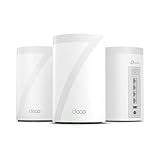
- 𝐅𝐞𝐚𝐭𝐮𝐫𝐞-𝐑𝐢𝐜𝐡 𝐖𝐢-𝐅𝐢 𝐁𝐮𝐢𝐥𝐭 𝐭𝐨 𝐋𝐚𝐬𝐭: Get expansive whole-home coverage, fast Wi-Fi 7 speeds, and a future-ready 10G WAN/LAN port that stays ahead as your network grows. Ideal for both everyday users and performance-focused homeowners.
- 𝗩𝗮𝘀𝘁 𝗠𝗲𝘀𝗵 𝗖𝗼𝘃𝗲𝗿𝗮𝗴𝗲 & 𝗗𝗲𝘃𝗶𝗰𝗲 𝗖𝗮𝗽𝗮𝗰𝗶𝘁𝘆: The 3-pack mesh system covers up to a vast 7,600 sq.ft. and supports over 200 devices without compromising performance, ensuring seamless connectivity.
- 𝐁𝐄𝟏𝟎𝟎𝟎𝟎 𝐓𝐫𝐢-𝐁𝐚𝐧𝐝 𝐖𝐢-𝐅𝐢 𝟕 𝐒𝐩𝐞𝐞𝐝𝐬: Delivers up to 5,188 Mbps (6 GHz), 4,324 Mbps (5 GHz), and 574 Mbps (2.4 GHz) speeds for 4K/8K streaming, AR/VR gaming, and more. Performance varies by conditions, distance to devices, & obstacles such as walls.
- 𝗙𝗼𝘂𝗿 𝟮.𝟱𝗚 𝗪𝗔𝗡/𝗟𝗔𝗡 𝗣𝗼𝗿𝘁𝘀: Includes four 2.5G WAN/LAN ports and a USB 3.0 port, making it an ideal choice for future-proofing your home network.
- 𝐒𝐢𝐦𝐮𝐥𝐭𝐚𝐧𝐞𝐨𝐮𝐬 𝐖𝐢𝐫𝐞𝐝 & 𝐖𝐢𝐫𝐞𝐥𝐞𝐬𝐬 𝐁𝐚𝐜𝐤𝐡𝐚𝐮𝐥: Tri-band Wi-Fi 7 and 10G Ethernet work together to balance traffic between Deco units for faster, more stable whole-home coverage. Backhaul requires at least two Deco units.
Because the stream runs in the cloud while the PC stays off, this workflow removes the need to leave a local encoder running and can reduce that computer’s continuous upload workload. It does not increase the router’s Wi-Fi capacity for other household devices.
StreamNeo checks stream health every 30 seconds and restarts dropped streams automatically. A 24-hour 720p/30fps trial is free with no card at signup, providing a practical way to test the workflow before committing.
Frequently Asked Questions
Can a router really support 100 devices?
Possibly, especially for connected low-traffic devices or with a higher-end mesh system. That does not mean 100 devices can simultaneously stream, upload, game, or video-call at full speed. Check the specific model’s association, DHCP, hardware, and recommended-use limits.
Does a larger DHCP range let a router handle more devices?
It can prevent private IP-address exhaustion, but it does not add Wi-Fi airtime, radio capacity, internet bandwidth, or processing power. Expand the DHCP range only when diagnostics show that addresses are the actual problem.
Is Wi-Fi 6 or Wi-Fi 7 enough to solve too many devices?
No. Newer standards can improve efficiency and capacity, but results still depend on compatible clients, channel conditions, coverage, placement, backhaul, router hardware, and simultaneous traffic.
Is a mesh system better than one powerful router?
It depends on the problem. Mesh is useful for large homes, multiple floors, thick walls, and clients concentrated far from the gateway. If Ethernet is available, wired access points or wired mesh backhaul are often more predictable than relying entirely on wireless mesh links.
Windows Errors? Fix Them Before They Spread
Repair common Windows errors and clear accumulated junk for a smoother, more stable PC - no reinstall needed.Free scan · no reinstallCrashes, No Sound, or Screen Glitches?
Random freezes, missing sound and display glitches usually trace back to one bad driver. Find and replace yours safely.Free scan · under a minuteDo wired devices count toward the router’s device limit?
They may count toward DHCP leases, NAT state, firewall processing, and other gateway resources, but they do not consume Wi-Fi airtime. Wiring high-traffic stationary devices can therefore reduce wireless congestion even though those devices remain part of the local network.
The Bottom Line
Bottom line: Count all connected devices to check addressing and association limits, but count simultaneously active devices to judge performance. A basic older router may suit roughly 10–25 active devices, a capable Wi-Fi 5 or Wi-Fi 6 router roughly 25–50, and a well-designed newer mesh system may support 50–100 or more connected devices. When problems appear, diagnose the specific bottleneck—airtime, coverage, DHCP, router hardware, or internet bandwidth—before buying a new router.

