
The Tool Desk
Outbyte PC Repair FREEClear out junk files and repair common Windows errorsFree Scan →Outbyte Driver Updater FREEScan for outdated or missing drivers - takes under a minuteDriver Scan →iTechGuides is reader-supported. When you buy through links on our site, we may earn an affiliate commission. As an Amazon Associate I earn from qualifying purchases. Learn more
For frequent Polkadot activity, a software wallet is usually more convenient; for long-term self-custody with less exposure of signing keys to an internet-connected device, a hardware wallet or an offline Polkadot Vault setup is a better fit. Neither option is risk-free. A wallet secures the keys that control your DOT and other on-chain assets—the assets themselves remain on the blockchain.
What is the difference between a software wallet and a hardware wallet?
A software wallet runs on an internet-connected browser or phone. A hardware wallet keeps its signing key on a separate physical device and uses that device to authorize transactions. In both cases, the wallet is a way to control blockchain accounts; it does not contain the DOT itself.
Polkadot’s developer documentation distinguishes hot wallets, whose keys are generated or used on an internet-connected device, from cold-wallet approaches that keep keys offline. This is a difference in exposure and workflow, not a guarantee that one type is safe or the other unsafe. Phishing, an unsafe recovery-phrase backup, approving a malicious transaction, losing a device, and ordinary user error can all matter.
| Decision | Software wallet | Hardware or cold setup |
|---|---|---|
| Everyday access | Convenient from a browser extension or mobile app. | Requires the signing device or an offline signing workflow when authorizing transactions. |
| Where the signing key is used | On an internet-connected device, which has a broader online attack surface. | On a separate hardware device or an air-gapped setup. Polkadot’s Ledger guide says the connected computer does not receive the private key. |
| Platform fit | Depends on the wallet: the official options table lists Nova as mobile, SubWallet as browser and mobile, and Talisman and PolkaGate as browser options. | Depends on the device, Polkadot app, wallet interface, and any browser requirements; Polkadot Vault uses a dedicated offline phone. |
| Polkadot features | Staking, nomination pools, NFTs, governance, and supported networks vary by wallet. | Ledger support can be combined with some listed wallets and staking interfaces; Ledger Live has a limitation for the separate stash-and-proxy staking setup. |
| Cost and setup | May be usable without buying a signing device; account backup depends on how it was created. | A Ledger is a physical purchase. Polkadot Vault can reuse a spare phone, but that phone needs to be dedicated and kept offline. |
The table describes categories and examples, not a guarantee that every listed wallet currently supports every feature. Polkadot’s wallet-options page compares support for platforms, staking or nomination pools, NFTs, Ledger, and governance. Check the current listing and the wallet’s own documentation before choosing around a specific feature.
#1 Best Overall
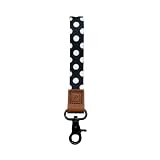
- Versatile Use: Secure your phone, camera, or keys with our universal wrist strap. Perfect for on-the-go convenience and ensuring your essentials are always accessible.
- Stylish & Functional: Elevate your style with our sleek wristlet keychain for women and men. A practical solution for carrying phones, cameras, or keys, blending fashion with functionality.
- Premium Quality: Crafted for durability and style, this wrist lanyard excels as a cell phone wrist strap, camera wrist strap, and keychain wristlet, ensuring comfort and device protection daily.
- Easy Attachment: Swiftly secure phones, cameras, or keys with our strap. Ideal as a phone wrist strap, camera wrist strap, or wristlet keychain, ensuring safety and accessibility on the move
- Ideal Gift: Gift the perfect blend of style and security with our sling purse crossbody women & men bag. It's versatility makes it an excellent gift for any occasion.
Which option should I choose for Polkadot?
Choose based on how often you transact, how much you value keeping the signing key away from an online device, and which Polkadot features and platforms you need. A convenient day-to-day wallet and a more isolated account can serve different purposes; using a cold setup does not mean you must give up every convenient workflow.
A software wallet is a practical fit when
- You expect to make regular transfers or interact with Polkadot services and want quick access from a browser or phone.
- Your chosen wallet supports the device you use and the features you need, such as staking, nomination pools, NFTs, governance, or Ledger integration.
- You can protect the device and account backups carefully, and you understand that connecting to the internet exposes the hot account to a broader online attack surface.
A hardware wallet or offline setup is a practical fit when
- You want signing keys kept on a separate device rather than used on your everyday internet-connected computer.
- You are comfortable with the additional steps of keeping the device available, reviewing transaction approvals, and maintaining recovery information separately.
- You want to use a hardware signer with a compatible wallet interface, or you can dedicate a spare phone to Polkadot Vault and keep it offline.
Use the feature list to break a tie
If two choices seem equally convenient, compare the exact features you plan to use. The official Polkadot wallet-options page includes support categories for platforms, staking and nomination pools, NFTs, Ledger, and governance. Those categories vary by wallet; “Polkadot wallet” alone does not establish support for every chain, network, or feature. The page’s current entries should take precedence over an old recommendation or a feature list copied elsewhere.
Wallet categories also should not be confused with exchange custody. This comparison concerns self-custody: you control the keys. An exchange account is a different arrangement, so do not assume that an account balance there uses the same recovery process or gives you the same direct control of keys.
What Polkadot software wallets are listed, and what should I compare?
Polkadot’s official wallet-options page lists several software choices and compares their platform and feature support. The supplied platform details identify Nova as mobile, SubWallet as browser and mobile, and Talisman and PolkaGate as browser options.
Rank #2

- 【Premium Quality】 ID holder with lanyard is made of premium quality cotton, with a quality stitching to store your every-day-carry Items, eg credit cards, coins, ID badges,etc.
- 【Light & Soft】Small id wallet as light as 1.6oz, you can't feel its own weight. Finest cotton lanyard strap is soft flexible durable and functional, gently around your neck. You can also let it hang from your pocket or stuff it in your backpack or wallet.
- 【Wallet with lanyard】Our small id wallet is designed with slim and practicality in mind, while showing off your personality. It is ideal for those looking to keep only the essentials.
- 【Wallet lanyards for women】The unique patterns and designs for your option. Whether you are passionate or calm, classic or adventurous, cool or relax, you can always find one to match your own personality.
- 【ID lanyard badge holder for women】Compact ID Case:5" W x 3" H; Lanyard Dimensions: 37" ; Women ID Case ZIP ID CASE Badge Case with Lanyard Holder change purse wallet keychain for women coin pouch key chain wallet id holder id holder with lanyard card holder for women card holder for lanyard.
| Wallet | Platform listed | What to verify before choosing |
|---|---|---|
| Nova | Mobile | Current support for the Polkadot features and networks you plan to use; the available evidence does not establish a complete feature-by-feature listing here. |
| SubWallet | Browser and mobile | Current support for staking or nomination pools, NFTs, governance, and any Ledger workflow you need. |
| Talisman | Browser | Current support for your required features and compatible platforms. |
| PolkaGate | Browser | Current support for your required features and compatible platforms. |
The platform labels are the details identified in Polkadot’s wallet-options material; they are not a promise of current availability for every browser, operating system, or device. The source material does not establish a complete current matrix of each wallet’s staking, NFT, governance, or network support, so verify those individual entries in the live official options page before importing an account or moving funds.
How does a Ledger hardware wallet work with Polkadot?
A Ledger keeps the private signing key on the hardware device and signs transactions there, rather than handing the private key to the connected computer. Polkadot documents Ledger as a cold-storage option and lists Nano S Plus, Nano X, Stax, and Flex as compatible with the Polkadot app in its Ledger guide.
Compatibility is a chain of requirements, not just a model name: the device, Polkadot app, interface used to access the account, and browser requirements all need to work together. The Polkadot guide warns that Nano S support is being phased out. Do not choose the older Nano S for a new setup; verify current model and app compatibility in Polkadot’s guide and the device maker’s current information before buying. Model availability and compatibility can change.
What’s actually slowing this PC down?
Pick the symptom - the matching free tool is one click away.
A hardware signer changes where key signing happens; it does not review a transaction on your behalf or prevent you from authorizing something harmful. Read transaction details on the signing device and in the connected interface, and stop if the destination or action does not match what you intended.
Rank #3
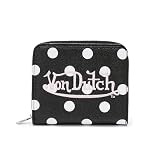
- Iconic Von Dutch Cheetah Print Design: This Von Dutch zip-up wallet features a bold Blue Cheetah print, blending wild patterning with the brand’s counter-culture streetwear identity for a standout everyday accessory
- Vegan Leather Construction: Crafted from durable vegan leather with a subtle textured grain, this Blue Cheetah Von Dutch wallet is built for everyday wear while maintaining a structured, no-nonsense feel
- Slim Zip-Up Profile: Designed with a secure zip-around closure, this wallet keeps essentials protected while staying slim in pocket—functional, clean, and made for daily carry
- Smart Interior Storage: The interior includes multiple card slots, a full-length compartment for cash and receipts, an ID window, and a Flying Eyeball printed lining for a signature Von Dutch detail
- Available Colors: This Von Dutch cheetah print zip-up wallet is available in Blue Cheetah, Green Cheetah, Orange Cheetah, and Hot Pink Cheetah, all with the same iconic design and construction
Can I use Polkadot Vault instead of buying a hardware wallet?
Yes. Polkadot Vault can turn a reset spare smartphone into an air-gapped wallet: the phone is kept in airplane mode and dedicated to offline use. This can be a practical cold-storage alternative for someone comfortable setting up and maintaining a separate offline device.
- Choose a spare phone you can dedicate. It should not be the phone you rely on for routine online access to your accounts.
- Reset it and set up Polkadot Vault according to the current Polkadot instructions. Follow the official setup guidance rather than relying on an old walkthrough.
- Keep the phone offline. Polkadot’s documented model is an air-gapped device kept in airplane mode; the point is to keep the signing setup separate from ordinary internet-connected use.
- Protect the recovery material independently. The offline phone is still a device that can be lost or fail, so maintain the account’s recovery information securely.
- Plan for the signing workflow before relying on it. An offline setup involves more steps than opening a browser wallet, so make sure you can complete the intended transaction process using Polkadot’s current instructions.
Vault avoids the need to purchase a Ledger if you already have a suitable spare phone, but it is not a zero-maintenance shortcut. The phone must remain dedicated and offline, and you need to be comfortable with the setup and signing process.
How should I store Polkadot if I want to stake?
Polkadot documents a cold stash account paired with a separate staking proxy. The stash can remain in cold storage while the proxy is commonly hot, allowing staking actions without using the stash’s key for every routine action.
Free tools Windows power users keep installed
One-click scans. No signup required.
Keep the roles separate
- Stash: The account holding the assets intended for staking. The documented pattern is to keep this account cold.
- Proxy: A separate account authorized for staking-related actions. The Polkadot Wiki describes this proxy as commonly hot and warns against leaving a high balance there.
This is an account-structure choice, not a reason to assume the proxy is harmless. Keep the proxy’s balance limited to what you need for its role, and understand what authority it has before approving the relationship. The exact staking configuration and requirements can change; consult the current Polkadot staking guide for the setup you intend to use.
Rank #4

- PREMIUM MATERIAL -- This slim ladies wallet is made of high quality PU leather with high quality gold color coated metal zipper. which is smooth texture, waterproof, lightweight, and easy to clean.High cost performance,wear-resistant and durable,which make it convenient and suitable for daily life,make you outstanding and unique from others.
- LARGE CAPACITY WALLET -- The dimensions of clutch long wallet for women is 7.9 "L x 3.9 "W x 0.9 "H.The wallet is the perfect size, making it effortless to carry in your hand or slip into your purse, crossbody bag, or backpack while walking, shopping, or traveling. It's extremely lightweight and thin, perfectly suited for female and teen girls.With stunning craftsmanship, it's the perfect accessory for any casual or formal occasion.
- FUNCTIONAL DESIGN - These wallets for women men with a simple but fashionable design that will never out of date.Designed for both beauty and form,each wallet features 1 zippered main pocket, 8 card slots inside, 1 zippered coin pocket, 3 compartments, 2 fully open cash slots.This credit card holder wallet offers ample space for bills, credit cards, cash, change, coins, receipts,checkbook,cell phone and even family photos that keep your essentials organized.
- WARDROBE ESSENTIAL -- Its sleek design seamlessly transitions from the office to a night out, effortlessly complementing any outfit.If you're tired of heavy, monotonous wallets, this women wallet is the perfect choice for you! It not only adds color to your daily life but also provides ample storage space and organization for everyday essentials.Perfect for chic, sophisticated women.
- GIFT OPTION -- This stylish women's clutch wallet serves as a versatile gift for your sister, wife, mom, or friends.This purse is an excellent gift for your loved ones, as it combines fashion and function in a single item. Perfect for Mother's Day, Thanksgiving, Christmas, birthdays, anniversaries, or any other special occasion, this clutch is sure to impress.
There is an important interface limitation: the Polkadot staking guide says Ledger Live does not support the separate stash/proxy arrangement described in that guide. A Ledger may still be usable with other listed wallets and staking interfaces, but check the specific integration rather than assuming Ledger Live supports the same workflow.
How do I back up and recover a Polkadot account?
Recovery depends on how the account was created. Polkadot’s account guidance says a mnemonic or JSON backup and password, stored securely, can be used to restore an account. A hardware wallet or offline phone does not remove the need to protect the recovery information associated with the account.
- Identify the account’s creation and backup method. Do not assume every wallet or account path produces the same recovery materials.
- Make the backup using the wallet’s supported method. For the documented account guidance, this may be a mnemonic or a JSON backup with its password.
- Keep recovery information secure and private. Never publish or disclose it. Do not store it in a place where an untrusted person or service can access it.
- Make sure you understand the restore path. Use the current account or wallet instructions for the account type you created; a backup is useful only if you can access and restore it safely.
Recovery material is not the same thing as the device. Losing a signing device does not by itself remove the need for a valid account backup, and exposing recovery material can undermine the isolation provided by a hardware or offline setup.
What risks remain with either wallet type?
Neither a software wallet nor a cold setup removes the need to make careful decisions. The choice changes where keys are used and how convenient signing is; it does not make every transaction or recovery method safe.
Best Value

- Visit guide.keyst.one for speedy set up. If you are facing charging/battery issue, please update your Keystone to V-1.5.6 or later upon release to improve your battery experience.
- Air-Gapped: Safeguard your cryptocurrency with a 100% air-gapped hardware wallet. Conduct transactions securely through QR code scanning. Your private key is stored within a secure element, resistant to side channel attacks, ensuring complete protection from online threats.
- Open Source: Our Secure Element firmware, hardware design, hardware wallet application, and specific components of the operating system are open source.
- Advanced Features: PSBT BTC multi-sig, ETH multi-sig, staking, and transaction decoding. Our Multicoin firmware supports over 1000 cryptocurrencies, including BTC, ETH, USDT, and many more.
- Backup & Recovery: The recovery phrase generated by our hardware wallet is compatible with all Keystone hardware wallets as well as other hardware/software wallets that support the BIP32/39/44 seed phrase standards. Some notable wallets include MetaMask, Rabby etc.
- Phishing: A convincing prompt or site can try to trick you into revealing recovery material or authorizing an action you did not intend.
- Unsafe recovery handling: A private recovery phrase or backup should never be published or disclosed. Treat its confidentiality as essential.
- Malicious approvals: A signer can authorize a harmful transaction if you approve it. A hardware device does not guarantee that the transaction is benign.
- Loss or failure: A phone or hardware device can be lost or stop working. Recovery depends on the account’s valid backup and your ability to access it.
- Setup or user error: A mistaken account choice, misunderstood proxy authority, or failed offline workflow can cause problems regardless of wallet category.
No official statistic in the cited Polkadot materials establishes a theft, loss, or security rate that compares software wallets with hardware wallets. It is more accurate to choose according to your workflow and key-custody needs than to treat either category as a quantified guarantee.
How can I make the final choice?
Start with the activity you actually expect to do. If you regularly transact, a supported software wallet may make the work simpler. If your priority is keeping the signing key away from an internet-connected device, compare a compatible Ledger setup with Polkadot Vault and decide whether you prefer a purchased signer or a dedicated offline phone.
- List the features you require: staking, nomination pools, NFTs, governance, or Ledger integration.
- Check the official wallet-options page for current platform and feature support.
- For Ledger, verify the current device, app, interface, and browser requirements before purchase or setup.
- For Vault, confirm that you can dedicate a phone and keep it offline.
- Choose the account backup method at setup and keep its recovery information secure.
- If staking, understand the cold stash and separate proxy roles, and confirm the interface supports that arrangement.
These checks narrow the decision to the trade-off that matters: quick access from an online device versus a more involved workflow designed to isolate signing keys. In either case, protect recovery materials and scrutinize every approval.
Frequently Asked Questions
Does a Polkadot wallet actually store my DOT?
No. DOT and other assets remain recorded on-chain, while the wallet manages the keys that authorize actions for an account. That is why protecting account access matters even though the coins are not physically inside the app or device.
Can I use a hardware wallet with a browser wallet?
Yes, Polkadot’s wallet-options material describes Ledger support with some listed wallets and interfaces. Compatibility depends on the particular device, app, interface, and browser requirements, so confirm the full combination before setting it up.
If my Ledger or offline phone is lost, are my Polkadot assets gone?
A lost device does not itself erase the on-chain account, but access depends on having valid recovery information for the account. Polkadot’s account guidance identifies a mnemonic or JSON backup and password as possible restore materials, depending on how the account was created.
Is an exchange account the same as a software wallet?
Not necessarily. This comparison is about self-custody wallets, where you control the keys; an exchange account is a different custody arrangement. Its access and recovery process should not be assumed to work like a self-custody account.
Recommended Free Tools
Quick Recap
Product prices and availability are accurate as of the date/time indicated and are subject to change. Any price and availability information displayed on Amazon at the time of purchase will apply.

