
What’s actually slowing this PC down?
Pick the symptom - the matching free tool is one click away.
iTechGuides is reader-supported. When you buy through links on our site, we may earn an affiliate commission. As an Amazon Associate I earn from qualifying purchases. Learn more
Neither Google Home nor Amazon Alexa has a proven overall reliability advantage. Available evidence does not include a matched, independent test of command success, outages, or performance during internet loss. In practice, reliability depends on the devices you own, their network and hub setup, and whether their controls run locally or through cloud services.
What “reliable” means in a smart home
A voice command can fail at several points: the speaker or app may not understand it, the home network may be unavailable, a hub may be missing, device firmware may misbehave, or a manufacturer’s cloud service may be down. Those failures can look alike to the person asking for a light to turn on, but the fix depends on which layer failed.
There is no published independent head-to-head statistic establishing which platform goes offline less often or completes more commands. The available official information describes some architecture and certification rules, not comparative real-world success rates.
The Tool Desk
Outbyte Driver Updater FREEFix the driver behind crashes, sound loss and screen glitchesFind Drivers →Outbyte PC Repair FREERepair Windows errors before they cause bigger problemsFix Now →Where the platforms differ in the available evidence
| Reliability question | What is established | What it means for you |
|---|---|---|
| Local control at home | Google says compatible Matter commands at home travel over Wi-Fi or Thread without requiring cloud access for the command. Google Home Matter local control | This can remove a cloud service as a failure point for supported devices, but does not prove Google is more reliable than Alexa overall. |
| Control while away | Google says remote Matter commands go over the internet to a Google Home hub, which sends them locally to the device. Google Home Matter local control | Remote access still relies on an internet connection and the platform’s remote-control path. |
| Third-party integration standard | Amazon says Works with Alexa-certified devices must meet 99.93% annual availability in each applicable region under requirements effective June 15, 2026. The measure concerns developer-controlled service reliability and excludes AWS-owned service disruptions. Amazon Works with Alexa standards | This is a certification threshold, not a measurement of Alexa’s overall uptime or proof that it beats Google. |
| Device catalog | Google states that its Works with Google Home catalog has over 80,000 compatible devices. It also says Matter support by device type can change over time. Google Home Matter and device support | This is Google’s own catalog count, not an independent audit or directly comparable measure of working features. |
| Cross-platform Matter use | Google documents Matter Multi-Admin, which lets a device be shared with more than one certified app. Each app needs its own compatible Matter hub. Google Home Matter Multi-Admin | Matter can preserve flexibility, but pairing the same device with both platforms does not guarantee identical controls or routines. |
Will Google Home or Alexa work when the internet is down?
For a compatible Matter device controlled locally at home, Google says the command can travel over the home network without cloud access. That can help when an internet interruption affects cloud services but the local network, hub, and device remain available. It is not a promise that every Google Home feature or every device will continue working offline.
Popular on Amazon

- Echo Hub — An easy-to-use smart home control panel redesigned for your home. Arrange controls on your dashboard to quickly adjust devices, view cameras, start routines, and more.
- Customize your dashboard — Arrange smart home devices into sections and resize them to focus on what matters most. Create a personalized layout that matches how your family uses their connected devices.
- Reimagined for your home - With an Alexa+ and compatible Ring subscription (sold separately), get Ring camera event summaries to stay in the know. Search your Ring footage using simple voice commands. Create routines by voice, activate modes to manage multiple devices at once, and chat with Alexa to easily control your smart home.
- Home security for the whole family — Use Echo Hub to easily arm and disarm your compatible security system, making it easy for everyone in your family to manage home security. Use the Alexa app and compatible cameras, locks, alarms, and sensors to check in while you're out.
- Works with thousands of Alexa compatible devices — WiFi, Bluetooth, Zigbee, Matter, Sidewalk, and Thread devices sync seamlessly with the built-in smart home hub.
Control from outside the home is different: Google’s documented remote Matter route uses the internet and a Google Home hub. Devices that rely on a manufacturer’s cloud service may also lose functions when that service is unreachable. Check the route used by the specific device and feature rather than assuming that Matter or a platform name guarantees offline operation.
What to check before choosing a platform
Verify the exact device and features
Look up the exact model in the platform’s current compatibility information, then confirm that it supports the controls you actually need. A device may pair with both systems while exposing different settings, sensors, or automation options. Google notes that its support for Matter device types changes over time. Google Home device and Matter support
Also popular on Amazon
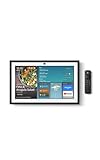
- MEET ECHO SHOW 15 - A stunning 15.6" Full-HD (1080p) smart display that's perfect for your kitchen and ready to show you more. Use customizable widgets to keep your day on track, manage other Alexca devices, watch your favorite shows with Fire TV and powerful vibrant sound, and enjoy natural video calling, with 3.3x zoom and wide field of view.
- YOUR FAMILY HUB - See your top widgets at a glance, like your family’s digital calendar and to-do lists, local weather, smart home, and more.
- THE PERFECT KITCHEN TV - Built-in Fire TV unlocks endless entertainment, so you can enjoy your favorite content from thousands of apps like Prime Video, Netflix, YouTube, Apple TV, and more (subscription may be required). Fire TV remote included.
- BUILT-IN SMART HOME HUB - Set up and control smart home devices with your voice or a few taps using the smart home dashboard. Easily turn on all your living room lights at once or check live camera feeds to see what's happening around your home.
- YOUR FAVORITE MEMORIES ON DISPLAY - Brighten your space (and your day) by turning your home screen into a photo slideshow that displays your favorite memories. Auto curate your images and show off your favorite family memories.
Identify hubs and network requirements
Google requires a compatible Matter hub to add Matter devices to Google Home, control them locally, and reach them remotely. Its listed hub categories include speakers, displays, Wi-Fi routers, streamers, and select TVs; the page names models including Google TV Streamer (4K), Nest Wifi Pro, Nest Hub models, and various Google and Nest speakers. Confirm that the exact model supports the connection your device needs—Wi-Fi Matter, Thread, or both. Google Home Matter hub requirements
Do these 3 things before closing this tab:
1Scan for outdated or missing drivers - takes under a minute2Clear out junk files and repair common Windows errors3Fix the driver behind crashes, sound loss and screen glitchesGoogle’s setup guidance also lists a Google Account, home Wi-Fi, IPv6 enabled on the router, a compatible Matter hub, and a supported phone and app. Thread devices additionally need a Thread border router. Google Home Matter setup requirements
Also popular on Amazon
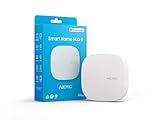
- Powered by SmartThings: Connect, monitor, and automate your home through the SmartThings app. Build a reliable, unified smart home using Samsung's proven ecosystem
- Matter + Zigbee Smart Home Hub: Supports the newest Matter standard plus Zigbee for lighting, sensors, plugs, switches, thermostats, and more - thousands of compatible devices. PLEASE NOTE: Z-Wave not supported
- Easy Setup with Wi-Fi or Ethernet: Get started in minutes using Wi-Fi or a wired Ethernet connection for apartments, houses, and expanding smart home systems - Z-Wave not supported
- Automations That Work for You: Create custom routines for security, lighting, comfort, and energy savings. Many local automations continue working even if your internet goes offline
- Wide Device Compatibility: Connect compatible smart devices from Aeotec and many other brands to build a unified system for lighting, voice control, energy management, and climate settings
Amazon’s UK help page says a Matter Wi-Fi device must be on the same 2.4 GHz Wi-Fi network as its compatible Matter controller, such as a compatible Echo. It also advises checking compatibility and device proximity. This guidance is specific to the UK page; check the instructions and model support for your location. Amazon UK Matter setup help
Test the routines your household depends on
Try the precise voice commands, schedules, sensors, and device controls you expect to use. Certification or Matter compatibility alone does not establish that a particular automation works the same way on both platforms. For essential functions such as lights, locks, or heating, consider whether a physical control or manufacturer app provides a fallback.
Also popular on Amazon
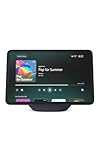
- More viewing area: The 11“ smart display features a vibrant Full-HD touchscreen, built-in smart home hub, AZ3 Pro chip for powerful performance, and Omnisense technology for highly personalized experiences.
- Content looks and sounds incredible: Watch shows on Prime Video, Netflix, and more on the vibrant screen and enjoy room-filling spatial audio, crisp vocals, and wide sound stage. With Alexa+, find the name of that song you love and discover new shows based on your preferences.
- Your everyday home assistant: The 11" display makes it easy to see recipes and your digital calendar and clock at a glance, find meal inspo, and manage your shopping lists. With Alexa+, set kitchen timers, find recipes based on foods you love, make reservations, order groceries, and more.
- Simple Smart Home control: Pair and control thousands of smart home devices that work with Alexa without needing a separate smart home hub. Easily view your camera feeds. Manage lights, thermostats, and more using the display or your voice. With Omnisense technology, you can activate routines via temperature, presence, or visual ID detection.
- Crystal-clear video calls: Video calls feel natural on the vibrant 11" screen with a centered, auto-framing camera, 3.3x zoom, and noise reduction technology. Use live view to check in on your family, pets, and more while you're away.
How to interpret Amazon’s reliability figures
Amazon’s Works with Alexa standards set requirements for certified third-party devices, rather than publishing a measured reliability score for Alexa as a whole. The 99.93% annual availability threshold applies by region to developer-controlled service reliability from June 15, 2026; the standards also allow no more than five developer-controllable outages annually across regions, define an outage as a greater than 95% drop in control success, and allow Amazon to suspend certification for noncompliance. The standards include feature-completeness requirements for new devices. Amazon Works with Alexa standards
Quick wins for a faster PC:
Repair Windows errors before they cause bigger problemsFix Now →Scan for outdated or missing drivers - takes under a minuteDriver Scan →A separate Amazon developer update, effective October 1, 2025, limits certain skill error and timeout responses to below 3% of total request volume on a rolling 30-day basis. That is an integration quality requirement, not consumer platform uptime. Amazon 2025 Works with Alexa update
Quick Recap
How to make the practical choice
- Start with your existing devices. Check the exact models and the features each platform supports; avoid choosing by a headline compatibility count alone.
- Map local and cloud-dependent controls. Find out whether the devices you care about use Matter local control or depend on an internet connection or manufacturer service.
- Confirm the setup. Check the required hub or controller, Wi-Fi band, Thread border-router support, IPv6 where applicable, and device placement.
- Run your real routines. Test the automations and commands your household uses most, including what happens when internet access is interrupted.
- Keep a fallback for important devices. A physical control or manufacturer app can help if voice control or a platform integration fails.

