
iTechGuides is reader-supported. When you buy through links on our site, we may earn an affiliate commission. As an Amazon Associate I earn from qualifying purchases. Learn more
Short answer: with a free MediaFire account, create a public share link and send it to the recipient. They will open a MediaFire download page and click the download control there. MediaFire documents an ad-supported page for free sharing, while a download that skips the page is described as a Pro or Business feature. In other words, the supported free method gives you a usable download-page link, not a guaranteed permanent direct-download URL.
This guide covers the three options readers usually mean: a normal share link, a restricted 1-time link, and a premium direct download. MediaFire’s labels can change, so use the current Share, Copy link and sharing-dialog controls in your account (checked Nov 2026).
| Option | What you need | Best for |
|---|---|---|
| Free public share link | Free MediaFire account; file share link enabled | Routine sharing when a download page is acceptable |
| 1-time link | An account interface that currently offers the feature; confirm its limits before sending | A single-use or restricted handoff |
| Pro or Business direct download | Eligible paid MediaFire plan | Recipients who should download without an ad or download-button page |
How do I create a free MediaFire download link?
Open MediaFire in a browser, find the file, enable its public share link, and copy the link. The recipient follows that URL to MediaFire’s download page and starts the download there. MediaFire’s own sharing explanation says that clicking a copied link takes someone to a download page for the file or folder (MediaFire’s sharing guide).
Crashes, No Sound, or Screen Glitches?
Random freezes, missing sound and display glitches usually trace back to one bad driver. Find and replace yours safely.Free scan · under a minuteWindows Errors? Fix Them Before They Spread
Repair common Windows errors and clear accumulated junk for a smoother, more stable PC - no reinstall needed.Free scan · no reinstall- Sign in and locate the file. Use the web interface and open the folder containing the file you want to send.
- Open the sharing controls. Select the file’s Share action, or use Copy link if that command is shown directly.
- Make the resource public. Confirm that the share link is enabled. MediaFire represents a public resource with a chain-link indicator; a private resource can require the recipient to authenticate (MediaFire’s share-link help).
- Copy and send the URL. Paste it into your message. Tell the recipient that the link opens a MediaFire download page, where they must press the download control.
- Test it before broad distribution. Open the link in a private/incognito browser window or another account. Check that the file name is correct and that a person who is not signed in can reach the download page.
Free/basic accounts may present a single-file download action rather than the bulk-selection controls available to some paid account types. That affects how you select files in your account; it does not turn the resulting share URL into a page-free direct link (MediaFire’s account-download instructions).
Popular on Amazon
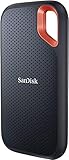
- Get NVMe solid state performance with up to 1050MB/s read and 1000MB/s write speeds in a portable, high-capacity drive(1) (Based on internal testing; performance may be lower depending on host device & other factors. 1MB=1,000,000 bytes.)
- Up to 3-meter drop protection and IP65 water and dust resistance mean this tough drive can take a beating(3) (Previously rated for 2-meter drop protection and IP55 rating. Now qualified for the higher, stated specs.)
- Use the handy carabiner loop to secure it to your belt loop or backpack for extra peace of mind.
- Help keep private content private with the included password protection featuring 256‐bit AES hardware encryption.(3)
- Easily manage files and automatically free up space with the SanDisk Memory Zone app.(5). Non-Operating Temperature -20°C to 85°C
Is a free MediaFire share link a true direct-download URL?
No. A free public share link is the supported way to share a file, but MediaFire describes the recipient flow as a download page. The page can include advertising and a download button, so do not promise that a free URL will start the transfer immediately or remain a permanent page-free endpoint.
“Direct download” can mean two different things:
- Practical sharing link: a URL that reliably gets the recipient to the file’s MediaFire download page. This is what a free account can create through Share or Copy link.
- Page-free direct link: a URL that begins the file transfer without the advertisement or download-button step. MediaFire documents this behavior for Pro or Business sharing, not as a permanent free-account setting.
Do not rely on editing the URL, adding guessed query parameters, or copying a temporary browser request. The official material reviewed explains share settings and plan features, not a supported free URL conversion. Such edits can break when MediaFire changes its interface or can expose a link that expires.
What’s actually slowing this PC down?
Pick the symptom - the matching free tool is one click away.
How does the normal free share link work for the recipient?
The recipient opens the copied URL, reaches MediaFire’s file page, and selects the download action. Free sharing is ad-supported, so the page may show advertising before the download control. A recipient normally does not need a MediaFire account when the resource is genuinely public, but a sign-in prompt is a signal to recheck the file’s sharing state.
Also popular on Amazon

- Capacity Display Variance: 500GB external ssd often appears as around 465GB on Windows. MacOS can show full 500 GB capacity. This is binary calculation difference and doesn’t affect SSD hard drive actual physical storage
- 1050 MB/s Speed: Instantly access to your files with blazing-fast 10Gbps external SSD read up to 1050MB/s and write up to 1000MB/s. LED Light indicates USB SSD instant activity
- Data Security: Solid state drives S.M.A.R.T. health diagnostics and adaptive TRIM optimizing data block management ensures consistent write speeds and extends the longevity of the portable SSD
- USB-C & USB-A Cable: Both cables featuring rapid USB 3.2 Gen2, this USB SSD effortlessly bridges devices, enabling seamless cross-platform file transfers and backup between computers, smartphones, tablets and iPhone
- Always Fast: No slowdowns for large file transfers. With SLC caching (25% of current available capacity allocated as high-speed cache), this external SSD delivers steady 10Gbps for transfers within the cache capacity
What to tell the person downloading
- Open the link in a current browser and wait for the file page to finish loading.
- Use the page’s download control, not an unrelated advertisement or pop-up.
- If MediaFire asks for authentication, contact the sender; the sender should verify that the link is enabled and public.
- For a large file, keep the browser tab open until the transfer begins and confirm the downloaded file name and extension.
For a folder, the link can open the folder view rather than one file. If you need the recipient to receive exactly one item, share that file’s own link and verify it independently.
Can I make a 1-time MediaFire link for free?
MediaFire’s official pages are inconsistent about free access to 1-time links. One help article describes one-time download links as a paid feature, while the Premium Account Features page lists daily one-time-link allowances for free users. Because those statements conflict, do not advertise a 1-time link as a guaranteed free entitlement.
Instead, open the current sharing dialog for your account and look for a 1-time, one-time or similarly named option. If it is offered, read the displayed expiration, download-count and access restrictions before copying the URL. If the control is absent or marked as premium, use the ordinary public share link or ask MediaFire support to confirm the account’s current entitlement.
The Tool Desk
Outbyte PC Repair FREEClear out junk files and repair common Windows errorsFree Scan →Outbyte Driver Updater FREEFix the driver behind crashes, sound loss and screen glitchesFind Drivers →A 1-time link is not the same as a permanent direct link. It limits reuse (and may expire), while a premium direct link changes the recipient experience by bypassing the ordinary download-page step. Keep those goals separate when choosing an option.
Also popular on Amazon

- NEARLY 2X FASTER THAN OUR PREVIOUS GENERATION(8) – move 1,000 high-res photos in under 60 seconds(6) with up to 2000MB/s transfer speeds(2).
- IP65 RATING AND UP TO 3M DROP PROTECTION(3) – protects against spills and drops.
- POCKET-SIZED – fits easily in pockets and small bags.
- SPACE TO OWN YOUR AI CONTENT – speed and capacity to download your high-res clips and photo edits.
- 256-BIT AES ENCRYPTION(4) – helps keep private files secure with password protection.
What does MediaFire Pro or Business add?
MediaFire describes files shared from Pro or Business accounts as direct downloads without an advertisement or download-button step. Its feature and upgrade information lists direct links to files among paid capabilities (MediaFire Premium Account Features and the MediaFire upgrade page).
This is the documented route when “direct” means page-free downloading. A paid plan is not required to create an ordinary public share link; it is relevant only when you need the premium delivery behavior or other paid account features. Plan names, limits and pricing can change, so check the current subscription details before purchasing (MediaFire subscriptions).
Choosing between the three options
| Need | Use | Important limitation |
|---|---|---|
| Send a file at no cost | Free public share link | Recipient uses a MediaFire download page |
| Restrict a link to one use | 1-time link, only if your current account offers it | Availability and limits differ across MediaFire’s own help pages |
| Start downloads without the page step | Pro or Business direct link | Paid feature; verify the current plan |
Why does my MediaFire link ask the recipient to sign in?
The most common cause is that the file’s share link is disabled or the resource remains private. Return to the file’s Share settings, enable the link, and copy the newly displayed URL. MediaFire’s share-link controls explain how to enable or disable access and how the public-link indicator appears (share-link settings).
Do these 3 things before closing this tab:
1Scan for outdated or missing drivers - takes under a minute2Clear out junk files and repair common Windows errors3Fix the driver behind crashes, sound loss and screen glitchesAlso check that you sent the file link rather than an account-management URL, and test the address while signed out. If the link works only for you, permissions have not been made public. For an organization or sensitive file, keep it private and provide access through the intended account instead of weakening the setting.
Also popular on Amazon
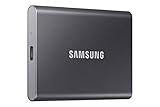
- MADE FOR THE MAKERS: Create; Explore; Store; The T7 Portable SSD delivers fast speeds and durable features to back up any endeavor; Build your video editing empire, file your photographs or back up your blogs all in an instant
- SHARE IDEAS IN A FLASH: Don’t waste a second waiting and spend more time doing; The T7 is embedded with PCIe NVMe technology that brings fast read and write speeds up to 1,050/1,000 MB/s¹, making it almost twice as fast as the T5
- ALWAYS MAKE THE SAVE: Compact design with massive capacity; With capacities up to 4TB, save exactly what you need to your drive – from large working files to game data and everything in between
- ADAPTS TO EVERY NEED: Whether using a PC or mobile phone, count on the T7 for extensive compatibility²; It’s a true team player when it comes to heavy-duty application usage or file-saving
- HI RESOLUTION VIDEO RECORDING: Record Ultra High Resolution (4K 60fs) videos directly onto the T7 Portable SSD with your favorite camera or mobile devices; Supports iPhone 15 Pro Res 4K at 60fps video and more³
What should I check before sending a free link?
- Correct item: verify the file name, size and version in the share dialog.
- Public state: confirm the chain-link/public indicator is enabled.
- Recipient path: test signed out so you see the same download page a recipient will see.
- Expiry expectations: do not call a normal share URL permanent unless your account explicitly documents that behavior.
- Privacy: anyone who receives a public link may be able to pass it on; disable the link later if the file should no longer be available.
- Message clarity: tell recipients that free sharing opens a download page and that they should use its download control.
If a link stops working, create a fresh public link from the file’s current Share controls and replace the old URL wherever it was posted. For unresolved account or plan questions, use MediaFire’s official contact channels rather than relying on third-party URL generators (MediaFire contact page).
Independent reader supportYour contribution helps us test, update, and keep practical guides available for everyone.How we picked these options
The comparison uses MediaFire’s documented recipient experience, account requirements and access controls: free public sharing, the separate 1-time-link capability, and the paid direct-download feature. It does not treat guessed URL edits as a supported method, and it flags the conflicting 1-time-link documentation instead of promising a feature that may not appear in every account.
Frequently Asked Questions
Can I share a MediaFire file without creating an account?
The documented workflow starts from a file in a MediaFire account, where you enable Share or Copy link. A recipient can often download a public file without signing in, but the sender still needs access to the file’s sharing controls.
How do I stop an old MediaFire link from working?
Open the file’s Share settings and disable its share link. After disabling it, test the old URL while signed out; it should no longer provide the public file page.
Also popular on Amazon

- Note: Magsafe is not available in this version
- High-speed Data Transfer: Lexar external SSD ES3 supports USB 3.2 Gen 2 up to 1050MB/s read and 1000MB/s write to transfer files fast for more efficient work. (Performance may be lower if not supporting USB 3.2 Gen 2 on Mac and other systems)
- Wide Compatibility: Lexar Portable SSD ES3 compatibility with iPhone 17 series (Not supported on iPhone 14 and older models), Android mobile devices, laptops, cameras, Xbox X|S, PS4, PS5, gaming console, and more
- On The Go: Lexar external solid state drive ES3's thin, stylish, and durable design, weighs 42g and is only 10.5mm thick, making it smaller than a card and easily fits in your pocket. It comes with a Type-C cable for plug-and-play convenience
- Data Safety First: Lexar SSD ES3 includes Lexar DataShieldTM 256-bit AES encryption software to protect files
Will a MediaFire free link expire automatically?
A normal public share link is not documented here as a guaranteed permanent URL, and account settings can change. If availability matters, monitor the link and replace it if MediaFire shows an expiration or access restriction.
Can a recipient download a MediaFire folder with one click?
A folder link generally opens a folder view, where the recipient chooses the item or available folder download action. Share an individual file link when the recipient must receive one specific file.
The Bottom Line
For free sharing, use MediaFire’s public Share or Copy link and set the expectation that the recipient will download from a MediaFire page. A page-free direct download is a documented Pro or Business feature, while 1-time links must be confirmed in your current account because MediaFire’s official help pages disagree.

