
The Tool Desk
Outbyte PC Repair FREEClear out junk files and repair common Windows errorsFree Scan →Outbyte Driver Updater FREEFix the driver behind crashes, sound loss and screen glitchesFind Drivers →iTechGuides is reader-supported. When you buy through links on our site, we may earn an affiliate commission. As an Amazon Associate I earn from qualifying purchases. Learn more
Garena Free Fire 1.27.0 is an archived Android build from January 2019, not the current release. If you want to play Free Fire normally, install the current Garena app through the Google Play listing. The old 1.27.0 APK is relevant mainly for software history, preservation, or carefully isolated compatibility testing.
As of August 10, 2026, public version records list Free Fire 1.130.1 as the current version line, released or uploaded on August 5, 2026. Google Play remains the authoritative source for the version and compatibility available to your particular device and region.
Which Free Fire download should you use?
For ordinary play, use the official Google Play installation. Garena’s own FAQ directs Android users to Google Play and describes Free Fire as an online, mobile-only game. This route gives you the current package offered for your device, normal updates, Play Protect integration, and the best chance of receiving account and technical support.
Free tools Windows power users keep installed
One-click scans. No signup required.
Do not treat a page titled Download Garena Free Fire for Android – Free – 1.27.0 as a current-download page merely because the page is still online or has recently been indexed. The title describes a historical APK. Third-party archives can be useful for researching old releases, but they are not Garena’s current distribution channel.
Popular on Amazon
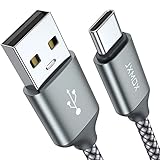
- Fast Charge Needs the Right Adapter: Charges up to 3A from a USB-A port. Pair with an 18W+ Quick Charge 2.0/3.0 or Samsung AFC wall charger or car port.
- Nylon Braided Build: Double-braided nylon jacket, aluminum alloy connectors and reinforced strain relief for everyday plugging and unplugging.
- Wide Compatibility: iPhone 18 / 18 Pro / 18 Pro Max, iPhone 17 / 17 Pro, iPhone Air, iPhone 16 / 15 Series; Samsung Galaxy S26 Ultra / S26 / S25 / S24 Series, S25 FE, A56 / A55; Google Pixel 11 / 10 / 9 / 8 / 7 / 6; Moto G 2026; Sony Xperia.(Note: Delivers standard charging for iPhone 18/17/16/15 series and iPhone Duo, as USB A cables do not support PD fast charging).
- Data & In-Car Use: Supports USB 2.0 data transfer up to 480 Mbps, wired Apple CarPlay and Android Auto in compatible cars and phones. Also works with power banks, USB-C Kindle, dash cams, wired PS5 / Xbox controllers.
- 6.6ft Room to Move: Reaches from a low wall outlet or under-desk port to your seat; 2 cables cover home and travel.
- Want to play today? Install Free Fire from Google Play.
- Have an older phone? Check the Play Store compatibility result before trying an archive. A historical APK’s low minimum Android version does not prove that the live service still supports it.
- Want the 2019 experience? Treat 1.27.0 as an archival experiment on a secondary device, with no expectation of current online functionality.
- Want better graphics? Consider Free Fire MAX, which Garena positions as the higher-fidelity alternative. Bind your account before switching.
What is Free Fire?
Free Fire is Garena’s online mobile battle-royale shooter. Garena describes matches of approximately 10 minutes with up to 50 players, four-person squads, voice chat, Battle Royale, and Clash Squad modes. The game is free to download and play, but it includes in-app purchases such as diamonds, cosmetic items, and other optional content. Availability, age rating, and compatibility can vary by country and device; consult the official FAQ and the local Play Store listing.
Because the game relies on online services, downloading an APK file is not the same as having an offline game. The file may be downloaded without an internet connection after you obtain it, but normal login, content downloads, matchmaking, updates, and gameplay require network access.
What Free Fire 1.27.0 actually is
APKMirror records the specific 1.27.0 package as uploaded on January 24, 2019. Its version code is 2019012301, and its package name is com.dts.freefireth. The archive page lists the following technical details:
| Item | Historical 1.27.0 detail |
|---|---|
| Version | 1.27.0 |
| Version code | 2019012301 |
| Package name | com.dts.freefireth |
| Archive upload date | January 24, 2019 |
| APK size | 61.98 MB, or 64,992,674 bytes |
| Minimum Android listed | Android 4.0.3, API 15 |
| Target API | API 26, Android 8.0 |
| Architectures | armeabi-v7a and x86 |
| DPI | nodpi |
| Languages | 75 listed by APKMirror |
| Format | Conventional APK |
These are archive and manifest details for one old file. They are not a promise that the APK is currently supported by Android, compatible with every old or new device, accepted by Garena’s servers, or safe to use with a valuable account.
Why some pages call it “9th Anniversary”
Some archive pages attach the label Free Fire: 9th Anniversary 1.27.0 to the old entry. That is a retrospective or misapplied title. The binary associated with version code 2019012301 dates to January 2019, while the ninth-anniversary branding belongs to the 2026 release context. Identify this file by its version code and archive date, not by the anniversary wording.
There is also conflicting catalog metadata: FileHippo’s history page lists 1.27.0 with an October 29, 2019 date, while APKMirror records the specific package on January 24, 2019. The dates may represent different cataloging or republishing events. January 24, 2019 is best described as APKMirror’s upload date, not as an independently proven original release date.
Is 1.27.0 the latest Free Fire version?
No. Public version archives list Free Fire 1.130.1 as the current version line as of August 10, 2026. The public record gives an August 5, 2026 release or upload date. It lists the same package name, com.dts.freefireth, but a substantially newer Android package:
Recommended Free Tools
| Category | Free Fire 1.27.0 | Public 1.130.1 record |
|---|---|---|
| Era | January 2019 | August 2026 |
| Minimum Android listed | Android 4.0.3 / API 15 | Android 5.0 / API 21 |
| Architectures | armeabi-v7a and x86 |
arm64-v8a and armeabi-v7a |
| Package format in public archives | Single APK | Split/XAPK bundle |
| Content era | Historical 2019 features | 2026 anniversary and current live-service content |
| Normal-play recommendation | No | Use the official Google Play delivery |
The version shown in Google Play or in Android’s App info screen is more useful for your device than a third-party archive’s version history. Google Play can deliver updates at different times depending on region, device, staged rollout, or account, so do not assume that every user will see exactly the same version at exactly the same time.
Also popular on Amazon
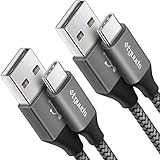
- Fast Charging and Data Sync: etguuds USB A to USB C cable supports charging speed up to 3 A fast charging for quick usb-c port device charging and data transfer speeds up to 480 Mb/s, usbc cable support USB 2.0 data transfer
- Long-Lasting: The usb c charger cord uses integral seamless stretch process, high pressure resistance and nylon braided adding tangle-free, can bear 20000+ bending lifespan
- Wide Compatibility: USB Type C cable fast charging for most C -port devices, for Samsung Galaxy S26 S26+ S26 Ultra S25 S25+ S25 Ultra S24 S24+ S24 Ultra S23 S22 S21 S20 A53 A14, for LG, for Moto, for Pixel, for iPhone Duo 18 17 16 15 Pro Max. Not compatible with iPhone older models before iPhone 15
- Friendly Tips: The USB A to C cable is not support video and media display. Not compatible with webcams, some gaming devices, laptops. Fast charging requires that your device supports fast charging and wall charger supports fast charging
- What You Get: You will get 2 pack 3 ft etguuds Gray usb-a to usb-c nylon braided charging cable
What was included in the 1.27-era game?
APKMirror attributes the following historical changes to the build lineage from version 1.22.1:
- Reworked areas in the Purgatory and Bermuda maps.
- Miguel as a new character.
- Solo Death Race on weekends.
- Limited-time special offers after matches.
- Bonfire recovery of HP and EP at 10 points per second.
- Improved Gloo Wall coverage angles.
Garena’s September 12, 2018 announcement documents the same historical feature set, including the map work, Miguel, Solo Death Race, special offers, Bonfire recovery, and Gloo Wall improvements. The announcement predates APKMirror’s January 2019 upload record, so it does not independently prove that every listed item first appeared specifically in version 1.27.0. These details should be read as the feature context of the 1.27-era lineage, not as a precise 1.27.0 changelog.
Android requirements: old APK versus current app
There are three different requirement figures worth keeping separate:
- The historical APK manifest: 1.27.0 listed Android 4.0.3/API 15 as its minimum and supported ARMv7 and x86.
- Garena’s generic support guidance: Garena lists Android 4.4, a dual-core 1.2 GHz processor, 1 GB of RAM, and at least 1.5 GB of storage as minimum specifications. Its recommended configuration is Android 7, an octa-core 1.8 GHz processor, 3 GB of RAM, and at least 3 GB of storage. Garena warns that minimum specifications may allow the game to run without providing smooth performance. See the support requirements page.
- The current public package record: Free Fire 1.130.1 is listed publicly as requiring Android 5.0/API 21 or later and supporting
arm64-v8aandarmeabi-v7a.
The current Play Store compatibility result controls what can actually be installed on a particular phone. Do not infer that a phone meeting Garena’s generic Android 4.4 minimum can necessarily install the current Play Store build. Conversely, a phone that can install an old APK may still lack the performance, storage, graphics support, or online-service compatibility required for a usable game.
How to install the current Free Fire safely
For most readers, this is the correct installation path:
- Open the Google Play Store.
- Search for Free Fire.
- Open the Garena game listing. Where package details are visible, the official package is
com.dts.freefireth. - Check the compatibility message, developer information, rating, and in-app-purchase disclosure.
- Tap Install.
- Allow the game to download its additional data after the package is installed.
- Sign in or create an account.
- Keep the app updated through Google Play.
Google’s standard instructions are Play Store → search for an app → select it → Install. Use the official Free Fire listing rather than a random “latest APK” page.
If you specifically need the 1.27.0 APK
Use it only for historical preservation or testing, preferably on a secondary Android device that does not contain your primary Free Fire installation. The APKMirror 1.27.0 record is useful for checking the historical package and its metadata, but an archive is not the same as an authorized current Garena store.
Quick wins for a faster PC:
Scan for outdated or missing drivers - takes under a minuteDriver Scan →Clear out junk files and repair common Windows errorsFree Scan →Protect the account before changing installations
After binding the account, safer archival-testing precautions are:
Also popular on Amazon
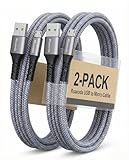
- [END THE FRAYING CYCLE] Original plastic cords inevitably split at the connector. We engineered an extended strain relief joint encased in a space grey aluminum shell and high-density nylon braid. Withstands 25,000+ bends without tearing.
- [SECURE CLICK-LOCK FIT] Tired of loose Micro USBs falling out? Precision stainless steel pins lock firmly with an audible click. The stepped connector bypasses thick rugged cases. Zero dropouts during intense gaming or constant recording.
- [ZERO LATENCY PLAY & CHARGE] Built with a 22 AWG copper core and double-layer shielding to block interference, delivering stable 2.4A power for lag-free gaming. The aluminum housing actively dissipates heat to prevent battery degradation.
- [PET-PROOF & TANGLE-FREE ARMOR] Is your setup a graveyard of chewed wires? This heavy-duty braided jacket resists sharp pet teeth. Toss it into a crammed backpack—it unrolls perfectly straight without knotting, built for daily abuse.
- [24/7 CONTINUOUS POWER] Flawlessly powers outdoor security cameras and dash cams continuously without unexpected power drops. Revives PS4 controllers and classic Androids. Backed by a 3-year responsive care plan for complete peace of mind.
- Use a secondary test phone, not the device containing your important account or irreplaceable local data.
- Obtain an unmodified archival file from a reputable archive. Avoid links offering a “MOD,” “unlimited diamonds,” “anti-ban,” “aimbot,” “skin,” or “hack” version.
- Check that the package is
com.dts.freefireth, the version is 1.27.0, the version code is2019012301, and the architecture matches the phone. - Compare the downloaded file with the archive’s recorded size and hash where possible.
- Keep Google Play Protect enabled. Android and Google may scan or block apps installed from outside Google Play; see Google’s Play Protect documentation.
- Expect the game to request an update or fail to connect. Do not assume that successful installation means successful login or matchmaking.
- When finished, remove the old client and reinstall the current official version from Google Play.
Historical file verification details
For the exact APKMirror file, the archive reports these values:
- Historical file name:
com.dts.freefireth_1.27.0-2019012301_minAPI15(armeabi-v7a,x86)(nodpi)_apkmirror.com.apk - APK SHA-256:
cc6ee662653ba349c07627422be052ac097dd3d41657c3fd05fae3b14849ce99 - Certificate SHA-1 reported by the archive:
296a2d810a3e0024d90f4ca377afef1ba6406b93
On a computer, you can calculate a downloaded file’s SHA-256 with sha256sum filename.apk on Linux or macOS, or Get-FileHash filename.apk -Algorithm SHA256 in PowerShell. A matching hash provides evidence that the file is the same as the archived file. It does not prove that the file is a current Garena distribution, that it is universally safe, or that the live service will accept it.
Installing an APK outside Google Play
Sideloading bypasses the normal trusted-store path and should not be enabled casually. On Android 8.0/API 26 and later, permission is granted to the particular source that opens the file, such as Chrome or a file manager:
- Open Settings.
- Search for Install unknown apps, or open Apps / Special app access.
- Select the browser or file manager used to open the APK.
- Enable Allow from this source.
- Open the APK and review the installer prompts.
- Afterward, return to the same setting and disable the permission.
On Android 7.1.1 and earlier, the older setting is generally called Unknown sources under Security. Manufacturers use different menu names and locations, so the Settings search box may be the quickest route. Android’s official documentation explains the source-specific permission model.
Never interpret the ability to enable this setting as an endorsement of the file. It only allows Android to attempt the installation.
APK, XAPK, and split APK differences
The historical 1.27.0 entry is presented as a conventional single APK. Current Free Fire packages in public archives commonly use XAPK or split-APK bundles containing a base package, architecture-specific components, and asset packs.
| Format | What it means | Common issue |
|---|---|---|
| APK | Usually one installable Android package | May still be incompatible, signed differently, damaged, or too old for the service |
| XAPK or split APK | A bundle containing multiple APK components and/or game assets | Opening one component alone can produce an installation error or an incomplete app |
| Asset pack or additional data | Large game files downloaded or installed separately from the base package | The app may install but fail to start or finish setup without the data |
The public 1.130.1 record identifies a split/XAPK distribution and one listed package at approximately 389.5 MB. That is a download-package size, not necessarily the final amount of storage used after installation and subsequent game-data downloads. Google Play normally handles the required components automatically. If you sideload a bundle, you need a compatible installer and every required component for the correct architecture; installing only one split is not enough.
Troubleshooting installation and login problems
Google Play will not download or update Free Fire
Follow Google’s Play Store download troubleshooting steps:
Also popular on Amazon
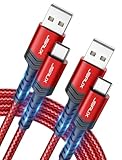
- 3.1A Fast Charge & 480Mbps Sync: Delivers up to 5V/3.1A safe power—25% faster than standard 2.4A cables. Supports 480 Mbps data transfer speeds that move around 10 HD photos per second (or 100 photos in 10 seconds), making photo backups quick, smooth, and hassle-free.
- Wired CarPlay & Android Auto Ready: Instant plug-and-play connection for smooth road trip navigation and music streaming without Bluetooth lag or re-pairing hassles. Compatible with Apple CarPlay for iPhone 18/17/16/15 series, and compatible with Android Auto for Samsung Galaxy, Google Pixel, and other USB C phones.
- Smart Safety Protection: Equipped with an intelligent chip that dynamically regulates voltage and current. Provides multi-layer protection against over-current, over-voltage, overheating, and short circuits for safe overnight charging and battery health.
- 40,000+ Bends & Anti-Snap Build: Say goodbye to frayed necks and buying replacements every few months. Laser-welded connectors ensure the metal plug never snaps off inside your phone, while reinforced rubber SR joints survive 40,000+ bends. The double-braided nylon jacket withstands daily yanks and resists annoying bag tangles.
- Wide USB C Device Compatibility: Compatible with iPhone 18/17/16/15 series and iPhone Duo; Samsung Galaxy S20–S26 series, Note 10/20 series, Z Fold/Z Flip series, and select Galaxy A series; Google Pixel 6–10 series; Motorola Moto G and Edge series; as well as USB C tablets, power banks, and wireless headphones. (Note: Delivers standard charging for iPhone 18/17/16/15 series and iPhone Duo, as USB A cables do not support PD fast charging).
- Check Wi-Fi or mobile-data connectivity.
- Check free storage. Google notes that less than 1 GB available can prevent downloads.
- Install pending Android system updates.
- Restart the device.
- Check that automatic date and time are enabled.
- Clear the Play Store cache or data if necessary, and update the Play Store.
Also confirm that the Play Store says the app is compatible. If it does not, installing a much older APK is not a reliable workaround for the current game’s device or service requirements.
The old APK says “App not installed”
Possible causes include:
- The phone uses an unsupported architecture. The old file lists
armeabi-v7aandx86; it is not the same architecture set as current ARM64 builds. - The Android version or package manifest is incompatible with the device.
- A newer version of
com.dts.freefirethis already installed. Android normally blocks a downgrade or refuses an installation when signatures conflict. - The file is incomplete or corrupted.
- A split/XAPK bundle is being opened as though it were one APK.
- There is insufficient storage.
- The package is signed differently from the existing installation.
Do not immediately uninstall the working game to make room for the old one. First bind the account and confirm that you can sign back in. Even then, a downgrade may delete local data or create a separate compatibility problem.
The APK installs but asks for an update or will not log in
The most likely explanation is that the 2019 client is too old for the current live service, although this has not been independently verified as a universal Garena rule for every 1.27.0 installation. Other possibilities include unavailable additional data, an unauthorized or modified file, a device or regional restriction, or an account-security issue.
What’s actually slowing this PC down?
Pick the symptom - the matching free tool is one click away.
Installing the APK successfully proves only that Android accepted the package. It does not prove that the client can authenticate, download current resources, enter matchmaking, or access your existing progress.
Security, modified APKs, and ban risk
Garena tells players to download Free Fire from authorized app stores and warns about unauthorized APKs. Its anti-hack FAQ, game-security FAQ, and abuse policy prohibit unauthorized third-party programs, modified clients, client or packet tampering, and tools that add functions not present in the official game. Garena states that cheating can lead to permanent account bans and that devices used for cheating may also be blocked.
An unmodified archived APK is not automatically the same thing as a cheat. However, obtaining it outside an authorized store adds security, update, and support risks, and Garena’s recommendation remains the official client. Never combine an old client with:
- “Unlimited diamonds” or unlocked-item tools.
- MOD menus or patched game files.
- Aimbots, scripts, macros, or packet tools.
- Anti-ban utilities.
- Skin-mod applications or other overlays that alter the game.
A clean scan from a security service would not prove publisher authorization, future safety, live-service compatibility, or compliance with Garena’s rules. Do not enter your account credentials into a download site or an unofficial login screen.
Do these 3 things before closing this tab:
1Repair Windows errors before they cause bigger problems2Scan for outdated or missing drivers - takes under a minute3Clear out junk files and repair common Windows errorsAccount and child-safety considerations
Garena says guest-account progress is stored on the device. It can be lost when you reinstall or update the game, change devices, or delete local game data. Guest accounts are not interlinked between Free Fire and Free Fire MAX or automatically shared across devices. Bind the account to a supported platform and, where available, add a recovery email before experimenting with versions.
Also popular on Amazon

- NOTE:1. PLEASE KINDLY KNOW this CABLE is USB-A TO USB-C CABLE instead of USB-C TO USB-C or Lighting connector. 2. It NOT COMPATIBLE with iPhone 14 Series and earlier versions or other deviices with lightning slot. 3.The thickness of the compatible mobile phone case charging port is 5.5mm.
- INNOVATIVE RIGHT ANGLE DESIGN: Tired of charging cables breaking at the joints? Compared to conventional electronic smartphone charger cord type c, this right angle type c chargers fast charging cable features an ergonomic 90° Right Angle end "L" design that may successfully prevent typical wear, straining cable and connection issues and increase the longevity life of the usb to usbc cable type c charger for Samsung. Its tangle-free ergonomic design makes it easier and more comfortable without blocking your hand to play games, use apps in portrait mode, watch videos, carplay, car charging and read e-books while charging.
- CERTIFIED 3.1A STABLE CHARGING & SYNC SPEED: AINOPE USB Type C Cable supports Stable charging up to 9V/3.1A (40% faster) compared with other cables which provide 5V/2.4A output. And data sync transfer speeds up to 480Mbps (1200 songs synced/minute). *Please note: 1.This cable can charge Google pixel 2/3/3XL normally, but it may not deliver fast charging speed. 2. Using an adapter of at least 5V/3A (QC 18W Max) if charging for full speed. The internal smart NTC smart control chip ensures stable current and prevents overheating for safe, full speed charging.
- ENHANCED DURABILITY & MILITARY GRADE: While others offer 10,000-bend durability, AINOPE sets a new standard with a 400,000+ bending lifespan. Reinforced 90 degree end military-grade durable nylon braided iPhone charging cable fast charger usbc with special SR joint, Lasts 30x longer than ordinary cable-proven in a laboratory environment to withstand 400,000 bends. It built-in laser welding technology with premium aluminum housing, which ensure the metal part won't break. One of the toughest type c charger fast charging type c cord ever created, with tensile strength capable of withstanding 16 kg. It's built to outlast your device, effectively ending the cycle of frequent cable replacements.
- UNIVERSAL COMPATIBILITY: This is the USBA to USBC cable not the USB-C to USB-C cable, Compatible with ALL USB-C iPhones, Android phones and tablets. Compatible with iPhone 17 Pro Max Air iPhone 16 15 Plus Samsung Galaxy S25 Ultra S24 23 S22 S21 S20 S20+ S20 Ultra S10 S10E S9 S8 Note 20 Ultra Note 10 9 8, Moto Z/Z2, LG V60/V40/V30+/V30 Sony XPERIA XZ2/XZ2 Premium/X3,XPERIA 5 II Google Pixel 3/4/5/6/7/8, Pixel 3XL/4XL/5XL, Pixel 6 Pro/7 Pro/8 Pro, Tablets iPad Pro 12.9-inch (5th/4th/3rd generation), iPad Pro 11-inch(4th/3rd/2nd/1st generation),iPad 10 iPad Air 4/5, iPad mini 6 and other android phones.
Account sharing is prohibited and can result in permanent sanctions. Protect login credentials and do not share one-time codes or recovery information.
The current Google Play listing identifies a Teen rating and notes violence, blood, user interaction, and in-game purchases that may include random items. Ratings differ by country. Garena says users below the applicable age of majority may need parental consent. Parents should discuss voice and text communication, prevent children from sharing identifying information in chat, and review purchase controls. See Garena’s official FAQ for its parental and age guidance.
Which option fits your goal?
| Your goal | Best choice | Why |
|---|---|---|
| Play Free Fire normally | Current Google Play installation | Best compatibility, updates, account support, and trusted distribution |
| Use an older phone | Check Play Store compatibility first | The 1.27.0 manifest’s Android 4.0.3 minimum does not mean its online service still works |
| Recreate the 2019 experience | 1.27.0 on a secondary test device | Useful for historical reference, but likely to have service and compatibility limitations |
| Protect a current account | Do not experiment on the primary installation | Uninstalling or changing versions can endanger unbound guest progress |
| Improve graphics | Free Fire MAX | Garena presents MAX as the higher-fidelity option; bind the account before switching |
| Install without Google Play | Only for a legitimate device-store reason and a trustworthy, unmodified source | Sideloading adds compatibility, security, update, and account risks |
| Get free diamonds or unlocked items | Do not install the file | It is likely to be a scam, modified client, malware risk, or ban risk |
Bottom line for the 1.27.0 download
Free Fire 1.27.0 is a real historical Android APK with version code 2019012301, a reported January 2019 archive date, and old ARMv7/x86 compatibility. It is not the latest Free Fire release, and its Android manifest does not guarantee that it can connect to Garena’s current online service.
Outdated Drivers Are Slowing You Down
One free scan finds every outdated or missing driver and matches the right update for your exact hardware.Free scan · exact hardware matchPC Slower Than It Used to Be?
A free scan shows the junk files, broken settings and background clutter dragging Windows down - then fixes them in one click.Free scan · Windows 10 & 11If you want to play, install Free Fire from Google Play. If you need 1.27.0 for preservation or testing, bind your account first, use a secondary device, verify the file, avoid all modified versions, and expect the old client not to work with current servers.
Frequently Asked Questions
Can Free Fire 1.27.0 still work on Android?
It may install on a device matching its historical Android and architecture requirements, but installation does not guarantee login, current content, matchmaking, or server compatibility. Do not claim that 1.27.0 works today without testing the specific device, region, account, and server.
Is the 1.27.0 APK safe to download?
The APKMirror record provides package metadata, a reported Garena certificate, and a SHA-256 hash for its archived file. Those details help verify file identity, but they do not make a third-party archive an official current distribution channel or guarantee live-service support. Avoid MOD, anti-ban, aimbot, and unlimited-diamonds versions.
Can Free Fire be played offline?
No. Garena describes Free Fire as an online, mobile-only game. You may download an APK file while offline, but normal login, resource downloads, matchmaking, and gameplay require an internet connection.
Will uninstalling Free Fire delete my progress?
It can delete guest progress because Garena says guest data is stored locally on the device. Bind the account to a supported platform before uninstalling, updating, changing devices, or switching between Free Fire and Free Fire MAX.
The Bottom Line
Recommendation: Install the current Free Fire release through Google Play. Version 1.27.0 is an archival January 2019 build, useful only for carefully isolated testing or historical reference—not the current or safest Android download.


Thank you