
iTechGuides is reader-supported. When you buy through links on our site, we may earn an affiliate commission. As an Amazon Associate I earn from qualifying purchases. Learn more
Everyone’s Talking GPMI, Should You? GPMI is a real Chinese-developed interface that combines video, audio, data, networking, control, and power, with published maximums of 192 Gbps and 480 W for Type-B. Most buyers should not replace HDMI, DisplayPort, USB-C, or Thunderbolt equipment yet because GPMI’s global consumer ecosystem remains immature.
GPMI stands for General Purpose Multimedia Interface in official HiSilicon material, although some English-language coverage calls it “General Purpose Media Interface.” The two names refer to the same emerging standard, not separate technologies.
GPMI is technically ambitious and could matter for modular televisions, commercial LED walls, integrated AV systems, and future one-cable devices. For an ordinary television buyer, PC gamer, laptop owner, or home-theater user, however, the sensible decision in 2026 is to buy equipment based on current HDMI, DisplayPort, USB-C, USB4, or Thunderbolt requirements.
Crashes, No Sound, or Screen Glitches?
Random freezes, missing sound and display glitches usually trace back to one bad driver. Find and replace yours safely.Free scan · under a minutePC Slower Than It Used to Be?
A free scan shows the junk files, broken settings and background clutter dragging Windows down - then fixes them in one click.Free scan · Windows 10 & 11Key takeaways
- GPMI is designed to carry media, data, networking, device control, and power through one bidirectional connection.
- GPMI Type-B publishes maximums of 192 Gbps aggregate bandwidth and 480 W power delivery, while Type-C publishes 96 Gbps and 240 W.
- GPMI Type-C uses the USB-C connector, but an ordinary USB-C port or cable does not automatically support GPMI.
- GPMI development began in 2019, a first FPGA prototype appeared in 2023, and five series of group standards were published on February 28, 2025.
- As of the August 2026 research snapshot, GPMI had evidence of standards work, demonstrations, supplier activity, and commercial deployments, but not broad U.S. consumer availability.
- Most buyers should continue choosing HDMI, DisplayPort, USB-C, USB4, or Thunderbolt according to the devices they already own and the performance they actually need.
What is GPMI?
GPMI is a Chinese-developed wired connectivity standard intended to unify functions that are normally split across several cables. The official HiSilicon account of GPMI describes a connection that can carry audio and video, ordinary data, networking, device control, and electrical power.
Popular on Amazon

- Achieve Perfect Multi-Monitor Alignment: Our precision 3D printed tool provides fast, simple, and accurate calibration for your multi-screen setup. Seamlessly align multiple displays whether they're on a monitor stand or VESA mount for an immersive viewing experience.
- Enhanced Stability & Secure Hold: Designed to prevent accidental movement, this innovative display alignment tool ensures your screens remain perfectly in place after calibration. Enjoy consistent, stable monitor positioning for work or play without constant adjustments.
- Quick & Easy Installation Process: Get your monitors perfectly aligned in minutes. Clean the monitor and stand, Use double-sided tape to attach the assembled stand to the monito, perform rough calibration, then fine-tune and secure with bolts for a neat and professional appearance.
- Superior Accuracy & Repeatability: Experience precise and repeatable positioning every time you adjust your displays. This screen calibration tool guarantees the same perfect results, making multi-monitor setups hassle-free and visually appealing.The secure installation and invisible fastening result in a professional, clutter-free desk setup.
- Perfect for Gamers and Professionals: Whether you're a gamer needing a bezel-less experience for racing simulators or a professional requiring precise multi-screen calibration for data analysis, this tool is your ideal solution. It enhances your setup's functionality and aesthetics instantly.
A conventional home-theater system might use HDMI for video and audio, Ethernet or Wi-Fi for networking, USB for peripherals, a separate power cable for each device, and CEC or proprietary software for control. GPMI’s proposition is to consolidate more of those jobs into one physical link.
GPMI is therefore broader than a simple HDMI replacement. HDMI is primarily an audio-video interface. GPMI is being positioned as a general-purpose media and device interconnect with bidirectional communication and power built into the design.
Who created GPMI?
GPMI originated with the Shenzhen 8K UHD Video Industry Collaboration Alliance, also referred to as SUCA. The alliance includes more than 50 participating companies, including Huawei, Hisense, Skyworth, and TCL, according to official HiSilicon material and industry coverage from AVIXA.
Recommended Free Tools
GPMI should not be described simply as “Huawei’s connector.” Huawei is an important participant and promoter, but GPMI is presented as an alliance-backed industry-standard effort.
| Milestone | What happened |
|---|---|
| 2019 | GPMI development began, according to the consortium history. |
| 2023 | The first FPGA prototype appeared. |
| 2024 | An industry-standard consultation draft followed. |
| February 28, 2025 | Five series of group standards were published. |
| 2026 | Reports described continuing commercial and industrial activity, including display deployments, but not a mature global retail ecosystem. |
The timeline shows that GPMI is not a fictional specification or a single product launch. It also shows why calling it an established replacement for HDMI would be premature: standards, testing, products, certification, software, and international distribution all need to develop together.
What are GPMI Type-B and Type-C?
GPMI has two physical variants with different trade-offs: Type-B uses a dedicated connector for the highest published capabilities, while Type-C uses the familiar USB-C connector shape.
| Variant | Connector | Published maximum bandwidth | Published maximum power | Main trade-off |
|---|---|---|---|---|
| GPMI Type-B | Dedicated proprietary GPMI connector | 192 Gbps aggregate | 480 W | Higher headline capability, but requires a completely new port and cable ecosystem. |
| GPMI Type-C | USB-C physical connector | 96 Gbps aggregate | 240 W | Easier physical integration, but USB-C appearance does not guarantee GPMI support. |
What is GPMI Type-B?
GPMI Type-B is the high-capability version. It uses a dedicated proprietary physical connector and is associated with published maximums of 192 Gbps aggregate bandwidth and 480 W power delivery. Type-B is not the same connector as the older USB Type-B port found on some printers and peripherals. Technical details and the Type-B/Type-C comparison are summarized by CNX Software’s technical coverage.
The dedicated connector can allow GPMI’s designers to optimize the physical link around the standard’s bandwidth, power, and bidirectional requirements. The disadvantage is adoption: manufacturers must add a new port, cable suppliers must make qualified cables, and buyers must find compatible equipment at both ends.
What is GPMI Type-C?
GPMI Type-C uses the USB-C connector shape and has published maximums of 96 Gbps aggregate bandwidth and 240 W power delivery. Official and industry material identifies a USB Implementers Forum SVID authorization of 0xFF10 for GPMI Type-C.
USB-C is a connector shape and ecosystem, not a guarantee of a particular speed, power level, video mode, or GPMI support. A laptop may have USB-C but support only USB data and charging. Another USB-C port may support DisplayPort Alt Mode, USB4, Thunderbolt, or some combination of those features. A GPMI Type-C port requires GPMI-capable controllers, firmware, a compatible endpoint, and a suitable cable to deliver GPMI’s advertised performance.
Also popular on Amazon
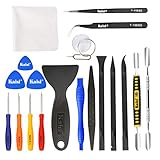
- Kaisi 20 pcs opening pry tools kit for smart phone,laptop,computer tablet,electronics, apple watch, iPad, iPod, Macbook, computer, LCD screen, battery and more disassembly and repair
- Professional grade stainless steel construction spudger tool kit ensures repeated use
- Includes 7 plastic nylon pry tools and 2 steel pry tools, two ESD tweezers
- Includes 1 protective film tools and three screwdriver, 1 magic cloth,cleaning cloths are great for cleaning the screen of mobile phone and laptop after replacement.
- Easy to replacement the screen cover, fit for any plastic cover case such as smartphone / tablets etc
Physical compatibility and protocol compatibility are different questions. A GPMI Type-C cable may fit a normal USB-C port without creating 96 Gbps GPMI communication, and a normal USB-C cable should not be assumed to support GPMI’s maximum bandwidth or power.
What do GPMI’s 192 Gbps and 480 W claims actually mean?
The figures are maximum published capability claims, not guarantees that every GPMI device will provide 192 Gbps of forward video or continuously deliver 480 W to another device.
According to the China Electronics Standardization Institute’s GPMI testing and validation material, GPMI’s design includes multiple functions and testing requirements around the link. Specialist technical reporting also discusses lane-allocation choices in which some capacity can be reserved for reverse transmission. That distinction matters because “aggregate bandwidth” describes the total link capability, not necessarily the bandwidth available for one-way, uncompressed video in every operating mode.
Actual display performance depends on the source device, display, GPU or media engine, negotiated link mode, protocol overhead, color depth, chroma format, HDR, compression, cable construction and length, firmware, drivers, content protection, and lane allocation. A larger headline number can make demanding combinations easier to support, but it does not automatically produce a sharper picture, higher refresh rate, or better HDR.
Does more bandwidth automatically mean better picture quality?
No. More bandwidth is an enabling resource rather than a picture-quality guarantee.
A high-capacity link may allow a system to combine higher resolution, higher refresh rate, greater color depth, HDR, and less compression. The source must still generate that signal, the display must still accept and process it, the cable must meet the required electrical specifications, and both devices must negotiate a compatible mode.
GPMI’s bidirectional architecture can also change the calculation. A system that reserves part of the link for reverse video, data, control, or networking may not allocate the full aggregate figure to forward video. Buyers should look for a manufacturer’s complete supported-mode table rather than relying on “192 Gbps” or “96 Gbps” printed on a product page.
How does GPMI compare with HDMI, DisplayPort, USB4, and Thunderbolt?
GPMI’s published maximums are higher than the commonly cited figures for HDMI 2.1 FRL and DisplayPort 2.1 UHBR20, but the interfaces are not identical in purpose or ecosystem maturity. The table below compares maximum advertised or standard-level capabilities, not guaranteed real-world performance.
| Interface | Commonly cited maximum in the available comparison material | Power role | Where it is strongest | Important limitation or qualification |
|---|---|---|---|---|
| HDMI 2.1 FRL | 48 Gbps | Not a general high-power delivery link | Televisions, consoles, receivers, soundbars, and mainstream home theater | Widely deployed, but mainly an audio-video connection. |
| DisplayPort 2.1 UHBR20 | 80 Gbps | Not normally a general-purpose power link | PC monitors, high-refresh gaming, workstations, and multi-monitor systems | Strong PC-display ecosystem, but power and general data usually require separate connections. |
| GPMI Type-C | Up to 96 Gbps aggregate | Up to 240 W | Potentially integrated laptop, display, and AV systems | Requires GPMI implementations despite using the USB-C connector. |
| GPMI Type-B | Up to 192 Gbps aggregate | Up to 480 W | Potentially demanding professional, commercial, and integrated AV systems | Uses a proprietary connector and has an immature ecosystem. |
| USB4 over USB-C | Varies by generation and implementation | USB Power Delivery limits vary | Docks, storage, displays, and general-purpose laptop connectivity | USB-C physical compatibility does not guarantee the same bandwidth, display mode, or power behavior. |
| Thunderbolt | Varies by generation | Typically combined with USB Power Delivery | High-speed laptop docks, storage, displays, and professional workflows | It has a strong existing ecosystem, but capabilities depend on the generation and device implementation. |
The practical winner depends on the devices being connected. HDMI remains the simplest choice for many televisions and game consoles. DisplayPort remains highly practical for PC monitors. USB-C, USB4, and Thunderbolt are more established choices for laptop docks and portable workflows. GPMI’s differentiator is not merely speed; it is the attempt to combine media, data, networking, control, and substantial power in one link.
Do these 3 things before closing this tab:
1Fix the driver behind crashes, sound loss and screen glitches2Clear out junk files and repair common Windows errors3Scan for outdated or missing drivers - takes under a minuteWhat could GPMI enable?
GPMI’s most compelling applications may be systems where several functions currently require separate cables or proprietary connections.
Also popular on Amazon
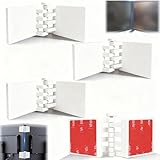
- Achieve Perfect Multi-Monitor Alignment: Our precision 3D printed tool provides fast, simple, and accurate calibration for your multi-screen setup. Seamlessly align multiple displays whether they're on a monitor stand or for VESA mount for an immersive viewing experience.
- Enhanced Stability & Secure Hold: Designed to prevent accidental movement, this innovative display alignment tool ensures your screens remain perfectly in place after calibration. Enjoy consistent, stable monitor positioning for work or play without constant adjustments.
- Quick & Easy Installation Process: Get your monitors perfectly aligned in minutes. Clean the monitor and stand, Use double-sided tape to attach the assembled stand to the monito, perform rough calibration, then fine-tune and secure with bolts for a neat and professional appearance.
- Superior Accuracy & Repeatability: Experience precise and repeatable positioning every time you adjust your displays. This screen calibration tool guarantees the same perfect results, making multi-monitor setups hassle-free and visually appealing.The secure installation and invisible fastening result in a professional, clutter-free desk setup.
- Perfect for Gamers and Professionals: Whether you're a gamer needing a bezel-less experience for racing simulators or a professional requiring precise multi-screen calibration for data analysis, this tool is your ideal solution. It enhances your setup's functionality and aesthetics instantly.
- Modular televisions: A thin display panel could connect to an external compute or smart-TV module through one high-capacity link.
- Smart displays and projectors: A display could exchange media, control information, networking traffic, and power with an external box.
- Commercial LED walls: Large installations could use higher-capacity connections and more coordinated device control.
- Multi-device AV systems: Displays, media sources, receivers, and control devices could coordinate over a bidirectional link.
- Professional and industrial equipment: High-resolution displays, automotive systems, and industrial devices could benefit from a consolidated connection.
- Daisy-chained or multi-node systems: GPMI’s promoted network-style capabilities could support coordinated terminals rather than isolated point-to-point display links.
GPMI’s official material emphasizes bidirectional media streams, bidirectional data, bidirectional control, cross-device coordination, and multi-device networking. Those capabilities could simplify system architecture, but the user experience depends on both connected products implementing compatible behavior in firmware and software.
What does “bidirectional” mean in practice?
Bidirectional GPMI communication means the connection is designed to carry information in both directions rather than treating the link solely as a one-way source-to-display pipe.
A television could send control information back to a connected source. A device could return video or data upstream. Several terminals could coordinate over the same connection. Those possibilities are particularly relevant to modular displays, commercial installations, and integrated AV systems.
Bidirectional capability does not mean that any GPMI television will automatically control every connected device. Control requires compatible protocols, device firmware, operating-system support, and a user interface that exposes the feature. The same principle applies to networking and reverse media: the port’s capability must be implemented end to end.
Does GPMI work with existing USB-C devices?
GPMI Type-C uses the USB-C physical connector and has an SVID authorization, but the available evidence does not support claiming that GPMI works with every existing USB-C device.
| Question | Careful answer |
|---|---|
| Will a GPMI Type-C connector fit a USB-C socket? | The connector shape is USB-C, so physical fit may be possible. |
| Will every USB-C port understand GPMI? | No. USB-C ports can support different protocols and performance levels. |
| Will a regular USB-C cable deliver GPMI’s maximum speed? | Do not assume so. Cable rating and GPMI support must be documented. |
| Can GPMI fall back to ordinary USB or DisplayPort modes? | Possibly where the specific devices support those modes, but behavior is implementation-specific. |
| Can a GPMI cable add GPMI to an HDMI-only device? | No. A cable cannot add a GPMI controller or protocol implementation to an endpoint. |
Before buying a GPMI Type-C product, verify the supported protocols at both ends, the cable specification, the maximum forward-video modes, the negotiated power behavior, and any fallback modes. “USB-C compatible” by itself is not enough information.
Is GPMI available in the United States?
GPMI was not broadly available in the U.S. consumer market in the August 2026 research snapshot. The available evidence showed Chinese industry participation, prototypes and demonstrations, commercial or industrial activity, and supplier listings, but not a mature U.S. retail selection of GPMI-equipped laptops, graphics cards, monitors, televisions, receivers, docks, and certified cables.
What’s actually slowing this PC down?
Pick the symptom - the matching free tool is one click away.
That is different from saying that no GPMI products exist anywhere. A Taiwan-based supplier page lists GPMI Type-B and Type-C products, but the page uses an inquiry-based sales model rather than publishing a transparent consumer price, stock status, delivery estimate, or independently verified compatibility matrix.
Reports also describe GPMI activity in Chinese commercial and industrial display markets. A May 2026 Sina Finance report discusses a GPMI Type-C implementation in a commercial-display context. Such a deployment is evidence of activity, not proof that a U.S. consumer can buy a complete, supported GPMI setup from ordinary retail channels.
What products have been associated with GPMI?
Reported or promoted product categories include smart televisions, plug-in micro set-top boxes, projectors, LED display walls, PCs, monitors, modular or split-screen display systems, and commercial or industrial AV equipment.
Also popular on Amazon

- HIGH QUALITY: Thin flexible steel blade easily slips between the tightest gaps and corners.
- ERGONOMIC: Flexible handle allows for precise control when doing repairs like screen and case removal.
- UNIVERSAL: Tackle all prying, opening, and scraper tasks, from tech device disassembly to household projects.
- PRACTICAL: Useful for home applications like painting, caulking, construction, home improvement, and cleaning. Remove parts from tech devices like computers, tablets, laptops, gaming consoles, watches, shavers, and more!
- REPAIR WITH CONFIDENCE: Reliable for technical engineers, IT technicians, hobby enthusiasts, fixers, DIYers, and students.
Secondary reporting has associated prototypes or deployments with companies including Skyworth, Changhong, Xiying, and Konka, among others. Those reports should be treated as attributed reports of prototypes, demonstrations, or deployments rather than evidence of broad retail availability. Product status, market region, firmware, warranty, and supported modes must be checked individually.
Quick wins for a faster PC:
Scan for outdated or missing drivers - takes under a minuteDriver Scan →Clear out junk files and repair common Windows errorsFree Scan →The distinction between standard, prototype, demonstration, industrial deployment, supplier listing, and consumer retail product is essential. A standard can be technically real while still being difficult for an ordinary buyer to purchase and use.
What are GPMI’s content-protection and security implications?
GPMI’s published validation material references an ADCP component alongside the GPMI technical and testing specifications. Specialist reporting describes ADCP as a content-protection protocol using the Chinese SM3 and SM4 cryptographic algorithms; the CESI validation report is the relevant source for the testing and standards context.
The existence of ADCP does not prove universal compatibility with Hollywood streaming services, game consoles, or every protected-video application. Content protection works only when source devices, displays, operating systems, applications, and content providers support the same required mechanisms.
A new protection system can be technically sound and still become an early compatibility barrier. Buyers should therefore confirm support for the specific streaming services, applications, consoles, and content-protection requirements they use instead of assuming that a high-bandwidth GPMI connection will handle all protected content.
Free tools Windows power users keep installed
One-click scans. No signup required.
Is GPMI’s 480 W power delivery safe and useful?
The 480 W figure is a published maximum capability for GPMI Type-B, not a promise that every GPMI port or cable will continuously supply 480 W.
High-power delivery depends on the source, sink, power controller, charger, cable, connector, firmware, negotiated power level, thermal design, and certification. Cable length and construction can also affect electrical and thermal behavior. The usable power at a laptop, monitor, or accessory may be lower than the link’s maximum capability.
Do not experiment with unverified high-power GPMI cables or assume that a cable marked “480 W” is suitable for every device. Use the cable, charger, and power profile specified by the equipment manufacturer, and check that the complete source-to-sink chain has been tested for the intended power level.
Independent reader supportYour contribution helps us test, update, and keep practical guides available for everyone.Why might GPMI struggle to replace established interfaces?
GPMI faces the same network-effect problem as any new connectivity standard: manufacturers and buyers are reluctant to adopt a new port until compatible products are common, while accessory and device makers are reluctant to invest before demand is proven.
The Tool Desk
Outbyte PC Repair FREERepair Windows errors before they cause bigger problemsFix Now →Outbyte Driver Updater FREEFix the driver behind crashes, sound loss and screen glitchesFind Drivers →- New hardware: Type-B requires a new connector, port, controller, and cable supply chain.
- Existing ecosystems: HDMI, DisplayPort, USB, and Thunderbolt already have installed devices, accessories, testing practices, and professional support.
- Certification: GPMI testing and certification infrastructure is still developing relative to older interfaces, according to the official GPMI validation report.
- Content protection: ADCP and other protection requirements must be accepted and implemented across the content ecosystem.
- Software support: Operating systems, GPU drivers, media engines, docks, and control applications must recognize the standard.
- International adoption: AV industry analysis points to limited broad international endorsement and resulting technical and political adoption barriers; AVIXA’s GPMI overview discusses that context.
- Commercial governance: Licensing, patent, certification, and interoperability terms need to be clear enough for global manufacturers and enterprise buyers.
- Regional distribution: A product active in the Chinese market may not have matching firmware, warranty, language support, power configuration, or service in the United States.
GPMI’s Chinese origin is relevant to adoption and international procurement, but the technology should not be reduced to geopolitics. The practical question is whether manufacturers, content providers, integrators, and buyers can obtain dependable interoperability at a lower total cost or with better capabilities than the established alternatives.
Also popular on Amazon

- ✅️【Durable Material】This Rotable double pliers Cage Nut Tool is made of high-quality High carbon steel, it has good wear resistance and very strong, and can be used for a long time without deformation. The rubber grips of this Cage Nut Insertion/Removal Tool are more ergonomic, allowing you to no longer feel tired when repairing the Server Shelves, and get the job done more easily and more safe.
- ✅️【Rotable Direction Design】This cage nut wrench has two types of plier heads designed to easily switch after flipping the rubber grip. A spring-loaded pliers head is used to install and remove cage nuts on the front. pliers with rotatable clips are used to install and remove cage nuts on the sides and top of the compact frame. You don't have to worry about not finding the right angle to install the cage nut.
- ✅️【A Larger Range】This Rotable Cage Nut Tool is designed with a larger range (2~2.5CM/0.78~0.98Inch), allowing easy installation/removal of nuts from M4, M5, M6, M8, M10 models. The spring design of this Cage Nut Insertion/Removal Tool ensures stability during gripping, so you don't have to worry about finding the screw loose and repairing it after multiple uses. Save time for your work.
- ✅️【Protect Your Hands】This Cage Nut Insertion/Removal Tool is designed to protect your hands from Scratch from sharp racks. It is safer and more convenient to pick up cage nuts with this cage nuts and screws tool, and workers who need large-scale and long-term rack repairs are very needed. With a simple pickup Skill, the Cage Nut Tool ensures quick and easy installation of cage nuts.
- 🛒【Customer Service】We aim to provide you with high-quality Cage Nut Tool and customer service, which is perfect for friends working in the computer room. I believe they will fall in love with this simple and practical tool. If you have any questions about this product, we are happy to answer it.
Who should care about GPMI now?
| Reader | Recommendation | Why |
|---|---|---|
| Ordinary TV buyer | Do not change a purchase solely for GPMI. | HDMI remains broadly supported for televisions, consoles, receivers, soundbars, and streaming devices. |
| PC gamer | Choose HDMI or DisplayPort according to the GPU, monitor resolution, refresh rate, HDR, and cable requirements. | GPMI’s headline bandwidth does not help unless both the graphics source and display implement GPMI. |
| Laptop and dock buyer | Prefer documented USB-C, USB4, or Thunderbolt capabilities for current systems. | These interfaces have more established international accessory and device ecosystems. |
| Home-theater integrator | Monitor GPMI, but specify it only when the complete equipment chain is documented. | Potential one-cable control, media, networking, and power could be useful, but compatibility must be verified. |
| Professional AV integrator | Evaluate GPMI for Chinese commercial displays, LED walls, and integrated systems. | Commercial and industrial deployments may arrive before broad consumer adoption. |
| Manufacturer or standards watcher | Pay close attention to GPMI’s certification, governance, software, and international ecosystem development. | GPMI’s strategic significance is its attempt to combine functions normally handled by several standards. |
What should you buy instead of GPMI right now?
There is no reason to buy a replacement cable merely because GPMI exists. Choose the interface that matches the equipment you are connecting.
- For televisions, consoles, soundbars, and AV receivers: Use a properly specified HDMI cable, commonly HDMI 2.1 when the source and display require the relevant high-bandwidth modes.
- For PC monitors and high-refresh gaming: Use the DisplayPort or HDMI connection specified by the graphics card and monitor manufacturer.
- For laptops, docks, and portable displays: Check whether the USB-C port supports DisplayPort Alt Mode, USB4, Thunderbolt, charging, or a combination of those features.
- For charging: Verify the required USB Power Delivery profile and use a cable rated for the requested power.
- For professional installations: Specify the complete signal, power, control, certification, service, and replacement-cable requirements before choosing any emerging interface.
GPMI-specific buying is currently a poor fit for most U.S. consumers. The supplier evidence located for this article is inquiry-based and does not establish transparent pricing, stock, delivery, or a verified compatibility matrix. An imported GPMI product may also introduce warranty, regional firmware, power-standard, service, and adapter problems.
What are the most common GPMI buying mistakes?
- Assuming USB-C means GPMI: Connector shape does not identify the protocol or performance level.
- Buying a cable before checking both endpoints: A GPMI cable cannot add GPMI support to an HDMI-only or ordinary USB-C device.
- Treating aggregate bandwidth as forward video bandwidth: Reverse data, control, networking, protocol overhead, and lane allocation can affect the video mode.
- Assuming 192 Gbps guarantees 8K or high-refresh HDR: The source, display, compression, color format, firmware, and cable must all support the desired mode.
- Assuming 480 W is always available: Power is negotiated and constrained by the cable, connector, controllers, thermal design, and device specifications.
- Confusing a demonstration with a retail product: Prototype, industrial, supplier, and consumer products have different levels of availability and support.
- Ignoring content protection: A new link may need source, display, application, and service support for protected video.
- Importing without checking after-sales support: Warranty, firmware, language, power, and regional service can matter more than the headline specification.
Should you replace your current HDMI, DisplayPort, or USB-C equipment?
No. Replace current equipment only when a real requirement—such as higher resolution, refresh rate, a new dock, more power, or a specific professional workflow—cannot be met by the established interface your devices support.
The Tool Desk
Outbyte PC Repair FREERepair Windows errors before they cause bigger problemsFix Now →Outbyte Driver Updater FREEFix the driver behind crashes, sound loss and screen glitchesFind Drivers →GPMI is worth watching because it addresses a genuine problem: modern systems often need separate links for media, data, control, networking, and power. Its Type-B and Type-C specifications are substantial, and its alliance-backed development is further along than a casual rumor. But a mature standard needs more than an impressive specification. It needs widely available endpoints, qualified cables, reliable fallback behavior, software and driver support, content-protection interoperability, certification, global distribution, and manufacturer commitment.
The most accurate verdict is therefore: GPMI is an emerging alternative with a serious specification and an immature global ecosystem—not an immediate HDMI replacement. Watch it if you work with Chinese commercial AV, modular displays, LED walls, or future integrated systems. For mainstream buying, continue with the established connection that your source and display already document.
Frequently Asked Questions
What does GPMI stand for?
GPMI officially stands for General Purpose Multimedia Interface in HiSilicon’s English material. Some English-language articles use General Purpose Media Interface, but the two names refer to the same emerging Chinese-developed standard.
Is GPMI compatible with ordinary USB-C?
No, not automatically. GPMI Type-C uses the USB-C connector and has an SVID authorization, but USB-C ports and cables support different protocols and performance levels. Both connected devices, the controller firmware, and the cable must support GPMI for GPMI features to work.
Is GPMI replacing HDMI now?
No. GPMI is being developed as a broader alternative that combines media, data, control, networking, and power, but it does not yet have HDMI’s broad global consumer ecosystem. HDMI remains the practical choice for most televisions, consoles, receivers, and soundbars.
Does GPMI’s 192 Gbps guarantee better image quality?
No. The 192 Gbps figure is the published aggregate maximum for GPMI Type-B, not a guarantee of forward-video bandwidth or picture quality. Resolution, refresh rate, HDR, color format, compression, cable quality, firmware, and source-and-display support determine the actual result.
Can consumers buy GPMI equipment in the United States?
GPMI was not broadly available through the U.S. consumer market in the August 2026 research snapshot. Supplier listings, demonstrations, and Chinese commercial or industrial deployments existed, but a mature retail selection of compatible computers, displays, cables, docks, and receivers was not established.
The Bottom Line
Bottom line: GPMI is real, ambitious, and potentially important—but most people should not buy new equipment for it yet. Keep using HDMI, DisplayPort, USB-C, USB4, or Thunderbolt until GPMI products, cables, certification, software, content protection, and regional support become easy to verify.
Recommended Free Tools

