
Crashes, No Sound, or Screen Glitches?
Random freezes, missing sound and display glitches usually trace back to one bad driver. Find and replace yours safely.Free scan · under a minutePC Slower Than It Used to Be?
A free scan shows the junk files, broken settings and background clutter dragging Windows down - then fixes them in one click.Free scan · Windows 10 & 11iTechGuides is reader-supported. When you buy through links on our site, we may earn an affiliate commission. As an Amazon Associate I earn from qualifying purchases. Learn more
If an Enshrouded recipe says an ingredient is missing even though you can see it in storage, first prove three things: the container is a Magic Chest, the stored object is the exact item and processing stage the recipe requests, and the chest is close enough to the crafting or building location. Ordinary storage boxes do not provide the same remote material access. The fastest diagnosis is to place one known ingredient in a Magic Chest, leave it out of your backpack, stand beside the chest and a simple crafting station, and try the recipe. If that works, the chest is functional and your original problem is usually distance, placement, item mismatch, or a separate recipe prerequisite.
The current craft-from-storage guidance is labeled Version 1.0.0.2 and updated October 18, 2026. It explains that required materials must be in Magic Chests within range of the crafting location. Use that behavior as the baseline while working through the checks below.
What a Magic Chest can and cannot supply
A Magic Chest is a material source for eligible crafting interactions. When a recipe or station can reach the chest, the game can draw the required stack without you carrying that stack in your backpack. This is different from simply having a box somewhere in your base: a visually similar ordinary chest remains local storage and does not grant the same craft-from-storage access.
That distinction explains many apparently contradictory reports. A chest may open normally, display the expected item, and still fail to satisfy a recipe because it is the wrong container. A correct Magic Chest can also appear broken when it is beyond the useful access range of a workstation or construction area. Finally, storage access does not change the recipe itself. It cannot unlock a recipe, summon a missing survivor, replace a required station, or advance a quest.
Popular on Amazon
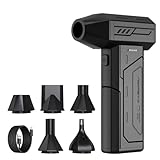
- Powerful Turbo Fan:CAGIWIRU Electric Air Duster have reached speed up to 130000RPM,Can efficient remove dust and debris.With LED light and Three Adjustable Speed to meet with different cleaning tasks.
- With Attached USB C Fasting Charging cable.Charing 3 hours,Enjoy up to 240 minutes of use on the lowest setting, For third speed can use for 25mins.with four charging options to meet with your needs.
- Wide Application: attached 5 different nozzles,making it suitable for a variety of scenes, such as car,pet, pc, keyboards, and other electronic devices. It also serves for office and home clean duster.
- Handy Design & Portable:Cordless air duster electric nozzle is Light weight and small size, design and comfortable to hold and space saving, convenient to carry around. You can put it in your room or inside the car without taking up space.
- Economical &Reusable: Built durable materials with a long-lasting battery,our CAGIWIRU air duster it's a sustainable alternative to disposable air cans.
Use this symptom-to-cause comparison
| What you observe | Most likely cause | Best next test |
|---|---|---|
| The chest opens, but no recipe can use anything inside it | It is an ordinary storage box or the item is not eligible for that recipe | Verify the chest type and run the one-item test with a known ingredient |
| A recipe names an ingredient as missing while a similar-looking item is stored | The name or processing stage does not match | Read the full ingredient name and craft the requested component from the raw resource |
| The recipe works beside the chest but not at the usual station | Distance or placement is outside the useful Magic Chest range | Move the chest closer or create a local depot for that workstation |
| Crafting works, but construction still shows no material | Building access is being tested separately, or the building area is out of range | Place a known building material in a nearby Magic Chest and inspect the building interface at the target area |
| The ingredient is reachable, but the recipe remains unavailable | A recipe, survivor, workshop, station, or quest requirement is incomplete | Check every non-storage requirement in the recipe or station information |
| A larger chest changes nothing | Capacity was not the limiting factor | Repeat the close-range test before upgrading storage |
Fix 1: Confirm that the container is really a Magic Chest
Open the container and verify its actual type rather than identifying it by shape, color, or where you placed it. Enshrouded has ordinary storage boxes that can look close enough to cause a mistaken comparison. Only the Magic Chest behavior matters for remote material retrieval.
- Open the suspect container.
- Read the container name or identification shown by the interface.
- If it is not a Magic Chest, move the required ingredient into a Magic Chest.
- Keep the ordinary box for items that do not need automatic access, but do not use it as evidence that craft-from-storage is working.
For a clean test, use a single stack of an ingredient you know a simple recipe consumes. Keeping the test small makes it obvious whether the station removed material from the chest rather than silently using an item already in your backpack.
Fix 2: Match the exact item and processing stage
Recipes check the item definition, not merely its icon, color, or broad category. A raw resource does not satisfy a recipe that asks for a processed component. If the recipe calls for a refined, cut, smelted, milled, or otherwise transformed component, the raw version remains the wrong input even when both items look related.
Quick wins for a faster PC:
Clear out junk files and repair common Windows errorsFree Scan →Fix the driver behind crashes, sound loss and screen glitchesFind Drivers →Repair Windows errors before they cause bigger problemsFix Now →- Read the ingredient name in the recipe rather than relying on the picture.
- Compare that name with the full item name shown in the chest.
- Check whether the recipe expects a processed component instead of the raw resource.
- Use the appropriate station to create the required component, then place that component in the Magic Chest.
- Reopen the original recipe and check whether the missing-material warning clears.
This check also catches quantity misunderstandings. A chest can contain the correct item but not enough of it, or contain several similar materials while lacking the exact stack the recipe consumes. Move only the requested component into the test chest so there is no ambiguity about what the station should find.
Also popular on Amazon

- Screen Cleaner is Your Screen’s New Bestfriend! - EVEO is proud to present a screen cleaner that’s perfectly suited for your TV. Meet your new screen cleaner, computer screen cleaner, laptop cleaner, iPad cleaner, Macbook,tv cleaner or any other electronic device. Our screen cleaner spray and wipe along with the included plush microfiber cloth, easily removes dust, fingerprints & other smudges on the screen’s surface. Clean effectively for a streak-free screen
- Gentle on your Screens - Our screen cleaner spray and wipes is compatible to be used even for the most sensitive LCD, LED, CRT, and OLED screens in proper use. Be at ease knowing that this product is compatible with all the major brands: LG, SONY, Samsung, Sharp, iPad, iPhone, Android screens, Kindle, PC monitors - we’ve got you covered! Can be used as LCD screen cleaner, tv cleaner, smart tv screen cleaner, and more
- Premium Super Soft Plush Microfiber Cloth - Included in this efficient screen cleaning kit. This screen cleaner spray and wipe has our signature plush microfiber cloth specially designed to comply with screens and monitors and leave them streak-free. Has been shown to effectively absorbs stubborn stains, zero streaks, and no fiber shedding. Always use this together with our screen cleaner for the best results
- Easy-to-Use Screen Cleaner Kit + microfiber cleaning cloth - The EVEO Screen Cleaning Kit will easily be your new favorite tool when it comes to taking care of the things you love most, quick and easy solution for a streak-free screen. Simply screw on the sprayer gun on the screen cleaner bottle. Spray the cleaning liquid onto the microfiber cloth, then wipe the screen until desired cleanliness & shine is achieved.
- Quality Screen Care Kit Worth Purchasing - Enjoy a convenient Screen Cleaner anytime, anywhere you need it. Your satisfaction is our top priority. We stand behind the quality of our products and that’s why, you shouldn’t be worrying at all. We manufacture the Best Screen Cleaner. and can be used for laptop cleaning kit, laptop screen cleaner, tv screen cleaner for smart tv. MacBook screen cleaner, monitor cleaner or screen cleaner spray for electronic devices with microfiber cleaning cloth
Fix 3: Run a close-range test that isolates chest access
The close-range test separates a storage problem from a base-layout problem. It deliberately removes distance, complex construction geometry, and unrelated recipe requirements from the first diagnosis.
- Choose a simple recipe whose ingredient you can identify with certainty.
- Place one required ingredient in a Magic Chest.
- Remove that ingredient from your backpack and any other nearby inventory source.
- Stand beside the Magic Chest and the crafting station.
- Attempt the recipe and watch which inventory loses the item, if the interface displays that information.
- Repeat once if necessary with another known ingredient to rule out a mistaken recipe selection.
If the recipe succeeds under these conditions, the chest mechanism is functioning. Do not replace the chest yet; move on to range, placement, or the differences between the original workstation and the test station. If the recipe fails even while you are standing beside both objects, recheck the container type, item name, quantity, and recipe prerequisites before treating the behavior as a possible game bug.
Fix 4: Check distance and placement at the real workstation
Magic Chest access has a limited useful range. A chest can work in a compact test arrangement and fail at a distant workshop, outlying production room, or building site. The game may then present the symptom as a missing ingredient even though the material is visibly stored.
Free tools Windows power users keep installed
One-click scans. No signup required.
- Leave the known ingredient in the Magic Chest that passed, or should pass, the close-range test.
- Walk to the workstation where the problem originally occurred.
- Try the same recipe without putting the ingredient in your backpack.
- If it fails, move the chest closer to that workstation and test again.
- Continue until you identify a placement that works, or establish a small local material depot within the working area.
Use physical placement, not the apparent distance between room entrances, as your guide. Walls, floors, separate towers, and large vertical layouts can make a chest seem nearby while the actual crafting point is outside the useful access area. A local depot is often more reliable than trying to reach every room from one central warehouse.
Also popular on Amazon

- 【Large size】:Measuring 800 x 300 mm/ 31. 5×12 inches, which is wider and taller than others. Large mouse pad can perfectly fit your keyboard and mouse of any size, and there is also ample space for peripherals such as phones, tablets, etc.
- 【LED backlight mouse pad】:Blade Hawks RGB mouse pad provides 7 static modes and 7 dynamic modes will give you the options you are looking for. Power-off memory function remembers the last lighting mode you selected. The super glow fiber Chroma will give you a colorful gaming setup that you want.
- 【Anti-slip rubber base】:Made from Natural rubber, this gaming mousepad will firmly grip your desktop, allowing you to enjoy the ultimate precision in the games you are most passionate about. It also comes with a texture that enhances this ability even further.
- 【Smooth and waterproof surface】: Micro-textured cloth surface, for extremely precise mouse control and a smooth movement. When liquid splashes on the gaming mouse pad, it forms water droplets and slides down. Will not delay your work or gameplay.
- 【Plug and play】: This mouse and keyboard pad is powered by USB, plug and play, no driver required. One button control light modes. Press one time to change the lighting mode, press twice to change the brightness, press and hold about 3 seconds turn ON/OFF.
Why a Magic Chest works at one workstation but not another
Different stations can occupy different positions, and each interaction is evaluated from the location where the crafting action occurs. A chest beside one station may be close enough for that station while failing to reach a second station across the same base. The result is not necessarily inconsistent chest behavior; it can be a range boundary.
Compare the two locations rather than comparing only their recipes. Place the same Magic Chest and the same known ingredient near the working station, then test the failing station after moving the chest. If the failing station starts working when the chest moves, keep that chest nearby or duplicate the material depot. If moving the chest does not help, return to the exact item and prerequisite checks for that station.
Practical layouts for large bases
- Keep a central Magic Chest for bulk storage, but use smaller local Magic Chests near remote crafting rooms.
- Store frequently used processed components near the stations that consume them.
- Put a building-material chest beside an active construction area instead of assuming a distant warehouse will reach it.
- When renovating, retest the nearest chest after moving a station, changing floors, or extending a room.
Fix 5: Check recipe, survivor, station, and quest prerequisites
A Magic Chest supplies eligible materials; it does not make an unavailable recipe available. A missing survivor, an unbuilt or wrong workshop, a required station, or incomplete quest progression can all look like a storage failure because the desired action remains disabled or reports an unmet requirement.
- Read the complete recipe or station requirement list.
- Confirm that the recipe has been unlocked.
- Verify that the required survivor is present and available for the relevant crafting function.
- Check that the required workshop or station exists and that you are interacting with the correct station type.
- Confirm any stated quest or progression requirement.
- Only after these checks, interpret a remaining material warning as a chest-access issue.
Use the close-range test with a recipe whose unlock and station requirements you already understand. Testing an advanced recipe first can produce a valid prerequisite error that has nothing to do with storage.
Also popular on Amazon

- 【Softer and More Comfortable】Vaydeer wrist rest has unique diamond pattern, which is the combination of softness and aesthetics. The materials of wrist rest are improved into higher quality memory foam and covered with silky smooth lycra. The computer wrist rest makes you as comfortable and cushiony as like rest your wrists on clouds.
- 【Ergonomic Wrist Saver】The wrist rests for keyboard and mouse comes with a 17.32×3.15×0.83 inch keyboard wrist pad and a 5.94×3.15×0.83 inch mouse wrist support. Based on ergonomic design, the unique concave shape is the perfect fit for your wrist joints. The wrist rest pad fits most computer keyboards and laptops, improve hand and wrist posture, release your wrist and arm stress.
- 【Non-Slip Rubber Bottom】Featuring an anti-skid silicone base on the bottom, this wrist keyboard support stays firmly in place on your desk, preventing the padding from sliding around, ensuring stable and consistent wrist support during extended computer sessions.
- 【Better Experience & Pain Relief】Our keyboard arm rest is beneficial to alleviate the soreness caused by direct contact and friction between your arm and a hard desk surface, reducing the risk of wrist fatigue or carpal tunnel. The soft texture of memory foam can evenly distribute the pressure around your wrists and provide good support with just enough give.
- 【Helpful in Multiple Scenarios】Whether you're working, studying, writing, typing, gaming, this keyboard and mouse rest combo is an essential accessory to add comfort and support to your hands and wrists. It’s also a great gift for men, women, family, friend, coworker, gamer, teacher, etc.
Fix 6: Test building separately from station crafting
Crafting an item at a station and placing construction materials in the world are separate actions. A chest that supplies a station does not automatically prove that the building interface can reach the same stack at a distant work area.
- Choose a building material that the construction interface explicitly requests.
- Place a known quantity in a Magic Chest near the intended work area.
- Keep the material out of your backpack.
- Open the building interface at the location where you intend to place or modify a piece.
- Try a simple placement or construction action.
- If it fails, move closer to the chest and repeat the action.
A success beside the chest followed by failure at the normal build site points to range or placement. A failure even beside the chest calls for an item-name check and a review of the building action itself. Make this a separate experiment from station crafting so you do not mistake a working recipe for proof that every construction interaction has identical reach.
Independent reader supportYour contribution helps us test, update, and keep practical guides available for everyone.How older building advice can be misleading
Older guidance may say that you had to carry at least one piece of building material in your backpack before a Magic Chest stack could be used. The Official Enshrouded Wiki’s summary of the Forging the Path update says that earlier behavior was changed so stacks could be retrieved immediately. In other words, advice written for an earlier build may describe a requirement that no longer applies.
Recommended Free Tools
When an old tip conflicts with what you observe, identify the installed game build and prefer current behavior. Do not add a backpack item merely to compensate for a guide that predates the change unless you are using it as a temporary diagnostic. The current craft-from-storage guidance describes Magic Chest retrieval without requiring that workaround.
Also popular on Amazon

- 【No Drill Mounted】Cable management tray can be assembled in as little as 3 minutes or less-simply. Side clips easily clampe the edge of desk, pass through the holes on the sides, and secure excess cables with baskets. Desk cable management supports inward or outward installation to meet your needs in different scenarios, and provides you with great convenience when collecting and organizing wires.
- 【Rubber Pad Protects Desk】Wire organizer under desk built-in soft rubber pads on the clamp protect your desk from scratches, so you will not damage your furniture or office.
- 【Sturdy and Beautiful】Cord management under desk is made of high-quality carbon steel and holds about 15 lbs. The wire basket has 2 holes on each side of the tray to enable your cables to pass freely. Cable baskets are suitable for desk thickness use from 0.4" to 2.4".
- 【Space Saving & Keep Organized】Desk cable management tray holds all your power cords, outlet strips, USB hubs and computer transformers hidden from your feet, and the data cables will not enter the vacuum cleaner to keep your desk clean and tidy. Desk wire organizer is also suitable for use in the kitchen and outdoors.
- 【Reduce Safety Risks】Cable tray under desk keeps all plugs away from your kids, no more worry about tripping. Using 2 holes wire tray saves extra space, helps you easily cabling and wire protection. The mesh design is not easy to accumulate dust, but avoids safety accidents caused by messy wires.
Do not upgrade capacity before proving access
Chest size and access range solve different problems. A larger chest increases how many items it can hold; it does not extend the useful distance to a workstation or construction area. If the one-item close-range test works and the same item fails only at a distant location, buying or crafting a larger container will not address the cause.
Upgrade capacity when the chest is genuinely full or when your material organization needs more room. For a range problem, move the chest, add a local depot, or reorganize the base. Test the new placement with one known ingredient before transferring a large inventory.
Advanced decision path when the symptom persists
Follow this order so each result narrows the next action instead of mixing several changes at once.
- Container: confirm the object is a Magic Chest, not an ordinary box.
- Item: verify the exact name, quantity, and processing stage requested by the recipe.
- Isolation: remove the test item from your backpack and try a simple recipe beside the chest and station.
- Range: repeat at the original workstation, then move the chest closer and test again.
- Prerequisites: verify the recipe unlock, survivor, workshop, station, and quest progression.
- Building: run a separate near-chest construction test if the original complaint concerns placement materials.
- Capacity: change chest size only after access works and storage volume is the remaining limitation.
- Version: if the symptom survives every controlled test, verify the installed build and review the latest official hot-fix notes or submit a report through the game’s official bug-report channel.
Record what changed between each attempt: chest type, item name, station, approximate placement, and whether the backpack contained the test item. This makes a reproducible range or recipe issue easier to identify than a sequence of simultaneous relocations and inventory transfers.
Recognizing a likely game issue
Only consider a possible bug after a known Magic Chest, exact ingredient, valid recipe, correct station, and close placement have all been tested. A strong reproduction has a simple recipe that works when the chest and station are adjacent, the same recipe and item failing at a specific location, and the failure continuing after you confirm that the chest is within practical range.
Before reporting, restart the game session, reproduce the behavior with the smallest possible setup, and note the installed version, chest type, item name, station, and whether the test involved crafting or building. The official hot-fix index shows that Keen Games continues to update Enshrouded, but the indexed material does not identify a Magic Chest-specific hot-fix for this exact symptom. That means checking the current build and current official notes is more useful than assuming every missing-material message is a known defect.
Preventing future material-access problems
- Label or visually group ordinary storage and Magic Chests so you do not mistake one for the other.
- Keep raw resources and their processed components distinct, especially when their icons are similar.
- Place a Magic Chest beside each remote crafting room that uses a different set of materials.
- Maintain a dedicated building-material chest near an active construction project.
- After moving a station or expanding a base, perform a one-item close-range check at the new location.
- Keep a small quantity of common components in local depots while bulk reserves remain in central storage.
- When a recipe reports a missing item, inspect the full requirement list before moving every chest in the base.
Current reference for craft-from-storage behavior
The current guide states that required materials should be placed in Magic Chests and kept within range of the crafting location, while ordinary storage boxes do not provide the same access: Enshrouded Craft from Storage guide. It is marked Version 1.0.0.2 and updated October 18, 2026. Because Enshrouded receives ongoing updates, use the installed build and the latest official patch information when a controlled reproduction still fails.
What’s actually slowing this PC down?
Pick the symptom - the matching free tool is one click away.

