
Quick wins for a faster PC:
Repair Windows errors before they cause bigger problemsFix Now →Fix the driver behind crashes, sound loss and screen glitchesFind Drivers →iTechGuides is reader-supported. When you buy through links on our site, we may earn an affiliate commission. As an Amazon Associate I earn from qualifying purchases. Learn more
For the Dell PowerEdge R730 & Rack 7910 riser GPU power pinout question, use the correct Dell GPU-capable riser and matching Dell cable assembly; do not substitute a generic PCIe, EPS12V, or modular-PSU cable by appearance. Dell’s public manuals identify the connector’s purpose and installation path, but do not verify one universal numbered riser-side pinout.
The R730 and Precision Rack 7910 are closely related platforms with overlapping GPU support, and both use riser 2 or riser 3 for documented GPU installations. That overlap does not prove that every riser revision, cable assembly, or GPU configuration is electrically interchangeable.

The safest answer is therefore part-number-based rather than shape-based: identify the riser, identify the cable, match the GPU-side connector, confirm the power and cooling requirements, and verify an uncertain harness before applying power.
Recommended Free Tools
Dell PowerEdge R730 & Rack 7910 riser GPU power pinout question: key takeaways
- Dell identifies dedicated GPU power connectors on compatible R730 risers and requires the GPU cable to connect between the riser and the GPU’s auxiliary power input.
- R730 and Rack 7910 GPU hardware overlaps, but a shared platform family does not make every riser or cable universally interchangeable.
- N08NH is identified in Dell community guidance as a split cable for a four-single-width-GPU configuration; reseller listings describe one riser-side 8-pin connector feeding GPU-side 6-pin and 6+2-pin outputs.
- 9H6FV is marketed by a reseller as a related R720/R730/R7910 GPU splitter, but the available evidence does not establish that 9H6FV and N08NH are electrically identical.
- No complete, authoritative universal pin-number diagram for the Dell riser-side connector was verified in the cited manuals, so a generic PCIe or EPS12V pinout must not be applied.
What is the correct answer to the Dell PowerEdge R730 & Rack 7910 riser GPU power pinout question?
The correct answer is to use a Dell GPU-capable riser with a matching Dell cable assembly, not a cable selected solely because its plug looks like an ordinary 6-pin or 8-pin connector.
Popular on Amazon

- New Riser3
- Compatible PN: for 800JH
- Compatible Model: For PowerEdge R730 R730xd Server
- You will receive: 1x Riser3
- Ensure it is compatible with your model and check pictures for more details
Dell’s PowerEdge R730 riser documentation labels a dedicated riser connector for GPU cards. Dell’s R730 GPU procedure also describes connecting the GPU’s six-pin and eight-pin auxiliary connectors and then connecting the GPU power cable to the riser.
For the Rack 7910, Dell’s riser 2 and riser 3 installation instructions likewise require the GPU power cable to connect to the power connector on the riser. Those instructions establish the connector’s function and the installation path; they do not establish a universal pin-by-pin electrical table.
Why is the Dell riser-side connector easy to misidentify?
The confusion comes from treating connector shape as an electrical specification. Several power connectors can have six or eight positions while serving different purposes.
The Tool Desk
Outbyte Driver Updater FREEScan for outdated or missing drivers - takes under a minuteDriver Scan →Outbyte PC Repair FREEClear out junk files and repair common Windows errorsFree Scan →| Connector or cable location | What can be established | What must not be assumed |
|---|---|---|
| GPU-side PCIe 6-pin | It is intended for a GPU auxiliary power input when the GPU requires a six-pin connector. | That the riser-side connector has the same pin assignment. |
| GPU-side PCIe 8-pin or 6+2-pin | The 6+2 portion can normally be used as a six-pin or assembled as an eight-pin according to the GPU’s requirement. | That every 6+2 cable has the required current capacity or correct sense-wire population. |
| EPS12V 8-pin CPU connector | It is intended for CPU power on compatible systems. | That it can replace a PCIe GPU connector or Dell riser harness. |
| Dell riser-side connector | Dell manuals identify it as a GPU power connection on compatible risers. | That it follows a standard PCIe or EPS12V pinout because the plug resembles one. |
| Modular PSU-side connector | Its wiring is specific to the PSU family and manufacturer. | That a cable from another PSU brand or model is safe because it physically fits. |
The riser-side connector is the critical unknown. The GPU-side connector may follow familiar PCIe conventions, but the GPU-side convention does not prove the wiring on the Dell system-side plug.
Which R730 and Rack 7910 risers support GPU power?
On the R730, GPU installation uses a GPU-capable riser, normally riser 2 or riser 3 in the documented configurations. On the Rack 7910, Dell documents GPU installation on riser 2 or riser 3 and instructs the user to connect the GPU cable to the riser power connector.
Before buying a cable, inspect or identify all of the following:
- The riser number and slot layout.
- The riser assembly’s Dell part number and revision.
- The presence of the dedicated GPU power header.
- The GPU enablement kit, including any required heatsinks, card locks, and holders.
- The cooling shroud and airflow arrangement required for the selected GPU.
- The power-supply configuration and the GPU’s auxiliary connector requirements.
A visually similar riser without the GPU power header is not a substitute for a GPU-capable riser. A riser that fits the chassis may still have a different slot arrangement, revision, or enablement requirement.
Crashes, No Sound, or Screen Glitches?
Random freezes, missing sound and display glitches usually trace back to one bad driver. Find and replace yours safely.Free scan · under a minuteWindows Errors? Fix Them Before They Spread
Repair common Windows errors and clear accumulated junk for a smoother, more stable PC - no reinstall needed.Free scan · no reinstallAlso popular on Amazon
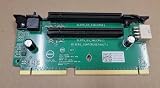
- for Dell PowerEdge R730/R740XD PCIe x16 Server Riser 2 Card Dell P/N: 0N11WF
How do you install a GPU and cable in an R730?
Dell’s R730 procedure is more than inserting a card and plugging in a power lead. A safe installation follows the system’s service procedure and includes cooling hardware.
- Shut down the R730 and disconnect all AC power.
- Remove the system cover and cooling shroud as specified in Dell’s R730 GPU installation procedure.
- Install the GPU enablement-kit heatsinks where the selected configuration requires them.
- Install the GPU-capable riser 2 or riser 3.
- Seat the GPU fully in the riser slot.
- Secure the GPU with the card lock and PCIe holder.
- Connect the GPU-side six-pin, eight-pin, or 6+2-pin connector required by the GPU.
- Connect the matching Dell GPU cable to the power connector on the riser.
- Route the cable without sharp bends, terminal strain, or interference with the shroud.
- Reinstall the shroud and system cover, then boot the system and verify firmware and driver behavior.
Not every GPU requires an auxiliary power connector. Dell’s Rack 7910 GPU installation documentation explicitly notes that some GPUs do not require external power, so the GPU’s own installation requirements remain authoritative.
How does Rack 7910 GPU installation differ from R730 installation?
The Rack 7910 follows a similar installation path: use a supported GPU riser, install the card on riser 2 or riser 3, attach the GPU-side auxiliary connector when required, and connect the GPU cable to the riser power connector.
The similarity is useful, but it is not a blanket interchangeability guarantee. Confirm the actual riser assembly, cable label, connector keying, wire population, physical length, GPU support, cooling kit, and power-supply configuration for the specific Rack 7910.
Do these 3 things before closing this tab:
1Fix the driver behind crashes, sound loss and screen glitches2Clear out junk files and repair common Windows errors3Scan for outdated or missing drivers - takes under a minuteDell’s Precision Rack 7910 technical guide and PowerEdge R730 technical guide are useful starting points for supported hardware, but a support matrix should not be read as permission to substitute an unverified cable.
What are N08NH and 9H6FV?
N08NH and 9H6FV are Dell-related cable identifiers commonly encountered in R730, R7910, and closely related GPU installations. The identifiers help locate the correct assembly, but they do not replace inspection and electrical verification.
| Identifier | Reported configuration or use | Evidence level | What to verify |
|---|---|---|---|
| N08NH | Dell community guidance identifies N08NH as a split GPU cable used with risers 2 and 3 for four single-width GPUs. Reseller listings describe one riser-side 8-pin connector and GPU-side 6-pin plus 6+2-pin outputs. | Community guidance plus reseller descriptions | Actual label, connector keying, wire population, output arrangement, cable length, and compatibility with the exact riser. |
| 9H6FV | A reseller markets 9H6FV as a Dell GPU splitter for R720/R730/R7910-class systems, with one riser-side 8-pin connector and two GPU-side outputs. | Reseller documentation | Whether the delivered cable has the needed GPU-side arrangement and matches the specific riser revision. |
| 0N08NH, 09H6FV, J30DG and similar listings | Related or alternate identifiers may appear in used and third-party listings. | Listing-dependent | Do not assume that a leading zero, suffix, or bundled identifier proves equivalence. Request photographs and continuity confirmation. |
Dell community guidance identifies N08NH for a configuration involving four single-width GPUs and two split cables across risers 2 and 3. The Dell community discussion is useful evidence for that configuration, but it is not a complete engineering specification.
Also popular on Amazon

- for DELL POWEREDGE R730 Slot 6 7 Riser 3 PCI-e Card, Model DT9H6, Server Expansion Component
Reseller descriptions from IT Creations and Express Computer Systems describe N08NH as an 8-pin riser-side input splitting to a GPU-side 6-pin and 6+2-pin arrangement. Express Computer Systems separately describes 9H6FV as a related Dell GPU splitter. These descriptions should be treated as product-identification evidence, not proof that every cable sold under those identifiers has identical wiring.
Is the Dell riser-side plug a standard PCIe 8-pin?
No safe installation decision should assume that the Dell riser-side plug is a standard PCIe 8-pin. The connector may resemble a familiar PCIe plug, but the available Dell manuals identify its purpose without publishing a complete pin-by-pin electrical diagram.
The distinction matters because a GPU-side PCIe connector, an EPS12V CPU connector, a Dell riser harness, and a modular PSU-side connector can have different assignments even when their housings look similar. The published technical discussion of the R730 and Rack 7910 pinout issue also separates the familiar GPU-side connector from the unverified Dell riser-side wiring.
Can you use a standard PCIe cable or a 6-pin-to-8-pin adapter?
A standard cable from the Dell riser to a GPU is acceptable only when the riser-side connector and wiring are known to match the Dell harness, the GPU-side connector matches the GPU, and the cable has adequate current capacity.
A generic desktop-PSU cable is not an acceptable substitution without independent verification. The cable may have the wrong system-side wiring, may confuse PCIe and EPS12V roles, or may have been made for a different modular PSU pinout.
A generic 6-pin-to-8-pin adapter should not be recommended. An adapter can conceal inadequate current capacity or leave sense conductors incorrectly configured. Dell community guidance did not guarantee the safety of using the N08NH six-pin branch with a 6-to-8-pin adapter.
| Proposed solution | Recommendation | Reason |
|---|---|---|
| Correct Dell cable with native GPU-side connector | Preferred | Minimizes riser-side pinout risk and avoids improvised sense or current-capacity changes. |
| Reputable third-party Dell-compatible replacement | Potentially acceptable | Require exact riser compatibility, connector photographs, wire-population information, and a return policy. |
| Generic desktop PSU PCIe cable | Do not use without electrical verification | Physical fit does not establish Dell riser wiring or modular PSU compatibility. |
| EPS12V CPU cable | Do not use | EPS12V and PCIe GPU power roles are different. |
| 6-pin-to-8-pin adapter | Avoid as a generic fix | It can misrepresent available current and may not provide the required sense-wire configuration. |
How many GPUs can an R730 or Rack 7910 support?
Documented configurations include two double-wide GPUs rated up to 300 W each and four single-wide GPUs rated up to 150 W each, but those figures describe specific supported configurations rather than a universal allowance for any GPU.
Also popular on Amazon

- COMPATIBILITY: Designed specifically for Dell PowerEdge R730 and R730xd server models.
- PCI-E EXPANSION: Riser Board 2 enables additional PCI-e slot expansion for enhanced server configurability.
- PART NUMBER: Identified by for Dell part number 392WG for accurate replacement and ordering.
- RELIABLE CONNECTIVITY: Ensures stable PCI-e connectivity for add-in cards in supported server chassis.
Dell community guidance specifically discusses four single-width GPUs using risers 2 and 3 and two N08NH split cables. The guidance should not be generalized to modern high-power GPUs, cards with different connector requirements, or unsupported cooling arrangements.
GPU suitability depends on more than nominal wattage. Check the Dell-supported GPU list, card width and length, auxiliary connector count, slot placement, power-supply configuration, firmware behavior, driver support, heatsinks, and airflow. A GPU that fits physically and is detected during boot may still be unsuitable for sustained operation.
Free tools Windows power users keep installed
One-click scans. No signup required.
A split cable does not create additional system capacity. The total limit remains constrained by the riser, cable conductors and terminals, GPU enablement design, power supplies, firmware, and thermal design.
How can you verify an uncertain Dell GPU cable safely?
Verification should begin with the system disconnected from AC power and should focus first on identity, visual condition, and continuity. A continuity check can show whether a conductor reaches the expected terminal; continuity alone does not prove that a cable has the correct complete power or sense-wire assignment.
- Record the hardware. Photograph the riser label, cable label, connector housings, keying, and every cable branch.
- Identify the cable arrangement. Note whether the cable has one riser-side connector and GPU-side 6-pin, 8-pin, or 6+2-pin outputs.
- Compare the listing and labels. Check whether the seller identifies N08NH, 9H6FV, or another Dell number, but do not treat several listed numbers as proof of equivalence.
- Inspect terminals. Look for backed-out pins, loose crimps, corrosion, discoloration, melted plastic, broken locking tabs, and damaged insulation.
- Perform unpowered continuity checks. With the system, PSU, and cable disconnected from power, trace each terminal to the corresponding connector terminal using a suitable meter and a documented connector orientation.
- Check for unintended shorts. Verify that conductors that should be isolated are not shorted. Do not rely on resistance-to-ground alone as proof of a valid power pinout.
- Use a known-good comparison. Compare the uncertain cable with a known-good original Dell harness for the same riser revision whenever possible.
- Replace rather than modify. If the wiring cannot be established confidently, obtain a known-good Dell-compatible cable instead of repinning or adapting the harness.
Live voltage testing requires extra caution because a slipped probe can short adjacent high-current terminals. Do not publish or rely on a numbered pinout unless the diagram is tied to an identified cable and riser revision, measured in a controlled setup, and clearly labeled as unofficial if it did not come from Dell engineering documentation.
Independent reader supportYour contribution helps us test, update, and keep practical guides available for everyone.What does a “not enough power” GPU warning mean?
A GPU power warning means the system, GPU firmware, driver, or monitoring tool does not see the expected auxiliary-power condition; the warning does not by itself identify the defective component.
What’s actually slowing this PC down?
Pick the symptom - the matching free tool is one click away.
Check the cable and GPU connector first
- Confirm that the correct cable branch is connected to the GPU.
- Confirm that the GPU-side connector is fully inserted and latched.
- When an 8-pin input is required, ensure both halves of the 6+2 connector are assembled and fully seated.
- Check for a damaged terminal, loose crimp, backed-out contact, or cable strain.
- Confirm that the cable’s native connector matches the GPU requirement rather than relying on an adapter.
Check the riser and platform
- Confirm that the riser is the GPU-capable revision and has the required power header.
- Confirm that the cable is connected to the correct riser.
- Check that the GPU is on Dell’s supported list rather than merely being physically compatible.
- Verify the power-supply configuration and the system’s supported per-slot or per-riser budget.
- Confirm that the GPU enablement heatsinks and cooling shroud are installed where required.
Isolate the fault
- Power down and photograph the complete installation.
- Test the GPU in a known-good compatible system if available.
- Test the suspect cable for continuity with the system disconnected.
- Review system event logs and GPU-management output after boot.
- Replace the cable with a known-good Dell-compatible harness before modifying wiring.
- If the warning remains, test the riser, GPU, PSU configuration, firmware, and cooling separately.
A GPU can be detected while still reporting insufficient auxiliary power. Detection proves that the PCIe link is operating; detection does not prove that every auxiliary-power and sense connection is correct or that the card is within the platform’s supported power and thermal envelope.
Also popular on Amazon
What should you check before buying a replacement cable?
Choose a genuine Dell cable or a clearly documented third-party replacement whose connector arrangement matches the exact riser and GPU. A low-price listing that simply says “R730 compatible 8-pin cable” does not provide enough evidence.
| Buying check | Acceptable evidence | Warning sign |
|---|---|---|
| Riser compatibility | Exact R730 or Rack 7910 riser family and connector shown. | Only a generic server model list with no connector photograph. |
| Part identification | Clear label such as N08NH or 9H6FV, with explanation of the exact assembly. | Several Dell numbers listed as though automatically interchangeable. |
| GPU outputs | Clear description and photograph of 6-pin, 8-pin, or 6+2-pin outputs. | “Dual 8-pin” wording that does not match the photograph. |
| Electrical confidence | Seller confirms wire population or continuity against a known-good harness. | No wiring information and no returns. |
| Mechanical fit | Length, keying, locking tabs, and routing are shown. | Connector appears forced, stretched, or unsuitable for the shroud. |
Used parts may be the most practical option, but ask the seller for close photographs of both ends, the label, terminal positions, and cable branches. Prefer a returnable item when the seller cannot provide a manufacturer-level cross-reference.
The same discipline applies to a GPU enablement riser: identify the part number and confirm that the assembly includes the GPU power header, card-retention hardware, and the cooling components required by the intended configuration.
Final pre-power checklist
- The chassis model is confirmed as an R730 or Precision Rack 7910.
- The GPU-capable riser number, slot layout, and revision are confirmed.
- The cable label and connector arrangement match the riser and GPU.
- The riser-side wiring was not inferred from connector shape.
- No EPS12V cable or unrelated modular PSU cable is being used.
- The GPU-side 6-pin, 8-pin, or 6+2-pin connector is fully seated in the configuration required by the GPU.
- The power-supply configuration and total GPU load are supported.
- The required heatsinks, card locks, holders, and cooling shroud are installed.
- The cable has no damaged terminals, melting, loose crimps, or mechanical strain.
- An uncertain cable has been replaced or electrically verified before power is applied.
Frequently Asked Questions
Is the R730 GPU riser cable interchangeable with a Precision Rack 7910 cable?
R730 and Precision Rack 7910 cable families may overlap, but interchangeability must be verified by the exact riser assembly, cable part number, connector arrangement, and wire population. Do not assume that a cable fits electrically because both systems use riser 2 or riser 3.
Does N08NH have a standard PCIe 8-pin riser-side pinout?
The available documentation identifies N08NH as a Dell split GPU cable and reseller listings describe its connector arrangement, but the cited authoritative manuals do not provide a complete universal numbered riser-side pinout. Treat the riser-side wiring as Dell-specific until the exact harness is verified.
Can a 6-pin-to-8-pin adapter power a GPU in an R730?
A generic 6-pin-to-8-pin adapter should not be treated as safe for an R730 GPU installation because the adapter can conceal inadequate current capacity or incorrect sense-wire configuration. Use a cable with the correct native GPU-side connector whenever possible.
Why is my GPU detected but reporting insufficient auxiliary power?
A detected GPU can still report insufficient auxiliary power when a connector is partially seated, a 6+2 plug is incomplete, the cable has incorrect sense wiring, the riser is not GPU-capable, the GPU is unsupported, or the power and cooling configuration is inadequate. Check the cable and riser identity before replacing the GPU.
The Bottom Line
Bottom line: The R730 and Precision Rack 7910 use dedicated GPU-capable risers and matching Dell cable assemblies. N08NH and 9H6FV are useful identifiers, but neither connector shape nor a reseller description proves a universal riser-side pinout. Match the exact cable and riser, avoid generic PCIe/EPS12V/modular-PSU substitutions, and do not power an uncertain harness until its wiring has been verified.

