

Quick wins for a faster PC:
Fix the driver behind crashes, sound loss and screen glitchesFind Drivers →Clear out junk files and repair common Windows errorsFree Scan →iTechGuides is reader-supported. When you buy through links on our site, we may earn an affiliate commission. As an Amazon Associate I earn from qualifying purchases. Learn more
Dell Inspiron 1520: At First Glance
Dell is one of the best laptop manufacturers in the world today, and this is nothing new. Moreover, Dell laptops have set a bar for themselves in the laptop world due to their durability and impressive features.
Additionally, Dell also has laptops in a variety of price ranges to accommodate every consumer’s budget. The Dell Inspiron 1520 is a good example of a budget laptop.
The Dell Inspiron 1520 had a reasonable starting price of $175 as of the time I wrote this review in November 2021. Considering the impressive features that come with this laptop, one would expect it to be more expensive.
Thankfully, that is not the case here. Do you want to learn more about the amazing features of the laptop I’m talking about?
Popular on Amazon
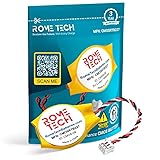
- Rome Tech BIOS CMOS battery Dell Alien laptop 17 best suits to replace your broken or non-working old battery - we provide premium quality only
- Compatible with Dell Inspiron 1420 / Dell Inspiron 1520 / Dell Inspiron 1521 / Dell Inspiron 1720 / Dell Inspiron 1721
- Enjoy extended reliability of the CR2032 Dell Inspiron 1369 CMOS battery and heat shrink of a high caliber - the CMOS battery will last you for a long time
- The size of the entire unit is extremely small - will fit in almost any electronic device requires 3V Battery connector with 3 pins and 3 wires
- Quick and simple battery for Dell desktop Inspiron 660s installation takes only 10 minutes of your time. Try our customer service for resolving any issues during Dell Inspiron 1420 battery replacement
Read on to find out!
Dell Inspiron 1520: Design, Dimension, and Weight
Allow me to begin this section of this review with the phrase “Dell did it again”. Dell swept me off my feet with the Dell Inspiron 1520 in terms of appearance, and I’m sure it will do the same for you if you see this laptop.
Specifically, on the exterior, the Dell Inspiron 1520 features a compelling and attractive design with rounded edges. Impressively, this laptop is available in color 8 options.
These color options include Jet Black, Espresso Brown, Alpine White, Flamingo Pink, Midnight Blue, Sunshine Yellow, and Spring Green.
Recommended Free Tools
That’s said, on the surface of the Dell Inspiron 1520’s lid, there is a “Dell” logo boldly printed in stainless steel.
Moving onto the interior of the laptop, the Dell Inspiron 1520 featured a solid shimmering silver paint, giving the laptop a much cleaner and refined look. Likewise, the laptop features a 15.4-inch display on the interior.
Impressively, this laptop’s 15.4-inch display is available in three screen resolutions. These resolutions are WXGA (1280 x 800), WXGA+ (1440 x 900), and WSXGA+ (1680 x 1050).
It is worth noting that this review is based on the laptop’s 15.4-inch display with WSXGA+ (1680 x 1050) resolution. In a nutshell, the WSXGA+ is a resolution combined with a true-life panel that reduces reflection and makes display content visible in bright environments.
The Tool Desk
Outbyte PC Repair FREEClear out junk files and repair common Windows errorsFree Scan →Outbyte Driver Updater FREEScan for outdated or missing drivers - takes under a minuteDriver Scan →Therefore, the Dell Inspiron 1520 is very ideal for outdoor usage or in well-lit areas.
Still on the display, the Dell Inspiron 1520’s 15.4-inch display is surrounded by thick bezels at the top and bottom. The bezels on the sides, on the other hand, are pretty slim.
Moreover, at the center of the top and bottom bezel, you will find the webcam and a Dell logo respectively.
Moving on to the base, the Dell Inspiron 1520 features a rather compact keyboard. Since the keyboard is securely attached to the laptop, the keys on the keyboard make very little noise when typing.
Free tools Windows power users keep installed
One-click scans. No signup required.
Additionally, the keyboard offers excellent key travel. As a result, users will enjoy a premium typing experience thanks to the combination of noiseless keys and adequate key travel.
Furthermore, below the keyboard area is the touchpad. The Dell Inspiron features a sizeable touchpad, with a pair of click buttons at the bottom.
Performance-wise, the touchpad offers a smooth surface. Additionally, both of the touchpad buttons are pleasant to use thanks to their reasonable key travel.
Moving on, the Dell Inspiron 1520 has its ports distributed around the sides. On the left side of the laptop, you will find a Kensington lock and an audio port.
Windows Errors? Fix Them Before They Spread
Repair common Windows errors and clear accumulated junk for a smoother, more stable PC - no reinstall needed.Free scan · no reinstallOutdated Drivers Are Slowing You Down
One free scan finds every outdated or missing driver and matches the right update for your exact hardware.Free scan · exact hardware matchFurthermore, situated at the laptop’s right side is a DVD drive, card reader, Ethernet port, and 2 USB 2.0 ports. Moreover, you will also find a firewire and VGA-out on the right side of the laptop.
Focusing on the backside of the laptop you will see an AC-In and 2 more USB 2.0 ports. Unfortunately, the laptop doesn’t feature an HDMI port.
Meanwhile, rather than placing media buttons on top of the keyboard, Dell decided to offer something new to the Dell Inspiron 1520 by placing them on the curved front of the laptop. This setting, in my opinion, is fantastic.
Moreover, the speakers of the laptop are also situated at the laptop’s front edge close to the media buttons.
Now let us talk about the dimension and weight of the Dell Inspiron 1520. This laptop measures 358.6 x 268.9 x 41.9 mm and weighs 2902.9 g.
In comparison, the Dell Inspiron 1520 is significantly heavier than the Lenovo ThinkPad E590, which weighs 2100 g.
Therefore, I will be rating the Dell Inspirion 1520 an eight out of ten in this section of this review.
Dell Inspiron 1520: Processor (CPU) Performance
For processing power, the Dell Inspiron 1520 employs the Intel Core 2 Duo T7500 processor. This processor has a base frequency of 2.20 GHz which is also its maximum frequency.
What’s actually slowing this PC down?
Pick the symptom - the matching free tool is one click away.
Furthermore, the processor features a dual-core as well as a 4 MB cache memory.
Moreover, the Intel Core 2 Duo T7500 processor is considered a speedy high-performing dual-core CPU for laptops. Hence, the Dell Inspiron 1520 should be able to handle any computing task you throw at it from video editing to multitasking.
This makes this laptop worth considering if one is looking for a powerful laptop while on a budget.
Now let me quickly talk about the Cinebench R10 benchmark test results I found during my research concerning the Dell Inspiron 1520’s processing performance. If you don’t know, Cinebench R10 is a benchmark test that measures the processor performance of a computer.
Additionally, Cinebench R10 generates two test results, which are the single-core result and the multi-core result. According to the Cinebench R10 test results, the Dell Inspiron 1520 got a score of 2389 points in the single-core section.
On the multi-core section, on the other hand, the laptop got a score of 4473 points. When compared to one of its Dell siblings (Dell Inspiron 2504), the Dell Inspiron 1520 performed slightly better.
To be more specific, the Dell Inspiron 3504 scored 2357 points in the Cinebench R10 single-core test. However, on the multi-core test, the laptop scored 4332 points.
In conclusion, with this processor, the Dell Inspiron 1520 can carry out basically any computing task. Additionally, this laptop outperformed one of its closest rivals and siblings on the Cinebench R10 test.
Therefore, I will be rating the Dell Inspiron 1520 an eight out of ten in this section of the review.
Dell Inspiron 1520: Memory (RAM) Performance
The Dell Inspiron 1520 comes with two 667 MHz DDR2 memory slots that can take up to 2 GB memory capacity each – 4 GB combined. Hence, you cannot expand the laptop’s memory beyond 4 GB.
Furthermore, the laptop comes with a standard memory capacity of 512 MB. However, it is worth mentioning that this review is based on the Dell Inspiron 1520 with 4 GB RAM.
4 GB seems small for a laptop of this caliber right? Well, that’s what I thought until I was able to find detailed information on the Dell Inspiron 1520’s performance when put on a multitasking test.
According to this information that I found, the Dell Inspiron 1520 should be able to launch numerous heavy applications including Corel Draw. Also, even with these applications opened the Dell Inspiron should be able to load 15 chrome tabs without lagging.
Furthermore, the laptop should perform seamlessly when switching between the chrome tabs and the applications.
That’s not all, I was also able to find a benchmark test result about the Dell Inspiron 1520 capabilities. Specifically, this benchmark test is a PCMark 05, which is a benchmark test tool that measures the overall capabilities of a computer.
Also popular on Amazon

- Premium 58Wh Battery: Enjoy the power and reliability of our battery dell. This premium 58Wh battery is designed for the dell inspiron 1520 and vostro 1320, providing your laptop with the energy it needs to perform at its best. Replacement For Dell Vostro 1320 1310 1510 1520 2510 PP36s PP36l Series, Fits P/n K738h T112c T114c T116c U661h N958 312-0725 312-0922 N956C 5200 mAh 11.1V 6 cell
- Long Lasting Performance: With our battery dell vostro 1320, you can use your laptop for more than 3 hours on a single charge. Ideal for the battery for dell inspiron 1520, this battery offers prolonged usage time.1 Year Warranty
- Quality and Safety Certification: Our dell battery 56Wh has passed CE FCC UL testing, ensuring the highest standard of safety and quality. This dell vostro 1520 battery is also compatible with the vostro 2510 and 1310 battery models. 24/7 Email Support
- Fast Charging and Free Return: Our vostro 1520 battery charges quickly, saving you time. Plus, we offer free returns on our battery vostro 1320, ensuring you get the right product for your dell laptop model 312-0725 7800mah.
- Compatibility: Our batterie laptop dell pp36l is versatile, compatible with a variety of models including dell vostro 1320, 1510 and 1520 battery models, ensuring your laptop gets the power it needs efficiently and effectively.
Based on the PCMark 10 benchmark test result, the Dell Inspiron 1520 scored 3720 points. Comparatively, the Samsung R20 scored 3498 points according to the same test result.
Do these 3 things before closing this tab:
1Fix the driver behind crashes, sound loss and screen glitches2Repair Windows errors before they cause bigger problems3Scan for outdated or missing drivers - takes under a minuteTherefore, the Dell Inspiron 1520 has a better performance than the Samsung R20. As a result, I will rate the Dell Inspiron 1520 a rating of eight out of ten in this section of the review.
Dell Inspiron 1520: Storage Options and Performance
For storage, the Dell Inspiron 1520 comes with a 5400RPM HDD storage drive that supports a maximum storage capacity of 160 GB. 160 GB of storage space may not be enough for most users.
Thankfully, the Dell Inspiron also comes with an 8-in-1 card reader for storage expansion.
Notwithstanding, I am not impressed with the laptop’s storage capacity considering that the Dell Inspiron 1520 is a gaming laptop. This is because a single game nowadays can be as large as 160 GB.
Quick wins for a faster PC:
Scan for outdated or missing drivers - takes under a minuteDriver Scan →Clear out junk files and repair common Windows errorsFree Scan →Fix the driver behind crashes, sound loss and screen glitchesFind Drivers →Therefore, if you intend on gaming a lot on this laptop, an external hard drive is recommended.
Even though the Dell Inspiron 1520’s HDD doesn’t offer enough storage capacity, it offers brilliant performance. To be more specific, this laptop’s storage offers brilliant results on a Crystaldiskmark test result I found during my research.
Crystaldiskmark is a benchmark test that measures the performance of a device’s storage drive by accessing its read and write speed. According to the Crystaldiskmark test results, the Dell Inspiron 1520 has a sequential read speed of 2899 MB/s.
Additionally, the laptop has a sequential write speed of 2621 MB/s. Comparatively, the Dell Inspiron 1520 has a better read and write speed than the Razer Blade 15.
Do these 3 things before closing this tab:
1Fix the driver behind crashes, sound loss and screen glitches2Repair Windows errors before they cause bigger problems3Scan for outdated or missing drivers - takes under a minuteSpecifically, the Razer Blade 15 has a sequential read speed of 2260 MB/s and a sequential write speed of 2135 MB/s.
In conclusion, the Dell Inspiron 1520 offers limited storage capacity but brilliant speed. Thus, I will be rating the laptop an eight out of ten in this storage review section.
Independent reader supportYour contribution helps us test, update, and keep practical guides available for everyone.Dell Inspiron 1520: Graphics Card Performance
For the GPU, Dell is generous enough to provide two GPU configuration options for the Dell Inspiron 1520. Having reviewed some laptops in the past, permit me to say that this is one of the best graphics card options I have come across.
Specifically, you can acquire the Dell Inspiron 1520 with an NVIDIA GeForce 8400M G graphics card. Moreover, this GPU has a dedicated VRAM of 256 MB GDDR3 with a base frequency of 400 MHz.
Furthermore, you can also purchase the Dell Inspiron with an NVIDIA GeForce 8600M GT graphics card. This particular graphics card features a dedicated VRAM of 512 MB GDDR3 and a base frequency of 475 MHz.
Moreover, this review is based on the Dell Inspiron 1520 that uses the NVIDIA GeForce 8600M GT. As stated earlier, this GPU has a dedicated VRAM.
Therefore, with this graphics card, the Dell Inspiron 1520 should be able to perform decently in terms of gaming. For example, according to notebookcheck.net, the NVIDIA GeForce 8600M GT is able to deliver 102 fps when playing F.E.A.R.
To further prove my point, I will share a 3DMark benchmark test result based on the Dell Inspiron 1520 graphics performance. 3DMark is a benchmark test tool designed to test a laptop’s 3D graphics rendering.
Crashes, No Sound, or Screen Glitches?
Random freezes, missing sound and display glitches usually trace back to one bad driver. Find and replace yours safely.Free scan · under a minuteWindows Errors? Fix Them Before They Spread
Repair common Windows errors and clear accumulated junk for a smoother, more stable PC - no reinstall needed.Free scan · no reinstallEssentially, this means the benchmark tool checks how efficiently the laptop’s graphics performs when gaming and running graphic-intensive tasks. Moreover, the higher the test score, the better the graphics performance.
According to the 3DMark test results, the Dell Inspiron 1520 got a score of 2244 points. This score completely threw off the ASUS F3Sc’s score of 1722 points.
Judging by the results of the test, I can say that the Dell Inspiron 1520 offers an impressive graphics performance. Hence, I will rate the laptop a nine out of ten in this section.
Dell Inspiron 1520: Battery Life and Performance
Similar to the GPU, Dell offers two battery options for the Dell Inspiron 1520. To be more specific, you can either purchase the laptop with a 6-cell lithium-ion battery or a 9-cell lithium-ion battery.
Moreover, this review focuses on the Dell Inspiron 1520 that has a 9-cell lithium-ion battery. To get the runtime of this laptop battery, I did some digging.
Thankfully, I was able to find a detailed battery performance of the Dell Inspiron 1520 on notebookcheck.net. According to this website, the Dell Inspiron 1520 should last about 4 hours and 50 minutes.
Moreover, this battery runtime was gotten from a web browsing battery test. Specifically, this battery test involves continuously surfing the web till the laptop runs low using a WIFI connection.
In comparison, the ASUS F3Sc only lasted for 1 hour 8 mins on this same web browsing battery test.
Lastly, I will be rating the Dell Inspiron 1520 an eight out of ten in this section of this review.
Frequently Asked Questions
Dell released the Dell Inspiron 1520 in 2007.
No, the Dell Inspiron 1520 is not a touchscreen laptop.
Yes, it does. You can purchase the Dell Inspiron 1520 with a dedicated NVIDIA GeForce 8400M G or NVIDIA GeForce 8600M GT graphics card.
At the time I wrote this review in November 2021, the laptop had a starting price of $175
No, the Dell Inspiron does not have Bluetooth.
Conclusion
The Dell Inspiron 1520 is a powerful laptop that comes with several useful features. The Dell Inspiron 1520’s strong processor, GPU, and battery performance are part of the reasons that make it a laptop worth considering.
Additionally, when compared to laptops in its category, the laptop’s quality design and overall gaming performance make it tick practically all the boxes. However, this laptop’s storage drive has a limited storage capacity.
Notwithstanding, if you’re a high-end gamer seeking a long-lasting, low-cost gaming laptop, the Dell Inspiron 1520 is the right option for you.
I hope you found this Dell Inspiron 1520 review helpful. If you found the review helpful, we would love to hear from you.
Free tools Windows power users keep installed
One-click scans. No signup required.
Kindly spare two minutes to share your thoughts with our community using the comments form below.
Alternatively, simply respond to the “Was this page helpful” question below and provide us with your feedback.
Aside from that, you can also post questions or send feedback regarding this review at [discourse_topic_url].
Finally, for more laptop reviews, visit our Laptop Reviews page. You may also find our Laptop Specs page very helpful.
Recommended Free Tools
Quick Recap
Product prices and availability are accurate as of the date/time indicated and are subject to change. Any price and availability information displayed on Amazon at the time of purchase will apply.


