

iTechGuides is reader-supported. When you buy through links on our site, we may earn an affiliate commission. As an Amazon Associate I earn from qualifying purchases. Learn more
Dell Inspiron 15 Laptop: At First Glance
Dell Inspiron series is a mid-tier category of laptops that have been around for donkey years. Laptops from the series are mostly known for their bland designs.
However, the Inspiron series has been recently revamped and modernized.
Obviously, Dell Inspiron 15 laptop belongs to the Inspiron family. Moreover, it is a versatile laptop for web browsing, productivity tasks, and light gaming.
This laptop offers decent performance at a mid-range price. Speaking of its price, as of the time this article was published, Dell Inspiron 15 laptop starts at a price of $622.97.
Popular on Amazon
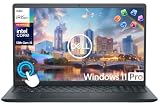
- 【10-Core 13th Gen Intel i5-1334U Processor】Featuring up to 4.6GHz Max Boost Clock, 12MB Intel Smart Cache, 10 cores, and 12 threads, the Intel Core i5-1334U delivers efficient power for everyday tasks. Built with the latest platform technologies, it ensures fast connectivity, optimized performance, and smooth productivity—perfect for light gaming, work, and entertainment.
- 【16GB RAM + 1TB Storage (512GB SSD + 500GB Ext)】Equipped with 16GB of high-bandwidth DDR4 RAM, this system delivers smooth performance for gaming, video editing, and multitasking across multiple apps and browser tabs. The 512GB PCIe NVMe SSD offers up to 15x faster speed than a traditional hard drive, while the included 500GB external drive provides convenient portable storage.
- 【15.6" FHD IPS Touchscreen Display】Enjoy your content in vivid detail with a 15.6-inch Full HD display featuring 178-degree wide-viewing angles for consistent clarity. Navigate effortlessly using the responsive touchscreen—pinch, zoom, tap, and swipe for an intuitive, hands-on experience. The built-in HD camera and dual-array digital microphones ensure clear video and audio for calls and recordings.
- 【Windows 11 Pro Operating System】Windows 11 Pro offers a powerful, streamlined experience designed to help you stay focused and productive wherever you work. With built-in hardware-based isolation, encryption, and advanced malware protection, your data stays secure and accessible from anywhere. Ideal for home users, students, professionals, small businesses, and enterprises.
- 【Packed with Everyday Essentials】Build your workspace with a 6-in-1 USB-C hub featuring USB 3.0, 4K HDMI, USB-C, and SD/TF card readers. Includes a wireless mouse, mouse pad, HDMI cable, USB cable, and 500GB portable drive for added connectivity and storage. Office Suite adds Word, Excel, OneNote, Outlook, PowerPoint, and Access for everyday productivity.
Having given a hint about what to expect of the Dell Inspiron 15 laptop, let’s get into the in-depth analysis of its features and specs.
Dell Inspiron 15 Laptop: Design, Dimension & Weight
Dell built the chassis of the Dell Inspiron 15 laptop using a combination of aluminum alloy and plastic. Considering the price range of the laptop, you won’t get an all-metal chassis however, the brushed metallic finish of the laptop gives it a premium look.
Dell designed the lid with a silver metallic finish, this gives the laptop a more expensive look than it actually is. On the center of the lid, you’ll find the dell logo in silver color, blending perfectly with the rest of the lid.
The Tool Desk
Outbyte Driver Updater FREEFix the driver behind crashes, sound loss and screen glitchesFind Drivers →Outbyte PC Repair FREEClear out junk files and repair common Windows errorsFree Scan →Opening the lid of the laptop requires the use of two hands due to its stiff hinges. However, when you open it, you will see the screen surrounded by narrow bezels.
Moving your gaze towards the base, firstly, you will find the power button which also doubles as a fingerprint scanner. The fingerprint sensor is responsive and it makes logging in to Windows easier than having to type in passwords.
Next, on the base of the laptop, you’ll find the chiclet-styled keyboard – it is a collection of black keys that are backlit enabled. Additionally, the keyboard is full-sized with a Numpad and directional arrow keys.
The keys are responsive with an adequate travel distance as well as an actuation force of about 80g. Furthermore, the keys produce nice tactile feedback when pressed which makes typing seamless.
Free tools Windows power users keep installed
One-click scans. No signup required.
Below the keyboard, you’ll find the touchpad which was awkwardly placed to the left of the keyboard rather than been placed at the center. The touchpad has a matte finish and it is made of plastic just like the keyboard.
In addition, the touchpad uses Windows Precision Drivers, therefore, the laptop supports, gestures, swipes, and taps. However, the touchpad requires a lot of pressure to actuate its clicking mechanism.
For the laptop ports, Dell offers an impressive collection of ports. On the right-hand side, you’ll find a USB Type-A 2.0 port as well as an SD card reader.
Similarly, most of the ports are located on the left side – so on the left side of the laptop, you will find the power connector and an optional USB Type-C port. Additionally, you’ll find an HDMI connector, an Ethernet connector, two USB Type-A ports, and an audio jack.
Quick wins for a faster PC:
Repair Windows errors before they cause bigger problemsFix Now →Scan for outdated or missing drivers - takes under a minuteDriver Scan →Clear out junk files and repair common Windows errorsFree Scan →Moving on to the weight and dimension, the laptop has a dimension of 363.9 x 249 x 18 mm and a weight of 2050g. Although it is not the slimmest or lightest laptop in its category, it passes as a good travel companion.
Also popular on Amazon

- 【10-Core Power】 Power through your workday or study sessions with the 13th Gen Intel Core i5 processor in this Dell 15 Laptop. Its 10-core design effortlessly handles everything from complex data analysis and graphic design projects to smoothly running multiple applications and browser tabs for research, making this laptop computer a reliable partner for all your ambitious tasks.
- 【FHD Touchscreen & Keypad】 Elevate your productivity and entertainment. The vibrant 15.6" Full HD (1920 x 1080 )touchscreen on this Dell Laptop brings your movies and videos to life with stunning clarity, making it perfect for immersive after-work or weekend viewing. Paired with the dedicated numeric keypad, quickly crunch numbers in spreadsheets or manage finances with ease, turning this laptop into your mobile command center for both entertainment and analytical work.
- 【16GB RAM & 256GB SSD】 Never slow down. With 16GB of RAM, this laptop computer allows you to seamlessly switch between writing a paper, streaming a lecture, and managing social media without a hiccup. The spacious 256GB SSD means your digital world—from important work documents and personal photo libraries to your favorite music and software—starts up in seconds and is always organized and ready.
- 【Life-Time Microsoft Office with Copilot】Make the most out of your office : Bring your ideas to life. Your creativity now gets a boost with Microsoft Office (Word, Excel, and Power Point). Get AI-powered assistance from Microsoft Copilot along with the latest Windows 11 Pro features for smarter productivity.
- 【Windows 11 Pro】Access powerful professional features like Hyper-V virtualization, Group Policy Management, and WSL, ensuring compatibility with a vast range of business and development applications.
Comparatively, the laptop is heavier than the Lenovo Thinkpad X250 which measures 306 x 209 x 20 mm and weighs 1360g.
Thankfully, in my opinion, the Dell Inspiron 15 laptop has a premium design as well as a solid build quality. Therefore, I will rate it a nine in this aspect.
Dell Inspiron 15 Laptop: Processor (CPU) Performance
Dell powers the Dell Inspiron 15 laptop with a 10th generation Intel Icelake processor. Furthermore, the laptop comes in three processor configurations which we’ll discuss shortly.
But before we do, it is worth mentioning that only premium laptops like Dell XPS 13 come with an Icelake processor. Impressively, Dell has recently started bringing Icelake CPUs to their mid-tier lineup.
Moving on to the processor configurations, firstly, you can get the laptop with a 2 Core Intel Core i3-1005G1 processor. Moreover, the Core i3 processor has a cache memory of 4 MB, a base frequency of 1.20 GHz, and a boost frequency of 3.40 GHz.
Secondly, you can get a configuration with a 4 Core Intel Core i5-1035G1 processor. Additionally, the Core i5 processor has a cache memory of 6MB, a base frequency of 1.00 GHz, and a boost frequency of 3.40 GHz.
Finally, you can get the laptop with a 4 Core Intel Core i7-1065G7 processor. Furthermore, the Core i7 processor has an 8MB cache memory, a base frequency of 1.00 GHz, and a boost frequency of 3.60 GHz.
What’s actually slowing this PC down?
Pick the symptom - the matching free tool is one click away.
The unit I tested shipped with the Core i5 processor. To determine the processor performance I performed a CineBench 20 test.
As a result of the test, Dell Inspiron 15 scored 1401 points.
Comparatively, this result lags behind that of the Lenovo Ideapad S540 15. The Lenovo has an Intel Core i5-8265U processor and it scored 1485 points in my test.
In conclusion, The outcome of the test is surprising considering that the 8th Gen processor of the Lenovo Ideapad S540 performed better than the 10th Gen processor of the Dell Inspiron 15.
Therefore, I will rate it a seven in this aspect.
Dell Inspiron 15 Laptop: Memory (RAM) Performance
The Dell Inspiron 15 laptop has two RAM slots which can take up to 16GB. The model I tested came with 8 GB RAM on one slot while the other slot is empty.
Also popular on Amazon

- 【Processor】Intel Quad-Core i5-1155G7 (4 cores, 8 threads, Max Boost Clock Up to 4.5GHz, 8 MB Cache). Your always-ready experience starts as soon as you open your device. Turn it on, boot up, and log in quickly.
- 【Display】15.6" Full HD (1920x1080), IPS, 220 nits, Narrow-Bezel, Anti-Glare, Touch Display; Integrated Intel UHD Graphics; supports external digital monitors via HDMI; the external digital monitor resolution is 1920x1080.
- 【Tech Specs】2 x USB 3.2 Type-A, 1 x USB 2.0 Type-A port, HDMI 1.4 port, headphone/microphone combo jack, SD Card Reader; Wi-Fi 5 802.11ac + Bluetooth; 720p HD Webcam; Numeric Keypad.
- 【Operating System】Windows 11 Professional 64-bit is ideal for school education, designers, professionals, small businesses, programmers, casual gaming, streaming, online classes, remote learning, Zoom meetings, video conferences, and a one-year warranty from the manufacturer as well.
- 【Designed for the Office and Business】 It ensures a stylish and innovative look, excellent portability, and is suitable for daily work and play. It is a great choice for businesses, offices, or students.
Dell has done a good job with upgradability. Therefore, if you need to upgrade the memory you can easily add another 8 GB RAM stick in the 2nd slot – thereby doubling the total RAM to 16 GB.
However, the 8GB RAM of the unit I tested was an excellent multitasker. Consequently, I was able to open more than 20 chrome browser tabs and seamlessly switch between them without experiencing stutters.
Furthermore, to determine the memory performance of the laptop, I performed a PCMark 10 test. Based on the test result, the laptop scored 4060 points.
Recommended Free Tools
In comparison, the laptop performed below the HP Pavilion 15-cs2019ng which scored 4100 points.
Finally, The 8GB RAM is a sufficient performer. However, it underperforms in comparison with competitors.
Therefore, I will rate the memory performance of Dell Inspiron 15 a six.
Dell Inspiron 15 Laptop: Storage Options & Performance
Let’s talk about the storage options of the Dell Inspiron 15 Laptop. The laptop has a SATA 3 slot for HDDs, as well as a PCIe NVMe slot for SSDs. Hence, the laptop offers quite a number of storage configurations.
To buttress my point, you can get the laptop with hard disk drives starting from 500 GB up to 2 TB. Besides, you can also get Inspiron 15 with solid-state drives starting from 128 GB up to 1 TB.
The model I reviewed shipped with a 512 GB SSD. 512 GB of storage should be sufficient for most people to store pictures, music, videos, and games.
However, if you need more storage space, you can easily increase the SSD capacity. Alternatively, you can add an HDD to the SATA 3 slot.
To determine the transfer rate of the SSD, I performed an AS SSD benchmark test.
PC Slower Than It Used to Be?
A free scan shows the junk files, broken settings and background clutter dragging Windows down - then fixes them in one click.Free scan · Windows 10 & 11Crashes, No Sound, or Screen Glitches?
Random freezes, missing sound and display glitches usually trace back to one bad driver. Find and replace yours safely.Free scan · under a minuteBased on the test result, the laptop recorded a sequential read speed of 1114.77 MBps. Also, the laptop recorded a sequential write speed of 840.99 Mbps.
Also popular on Amazon
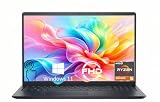
- TOUCHSCREEN PRODUCTIVITY: Navigate documents, spreadsheets, and web pages with intuitive touch controls on the 15.6 inch FHD anti-glare display, making everyday tasks more interactive and efficient for students and home users.
- FAST AND RESPONSIVE PERFORMANCE: The AMD Ryzen 5 7530U processor with 6 cores and 12 threads handles multitasking smoothly, allowing you to run multiple applications, stream content, and browse the web without slowdowns.
- AMPLE STORAGE FOR YOUR FILES: The 512GB solid state drive provides plenty of space for your documents, photos, videos, and applications, while delivering quick boot times and fast file access for a more responsive experience.
- COMFORTABLE TYPING EXPERIENCE: The full-size keyboard with a dedicated numeric keypad makes data entry and calculations easier, while the lifted hinge design creates an ergonomic typing angle for reduced wrist strain during long work sessions.
- RELIABLE CONNECTIVITY OPTIONS: Connect your peripherals and accessories with a variety of ports including USB Type-C, USB 3.2, USB 2.0, and HDMI 1.4, plus enjoy wireless connections with Wi-Fi 5 and Bluetooth for seamless online access.
Furthermore, Dell has offered this laptop with an SDCard reader. Transfer rates from the integrated card reader are slow just like it usually is on other Inspiron laptops.
To illustrate the transfer rate of the SD card, I Transferred 1 GB worth of pictures from the SDcard to the desktop. The transfer took about 44 seconds compared to 7 seconds recorded on the Dell XPS 15.
In conclusion, the transfer rates from the SSD as well as the SD card reader are slower than those found on costlier laptops. Therefore, I will rate it a seven in this aspect.
Do these 3 things before closing this tab:
1Scan for outdated or missing drivers - takes under a minute2Repair Windows errors before they cause bigger problems3Fix the driver behind crashes, sound loss and screen glitchesDell Inspiron 15 Laptop: Graphics Card Performance
Although the Dell Inspiron 15 laptop is not a gaming laptop, it can play some demanding games at low settings and resolutions.
For graphics configurations, you get either the Intel UHD Graphics or the Iris Plus graphics depending on your processor choice. These two graphics choices are integrated into the laptop – they are inbuilt with no dedicated VRAM.
Alternatively, you can go for the NVIDIA GeForce MX230 which has 2GB GDDR5 dedicated VRAM.
The model I tested has a dual graphics configuration – comprising of the dedicated GeForce MX230 card and the integrated Intel Iris Plus Graphics. Both graphics cards allow users to view pictures, watch videos, and other graphical activities.
Furthermore, the laptop features NVIDIA Optimus technology. Speaking of the NVIDIA Optimus technology, it automatically switches between the two graphics options as needed.
Consequently, Optimus activates the GeForce MX230 when performing graphics processing that is too heavy for the Iris Plus graphics.
To access the graphics performance of the laptop, I performed a 3DMark test. Based on the result of the test, the Dell Inspiron 15 laptop scored 2452 points.
In comparison, the Lenovo Ideapad L340 15 scored 2728 points. Unfortunately, Dell Inspiron 15 laptop lags behind the Lenovo despite having the same dedicated MX230 graphics.
The Tool Desk
Outbyte Driver Updater FREEFix the driver behind crashes, sound loss and screen glitchesFind Drivers →Outbyte PC Repair FREEClear out junk files and repair common Windows errorsFree Scan →All these considered, I will rate the graphics performance a six.
Also popular on Amazon

- 【10-Core Power】 Power through your workday or study sessions with the 13th Gen Intel Core i5 processor in this Dell 15 Laptop. Its 10-core design effortlessly handles everything from complex data analysis and graphic design projects to smoothly running multiple applications and browser tabs for research, making this laptop computer a reliable partner for all your ambitious tasks.
- 【FHD Touchscreen & Keypad】 Elevate your productivity and entertainment. The vibrant 15.6" Full HD (1920 x 1080 )touchscreen on this Dell Laptop brings your movies and videos to life with stunning clarity, making it perfect for immersive after-work or weekend viewing. Paired with the dedicated numeric keypad, quickly crunch numbers in spreadsheets or manage finances with ease, turning this laptop into your mobile command center for both entertainment and analytical work.
- 【16GB RAM & 512GB SSD】 Never slow down. With 64GB of RAM, this laptop computer allows you to seamlessly switch between writing a paper, streaming a lecture, and managing social media without a hiccup. The spacious 8TB SSD means your digital world—from important work documents and personal photo libraries to your favorite music and software—starts up in seconds and is always organized and ready.
- 【Life-Time Microsoft Office with Copilot】Make the most out of your office : Bring your ideas to life. Your creativity now gets a boost with Microsoft Office (Word, Excel, and Power Point). Get AI-powered assistance from Microsoft Copilot along with the latest Windows 11 Pro features for smarter productivity.
- 【Windows 11 Pro】Access powerful professional features like Hyper-V virtualization, Group Policy Management, and WSL, ensuring compatibility with a vast range of business and development applications.
Dell Inspiron 15 Laptop: Battery life & Performance
Dell Inspiron 15 laptop comes with a 3-cell 42whr battery. This is definitely not a huge capacity battery, especially for a 15.6-inch laptop.
To determine the performance of the battery, I performed a battery test. In the test, I set the screen brightness of the laptop to 120 nits. I also turned off all other programs except the browser that was surfing over 70 websites.
Based on the test result, the Dell Inspiron 15 laptop lasted 5 hours 15 minutes. Consequently, the laptop underperformed in comparison with the Lenovo Ideapad L340 15.
Crashes, No Sound, or Screen Glitches?
Random freezes, missing sound and display glitches usually trace back to one bad driver. Find and replace yours safely.Free scan · under a minuteWindows Errors? Fix Them Before They Spread
Repair common Windows errors and clear accumulated junk for a smoother, more stable PC - no reinstall needed.Free scan · no reinstallSurprisingly, the Lenovo IdeapS L340 15 lasted 6 hours 25 minutes despite that it only has a 3-cell 36Whr battery. For this reason, I will rate the battery performance of Dell Inspiron 15 a seven.
Frequently Asked Questions
Dell released the Dell Inspiron 15 laptop in September 2019.
No, the Dell Inspiron 5593 laptop is not touchscreen.
As of the time this article was published (May 2021), Dell Inspiron 15 laptop starts at a price of $622.94. However, the price varies depending on the configuration you are buying.
Free tools Windows power users keep installed
One-click scans. No signup required.
The Dell Inspiron 15 laptop is good enough as an affordable laptop. It is aimed at performing daily computing tasks. Although it is not a gaming laptop, it can play most games at low settings and resolution.
Yes, Dell Inspiron offers an impressive upgrade solution. You can upgrade its storage as well as its memory. Specifically, the SSD storage capacity can be increased up to 1TB. Additionally, the HDD storage option can also take up to 2TB. Moving on to the RAM upgrade, since there are two RAM slots, you can add another 8GB RAM to the empty slot – making a total of 16GB RAM.
Conclusion
The Dell Inspiron 15 laptop offers a decent balance between price and performance. It is an affordable laptop that is capable of performing day-to-day computing tasks, including light gaming.
Additionally, the laptop boasts of a nice build-quality and a decent selection of ports. Most importantly, it offers upgrade options for memory and storage.
In conclusion, I would recommend this laptop only for users who need an affordable laptop for general usage.
I hope you found this Dell Inspiron 15 laptop review helpful. If you found this article helpful, kindly click Yes to “Was this page Helpful?” below.
You could also share your thoughts with the “Leave a Comment” form found at the end of this page.
Finally, for more laptop reviews, visit our Laptop Reviews page. You may also find our Laptop Specs page very helpful.”
Quick wins for a faster PC:
Scan for outdated or missing drivers - takes under a minuteDriver Scan →Repair Windows errors before they cause bigger problemsFix Now →


Thank you for your article on Dell laptops. I’ve had horrible luck with the Dell Inspiron 15 series. The power button on the first one stopped working preventing me from accessing any files. We had to take the laptop apart to access the hard drive.
The second one I purchased (when the first one failed) crashed 6 months into the warranty–it ran slower and slower then finally went into hibernation mode. It took several tech phone calls (they wanted to charge $99 for a software tech support call!) and emails before a Dell contracted technician came out to replace the hard drive. I am not happy with the performance of Dell laptops.
Hi Carfen,
Thank you so much for providing feedback and reviewing Dell Inspiron 15 Laptop. Whenever we get in touch with Dell, we will mention your feedback. Can you provide us the model of the Dell laptop that has given you problems?