

Do these 3 things before closing this tab:
1Fix the driver behind crashes, sound loss and screen glitches2Repair Windows errors before they cause bigger problems3Scan for outdated or missing drivers - takes under a minuteiTechGuides is reader-supported. When you buy through links on our site, we may earn an affiliate commission. As an Amazon Associate I earn from qualifying purchases. Learn more
Dell Inspiron 15 5000: At First Glance
This Dell ultrabook laptop is ideal for users who need high-performance hardware in a travel-friendly size. The Dell Inspiron 15 5000 is a laptop with the latest hardware to suit everyday use.
Dell Inspiron 15 5000 features an upgraded processor and a better design than its predecessor; the Dell Inspiron 5584. The highlight of Dell Inspiron 15 5000 is the new 11th gen Intel core processor in a more sophisticated body.
At the time of publishing this review in August 2021, Dell Inspiron 15 5000 had a starting price of $751.
Wondering if it’s worth the price? Read on to find out!
Popular on Amazon

- 65W Dell Laptop charger Product Type :Input: 100~240V 50/60Hz ; Output: 19.5V 3.34A 65W (Also can fit 19.5V 2.31A 45W), 4.5mm x 3.0mm to 7.4m x 5.0mm cable,converter cable for different connector sizes. Works with wide range of Dell models,including Dell Inspiron Charger, Dell Vostro charger, Dell Latitude Charger, Dell XPS Charger. The Total cord length: 8.8 feet.
- Compatible with dell Inspiron 15 3000 charger: 15-3521 15-3520 15-3511 15-3510 15-3535 15-3530 15-3515 15-5579 15-3525 15-3573 14--5425 5420, 11-3147 7506 2 in 1 15-3505 3593 3501 3502 3505 3580 3585 3458 3493; Dell Inspiron 15 5000 Charger 15-5584 15-5545 5100 5515 5593 15-3583 7573 5481 3520 5370 5502 5515 5559 5570 7306 7375 13-7359 P75F P76F P106 ; Dell Inspiron 16-5630 16-5620 16-5625; dell inspiron 15 7000 laptop charger
- Compatible with : Dell Latitude Charger 3120 3140 3150 3160 3180 3189 3190 E5510 E5520 E5530 E5540 E5550 E5570 5580 5590 5501 5511 5591 5280 5290 E5250 E5270 5300 5310 5400 E5400 5410 E5410 E5420 5420 E5430 E5440 E7240 E725 E7270 7280 7290 7204 D400 D410 D420 D430 D500 3420 3510 3520 3540 3310 3480 3580 3590 13-3301 3320 3390 14-3400 3410 3490 15-3500 ; Dell Vostro Charger 3530 3420 3510 3520 3458 15-3405 3400 3500 3425 3525 15-5100 5620 5625 5301 5390 5401 5402 5490 5391 5590 5415 3558 3559 5581 5501 5502 5515. If you have a newer USB-C Dell, please kindly search Asin:B0CJ2S47F9 on Amazon.
- Compatible with P/N: P51F P25T P24T P57G P58F P69G P54G P28E P66F P20T P75F P30E P32E P60G P55F P30E P29G P89G p97f P70F P77F P77F001 P64G P47F P35E P32E P63F P76G p78f P83G P87G P93G P106F p157g p113g p90f dell computer charger
- What you get: 1*Power Adapter, 1* Power Cord, 1*4.5mm x 3.0mm to 7.4m x 5.0mm Convert Cable, which can use 7.4mm *5.0mm connector laptops. We offer 12-Month warranty, any problem about our charger you can contact us,
Dell Inspiron 15 5000: Design, Dimensions, and Weight
The design of the Dell Inspiron 15 5000 is the most impressive feature of the laptop. It has a thin build aluminum chassis with a smooth texture.
More precisely, it’s an all-aluminum build except for the bezels which are made with premium plastic.
Additionally, the hinges are a very functional piece of this Dell model. Dell seems to have adopted the ErgoLift feature mostly known for ASUS ZenBook.
Recommended Free Tools
On opening the lid of the laptop, this ErgoLift hinge lifts the keyboard to a 3-degree angle. This feature aims to provide convenience for your palms when typing on this laptop.
Moreover, this increases circulation and cooling when the laptop is being used on a hard surface.
Surprisingly, the hinges of this laptop do not have an aluminum finish. They have a hard rubber covering that aims to protect the laptop from scratches while maintaining its premium look.
Interestingly, the hinges are so stiff that you’ll need both hands to open the laptop’s lid. It seems the stiffness and rubber covering of the hinges is Dell’s intention for durability.
So far, it appears that Dell is very intentional in making this model a durable and convenient laptop for the end-user.
Also on the laptop’s design, you will see the “Dell” logo smoothly engraved on the lid when the laptop is closed. On opening the lid, you will see the same logo at the lower part of the bezel.
Meanwhile, when you turn over the laptop, the engraved “Inspiron” logo is located at the back, just above the cooling fan
Dell Inspiron 15 5000 comes in five color variants. You can get the laptop in Platinum Silver, Eden, River Rock, Pebble, or Element.
Moving on to the laptop’s dimensions, Dell Inspiron 15 5000 has a dimension of 356.1 x 234.5 x 14.15mm. This 15-inch laptop also has a thickness of 17.9mm and weighs 1714g.
Comparatively, Dell Inspiron 15 5000 weighs less than ASUS VivoBook S15 which weighs 1800g. Interestingly, this Dell laptop weighs almost the same as Lenovo Ideapad S340 that weighs 1790g.
However, Honor MagicBook 15 2020 weighs 1530g, which is less than the Dell Inspiron 15 5000. Above all, Dell Inspiron 15 5000 is a travel-friendly laptop.
Still on the laptop’s dimensions, Dell Inspiron 15 5000 has a screen-to-body ratio of 80.4%. This figure represents the percentage of the surface of the screen when compared to the entire device.
What’s actually slowing this PC down?
Pick the symptom - the matching free tool is one click away.
Similarly, Dell Inspiron 15 5000 joins the trend of laptops with slimmer bezels. Such laptops include ASUS VivoBook 15 with 87% and Apple MacBook Pro 16 with an 84% screen-to-body ratio.
The bezels are also very small which gives the laptop a very premium look. The side bezels are narrow, with a measurement of 5.4mm while those at the top and bottom are thicker.
Next is the display features, Dell Inspiron 15 5000 is a 15-inch non-reflective matte screen display laptop. It provides a Full HD resolution of 1920 x 1080 of an optional touchscreen.
The display screen runs at a 60Hz refresh rate and 144 ppi (pixel per inch). It also provides 58% sRGB and a peak of 233 luminance nits.
To clarify, if you plan on doing photo editing majorly with this laptop, the low sRGB will give you a low color accuracy.
In terms of connectivity, the Dell Inspiron 15 5000 has a good number of ports to serve your needs. On the right side is the microSD card slot, 1 USB 3.2 Gen 1, and a headphone jack.
On the left side is the power jack, HDMI 1.4, USB 3.2 Gen 1, USB 3.2 Gen 2 Type-C. This USB 3.2 Gen 2 Type-C serves power delivery features, especially as a display port.
One thing Dell could have done better was to include a Thunderbolt port. Unfortunately, Dell Inspiron 15 5000 does not offer that.
Quick wins for a faster PC:
Scan for outdated or missing drivers - takes under a minuteDriver Scan →Clear out junk files and repair common Windows errorsFree Scan →Fix the driver behind crashes, sound loss and screen glitchesFind Drivers →Moving on, at the top, above the bezel is the 720p, 30fps (frames per second) HD camera. The camera has a very impressive view.
By default, you’ll get a 1080p camera but on HDR auto mode, you’ll get a 720p camera at 30fps. This gives great picture quality.
Also popular on Amazon
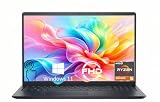
- TOUCHSCREEN PRODUCTIVITY: Navigate documents, spreadsheets, and web pages with intuitive touch controls on the 15.6 inch FHD anti-glare display, making everyday tasks more interactive and efficient for students and home users.
- FAST AND RESPONSIVE PERFORMANCE: The AMD Ryzen 5 7530U processor with 6 cores and 12 threads handles multitasking smoothly, allowing you to run multiple applications, stream content, and browse the web without slowdowns.
- AMPLE STORAGE FOR YOUR FILES: The 512GB solid state drive provides plenty of space for your documents, photos, videos, and applications, while delivering quick boot times and fast file access for a more responsive experience.
- COMFORTABLE TYPING EXPERIENCE: The full-size keyboard with a dedicated numeric keypad makes data entry and calculations easier, while the lifted hinge design creates an ergonomic typing angle for reduced wrist strain during long work sessions.
- RELIABLE CONNECTIVITY OPTIONS: Connect your peripherals and accessories with a variety of ports including USB Type-C, USB 3.2, USB 2.0, and HDMI 1.4, plus enjoy wireless connections with Wi-Fi 5 and Bluetooth for seamless online access.
On turning over the laptop, you will find one speaker each located on both edges of the laptop.
The power button is located at the top-right edge above the keyboard layout. The power button also doubles as a fingerprint sensor which unlocks sharply in under 3 seconds.
Moving on to the keyboard, Dell Inspiron 15 5000 has a backlit keyboard with a numeric keypad. The keys on the keyboard are soft, quiet, very firm, and travel fast at 1.5mm.
The touchpad is wide and looks expensive but it’s actually flimsy in texture.
The touchpad is pretty average in texture and not as responsive as it should be in all situations. You may have to use a mouse for playing certain games.
Interestingly, the Dell Inspiron 15 5000 also has intake vents. These vents are located at the top edge of the keyboard, between the lower bezel.
The Tool Desk
Outbyte PC Repair FREERepair Windows errors before they cause bigger problemsFix Now →Outbyte Driver Updater FREEScan for outdated or missing drivers - takes under a minuteDriver Scan →More precisely, these intake vents draw hot air from the laptop to the surroundings. This keeps the laptop cool and prevents overheating.
The Dell Inspiron 15 5000 has an impressive design and overall build quality. However, the display, touchpad, and port option could have been better.
I will be rating the design, dimension, and weight a nine out of 10.
Dell Inspiron 15 5000: Processor (CPU) Performance
The Dell Inspiron 15 5000 features an 11th gen Intel laptop that offers three options ranging from Core i3, i5, and i7. It is worth noting that this review is based on the components of the Core i7 option.
Free tools Windows power users keep installed
One-click scans. No signup required.
The Intel Core i7-1165G7 has a base frequency of 1.30 GHz and a maximum frequency of 4.70 GHz. This core i7 processor is 4 cores and features a 12 MB cache.
Other processor options are Intel Core i3-1115G4 with a 1 GHz base frequency and 4.10 GHz maximum frequency. Intel Core i3-1115G4 is a 2core processor with a 6 MB Cache.
Also, the Intel Core i5-1135G7 has a base frequency of 1 GHz and 4.20 GHz maximum frequency. Unlike the i3 processor, this i5 processor has 4 cores – it has an 8 MB Cache.
Comparatively, the Core i7 variant of Dell Inspiron 15 5000 is the powerhouse of all three variants. It provides 3x more processing performance than the Core i3 while the Core i5 performs at an intermediate level.
Crashes, No Sound, or Screen Glitches?
Random freezes, missing sound and display glitches usually trace back to one bad driver. Find and replace yours safely.Free scan · under a minutePC Slower Than It Used to Be?
A free scan shows the junk files, broken settings and background clutter dragging Windows down - then fixes them in one click.Free scan · Windows 10 & 11To test the CPU performance of Dell Inspiron 15 5000, I carried out a Cinebench R20 test. On a single-core test, the laptop produced a result of 567.
On the same Cinebench R20 test, the laptop scored as high as 2239 on a multi-core test.
A single-core processor is an aspect of the CPU that uses only one core in running less demanding tasks like data entry. While a multi-core processor uses all the cores in a CPU to carry out more demanding tasks like gaming and video editing.
Likewise, I conducted a CPU stress test using Prime95. This test is an additional method in testing CPU performance.
The result of the test indicates that a single-core performance on this laptop runs in the range of 3.8 – 4.2GHz. On the same test, the CPU multiple core performance gets to 2.30 GHz on the Dell Inspiron 15 5000.
Consequently, Dell Inspiron 15 5000 has a great test score for a mid-range performance laptop.
It appears that this laptop was built to handle anything you throw at it. I will be giving it a nine.
Dell Inspiron 15 5000: Memory (RAM) Performance
The standard memory size of the Dell Inspiron 15 5000 is 4 GB. It features a 3200MHz DDR4 memory type.
Free tools Windows power users keep installed
One-click scans. No signup required.
With a memory size of 4 GB RAM, do not expect smooth multi-tasking. Fortunately, this can be solved by expanding the memory.
More importantly, Dell made two slots of memory with a maximum capacity of 32 GB for both slots. This means that you can increase RAM size by adding another 8 or 16 GB on the other slot.
To better understand its performance, I conducted a mid-range performance test on the Dell Inspiron 15 5000.
Also popular on Amazon

- 【10-Core Power】 Power through your workday or study sessions with the 13th Gen Intel Core i5 processor in this Dell 15 Laptop. Its 10-core design effortlessly handles everything from complex data analysis and graphic design projects to smoothly running multiple applications and browser tabs for research, making this laptop computer a reliable partner for all your ambitious tasks.
- 【FHD Touchscreen & Keypad】 Elevate your productivity and entertainment. The vibrant 15.6" Full HD (1920 x 1080 )touchscreen on this Dell Laptop brings your movies and videos to life with stunning clarity, making it perfect for immersive after-work or weekend viewing. Paired with the dedicated numeric keypad, quickly crunch numbers in spreadsheets or manage finances with ease, turning this laptop into your mobile command center for both entertainment and analytical work.
- 【16GB RAM & 512GB SSD】 Never slow down. With 64GB of RAM, this laptop computer allows you to seamlessly switch between writing a paper, streaming a lecture, and managing social media without a hiccup. The spacious 8TB SSD means your digital world—from important work documents and personal photo libraries to your favorite music and software—starts up in seconds and is always organized and ready.
- 【Life-Time Microsoft Office with Copilot】Make the most out of your office : Bring your ideas to life. Your creativity now gets a boost with Microsoft Office (Word, Excel, and Power Point). Get AI-powered assistance from Microsoft Copilot along with the latest Windows 11 Pro features for smarter productivity.
- 【Windows 11 Pro】Access powerful professional features like Hyper-V virtualization, Group Policy Management, and WSL, ensuring compatibility with a vast range of business and development applications.
In this test, I had seventeen web tabs open, MS Word, and Excel. Despite the fact that these tasks were all running simultaneously, there was no lagging.
To further measure the memory performance of the laptop, I conducted a PCMark 10 test. This is a standardized performance test that covers various tasks carried out in the workplace.
At the end of this test, Dell Inspiron 15 5000 had a score of 4103 points.
Comparatively, Dell Inspiron scored higher than the Honor MagicBook 15 with a score of 3883 on the same test. Also, the Lenovo IdeaPad 5 was close to Dell’s performance with a score of 4113.
Based on the results of the real-life and the benchmark tests, I will give Dell Inspiron 15 5000 a rating of eight for its efficient memory performance.
Recommended Free Tools
Dell Inspiron 15 5000: Storage Options and Performance
The storage type on Dell Inspiron 15 5000 is another performance enhancer on this laptop. More specifically, it has an M.2 PCIe NVMe Gen3 x4 SSD storage type – supports up to 256 GB.
Impressively, the 256 GB storage can be expanded up to 2 TB. Dell gave more expandable storage by also including an SD Card reader.
Unfortunately, the SD Card reader does not accommodate a full SD card reader. The implication is that you can only use the SD card slot with a micro SD card.
I already mentioned that this laptop featuring an SSD storage type is a performance enhancer. However, to determine how well the SSD on the laptop performs, I carried out some benchmark tests.
What’s actually slowing this PC down?
Pick the symptom - the matching free tool is one click away.
Specifically, I carried out a CrystalDiskMark test to further determine the storage performance of Dell Inspiron 15 5000. The CrystalDiskMark tool tests the health and speed of any HDD or SSD storage drive.
At the end of the result, the SSD drive on Dell Inspiron 15 5000 SSD delivered a read speed of 1289MB/s. This indicates how long it takes to open a file on this laptop.
Furthermore, on the same test, I got a write speed of 213.5MB/s. Similarly, this write speed indicates how long it is going to take to save a file on this laptop.
Comparatively, Dell Inspiron promises better storage performance compared to Lenovo Ideapad 5. On the same test, the read speed of the Lenovo Ideapad 5 is 1168MB/s.
However, Lenovo outperforms Dell with a write speed of 1038. Specifically, it means that Lenovo Ideapad 5 will save a file faster but open a file slower than the Dell Inspiron 15 5000.
Overall, it is a fair SSD performance for a mid-range performance laptop. The micro SD card option is the storage downside for me and for that, I will rate storage performance an eight.
Independent reader supportYour contribution helps us test, update, and keep practical guides available for everyone.Dell Inspiron 15 5000: Graphics Card Performance
The GPU feature of the Dell Inspiron 15 5000 is another highlight of this laptop. Like that of the processor, this laptop provides various GPU Card types and different interfaces to chose from.
More explicitly, the Intel Core i3 offers a dedicated GPU interface. On the other hand, the Intel Core i5 and i7 offer an integrated GPU interface.
Crashes, No Sound, or Screen Glitches?
Random freezes, missing sound and display glitches usually trace back to one bad driver. Find and replace yours safely.Free scan · under a minutePC Slower Than It Used to Be?
A free scan shows the junk files, broken settings and background clutter dragging Windows down - then fixes them in one click.Free scan · Windows 10 & 11An integrated video card is a GPU that is built into the CPU. This means that when you are running tasks, the GPU will share the system memory with the CPU.
The implication of sharing the system memory with the CPU is that the integrated video card performs video rendering slower than a dedicated GPU.
On the other hand, the dedicated GPU has its own dedicated memory. What this means is that since the graphics card (GPU) has its own memory and does not share the system memory with the CPU, it performs graphics tasks faster.
Based on these explanations, if you are a gamer or works on graphics-intensive applications, it is better to get the laptop with its dedicated GPU option.
In terms of graphic card types, Dell provided the option of both worlds; both an “overperformer” and an “underperformed”. The Core i3 option of Dell Inspiron 15 5000 has an NVIDIA GeForce MX350 graphic card with 2 GB GDDR5.
In terms of performance, NVIDIA GeForce MX350 graphics offers high graphics overall performance. Also, you can play the latest demanding games at lower settings and resolutions.
To determine the performance of the GPU, I conducted a 3D Mark 11 video card benchmark test. The aim of this test is to measures the gaming performances of Dell Inspiron 15 5000.
At the end of this test, Dell Inspiron 15 5000 had an impressive score of 2875.
Do these 3 things before closing this tab:
1Scan for outdated or missing drivers - takes under a minute2Clear out junk files and repair common Windows errors3Fix the driver behind crashes, sound loss and screen glitchesAlso popular on Amazon
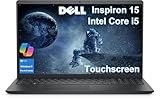
- DISCLOSURE - Brand New Computer has been resealed to upgrade Memory/SSD. 1 Year warranty by Issaquash Highlands Tech
- THOUGHFUL DESIGN - The new Inspiron 15 is a versatile laptop designed with a user-friendly layout, offering all the essential features to keep you productive and connected throughout the day. It includes a convenient numeric keypad, making it ideal for tasks that require frequent number input, such as data entry or accounting. Minimize your time plugged into an outlet with ExpressCharge, which can recharge your battery up to 80% in 60 minutes
- PREMIUM PERFORMANCE - Powered by Intel Core i5-1334U Processor (10 Cores, 12 Threads, up to 4.6 GHz) and Intel UHD Graphics, it delivers exceptional performance. Configurable with memory options from 8GB to 32GB RAM and storage options from 256GB to 1TB M.2 NVMe PCIe SSD, enabling smooth multitasking and fast loading across a wide range of applications
- EXCELLENT VISUAL - 15.6" FHD (1920 x 1080), 60Hz, Anti-Glare, LED, touchscreen display, offering sharp visuals and comfortable viewing while reducing eye strain. Expand your workspace via HDMI port. The 720p webcam ensures crisp video calls with enhanced clarity
- RICH CONNECTVITY - The device features USB-A 3.0, USB-A 2.0, USB-C 3.0, an HDMI 1.4 port, a headphone/microphone combo jack. Enjoy blazing-fast wireless speeds with Intel Wi-Fi 6 and seamless device pairing via Bluetooth 5
To further evaluate the gaming performance of this laptop, I played Minecraft. This game ran at 45fps and averaged at 60fps.
Additionally, I did some video and photo editing using Adobe products. Dell Inspiron 15 5000 produced good video editing quality at 10-60fps.
Interestingly, these test results are quite high for a non-gaming laptop. This GPU performance deserves a rate of nine.
Dell Inspiron 15 5000: Battery Life and Performance
The Dell Inspiron 15 5000 battery is a 4-cell 40 WHr Lithium-ion battery type.
The Tool Desk
Outbyte Driver Updater FREEFix the driver behind crashes, sound loss and screen glitchesFind Drivers →Outbyte PC Repair FREERepair Windows errors before they cause bigger problemsFix Now →To determine the estimated battery life, I conducted a video playback test. In this test, I started watching Season 1, Episode 1 of Mr. Queen on Netflix using a Wi-Fi connection.
At the point of starting the show, the laptop was fully charged at 100%. The Dell power manager also indicated a battery life estimate of 7 hours 30 minutes.
To get the most out of the laptop, I reduced the display and volume to 50%. I also turned off the location and Bluetooth.
At the end of this video playback test, the battery lasted a total of 7 hours 50 minutes. Specifically, the test lasted till the 7th episode of the show.
Apparently, Dell cares about long-lasting batteries for the end-user by providing the battery maintenance feature. However, a higher-performing battery would have been the icing on the cake.
It is a pattern that Dell comes with some of its very own pre-installed software. Dell Power Manager is one of that software.
This pre-installed software serves as the battery power manager for the Dell Inspiron 15 5000. Furthermore, it includes great battery management features.
Some of these features include battery health status, charge status, and battery settings.
Quick wins for a faster PC:
Scan for outdated or missing drivers - takes under a minuteDriver Scan →Clear out junk files and repair common Windows errorsFree Scan →Fix the driver behind crashes, sound loss and screen glitchesFind Drivers →More importantly, you get the most out of this software in the battery settings. This feature lets you decide the best cooling method, battery duration, fast charge, and alert settings.
This battery gets a full charge in 2 hours using the ExpressCharge feature of the laptop. Also, Dell is known for battery preservation with its “plugged in, not charging” feature.
With a fair performance and great battery feature, I would give this an eight.
Frequently Asked Questions
Only Dell Inspiron 15 5000 with Intel Core i7 offers an optional touchscreen display.
Do these 3 things before closing this tab:
1Scan for outdated or missing drivers - takes under a minute2Repair Windows errors before they cause bigger problems3Fix the driver behind crashes, sound loss and screen glitchesNo. Dell Inspiron 15 5000 is not a gaming laptop. However, it performs well on games of around 45fps to a maximum of 60fps.
The Dell Inspiron 15 5000 comes with a RAM of 4 GB which is expandable up to 32 GB
It was released in 2020.
Yes. It does.
Conclusion
Overall, Dell seems to have focused squarely on the body build and processor performance of this laptop. As expected, Dell was intentional about making Inspiron 15 5000 better than its previous model.
The appealing design, lightweight, good performance, are some features that make this laptop desirable. Regardless, it also comes with flaws such as no thunderbolt slot and a MicroSD reader
As of August 2021 when I published this article, Dell Inspiron 15 5000 had a starting price of $751. Also, note that this price will vary depending on the Intel Core type you intend to purchase.
Furthermore, the Core i7 processor of this laptop is ideal for game lovers, photo and video editors. This processor provides more performance than the i3 which is ideal for daily office use.
In the same light, the Core i5 provides more horsepower than the Core i3. The Core i5 performs average for a few graphics experiences and while using the internet.
Overall, Dell Inspiron 15 5000 has some excellent features and specs suitable for a wide range of users.
What’s actually slowing this PC down?
Pick the symptom - the matching free tool is one click away.
I hope you found this Dell Inspiron 15 5000 review helpful. If you found the review helpful, share your thoughts by responding to the “Was this page helpful?” question below.
Finally, for more laptop reviews, visit our Laptop Reviews page. You may also find our Laptop Specs page very helpful.
Quick Recap
Product prices and availability are accurate as of the date/time indicated and are subject to change. Any price and availability information displayed on Amazon at the time of purchase will apply.


Great review! I’ve been considering the Dell Inspiron 15 5000 for its balance of performance and price. Your insights on its design and battery life are super helpful. Thanks for breaking down the features!
Great review! I’ve been considering the Dell Inspiron 15 5000 for my next laptop, and your detailed insights on performance and features really helped. I appreciate the pros and cons section—it’s always useful to see both sides. Thanks for the recommendation!
Great review! I’ve been considering the Dell Inspiron 15 5000, and your insights on its performance and features really helped me weigh my options. The battery life and design sound promising!